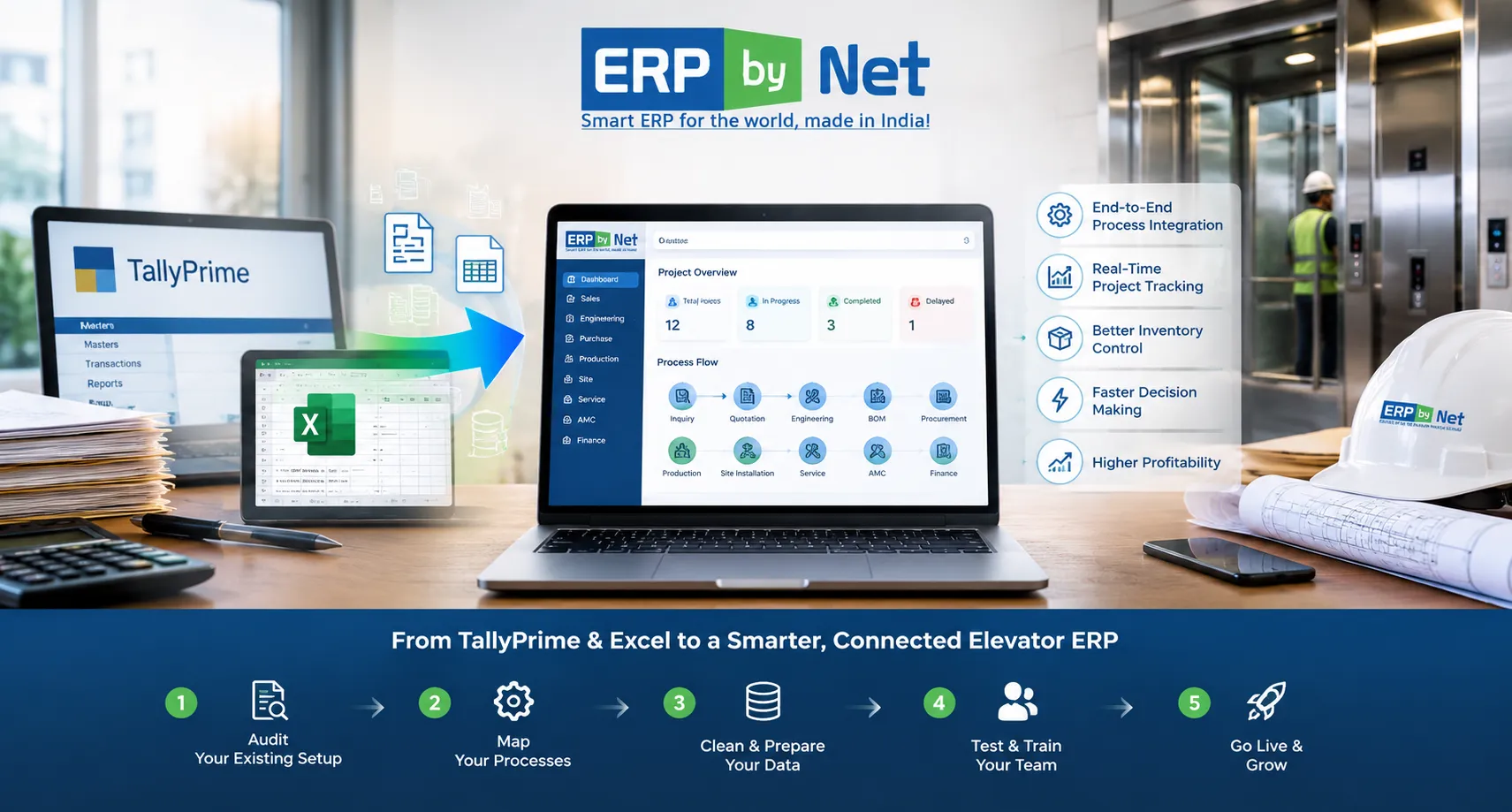
Migrating from TallyPrime & Excel to a Dedicated Elevator ERP: The 5-Stage Transition Roadmap
Key Takeaways
- ERP migration is more than transferring data; it requires redesigning how information moves across the business.
- Elevator businesses have interconnected data across sales, engineering, BOM, procurement, production, site, service, and finance.
- Data cleansing is critical before moving TallyPrime and Excel records into a new ERP.
- Pilot testing and user training reduce migration and adoption risks.
- A controlled five-stage transition helps move from disconnected tools to connected elevator operations.
What You’ll Learn
- How to audit TallyPrime and Excel data before migration.
- How to map elevator-specific processes and dependencies before ERP configuration.
- Why duplicate, outdated, and inconsistent data should be cleaned before migration.
- How pilot testing, validation, and department-based training support a smoother transition.
- How ERPbyNet connects sales, engineering, material planning, production, site, service, AMC, and finance.
Real Insights
- Moving bad data into a new ERP does not fix the underlying problem.
- Excel becomes risky when multiple teams maintain different versions of the same information.
- ERP migration should follow business processes, not simply existing spreadsheets.
- Go-live is not the finish line; adoption, accuracy, and workflow performance still need monitoring.
- The real value of migration is connecting information across the complete elevator project lifecycle.
For many elevator companies, TallyPrime and Excel work well when the business is smaller and operational complexity is limited. TallyPrime can manage accounting and financial transactions, while Excel can handle quotations, BOMs, project trackers, procurement lists, installation schedules, service records, and management reports.
The challenge begins when the business grows.
More elevator projects mean more customized configurations, more components, more suppliers, more sites, more technicians, more service contracts, and more information moving between departments. At that point, the problem is no longer simply having too many spreadsheets. The bigger issue is that critical business information is distributed across systems that were never designed to operate as one connected workflow.
Sales may maintain one version of a quotation. Engineering may maintain another version of the BOM. Procurement may work from a separate material sheet. Production may have its own planning file, while the site team tracks installation progress somewhere else.
Finance may know the revenue. Operations may know the project status. Service may know the equipment history. But management may struggle to connect all of that information quickly enough to answer a basic question:
“What is really happening with this elevator project, and how profitable is it?”
This is where migrating from TallyPrime and Excel to a dedicated elevator ERP becomes a strategic business decision rather than simply a software replacement.
Why Are Elevator Companies Moving Beyond TallyPrime and Excel?

TallyPrime remains useful for accounting and financial management, and Excel remains flexible for analysis and operational tracking. The issue is not that either tool is inherently unsuitable.
The issue is what happens when an elevator business tries to manage a complex project lifecycle by connecting them manually.
| Business Area | Typical TallyPrime + Excel Approach | What a Connected Elevator ERP Can Provide |
|---|---|---|
| Sales | Quotation details maintained in spreadsheets and accounting data separately | Inquiry, quotation, configuration, pricing and order information connected |
| Engineering | Engineering data and specifications maintained separately | Product rules, engineering data and BOM generation connected to the order |
| Material Planning | Manual Excel calculations and purchase follow-ups | Demand planning, MRP, planned orders and procurement workflows |
| Production | Separate production schedules and job trackers | Production planning linked to project and material requirements |
| Site Installation | Site status maintained through spreadsheets, calls or messages | Site readiness, scheduling, activity tracking and handover management |
| Service & AMC | Separate service registers and renewal reminders | Breakdown service, preventive maintenance, AMC and equipment history |
| Finance | Financial information separated from operational project data | Operational and financial information connected for project-level analysis |
The objective of migration, therefore, should not be to simply transfer old records into a new application.
The objective should be to move from fragmented information management to a connected operating model.
Read More: How an Elevator Company Managed Engineering Dependencies Across Customized Lift Orders
What Makes Elevator ERP Migration Different?
A standard ERP migration may involve customers, vendors, products, invoices, payments and inventory.
An elevator business has additional dependencies.
A single order can involve:
- Customer and project information
- Elevator configuration and specifications
- Quotation and BOQ
- Engineering decisions
- Bill of Materials
- Component availability
- Purchase requirements
- Production planning
- Site readiness
- Installation activities
- Handover documentation
- Breakdown service
- Preventive maintenance
- AMC renewal
- Project profitability
These activities are not independent.
A change in elevator configuration can affect the engineering specification. The engineering change can affect the BOM. The BOM can change material demand. Material demand can affect procurement. Procurement can affect production. Production can affect site scheduling. Site delays can affect customer billing and project profitability.
That is why elevator ERP migration should be approached as a process transformation project, not simply a data-transfer exercise.
The 5-Stage Transition Roadmap
A controlled migration can be divided into five practical stages:
- Audit the current TallyPrime + Excel environment
- Map elevator-specific processes and data dependencies
- Clean, structure and prepare the data
- Test, train and execute a controlled transition
- Go live, stabilize and continuously improve
Each stage addresses a different migration risk. Skipping one may create problems that only become visible after the ERP goes live.
Stage 1: Audit Your Existing TallyPrime and Excel Environment
Before selecting migration fields or importing data, understand where your current information actually lives.
In many elevator businesses, information has accumulated over years across multiple spreadsheets and systems.
You may find:
- Customer masters in TallyPrime
- Quotation data in Excel
- BOQs in separate project files
- BOMs maintained by engineering teams
- Supplier lists in procurement spreadsheets
- Stock information in multiple files
- Installation schedules maintained by project teams
- Technician information in service spreadsheets
- AMC information in separate registers
- Project costing maintained manually
Start by creating a data and process inventory.
| Source | Information to Identify | Migration Decision |
|---|---|---|
| TallyPrime | Ledgers, customers, vendors, transactions, opening balances | Migrate, archive or retain for reference |
| Sales Excel | Leads, quotations, prices, BOQs, order status | Clean and map to sales workflow |
| Engineering Excel | Specifications, components, BOMs and revisions | Convert into structured engineering data |
| Purchase Excel | Suppliers, purchase requirements, open orders | Map to procurement workflow |
| Production Excel | Jobs, schedules, material requirements | Connect to planning and manufacturing |
| Service Excel | Equipment, complaints, visits, AMCs and parts | Map to service lifecycle |
Do not migrate everything simply because it exists.
Old duplicate customers, inactive items, obsolete components and outdated spreadsheets can create unnecessary complexity in the new ERP.
Stage 2: Map Your Elevator-Specific Processes Before Configuring the ERP
This is where an elevator ERP migration differs significantly from a generic accounting-system migration.
Instead of asking only, “Which fields should we migrate?”, ask:
“How should information move through our business after migration?”
Map the complete operational lifecycle:
Inquiry → Quotation → BOQ → Engineering → BOM → Material Planning → Procurement → Production → Site Installation → Handover → Service → AMC → Finance
Then identify the dependencies between every stage.
Example: A Change in Elevator Specification
Imagine a customer changes the required load capacity after the quotation has already been prepared.
In a fragmented environment, someone may need to:
- Update the quotation
- Inform engineering
- Modify the BOM
- Check component availability
- Review purchase requirements
- Update production planning
- Inform the site team
- Recalculate project costing
If these updates happen manually, there is a significant risk that one department continues working with the previous information.
A connected elevator ERP should instead provide controlled workflows where relevant changes can flow into the appropriate downstream processes.
This is particularly important for elevator manufacturers and engineering companies handling ETO, MTO, customized configurations and project-specific requirements.
Stage 3: Clean and Structure the Data Before Migration
Data migration is not the right time to discover that three customer records represent the same company or that the same elevator component has been entered under five different item codes.
Clean the data before loading it.
Key Data-Cleansing Activities
- Remove duplicate customer records
- Standardize customer and vendor names
- Review inactive suppliers
- Identify duplicate item codes
- Standardize units of measurement
- Review obsolete components
- Validate BOM structures
- Check opening inventory
- Reconcile financial balances
- Review open purchase orders
- Identify open project commitments
- Validate active service contracts
- Separate historical information from operational information
It is also important to decide what should actually be migrated.
| Data Category | Recommended Approach |
|---|---|
| Active Customers | Migrate after cleansing and validation |
| Active Vendors | Migrate after standardization |
| Active Items | Migrate with correct codes, units and categories |
| Current BOMs | Validate and migrate as structured engineering data |
| Open Orders | Migrate based on business requirements |
| Current Projects | Prioritize because they directly affect ongoing operations |
| Active AMCs | Migrate with contract and equipment information |
| Old Historical Data | Evaluate whether it needs migration or archival access |
The principle is simple:
Do not transfer data merely because you can. Transfer the data the business needs to operate accurately.
Stage 4: Test, Train and Execute a Controlled Transition
One of the biggest mistakes companies can make is treating ERP go-live as a single-day software switch.
A better approach is controlled testing.
Run a Pilot Migration
Start with a representative dataset rather than immediately migrating the entire organization.
For example, select:
- A sample of customers
- Representative elevator models
- Common components
- Sample BOMs
- Active projects
- Open purchase requirements
- Current service contracts
Then test whether the information behaves correctly inside the new system.
Validate More Than Data Counts
Matching the number of records is not enough.
If 5,000 customer records were migrated successfully, that does not automatically mean the migration is correct.
Validate the business meaning of the information.
| Validation Area | What to Check |
|---|---|
| Customer Data | Names, contacts, addresses, tax information and project relationships |
| Item Data | Codes, descriptions, units, categories and status |
| BOM | Components, quantities, revisions and relationships |
| Inventory | Opening quantities, locations and valuation |
| Finance | Opening balances, receivables, payables and reconciliations |
| Projects | Orders, costs, milestones and outstanding activities |
| AMC | Contract dates, equipment details and pending service obligations |
Train Users Around Their Actual Work
Training should not focus only on where buttons are located.
Sales users should learn how to create and manage quotations. Engineering teams should understand product configuration and BOM workflows. Purchase teams should know how requirements are generated and processed. Site teams should understand scheduling and activity updates. Service teams should be trained on complaints, preventive maintenance, parts and equipment history.
When training is connected to real business scenarios, user adoption becomes significantly easier.
Stage 5: Go Live, Stabilize and Improve
Going live is the beginning of the new operating process, not the end of the migration project.
The first few weeks should be treated as a stabilization period.
Monitor:
- Data accuracy
- User adoption
- Pending transactions
- Workflow bottlenecks
- Purchase and inventory accuracy
- Project status updates
- Site execution delays
- Service response tracking
- AMC renewal processes
- Management reporting
Establish clear ownership for issues discovered after go-live.
For example:
| Issue | Owner | Response |
|---|---|---|
| Incorrect customer master | Sales/Admin | Correct master and validate downstream impact |
| Incorrect BOM | Engineering | Review revision and component structure |
| Material discrepancy | Stores/Purchase | Reconcile stock and transaction history |
| Site status mismatch | Project/Site Team | Validate activity and readiness information |
| Service information missing | Service Team | Review equipment and contract records |
This prevents the ERP from becoming another system that employees work around.
Read More: What Is Really Behind Cost Overruns in Elevator Projects-and How Can ERP Help Control Them?
What Should an Elevator Company Expect After Migration?

The value of migration should not be measured by the number of spreadsheets eliminated.
The real value appears when departments can work from connected information.
1. Sales and Engineering Work From the Same Order Information
Sales does not have to repeatedly communicate every specification change to engineering through separate messages and files. Product configuration, quotation information and engineering requirements can be connected through the ERP workflow.
2. Engineering Can Influence Material Planning Earlier
When BOM and engineering information are connected to planning, material requirements can be identified before procurement becomes an emergency exercise.
3. Procurement Can Work From Actual Demand
Instead of maintaining independent purchase trackers, teams can work from structured requirements generated from orders, BOMs, stock levels and planning rules.
4. Project Teams Can Track Installation More Systematically
Elevator installation is not simply a delivery activity. Site readiness, material availability, activities, dependencies and handover all influence project completion.
A connected site-management layer can help teams track these activities rather than relying entirely on calls, spreadsheets and manual follow-ups.
5. Service Teams Can Connect Breakdown, Equipment and AMC Information
Once an elevator is handed over, the operational lifecycle continues.
Service teams need access to equipment history, complaints, preventive maintenance schedules, spare parts and AMC information. Connecting these processes helps move service management beyond isolated complaint records.
6. Management Can Evaluate Project Performance
When project information, material consumption, labour, subcontracting, logistics and billing information are connected, management can evaluate where margins are being gained or lost.
This is particularly valuable for project-based elevator businesses where a project that looks profitable at quotation stage can experience cost pressure during procurement, manufacturing or installation.
Where ERPbyNet Fits Into the Transition
The purpose of moving to an elevator ERP should not be to replace TallyPrime and Excel with another collection of disconnected modules.
The objective should be to create a connected operational flow designed around how elevator and engineering businesses actually work.
ERPbyNet is designed around this requirement, connecting business processes across sales, engineering, material planning, manufacturing, site execution, service and finance.
For example, the transition can connect:
- SalesPundit for inquiry, quotation, CPQ, BOQ and order processes
- Product Definition Studio for product rules and configuration logic
- DrawGenie for drawing generation from quotation and engineering information
- AceMRP for engineering, planning, procurement, manufacturing and material requirements
- AceSiteManager for site planning, readiness and installation execution
- AceService for service and AMC processes
- SmartTechnician for technician mobility and field execution
- AceFinance for financial processes and reporting
The important point is not the number of modules.
It is the connection between them.
Quotation information can influence engineering. Engineering can influence BOM. BOM can influence material planning. Material planning can influence procurement and production. Production can influence site execution. Site completion can lead into service and AMC.
That connected lifecycle is what makes an industry-focused ERP different from simply adding another accounting or spreadsheet replacement tool.
Should You Migrate Everything From TallyPrime and Excel?
No.
A successful ERP migration is not a historical data dumping exercise.
Before migration, divide information into three categories:
- Operational data: Information required for current business activities
- Reference data: Historical information that may be required for analysis or customer/service reference
- Obsolete data: Duplicate, inactive or outdated information that does not need to enter the new operational system
This approach keeps the new ERP cleaner and makes adoption easier for users.
Common Mistakes to Avoid During Elevator ERP Migration
Mistake 1: Treating Migration as an IT-Only Project
Finance, sales, engineering, purchase, production, projects and service teams all understand different parts of the business. Their participation is essential.
Mistake 2: Migrating Dirty Data
Duplicate customers, inconsistent item codes and obsolete BOMs do not become better simply because they are imported into a new system.
Mistake 3: Ignoring Business Processes
Copying existing spreadsheets into ERP fields without redesigning the workflow can reproduce the same inefficiencies inside a new interface.
Mistake 4: Testing Only the Software
Test real business scenarios. Create a quotation, convert it into an order, generate requirements, process procurement, track production and follow the project through site execution.
Mistake 5: Going Live Without User Readiness
Even technically correct ERP systems can fail to deliver value if employees continue maintaining parallel Excel files because they do not trust or understand the new process.
Mistake 6: Measuring Success Only by Go-Live
The real test comes after implementation: Are manual follow-ups decreasing? Are project delays easier to identify? Can management understand project profitability? Can service teams access the information they need?
Elevator ERP Migration Checklist
Before switching from TallyPrime and Excel, use this checklist:
- ☐ Identify every major TallyPrime and Excel data source
- ☐ Assign business owners for each data category
- ☐ Identify duplicate and obsolete records
- ☐ Define the data that must be migrated
- ☐ Map current processes to the future ERP workflow
- ☐ Validate customer, vendor and item masters
- ☐ Review BOMs and engineering information
- ☐ Reconcile opening financial balances
- ☐ Identify active projects and open transactions
- ☐ Validate active AMC and service records
- ☐ Create a migration mapping document
- ☐ Run a pilot migration
- ☐ Test real business scenarios
- ☐ Train users by department
- ☐ Define the go-live and cutover process
- ☐ Keep an appropriate fallback/reference strategy
- ☐ Monitor adoption after go-live
- ☐ Measure operational improvements after implementation
When Is the Right Time to Move From TallyPrime + Excel to an Elevator ERP?
There is no single employee count or revenue threshold that determines when an elevator company needs ERP.
The stronger indicators are operational complexity.
You should seriously evaluate an elevator ERP when:
- Multiple teams maintain separate versions of the same information
- Quotation-to-engineering handoffs require repeated manual communication
- BOM changes frequently create procurement or production issues
- Project teams struggle to track material and site readiness
- Management cannot quickly calculate project-wise profitability
- Service teams maintain separate equipment and AMC records
- Technicians depend heavily on phone calls and manual reporting
- Inventory information is difficult to reconcile with project requirements
- Excel trackers have become critical to daily operations
- Management spends significant time collecting information before making decisions
The trigger is not necessarily “Excel has become too large.”
It is when the business has become too interconnected for disconnected tools to manage efficiently.
Final Takeaway: The Goal Is Not Just to Leave Excel
Migrating from TallyPrime and Excel to a dedicated elevator ERP should not be viewed as replacing familiar software with a new application.
It is an opportunity to redesign how information moves through the business.
For an elevator company, that means connecting the journey from:
Inquiry → Quotation → Engineering → BOM → Procurement → Production → Site → Service → AMC → Finance.
The five-stage transition provides a practical way to approach that change:
- Audit what you have.
- Map how your elevator business actually operates.
- Clean and structure the data.
- Test and prepare users before transition.
- Go live with controlled stabilization and continuous improvement.
For elevator manufacturers, installation companies and engineering businesses, the biggest ERP benefit is not simply reducing spreadsheets. It is creating a connected operational foundation where engineering decisions, material requirements, production, project execution, service and financial performance can work together.
ERPbyNet helps elevator and project-based businesses move toward that connected model with industry-focused processes across sales, engineering, manufacturing, site execution, service, AMC and finance.
Ready to evaluate whether your current TallyPrime + Excel setup has reached its limit?
Explore ERPbyNet or contact to discuss how a dedicated elevator ERP can support your next stage of growth.
Frequently Asked Questions
1. Can an elevator company migrate from TallyPrime and Excel to an ERP?
Yes. The migration should be planned around both financial data and operational information. Customer, vendor, item, inventory, project, BOM, service and AMC data should be assessed individually to determine what should be migrated, transformed, archived or retained for reference.
2. Do we need to stop using TallyPrime immediately after selecting an elevator ERP?
Not necessarily. The transition strategy depends on the company’s financial, operational and compliance requirements. A controlled cutover or phased transition can reduce operational disruption while teams validate the new workflows and migrated data.
3. Should all Excel files be imported into the new ERP?
No. Before migration, identify which spreadsheets contain active business data, which contain historical reference information and which contain duplicate or obsolete records. Importing everything can make the new system harder to manage.
4. What data should an elevator company prioritize during ERP migration?
Priority data generally includes active customers, vendors, item masters, inventory, current projects, open orders, engineering information, BOMs, active service records and AMC contracts. Financial opening balances and other accounting information should also be carefully reconciled according to the implementation plan.
5. How long does it take to migrate from TallyPrime and Excel to an ERP?
The timeline depends on the number of users, business processes, data quality, integrations, historical data requirements and degree of customization. A structured assessment and pilot migration should be completed before committing to a final implementation timeline.
6. What happens to historical TallyPrime data?
Historical information does not always need to be loaded completely into the new operational ERP. Companies can determine which history is required for active reporting, customer reference, financial analysis and compliance, while other records may be retained through an appropriate archival or reference strategy.
7. Why is Excel still a problem if the company already has TallyPrime?
TallyPrime and Excel may each perform useful functions, but they can leave operational information distributed across separate workflows. An elevator ERP can connect sales, engineering, BOM, procurement, production, site execution, service and finance so teams work from a more consistent operational process.
8. What makes an elevator ERP different from a generic ERP?
An elevator-focused ERP can be designed around processes such as product configuration, engineering dependencies, BOM management, material planning, project/site execution, installation, breakdown service and AMC management. These workflows are particularly important for elevator manufacturers and project-based engineering businesses.

COO & Founder Member, XECOM | ERP & Technology Expert
Ganesh Limaye is a technology and business leader with 30+ years of experience in ERP, service management, project-based operations, and business process automation. He specializes in helping elevator, engineering, and service-driven businesses improve operational visibility, productivity, customer service, and business growth.