
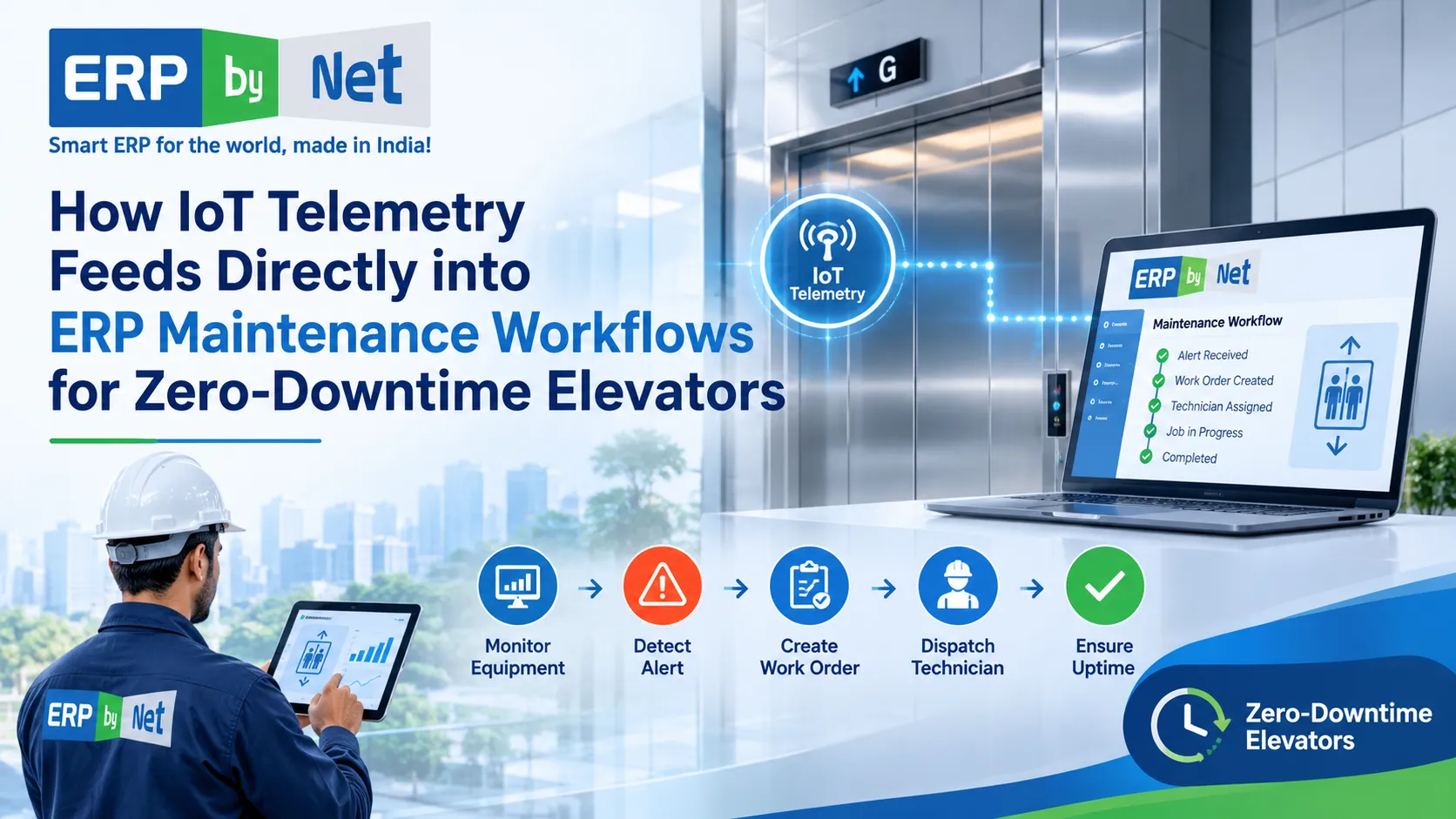
An elevator can operate normally for weeks while small changes in its performance indicate that something is beginning to go wrong. A door operator may take slightly longer to close. A motor may show unusual temperature patterns. A controller may repeatedly record an error that disappears after a reset. Individually, these events might not appear urgent, but together they can indicate a developing maintenance issue.
Traditionally, elevator maintenance teams depend on scheduled inspections, customer complaints, technician observations, and breakdown reports to identify problems. Although these activities remain essential, they do not always provide continuous information about equipment behaviour between maintenance visits.
This is where the combination of the Internet of Things (IoT), telemetry, predictive analytics, and Enterprise Resource Planning (ERP) becomes valuable.
Connected elevator equipment can generate operating information continuously. IoT gateways transmit relevant data to monitoring platforms, where analytical systems can identify unusual patterns and potential faults. However, detecting a problem is only the beginning. Someone must investigate the alert, identify the affected elevator, arrange the appropriate technician, check spare-parts availability, complete the repair, and record the outcome.
Without a connection to business operations, even a sophisticated monitoring platform can leave maintenance teams coordinating these activities manually.
IoT telemetry integrated with ERP maintenance workflows bridges this gap. It connects information about elevator performance with the operational processes required to maintain equipment, coordinate technicians, manage spare parts, and track service costs.
For elevator manufacturers, installation companies, and maintenance contractors, the objective is not simply to monitor equipment remotely. It is to create a coordinated maintenance process in which relevant equipment information can support timely, informed business decisions.
This article explains how elevator telemetry works, how it can connect with ERP software, what happens when a sensor detects an abnormal condition, and how elevator companies can prepare their maintenance operations for more connected service management.
1. What Is IoT Telemetry in Elevator Maintenance?
IoT telemetry refers to the collection and transmission of information from connected equipment to another system for monitoring, analysis, and decision-making.
In elevator maintenance, telemetry can include information about equipment operating conditions, controller events, fault codes, operating cycles, temperatures, vibration measurements, and other relevant performance indicators.
This information helps maintenance teams understand what is happening inside an elevator without depending exclusively on physical inspection or customer-reported complaints.
For example, a connected elevator controller might generate repeated door-related fault events. An IoT monitoring system can capture those events, associate them with a particular elevator, and make the information available for further analysis.
If the same issue appears repeatedly, the system may identify a pattern that deserves investigation.
How does elevator telemetry work?
A typical telemetry process involves five main components.
1. Sensors and elevator controllers
Equipment sensors and controllers generate operating information. Some measurements are available directly through compatible controllers, while others require additional sensors.
2. IoT gateway
A gateway collects information from connected devices and controllers. It may perform protocol conversion, filtering, buffering, and secure communication with external platforms.
3. Connectivity layer
The gateway transmits selected information through an appropriate communication network. Depending on the installation, this could involve Ethernet, cellular connectivity, or another supported communication method.
4. IoT monitoring platform
The monitoring platform receives equipment information, organizes it, identifies events, and makes data available for dashboards, diagnostics, or analytics.
5. Business applications
Relevant alerts and validated maintenance information can be exchanged with enterprise systems through APIs, middleware, webhooks, or other supported integration mechanisms.
The final stage is particularly important. Monitoring information becomes operationally useful when it can reach the people and business processes responsible for maintaining the elevator.
ITU-T Y.4420 provides a technical framework for IoT-based lift monitoring, including gateway architecture, application architecture, communication protocols, and data models.
Read More: Top 7 Evaluation Criteria for Selecting Elevator Enterprise Software in 2026
2. Which Elevator Components Can Generate Useful Telemetry?
Not every elevator component generates the same information, and not every fault can be predicted through remote monitoring.
The usefulness of telemetry depends on the elevator’s design, controller compatibility, sensor availability, measurement quality, and the type of maintenance problem being investigated.
The following components illustrate where connected monitoring may provide useful information.
| Elevator component | Potential telemetry | Maintenance application |
|---|---|---|
| Door operator | Door operating time, repeated fault events, cycle information | Investigate recurring door problems |
| Traction motor | Temperature, operating behaviour, vibration where measured | Identify unusual mechanical or thermal conditions |
| Bearings | Vibration and temperature measurements | Support condition-based inspection |
| Drive system | Error codes, operating events and electrical indicators | Investigate drive-related abnormalities |
| Control panel | Fault logs, system status and controller events | Identify recurring control-related problems |
| Brake system | Equipment-specific diagnostic indicators and inspection records | Support maintenance investigation |
| Elevator operating system | Trip counts, interruptions and usage patterns | Understand equipment utilization |
The presence of a particular data point does not automatically mean that a component’s condition can be reliably predicted.
For example, a motor temperature reading that exceeds a configured threshold may justify investigation. However, determining the underlying cause requires consideration of load, operating conditions, ventilation, sensor accuracy, and the manufacturer’s technical requirements.
Example: Identifying an unusual door-operation pattern
Consider an elevator in a commercial building that completes hundreds of operating cycles during a normal working day.
Over time, its monitoring system begins recording repeated variations in door-operation duration.
Initially, the elevator continues operating. No passenger complaint has been registered, and no major breakdown has occurred.
A telemetry platform can compare the current readings with historical behaviour and identify a developing anomaly.
The maintenance team can then investigate:
- Whether the door mechanism is operating outside its normal parameters.
- Whether there are recurring controller events.
- Whether the issue occurs under particular operating conditions.
- Whether previous technicians recorded similar observations.
- Whether adjustment, inspection, or component replacement is necessary.
The important point is that telemetry provides evidence for investigation. It does not independently establish the mechanical cause or authorize a repair.
3. Why IoT Monitoring Alone Is Not Enough for Elevator Companies

A connected elevator may generate useful information every day, but monitoring equipment is only one part of maintenance management.
The actual challenge begins when a warning needs to become a business action.
Imagine a service company managing 2,000 elevators across multiple cities. Its monitoring platform identifies a potential issue in one unit.
The monitoring team receives the alert. But what happens next?
The service manager needs to identify the customer, check the maintenance agreement, review the equipment’s history, determine the urgency, arrange a qualified technician, and make sure the required parts are available.
If these activities are managed through separate applications, spreadsheets, telephone calls, and messaging platforms, the original alert can lose its operational value.
Common problems with disconnected monitoring and maintenance systems
1. Alerts remain inside monitoring dashboards
An equipment warning may reach the monitoring team without creating an actionable task for the service department.
Someone must manually communicate the issue and follow up on whether it has been investigated.
2. Equipment information is duplicated
The monitoring platform may identify an elevator using one equipment code, while the service system uses another asset number.
Employees then need to establish whether both records refer to the same unit.
3. Technicians receive incomplete information
An assignment that only says “check elevator fault” does not provide sufficient preparation.
Technicians may need the fault history, site address, equipment configuration, previous repair details, and suspected component information.
4. Spare-parts requirements are identified too late
A technician may reach the site and discover that the suspected component is unavailable.
The company then needs another visit, additional coordination, and potentially a longer service interruption.
5. Maintenance costs become difficult to evaluate
Equipment monitoring data may exist separately from labour records, travel expenses, parts consumption, and contract billing.
Management cannot easily connect equipment problems with the actual cost of maintaining each unit.
6. Historical information remains fragmented
The monitoring platform records equipment events, while the ERP or service application records repairs.
If these records are not connected, understanding the complete maintenance history becomes difficult.
The solution is not to replace the IoT monitoring platform with an ERP system. Each system has a different responsibility.
The monitoring platform understands equipment signals. The ERP manages the business processes that follow validated maintenance requirements.
4. How IoT Telemetry Connects Directly with ERP Maintenance Workflows
The most useful integration connects relevant equipment information with the correct operational records.
A telemetry platform should not send every raw sensor reading into an ERP system as a separate maintenance ticket. That would create unnecessary records and potentially overwhelm service teams.
Instead, the integration should identify meaningful events, validate the information, and send actionable maintenance requests.
Step 1: Capture equipment information
The process begins with the elevator controller, sensors, and monitoring devices.
These sources collect relevant information such as:
- Equipment operating status.
- Controller-generated error codes.
- Door operating behaviour.
- Motor temperature.
- Vibration measurements, where suitable sensors are installed.
- Operating cycles and trip information.
- Repeated interruptions.
- Relevant power-related events.
The system should capture timestamps and equipment identifiers alongside the measurements.
This information helps establish when an event occurred and which asset generated it.
Step 2: Send data through an IoT gateway
The gateway acts as the communication bridge between elevator equipment and the monitoring environment.
Different elevator manufacturers and controller generations may use different communication protocols.
Consequently, integration planning must consider protocol compatibility, data formats, security, and whether the gateway can access the required information without interfering with the elevator’s control or safety functions.
The gateway may also filter unnecessary information before transmission.
For example, a high-frequency sensor measurement might be analysed locally, while the monitoring platform receives a summary, anomaly event, or selected measurement window.
This approach helps avoid transferring large volumes of unnecessary raw data into enterprise applications.
Step 3: Analyse and validate telemetry
The monitoring platform processes the incoming information.
Depending on the application, it may use:
- Fixed thresholds.
- Equipment-specific rules.
- Historical comparisons.
- Pattern recognition.
- Statistical analysis.
- Machine-learning models.
Suppose a lift records several abnormal door events within a defined period.
The analytics system can compare the current pattern with historical data and identify whether the behaviour deserves further investigation.
However, an alert should contain enough context to support an informed decision.
Useful information includes the equipment ID, event type, timestamp, severity, relevant measurements, and the basis for generating the alert.
Step 4: Exchange actionable information with ERP
Once an event meets the agreed criteria, the monitoring platform can communicate with the ERP system.
This may happen through a REST API, webhook, integration middleware, message broker, or another supported interface.
The ERP then attempts to match the incoming event with the appropriate equipment record.
It can retrieve relevant business information such as:
- Customer and site details.
- Equipment identification.
- Maintenance contract.
- Warranty status.
- Previous service history.
- Open service tickets.
- Assigned service team.
- Relevant spare-parts information.
The integration should check whether the same event has already generated a ticket.
This prevents duplicate alerts from creating unnecessary work orders.
Step 5: Create or update a maintenance work order
After validating the incoming information, the business workflow can create a new maintenance request or update an existing case.
The work order may contain:
- Equipment and site identification.
- Reported condition.
- Alert timestamp.
- Priority for review.
- Suggested inspection area.
- Previous related maintenance records.
- Applicable contract information.
- Supporting diagnostic data.
The service manager can review the information and decide the next action.
For critical or safety-related events, the relevant approved safety and emergency procedures take priority. An ERP workflow must never delay an urgent response while waiting for routine approval.
Step 6: Coordinate technicians and spare parts
Once the work is approved or appropriately prioritized, the service team can organize the field response.
The business needs to identify:
- Which qualified technician is available?
- How far is the technician from the site?
- What equipment knowledge is required?
- What parts or tools may be needed?
- Is the required inventory available?
- Does the site have access restrictions?
The ERP and connected field-service applications can support assignment, job communication, and inventory coordination.
Step 7: Record the repair and close the workflow
After visiting the site, the technician records the inspection findings and action taken.
The final record may include:
- Confirmed fault.
- Root cause, where established.
- Parts consumed.
- Labour and travel details.
- Inspection checklist.
- Photographs or supporting documents.
- Repair completion time.
- Follow-up recommendations.
The maintenance history can then be updated.
If the same issue occurs again, service managers have a more complete record for comparison and investigation.
5. The Complete IoT-to-ERP Maintenance Workflow
Consider the following illustrative situation.
An elevator in a hospital begins showing repeated door-related abnormalities. The monitoring system identifies the pattern before a major service interruption occurs.
A connected maintenance process might work as follows.
Connected elevator maintenance lifecycle
- Equipment telemetrySensors and controllers record abnormal door-operation events.
- IoT monitoring platformThe system identifies repeated events and generates an actionable alert.
- ERP asset identificationThe event is matched with the correct elevator, customer, site, and service contract.
- Maintenance work orderA service request is created or an existing case is updated after validation.
- Technician coordinationThe service manager arranges the appropriate technician and site visit.
- Spare-parts verificationStores and service teams check the availability of relevant components.
- Field inspection and repairThe technician investigates the issue and records the confirmed findings.
- ERP record updateService history, parts consumption, labour, and job status are updated.
- Analytics and improvementManagement reviews recurring issues, response performance, and maintenance costs.
Illustrative workflow. Actual automation depends on monitoring capabilities, integration design, and configured business rules.
The major advantage is continuity.
The information generated by the elevator is no longer isolated from the activities of the people responsible for maintaining it.
6. How ERP Maintenance Workflows Improve Technician Readiness
A predictive alert is useful only when the maintenance team can respond appropriately.
Technician readiness involves much more than assigning someone to a location.
It requires matching the maintenance requirement with the right employee, relevant equipment information, available time, and necessary resources.
Intelligent technician assignment
A service manager should be able to consider:
- Technician location.
- Current workload.
- Availability.
- Technical skills.
- Equipment familiarity.
- Service priority.
- Travel distance.
- Contractual response requirements.
For example, a technician who is already attending a nearby site may be a suitable candidate for an additional inspection, provided the person has the necessary qualifications and availability.
Access to equipment history
Before arriving at the site, technicians benefit from understanding previous maintenance activity.
A connected service record can help them review:
- Earlier complaints.
- Previous component replacements.
- Recurring faults.
- Warranty information.
- Past inspection findings.
- Maintenance schedules.
This reduces the need to reconstruct equipment history through phone calls and paper records.
Mobile job updates
Technicians also need a practical way to communicate with the back office.
A field-service application can support:
- Job acceptance.
- Site check-in.
- Work-status updates.
- Service checklists.
- Photographs.
- Repair observations.
- Parts usage.
- Job completion.
ERPbyNet’s SmartTechnician supports GPS tracking, geo-fencing, technician assignments, mobile service information, route guidance, and field-team coordination. It is integrated with the AceService service-management module. erpbynet.com+1
These capabilities are relevant to the execution stage of a connected maintenance workflow. They should not be confused with a verified native IoT telemetry ingestion capability.
7. Why Spare-Parts Integration Matters in Predictive Elevator Maintenance
One of the most overlooked aspects of predictive maintenance is material readiness.
A monitoring system may identify a developing problem early, but the service company can still experience a long interruption if the required component is unavailable.
Consider a situation where an elevator requires inspection of a door operator assembly.
The service team identifies a likely component requirement. However, the technician discovers that the part is not available at the nearest warehouse.
The company now needs to arrange procurement, transfer inventory, or schedule another visit.
Earlier fault detection has not automatically solved the operational problem.
Connecting maintenance requirements with inventory
An ERP-linked workflow can help service and stores teams check:
- Available stock.
- Reserved stock.
- Warehouse location.
- Material condition.
- Existing allocations.
- Reorder requirements.
- Procurement lead time.
- Supplier availability.
This information helps determine whether a technician can be prepared before the site visit.
How MRP supports maintenance operations
Material Requirements Planning is commonly associated with manufacturing, but inventory and procurement coordination also matter to service organizations.
A business can use historical consumption, confirmed service requirements, lead times, and safety-stock policies to plan material availability.
For example, if a particular component is frequently used across a group of elevators, the stores team can review consumption trends and determine an appropriate replenishment policy.
The objective is not to purchase parts for every potential alert.
It is to balance readiness against inventory carrying costs, obsolescence, and actual maintenance demand.
ERPbyNet’s AceMRP provides material planning, procurement, inventory, warehouse, stock allocation, and purchasing-related capabilities. These functions can support the material-management side of service operations. ERPbyNet
Example: A technician arrives with the required component
Imagine that the monitoring platform identifies a recurring abnormal condition in an elevator’s door system.
The service manager reviews the alert and previous service history. A likely inspection requirement is identified.
Before dispatch:
- The service team reviews the relevant equipment information.
- The stores team checks the appropriate spare-part inventory.
- The required item is reserved or transferred if available.
- The technician receives the assignment and relevant job information.
- The technician performs the inspection and confirms the actual requirement.
If replacement is necessary, the component consumption is recorded against the service job.
This improves material traceability and helps management understand the relationship between maintenance activity and spare-parts expenditure.
8. How IoT-Connected ERP Helps Manage AMCs and Service Contracts
Elevator maintenance is not limited to equipment condition.
Service companies also need to manage contractual responsibilities, scheduled maintenance, warranty obligations, customer communication, and service costs.
An equipment alert may occur under a comprehensive maintenance contract, a non-comprehensive AMC, or a warranty arrangement.
The financial and operational implications can differ significantly.
Identifying the applicable contract
When a telemetry event reaches the ERP, the business should identify the correct customer and equipment record.
It can then retrieve the applicable contract information.
This helps service managers determine:
- Whether the elevator is under an active maintenance agreement.
- Whether the issue falls within the contract’s scope.
- Whether the equipment is under warranty.
- Whether additional customer approval is required.
- Whether parts and labour are covered.
- Whether any contractual response requirements apply.
The monitoring platform cannot make these commercial decisions independently unless the relevant business rules are available to it.
Understanding maintenance costs
A company that manages hundreds or thousands of elevators needs to understand how much it spends maintaining each unit and contract.
Connected service records can help bring together:
- Technician labour.
- Travel expenses.
- Spare-parts consumption.
- Repeat visits.
- Emergency repairs.
- Warranty claims.
- Service billing.
- Contract-specific expenditure.
This helps identify contracts that require unusually high service effort.
For example, a comprehensive AMC with repeated component replacements may generate significant service costs even when its renewal rate remains high.
The connection between equipment history and financial records allows management to investigate why those costs are increasing.
ERPbyNet’s role in service and AMC management
ERPbyNet’s AceService provides service-management capabilities covering contracts, preventive maintenance schedules, callbacks, repair jobs, billing, warranty information, service notifications, and reporting.
Its SmartTechnician application supports field execution, while MyAceService is designed to support customer-facing service interactions. AMC & Field Service Management Software+1
These capabilities provide relevant business-process foundations for managing maintenance work generated through connected monitoring.
A specific IoT platform integration would still need to be evaluated and configured separately.
9. What Should an IoT-to-ERP Integration Architecture Include?
Successful integration requires more than connecting two software applications.
The systems must exchange information consistently, identify the correct equipment, prevent duplicate work orders, and protect sensitive operational data.
A practical architecture should consider the following layers.
1. Equipment connectivity layer
This layer includes:
- Elevator controllers.
- Compatible built-in sensors.
- Additional monitoring devices.
- IoT gateways.
- Communication interfaces.
The design must account for differences between elevator models and manufacturers.
2. Data processing layer
The monitoring platform receives and processes equipment information.
Its responsibilities may include:
- Data normalization.
- Timestamp management.
- Event classification.
- Threshold evaluation.
- Anomaly detection.
- Historical comparisons.
- Alert generation.
3. Integration layer
This is the communication bridge between monitoring software and ERP.
Possible technologies include:
| Technology | Purpose |
|---|---|
| REST API | Exchange structured information between applications |
| Webhooks | Notify another application when a defined event occurs |
| MQTT | Lightweight publish-subscribe messaging, often used in IoT environments |
| Message broker | Manage asynchronous event delivery |
| Middleware | Translate data formats and coordinate application communication |
| Scheduled synchronization | Exchange information at defined intervals |
The appropriate choice depends on system capabilities, message volumes, latency requirements, and security constraints.
4. ERP business-process layer
The ERP receives the relevant event and applies business rules.
It may:
- Match the elevator with its asset record.
- Check the customer and site.
- Retrieve the applicable contract.
- Identify an existing service case.
- Create or update a maintenance work order.
- Initiate the appropriate review and assignment process.
5. Field-service and inventory layer
The maintenance team coordinates technicians and materials.
The relevant systems should support assignment, job updates, spare-parts checks, and maintenance documentation.
6. Reporting and analytics layer
Management reviews the combined information to understand maintenance performance.
Useful reporting areas include:
- Fault frequency.
- Equipment availability.
- Repeat breakdowns.
- Response and repair times.
- Parts consumption.
- Technician productivity.
- Contract expenditure.
- Maintenance cost by elevator.
Read More: What Will Predictive Maintenance Actually Look Like for Elevator Companies in 2026?
IoT-to-ERP Elevator Maintenance Architecture
From equipment monitoring to coordinated maintenance execution
Conceptual integration architecture. Actual functionality depends on equipment compatibility, monitoring software, APIs and ERP configuration.
10. Important Data Fields That Must Be Exchanged Between IoT and ERP
A successful integration depends on consistent data mapping.
If the IoT platform identifies an elevator as LIFT-1025, while the ERP identifies the same unit as UNIT-458, the integration needs a reliable mapping between the two identifiers.
Without this, the system could attach an alert to the wrong equipment record.
The following data fields are useful starting points.
| Data field | Source | Purpose |
|---|---|---|
| Equipment ID | IoT platform / ERP | Identify the elevator |
| Site ID | ERP / asset database | Identify installation location |
| Customer ID | ERP | Connect the alert with the customer |
| Event ID | IoT platform | Track a unique monitoring event |
| Event timestamp | IoT platform | Record when the event occurred |
| Fault code | Controller / monitoring system | Identify the reported condition |
| Severity | Monitoring platform | Support prioritization |
| Sensor reading | Monitoring platform | Provide technical context |
| Alert status | IoT platform | Track the event lifecycle |
| Work-order ID | ERP | Connect the alert with maintenance activity |
| Technician ID | ERP / field-service application | Identify the assigned technician |
| Parts consumed | ERP / service application | Record material usage |
| Resolution status | ERP / service application | Record the maintenance outcome |
Why event identifiers matter
Suppose a controller generates the same fault code five times within a short period.
Should the ERP create five separate maintenance jobs?
Not necessarily.
The integration needs rules to determine whether the events represent:
- Repeated signals from one unresolved incident.
- Separate incidents.
- An escalation of an existing problem.
- A recurring condition that needs a different investigation.
An event identifier, equipment identifier, timestamp, and event-correlation policy help avoid duplicate records.
The integration should also support acknowledgment, retries, error handling, and reconciliation when one application is temporarily unavailable.
11. Real-World Industry Use Cases for IoT-to-ERP Integration
The value of integration becomes clearer when viewed through everyday elevator maintenance situations.
The following examples are illustrative operational scenarios, not documented ERPbyNet customer outcomes.
Use Case 1: Repeated door faults in a commercial building
A connected elevator records repeated door-operation abnormalities.
The monitoring system identifies the pattern and sends a validated event to the enterprise system.
The service manager reviews previous complaints and arranges an inspection.
The technician receives the equipment history and assignment details.
After inspecting the elevator, the technician records the confirmed cause and corrective action.
The service history is updated for future analysis.
Business value: Better coordination between fault detection, service investigation, and maintenance records.
Use Case 2: Motor temperature variation in a high-rise building
A monitoring platform identifies a temperature pattern outside the configured operating range.
The system generates an alert with supporting measurements.
The service team reviews the equipment information and determines whether a technical inspection is required.
If a site visit is necessary, the appropriate technical personnel are assigned.
The inspection findings are recorded against the elevator’s maintenance history.
Business value: Earlier visibility into unusual equipment behaviour and more informed maintenance planning.
Use Case 3: Repeated breakdowns across multiple elevators
An elevator maintenance company manages several buildings with similar equipment configurations.
The monitoring platform identifies repeated fault patterns across a group of elevators.
The service manager can review whether the events share a common component, operating condition, or maintenance history.
The engineering and service teams can investigate whether a broader maintenance action is justified.
Business value: Better identification of recurring issues across an equipment portfolio.
Use Case 4: Predictive maintenance and spare-parts planning
A monitoring system identifies a condition that may require inspection of a particular component.
The ERP retrieves inventory information and identifies relevant stock availability.
The service manager coordinates with stores and procurement before arranging the visit.
If the component is required after inspection, its consumption is recorded against the work order.
Business value: Better preparation for service visits and improved material traceability.
Use Case 5: Monitoring maintenance performance across AMC contracts
Management wants to identify which service contracts generate the most repeat breakdowns.
The company combines monitoring events with service tickets, parts consumption, labour, and contract information.
This helps management investigate whether certain sites or equipment groups require more maintenance effort.
Business value: More informed AMC cost analysis and service planning.
12. Challenges of Connecting IoT Telemetry with ERP Software
Although integration offers operational advantages, implementation requires careful planning.
A poorly designed connection can create more problems than it solves.
Different elevator manufacturers use different protocols
Elevator equipment may come from different manufacturers and generations.
Some systems expose useful controller information, while others require additional monitoring hardware.
A company managing a mixed fleet should not assume that one gateway or communication protocol will support every installation.
Recommended approach: Conduct a compatibility assessment and identify the equipment groups that can be connected reliably.
Poor-quality sensor data
Sensor readings may contain missing values, inconsistent timestamps, or incorrect measurements.
If the analytics platform relies on inaccurate information, it may generate misleading alerts.
Recommended approach: Establish data validation, calibration requirements, equipment-specific thresholds, and monitoring-quality checks.
Incorrect equipment identification
The monitoring system and ERP may maintain different asset identifiers.
This creates a risk of associating an alert with the wrong elevator or customer.
Recommended approach: Establish a master equipment identity and maintain a reliable mapping across all connected systems.
Duplicate maintenance tickets
A single unresolved condition can generate multiple notifications.
Without event-correlation rules, the ERP may create unnecessary service jobs.
Recommended approach: Use unique event identifiers, duplicate detection, alert grouping, and defined incident-lifecycle rules.
Integration failures and network interruptions
A communication failure may prevent telemetry from reaching the enterprise application.
A maintenance team should not assume that the absence of an alert means the elevator is operating normally.
Recommended approach: Monitor connectivity status, maintain event queues where appropriate, configure retries, and create reconciliation procedures.
Cybersecurity and data access
Connected elevator systems introduce cybersecurity considerations across devices, networks, gateways, APIs, and cloud platforms.
The integration must consider:
- Secure communication.
- Authentication and authorization.
- Access permissions.
- Encryption where appropriate.
- Audit logs.
- Network segmentation.
- Vendor responsibilities.
- Software updates.
- Data retention.
Connected monitoring must not create an uncontrolled pathway into safety-critical elevator control systems.
Employee adoption
Even a well-designed system can fail operationally if service managers and technicians do not use it consistently.
Technicians must understand how to interpret monitoring information, validate suspected problems, and document the actual work performed.
Recommended approach: Involve service personnel during workflow design, testing, and training.
13. How to Implement IoT and ERP Integration: A Practical Roadmap
Elevator companies should avoid connecting every elevator, sensor, and business process simultaneously.
A phased implementation helps establish technical feasibility and operational value before scaling.
Phase 1: Audit the installed elevator base
Begin by understanding which elevators are suitable for connected monitoring.
Document:
- Manufacturer and model.
- Controller generation.
- Site location.
- Equipment identification.
- Existing monitoring capabilities.
- Sensor availability.
- Communication interfaces.
- Current maintenance arrangements.
This establishes the actual scope of integration.
Phase 2: Define the maintenance use cases
Do not begin with the assumption that every available sensor needs to be integrated.
Identify the problems that the business wants to address.
Examples include:
- Repeated door-related faults.
- Unusual motor temperature.
- Recurring controller errors.
- Unexpected interruptions.
- Repeated emergency visits.
- Difficulties coordinating spare parts.
Select use cases where reliable data and a defined maintenance response are available.
Phase 3: Assess ERP readiness
Review whether the ERP can manage the business information required by the integration.
Check for:
- Unique equipment records.
- Customer and site masters.
- Contract information.
- Maintenance history.
- Service-ticket management.
- Technician assignments.
- Inventory records.
- Work-order status.
- Reporting capabilities.
If the information is fragmented, clean and standardize it before building the integration.
Phase 4: Define the integration architecture
Work with the IoT provider and ERP implementation team to establish how information will move between applications.
Document:
- Supported communication protocols.
- API availability.
- Event structure.
- Authentication.
- Data mapping.
- Alert priorities.
- Duplicate detection.
- Error handling.
- Retry mechanisms.
- System availability requirements.
Also establish which system owns each type of information.
For example, the monitoring platform may own raw sensor readings and alert analysis, while the ERP owns customer contracts, maintenance work orders, and service-cost records.
Phase 5: Run a controlled pilot
Select a manageable group of elevators.
Monitor a clearly defined issue and evaluate whether the integration produces useful maintenance information.
Track:
- Alert accuracy.
- Duplicate events.
- Work-order creation.
- Time between alert and review.
- Technician preparation.
- Spare-parts availability.
- Actual maintenance findings.
- Repeat incidents.
A pilot should include both successful alerts and cases where the system fails to identify an expected condition.
This provides a more realistic assessment than evaluating only positive examples.
Phase 6: Expand gradually
Once the pilot demonstrates reliable performance, extend the integration to additional equipment groups.
Use the pilot’s findings to improve:
- Alert thresholds.
- Event mapping.
- Work-order rules.
- Technician assignment.
- Inventory coordination.
- Reporting.
- Employee training.
The goal is to create a repeatable operating model rather than a collection of isolated monitoring connections.
14. KPIs to Measure the Impact of IoT-Connected ERP Maintenance
Installing connected equipment does not automatically improve maintenance performance.
Companies need to compare operational results before and after implementation.
The following indicators can help.
| KPI | What it measures | Business relevance |
|---|---|---|
| Unplanned downtime | Time equipment remains unavailable due to unexpected issues | Measures operational disruption |
| Mean time to repair (MTTR) | Average time required to restore equipment | Helps identify response and repair bottlenecks |
| Mean time between failures (MTBF) | Average operating time between defined failures | Helps evaluate reliability trends |
| Alert-to-review time | Time between alert generation and service-team review | Measures monitoring responsiveness |
| Alert precision | Proportion of evaluated alerts that match the defined target condition | Evaluates alert usefulness |
| False-alarm rate | Alerts that do not correspond to the intended condition | Highlights unnecessary investigations |
| First-visit repair rate | Eligible jobs completed successfully during the first visit | Measures technician preparation |
| Repeat fault rate | Recurrence of similar faults after maintenance | Highlights unresolved problems |
| Spare-parts availability | Availability of required components when needed | Measures material readiness |
| Preventive maintenance completion | Planned maintenance tasks completed on schedule | Tracks maintenance discipline |
| Maintenance cost per elevator | Relevant labour, travel, parts, and service expenditure | Supports cost management |
Why alert-to-work-order time matters
Consider two maintenance companies.
Both receive an alert about the same type of elevator condition.
Company A takes several hours to identify the affected site, check the contract, contact the service manager, and arrange a technician.
Company B has an established integration that makes the alert available against the correct equipment record and initiates the appropriate review workflow.
The difference is not necessarily in the quality of their sensors.
It is in how effectively they convert equipment information into business action.
This is one of the most important operational measurements for companies investing in connected maintenance.
Measure availability carefully
Elevator availability should be defined consistently.
Companies need to distinguish between:
- Scheduled maintenance periods.
- Planned shutdowns.
- Unplanned equipment failures.
- Emergency interruptions.
- Monitoring or communication outages.
Without consistent definitions, reported improvements may not reflect actual operational performance.
15. Can IoT and ERP Integration Deliver Zero-Downtime Elevators?
Zero downtime is an attractive objective, especially for hospitals, airports, commercial towers, residential complexes, and other buildings where elevator availability is essential.
However, no monitoring or ERP integration can guarantee that an elevator will never experience an interruption.
Unexpected component failures, power problems, environmental conditions, external damage, communication failures, and other events can still affect equipment operation.
The more realistic objective is to reduce avoidable downtime and improve the organization’s ability to identify, prepare for, and respond to maintenance requirements.
How connected maintenance helps reduce interruptions
Earlier fault identification: Monitoring systems can identify certain unusual conditions before they lead to operational disruption.
Better diagnosis: Historical information and equipment measurements can help technicians investigate the likely cause.
Improved preparation: Technicians can receive relevant equipment history and job information before visiting the site.
Parts readiness: Inventory integration can help teams prepare required components where the need is established.
Faster coordination: Service workflows can reduce delays between monitoring, review, assignment, and field execution.
Better repeat-fault analysis: Historical maintenance records help identify unresolved issues and recurring patterns.
What connected maintenance cannot replace
Even with advanced telemetry and analytics, elevator companies must continue to perform:
- Required periodic inspections.
- Manufacturer-recommended maintenance.
- Safety-critical testing.
- Qualified technical assessments.
- Appropriate repairs and replacements.
- Emergency response procedures.
Predictive monitoring is an additional source of information, not a substitute for safe maintenance practices.
Singapore’s Building and Construction Authority provides an example of how remote monitoring and diagnostics can support lift maintenance through sensors, analytics, anomaly detection, and fault prediction. Its published framework also includes specific approval and performance requirements for qualifying remote-monitoring solutions. Building and Construction Authority+1
16. How ERPbyNet Supports Connected Elevator Maintenance Operations
IoT monitoring helps identify equipment conditions. ERP software helps organize the people, materials, contracts, and business processes required to respond.
For elevator companies, this distinction is important.
A maintenance alert may require several departments to work together:
- Monitoring team to review the event.
- Service manager to assess the maintenance requirement.
- Technician to inspect the equipment.
- Stores team to arrange required parts.
- Procurement team to replenish unavailable stock.
- Finance team to track labour, materials, and billing.
- Management to evaluate maintenance performance.
ERPbyNet, developed by XECOM Information Technologies, provides an integrated ERP ecosystem for elevator, engineering, manufacturing, and project-based businesses.
Its service-management and operational applications offer relevant capabilities for organizing maintenance activities.
How ERPbyNet Supports Connected Elevator Maintenance Operations
Coordinate service management, field teams, spare-parts planning and financial operations through an integrated ERP ecosystem.
AceService: Organizing Maintenance and AMC Workflows
Manage service contracts, preventive maintenance schedules, callback requests, repair jobs, warranty tracking, billing and service reporting. AceService helps teams organize maintenance activities after an equipment alert has been reviewed.
- AMC management
- Preventive maintenance
- Callback management
- Warranty tracking
- Repair job management
- Service reporting
SmartTechnician: Coordinating Field Teams
Coordinate technicians through GPS tracking, geo-fencing, job assignments, scheduling, mobile service updates and route guidance. Help service managers monitor field activities and organize maintenance visits across customer locations.
- GPS tracking
- Geo-fencing
- Technician assignments
- Route guidance
- Mobile job updates
- Field coordination
AceMRP: Supporting Material Readiness
Coordinate material planning, procurement, inventory, warehouse operations, stock allocation and replenishment. Help service and stores teams check spare-parts availability against identified maintenance requirements.
- Inventory management
- Material planning
- Warehouse management
- Procurement workflows
- Stock allocation
- Replenishment planning
AceFinance: Connecting Service Activity with Financial Information
Manage financial and accounting operations, including accounts payable, accounts receivable and general ledger. Connect financial records with the broader management of service expenses and billing activities.
- General ledger
- Accounts payable
- Accounts receivable
- Financial accounting
- Expense management
- Financial reporting
One connected business ecosystem. From maintenance management and technician coordination to inventory and financial operations, ERPbyNet helps elevator businesses bring essential processes together.
The bigger picture
ERPbyNet’s value in this context is its ability to connect business processes that are often managed separately.
For an elevator company, the relevant operational sequence can include:
Equipment information → Service review → Maintenance assignment → Spare-parts coordination → Field execution → Service records → Financial reporting.
This creates a useful business foundation for connected maintenance.
However, the exact integration of live telemetry, predictive analytics, and automated work-order generation must be assessed against the selected IoT platform, available APIs, technical requirements, and implementation scope. These should not be assumed to be standard native ERPbyNet features.
17. What Elevator Companies Should Evaluate Before Selecting an IoT-Ready ERP
Choosing an ERP for an IoT-connected maintenance environment requires more than checking whether the software supports service tickets.
The important question is whether the system can support the business processes that follow monitoring events.
Consider these evaluation criteria.
1. Equipment and asset identification
Can the ERP maintain unique equipment records across multiple sites and customers?
Can external monitoring identifiers be mapped to the correct ERP assets?
2. API and integration capabilities
Does the ERP provide documented APIs or other supported integration options?
Can it receive structured events and update relevant business records?
Can failed messages be retried and reconciled?
3. Service-workflow flexibility
Can the system support different event categories, approval requirements, priorities, and maintenance workflows?
Can it prevent duplicate tickets?
4. Technician coordination
Can service managers assign work based on availability, location, skills, and workload?
Can technicians access equipment history and update job outcomes from the field?
5. Inventory and procurement integration
Can the system connect service requirements with stock availability, material allocation, and procurement?
Can it distinguish physical stock from stock already reserved for other requirements?
6. Contract and warranty management
Can the ERP identify the relevant AMC, warranty, and billing conditions for each elevator?
Can it track the service costs associated with each contract?
7. Reporting and analytics
Can management review equipment-related service activity, response times, downtime, repeat faults, and maintenance expenditure?
Can the system combine operational and financial information?
8. Cybersecurity and reliability
Does the proposed architecture include appropriate authentication, permissions, secure communication, audit trails, and error handling?
Does the design maintain the required separation from safety-critical elevator controls?
9. Scalability
Can the integration support additional elevators, sites, gateways, and service teams as the business grows?
10. Implementation and support
Does the implementation provider understand elevator maintenance processes, equipment identification, contract management, inventory coordination, and field-service operations?
A technically successful connection is not enough if the resulting workflow does not fit the way the service business actually operates.
Turn Elevator Telemetry into Smarter Maintenance Decisions
Connect IoT alerts with maintenance schedules, service records, technician assignments, and spare parts planning. ERPbyNet helps elevator companies turn equipment data into actionable workflows, detect potential issues earlier, and support more reliable elevator operations.
Conclusion: The Future of Elevator Maintenance Is Connected Equipment and Connected Operations
IoT telemetry is changing how elevator companies understand equipment behaviour. Sensors, connected controllers, gateways, and analytical platforms can provide earlier indications of unusual operating conditions and potential maintenance requirements.
But the real operational benefit comes from connecting those insights with the systems responsible for taking action.
An alert must be associated with the correct elevator. The service team must review it. A suitable technician must be assigned. Required materials must be available. The maintenance findings must be recorded. Management must be able to understand the resulting service activity and costs.
This is where ERP integration becomes important.
By connecting monitoring information with service management, technician coordination, inventory, contracts, and finance, elevator companies can build a more organized maintenance environment.
Zero downtime cannot be guaranteed, and predictive systems cannot replace qualified technicians or mandatory safety procedures. However, better-connected operations can help businesses reduce avoidable delays, improve maintenance readiness, and make more informed decisions.
For elevator companies preparing for this shift, the priority should be to build a reliable connection between equipment intelligence and everyday business operations.
ERPbyNet helps elevator and engineering businesses coordinate service management, field operations, inventory, and financial processes through its integrated ERP ecosystem.
Explore ERPbyNet or contact the team to discuss how its business-management capabilities can support your elevator service operations.
FAQs About IoT Telemetry in Elevator Maintenance
Find answers to common questions about elevator IoT monitoring, predictive maintenance, and ERP integration.
1. What is IoT telemetry in elevator maintenance?
IoT telemetry collects operating information from connected elevator controllers, sensors, and monitoring devices. This information can help maintenance teams identify unusual equipment behaviour, review fault patterns, and plan appropriate inspections.
2. How does IoT data integrate with ERP software?
An IoT platform can send validated equipment events to an ERP through APIs, webhooks, or integration middleware. The ERP can associate the information with equipment records and initiate relevant service-management workflows, subject to its configuration.
3. Can IoT telemetry automatically generate elevator maintenance work orders?
Yes, a suitably configured integration can create or update maintenance work orders when defined event conditions are met. However, alert validation, duplicate detection, priority rules, and appropriate human review are important.
4. Which sensors are used for elevator predictive maintenance?
Depending on the elevator and monitoring requirements, systems may use temperature, vibration, position, speed, door-operation, and other equipment-specific sensors. Controllers may also provide useful diagnostic information and fault codes.
5. Does ERP software replace elevator IoT monitoring platforms?
No. IoT platforms collect and analyse equipment information, while ERP software coordinates business operations such as maintenance jobs, contracts, technicians, inventory, and financial records. They perform complementary roles.
6. How does ERP integration help elevator technicians?
It can provide technicians with equipment history, site details, service assignments, maintenance instructions, and relevant parts information. Mobile field-service applications can also help record inspections and repair outcomes.
7. Can IoT integration reduce elevator maintenance costs?
It may help reduce unnecessary visits, improve maintenance preparation, identify recurring issues, and support better spare-parts planning. Actual savings depend on equipment condition, monitoring quality, integration costs, and operational adoption.
8. Is IoT-based predictive maintenance suitable for older elevators?
It can be suitable for some older elevators, but compatibility depends on controller interfaces, sensor requirements, gateway availability, and access to reliable operating information. Some installations may require additional monitoring equipment.
9. What is the difference between elevator remote monitoring and predictive maintenance?
Remote monitoring provides information about equipment status and events. Predictive maintenance uses historical and current equipment information to identify patterns that may indicate developing faults. Not all monitoring systems provide predictive capabilities.
10. Can IoT and ERP integration guarantee zero elevator downtime?
No. Integration can help improve maintenance planning and reduce certain avoidable interruptions, but unexpected failures and other operational risks remain. Required inspections, safety procedures, and qualified maintenance personnel are still essential.

COO & Founder Member, XECOM | ERP & Technology Expert
Ganesh Limaye is a technology and business leader with 30+ years of experience in ERP, service management, project-based operations, and business process automation. He specializes in helping elevator, engineering, and service-driven businesses improve operational visibility, productivity, customer service, and business growth.

