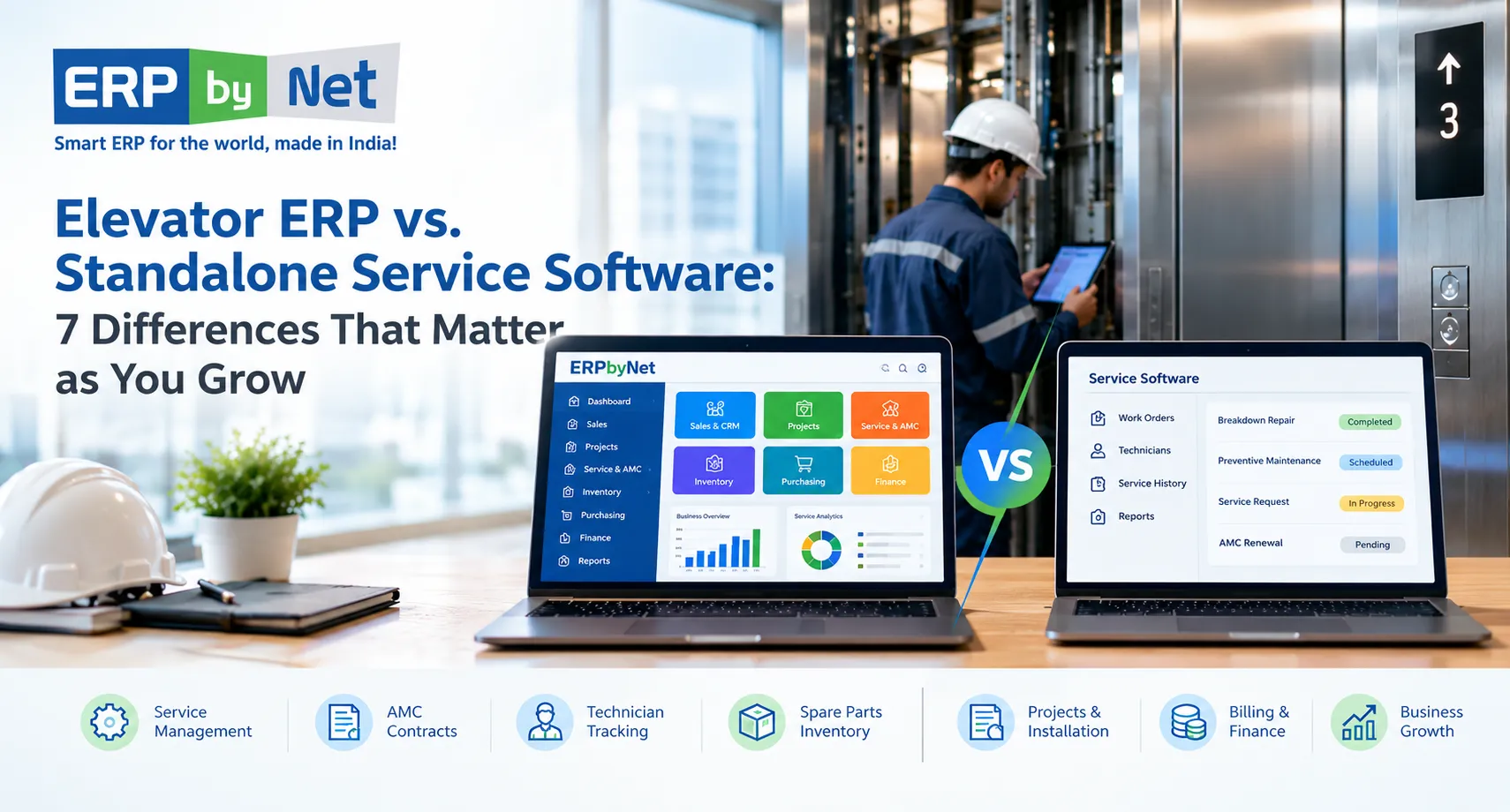
Elevator ERP vs. Standalone Service Software: 7 Differences That Matter as You Grow
Key Takeaways
- Standalone service software focuses on maintenance operations, including complaints, technician scheduling, and service history.
- Elevator ERP connects service with wider business processes, including inventory, procurement, projects, and finance.
- AMC profitability depends on more than renewal tracking; labour, travel, spare parts, and repeat visits also affect costs.
- Disconnected systems create data duplication and manual work across service, stores, purchasing, and accounts.
- The right software depends on business complexity, integration needs, and future growth plans.
What You’ll Learn
- How elevator ERP differs from standalone service software across seven key business areas.
- How to connect AMC contracts, technician activity, and service costs.
- Why spare-parts availability and procurement integration matter for faster repairs.
- When to retain, integrate, or replace existing service software.
- How ERPbyNet connects AceService, SmartTechnician, AceMRP, and AceFinance to support coordinated elevator operations.
Real Insights
- Closing a service ticket does not automatically complete billing or cost tracking.
- A technician visit can fail to resolve a breakdown if the required spare part is unavailable.
- High AMC revenue does not always mean high profitability when repeat visits and repair costs increase.
- Installation and maintenance records need continuity to support accurate service history and future repairs.
- Connected workflows reduce the effort needed to coordinate service, inventory, projects, and finance.
Running an elevator service business involves more than scheduling maintenance visits and closing breakdown tickets. As your customer base grows, you must coordinate AMC contracts, technician assignments, spare parts, purchasing, installation projects, service billing, and financial reporting. When these activities are managed through separate applications, spreadsheets, and manual updates, keeping every department aligned becomes increasingly difficult.
Standalone service software can help elevator contractors organize day-to-day maintenance operations, manage complaints, schedule technicians, and track service history. However, as the business expands, service management is only one part of the operational picture. Management also needs to understand how service activities affect inventory, procurement, cash flow, contract costs, and overall profitability.
This is where the difference between elevator ERP and standalone service software becomes important.
An elevator ERP can connect service operations with the wider business, while standalone service software primarily focuses on the service workflows it is designed to manage. The right choice depends on the complexity of your operations, your existing systems, and how much integration your business needs.
In this guide, we explore seven important differences, practical examples, and the situations in which each approach makes sense for elevator service contractors.
What Is Elevator ERP Software?
Elevator ERP software is a business management system designed to connect the processes involved in running an elevator company. Depending on its modules and configuration, it can bring together sales, quotations, installation projects, material planning, inventory, maintenance contracts, technician management, service billing, and financial operations.
For an elevator service contractor, this means the business can manage not only maintenance activities but also the commercial and operational processes surrounding those activities.
For example, when a customer reports a lift breakdown, the business may need to:
- Check the elevator’s service history and contract coverage.
- Assign a suitable technician.
- Identify the required spare parts.
- Record labour, material consumption, and the repair outcome.
- Determine whether the work is included in the AMC or requires additional billing.
- Update the relevant service records and financial information.
- Review the cost of the service activity.
An integrated ERP can connect these steps when the relevant functionality and workflows are configured.
For companies that also install elevators, manage modernization projects, or manufacture components, ERP can connect maintenance operations with the rest of the elevator lifecycle.
What Is Standalone Service Software?
Standalone service software is an application primarily designed to manage service delivery. Depending on the product, it may include complaint registration, work orders, preventive maintenance schedules, technician dispatch, mobile job reports, customer communication, equipment history, and service performance reporting.
Elevator-focused service platforms may also provide AMC and CMC contract management, lift-wise service records, renewal reminders, and spare-part tracking.
These capabilities can be sufficient for a maintenance-focused business that wants to organize its field workforce and improve service execution without implementing a broader ERP system.
However, standalone does not necessarily mean disconnected. Some service applications integrate with accounting systems, inventory platforms, or ERP software through APIs or other interfaces. The important question is whether those integrations meet your operational requirements and keep business information consistent.
The difference is therefore not simply the number of features. It is the scope of the system and how effectively it connects service activities with the wider business.
Read More: What Will Predictive Maintenance Actually Look Like for Elevator Companies in 2026?
Elevator ERP vs. Standalone Service Software: Quick Comparison

| Business requirement | Standalone service software | Elevator ERP |
|---|---|---|
| Breakdown complaints and work orders | Usually a core function | Available when service management is included |
| Preventive maintenance scheduling | Commonly supported | Depends on service module and configuration |
| Technician assignment and mobile reporting | Commonly supported | Depends on field-service capabilities |
| AMC and CMC management | Available in many specialist products | Can connect contracts with broader business processes |
| Spare parts and service inventory | Varies by product | Can connect stock with purchasing and inventory operations |
| Procurement and material planning | Often limited or integrated externally | Typically supports broader purchasing workflows |
| Installation project management | May require another application | Can connect installation with sales, materials, and finance |
| Service billing and accounting | May require integration | Can connect service transactions with financial processes |
| Job-wise cost and profitability | Depends on available reporting and integrations | Can consolidate operational and financial data |
| Cross-department reporting | Primarily service-focused unless integrated | Can provide broader reporting across connected functions |
Note: These are typical differences between software approaches, not universal limitations. Always verify the functionality of the individual product being evaluated.
7 Differences Between Elevator ERP and Standalone Service Software
1. Service Operations vs. Complete Business Management
The first difference is the scope of business operations each system is designed to manage.
Standalone service software focuses primarily on delivering maintenance and repair services. It helps the service department organize complaints, assign technicians, schedule visits, record work completed, and maintain equipment histories.
For a contractor handling a manageable number of maintenance contracts, this focus may be exactly what is needed.
However, as the company grows, service operations become increasingly dependent on other departments. A technician may need a replacement component from inventory. The warehouse may need to replenish that component. Procurement may need to compare suppliers. Finance may need to invoice the customer or record the cost of the repair.
If these processes run in separate systems, employees may have to transfer information manually or reconcile records at the end of the month.
An elevator ERP aims to connect these activities through shared business data and workflows.
Example:
An elevator service company receives a breakdown complaint for a lift covered by an AMC.
With standalone service software, the team may register the complaint, assign a technician, record the repair, and close the ticket.
With a suitably configured elevator ERP, the same workflow may also connect the service record to contract details, spare-part transactions, purchasing requirements, chargeable work, and financial reporting.
The difference becomes more valuable when several departments need to act on the same service event.
When it matters: Consider ERP when your team is spending increasing time coordinating between service, stores, purchasing, project management, and accounts rather than executing the work itself.
2. AMC Management vs. Contract Cost and Profitability Management
Annual Maintenance Contracts generate recurring revenue for elevator service contractors. Managing those contracts requires more than storing customer details and sending renewal reminders.
Each contract may have different pricing, service frequency, response commitments, coverage conditions, billing schedules, and renewal dates. Comprehensive and non-comprehensive contracts can also create different financial responsibilities.
Standalone service software can help organize AMC records, schedule preventive maintenance, track complaints, and alert teams about upcoming renewals. Specialist products may provide detailed contract coverage and service-performance reporting.
The next question is whether management can connect those records with the actual cost of delivering the contract.
To evaluate AMC profitability, a contractor may need to consider:
- Contract revenue and billing schedules.
- Technician labour and travel expenses.
- Spare parts consumed during maintenance and repairs.
- Repeat visits and recurring faults.
- Subcontractor charges, where applicable.
- Additional billable work and customer collections.
- Contract renewals and changes in service requirements.
A broader ERP can bring operational and financial data together when the relevant transactions are recorded and linked correctly.
Example: A contract that generates revenue but consumes too many resources
Imagine a contractor has an AMC worth ₹1,20,000 per year. During the year, the company incurs ₹45,000 in labour and travel costs and ₹30,000 in spare-part costs.
The remaining ₹45,000 is the contribution before other applicable costs, such as overheads and administrative expenses.
If repeat breakdowns or unplanned component replacements increase the costs, the apparent attractiveness of the contract may change.
The following figures are illustrative:
| Contract measure | Amount |
|---|---|
| Annual contract revenue | ₹1,20,000 |
| Labour and travel | ₹45,000 |
| Spare parts | ₹30,000 |
| Contribution before other costs | ₹45,000 |
A service application may provide the work history and parts information needed for this analysis. An integrated ERP can make the analysis easier when it connects these transactions to billing and financial records.
When it matters: If your business manages a growing AMC portfolio, evaluate whether your software can help you understand contract costs, identify recurring service problems, and support better renewal and pricing decisions—not just track expiry dates.
3. Technician Dispatch vs. Connected Spare Parts and Inventory Management
Technician scheduling is essential, but sending a technician to a site does not guarantee that the repair can be completed.
The technician may need a door operator component, sensor, controller part, contactor, or another replacement item. If the required material is unavailable, the company may need another visit, urgent procurement, or a transfer from another branch.
Standalone service applications can provide useful parts tracking, van stock management, inventory records, and reorder alerts. Their capabilities vary, so it is important to establish how deeply these functions are integrated with purchasing and warehouse operations.
An ERP can connect service requirements with inventory and procurement processes.
For example, the workflow may involve:
- A technician records the replacement part required for a repair.
- The system checks available stock at the relevant warehouse or location.
- The store reserves or issues the required material.
- If stock is insufficient, a purchase requirement can be generated according to the configured workflow.
- The material transaction updates inventory records.
- The service job retains the information required for cost analysis and billing.
This connection helps the business manage both the immediate repair and the supply process supporting it.
Without reliable stock and service records, contractors may face unnecessary emergency purchases, duplicate orders, excess stock, and delays caused by missing components.
When it matters: ERP becomes particularly relevant when your company operates multiple branches, maintains a substantial spare-parts inventory, supports installation projects alongside maintenance, or needs better coordination between service teams and purchasing.
4. Individual Service Jobs vs. Installation Projects and the Complete Elevator Lifecycle
Many elevator companies do more than maintain installed equipment. They also handle new installations, modernization, replacement projects, and long-term service contracts.
These activities are connected.
An installation project begins with a customer enquiry and quotation. It may then involve site surveys, engineering, material planning, procurement, installation scheduling, testing, commissioning, and handover. After handover, the elevator may enter a warranty period or an AMC arrangement.
If each stage is managed in a separate application, the company may have to re-enter customer details, equipment information, project documents, and service requirements.
A connected elevator ERP can help maintain continuity between these stages, provided the relevant modules are implemented.
Consider what happens when an installation is completed:
- The project team records completion and handover details.
- Equipment information is retained for future reference.
- Warranty obligations and service requirements can be established.
- The service team gains access to relevant installation records.
- AMC onboarding can follow the company’s defined process.
- Management can review project costs alongside subsequent service activity.
This relationship matters because the quality of installation records can affect future maintenance work. Technicians may need to understand which components were installed, what work was performed, and whether the equipment has a known history of faults or modifications.
Standalone service software can manage the maintenance stage effectively, but broader installation and project management may require another application or an integration.
When it matters: If your company handles installation, modernization, and maintenance together, evaluate whether your software can preserve information from the initial sale through project completion and after-sales service.
5. Service Reports vs. Integrated Billing and Financial Management
Closing a service ticket and completing the financial transaction associated with that job are two different activities.
After a technician completes a repair, the business may need to determine whether the work is covered by the AMC, warranty, or another agreement. If it is chargeable, the office may need to prepare an estimate, obtain approval, issue an invoice, and follow up on payment.
The company may also need to record labour, parts, travel, and subcontractor expenses.
Standalone service software may support estimates, chargeable repairs, invoices, payment tracking, or integrations with accounting software. The level of financial functionality varies considerably.
ERP connects these operational activities with broader accounting processes when the relevant modules and rules are configured.
This can help finance teams work with service information rather than relying on separate spreadsheets and manually prepared summaries.
For example, a repair job may require the following records:
| Service activity | Business information generated |
|---|---|
| Complaint registration | Customer, equipment, and issue details |
| Technician assignment | Resource allocation and service commitment |
| Repair completion | Work performed and job status |
| Material consumption | Parts issued and associated cost |
| Labour recording | Time spent on the job |
| Chargeable work approval | Customer-approved scope and charges |
| Invoice generation | Amount billed and payment terms |
| Payment receipt | Collection status and outstanding balance |
When these records are connected, management can better understand the relationship between service delivery, customer billing, and financial performance.
When it matters: Consider ERP if service information frequently has to be re-entered into accounting software, invoices are delayed because job details are incomplete, or managers struggle to reconcile service costs and revenue.
6. Department-Level Reporting vs. Business-Wide Decision-Making
Standalone service software can provide valuable operational reports. Depending on the product, these may include pending complaints, preventive maintenance completion, technician workload, response times, repeat breakdowns, and AMC renewals.
These reports help service managers improve daily execution.
However, senior management may need to answer broader questions:
- Which service contracts consume the most resources?
- Which spare parts are frequently unavailable?
- Are urgent purchases increasing maintenance costs?
- How do installation commitments affect technician availability?
- Are service invoices being raised promptly?
- Which branches have the highest outstanding collections?
- How does service performance affect customer retention?
Answering these questions may require combining service records with purchasing, inventory, project, sales, and accounting data.
An ERP can support cross-functional reporting by bringing these records into a connected environment. The quality of the analysis still depends on accurate data, appropriate reporting configuration, and consistent processes.
A dashboard alone does not guarantee better decisions. The underlying records must be complete and meaningful.
When it matters: If management regularly exports data from multiple applications and combines it in spreadsheets to prepare reports, investigate whether integrated reporting could reduce manual effort and improve decision-making.
7. Managing Current Workloads vs. Supporting Sustainable Business Growth
Standalone service software can be a sensible choice for a small or growing maintenance contractor. It may be faster to adopt, simpler to operate, and more affordable than implementing a broader business system.
The challenge arises when the business expands beyond the workflows the application was originally selected to manage.
For example, a contractor may initially need only complaint tracking and maintenance scheduling. Later, the company adds branches, employs more technicians, manages larger AMC portfolios, expands spare-parts operations, or begins handling installation projects.
At this stage, additional requirements may emerge:
- More detailed user roles and approval processes.
- Shared customer and equipment records across branches.
- Centralized inventory and procurement.
- Integrated billing and accounting.
- Project-level cost tracking.
- More advanced management reporting.
- Connections with existing CRM, finance, or service applications.
There are several ways to address these needs. The company can extend its existing software, integrate additional applications, adopt an ERP, or use an ERP alongside specialist field-service software.
The best approach depends on the actual gaps, the cost of maintaining integrations, migration effort, user adoption, and the capabilities of the products under consideration.
ERP should not be selected simply because a company has reached a particular employee count or contract volume. It should be considered when the benefits of connecting wider business processes justify the investment.
When it matters: Review your software architecture when new branches, teams, or business activities create repeated data entry, reporting delays, unclear responsibilities, or increasing integration and maintenance costs.
Read More : How an Elevator Company Managed Engineering Dependencies Across Customized Lift Orders
A Practical Example: What Changes as an Elevator Contractor Grows?
Consider an elevator company that begins with a small maintenance team managing complaints and preventive maintenance visits through a specialist application.
At first, this arrangement may work well. The team knows its customers, the number of contracts is manageable, and accounting is handled separately.
As the company expands, it adds technicians, serves more locations, maintains a larger spare-parts inventory, and takes on installation and modernization projects.
Now, the same service event affects several departments.
A technician replaces a component. The store needs to record the stock movement. Purchasing needs to replenish stock if the balance falls below the required level. The service manager needs to check whether the repair falls within the AMC. Accounts needs the information required to bill any chargeable work. Management needs to understand the actual cost of the job.
If each department maintains separate records, the company must reconcile them to understand what happened.
With a properly integrated ERP environment, these transactions can be linked through shared records and configured workflows. The service team can concentrate on resolving the complaint while other departments work with the associated operational and financial information.
The value is not simply having more features. It is reducing the effort required to coordinate the business as its complexity increases.
Should You Choose Elevator ERP or Standalone Service Software?
There is no single answer for every elevator contractor. The decision should be based on your business model and the problems you need to solve.
When standalone service software may be enough
A specialist service application may be appropriate if:
- Your primary requirement is preventive maintenance and breakdown management.
- Your team needs better technician scheduling and mobile service reports.
- Your inventory and accounting processes already work well.
- You have limited requirements for installation project management.
- Your existing systems integrate reliably where information needs to be shared.
- You do not need extensive cross-department reporting.
In this situation, replacing a working service application with an ERP may introduce unnecessary cost and disruption.
When elevator ERP deserves serious consideration
An elevator ERP may be a better fit when:
- You manage installation, modernization, and maintenance operations together.
- AMC contracts need to connect with service activity, costs, and billing.
- Spare parts, purchasing, and field operations require coordinated workflows.
- Finance spends considerable time reconciling data from different systems.
- Management needs a consolidated view of projects, inventory, service, and accounts.
- Your business is expanding across branches or operating units.
- You need a consistent source of business information across departments.
What if you already use standalone service software?
You do not necessarily need to replace it.
First, document the workflows that work well and identify where information is lost, duplicated, or delayed. Then assess whether your current service application can integrate with your ERP or accounting system.
Compare three approaches:
- Keep the current application: Suitable when its functionality meets your requirements and the remaining gaps are minor.
- Integrate service software with ERP: Suitable when specialist field-service capabilities are valuable and reliable data exchange is achievable.
- Consolidate into an ERP environment: Suitable when multiple disconnected applications create significant operational overhead and the ERP can meet your service requirements.
Evaluate data ownership, integration reliability, mobile usability, reporting, implementation cost, and the availability of specialist features before making a decision.
How ERPbyNet Supports Connected Elevator Operations
ERPbyNet is an elevator ERP solution designed for elevator manufacturers, installation companies, modernization contractors, and maintenance service providers. Its broader business-management approach connects relevant processes across service, projects, inventory, and finance.
For companies evaluating a move beyond standalone service software, the important question is how those capabilities address their specific operational challenges.
AceService: AMC and Service Management
AceService supports service workflows such as AMC contract management, preventive maintenance scheduling, callback tickets, service requests, warranty tracking, renewal tracking, and service reporting.
These capabilities are relevant to contractors who need structured maintenance operations and a more consistent record of service activity.
SmartTechnician: Mobile Field Operations
SmartTechnician supports technician assignments, mobile ticket management, service checklists, job-status updates, GPS-enabled tracking, and field coordination.
The objective is to give technicians and supervisors better access to the information they need while reducing dependency on manual updates between the field and office.
AceMRP: Inventory and Material Planning
AceMRP supports material requirement planning, inventory management, procurement planning, warehouse operations, and barcode-enabled inventory tracking.
For service organizations with substantial spare-parts requirements or combined installation and maintenance operations, these capabilities can help connect material availability with wider business requirements.
AceFinance: Financial Management
AceFinance supports financial processes including general ledger, accounts payable, accounts receivable, budgets, assets, GST-related functionality, and financial reporting.
Connecting operational transactions with finance can help businesses reduce duplicate entry and improve the consistency of their financial records.
Connected Project and Business Processes
ERPbyNet also provides capabilities for elevator project management, site surveys, quotations, production, and installation workflows.
For businesses that handle both new installations and ongoing maintenance, these processes can help preserve continuity between the customer order, project execution, handover, and subsequent service activities.
The appropriate configuration depends on the company’s requirements, implementation scope, and the functionality selected.
Explore the ERPbyNet Elevator ERP solution to understand the platform’s capabilities.
How to Evaluate Elevator ERP and Service Software Before Buying
Before selecting a system, prepare a checklist that reflects your actual workflows. A product demonstration should show how the software handles your business scenarios rather than simply presenting a list of features.
Evaluate the following areas:
- Service operations: Can the system register complaints, schedule preventive maintenance, assign technicians, and retain lift-wise service history?
- Contract management: Can it distinguish contract coverage, renewal dates, billing terms, and chargeable repairs?
- Mobile usability: Can technicians access assignments, record work, capture relevant evidence, and update job status efficiently?
- Inventory: Can the system record parts consumption and provide reliable stock information across relevant locations?
- Procurement: Can material shortages trigger a controlled purchasing process?
- Finance: Can service costs, approved charges, invoices, and payments be connected appropriately?
- Project management: Can the company track installation milestones, material requirements, site progress, and project costs where required?
- Reporting: Can managers obtain meaningful service and financial reports without extensive manual consolidation?
- Integration: If multiple systems are required, how are records synchronized, errors handled, and duplicate entries prevented?
- Implementation: What data must be migrated, what processes need to change, and what training will users require?
Ask vendors to demonstrate a realistic scenario from your business: a breakdown under an AMC, a part unavailable in stock, a subsequent purchase, completion of the repair, and the resulting service and financial records.
This provides a much better basis for comparison than a feature checklist alone.
Ready to Grow Beyond Standalone Service Software?
Connect elevator projects, production, inventory, field service, AMC contracts, and finance on one integrated platform. With ERPbyNet, your teams can work with connected information as your elevator business grows.
Conclusion: Choose Software That Fits Your Next Stage of Growth
Standalone service software can be an effective solution for elevator contractors who need to organize maintenance visits, manage complaints, and coordinate technicians. As operations become more complex, however, service execution increasingly depends on inventory, purchasing, project activities, contract administration, and finance.
The right decision is not about choosing the system with the longest feature list. It is about understanding where your current processes work, where information becomes disconnected, and what your business needs to manage more effectively.
If your primary challenge is field-service execution, a specialist service application may be sufficient. If your business needs service, inventory, project, and financial processes to work together, elevator ERP deserves closer consideration. In some cases, integrating the two approaches will provide the best outcome.
ERPbyNet brings together relevant capabilities for elevator service, AMC management, technician operations, material planning, project management, and finance. Assess how these capabilities align with your workflows, growth plans, and existing systems before deciding on the right implementation.
Ready to evaluate a more connected approach to elevator business management?
Explore ERPbyNet Elevator ERP Software or contact the ERPbyNet team to discuss your requirements.
Frequently Asked Questions
1. What is the difference between elevator ERP and standalone service software?
Standalone service software primarily manages maintenance activities such as work orders, technician scheduling, complaints, and service history. Elevator ERP can connect these activities with broader processes such as purchasing, inventory, installation projects, billing, and finance. The exact capabilities depend on the products and modules selected.
2. Can standalone service software manage AMC contracts?
Yes. Many service-management applications support AMC contracts, preventive maintenance schedules, renewal reminders, service requests, and contract reporting. The key consideration is whether the software also meets your requirements for contract billing, parts consumption, financial analysis, and integration with other business processes.
3. Is elevator ERP suitable for small service contractors?
It can be, but a small contractor does not automatically need a full ERP. If the business mainly needs complaint tracking, technician scheduling, and maintenance records, standalone service software may be sufficient. ERP becomes more relevant when the business needs broader operational integration or expects its current systems to become difficult to manage as it grows.
4. Can elevator ERP track spare parts used during maintenance?
This depends on the ERP’s inventory and service functionality. A suitably configured system can record material issued against a service job, update inventory balances, and connect consumption data with purchasing and job-cost records. Contractors should verify support for their warehouses, technician vehicles, and required stock-control processes.
5. Can ERP help improve AMC profitability?
ERP can support AMC profitability analysis by connecting contract revenue with recorded labour, spare parts, purchasing, and other relevant costs. However, useful results depend on accurate transaction recording, correct cost allocation, and appropriate reporting. Software alone cannot guarantee higher profitability.
6. Should elevator companies replace their existing service software with ERP?
Not necessarily. If the existing application provides strong field-service functionality, integrating it with ERP may be the better option. Replacement or consolidation should be considered when the existing setup creates significant data duplication, reporting difficulties, or workflow gaps that a suitable ERP can resolve.
7. How does elevator ERP help service contractors as they grow?
A suitably implemented ERP can help growing contractors connect service operations with inventory, purchasing, installation projects, and financial processes. This can reduce manual reconciliation, improve access to shared business information, and support more consistent processes across departments and branches.
8. What should elevator contractors prioritize when selecting ERP software?
Prioritize the workflows that matter most to your business: AMC and service management, technician mobility, spare-parts control, purchasing, financial integration, project management, reporting, and scalability. Evaluate each vendor against real operating scenarios, implementation requirements, and the total cost of ownership.

COO & Founder Member, XECOM | ERP & Technology Expert
Ganesh Limaye is a technology and business leader with 30+ years of experience in ERP, service management, project-based operations, and business process automation. He specializes in helping elevator, engineering, and service-driven businesses improve operational visibility, productivity, customer service, and business growth.