CategoriesElevator Maintenance Management ERP (Enterprise Resource Planning)

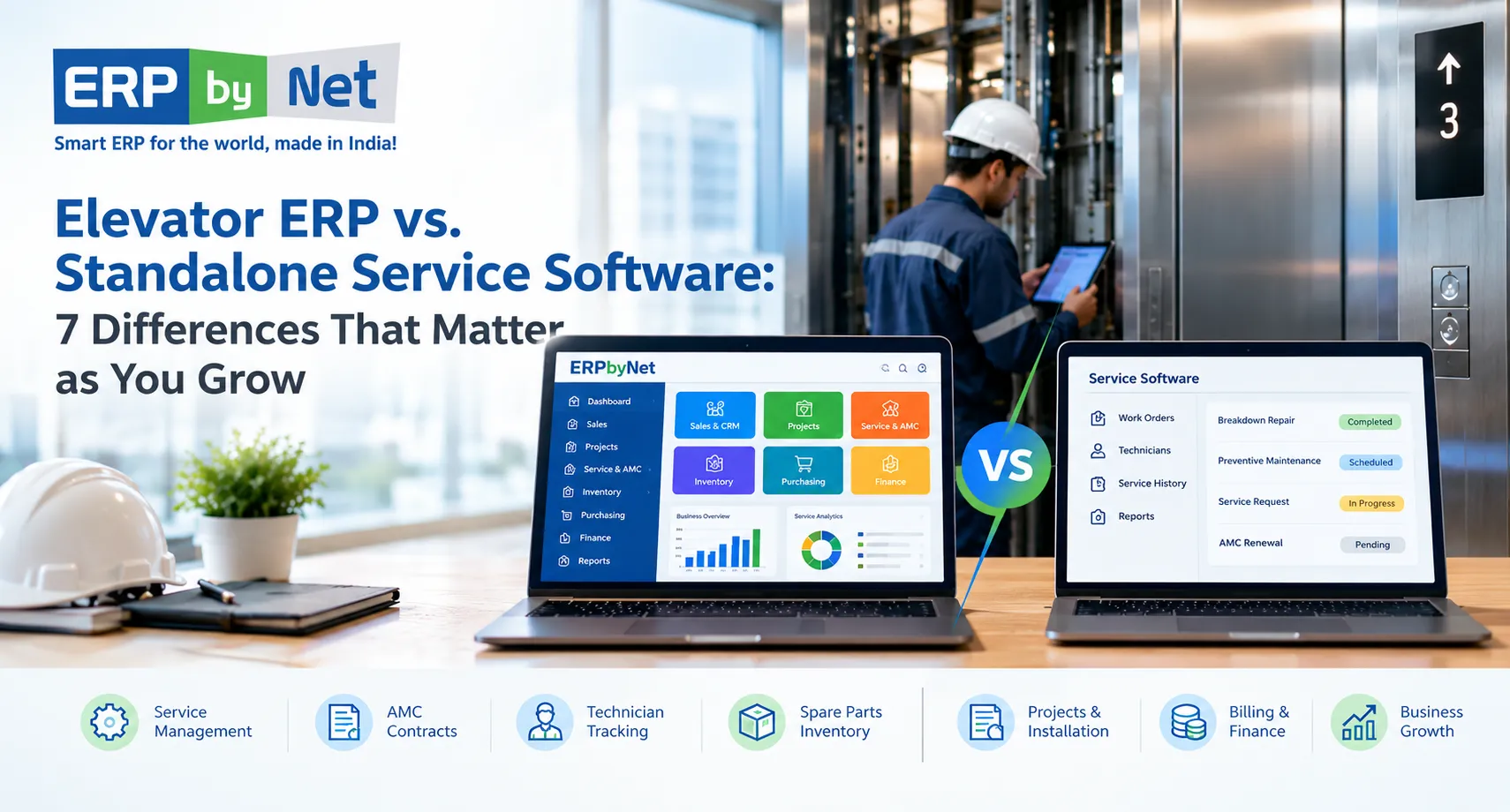
Elevator ERP vs. Standalone Service Software: 7 Differences That Matter as You Grow

Key Takeaways

  • Standalone service software focuses on maintenance operations, including complaints, technician scheduling, and service history.
  • Elevator ERP connects service with wider business processes, including inventory, procurement, projects, and finance.
  • AMC profitability depends on more than renewal tracking; labour, travel, spare parts, and repeat visits also affect costs.
  • Disconnected systems create data duplication and manual work across service, stores, purchasing, and accounts.
  • The right software depends on business complexity, integration needs, and future growth plans.

What You’ll Learn

  • How elevator ERP differs from standalone service software across seven key business areas.
  • How to connect AMC contracts, technician activity, and service costs.
  • Why spare-parts availability and procurement integration matter for faster repairs.
  • When to retain, integrate, or replace existing service software.
  • How ERPbyNet connects AceService, SmartTechnician, AceMRP, and AceFinance to support coordinated elevator operations.

Real Insights

  • Closing a service ticket does not automatically complete billing or cost tracking.
  • A technician visit can fail to resolve a breakdown if the required spare part is unavailable.
  • High AMC revenue does not always mean high profitability when repeat visits and repair costs increase.
  • Installation and maintenance records need continuity to support accurate service history and future repairs.
  • Connected workflows reduce the effort needed to coordinate service, inventory, projects, and finance.

Running an elevator service business involves more than scheduling maintenance visits and closing breakdown tickets. As your customer base grows, you must coordinate AMC contracts, technician assignments, spare parts, purchasing, installation projects, service billing, and financial reporting. When these activities are managed through separate applications, spreadsheets, and manual updates, keeping every department aligned becomes increasingly difficult.

Standalone service software can help elevator contractors organize day-to-day maintenance operations, manage complaints, schedule technicians, and track service history. However, as the business expands, service management is only one part of the operational picture. Management also needs to understand how service activities affect inventory, procurement, cash flow, contract costs, and overall profitability.

This is where the difference between elevator ERP and standalone service software becomes important.

An elevator ERP can connect service operations with the wider business, while standalone service software primarily focuses on the service workflows it is designed to manage. The right choice depends on the complexity of your operations, your existing systems, and how much integration your business needs.

In this guide, we explore seven important differences, practical examples, and the situations in which each approach makes sense for elevator service contractors.

What Is Elevator ERP Software?

Elevator ERP software is a business management system designed to connect the processes involved in running an elevator company. Depending on its modules and configuration, it can bring together sales, quotations, installation projects, material planning, inventory, maintenance contracts, technician management, service billing, and financial operations.

For an elevator service contractor, this means the business can manage not only maintenance activities but also the commercial and operational processes surrounding those activities.

For example, when a customer reports a lift breakdown, the business may need to:

  • Check the elevator’s service history and contract coverage.
  • Assign a suitable technician.
  • Identify the required spare parts.
  • Record labour, material consumption, and the repair outcome.
  • Determine whether the work is included in the AMC or requires additional billing.
  • Update the relevant service records and financial information.
  • Review the cost of the service activity.

An integrated ERP can connect these steps when the relevant functionality and workflows are configured.

For companies that also install elevators, manage modernization projects, or manufacture components, ERP can connect maintenance operations with the rest of the elevator lifecycle.

What Is Standalone Service Software?

Standalone service software is an application primarily designed to manage service delivery. Depending on the product, it may include complaint registration, work orders, preventive maintenance schedules, technician dispatch, mobile job reports, customer communication, equipment history, and service performance reporting.

Elevator-focused service platforms may also provide AMC and CMC contract management, lift-wise service records, renewal reminders, and spare-part tracking.

These capabilities can be sufficient for a maintenance-focused business that wants to organize its field workforce and improve service execution without implementing a broader ERP system.

However, standalone does not necessarily mean disconnected. Some service applications integrate with accounting systems, inventory platforms, or ERP software through APIs or other interfaces. The important question is whether those integrations meet your operational requirements and keep business information consistent.

The difference is therefore not simply the number of features. It is the scope of the system and how effectively it connects service activities with the wider business.

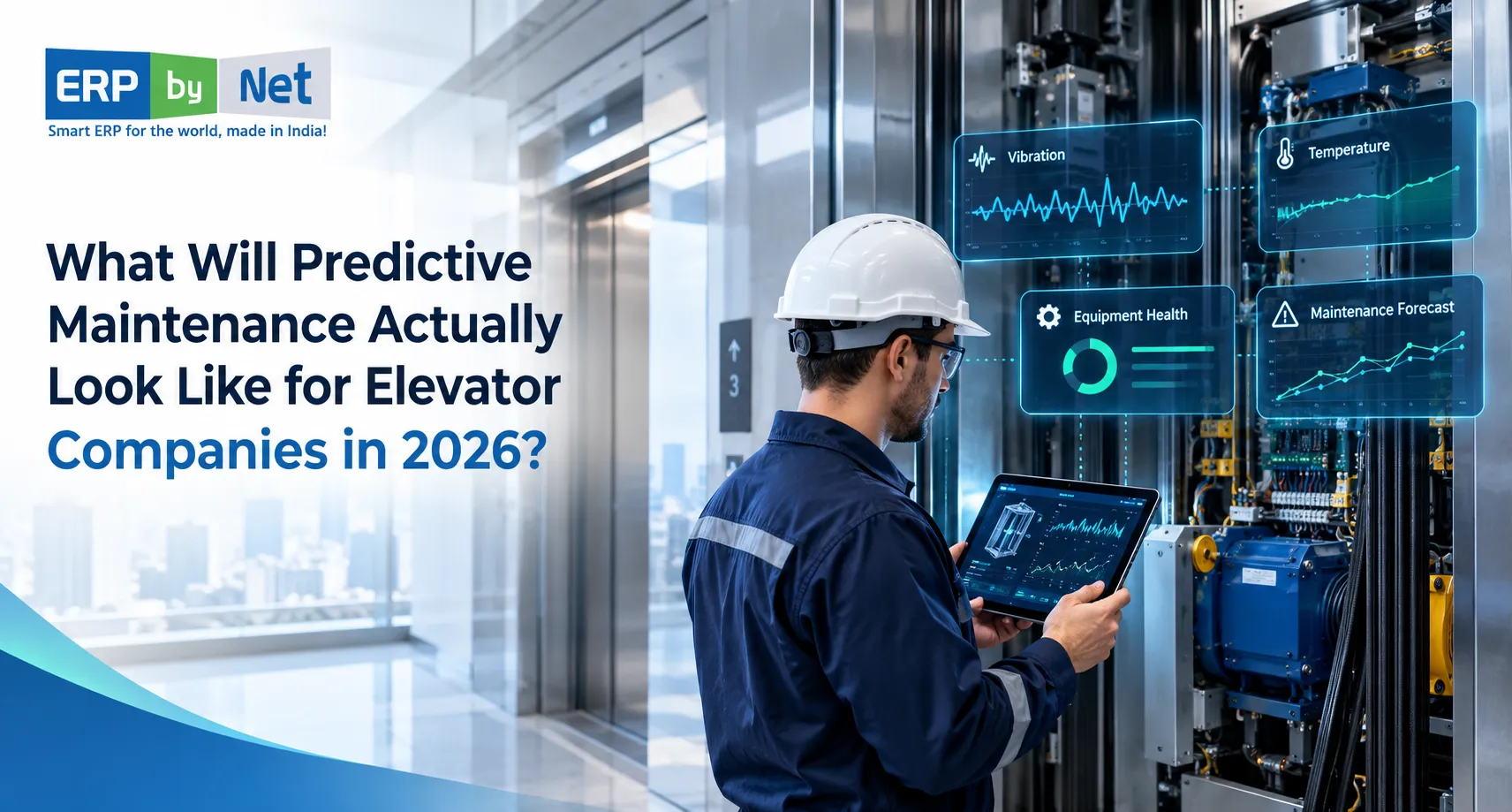
Read More: What Will Predictive Maintenance Actually Look Like for Elevator Companies in 2026?

Elevator ERP vs. Standalone Service Software: Quick Comparison

Comparison of standalone elevator service software and elevator ERP covering work orders, maintenance scheduling, AMC management, inventory, procurement, finance, installation, reporting, and profitability.
Business requirementStandalone service softwareElevator ERP
Breakdown complaints and work ordersUsually a core functionAvailable when service management is included
Preventive maintenance schedulingCommonly supportedDepends on service module and configuration
Technician assignment and mobile reportingCommonly supportedDepends on field-service capabilities
AMC and CMC managementAvailable in many specialist productsCan connect contracts with broader business processes
Spare parts and service inventoryVaries by productCan connect stock with purchasing and inventory operations
Procurement and material planningOften limited or integrated externallyTypically supports broader purchasing workflows
Installation project managementMay require another applicationCan connect installation with sales, materials, and finance
Service billing and accountingMay require integrationCan connect service transactions with financial processes
Job-wise cost and profitabilityDepends on available reporting and integrationsCan consolidate operational and financial data
Cross-department reportingPrimarily service-focused unless integratedCan provide broader reporting across connected functions

Note: These are typical differences between software approaches, not universal limitations. Always verify the functionality of the individual product being evaluated.

7 Differences Between Elevator ERP and Standalone Service Software

1. Service Operations vs. Complete Business Management

The first difference is the scope of business operations each system is designed to manage.

Standalone service software focuses primarily on delivering maintenance and repair services. It helps the service department organize complaints, assign technicians, schedule visits, record work completed, and maintain equipment histories.

For a contractor handling a manageable number of maintenance contracts, this focus may be exactly what is needed.

However, as the company grows, service operations become increasingly dependent on other departments. A technician may need a replacement component from inventory. The warehouse may need to replenish that component. Procurement may need to compare suppliers. Finance may need to invoice the customer or record the cost of the repair.

If these processes run in separate systems, employees may have to transfer information manually or reconcile records at the end of the month.

An elevator ERP aims to connect these activities through shared business data and workflows.

Example:

An elevator service company receives a breakdown complaint for a lift covered by an AMC.

With standalone service software, the team may register the complaint, assign a technician, record the repair, and close the ticket.

With a suitably configured elevator ERP, the same workflow may also connect the service record to contract details, spare-part transactions, purchasing requirements, chargeable work, and financial reporting.

The difference becomes more valuable when several departments need to act on the same service event.

When it matters: Consider ERP when your team is spending increasing time coordinating between service, stores, purchasing, project management, and accounts rather than executing the work itself.

2. AMC Management vs. Contract Cost and Profitability Management

Annual Maintenance Contracts generate recurring revenue for elevator service contractors. Managing those contracts requires more than storing customer details and sending renewal reminders.

Each contract may have different pricing, service frequency, response commitments, coverage conditions, billing schedules, and renewal dates. Comprehensive and non-comprehensive contracts can also create different financial responsibilities.

Standalone service software can help organize AMC records, schedule preventive maintenance, track complaints, and alert teams about upcoming renewals. Specialist products may provide detailed contract coverage and service-performance reporting.

The next question is whether management can connect those records with the actual cost of delivering the contract.

To evaluate AMC profitability, a contractor may need to consider:

  • Contract revenue and billing schedules.
  • Technician labour and travel expenses.
  • Spare parts consumed during maintenance and repairs.
  • Repeat visits and recurring faults.
  • Subcontractor charges, where applicable.
  • Additional billable work and customer collections.
  • Contract renewals and changes in service requirements.

A broader ERP can bring operational and financial data together when the relevant transactions are recorded and linked correctly.

Example: A contract that generates revenue but consumes too many resources

Imagine a contractor has an AMC worth ₹1,20,000 per year. During the year, the company incurs ₹45,000 in labour and travel costs and ₹30,000 in spare-part costs.

The remaining ₹45,000 is the contribution before other applicable costs, such as overheads and administrative expenses.

If repeat breakdowns or unplanned component replacements increase the costs, the apparent attractiveness of the contract may change.

The following figures are illustrative:

Contract measureAmount
Annual contract revenue₹1,20,000
Labour and travel₹45,000
Spare parts₹30,000
Contribution before other costs₹45,000

A service application may provide the work history and parts information needed for this analysis. An integrated ERP can make the analysis easier when it connects these transactions to billing and financial records.

When it matters: If your business manages a growing AMC portfolio, evaluate whether your software can help you understand contract costs, identify recurring service problems, and support better renewal and pricing decisions—not just track expiry dates.

3. Technician Dispatch vs. Connected Spare Parts and Inventory Management

Technician scheduling is essential, but sending a technician to a site does not guarantee that the repair can be completed.

The technician may need a door operator component, sensor, controller part, contactor, or another replacement item. If the required material is unavailable, the company may need another visit, urgent procurement, or a transfer from another branch.

Standalone service applications can provide useful parts tracking, van stock management, inventory records, and reorder alerts. Their capabilities vary, so it is important to establish how deeply these functions are integrated with purchasing and warehouse operations.

An ERP can connect service requirements with inventory and procurement processes.

For example, the workflow may involve:

  1. A technician records the replacement part required for a repair.
  2. The system checks available stock at the relevant warehouse or location.
  3. The store reserves or issues the required material.
  4. If stock is insufficient, a purchase requirement can be generated according to the configured workflow.
  5. The material transaction updates inventory records.
  6. The service job retains the information required for cost analysis and billing.

This connection helps the business manage both the immediate repair and the supply process supporting it.

Without reliable stock and service records, contractors may face unnecessary emergency purchases, duplicate orders, excess stock, and delays caused by missing components.

When it matters: ERP becomes particularly relevant when your company operates multiple branches, maintains a substantial spare-parts inventory, supports installation projects alongside maintenance, or needs better coordination between service teams and purchasing.

4. Individual Service Jobs vs. Installation Projects and the Complete Elevator Lifecycle

Many elevator companies do more than maintain installed equipment. They also handle new installations, modernization, replacement projects, and long-term service contracts.

These activities are connected.

An installation project begins with a customer enquiry and quotation. It may then involve site surveys, engineering, material planning, procurement, installation scheduling, testing, commissioning, and handover. After handover, the elevator may enter a warranty period or an AMC arrangement.

If each stage is managed in a separate application, the company may have to re-enter customer details, equipment information, project documents, and service requirements.

A connected elevator ERP can help maintain continuity between these stages, provided the relevant modules are implemented.

Consider what happens when an installation is completed:

  • The project team records completion and handover details.
  • Equipment information is retained for future reference.
  • Warranty obligations and service requirements can be established.
  • The service team gains access to relevant installation records.
  • AMC onboarding can follow the company’s defined process.
  • Management can review project costs alongside subsequent service activity.

This relationship matters because the quality of installation records can affect future maintenance work. Technicians may need to understand which components were installed, what work was performed, and whether the equipment has a known history of faults or modifications.

Standalone service software can manage the maintenance stage effectively, but broader installation and project management may require another application or an integration.

When it matters: If your company handles installation, modernization, and maintenance together, evaluate whether your software can preserve information from the initial sale through project completion and after-sales service.

5. Service Reports vs. Integrated Billing and Financial Management

Closing a service ticket and completing the financial transaction associated with that job are two different activities.

After a technician completes a repair, the business may need to determine whether the work is covered by the AMC, warranty, or another agreement. If it is chargeable, the office may need to prepare an estimate, obtain approval, issue an invoice, and follow up on payment.

The company may also need to record labour, parts, travel, and subcontractor expenses.

Standalone service software may support estimates, chargeable repairs, invoices, payment tracking, or integrations with accounting software. The level of financial functionality varies considerably.

ERP connects these operational activities with broader accounting processes when the relevant modules and rules are configured.

This can help finance teams work with service information rather than relying on separate spreadsheets and manually prepared summaries.

For example, a repair job may require the following records:

Service activityBusiness information generated
Complaint registrationCustomer, equipment, and issue details
Technician assignmentResource allocation and service commitment
Repair completionWork performed and job status
Material consumptionParts issued and associated cost
Labour recordingTime spent on the job
Chargeable work approvalCustomer-approved scope and charges
Invoice generationAmount billed and payment terms
Payment receiptCollection status and outstanding balance

When these records are connected, management can better understand the relationship between service delivery, customer billing, and financial performance.

When it matters: Consider ERP if service information frequently has to be re-entered into accounting software, invoices are delayed because job details are incomplete, or managers struggle to reconcile service costs and revenue.

6. Department-Level Reporting vs. Business-Wide Decision-Making

Standalone service software can provide valuable operational reports. Depending on the product, these may include pending complaints, preventive maintenance completion, technician workload, response times, repeat breakdowns, and AMC renewals.

These reports help service managers improve daily execution.

However, senior management may need to answer broader questions:

  • Which service contracts consume the most resources?
  • Which spare parts are frequently unavailable?
  • Are urgent purchases increasing maintenance costs?
  • How do installation commitments affect technician availability?
  • Are service invoices being raised promptly?
  • Which branches have the highest outstanding collections?
  • How does service performance affect customer retention?

Answering these questions may require combining service records with purchasing, inventory, project, sales, and accounting data.

An ERP can support cross-functional reporting by bringing these records into a connected environment. The quality of the analysis still depends on accurate data, appropriate reporting configuration, and consistent processes.

A dashboard alone does not guarantee better decisions. The underlying records must be complete and meaningful.

When it matters: If management regularly exports data from multiple applications and combines it in spreadsheets to prepare reports, investigate whether integrated reporting could reduce manual effort and improve decision-making.

7. Managing Current Workloads vs. Supporting Sustainable Business Growth

Standalone service software can be a sensible choice for a small or growing maintenance contractor. It may be faster to adopt, simpler to operate, and more affordable than implementing a broader business system.

The challenge arises when the business expands beyond the workflows the application was originally selected to manage.

For example, a contractor may initially need only complaint tracking and maintenance scheduling. Later, the company adds branches, employs more technicians, manages larger AMC portfolios, expands spare-parts operations, or begins handling installation projects.

At this stage, additional requirements may emerge:

  • More detailed user roles and approval processes.
  • Shared customer and equipment records across branches.
  • Centralized inventory and procurement.
  • Integrated billing and accounting.
  • Project-level cost tracking.
  • More advanced management reporting.
  • Connections with existing CRM, finance, or service applications.

There are several ways to address these needs. The company can extend its existing software, integrate additional applications, adopt an ERP, or use an ERP alongside specialist field-service software.

The best approach depends on the actual gaps, the cost of maintaining integrations, migration effort, user adoption, and the capabilities of the products under consideration.

ERP should not be selected simply because a company has reached a particular employee count or contract volume. It should be considered when the benefits of connecting wider business processes justify the investment.

When it matters: Review your software architecture when new branches, teams, or business activities create repeated data entry, reporting delays, unclear responsibilities, or increasing integration and maintenance costs.

Read More : How an Elevator Company Managed Engineering Dependencies Across Customized Lift Orders

A Practical Example: What Changes as an Elevator Contractor Grows?

Consider an elevator company that begins with a small maintenance team managing complaints and preventive maintenance visits through a specialist application.

At first, this arrangement may work well. The team knows its customers, the number of contracts is manageable, and accounting is handled separately.

As the company expands, it adds technicians, serves more locations, maintains a larger spare-parts inventory, and takes on installation and modernization projects.

Now, the same service event affects several departments.

A technician replaces a component. The store needs to record the stock movement. Purchasing needs to replenish stock if the balance falls below the required level. The service manager needs to check whether the repair falls within the AMC. Accounts needs the information required to bill any chargeable work. Management needs to understand the actual cost of the job.

If each department maintains separate records, the company must reconcile them to understand what happened.

With a properly integrated ERP environment, these transactions can be linked through shared records and configured workflows. The service team can concentrate on resolving the complaint while other departments work with the associated operational and financial information.

The value is not simply having more features. It is reducing the effort required to coordinate the business as its complexity increases.

Should You Choose Elevator ERP or Standalone Service Software?

There is no single answer for every elevator contractor. The decision should be based on your business model and the problems you need to solve.

When standalone service software may be enough

A specialist service application may be appropriate if:

  • Your primary requirement is preventive maintenance and breakdown management.
  • Your team needs better technician scheduling and mobile service reports.
  • Your inventory and accounting processes already work well.
  • You have limited requirements for installation project management.
  • Your existing systems integrate reliably where information needs to be shared.
  • You do not need extensive cross-department reporting.

In this situation, replacing a working service application with an ERP may introduce unnecessary cost and disruption.

When elevator ERP deserves serious consideration

An elevator ERP may be a better fit when:

  • You manage installation, modernization, and maintenance operations together.
  • AMC contracts need to connect with service activity, costs, and billing.
  • Spare parts, purchasing, and field operations require coordinated workflows.
  • Finance spends considerable time reconciling data from different systems.
  • Management needs a consolidated view of projects, inventory, service, and accounts.
  • Your business is expanding across branches or operating units.
  • You need a consistent source of business information across departments.

What if you already use standalone service software?

You do not necessarily need to replace it.

First, document the workflows that work well and identify where information is lost, duplicated, or delayed. Then assess whether your current service application can integrate with your ERP or accounting system.

Compare three approaches:

  1. Keep the current application: Suitable when its functionality meets your requirements and the remaining gaps are minor.
  2. Integrate service software with ERP: Suitable when specialist field-service capabilities are valuable and reliable data exchange is achievable.
  3. Consolidate into an ERP environment: Suitable when multiple disconnected applications create significant operational overhead and the ERP can meet your service requirements.

Evaluate data ownership, integration reliability, mobile usability, reporting, implementation cost, and the availability of specialist features before making a decision.

How ERPbyNet Supports Connected Elevator Operations

ERPbyNet is an elevator ERP solution designed for elevator manufacturers, installation companies, modernization contractors, and maintenance service providers. Its broader business-management approach connects relevant processes across service, projects, inventory, and finance.

For companies evaluating a move beyond standalone service software, the important question is how those capabilities address their specific operational challenges.

AceService: AMC and Service Management

AceService supports service workflows such as AMC contract management, preventive maintenance scheduling, callback tickets, service requests, warranty tracking, renewal tracking, and service reporting.

These capabilities are relevant to contractors who need structured maintenance operations and a more consistent record of service activity.

SmartTechnician: Mobile Field Operations

SmartTechnician supports technician assignments, mobile ticket management, service checklists, job-status updates, GPS-enabled tracking, and field coordination.

The objective is to give technicians and supervisors better access to the information they need while reducing dependency on manual updates between the field and office.

AceMRP: Inventory and Material Planning

AceMRP supports material requirement planning, inventory management, procurement planning, warehouse operations, and barcode-enabled inventory tracking.

For service organizations with substantial spare-parts requirements or combined installation and maintenance operations, these capabilities can help connect material availability with wider business requirements.

AceFinance: Financial Management

AceFinance supports financial processes including general ledger, accounts payable, accounts receivable, budgets, assets, GST-related functionality, and financial reporting.

Connecting operational transactions with finance can help businesses reduce duplicate entry and improve the consistency of their financial records.

Connected Project and Business Processes

ERPbyNet also provides capabilities for elevator project management, site surveys, quotations, production, and installation workflows.

For businesses that handle both new installations and ongoing maintenance, these processes can help preserve continuity between the customer order, project execution, handover, and subsequent service activities.

The appropriate configuration depends on the company’s requirements, implementation scope, and the functionality selected.

Explore the ERPbyNet Elevator ERP solution to understand the platform’s capabilities.

How to Evaluate Elevator ERP and Service Software Before Buying

Before selecting a system, prepare a checklist that reflects your actual workflows. A product demonstration should show how the software handles your business scenarios rather than simply presenting a list of features.

Evaluate the following areas:

  • Service operations: Can the system register complaints, schedule preventive maintenance, assign technicians, and retain lift-wise service history?
  • Contract management: Can it distinguish contract coverage, renewal dates, billing terms, and chargeable repairs?
  • Mobile usability: Can technicians access assignments, record work, capture relevant evidence, and update job status efficiently?
  • Inventory: Can the system record parts consumption and provide reliable stock information across relevant locations?
  • Procurement: Can material shortages trigger a controlled purchasing process?
  • Finance: Can service costs, approved charges, invoices, and payments be connected appropriately?
  • Project management: Can the company track installation milestones, material requirements, site progress, and project costs where required?
  • Reporting: Can managers obtain meaningful service and financial reports without extensive manual consolidation?
  • Integration: If multiple systems are required, how are records synchronized, errors handled, and duplicate entries prevented?
  • Implementation: What data must be migrated, what processes need to change, and what training will users require?

Ask vendors to demonstrate a realistic scenario from your business: a breakdown under an AMC, a part unavailable in stock, a subsequent purchase, completion of the repair, and the resulting service and financial records.

This provides a much better basis for comparison than a feature checklist alone.

ERPbyNet | Elevator ERP

Ready to Grow Beyond Standalone Service Software?

Connect elevator projects, production, inventory, field service, AMC contracts, and finance on one integrated platform. With ERPbyNet, your teams can work with connected information as your elevator business grows.

Contact Us Email Us Explore ERPbyNet
One connected platform. More coordinated operations.

Conclusion: Choose Software That Fits Your Next Stage of Growth

Standalone service software can be an effective solution for elevator contractors who need to organize maintenance visits, manage complaints, and coordinate technicians. As operations become more complex, however, service execution increasingly depends on inventory, purchasing, project activities, contract administration, and finance.

The right decision is not about choosing the system with the longest feature list. It is about understanding where your current processes work, where information becomes disconnected, and what your business needs to manage more effectively.

If your primary challenge is field-service execution, a specialist service application may be sufficient. If your business needs service, inventory, project, and financial processes to work together, elevator ERP deserves closer consideration. In some cases, integrating the two approaches will provide the best outcome.

ERPbyNet brings together relevant capabilities for elevator service, AMC management, technician operations, material planning, project management, and finance. Assess how these capabilities align with your workflows, growth plans, and existing systems before deciding on the right implementation.

Ready to evaluate a more connected approach to elevator business management?

Explore ERPbyNet Elevator ERP Software or contact the ERPbyNet team to discuss your requirements.

Frequently Asked Questions

1. What is the difference between elevator ERP and standalone service software?

Standalone service software primarily manages maintenance activities such as work orders, technician scheduling, complaints, and service history. Elevator ERP can connect these activities with broader processes such as purchasing, inventory, installation projects, billing, and finance. The exact capabilities depend on the products and modules selected.

2. Can standalone service software manage AMC contracts?

Yes. Many service-management applications support AMC contracts, preventive maintenance schedules, renewal reminders, service requests, and contract reporting. The key consideration is whether the software also meets your requirements for contract billing, parts consumption, financial analysis, and integration with other business processes.

3. Is elevator ERP suitable for small service contractors?

It can be, but a small contractor does not automatically need a full ERP. If the business mainly needs complaint tracking, technician scheduling, and maintenance records, standalone service software may be sufficient. ERP becomes more relevant when the business needs broader operational integration or expects its current systems to become difficult to manage as it grows.

4. Can elevator ERP track spare parts used during maintenance?

This depends on the ERP’s inventory and service functionality. A suitably configured system can record material issued against a service job, update inventory balances, and connect consumption data with purchasing and job-cost records. Contractors should verify support for their warehouses, technician vehicles, and required stock-control processes.

5. Can ERP help improve AMC profitability?

ERP can support AMC profitability analysis by connecting contract revenue with recorded labour, spare parts, purchasing, and other relevant costs. However, useful results depend on accurate transaction recording, correct cost allocation, and appropriate reporting. Software alone cannot guarantee higher profitability.

6. Should elevator companies replace their existing service software with ERP?

Not necessarily. If the existing application provides strong field-service functionality, integrating it with ERP may be the better option. Replacement or consolidation should be considered when the existing setup creates significant data duplication, reporting difficulties, or workflow gaps that a suitable ERP can resolve.

7. How does elevator ERP help service contractors as they grow?

A suitably implemented ERP can help growing contractors connect service operations with inventory, purchasing, installation projects, and financial processes. This can reduce manual reconciliation, improve access to shared business information, and support more consistent processes across departments and branches.

8. What should elevator contractors prioritize when selecting ERP software?

Prioritize the workflows that matter most to your business: AMC and service management, technician mobility, spare-parts control, purchasing, financial integration, project management, reporting, and scalability. Evaluate each vendor against real operating scenarios, implementation requirements, and the total cost of ownership.

CategoriesAI-Powered ERP ERP (Enterprise Resource Planning)

What Will Predictive Maintenance Actually Look Like for Elevator Companies in 2026?

Key Takeaways

  • Predictive maintenance identifies potential faults earlier using equipment data, operating patterns, and historical service records.
  • IoT sensors, connected controllers, and AI analytics can help detect unusual elevator behaviour and recurring faults.
  • Predictive maintenance complements preventive maintenance; it does not replace required inspections or safety procedures.
  • Technician readiness and spare-parts availability determine how effectively teams respond to maintenance alerts.
  • Connected service and ERP workflows help turn maintenance insights into actionable work orders, service records, and cost tracking.

What You’ll Learn

  • How IoT monitoring and AI-based fault detection support elevator maintenance decisions.
  • How to identify recurring component failures and potential maintenance risks.
  • Why asset history, accurate fault records, and reliable data matter for predictive maintenance.
  • How to connect maintenance alerts with technician scheduling, spare parts, and AMC management.
  • How ERPbyNet supports the operational workflow through connected service, field-team, inventory, and financial information.

Real Insights

  • An alert has limited value unless it leads to the right maintenance action.
  • Repeated service complaints may reveal a developing component problem that isolated reports can miss.
  • Predictive insights cannot compensate for incomplete equipment records or unreliable service data.
  • Unnecessary technician visits and emergency spare-parts purchases can reduce AMC profitability.
  • Successful predictive maintenance connects equipment intelligence with service execution, safety, and measurable business outcomes.

Elevator breakdowns rarely affect just one part of a business. A faulty door operator can disrupt passenger movement, trigger emergency service calls, require an unplanned technician visit, and increase maintenance costs. If the required spare part is unavailable, the repair may take even longer. For elevator companies managing hundreds or thousands of installed units, these recurring issues can put pressure on service teams, customer relationships, and annual maintenance contract (AMC) profitability.

Traditional maintenance practices remain essential for equipment safety and reliability. However, fixed service schedules alone may not reveal every developing fault between visits. This is where predictive maintenance is becoming increasingly important.

In 2026, predictive maintenance for elevators is increasingly associated with connected equipment, Internet of Things (IoT) sensors, artificial intelligence (AI), machine-learning models, remote diagnostics, and equipment performance data. These technologies help maintenance teams identify unusual operating patterns, investigate potential problems earlier, and plan interventions before some faults cause service disruption.

For elevator manufacturers, installation contractors, modernization companies, and maintenance providers, the opportunity extends beyond detecting faults. The real challenge is turning maintenance insights into practical action: assigning the right technician, arranging spare parts, prioritizing service calls, documenting repairs, and understanding the cost of maintaining each unit.

Predictive maintenance is not simply about predicting when an elevator component might fail. It is about connecting equipment intelligence with the service and business processes required to respond effectively.

Why Traditional Elevator Maintenance Is No Longer Enough

Elevator maintenance has traditionally relied on periodic inspections, preventive maintenance schedules, technician experience, customer complaints, and breakdown reports. These activities remain important because elevators are safety-critical systems that require appropriate inspection, servicing, testing, and compliance with applicable requirements.

The limitation is that a scheduled visit provides a snapshot of equipment condition. A component may appear to operate normally during inspection but begin showing abnormal behaviour several days later.

For example, a door operator may start taking longer to open or close, experience repeated interruptions, or generate recurring controller faults. If these changes are not identified and investigated early, the issue may eventually result in a service call or an elevator shutdown.

The problem becomes more complex when maintenance information is scattered across spreadsheets, technician messages, paper reports, customer complaint records, and separate inventory systems.

Common maintenance challenges faced by elevator companies

  • Unexpected breakdowns: Equipment develops faults between scheduled maintenance visits, creating urgent service requirements.
  • Recurring component failures: The same lift experiences repeated problems because previous faults are not analysed across service visits.
  • Delayed technician deployment: Service managers lack sufficient information to determine which technician should handle a particular issue.
  • Spare-parts shortages: A technician reaches the site but cannot complete the repair because the required component is unavailable.
  • Limited asset history: Technicians struggle to access previous repairs, installed component details, warranty information, and recurring fault records.
  • Rising AMC costs: Frequent emergency visits, additional labour, travel, and replacement parts reduce the profitability of maintenance contracts.
  • Inconsistent customer communication: Building managers may not receive timely updates about fault diagnosis, technician arrival, or equipment restoration.

These challenges demonstrate why maintenance improvement requires more than scheduling additional visits. Companies need better information about equipment condition, a reliable method of evaluating maintenance risks, and a coordinated process for responding to identified issues.

What Is Predictive Maintenance in the Elevator Industry?

Predictive maintenance is a maintenance approach that uses equipment condition, operating data, historical records, and analytical techniques to identify signs of potential failure and help determine when intervention may be appropriate.

Unlike purely reactive maintenance, which responds after a breakdown, predictive maintenance attempts to identify developing problems before they significantly affect equipment operation. Unlike conventional time-based preventive maintenance, it uses evidence about equipment behaviour to inform maintenance decisions.

Connected elevators may provide data through controllers, built-in diagnostics, operating logs, and additional sensors. Depending on the equipment and monitoring system, this information may include error codes, door cycles, operating patterns, vibration, temperature, and other relevant indicators.

Analytics systems can examine these signals for unusual behaviour. When a potentially significant pattern is detected, the monitoring platform may generate an alert, suggest a diagnostic action, or recommend that a technician inspect the equipment.

It is important to understand that an alert is not always a confirmed diagnosis. A technician may still need to inspect the equipment, verify the suspected issue, and determine the appropriate corrective action.

How predictive maintenance works

  1. Collect equipment data: Gather relevant information from connected elevator controllers, sensors, operating logs, and service records.
  2. Establish normal operating patterns: Understand how the equipment behaves under its usual operating conditions.
  3. Identify anomalies: Detect unusual changes, recurring error patterns, or signs of deterioration.
  4. Assess maintenance priority: Evaluate the potential impact, urgency, confidence of the alert, and equipment condition.
  5. Plan an intervention: Decide whether further diagnosis, remote troubleshooting, or an on-site inspection is required.
  6. Execute the work: Assign a qualified technician and arrange the required tools and spare parts.
  7. Record the outcome: Document the confirmed fault, work performed, parts consumed, and final equipment status.
  8. Improve future decisions: Use verified outcomes and subsequent equipment data to refine maintenance rules and analytical models where supported.

This creates a feedback loop in which equipment information supports maintenance decisions, and completed service work contributes to a more reliable history of equipment performance.

Predictive vs. Preventive vs. Reactive Elevator Maintenance

These maintenance approaches serve different purposes. Predictive maintenance does not eliminate the need for preventive servicing or emergency repairs.

ComparisonReactive maintenancePreventive maintenancePredictive maintenance
Main triggerA breakdown or reported faultA scheduled interval or prescribed taskEquipment condition, data patterns, or analytical alerts
Planning approachOften urgent and unplannedPlanned in advancePrioritized using available condition information
Data requirementsFault reports and repair recordsMaintenance schedules and inspection recordsRelevant operating data, condition indicators, and historical records
Main advantageAddresses an existing failureHelps maintain equipment through planned servicingCan identify developing problems earlier
Main limitationMay result in unexpected downtimeMay not identify every fault between visitsDepends on suitable data, monitoring, and reliable interpretation
Technician workflowRespond and repairInspect and service according to planInvestigate alerts and carry out condition-informed interventions
Business objectiveRestore operationMaintain equipment conditionImprove maintenance timing and reduce avoidable disruption

Why elevator companies need a combined approach

A maintenance strategy should not depend on only one method.

Preventive maintenance remains necessary for prescribed inspections, lubrication, testing, adjustments, cleaning, and other manufacturer-recommended or legally required activities. Predictive maintenance adds another layer by identifying potential issues that may require attention between scheduled visits or influence the scope of the next visit.

Reactive maintenance also remains necessary because not every failure can be anticipated.

The most effective approach combines planned maintenance, condition monitoring where available, timely fault response, and reliable service documentation.

How Predictive Maintenance Will Work in 2026

Elevator predictive maintenance workflow showing IoT sensors, AI fault detection, component condition assessment, remote monitoring, and maintenance scheduling.

Predictive maintenance is becoming more practical as connected equipment, cloud-based monitoring, data analytics, and digital service workflows mature.

1. IoT sensors and connected elevator controllers

IoT enables equipment and sensors to transmit relevant operating information to connected systems. Depending on the elevator model and monitoring configuration, this information may come from existing controllers, built-in diagnostic features, or additional sensors.

For maintenance teams, the value lies in understanding what happens between site visits.

Instead of relying exclusively on a technician’s last inspection, a connected monitoring system may help reveal changes in operating behaviour, recurring faults, or abnormal readings that warrant further investigation.

Potential applications include:

  • Monitoring relevant operating and fault indicators.
  • Recording controller errors and equipment events.
  • Tracking usage patterns where supported.
  • Identifying changes in sensor readings.
  • Supporting remote diagnostics and maintenance prioritization.

However, not every elevator has the same connectivity, sensors, controller interfaces, or access to equipment data. Older installations may require compatible monitoring hardware, integration work, or other technical changes before these capabilities become available.

2. AI-powered fault detection and anomaly analysis

AI and machine-learning techniques can analyse equipment data to identify patterns that may be difficult to detect through manual review alone.

A system might examine repeated fault codes, changes in operating cycles, unusual vibration measurements, or deviations from previously observed behaviour. Depending on the model and available evidence, it may flag a developing issue for investigation.

The practical value is not that AI can guarantee a breakdown will be predicted. It is that analytics can help maintenance teams identify potentially significant patterns earlier and focus their attention where it may be most useful.

For example, imagine an elevator with a history of intermittent door faults. A conventional service report may record each incident separately. An analytical system may help identify a recurring pattern across those events, prompting a more detailed inspection of the door mechanism, sensors, alignment, or associated controls.

Research published in Sensors in June 2026 examines physics-informed neural networks for elevator degradation diagnosis and early warning. The research highlights limitations in conventional fixed-threshold and rule-based approaches when detecting progressive degradation under changing operating conditions.

Source: Physics-Informed Neural Network-Based Elevator Degradation Diagnosis and Early Warning.

3. Component condition assessment and remaining useful life

One potential application of predictive maintenance is estimating the remaining useful life of a component. This means estimating how long a component may continue operating before it reaches a defined maintenance or replacement condition.

Such estimates may use equipment usage, observed degradation, historical failures, operating conditions, and engineering knowledge.

For elevator companies, these estimates can help inform maintenance planning and component replacement decisions. They should not be treated as guaranteed failure dates.

A predicted replacement window may change when operating conditions change, new data becomes available, or an inspection reveals a different condition from the one expected.

The appropriate decision must consider the manufacturer’s recommendations, the applicable safety requirements, the reliability of the available evidence, and the judgement of qualified personnel.

4. Remote monitoring and condition-based servicing

Remote monitoring allows service teams to review equipment information without relying exclusively on a physical site visit.

When supported by the elevator and monitoring platform, remote diagnostics may help a service team understand an issue before dispatching a technician. Some faults may be resolved through approved remote actions, while others require an on-site inspection or repair.

The information can also help service managers prepare for a visit by identifying the suspected issue, reviewing relevant service history, and checking whether particular tools or spare parts may be needed.

Remote monitoring should not be confused with remote control of every elevator function. Available actions depend on the equipment, system configuration, security controls, and manufacturer permissions.

5. Predictive maintenance scheduling

Predictive insights can help service managers decide which maintenance tasks need earlier attention and which can be incorporated into an upcoming scheduled visit, where appropriate.

A useful scheduling decision considers several factors:

  • The seriousness and confidence of the alert.
  • The potential consequences of continued operation.
  • The urgency of inspection or intervention.
  • Technician availability and required qualifications.
  • Spare-parts availability.
  • Site access and customer coordination.
  • Existing maintenance commitments and service-level agreements.

Safety-critical warnings must be escalated according to approved procedures. A scheduling algorithm must never override a required safety action simply to optimize technician utilization.

The goal is to improve maintenance planning without compromising equipment safety or prescribed servicing.

Which Elevator Components Can Benefit from Predictive Monitoring?

Predictive maintenance opportunities depend on the component, available measurements, equipment configuration, and quality of historical data. Not every component can be monitored effectively using the same technique.

Elevator component or systemPotential indicatorsPossible maintenance value
Door operator and door mechanismRepeated door faults, abnormal operating time, cycle behaviour, or suitable sensor readingsInvestigate recurring door issues before they cause repeated interruptions
Traction machine and motorVibration, temperature, operating behaviour, and other suitable measurementsIdentify unusual conditions that may warrant mechanical or electrical inspection
Bearings and rotating componentsVibration trends, temperature changes, and noise reported during inspectionSupport condition assessment where appropriate sensors and baselines are available
Drive and control systemsError codes, operating events, power-related indicators, and fault historyIdentify recurring control or drive issues for diagnosis
Brake systemRelevant diagnostics, inspection findings, and equipment-specific condition indicatorsSupport maintenance investigations; safety-critical brake checks remain essential
Electrical componentsTemperature, electrical measurements, alarms, and historical fault recordsHelp identify abnormal conditions that require qualified investigation
Lift-wide operating systemTrip patterns, interruptions, controller events, and service historyUnderstand usage patterns and prioritize maintenance across an equipment portfolio

Example: Detecting a recurring door-operator issue

Consider a commercial building where one elevator experiences repeated door-related service calls.

Initially, each incident appears to be an isolated fault. The technician resets the system, records the visit, and returns the elevator to service. A few days later, the same complaint occurs again.

A more data-driven approach would connect the information across visits.

  • Step 1: Review the controller events, where available, and previous service reports.
  • Step 2: Check whether the fault is recurring under similar operating conditions.
  • Step 3: Investigate the door mechanism and related components using approved diagnostic procedures.
  • Step 4: Determine whether maintenance, adjustment, repair, or component replacement is required.
  • Step 5: Record the confirmed cause, action taken, and parts consumed.
  • Step 6: Monitor subsequent performance to determine whether the problem has been resolved.

This example illustrates how historical evidence and monitoring can support earlier diagnosis. It does not mean every recurring door fault can be predicted automatically.

What Predictive Maintenance Means for Elevator Service Teams

The impact of predictive maintenance depends on what happens after a potential fault is identified.

An alert that remains in a monitoring dashboard may provide limited operational value if the service manager cannot assign work, check stock, arrange site access, or record the result.

For this reason, maintenance intelligence needs to connect with everyday service operations.

1. Better technician allocation

Service managers need to consider more than geographic proximity when assigning work. The nature of the fault, technician skills, workload, location, site access, and contractual response commitments can all influence the assignment.

When an alert contains useful diagnostic information, the service manager can review the suspected problem before dispatch. This can help select an appropriately qualified technician and prepare for the visit.

2. Improved first-visit repair preparation

A technician may lose valuable time when arriving at a site without the necessary information, tools, or replacement components.

A connected service workflow can bring together:

  • Equipment identification and site details.
  • Previous fault reports and repair history.
  • Suspected component or system involved.
  • Required tools and safety procedures.
  • Spare-parts availability.
  • Customer contact and site access information.

This preparation can improve the chances of completing a repair during the first visit when the diagnosis is accurate and the required resources are available.

3. Better spare-parts planning

Predictive maintenance may help purchasing and stores teams prepare for likely maintenance requirements.

Suppose multiple elevators of a similar configuration begin showing a recurring component issue. After validating the pattern, the service manager may coordinate with engineering and procurement to assess likely parts demand and replenishment requirements.

This does not mean companies should automatically purchase parts whenever an alert appears. Procurement decisions should consider alert confidence, equipment criticality, lead time, existing stock, alternative parts, and the cost of holding inventory.

4. Stronger AMC and CMC management

Annual maintenance contracts (AMCs) and comprehensive maintenance contracts (CMCs) often involve recurring visits, complaint handling, labour costs, travel, and component consumption.

When service records are incomplete, a company may struggle to determine which contracts generate repeated emergency work or require unusually high maintenance expenditure.

Connecting fault histories, work orders, parts usage, technician time, and contract information can help service managers evaluate:

  • Repeat breakdowns by customer, site, and elevator.
  • Emergency visits against scheduled maintenance.
  • Labour and travel expenditure.
  • Parts consumption by equipment or contract.
  • SLA response and resolution performance.
  • Contract renewal and maintenance planning requirements.

These insights can help management review contract performance and investigate the causes of rising service costs.

The Role of ERP and Service Management Software in Predictive Maintenance

Predictive maintenance and ERP software perform related but different functions.

A connected monitoring platform may collect equipment data and identify unusual operating patterns. An ERP or service management platform can coordinate the resulting business activities, such as creating service work, assigning technicians, checking spare parts, recording labour, updating customer information, and tracking costs.

An ERP system does not automatically become a predictive analytics platform simply because it stores maintenance records. Real-time monitoring, AI models, and condition forecasting may require separate technologies and a verified integration.

How the workflow can connect

Equipment monitoring → Potential fault alert → Alert assessment → Service work order → Technician assignment → Parts planning → On-site diagnosis and repair → Service closure → Cost and performance reporting

Each stage needs appropriate ownership and reliable information.

Workflow stageInformation requiredOperational purpose
Equipment monitoringEquipment ID, readings, controller events, or sensor dataIdentify changes in operating condition
Alert assessmentAlert type, severity, confidence, and recent historyDetermine whether investigation or escalation is needed
Work-order creationSite, unit, fault details, priority, and required actionConvert an alert into actionable service work
Technician assignmentSkills, location, availability, workload, and SLAAssign suitable resources
Parts planningComponent details, stock levels, reservations, and lead timesPrepare for the required repair
Field executionInspection findings, labour, photographs, readings, and work performedDocument the intervention
Service closureVerified fault, corrective action, test results, and equipment statusConfirm completion under approved procedures
Business reportingContract, labour, travel, parts, and service historyEvaluate maintenance performance and cost

Where ERPbyNet fits

ERPbyNet is a modular ERP platform from XECOM Information Technologies for elevator companies, manufacturing, engineering, and project-based businesses.

For elevator businesses, integrated service and AMC workflows can help coordinate customer and equipment records, service activities, field-team execution, spare-parts management, and financial information. These capabilities are relevant to the operational work that follows a maintenance alert.

For example, when a service issue is identified, the business needs to know which elevator is affected, which customer contract applies, what work has already been performed, whether the required part is available, who should attend the site, and how the completed job affects contract costs.

Connecting these records helps reduce fragmented workflows and gives service managers a more complete view of maintenance operations.

Predictive analytics and live equipment monitoring should be treated as complementary capabilities unless the specific monitoring system and its integration with ERPbyNet have been verified. Companies should evaluate the availability of relevant APIs, controller data, integration requirements, and operational safeguards before assuming a real-time predictive workflow is supported.

How Elevator Companies Can Prepare for Predictive Maintenance

Predictive maintenance does not have to begin with a large-scale AI deployment. Companies can first improve the quality of their equipment records, maintenance processes, and historical data.

A phased implementation allows businesses to establish a reliable operational foundation, identify suitable pilot projects, and evaluate results before expanding the programme.

Phase 1: Organize elevator asset records

Begin by creating a reliable record for each elevator and its relevant components.

Capture information such as:

  • Unique equipment and site identifiers.
  • Manufacturer, model, and installation details.
  • Equipment configuration and relevant component information.
  • Warranty and maintenance-contract details.
  • Previous service visits and breakdown history.
  • Existing inspection and maintenance records.
  • Relevant controller or monitoring-system information.

Why this matters: If records are incomplete or different systems use inconsistent equipment identifiers, it becomes difficult to associate an alert with the correct elevator and its maintenance history.

Phase 2: Standardize fault codes and service reports

A predictive maintenance programme requires consistent historical information.

If technicians record the same problem using different descriptions, the business may struggle to identify recurring faults or evaluate patterns across multiple units.

Standardize service-report fields, component names, fault categories, root-cause classifications, corrective actions, and closure outcomes.

Technicians should distinguish between a suspected fault and a confirmed cause. This improves the reliability of the information used for later analysis.

Phase 3: Establish maintenance performance baselines

Before measuring improvement, understand current performance.

Useful baseline measures include:

  • Number of unplanned breakdowns by elevator and period.
  • Repeat fault frequency.
  • Equipment downtime.
  • Emergency service-call volume.
  • Mean time to repair (MTTR).
  • First-visit repair rate.
  • Preventive maintenance completion.
  • Spare-parts stockouts.
  • Labour and travel expenditure per service contract.

These measures help companies identify the largest operational problems and determine whether a predictive maintenance pilot is producing meaningful results.

Phase 4: Assess connectivity and data availability

Not every elevator is ready for the same monitoring approach.

Review controller compatibility, sensor availability, network connectivity, data access permissions, cybersecurity requirements, and the cost of installing additional monitoring equipment.

Determine which indicators can be collected reliably and which faults cannot be monitored with the available configuration.

A pilot should begin with a clearly defined maintenance problem rather than an assumption that AI can predict every failure.

Phase 5: Pilot predictive monitoring

Select a manageable group of elevators or a specific component-related problem.

For example, a company might investigate recurring door-related faults across a group of similar units, provided it has sufficient historical information and suitable monitoring data.

Define the pilot’s objectives, alert criteria, escalation process, responsible personnel, and success measures before deployment.

During the pilot:

  • Record every alert and its severity.
  • Track whether the alert led to an inspection.
  • Compare the alert with the confirmed field finding.
  • Record false positives and missed faults where identifiable.
  • Measure the time between alert, assessment, and intervention.
  • Evaluate the impact on repeat faults, downtime, and maintenance costs.

A pilot should be evaluated on the quality and usefulness of its predictions, not simply the number of alerts generated.

Phase 6: Connect alerts with service and inventory workflows

Once the pilot demonstrates useful results, connect validated alerts to service processes.

Depending on the systems available, this may involve integration with service management software, ERP, inventory, procurement, and technician scheduling.

Define which alerts require immediate escalation, which require investigation, and which can be reviewed during a planned visit. Maintain clear human oversight for safety-critical decisions.

Phase 7: Review performance and expand gradually

Review the results with service managers, engineering teams, technicians, procurement, and finance.

Expand the programme only when the data quality, diagnostic value, workflow integration, and operational benefits justify doing so.

The long-term goal is to make maintenance decisions more informed, consistent, and measurable—not to automate every decision regardless of its consequences.

Challenges Elevator Companies Should Consider

Predictive maintenance offers useful opportunities, but its success depends on technical readiness, operational discipline, and realistic expectations.

Data quality and availability

An analytics model cannot reliably identify every developing fault if the necessary information is missing, inconsistent, or unsuitable.

Companies need reliable equipment identifiers, useful operating data, accurate fault records, and verified repair outcomes.

Older elevator installations

Older equipment may lack built-in connectivity or compatible diagnostic interfaces. Additional sensors or monitoring hardware may be necessary, and some faults may remain difficult to predict.

The monitoring solution must be evaluated against the actual equipment rather than assuming that one approach works for every elevator.

False alarms and missed faults

A monitoring system may flag normal variation as a possible fault, or fail to detect a developing issue.

Too many false alarms can overload technicians and reduce confidence in the system. Missed faults can create a false sense of security.

Alert quality should be evaluated continuously, with field findings used to improve thresholds, rules, and models where appropriate.

Cybersecurity and system integration

Connected elevators and cloud-based monitoring introduce data access, network security, permissions, and integration considerations.

Companies should evaluate secure communication, access controls, vendor responsibilities, data retention, and the effect of any integration on safety-critical systems.

Technician training and adoption

Technicians need to understand how alerts should be interpreted, how to validate suspected faults, and how to record the outcome.

Predictive maintenance should support qualified personnel, not replace their engineering judgement or required procedures.

Cost and return on investment

Costs may include sensors, connectivity, subscriptions, integration, training, and ongoing system management.

The business case should compare these costs with measurable changes in downtime, repeat visits, parts usage, maintenance expenditure, and contract performance. Results will vary by equipment type, operating conditions, monitoring quality, and service model.

Safety and compliance

Predictive maintenance must complement—not replace—applicable inspections, statutory obligations, manufacturer requirements, and approved maintenance procedures.

A model’s confidence score is not evidence that an elevator is safe to operate. Safety-critical conditions must be handled according to the appropriate technical and regulatory requirements.

How to Measure Predictive Maintenance Performance

A predictive maintenance programme needs measurable outcomes. Without a baseline, companies may invest in monitoring technology without knowing whether it improves operations.

KPIWhat it measuresWhy it matters
Unplanned breakdown rateFrequency of unexpected equipment failuresIndicates whether disruptive failures are becoming less frequent
Mean time to repair (MTTR)Average time required to restore equipment after a failureHelps evaluate diagnosis, parts readiness, and repair efficiency
Repeat fault rateFrequency of recurring issues after a repairHighlights incomplete repairs or unresolved underlying causes
First-visit repair rateShare of eligible service jobs completed on the first visitIndicates how effectively technicians are prepared
Alert precisionProportion of evaluated alerts that correspond to the defined fault or conditionHelps assess the usefulness of alerts
False-alarm rateFrequency of alerts that do not correspond to the intended conditionIdentifies unnecessary investigation and alert fatigue
Preventive maintenance completionShare of planned maintenance tasks completed on timeEnsures predictive work does not displace required servicing
Spare-parts availabilityAvailability of required components when neededHighlights procurement and inventory constraints
Maintenance cost per elevatorLabour, travel, parts, and other relevant maintenance expenditureHelps evaluate the financial impact of maintenance changes
SLA compliancePerformance against contractual response and resolution commitmentsSupports service quality and contract management

Metrics should be defined consistently. For example, alert precision requires a clear definition of what counts as a valid alert and a reliable method of verifying the outcome.

Evaluate results across comparable equipment groups and operating periods wherever possible. Changes in elevator age, usage, site conditions, and maintenance scope can influence the results.

What Will Predictive Maintenance Actually Look Like Beyond 2026?

Future elevator maintenance model showing connected equipment, AI analytics, service workflow integration, lifecycle planning, and technician expertise.

Predictive maintenance is likely to become more integrated with connected equipment, digital service operations, and equipment lifecycle management. However, the pace of adoption will differ across manufacturers, independent service providers, building types, and installed elevator fleets.

Several developments are worth watching.

More connected equipment

As connected controllers and monitoring solutions become more widely adopted, maintenance teams may gain access to richer information about equipment behaviour. The opportunity will depend on connectivity, compatibility, and access to useful data.

More context-aware analytics

Future analytical systems may combine equipment readings with historical faults, operating conditions, component information, and verified service outcomes. This could improve the relevance of alerts and help distinguish recurring problems from isolated events.

Better integration with service workflows

Predictive insights will become more useful when they are connected to work orders, technician scheduling, spare-parts planning, service records, and cost reporting.

This is particularly important for independent elevator service companies that manage multiple brands, large installed bases, and geographically distributed technicians.

Greater focus on lifecycle decisions

Maintenance data can contribute to decisions about component replacement, modernization, warranty management, and long-term asset planning.

For example, repeated failures across a group of older units may justify a technical review of replacement strategies. Such decisions should consider engineering evidence, safety requirements, total cost, and the specific condition of the equipment.

Human expertise will remain essential

AI can help identify patterns, but qualified professionals must interpret alerts, verify faults, determine safe actions, and perform required inspections and repairs.

The future of elevator maintenance is therefore not simply automated maintenance. It is a more connected operating model in which data supports better decisions and trained professionals remain responsible for appropriate action.

ERPbyNet | Elevator ERP

Move from Reactive Repairs to Predictive Maintenance

Prepare your elevator business for smarter maintenance in 2026. Connect service records, maintenance schedules, spare parts, technician activities, and customer contracts with ERPbyNet to support better planning and faster decisions.

Contact Us Email Us Explore ERPbyNet
Connect maintenance, service, and business operations.

Turn Elevator Maintenance Insights into Better Business Decisions with ERPbyNet

Predictive maintenance is changing how elevator companies approach equipment reliability, fault investigation, and service planning. Connected monitoring and AI can help identify potential problems earlier, but their value depends on what happens after a warning is generated.

Service teams still need reliable equipment records, coordinated technician assignments, available spare parts, accurate maintenance documentation, and a clear understanding of the cost of servicing each elevator.

For companies managing installation projects, maintenance contracts, field teams, inventory, and finance, disconnected systems can make these activities harder to coordinate. An integrated ERP platform can help bring essential business processes together and provide a more consistent foundation for maintenance operations.

ERPbyNet, by XECOM Information Technologies, supports elevator companies and engineering businesses with integrated ERP workflows for service and AMC management, field operations, inventory, and finance. These capabilities can complement connected monitoring solutions by helping businesses manage the service activities and business records associated with maintenance work.

If your elevator business is looking to reduce manual coordination, strengthen service operations, and connect maintenance activities with wider business processes, explore how ERPbyNet can support your operational requirements.

Visit ERPbyNet to learn more about an ERP platform built for elevator, manufacturing, engineering, and project-based businesses.

Frequently Asked Questions

1. What is predictive maintenance for elevators?

Predictive maintenance uses equipment data, condition indicators, historical information, and analytical methods to identify signs of potential failure. It helps elevator companies investigate developing problems and plan appropriate maintenance before some faults cause significant disruption.

2. How does AI predict elevator breakdowns?

AI and machine-learning models can analyse relevant operating data, fault histories, and sensor measurements to identify unusual patterns associated with potential equipment problems. Their effectiveness depends on data quality, the specific fault, model performance, and equipment configuration. A prediction is an indication for investigation, not a guarantee that a breakdown will occur.

3. What is the difference between preventive and predictive elevator maintenance?

Preventive maintenance follows planned schedules and prescribed tasks to maintain equipment condition. Predictive maintenance uses condition information and analytical insights to identify potential issues and inform maintenance timing. Both approaches are important and should work together.

4. Which elevator components can benefit from predictive monitoring?

Depending on the equipment and available data, predictive monitoring may support the assessment of door operators, traction machines, motors, bearings, drive systems, and certain electrical or control-system conditions. The monitoring method and predictive capability vary by component and installation.

5. Can predictive maintenance eliminate elevator breakdowns?

No. Predictive maintenance may help reduce certain unexpected failures and improve maintenance planning, but it cannot guarantee that all breakdowns will be identified or prevented. Equipment can fail unexpectedly, monitoring systems can miss faults, and some failures may develop too quickly to predict reliably.

6. Do small elevator companies need IoT sensors to start predictive maintenance?

Not necessarily. Companies can begin by organizing equipment records, standardizing service reports, tracking recurring faults, and analysing maintenance history. Advanced real-time prediction may require connected controllers, suitable sensors, or compatible monitoring equipment, depending on the use case.

7. How does predictive maintenance affect AMC profitability?

It can help companies investigate recurring faults, plan maintenance resources, improve parts readiness, and measure labour, travel, and component costs. Whether profitability improves depends on implementation costs, maintenance outcomes, contract terms, and the company’s ability to act on useful insights.

8. What role does ERP software play in predictive elevator maintenance?

ERP and service management software can coordinate the operational activities that follow a maintenance alert. Depending on the system, these may include work-order creation, technician assignment, spare-parts availability, service documentation, AMC records, and cost reporting. Live monitoring and AI-based prediction may require separate integrated capabilities.

9. How can elevator companies measure predictive maintenance success?

Companies can compare unplanned breakdowns, repeat faults, downtime, repair times, first-visit repair rates, alert quality, maintenance costs, and SLA performance against a defined baseline. Results should be evaluated over comparable periods and equipment groups.

10. Is predictive maintenance a replacement for mandatory elevator inspections?

No. Predictive maintenance complements required inspections, servicing, safety checks, and manufacturer-recommended procedures. Equipment must be maintained and operated in accordance with applicable laws, standards, technical requirements, and approved safety procedures.

CategoriesElevator Maintenance Management ERP (Enterprise Resource Planning)

Migrating from TallyPrime & Excel to a Dedicated Elevator ERP: The 5-Stage Transition Roadmap

Key Takeaways

  • ERP migration is more than transferring data; it requires redesigning how information moves across the business.
  • Elevator businesses have interconnected data across sales, engineering, BOM, procurement, production, site, service, and finance.
  • Data cleansing is critical before moving TallyPrime and Excel records into a new ERP.
  • Pilot testing and user training reduce migration and adoption risks.
  • A controlled five-stage transition helps move from disconnected tools to connected elevator operations.

What You’ll Learn

  • How to audit TallyPrime and Excel data before migration.
  • How to map elevator-specific processes and dependencies before ERP configuration.
  • Why duplicate, outdated, and inconsistent data should be cleaned before migration.
  • How pilot testing, validation, and department-based training support a smoother transition.
  • How ERPbyNet connects sales, engineering, material planning, production, site, service, AMC, and finance.

Real Insights

  • Moving bad data into a new ERP does not fix the underlying problem.
  • Excel becomes risky when multiple teams maintain different versions of the same information.
  • ERP migration should follow business processes, not simply existing spreadsheets.
  • Go-live is not the finish line; adoption, accuracy, and workflow performance still need monitoring.
  • The real value of migration is connecting information across the complete elevator project lifecycle.

For many elevator companies, TallyPrime and Excel work well when the business is smaller and operational complexity is limited. TallyPrime can manage accounting and financial transactions, while Excel can handle quotations, BOMs, project trackers, procurement lists, installation schedules, service records, and management reports.

The challenge begins when the business grows.

More elevator projects mean more customized configurations, more components, more suppliers, more sites, more technicians, more service contracts, and more information moving between departments. At that point, the problem is no longer simply having too many spreadsheets. The bigger issue is that critical business information is distributed across systems that were never designed to operate as one connected workflow.

Sales may maintain one version of a quotation. Engineering may maintain another version of the BOM. Procurement may work from a separate material sheet. Production may have its own planning file, while the site team tracks installation progress somewhere else.

Finance may know the revenue. Operations may know the project status. Service may know the equipment history. But management may struggle to connect all of that information quickly enough to answer a basic question:

“What is really happening with this elevator project, and how profitable is it?”

This is where migrating from TallyPrime and Excel to a dedicated elevator ERP becomes a strategic business decision rather than simply a software replacement.

Why Are Elevator Companies Moving Beyond TallyPrime and Excel?

Elevator company migrating from TallyPrime and Excel to an integrated ERP for sales, engineering, production, site installation, service, AMC, and finance

TallyPrime remains useful for accounting and financial management, and Excel remains flexible for analysis and operational tracking. The issue is not that either tool is inherently unsuitable.

The issue is what happens when an elevator business tries to manage a complex project lifecycle by connecting them manually.

Business AreaTypical TallyPrime + Excel ApproachWhat a Connected Elevator ERP Can Provide
SalesQuotation details maintained in spreadsheets and accounting data separatelyInquiry, quotation, configuration, pricing and order information connected
EngineeringEngineering data and specifications maintained separatelyProduct rules, engineering data and BOM generation connected to the order
Material PlanningManual Excel calculations and purchase follow-upsDemand planning, MRP, planned orders and procurement workflows
ProductionSeparate production schedules and job trackersProduction planning linked to project and material requirements
Site InstallationSite status maintained through spreadsheets, calls or messagesSite readiness, scheduling, activity tracking and handover management
Service & AMCSeparate service registers and renewal remindersBreakdown service, preventive maintenance, AMC and equipment history
FinanceFinancial information separated from operational project dataOperational and financial information connected for project-level analysis

The objective of migration, therefore, should not be to simply transfer old records into a new application.

The objective should be to move from fragmented information management to a connected operating model.

Read More: How an Elevator Company Managed Engineering Dependencies Across Customized Lift Orders

What Makes Elevator ERP Migration Different?

A standard ERP migration may involve customers, vendors, products, invoices, payments and inventory.

An elevator business has additional dependencies.

A single order can involve:

  • Customer and project information
  • Elevator configuration and specifications
  • Quotation and BOQ
  • Engineering decisions
  • Bill of Materials
  • Component availability
  • Purchase requirements
  • Production planning
  • Site readiness
  • Installation activities
  • Handover documentation
  • Breakdown service
  • Preventive maintenance
  • AMC renewal
  • Project profitability

These activities are not independent.

A change in elevator configuration can affect the engineering specification. The engineering change can affect the BOM. The BOM can change material demand. Material demand can affect procurement. Procurement can affect production. Production can affect site scheduling. Site delays can affect customer billing and project profitability.

That is why elevator ERP migration should be approached as a process transformation project, not simply a data-transfer exercise.

The 5-Stage Transition Roadmap

A controlled migration can be divided into five practical stages:

  1. Audit the current TallyPrime + Excel environment
  2. Map elevator-specific processes and data dependencies
  3. Clean, structure and prepare the data
  4. Test, train and execute a controlled transition
  5. Go live, stabilize and continuously improve

Each stage addresses a different migration risk. Skipping one may create problems that only become visible after the ERP goes live.

Stage 1: Audit Your Existing TallyPrime and Excel Environment

Before selecting migration fields or importing data, understand where your current information actually lives.

In many elevator businesses, information has accumulated over years across multiple spreadsheets and systems.

You may find:

  • Customer masters in TallyPrime
  • Quotation data in Excel
  • BOQs in separate project files
  • BOMs maintained by engineering teams
  • Supplier lists in procurement spreadsheets
  • Stock information in multiple files
  • Installation schedules maintained by project teams
  • Technician information in service spreadsheets
  • AMC information in separate registers
  • Project costing maintained manually

Start by creating a data and process inventory.

SourceInformation to IdentifyMigration Decision
TallyPrimeLedgers, customers, vendors, transactions, opening balancesMigrate, archive or retain for reference
Sales ExcelLeads, quotations, prices, BOQs, order statusClean and map to sales workflow
Engineering ExcelSpecifications, components, BOMs and revisionsConvert into structured engineering data
Purchase ExcelSuppliers, purchase requirements, open ordersMap to procurement workflow
Production ExcelJobs, schedules, material requirementsConnect to planning and manufacturing
Service ExcelEquipment, complaints, visits, AMCs and partsMap to service lifecycle

Do not migrate everything simply because it exists.

Old duplicate customers, inactive items, obsolete components and outdated spreadsheets can create unnecessary complexity in the new ERP.

Stage 2: Map Your Elevator-Specific Processes Before Configuring the ERP

This is where an elevator ERP migration differs significantly from a generic accounting-system migration.

Instead of asking only, “Which fields should we migrate?”, ask:

“How should information move through our business after migration?”

Map the complete operational lifecycle:

Inquiry → Quotation → BOQ → Engineering → BOM → Material Planning → Procurement → Production → Site Installation → Handover → Service → AMC → Finance

Then identify the dependencies between every stage.

Example: A Change in Elevator Specification

Imagine a customer changes the required load capacity after the quotation has already been prepared.

In a fragmented environment, someone may need to:

  • Update the quotation
  • Inform engineering
  • Modify the BOM
  • Check component availability
  • Review purchase requirements
  • Update production planning
  • Inform the site team
  • Recalculate project costing

If these updates happen manually, there is a significant risk that one department continues working with the previous information.

A connected elevator ERP should instead provide controlled workflows where relevant changes can flow into the appropriate downstream processes.

This is particularly important for elevator manufacturers and engineering companies handling ETO, MTO, customized configurations and project-specific requirements.

Stage 3: Clean and Structure the Data Before Migration

Data migration is not the right time to discover that three customer records represent the same company or that the same elevator component has been entered under five different item codes.

Clean the data before loading it.

Key Data-Cleansing Activities

  • Remove duplicate customer records
  • Standardize customer and vendor names
  • Review inactive suppliers
  • Identify duplicate item codes
  • Standardize units of measurement
  • Review obsolete components
  • Validate BOM structures
  • Check opening inventory
  • Reconcile financial balances
  • Review open purchase orders
  • Identify open project commitments
  • Validate active service contracts
  • Separate historical information from operational information

It is also important to decide what should actually be migrated.

Data CategoryRecommended Approach
Active CustomersMigrate after cleansing and validation
Active VendorsMigrate after standardization
Active ItemsMigrate with correct codes, units and categories
Current BOMsValidate and migrate as structured engineering data
Open OrdersMigrate based on business requirements
Current ProjectsPrioritize because they directly affect ongoing operations
Active AMCsMigrate with contract and equipment information
Old Historical DataEvaluate whether it needs migration or archival access

The principle is simple:

Do not transfer data merely because you can. Transfer the data the business needs to operate accurately.

Stage 4: Test, Train and Execute a Controlled Transition

One of the biggest mistakes companies can make is treating ERP go-live as a single-day software switch.

A better approach is controlled testing.

Run a Pilot Migration

Start with a representative dataset rather than immediately migrating the entire organization.

For example, select:

  • A sample of customers
  • Representative elevator models
  • Common components
  • Sample BOMs
  • Active projects
  • Open purchase requirements
  • Current service contracts

Then test whether the information behaves correctly inside the new system.

Validate More Than Data Counts

Matching the number of records is not enough.

If 5,000 customer records were migrated successfully, that does not automatically mean the migration is correct.

Validate the business meaning of the information.

Validation AreaWhat to Check
Customer DataNames, contacts, addresses, tax information and project relationships
Item DataCodes, descriptions, units, categories and status
BOMComponents, quantities, revisions and relationships
InventoryOpening quantities, locations and valuation
FinanceOpening balances, receivables, payables and reconciliations
ProjectsOrders, costs, milestones and outstanding activities
AMCContract dates, equipment details and pending service obligations

Train Users Around Their Actual Work

Training should not focus only on where buttons are located.

Sales users should learn how to create and manage quotations. Engineering teams should understand product configuration and BOM workflows. Purchase teams should know how requirements are generated and processed. Site teams should understand scheduling and activity updates. Service teams should be trained on complaints, preventive maintenance, parts and equipment history.

When training is connected to real business scenarios, user adoption becomes significantly easier.

Stage 5: Go Live, Stabilize and Improve

Going live is the beginning of the new operating process, not the end of the migration project.

The first few weeks should be treated as a stabilization period.

Monitor:

  • Data accuracy
  • User adoption
  • Pending transactions
  • Workflow bottlenecks
  • Purchase and inventory accuracy
  • Project status updates
  • Site execution delays
  • Service response tracking
  • AMC renewal processes
  • Management reporting

Establish clear ownership for issues discovered after go-live.

For example:

IssueOwnerResponse
Incorrect customer masterSales/AdminCorrect master and validate downstream impact
Incorrect BOMEngineeringReview revision and component structure
Material discrepancyStores/PurchaseReconcile stock and transaction history
Site status mismatchProject/Site TeamValidate activity and readiness information
Service information missingService TeamReview equipment and contract records

This prevents the ERP from becoming another system that employees work around.

Read More: What Is Really Behind Cost Overruns in Elevator Projects-and How Can ERP Help Control Them?

What Should an Elevator Company Expect After Migration?

Integrated elevator ERP connecting sales, engineering, material planning, production, site installation, service and AMC

The value of migration should not be measured by the number of spreadsheets eliminated.

The real value appears when departments can work from connected information.

1. Sales and Engineering Work From the Same Order Information

Sales does not have to repeatedly communicate every specification change to engineering through separate messages and files. Product configuration, quotation information and engineering requirements can be connected through the ERP workflow.

2. Engineering Can Influence Material Planning Earlier

When BOM and engineering information are connected to planning, material requirements can be identified before procurement becomes an emergency exercise.

3. Procurement Can Work From Actual Demand

Instead of maintaining independent purchase trackers, teams can work from structured requirements generated from orders, BOMs, stock levels and planning rules.

4. Project Teams Can Track Installation More Systematically

Elevator installation is not simply a delivery activity. Site readiness, material availability, activities, dependencies and handover all influence project completion.

A connected site-management layer can help teams track these activities rather than relying entirely on calls, spreadsheets and manual follow-ups.

5. Service Teams Can Connect Breakdown, Equipment and AMC Information

Once an elevator is handed over, the operational lifecycle continues.

Service teams need access to equipment history, complaints, preventive maintenance schedules, spare parts and AMC information. Connecting these processes helps move service management beyond isolated complaint records.

6. Management Can Evaluate Project Performance

When project information, material consumption, labour, subcontracting, logistics and billing information are connected, management can evaluate where margins are being gained or lost.

This is particularly valuable for project-based elevator businesses where a project that looks profitable at quotation stage can experience cost pressure during procurement, manufacturing or installation.

Where ERPbyNet Fits Into the Transition

The purpose of moving to an elevator ERP should not be to replace TallyPrime and Excel with another collection of disconnected modules.

The objective should be to create a connected operational flow designed around how elevator and engineering businesses actually work.

ERPbyNet is designed around this requirement, connecting business processes across sales, engineering, material planning, manufacturing, site execution, service and finance.

For example, the transition can connect:

  • SalesPundit for inquiry, quotation, CPQ, BOQ and order processes
  • Product Definition Studio for product rules and configuration logic
  • DrawGenie for drawing generation from quotation and engineering information
  • AceMRP for engineering, planning, procurement, manufacturing and material requirements
  • AceSiteManager for site planning, readiness and installation execution
  • AceService for service and AMC processes
  • SmartTechnician for technician mobility and field execution
  • AceFinance for financial processes and reporting

The important point is not the number of modules.

It is the connection between them.

Quotation information can influence engineering. Engineering can influence BOM. BOM can influence material planning. Material planning can influence procurement and production. Production can influence site execution. Site completion can lead into service and AMC.

That connected lifecycle is what makes an industry-focused ERP different from simply adding another accounting or spreadsheet replacement tool.

Should You Migrate Everything From TallyPrime and Excel?

No.

A successful ERP migration is not a historical data dumping exercise.

Before migration, divide information into three categories:

  • Operational data: Information required for current business activities
  • Reference data: Historical information that may be required for analysis or customer/service reference
  • Obsolete data: Duplicate, inactive or outdated information that does not need to enter the new operational system

This approach keeps the new ERP cleaner and makes adoption easier for users.

Common Mistakes to Avoid During Elevator ERP Migration

Mistake 1: Treating Migration as an IT-Only Project

Finance, sales, engineering, purchase, production, projects and service teams all understand different parts of the business. Their participation is essential.

Mistake 2: Migrating Dirty Data

Duplicate customers, inconsistent item codes and obsolete BOMs do not become better simply because they are imported into a new system.

Mistake 3: Ignoring Business Processes

Copying existing spreadsheets into ERP fields without redesigning the workflow can reproduce the same inefficiencies inside a new interface.

Mistake 4: Testing Only the Software

Test real business scenarios. Create a quotation, convert it into an order, generate requirements, process procurement, track production and follow the project through site execution.

Mistake 5: Going Live Without User Readiness

Even technically correct ERP systems can fail to deliver value if employees continue maintaining parallel Excel files because they do not trust or understand the new process.

Mistake 6: Measuring Success Only by Go-Live

The real test comes after implementation: Are manual follow-ups decreasing? Are project delays easier to identify? Can management understand project profitability? Can service teams access the information they need?

Elevator ERP Migration Checklist

Before switching from TallyPrime and Excel, use this checklist:

  • ☐ Identify every major TallyPrime and Excel data source
  • ☐ Assign business owners for each data category
  • ☐ Identify duplicate and obsolete records
  • ☐ Define the data that must be migrated
  • ☐ Map current processes to the future ERP workflow
  • ☐ Validate customer, vendor and item masters
  • ☐ Review BOMs and engineering information
  • ☐ Reconcile opening financial balances
  • ☐ Identify active projects and open transactions
  • ☐ Validate active AMC and service records
  • ☐ Create a migration mapping document
  • ☐ Run a pilot migration
  • ☐ Test real business scenarios
  • ☐ Train users by department
  • ☐ Define the go-live and cutover process
  • ☐ Keep an appropriate fallback/reference strategy
  • ☐ Monitor adoption after go-live
  • ☐ Measure operational improvements after implementation

When Is the Right Time to Move From TallyPrime + Excel to an Elevator ERP?

There is no single employee count or revenue threshold that determines when an elevator company needs ERP.

The stronger indicators are operational complexity.

You should seriously evaluate an elevator ERP when:

  • Multiple teams maintain separate versions of the same information
  • Quotation-to-engineering handoffs require repeated manual communication
  • BOM changes frequently create procurement or production issues
  • Project teams struggle to track material and site readiness
  • Management cannot quickly calculate project-wise profitability
  • Service teams maintain separate equipment and AMC records
  • Technicians depend heavily on phone calls and manual reporting
  • Inventory information is difficult to reconcile with project requirements
  • Excel trackers have become critical to daily operations
  • Management spends significant time collecting information before making decisions

The trigger is not necessarily “Excel has become too large.”

It is when the business has become too interconnected for disconnected tools to manage efficiently.

ERPbyNet
Move Beyond TallyPrime & Excel
Follow a structured 5-stage migration roadmap to move sales, projects, inventory, service, and finance into an elevator-focused ERP without losing control of your business data.
Elevator ERP • Migration Roadmap • 5 Stages
Make your move from spreadsheets to connected elevator operations with ERPbyNet.

Final Takeaway: The Goal Is Not Just to Leave Excel

Migrating from TallyPrime and Excel to a dedicated elevator ERP should not be viewed as replacing familiar software with a new application.

It is an opportunity to redesign how information moves through the business.

For an elevator company, that means connecting the journey from:

Inquiry → Quotation → Engineering → BOM → Procurement → Production → Site → Service → AMC → Finance.

The five-stage transition provides a practical way to approach that change:

  1. Audit what you have.
  2. Map how your elevator business actually operates.
  3. Clean and structure the data.
  4. Test and prepare users before transition.
  5. Go live with controlled stabilization and continuous improvement.

For elevator manufacturers, installation companies and engineering businesses, the biggest ERP benefit is not simply reducing spreadsheets. It is creating a connected operational foundation where engineering decisions, material requirements, production, project execution, service and financial performance can work together.

ERPbyNet helps elevator and project-based businesses move toward that connected model with industry-focused processes across sales, engineering, manufacturing, site execution, service, AMC and finance.

Ready to evaluate whether your current TallyPrime + Excel setup has reached its limit?

Explore ERPbyNet or contact to discuss how a dedicated elevator ERP can support your next stage of growth.

Frequently Asked Questions

1. Can an elevator company migrate from TallyPrime and Excel to an ERP?

Yes. The migration should be planned around both financial data and operational information. Customer, vendor, item, inventory, project, BOM, service and AMC data should be assessed individually to determine what should be migrated, transformed, archived or retained for reference.

2. Do we need to stop using TallyPrime immediately after selecting an elevator ERP?

Not necessarily. The transition strategy depends on the company’s financial, operational and compliance requirements. A controlled cutover or phased transition can reduce operational disruption while teams validate the new workflows and migrated data.

3. Should all Excel files be imported into the new ERP?

No. Before migration, identify which spreadsheets contain active business data, which contain historical reference information and which contain duplicate or obsolete records. Importing everything can make the new system harder to manage.

4. What data should an elevator company prioritize during ERP migration?

Priority data generally includes active customers, vendors, item masters, inventory, current projects, open orders, engineering information, BOMs, active service records and AMC contracts. Financial opening balances and other accounting information should also be carefully reconciled according to the implementation plan.

5. How long does it take to migrate from TallyPrime and Excel to an ERP?

The timeline depends on the number of users, business processes, data quality, integrations, historical data requirements and degree of customization. A structured assessment and pilot migration should be completed before committing to a final implementation timeline.

6. What happens to historical TallyPrime data?

Historical information does not always need to be loaded completely into the new operational ERP. Companies can determine which history is required for active reporting, customer reference, financial analysis and compliance, while other records may be retained through an appropriate archival or reference strategy.

7. Why is Excel still a problem if the company already has TallyPrime?

TallyPrime and Excel may each perform useful functions, but they can leave operational information distributed across separate workflows. An elevator ERP can connect sales, engineering, BOM, procurement, production, site execution, service and finance so teams work from a more consistent operational process.

8. What makes an elevator ERP different from a generic ERP?

An elevator-focused ERP can be designed around processes such as product configuration, engineering dependencies, BOM management, material planning, project/site execution, installation, breakdown service and AMC management. These workflows are particularly important for elevator manufacturers and project-based engineering businesses.

Name
Verified by MonsterInsights