CategoriesElevator Maintenance Management ERP (Enterprise Resource Planning)

How an Elevator Company Managed Engineering Dependencies Across Customized Lift Orders

Key Takeaways

  • Customized lift orders create interconnected engineering dependencies across design, components, materials, and production.
  • Changes in one specification can affect multiple engineering decisions and component requirements.
  • Incomplete or outdated engineering data can lead to incorrect BOMs, material shortages, and rework.
  • Engineering approvals and revision control help teams work with the correct specifications.
  • Connected engineering and production workflows help manage customized orders with fewer disruptions.

What You’ll Learn

  • How customized lift specifications affect engineering dependencies.
  • Why design changes influence BOMs, materials, and production planning.
  • How engineering validation and revision control reduce errors.
  • Why engineering, procurement, and production need synchronized information.
  • How ERPbyNet connects engineering data with material planning and production.

Real Insights

  • A small specification change can trigger multiple downstream engineering updates.
  • Incorrect engineering data can create material and production problems.
  • Uncontrolled revisions can cause teams to work with outdated specifications.
  • Early validation helps identify conflicts before production begins.
  • Managing engineering dependencies helps protect project schedules, material accuracy, and production readiness.

Customized elevator manufacturing involves more than selecting a lift model and preparing it for production. Every order can bring different requirements for load capacity, cabin dimensions, floor configurations, door systems, control panels, finishes, and installation conditions. These specifications are interconnected, meaning a change in one engineering decision can affect several other activities.

For elevator manufacturers, the challenge is not simply designing a customized lift. It is ensuring that every department works with the correct technical information throughout the order lifecycle. Engineering must coordinate with sales, procurement, production, project management, and installation teams to ensure that the approved design can be manufactured and delivered according to the project requirements.

When these activities operate through disconnected spreadsheets, emails, and separate systems, even a small specification change can create additional engineering work, material mismatches, and production delays.

Engineering dependency management helps elevator companies identify relationships between technical requirements, design decisions, components, and downstream activities. With a structured process and connected ERP workflows, businesses can improve coordination, control revisions, and manage customized lift orders with greater operational consistency.

This article explores an illustrative elevator manufacturing scenario to explain how engineering dependencies can be managed and how ERPbyNet can support connected workflows across engineering, material planning, production, and project execution.

Why Engineering Dependencies Matter in Customized Lift Manufacturing

Unlike standardized products, customized elevators are designed around specific building requirements and customer expectations. An elevator manufacturer may receive orders for different building heights, shaft dimensions, load capacities, cabin finishes, and operating configurations.

Each requirement influences the engineering decisions that follow. For example, changing the cabin dimensions may affect the structural arrangement, component selection, and technical drawings. A change in the number of floors served may influence the equipment configuration and installation requirements.

These relationships create engineering dependencies.

An engineering dependency exists when one technical decision, component, drawing, or process relies on another being completed or validated first. If an upstream requirement changes, the engineering team must determine which related activities and deliverables need to be reviewed.

Common engineering dependencies in customized lift orders

  • Customer requirements and product configuration: Customer specifications determine the technical parameters of the lift.
  • Product configuration and component selection: Selected options must be compatible with the approved technical specifications.
  • Engineering design and BOM generation: The product structure must reflect the final approved configuration.
  • BOM and material planning: Component quantities and specifications influence purchasing and inventory requirements.
  • Engineering drawings and production instructions: Manufacturing teams need the correct technical documents and revisions.
  • Engineering approval and project execution: Production and installation schedules depend on approved technical information and project readiness.

When these dependencies are managed systematically, teams can identify the impact of changes before they create avoidable disruptions.

BUSINESS CHALLENGE

The Business Challenge: Managing Multiple Customized Orders at Once

Consider an illustrative elevator manufacturer handling several customized lift orders simultaneously. One project requires a passenger elevator with a specific cabin finish, another involves a higher load capacity, and a third requires adjustments to accommodate building shaft conditions.

Each order has its own engineering requirements, component specifications, production schedule, and installation timeline. Managing these interconnected activities becomes increasingly complex as the number of active orders grows.

At first, the engineering team may manage these requirements through individual drawings, spreadsheets, email approvals, and manually maintained BOM files. As the number of active orders increases, coordinating these records becomes more difficult.

What Happens When a Customer Changes the Requirements?

The problem becomes more complicated when customers request changes after engineering work has already started. A revised cabin dimension may require a drawing update. That drawing change may affect the BOM, which could influence material procurement and production planning.

If purchasing or production continues using an earlier revision, the company may encounter incorrect material orders, rework, or avoidable delays.

Where Disconnected Engineering Workflows Create Problems

When engineering information is spread across disconnected systems, even a small change can create challenges across multiple departments. The following table highlights common problems and their operational consequences.

Business Challenge Operational Consequence
Incomplete customer specifications Repeated clarification and design revisions
Uncontrolled engineering changes Conflicting drawings and outdated technical information
Incorrect BOM revisions Material mismatches and procurement errors
Delayed engineering approvals Production planning uncertainty
Poor coordination between departments Repeated follow-ups and manual data entry
Limited project-level coordination Difficulty aligning material availability with installation schedules

The Real Issue: Disconnected Information

These problems are not always caused by poor engineering decisions. In many cases, the underlying issue is the lack of a structured process for managing technical dependencies, controlling revisions, and sharing accurate information across departments. A connected workflow can help elevator manufacturers identify these challenges earlier and coordinate changes more effectively.

How Engineering Dependencies Develop Across a Customized Lift Order

To understand the importance of dependency management, it helps to follow a customized elevator order from customer requirements to installation.

1. Customer Requirements Determine the Engineering Scope

The process begins with capturing the customer’s technical and commercial requirements. These may include the number of floors, travel height, load capacity, cabin dimensions, door configuration, operating conditions, and aesthetic preferences.

The engineering team uses this information to assess the feasibility of the proposed configuration.

If a specification is incomplete or changes after the initial review, the team must identify which technical decisions need to be revisited. A clear record of approved requirements helps reduce confusion between sales and engineering.

Key information to establish:

  • Customer-approved technical specifications
  • Building and shaft dimensions
  • Product configuration requirements
  • Technical constraints and applicable approvals
  • Scope of supply and project-specific conditions

A structured requirement-capture process creates a reliable starting point for subsequent engineering activities.

2. Product Configuration Establishes Component Dependencies

Once the requirements are understood, engineering determines the appropriate product configuration.

A customized elevator may include several interdependent components. The selection of one component can influence the compatibility or specification of another. For example, a particular door arrangement may require corresponding adjustments to the cabin layout or related assemblies.

Without clear configuration rules, teams may need to repeatedly review component compatibility manually.

A structured product configuration process helps establish relationships between technical parameters and permissible component combinations. It can also support the generation of order-specific product information and engineering outputs.

The objective is to identify incompatible combinations and unresolved requirements before they move into downstream processes.

3. Engineering Drawings and BOM Must Reflect the Same Approved Design

After the product configuration is validated, engineering prepares the drawings, assembly details, and bill of materials required for the order.

The engineering BOM identifies the components and assemblies needed to build the configured product. Its accuracy depends on the approved design and the completeness of the underlying technical information.

If a design revision changes a component specification or assembly structure, the relevant engineering documents and BOM records must be reviewed.

For example, a change to a cabin arrangement may require an updated drawing and a revised component requirement. If the BOM is not aligned with the approved design, purchasing may order the wrong materials or production may prepare an incorrect assembly.

Maintaining a controlled relationship between configuration data, drawings, and BOM revisions helps reduce these risks.

4. Material Planning Depends on Engineering Accuracy

Engineering decisions directly influence material requirements.

Once the engineering BOM is approved, material planning teams can evaluate component quantities, stock availability, lead times, and purchasing requirements.

However, customized orders often involve components with different sourcing conditions. Some materials may already be available, while others may require procurement or specialized manufacturing.

When engineering changes occur after material planning has started, the team must assess the impact on existing requirements and commitments.

A structured process should help answer:

  • Which component specifications or quantities have changed?
  • Are the required materials already in stock?
  • Have purchase orders been placed for the earlier revision?
  • Are any materials reserved for another project?
  • Does the change affect the planned production date?

This connection between engineering and material planning is essential for avoiding unnecessary purchases and identifying potential shortages before production begins.

5. Production Must Receive the Correct Engineering Release

Manufacturing teams depend on approved technical information to prepare work orders, allocate materials, and execute production activities.

If production starts using an outdated drawing or BOM, the company may face rework, component incompatibility, or quality issues.

A controlled engineering release process establishes which technical information is approved for manufacturing. It should also define how revised documents are communicated to the teams responsible for executing the order.

Before production begins, teams should confirm that the relevant engineering deliverables are complete and that material requirements are aligned with the approved configuration.

6. Installation Requirements Must Remain Connected to Engineering

Engineering dependencies do not end when manufacturing is completed.

Elevator installation is influenced by site-specific conditions, including shaft dimensions, access arrangements, building readiness, and installation requirements.

If site measurements reveal a discrepancy between the approved design and actual conditions, engineering may need to review the issue before installation proceeds.

The company must then assess whether the change affects drawings, materials, project schedules, or installation activities.

Connecting engineering information with project execution helps teams identify these dependencies earlier and coordinate the appropriate corrective actions.

Read More : How an Elevator Company Managed Financial Gaps Between Project Completion and Customer Billing

How the Elevator Company Can Structure Engineering Dependency Management

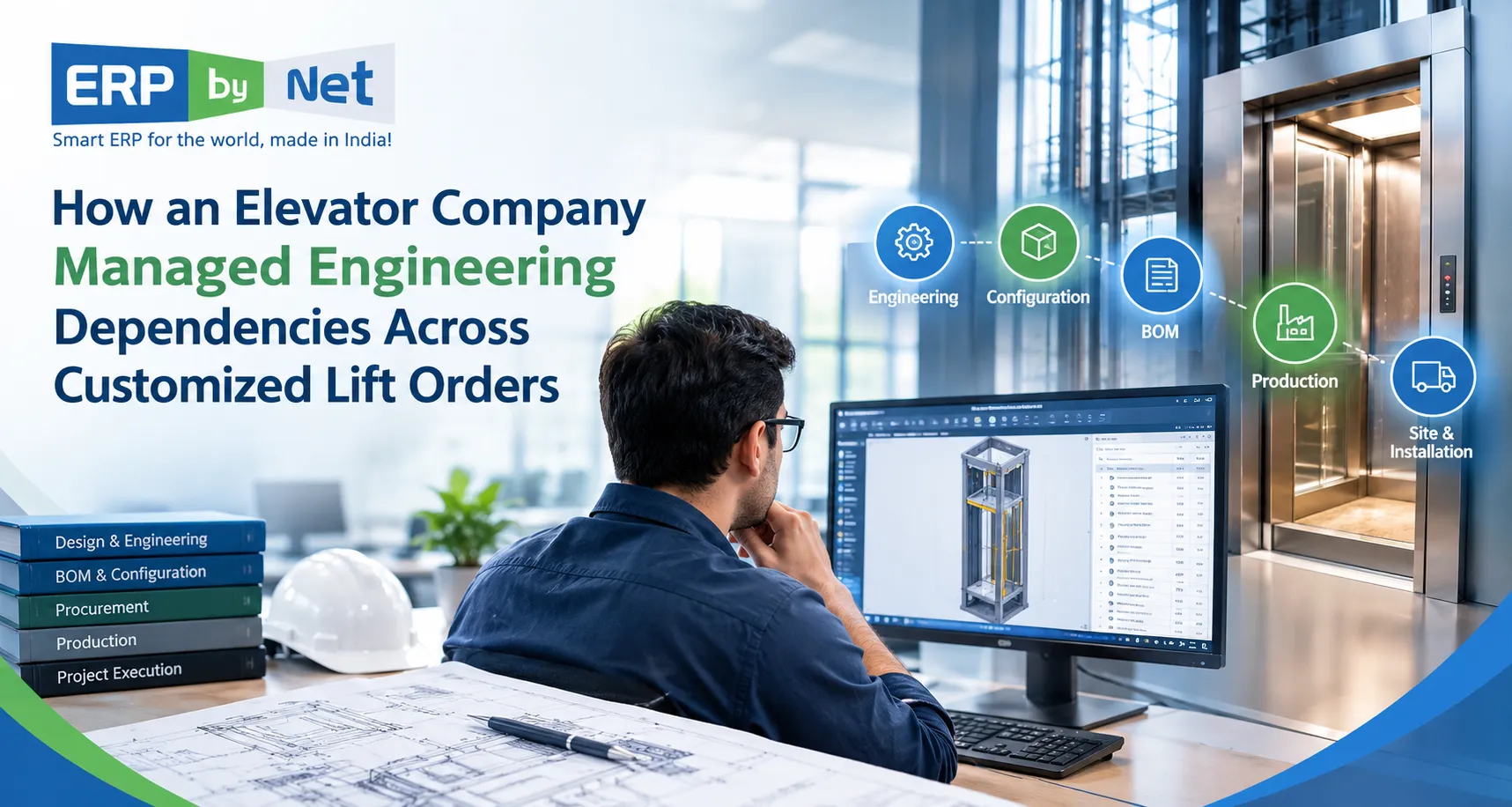
Elevator engineer reviewing customized lift specifications, CAD drawings, BOM revisions, and engineering dependencies across production and installation.

In the illustrative scenario, the company can improve coordination by establishing a consistent workflow for capturing requirements, validating designs, controlling revisions, and communicating changes.

The objective is not to eliminate every engineering change. Customized manufacturing naturally involves revisions and customer-specific requirements. The objective is to make sure that changes are assessed, approved, and communicated before they disrupt downstream work.

Step 1: Centralize Order-Specific Engineering Information

The company establishes a consistent record for each customized lift order.

This record connects the approved customer specifications with product configuration details, engineering documents, BOM information, and relevant project requirements.

A centralized approach reduces dependence on scattered files and makes it easier for authorized teams to locate the information needed for their work.

Step 2: Define Configuration Rules and Technical Validation

Engineering teams establish the relationships between product parameters, compatible components, and technical constraints.

Where supported by the product configuration system, rules can validate selected options and help generate the appropriate product structure.

This approach helps identify configuration issues earlier instead of relying entirely on manual checks after the quotation or order has progressed.

Step 3: Establish Controlled Engineering Revisions

Every significant engineering change should be recorded and reviewed.

A structured revision process identifies the original specification, the proposed change, the reason for the change, and the engineering deliverables affected.

The team then determines whether the revision requires updated drawings, BOM changes, material replanning, or production rescheduling.

Step 4: Assess Downstream Impact Before Releasing Changes

Engineering changes should be evaluated beyond the design department.

The company can establish an impact-review process involving engineering, procurement, production, and project management whenever a change affects their responsibilities.

This helps identify potential consequences before the revised information is released for execution.

Step 5: Connect Engineering Approval With Execution Readiness

Once a revision is approved, the relevant teams need access to the correct information.

Procurement must understand updated material requirements. Production must receive the approved engineering data. Project teams must assess whether the change affects installation commitments.

This creates a more coordinated transition from engineering completion to manufacturing and project execution.

Engineering Dependency Management: Before and After a Structured Workflow

The following table illustrates how a structured approach can change the way an elevator company manages customized orders.

ActivityDisconnected workflowStructured dependency management
Requirement captureSpecifications scattered across filesCentralized order-specific requirements
Product configurationRepeated manual compatibility checksDefined configuration rules and validation
Engineering documentationMultiple drawing versions in circulationControlled revisions and approved documents
BOM managementManual updates across separate filesBOM updates aligned with approved engineering data
Material planningShortages discovered during executionMaterial impact assessed when requirements change
Production releaseTeams may rely on different revisionsApproved engineering information shared with execution teams
Project coordinationChanges communicated through follow-upsRelevant departments assess schedule and material impacts

The effectiveness of this approach depends on how well the company defines its processes, maintains accurate data, and configures its systems.

How ERPbyNet Supports Connected Engineering and Project Workflows

For elevator manufacturers, managing engineering dependencies requires coordination between product configuration, material planning, manufacturing, and project execution.

ERPbyNet is an integrated ERP platform developed by XECOM Information Technologies for elevator companies, engineering businesses, manufacturing organizations, and project-based industries. Its modules connect sales, engineering-related workflows, material planning, production, installation, service, and finance operations.

Rather than treating engineering as an isolated activity, businesses can use connected ERP workflows to help carry order information into downstream operational processes.

Product Definition Studio and SalesPundit: Connecting Requirements With Configuration

Customized elevator orders begin with customer requirements and technical specifications.

ERPbyNet’s SalesPundit supports sales workflows, including quotations, pricing, and order-related activities. Product Definition Studio supports complex product definition through technical rules, product specifications, and configuration logic.

These capabilities can support a more structured process for translating customer requirements into configured product information.

For elevator manufacturers, the commercial value lies in connecting sales commitments with the technical requirements needed to fulfill the order.

DrawGenie: Supporting Engineering Documentation

Engineering documentation must reflect the approved product configuration.

ERPbyNet’s DrawGenie supports automated drawing generation for complex engineering products based on configured specifications and product definitions.

When used within an appropriately configured workflow, this capability can help connect product definition with engineering documentation and reduce repetitive drawing preparation.

The specific drawings and validation steps supported depend on the product configuration and implementation.

AceMRP: Connecting Engineering-Derived Requirements With Material Planning

Once the engineering BOM and component requirements are established, the next challenge is determining whether materials will be available when needed.

AceMRP supports material requirements planning, inventory management, procurement, warehouse operations, and manufacturing coordination.

For customized elevator manufacturing, this connection can help teams evaluate material requirements alongside stock availability and purchasing activities.

When an engineering revision changes material demand, the relevant planning process must account for the updated requirements and any existing procurement commitments.

eProduction: Coordinating Manufacturing Activities

Production execution depends on accurate engineering information, material readiness, and coordinated manufacturing activities.

ERPbyNet’s eProduction supports production workflows, scheduling, work-center operations, and manufacturing process visibility.

Connecting manufacturing activities with planning information helps teams coordinate production around approved requirements and available resources.

AceSiteManager: Connecting Project Execution With Engineering and Supply Chain

After manufacturing, elevator orders move into installation and commissioning.

AceSiteManager supports project schedules, installation activities, budget tracking, and coordination with supply chain requirements. It also supports project-level adjustments as requirements evolve.

Installation & Project Management Software

For elevator companies, this connection helps align project execution with material availability, installation activities, and changing contract schedules.

Read More: What Is Really Behind Cost Overruns in Elevator Projects-and How Can ERP Help Control Them?

Key Business Benefits of Managing Engineering Dependencies

A structured engineering dependency process can support several operational improvements. Actual results depend on the company’s order complexity, existing processes, data quality, and ERP implementation.

1. Better Control Over Engineering Changes

When revisions are documented and assessed systematically, teams can identify which technical deliverables and downstream activities require attention.

This reduces the risk of different departments acting on conflicting information.

2. More Reliable Material Planning

Connecting engineering requirements with material planning helps businesses assess whether component demand matches the approved product configuration.

It also helps identify when a revision may affect existing stock, purchasing requirements, or production readiness.

3. Improved Coordination Between Departments

Sales, engineering, procurement, production, and project teams work with connected order information rather than repeatedly requesting updates from one another.

This can reduce manual coordination and help teams focus on resolving actual operational issues.

4. Better Production and Installation Planning

When engineering approvals and material requirements are considered alongside project schedules, teams can identify potential execution constraints earlier.

This supports more informed planning and helps reduce avoidable disruption caused by incomplete or outdated technical information.

5. Stronger Cost and Project Control

Engineering changes can influence material costs, procurement commitments, production effort, and installation schedules.

Connecting these activities with project and financial information helps management assess the commercial implications of changes and make more informed decisions.

ENGINEERING WORKFLOW CHECKLIST

Practical Checklist for Elevator Manufacturers

Are your engineering processes ready to handle customized lift orders without unnecessary delays, material mismatches, or revision errors? Use this checklist to assess how well your teams manage engineering dependencies.

✓ Review These 8 Critical Areas

Turn Engineering Challenges Into Better Control

If several of these areas require manual follow-ups or disconnected records, your engineering workflow may be exposed to avoidable operational risks. A connected ERP system can help align product configuration, engineering data, material planning, production, and project execution.

Explore ERPbyNet for Elevator Manufacturers →

Connect engineering, planning, production, and project execution with ERPbyNet.

Conclusion: Connect Engineering Decisions With Every Stage of the Lift Order

Managing customized elevator orders requires more than accurate technical drawings. It requires a structured way to understand how customer requirements, engineering decisions, component specifications, material planning, production, and installation depend on one another.

When these relationships are not managed systematically, a change in one area can create additional work across several departments. Uncontrolled revisions, mismatched BOMs, procurement uncertainty, and production delays can affect both operational efficiency and project profitability.

A structured dependency management process helps elevator manufacturers validate configurations, control engineering changes, coordinate material requirements, and communicate approved information across the business.

ERPbyNet helps elevator companies connect sales, product configuration, material planning, manufacturing, and project execution through an integrated ERP platform. With capabilities such as Product Definition Studio, DrawGenie, AceMRP, eProduction, and AceSiteManager, businesses can build a more coordinated workflow for managing customized lift orders.

For manufacturers handling complex product configurations and project-specific requirements, connecting engineering decisions with downstream execution is an important step toward improving operational control and managing customized orders more consistently.

Frequently Asked Questions

1. What are engineering dependencies in elevator manufacturing?

Engineering dependencies are relationships between technical requirements, product configurations, components, drawings, BOMs, and manufacturing activities. A change in one area may require updates or validation in other related areas.

2. Why are engineering dependencies important for customized lift orders?

Customized lift orders involve different technical specifications and component combinations. Managing dependencies helps ensure that changes to one requirement are assessed for their impact on drawings, materials, production, and installation.

3. How can elevator manufacturers manage engineering changes?

Manufacturers can establish controlled revision processes, document change requests, validate technical requirements, assess downstream impacts, and communicate approved updates to procurement, production, and project teams.

4. How does a BOM help manage customized elevator orders?

A bill of materials identifies the components and assemblies required for a configured product. An accurate, approved BOM helps connect engineering requirements with material planning, procurement, and production.

5. How can ERP software support engineering dependency management?

An integrated ERP system can connect product configuration, engineering-related information, material planning, manufacturing, and project execution. The specific level of dependency tracking and change control depends on the software’s capabilities and implementation.

6. How does ERPbyNet support customized elevator manufacturing?

ERPbyNet provides capabilities for sales management, product definition, drawing generation, material planning, manufacturing coordination, and project execution through modules such as SalesPundit, Product Definition Studio, DrawGenie, AceMRP, eProduction, and AceSiteManager.

7. Can engineering changes affect elevator production schedules?

Yes. A change to product specifications or component requirements may affect engineering approvals, material availability, manufacturing instructions, and production schedules. The actual impact depends on the nature and timing of the change.

8. How can elevator companies improve coordination between engineering and installation teams?

Companies can connect approved engineering information with material planning, project schedules, site surveys, and installation activities. This helps teams identify technical or site-related issues before they disrupt execution.

CategoriesElevator Maintenance Management ERP (Enterprise Resource Planning)

How an Elevator Company Managed Financial Gaps Between Project Completion and Customer Billing

Key Takeaways

  • Project completion does not always mean billing readiness when approvals or documentation are pending.
  • Disconnected project and finance workflows can delay invoice preparation and collection planning.
  • Billing milestones must align with contractual conditions and project progress.
  • Customer changes and additional work can complicate project billing and commercial tracking.
  • Connected ERP workflows help link completion, approvals, billing, and finance.

What You’ll Learn

  • How project completion and billing timelines can become disconnected.
  • Why handover approvals and documentation affect invoice readiness.
  • How to define billing milestones and assign responsibilities.
  • How project costs, variations, invoices, and receivables can be coordinated.
  • How ERPbyNet connects project execution with financial processes.

Real Insights

  • Installation completion does not automatically authorize invoicing.
  • Missing approvals can create gaps between completed work and billing action.
  • Project and finance teams need shared information to reduce repeated follow-ups.
  • Billing readiness should show pending actions, owners, and contractual conditions.
  • Timely billing depends on structured workflows, accurate data, and clear accountability.

An elevator project can reach installation completion, pass through the final stages of handover, and still leave the finance team waiting for the information required to raise an invoice.

The installation team considers its work nearly finished. The project manager is following up on pending documentation. The customer expects the next step. Meanwhile, the finance department is trying to determine whether the project is ready for billing, whether an approval is outstanding, and whether the invoice can be generated.

The project may be operationally complete, but the financial process is not necessarily complete.

For elevator companies managing multiple installations, modernization projects, and customer-specific billing milestones, this gap can create unnecessary delays in invoicing and collection follow-ups.

The challenge is not always a lack of accounting capability. In many cases, it begins earlier—with how project completion, handover documentation, customer approvals, and billing information move between departments.

This was the type of business challenge an elevator company needed to examine: how could it improve coordination between project execution and customer billing without depending on disconnected updates, spreadsheets, and repeated follow-ups?

An ERP system designed for project-based industries can help connect these processes. With ERPbyNet, elevator companies and engineering businesses can approach project execution and financial coordination through connected workflows rather than treating billing as an isolated activity.

But the important question is not simply whether an ERP can generate invoices.

It is:

How can an elevator company reduce the operational gaps between completing project work and having the information required for timely customer billing?

The Business Challenge: When Project Completion and Billing Follow Different Timelines

Elevator projects involve multiple stages, including sales, engineering, procurement, manufacturing, installation, inspection, handover, and financial settlement.

Depending on the contract, billing may be linked to milestones such as:

  • Order confirmation
  • Material delivery
  • Installation progress
  • Testing and commissioning
  • Project completion
  • Handover approval
  • Final documentation

The specific milestones depend on contractual terms and customer requirements.

The difficulty arises when the operational team completes a milestone, but the finance team does not receive complete or timely information to proceed with billing.

For example, consider an elevator installation that has reached the completion stage.

The site team reports that installation activities are finished. However, the handover document is still awaiting customer confirmation. The project manager has information about the completed work, but the finance department cannot determine whether the contractual billing conditions have been satisfied.

The result is a delay between operational progress and financial action.

This situation does not necessarily mean that the company has lost revenue. However, it can create uncertainty around billing readiness, expected collections, and the status of completed project work.

When the same issue occurs across multiple projects, the finance team may need to spend considerable time coordinating with project managers, site supervisors, and other departments.

Why This Matters for Elevator Companies

Elevator businesses often manage projects with different customers, locations, specifications, installation schedules, and payment conditions.

A single company may be handling:

  • New elevator installations
  • Existing elevator modernization
  • Commercial building projects
  • Residential developments
  • Industrial elevator installations
  • Multi-location projects
  • Maintenance and AMC contracts

Each project may have its own completion requirements and billing arrangements.

Without a consistent process for recording project progress and communicating billing-related information, the finance department may find it difficult to distinguish between:

  1. Projects that are still in progress.
  2. Projects that have completed a billable milestone.
  3. Projects awaiting documentation or approval.
  4. Projects where billing has already been initiated.
  5. Projects where payment collection remains pending.

The financial challenge, therefore, is connected to project execution.

Read More: What Problems Become Visible When Sales, Engineering, Production, Site, and Service Finally Share One Workflow?

Why Completed Elevator Projects Can Experience Billing Delays

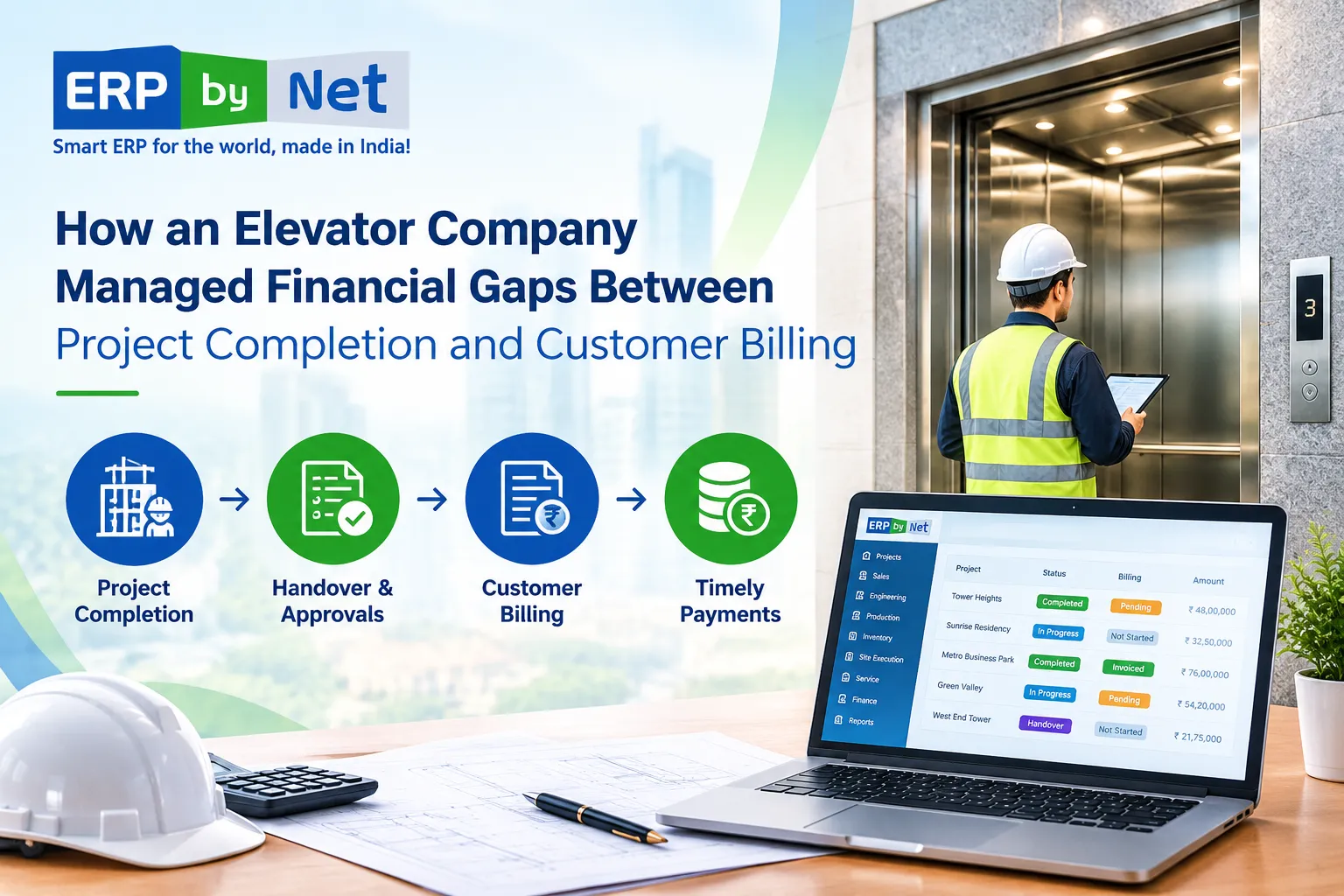
ERPbyNet infographic showing elevator project billing delays caused by delayed updates, pending handover requirements, disconnected billing workflows, and additional work.

Billing delays can occur for different reasons. Not every delay is caused by software, and an ERP implementation cannot automatically resolve contractual disputes or customer payment decisions.

However, companies can examine the internal process issues that contribute to delays.

1. Project Completion Information Is Not Shared Promptly

The site team may complete installation work but communicate the status through informal channels.

Information might be shared through emails, messaging applications, spreadsheets, or individual follow-ups.

If the finance team does not receive the relevant information in a consistent manner, it may need to contact the project team before proceeding.

This creates additional coordination work.

A structured workflow can help establish how project completion is recorded, who verifies the information, and which department is responsible for the next action.

The goal is not merely to mark a project as complete. It is to ensure that the appropriate completion information reaches the people who need it.

2. Handover Documentation Is Still Pending

In elevator projects, completion may involve more than finishing installation activities.

Depending on the contract and project requirements, the company may need to complete documentation, testing, approvals, or handover procedures.

A project can therefore be physically complete while a particular billing-related condition remains unresolved.

For instance:

  • Installation is finished.
  • Testing is completed.
  • Customer handover confirmation is pending.
  • Final documentation requires review.
  • The finance team is waiting for the relevant confirmation.

The exact billing requirement depends on the contract.

A well-designed process should make these dependencies clear rather than allowing them to remain hidden in separate communications.

3. Billing Milestones Are Not Connected to Project Progress

Some companies track project execution separately from billing.

The project team monitors installation progress, while the finance department maintains invoice and payment records.

When these workflows are not adequately connected, the finance team may have difficulty determining which project milestones have been reached and which billing actions are due.

This can create a situation where project progress is available, but the financial action associated with that progress requires manual coordination.

The solution is not to assume that every completed activity should immediately generate an invoice. Instead, companies should connect project milestones with the applicable billing rules and approval requirements.

4. Changes and Additional Work Complicate Billing

Elevator projects can involve variations, additional work, revised specifications, or customer-requested changes.

For example, a customer may request a modification to the original scope. The project team records the additional work, but the commercial or finance team may still need to confirm how the change affects the contract and billing.

If changes are managed separately from project and financial records, the company may face confusion regarding:

  • Original contract value
  • Approved variations
  • Additional material or labour costs
  • Completed additional work
  • Applicable billing conditions

A connected workflow can help the company maintain a clearer relationship between project changes and commercial records.

The Financial Impact of Delayed Project Billing

The consequences of billing delays depend on the company’s contract terms, project size, payment arrangements, and internal processes.

However, several operational challenges can emerge when completed project information does not move efficiently into the billing workflow.

Delayed Invoice Preparation

When invoice preparation depends on receiving completion confirmation, missing information can slow down the process.

The finance team may need to follow up with multiple departments before preparing an invoice.

Even if the work has been completed, the invoice cannot necessarily be issued until the required conditions have been verified.

Uncertainty Around Expected Collections

A company may have completed projects that are approaching a billing milestone, but the finance team may not have a consolidated view of the next required actions.

This can make it more difficult to organize collection planning and prioritize follow-ups.

Project completion does not guarantee immediate payment. However, accurate billing information helps the company distinguish between pending invoicing and outstanding customer receivables.

Increased Administrative Follow-Ups

When project and finance information is distributed across multiple systems or documents, employees may spend additional time confirming the same information.

Project managers may be asked whether the work is complete. Site teams may be contacted for documentation. Finance employees may follow up on approvals.

These activities can increase administrative effort and make responsibility less clear.

Difficulty Understanding Project-Level Financial Status

Management may want to know:

  • Which projects have reached billing milestones?
  • Which projects are awaiting completion confirmation?
  • Which invoices are pending?
  • Which customers have outstanding payments?
  • Are project variations affecting the billing amount?
  • Which projects require attention from the project or finance team?

Answering these questions becomes more difficult when information is not organized around a shared workflow.

How the Elevator Company Examined Its Existing Process

Before introducing improvements, the company needed to understand where the gap was occurring.

The problem was not simply that invoices were delayed. The company had to examine the process connecting project completion with billing readiness.

A practical review could involve the following stages.

Step 1: Identify the Billing Trigger

The company first needs to establish what event or condition makes a project eligible for billing.

This might include:

  • Completion of a contractual milestone
  • Approved installation progress
  • Testing or commissioning
  • Handover acceptance
  • Approved additional work

The relevant trigger must come from the customer’s contract and the company’s billing policy.

This distinction matters because project completion and invoice eligibility are related but not always identical.

A project management system should support the company’s actual billing rules rather than assume that every completion status automatically authorizes invoicing.

Step 2: Understand the Required Documentation

The company then needs to identify which documents or approvals are required before billing can proceed.

Depending on the project, these might include completion reports, customer confirmations, approved variation documents, or other contractual records.

A clear checklist can help employees understand which actions remain pending.

Step 3: Assign Responsibility for Each Action

Billing delays can become harder to resolve when nobody clearly owns the next step.

For example:

  • The site team confirms completed work.
  • The project manager verifies the milestone.
  • The relevant department reviews documentation.
  • Finance checks billing eligibility.
  • The authorized team initiates invoicing.

The actual responsibilities depend on the company’s process.

The important principle is to establish accountability at each stage.

Step 4: Track Pending Actions

A company needs a way to distinguish between completed work and unresolved billing dependencies.

Instead of relying only on a broad project status such as Completed, it can track relevant actions separately.

For example:

Project Status: Installation completed
Handover Status: Awaiting customer confirmation
Billing Status: Pending required approval

This provides a more useful operational picture than a single status field.

Read More: What Features Should an MRP System Have for Complex Elevator Manufacturing?

Connecting Project Execution and Finance Through ERPbyNet

An ERP solution for project-based industries should support coordination across departments.

For elevator companies, the workflow may begin with sales and engineering and continue through production, installation, handover, service, and finance.

ERPbyNet is positioned as a cloud-based ERP for elevator companies and engineering businesses, supporting connected processes across project execution and business operations.

The specific configuration required for billing depends on the company’s workflow, contract structure, and implementation requirements.

1. Connecting Project Progress With Billing Information

Project teams need a structured way to record relevant completion milestones.

Finance teams need information that helps them determine whether the associated billing action can proceed.

A connected ERP workflow can help bring these records into a shared business environment.

For example, project-related information may include:

  • Project identification
  • Customer details
  • Contract information
  • Milestone status
  • Completion records
  • Approval requirements
  • Billing-related information

The purpose is to reduce the need to repeatedly collect the same information from separate departments.

The ERP should support the company’s approval rules rather than bypass them.

2. Improving Handover and Completion Coordination

Installation completion often requires coordination between the site team, project manager, and customer.

A structured process can help the company record relevant handover information and identify pending actions.

This can be particularly useful when managing multiple installation sites.

Instead of treating completion as a single informal update, the company can organize the information required for the next operational and commercial steps.

Where ERPbyNet’s project and site management capabilities are configured for the business process, they can support coordination between project progress and related documentation.

The exact workflow should be validated during implementation.

3. Reducing Dependence on Disconnected Updates

Spreadsheets and messaging applications may be useful for certain activities, but they can create difficulties when important project and billing information is distributed across multiple locations.

An integrated ERP approach can provide a shared source of business records.

This can help relevant employees access information according to their roles and permissions.

For example, the project manager may need to review completion status, while finance employees may need access to billing-related information and supporting documentation.

The goal is not to eliminate every communication or approval. It is to make the workflow more structured and traceable.

4. Supporting Project-Level Financial Coordination

Elevator companies need to understand the commercial status of individual projects.

Project-level information can help management examine the relationship between project execution, costs, billing, and collections.

Depending on the implemented ERP functionality, the company may be able to coordinate information related to:

  • Project budget
  • Material costs
  • Labour and subcontracting expenses
  • Approved variations
  • Billing records
  • Customer receivables

This can support more informed project reviews.

However, project profitability and cash flow require accurate data, appropriate accounting practices, and timely updates. An ERP system does not guarantee financial accuracy without effective processes and controls.

What Changed in the Company’s Approach to Billing Coordination?

The most meaningful improvement in this type of situation is often a change in how departments coordinate their responsibilities.

Instead of treating billing as a task that begins only when finance receives a final request, the company can establish a process that connects project progress with the information required for commercial action.

This approach involves several operational changes.

From Informal Completion Updates to Structured Tracking

The company can define how completion milestones are recorded and verified.

This helps establish a consistent process for communicating project progress.

From Separate Departmental Follow-Ups to Connected Information

Rather than depending entirely on repeated requests for project status, the company can organize relevant information within a shared ERP workflow.

This may reduce unnecessary administrative coordination, depending on adoption and process design.

From Unclear Billing Readiness to Defined Conditions

The company can document the requirements for billing eligibility.

This makes it easier for employees to understand which steps are complete and which require further action.

From Project-Only Reviews to Project and Finance Coordination

Management can examine operational and commercial information together.

For example, a project review may include both installation status and pending billing-related actions.

This creates a more comprehensive view of project progress.

Why Billing Visibility Alone Is Not Enough

Many companies want a dashboard showing pending invoices, completed projects, and outstanding payments.

Dashboards can be useful, but they are only as reliable as the information and processes behind them.

A dashboard may show that a project is complete. It may not explain why billing is still pending unless the system captures the relevant reason.

For this reason, an effective workflow should go beyond displaying a status.

It should help users understand:

  • What has been completed?
  • What is still pending?
  • Who is responsible for the next action?
  • Which approval is required?
  • What contractual condition applies?
  • What information does finance need?

The objective is to make the process actionable, not simply to display more data.

A well-configured ERP can help support this by combining status information with appropriate workflows and records.

A Practical Framework for Reducing Project-to-Billing Gaps

Elevator companies looking to improve their billing coordination can begin with a structured review.

1. Map the Complete Project Lifecycle

Document the company’s actual process from order confirmation through installation, handover, and billing.

Identify the points where information moves between departments.

2. Define Billing Milestones Clearly

Record the conditions that apply to each billing milestone.

Avoid assuming that every project follows the same billing schedule.

3. Identify Common Causes of Delay

Review past billing delays and categorize them.

Potential categories include:

  • Pending completion confirmation
  • Missing documentation
  • Customer approval delays
  • Unapproved variations
  • Contractual conditions
  • Internal processing delays

The purpose is to identify recurring process issues rather than assign blame without evidence.

4. Establish Ownership

Assign responsibility for recording completion, reviewing documentation, confirming billing readiness, and initiating the next action.

5. Connect Relevant Records

Use an ERP workflow or appropriate integrated systems to connect project information with financial processes.

The integration should reflect actual business requirements.

6. Review Performance Using Meaningful Measures

Companies can monitor metrics such as:

  • Time between completion confirmation and invoice preparation
  • Number of projects awaiting billing-related approval
  • Pending invoices by project
  • Time taken to resolve missing documentation
  • Outstanding receivables by project

These measurements should be defined consistently and interpreted within the company’s operational context.

The Broader Lesson for Elevator and Engineering Companies

Financial gaps between project completion and customer billing are not unique to elevator businesses.

They can also arise in other project-based industries where work involves multiple departments, site execution, approvals, and contractual milestones.

Examples include:

  • Contract engineering
  • Industrial equipment manufacturing
  • Water treatment projects
  • Boiler manufacturing
  • Automated car parking systems
  • Custom-engineered installations

In these businesses, the relationship between engineering, production, site execution, and finance can influence how effectively the company manages its commercial processes.

A disconnected workflow can make it difficult to connect project progress with financial action.

An integrated ERP approach can help businesses establish a more structured operating model.

However, the benefits depend on the quality of implementation, employee adoption, data accuracy, and alignment with business processes.

How ERPbyNet Supports the Bigger Business Picture

ERPbyNet connects sales, engineering, manufacturing, site execution, service, and finance workflows for elevator companies through one integrated ERP platform.

For elevator companies, project billing is one part of a broader operational lifecycle.

Sales teams need to manage inquiries and quotations. Engineering teams need to work with product configurations and technical requirements. Production and procurement teams need to coordinate materials. Site teams need to manage installation activities. Finance teams need accurate commercial and accounting information.

When these processes operate in isolation, employees may spend more time coordinating information manually.

ERPbyNet is designed to support project-based business workflows, including sales, engineering, manufacturing, site execution, service, and finance.

For a company examining billing gaps, the relevant question is how these capabilities can be configured to support its actual project and financial requirements.

The implementation should begin with the company’s process—not with a generic assumption that every elevator business needs the same workflow.

ERPbyNet
Turn Project Completion into Timely Billing
ERPbyNet connects project milestones, completion approvals, billing, and finance to help elevator companies reduce payment delays, manage cash flow, and protect project profitability.
Project Finance • Billing • Cash Flow
Connect project execution with faster billing using ERPbyNet.

Conclusion: Closing the Gap Between Completed Work and Financial Action

An elevator project does not necessarily become financially complete when installation work finishes.

The company may still need to verify handover requirements, confirm contractual milestones, complete documentation, and coordinate billing.

When these activities are managed through disconnected processes, delays and repeated follow-ups can become operational challenges.

The solution begins with understanding the relationship between project execution and finance.

A structured workflow can help the company:

  • Identify billing-related milestones
  • Track completion information
  • Clarify pending approvals
  • Coordinate project and finance teams
  • Review project-level financial activity
  • Improve the consistency of internal processes

An ERP system can support this approach when it is configured around the company’s business requirements.

ERPbyNet helps elevator companies and engineering firms explore connected ERP workflows that bring project execution and financial operations into a more coordinated environment.

The objective is not simply to generate invoices faster.

It is to help businesses establish a process in which project progress, commercial requirements, and financial action are connected through reliable information.

Because when completed work and billing coordination follow a structured workflow, management can make better-informed decisions about project execution and financial operations.

Frequently Asked Questions (FAQs)

1. Why do elevator companies experience financial gaps between project completion and customer billing?

Elevator companies may experience billing gaps when project completion, handover documentation, customer approvals, and billing processes are not properly coordinated. Even after installation work is completed, pending contractual requirements or missing information can delay invoice preparation.

2. How can elevator companies reduce billing delays after project completion?

Elevator companies can reduce billing delays by connecting project completion tracking with billing workflows, clearly defining milestone requirements, maintaining handover documentation, and assigning responsibility for pending approvals. An ERP system can help organize this information within a connected business process.

3. How does ERP help connect elevator project completion with customer billing?

An ERP system can connect project records, milestone tracking, documentation, and financial processes. This helps relevant teams access project information and coordinate billing-related actions according to contractual requirements. The exact workflow depends on the ERP configuration and the company’s billing policies.

4. What role does project completion tracking play in elevator billing management?

Project completion tracking helps companies record the progress of installation and other project milestones. When connected with billing requirements, it can help project and finance teams identify completed activities, pending documentation, and actions required before invoicing.

5. Can ERP software help elevator companies track pending project invoices?

Yes. Depending on its functionality and configuration, ERP software can help companies organize project-related billing records, monitor pending invoice actions, and connect financial information with project data. This can support coordination between project management and finance teams.

6. How do handover approvals affect elevator project billing?

Handover approvals may form part of the contractual conditions for billing. If required confirmation or documentation is pending, invoice preparation may be delayed. A structured workflow can help teams identify outstanding requirements and coordinate the relevant approvals.

7. What financial information should elevator companies monitor after project completion?

Elevator companies may monitor project completion status, billing milestones, pending invoices, approved variations, project costs, and outstanding customer receivables. The specific information depends on the company’s contracts, accounting practices, and reporting requirements.

8. How can ERPbyNet support financial coordination in elevator projects?

ERPbyNet supports connected ERP workflows for elevator companies and project-based engineering businesses. Its project, site execution, and finance-related capabilities can be evaluated and configured to support coordination between project progress, completion information, and financial processes, based on the company’s requirements.

CategoriesERP (Enterprise Resource Planning) ERP Solutions

What Problems Become Visible When Sales, Engineering, Production, Site, and Service Finally Share One Workflow?

Key Takeaways

  • Disconnected departments create hidden process gaps even when each team manages its work correctly.
  • Engineering changes can affect materials, production, site work, and project costs.
  • Physical stock does not always mean available stock when materials are allocated, reserved, or incomplete.
  • Production completion does not always mean site readiness.
  • Connected ERP helps trace problems back to where they started, not just where they became visible.

What You’ll Learn

  • How connected workflows link sales, engineering, production, site, and service.
  • Why engineering changes need to reach downstream teams quickly.
  • How material planning and inventory visibility affect production readiness.
  • Why site readiness and production completion must be tracked separately.
  • How ERPbyNet connects the workflow from sales through finance and service.

Real Insights

  • The department where a problem appears is not always where it started.
  • A production delay may begin with an engineering change or material gap.
  • A site delay may come from an earlier planning or readiness issue.
  • A service complaint can reveal an earlier installation or configuration problem.
  • Connected information helps management move from “Where is the problem?” to “Where did it begin?”

A project can look healthy in one department and already be heading toward trouble somewhere else.

Sales may see a confirmed order. Engineering may still be working through specifications. Production may be waiting for material. The site team may be waiting for readiness confirmation. Service may later receive a complaint without having the complete history of what was installed.

Each department may be doing its job.

Yet the project can still be delayed, costs can increase, and customers can become dissatisfied.

The problem is often not that individual departments are incapable of managing their work. The problem is that the information connecting those departments is fragmented.

When sales, engineering, production, site, and service finally work through one connected workflow, something important changes.

The business does not simply gain visibility.

It starts seeing where problems actually enter the process.

For engineering, manufacturing, elevator, installation, and other project-based businesses, this distinction matters because a decision made at the beginning of an order can affect material planning, production, installation, project cost, and service months later.

A connected ERP workflow helps bring those relationships into view.

Why Department-Level Visibility Is Not Enough

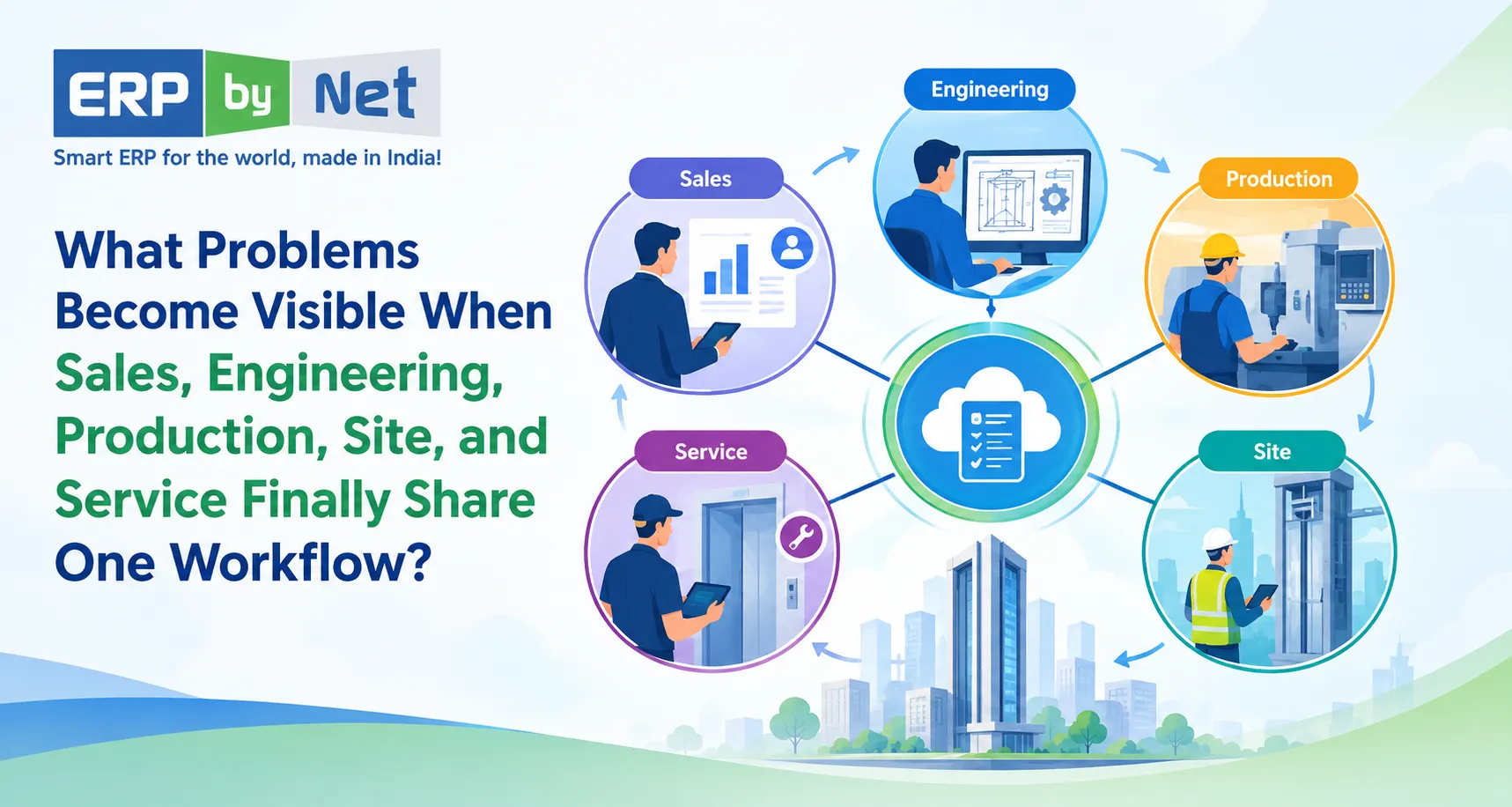
Connected ERP workflow linking sales, engineering, production, site installation, and service for elevator project management

Imagine five teams managing the same project.

Sales knows what the customer ordered.

Engineering knows how it should be designed.

Production knows what needs to be manufactured.

Site knows what needs to be installed.

Service knows what needs to be maintained.

But if every team maintains its own information, the business can end up with five different versions of the same project.

A quotation may contain one specification.

A drawing may contain another.

A BOM may reflect a later revision.

Production may work from an older instruction.

The site team may not know which materials are expected.

Service may receive incomplete equipment information after handover.

This creates a dangerous situation:

Every department can have accurate information locally while the overall project information remains inconsistent.

That is where connected workflow becomes important.

ERPbyNet is designed around this type of operational environment, connecting sales, projects, manufacturing, inventory, service, technicians, and finance within an integrated ERP ecosystem.

What Changes When One Workflow Connects the Business?

A connected workflow creates a chain where information created at one stage becomes useful at the next.

Instead of managing isolated activities:

Sales → Engineering → Production → Site → Service

the business can create a connected operational flow:

Customer Requirement → Quote → Engineering → BOM/Material Planning → Production → Site Installation → Handover → Service

The important part is not the diagram itself.

The important part is the relationship between each stage.

A quotation can influence engineering.

Engineering can influence product configuration and material requirements.

Material planning can influence procurement and production readiness.

Production can influence site scheduling.

Site execution can influence project completion.

Installation data can become useful to service.

This is where hidden problems start becoming easier to identify.

1. Sales Commitments That Engineering Cannot Deliver as Planned

A sales team often has to respond quickly to customer expectations.

A quotation may be prepared based on:

  • Customer requirements
  • Product configuration
  • Technical specifications
  • Expected delivery date
  • Commercial assumptions
  • Project scope

But what happens after the order is confirmed?

If the information does not move cleanly into engineering, the engineering team may need to recreate or verify details manually.

That can introduce delays before production has even started.

The problem may not be in engineering

Suppose a customer changes:

  • Capacity
  • Dimensions
  • Finishing
  • Door configuration
  • Control requirements
  • Installation conditions
  • Optional components

If those changes remain inside emails, spreadsheets, or conversations, engineering may not have a reliable view of the latest requirement.

The project can then move forward with uncertainty.

A connected workflow helps make the transition from commercial requirement to technical definition more structured.

ERPbyNet’s SalesPundit supports CRM, quotations, tender workflows, pricing, sales approvals, and sales operations for engineering and project-based businesses. Its Product Definition Studio is designed for complex product configuration and technical rules, helping connect product definition with downstream requirements.

What becomes visible?

Instead of discovering the issue after production begins, the business can identify:

Customer requirement → Technical validation → Configuration → Engineering readiness

The earlier the mismatch appears, the earlier the business can respond.

2. Engineering Changes That Do Not Reach Production in Time

Engineering changes are normal in project-based manufacturing.

The problem begins when the change reaches one department but not another.

Consider a simple sequence:

Drawing Revision → BOM Change → Material Change → Production Change

If only the drawing changes, production may continue using an older BOM.

If the BOM changes but procurement has already placed an order, the business may suddenly have material that is no longer required.

If production discovers the change late, the result may be:

  • Rework
  • Material wastage
  • Production interruption
  • Additional procurement
  • Schedule changes
  • Cost increases

A connected workflow exposes the dependency

Engineering is not an isolated activity.

A technical change can create a commercial, material, production, site, and financial impact.

This is particularly important for Engineer-to-Order and configurable products where one customer order can generate different technical requirements.

ERPbyNet supports product definition, technical configuration, costing logic, engineering requirements, and drawing generation, while its material planning and production capabilities connect those requirements with downstream operations.

The objective is not simply to store the latest drawing.

It is to help ensure that the right information reaches the next stage of execution.

3. Production Delays That Actually Start in Material Planning

A production team may appear to have a productivity problem.

Machines are available.

Workers are available.

The production schedule exists.

Yet production is waiting.

Why?

Because one critical component is missing.

This is where disconnected workflows create misleading conclusions.

The visible problem is:

Production is delayed.

The actual problem could have started much earlier:

Customer order → Engineering → BOM → Material demand → Inventory → Procurement → Production

“We have stock” does not always mean “production can start”

Inventory may exist physically, but it may already be:

  • Allocated to another project
  • Reserved for another order
  • Located in another warehouse
  • Awaiting inspection
  • Incomplete as a required kit
  • Insufficient for the current requirement

This distinction becomes critical when multiple projects are running simultaneously.

ERPbyNet’s AceMRP connects material planning, inventory, procurement, warehouse operations, and manufacturing coordination. Its existing content also emphasizes that physical stock does not necessarily mean material is available for a particular requirement.

What becomes visible?

Instead of simply asking:

“Why is production late?”

management can begin asking:

“Which material requirement caused the production constraint, and where did that requirement originate?”

That is a much more useful question.

4. Procurement That Reacts Instead of Planning

Disconnected systems often make procurement highly reactive.

A purchase team receives a request.

They check availability.

They contact vendors.

They follow up on delivery.

Production follows up again.

Then another department asks for an updated status.

The cycle repeats.

The real challenge is not simply purchasing.

It is knowing:

  • What is required?
  • For which project?
  • In what quantity?
  • By when?
  • What is already available?
  • What is committed?
  • What is on order?
  • What has a long lead time?
  • What could become a production constraint?

ERPbyNet’s MRP capabilities are positioned around these connected planning requirements, including material demand, inventory, procurement, and production coordination.

The difference is timing

Good material planning is not only about knowing what to buy.

It is about knowing when the business needs it.

That changes procurement from:

“Something is missing. Purchase it.”

to:

“This requirement is expected to become a constraint. Plan it before it affects production.”

5. Production Completion Does Not Mean the Project Is Ready for Site

This is one of the most important problems in project-based businesses.

A factory may complete its production activities.

But the installation team may still be unable to proceed.

Why?

Because site execution depends on more than manufacturing completion.

It may depend on:

  • Site readiness
  • Material availability
  • Installation sequence
  • Civil work completion
  • Customer readiness
  • Required approvals
  • Manpower availability
  • Equipment movement
  • Project schedule

For an elevator project, for example, manufacturing completion does not automatically mean the shaft is ready for installation.

The hidden gap

A disconnected business may report:

Production: 100% complete

while the project remains:

Site: Not ready

Both statements can be correct.

But management needs to understand the relationship between them.

ERPbyNet’s AceSiteManager is designed to connect project implementation, site activities, installation, commissioning, contract dates, supply chain information, and project updates.

What becomes visible?

The business can start distinguishing between:

Production readiness

and

Installation readiness

That difference can prevent teams from assuming that a completed manufacturing stage automatically means the project can move forward.

6. Site Delays That Are Actually Caused by Earlier Decisions

When an installation team reaches a site and cannot proceed, the problem may appear to belong to the site team.

But consider what may have happened earlier.

The quotation may have missed a requirement.

Engineering may have changed a configuration.

Procurement may have delivered material late.

Production may have completed only part of the requirement.

The customer may not have completed site preparation.

The site team may therefore become the final point where an earlier problem becomes visible.

This creates an important principle:

The department where a problem becomes visible is not always the department where the problem began.

A connected workflow makes those dependencies easier to trace.

7. Installation Data That Gets Lost Before Service Starts

The project does not end when installation is completed.

For many businesses, installation is the beginning of a long service relationship.

This is especially important for elevator and equipment businesses where the installed product may require:

  • Preventive maintenance
  • Breakdown service
  • Inspections
  • Spare parts
  • Warranty support
  • AMC management
  • Technician visits
  • Contract renewals

If service teams receive incomplete installation information, they may have to ask questions that should already have answers.

What was installed?

Which configuration?

Which components?

When was it commissioned?

What warranty applies?

What service contract is active?

What work has already been performed?

The project history should not disappear at handover

A connected workflow allows information created during sales, engineering, production, and installation to remain useful after the project moves into service.

ERPbyNet’s AceService supports preventive maintenance scheduling, callback ticket management, contract renewals, technician tracking, and service updates. MyAceService and SmartTechnician extend service operations into mobile workflows.

The goal is simple:

Installation information should become service information instead of becoming history that nobody can easily access.

8. Service Complaints That Reveal Earlier Process Gaps

A service complaint is usually treated as a service issue.

But sometimes the complaint is a symptom of an earlier operational problem.

For example:

Repeated service issue

→ Incorrect component selection

→ Engineering/configuration issue

→ Procurement or production substitution

→ Installation variation

→ Service problem

Without connected information, the service team may only see the final complaint.

With a connected workflow, the business has a better opportunity to investigate the history behind it.

From ticket handling to root-cause visibility

Service data can become more useful when it is connected to the equipment, project, installation history, and customer information.

That can help businesses move beyond:

“Close the ticket.”

toward:

“Why is this issue happening repeatedly?”

That distinction matters for both service quality and operating cost.

9. Project Cost Overruns That Appear Too Late

A project may start with a planned cost.

But costs can change throughout execution.

Consider what can affect project profitability:

  • Additional material
  • Engineering changes
  • Rework
  • Subcontracting
  • Additional site visits
  • Installation delays
  • Logistics
  • Overtime
  • Service callbacks
  • Unplanned expenses

If finance only sees the final numbers after the project is completed, management may learn about the margin problem too late.

Profitability needs operational context

A project cost figure becomes much more useful when it can be related to the activities that created it.

For example:

Material variance

→ Engineering change

Labour variance

→ Installation delay

Subcontracting cost

→ Site execution issue

Additional service cost

→ Repeated equipment problem

ERPbyNet connects operational processes with finance and project-related information, including budgeting, cost allocation, AP/AR, and financial reporting.

The objective is not simply to report that a project exceeded its budget.

It is to help management understand where the project started moving away from the original plan.

10. Management Follow-Ups That Reveal a Lack of System Visibility

One of the most overlooked symptoms of disconnected operations is the number of questions management has to ask manually.

“What’s the status?”

“Has engineering approved it?”

“Is the material available?”

“Why hasn’t production started?”

“Is the site ready?”

“Has the installation been completed?”

“Is the AMC active?”

“Why is this project over budget?”

If employees have to manually collect answers from different departments every time management asks a question, the business has an information-flow problem.

A connected workflow changes the conversation

Instead of spending time collecting information, management can focus more on exceptions:

  • Which projects are behind schedule?
  • Which material shortages can affect production?
  • Which sites are not ready?
  • Which projects are exceeding budget?
  • Which service contracts require attention?
  • Which orders have unresolved engineering changes?

ERPbyNet provides centralized reporting and user-defined reporting capabilities across its operational environment, supporting visibility across complex business processes.

What Does One Connected Workflow Actually Connect?

A useful ERP workflow is not simply a collection of software modules.

It is the relationship between business events.

The connected chain can look like this:

Sales

Customer requirement, quotation, pricing, approvals

↓

Engineering

Product configuration, technical rules, drawings, BOM

↓

Material Planning

Demand calculation, inventory availability, procurement requirements

↓

Production

Scheduling, work centers, manufacturing execution

↓

Site

Material movement, installation activities, project progress, commissioning

↓

Service

Maintenance, callbacks, technician visits, AMC and warranty

↓

Finance

Costs, budgets, receivables, payables, profitability

The value comes from the information moving between these stages.

ERPbyNet’s platform is positioned around connecting sales, projects, manufacturing, inventory, service, technicians, and finance for operationally complex businesses.

Read More: How Can ERPbyNet Help Management Move From Reactive Problem-Solving to Proactive Control?

How ERPbyNet Helps Turn These Gaps Into a Connected Workflow

ERP workflow connecting sales, engineering, material planning, production, site installation, service, and finance for elevator projects

ERPbyNet is built for businesses where operations do not stop at manufacturing or sales.

Its positioning specifically covers elevator companies, engineering businesses, manufacturing organizations, project-based companies, and service and maintenance operations.

Sales to Engineering

SalesPundit supports CRM, quotations, tender workflows, pricing, approvals, and sales operations.

For complex products, Product Definition Studio supports product configuration, technical rules, specifications, and costing logic.

This creates a stronger bridge between what was sold and what needs to be engineered.

Engineering to Material Planning

Engineering requirements can influence BOMs and material demand.

AceMRP provides material planning, inventory, procurement, warehouse, and manufacturing coordination.

This helps connect technical requirements with material decisions instead of treating them as separate activities.

Material Planning to Production

Production needs more than a schedule.

It needs the required material, appropriate planning, and visibility into what can become a constraint.

ERPbyNet connects MRP and production workflows to help create this operational relationship.

Production to Site

AceSiteManager supports project implementation, installation activities, scheduling, budgets, site operations, and project reporting.

This helps connect factory-side progress with what is happening at the installation site.

Site to Service

Once installation and commissioning are completed, the operational relationship can continue into service.

AceService, MyAceService, and SmartTechnician support service contracts, maintenance, callback tickets, technician activities, field updates, and service coordination.

Operations to Finance

The final objective is not just operational visibility.

The business also needs to understand the financial impact of those operations.

ERPbyNet’s finance capabilities support areas such as AP/AR, budgeting, cost allocation, GST reporting, assets, and financial operations.

The Real Value of Connecting the Workflow

A connected workflow does not mean that every problem disappears.

It means the business has a better way to see the relationship between problems.

A delayed project may be connected to a material shortage.

The material shortage may be connected to an engineering change.

The engineering change may have originated from a customer requirement.

The additional cost may later appear in project profitability.

A service complaint may eventually reveal an installation or product configuration issue.

These relationships are difficult to see when every department works from isolated information.

They become easier to investigate when the workflow is connected.

From “Where Is the Problem?” to “Where Did the Problem Begin?”

This is perhaps the biggest shift.

In a disconnected environment, management often asks:

“Which department is causing the delay?”

In a connected environment, a better question becomes:

“At which stage did the process start moving away from plan?”

That difference matters.

Because the department reporting the problem may simply be the department that encountered the consequence.

The original cause may have entered the workflow much earlier.

Why This Matters for Elevator and Engineering Businesses

For elevator companies and engineering organizations, the workflow is particularly interconnected.

A typical project can involve:

Customer Requirement

→ Site Survey

→ Quotation

→ Product Configuration

→ Engineering

→ BOM

→ MRP

→ Procurement

→ Production

→ Material Movement

→ Installation

→ Commissioning

→ AMC

→ Service

A change at the beginning can influence several downstream activities.

ERPbyNet specifically positions its elevator ERP capabilities around quotations, site surveys, manufacturing, installation, AMC, technician management, service requests, inventory, procurement, and finance.

That makes workflow connectivity particularly relevant where every project has its own configuration, schedule, material requirements, site conditions, and service history.

What a Connected ERP Workflow Should Help You Ask

Instead of simply asking whether every department is using ERP, ask whether information is actually moving between them.

Ask:

Can sales see what engineering has approved?

Can engineering changes influence material requirements?

Can production see material constraints before the schedule is affected?

Can procurement see what is required and when it is required?

Can site teams see what is expected to arrive and what must happen next?

Can management connect project progress with project cost?

Can service teams access the history created before handover?

Can the business trace a visible problem back to the stage where it started?

These questions reveal whether an ERP is functioning as a connected operating system or simply as a collection of departmental tools.

A Connected Workflow Is More Than “One Software”

The real objective is not to put every department on the same screen.

It is to make information useful beyond the department that created it.

A sales quotation should become useful to engineering.

Engineering should become useful to MRP.

MRP should become useful to procurement and production.

Production should become useful to project execution.

Site execution should become useful to service.

Service history should become useful to management and finance.

That is what creates continuity.

The workflow becomes one chain instead of a series of handoffs.

Read More: What Features Should an MRP System Have for Complex Elevator Manufacturing?

ERPbyNet
Connect Every Stage. Expose the Gaps.
ERPbyNet connects sales, engineering, production, site, service, and finance in one workflow—helping teams identify delays, rework, material gaps, missed handoffs, and cost issues earlier.
Connected ERP • Sales to Service
Bring disconnected processes together with ERPbyNet.

Turn Connected Information Into Better Decisions

When Sales, Engineering, Production, Site, and Service work from one connected workflow, problems become easier to trace before they turn into delays, rework, cost overruns, or customer issues. A production delay can reveal a material gap, a site delay can point to readiness issues, and a service complaint can uncover an earlier installation or configuration problem.

ERPbyNet connects these critical stages with Sales, Engineering, Material Planning, Production, Site, Service, and Finance working within one connected ERP environment.

The goal is simple: don’t just know where a problem appears—understand where it started.

With connected information flowing across every stage, your teams can respond earlier, coordinate better, and keep projects moving with greater control.

Connect your workflow. Expose hidden gaps. Keep your business moving.

Frequently Asked Questions

What is a connected ERP workflow?

A connected ERP workflow links business activities so information created in one process can support the next process. For project-based and engineering businesses, this can connect sales, engineering, material planning, procurement, production, site execution, service, and finance.

Why is connecting sales and engineering important?

Sales captures customer requirements and commercial commitments, while engineering translates those requirements into technical specifications. Connecting the two can reduce repeated data entry and help identify requirement or configuration gaps earlier.

How does ERP connect engineering with production?

Engineering information can influence product definitions, BOMs, material requirements, and production planning. A connected ERP environment helps these downstream processes work from related information instead of requiring teams to recreate it manually.

Can ERP help identify the cause of production delays?

ERP cannot automatically eliminate every production delay, but connected information can make contributing factors easier to identify. Material shortages, procurement delays, engineering changes, planning constraints, and other dependencies can be investigated as part of the same workflow.

Why is site management important in project-based ERP?

Production completion does not necessarily mean a project is ready for installation. Site readiness, material availability, schedules, manpower, customer dependencies, and installation activities all influence project execution. ERPbyNet’s AceSiteManager is designed to connect these site activities with project and supply-chain information.

How does ERP connect installation with service?

Installation creates important information about the equipment, project, configuration, commissioning, and handover. When that information remains connected to service operations, service teams can work with greater access to the history of the installed equipment.

Is ERPbyNet suitable for elevator companies?

ERPbyNet is specifically positioned for elevator manufacturers, installation companies, modernization contractors, and service providers, with capabilities covering quotations, site surveys, manufacturing, installation, AMC, service, technicians, inventory, procurement, and finance.

Is ERPbyNet suitable for engineering and project-based businesses?

Yes. ERPbyNet positions its platform for engineering companies, manufacturing businesses, project-based organizations, and service and maintenance businesses that require coordination across sales, engineering, projects, inventory, production, site execution, service, and finance.

What makes a connected ERP workflow different from separate software systems?

Separate systems can manage individual departmental activities, but information may still need to be transferred manually between them. A connected ERP workflow is designed around the relationships between those activities so information can continue through the business process instead of stopping at departmental boundaries.

CategoriesERP (Enterprise Resource Planning) ERP Solutions

How Can ERPbyNet Help Management Move From Reactive Problem-Solving to Proactive Control?

Key Takeaways

  • Reactive management starts when problems are found too late, leaving teams with limited time to respond.
  • Disconnected data creates operational blind spots across projects, inventory, service, and procurement.
  • Real-time ERP visibility helps identify risks early and supports faster decisions.
  • Automated alerts and workflows reduce manual follow-ups and improve operational control.
  • ERP helps businesses move from firefighting to proactive management by making problems visible before they become critical.

What You’ll Learn

  • Why businesses become reactive as operations grow more complex.
  • How real-time ERP visibility improves operational control.
  • How early alerts and automated workflows help prevent delays.
  • Why connected data across departments improves decision-making.
  • How ERPbyNet helps management shift from reactive problem-solving to proactive control.

Real Insights

  • Most operational problems become expensive when detected late.
  • Manual reports often show what already happened instead of what needs attention next.
  • Real-time visibility helps teams spot shortages, delays, and bottlenecks early.
  • Proactive management depends on connected information, not more manual reporting.
  • The goal of ERP is not just to record problems but to help management act before they escalate.

Management becomes difficult when problems are discovered only after they have already affected operations.

A material shortage is noticed when production is about to stop. A project delay becomes visible when the deadline is already at risk. A customer complaint remains unresolved because nobody has a clear view of its status. A service contract approaches expiry without timely follow-up. Management then has to step in, investigate what went wrong, coordinate different teams, and find a solution under pressure.

This is reactive management.

Modern businesses need a different approach: identifying risks earlier, monitoring operations continuously, and taking action before small issues become expensive problems.

This is where an integrated ERP system can make a significant difference.

ERPbyNet connects sales, projects, manufacturing, inventory, procurement, service, field technicians, finance, and reporting within one integrated ERP ecosystem. This gives management a more complete view of business operations and helps teams move from manual follow-ups and delayed reporting toward real-time visibility, structured workflows, and proactive decision-making.

What Is the Difference Between Reactive and Proactive Management?

Reactive management focuses on solving problems after they occur.

The process often looks like this:

Problem occurs → Someone notices it → Management investigates → Teams coordinate → Corrective action is taken

For example, if a production team discovers that a critical component is unavailable, the procurement team may need to urgently contact suppliers, check alternative sources, update production schedules, and inform management.

The problem is being solved, but the organization is spending time and money responding to something that could potentially have been identified earlier.

Proactive management changes the process:

Business data → Early signal → Management insight → Planned action → Controlled outcome

Instead of waiting for the material shortage, managers can monitor inventory and material requirements, identify potential shortages, and take action earlier.

Instead of discovering a project delay after a milestone is missed, management can monitor project progress and identify deviations while there is still time to correct them.

This is the fundamental shift ERP can enable.

Read More: What Is Really Behind Cost Overruns in Elevator Projects-and How Can ERP Help Control Them?

Why Businesses Struggle With Reactive Problem-Solving

ERPbyNet connects business functions to reduce reactive problem-solving

Many businesses do not intentionally choose reactive management. It develops because information is fragmented.

Different departments may use:

  • Spreadsheets
  • Emails
  • WhatsApp messages
  • Separate software systems
  • Manual reports
  • Phone calls
  • Paper-based records

The result is that management often receives information after it has already passed through several people and systems.

A project manager may know that a site is delayed, while procurement does not know that the delay is related to material availability. Finance may not immediately see the cost impact. Senior management may only discover the issue during a weekly or monthly review.

When information is disconnected, management becomes dependent on follow-ups instead of visibility.

ERPbyNet addresses this problem by bringing key business functions into one connected platform, including sales, project execution, manufacturing, inventory, service, technician operations, and finance.

How ERPbyNet Helps Management Move Toward Proactive Control

1. Real-Time Visibility Helps Management See Problems Earlier

One of the biggest differences between reactive and proactive management is when the problem becomes visible.

If management receives information only through periodic reports, decisions are naturally based on historical information.

Real-time visibility changes that.

ERPbyNet provides centralized visibility across important operational areas, helping management monitor activities such as:

  • Project progress
  • Inventory levels
  • Material requirements
  • Manufacturing operations
  • Service requests
  • Technician activities
  • Maintenance schedules
  • Financial information
  • Sales activities
  • Operational reports

ERPbyNet’s platform is designed to connect departments and provide visibility across complex operational environments rather than forcing managers to collect updates from multiple systems.

This creates a simple but important advantage:

Managers can spend less time asking what is happening and more time deciding what should happen next.


2. Integrated Data Creates a Single Source of Operational Truth

Proactive management depends on reliable information.

If sales, inventory, production, projects, and finance each have different versions of business data, management cannot easily understand the complete situation.

For example, suppose a large customer order enters the business.

Management may need to know:

  • Is the required material available?
  • Can production meet the required quantity?
  • Is additional procurement required?
  • Does the production schedule have sufficient capacity?
  • Will the order affect existing projects?
  • What will be the financial impact?
  • Can the delivery timeline be achieved?

When these functions operate independently, answering these questions requires coordination between multiple teams.

An integrated ERP environment connects the information.

ERPbyNet brings sales, engineering, projects, manufacturing, inventory, service, and finance into a connected operational environment.

This helps management make decisions using a broader picture rather than isolated departmental information.

3. ERPbyNet Helps Identify Material and Inventory Risks Before They Become Disruptions

Inventory problems are one of the clearest examples of reactive management.

Without accurate visibility, businesses may discover material shortages only when production or project execution is affected.

ERPbyNet includes material planning, inventory management, warehouse operations, procurement workflows, and manufacturing coordination through its MRP capabilities.

This enables management to monitor material requirements and inventory conditions more effectively.

For example:

Reactive approach

Material shortage → Production affected → Emergency procurement → Delivery delay

Proactive approach

Material requirement identified → Inventory checked → Procurement planned → Material available when required

The goal is not simply to maintain more inventory.

The goal is to have better information about what is required, what is available, and what needs attention.

ERPbyNet’s MRP functionality is designed to support this type of planning and coordination.

4. Project Visibility Helps Management Control Delays Before They Escalate

Project-based businesses face another major challenge: delays can develop gradually.

A project may appear to be progressing normally while small issues accumulate:

  • A material delivery is late.
  • A site activity is incomplete.
  • A technician is unavailable.
  • A milestone is delayed.
  • Labour productivity is lower than expected.
  • A project cost starts moving away from the planned budget.

If management only reviews the project after a milestone is missed, the available time to correct the situation is already limited.

ERPbyNet’s project and site management capabilities provide visibility into project schedules, execution activities, workforce activities, budgets, and site operations.

This allows managers to monitor project execution more closely and intervene when something begins moving away from plan.

The objective is simple:

Don’t wait for the deadline to reveal the problem. Monitor the process that leads to the deadline.

5. Automated Workflows Reduce Dependence on Manual Follow-Ups

Manual follow-ups are another major reason management becomes reactive.

A manager may have to ask:

“Has this approval been completed?”

“Did procurement place the order?”

“Has the technician visited the site?”

“Why is this complaint still pending?”

“Who is responsible for this task?”

When these questions must be answered manually, management spends valuable time chasing information.

ERPbyNet supports configurable workflows, approval systems, and business processes that can reduce manual coordination.

For example, workflows can help structure:

Request → Approval → Assignment → Execution → Update → Completion

This creates greater process discipline and makes responsibilities clearer.

Automation does not eliminate management involvement. Instead, it helps managers focus their attention on exceptions and decisions that actually require management intervention.

6. Service Management Can Shift From Reactive Repairs to Preventive Action

Service businesses often operate reactively.

A customer reports a problem.

Then the business:

  1. Receives the complaint
  2. Assigns a technician
  3. Checks availability
  4. Arranges spare parts
  5. Schedules the visit
  6. Resolves the issue

While reactive service will always be necessary, businesses can reduce avoidable emergencies by using preventive maintenance and service planning.

ERPbyNet’s AceService capabilities support preventive maintenance scheduling, callback ticket management, technician tracking, contract renewals, and service updates.

This allows businesses to manage service operations before every issue becomes an emergency.

For example, instead of waiting for an equipment problem:

Maintenance due → Schedule service → Assign technician → Complete maintenance → Record service history

This creates a more controlled service environment and can improve customer experience.

7. Technician and Field Visibility Gives Management Control Beyond the Office

For businesses with technicians, installation teams, or field employees, office-based management can create a significant visibility gap.

Management may know that a task was assigned but not know:

  • Whether the technician reached the site
  • What work has been completed
  • What issue was found
  • Whether additional material is required
  • Whether the job is still pending
  • How long the activity is taking

ERPbyNet supports mobile applications such as SmartTechnician, MyAceService, and SiteApp to connect field activities with broader business processes. SmartTechnician supports capabilities including GPS-based tracking, route management, ticket updates, check-ins, maintenance reporting, and field communication.

This helps reduce the gap between what management thinks is happening and what is actually happening in the field.

That difference is critical for proactive control.

8. Financial Visibility Helps Management Detect Cost Problems Earlier

Operational problems eventually become financial problems.

A project delay can increase labour costs.

A material shortage can increase procurement costs.

Poor inventory planning can lock working capital into unnecessary stock.

Service inefficiencies can reduce profitability.

If finance information is separated from operational information, management may see the financial impact only after the damage has already occurred.

ERPbyNet’s AceFinance module supports areas including accounts payable and receivable, GST reporting, budgeting, asset tracking, cost allocation, and financial operations.

When financial and operational information are connected, management can better understand the relationship between:

Operational activity → Resource usage → Cost → Profitability

This makes financial control part of day-to-day management rather than something reviewed only after the reporting period.

9. Dashboards and Reports Turn Business Data Into Management Insights

Having data is not the same as having useful information.

A business may have thousands of records, but management needs answers to specific questions:

  • Which projects are at risk?
  • Which materials require attention?
  • Which service requests are pending?
  • Which customers require follow-up?
  • Where are operational bottlenecks developing?
  • Which activities are affecting costs?
  • Which teams require additional support?

ERPbyNet supports user-defined reporting and business intelligence reporting across its modules.

This helps management move from simply collecting data to using data for decision-making.

The broader shift is:

Data → Information → Insight → Decision → Action

That is the foundation of proactive management.

10. ERPbyNet Helps Management Focus on Exceptions Instead of Monitoring Everything

Proactive control does not mean that managers need to monitor every transaction every minute.

That would simply replace manual work with another form of information overload.

The better approach is to allow the ERP system to handle routine transactions and provide management with visibility into areas that require attention.

For example:

Normal activity: Continue automatically through the defined workflow.

Exception: Flag the issue for review.

This allows managers to focus on questions such as:

  • Why is this project behind schedule?
  • Why is this material requirement still pending?
  • Why has this service request exceeded the expected timeline?
  • Why is this cost higher than planned?
  • Why has this approval remained incomplete?

This is where ERP moves beyond being a record-keeping system and becomes a management control system.

Read More : Why Modern AMC Management Needs More Than Renewal Reminders

Reactive vs Proactive Management With ERPbyNet

Reactive ManagementProactive Management with ERPbyNet
Problems are discovered lateOperational signals are visible earlier
Managers depend on manual updatesManagers access centralized information
Departments work in silosProcesses are connected across departments
Inventory shortages cause emergenciesMaterial requirements can be planned
Project delays are discovered lateProject execution can be monitored continuously
Service starts after complaintsPreventive maintenance can be scheduled
Field teams are difficult to monitorMobile field visibility improves coordination
Reports explain what already happenedData supports faster decisions and action
Managers spend time chasing updatesManagers can focus on exceptions and priorities


Why This Matters for Engineering, Manufacturing, Elevator, and Project-Based Businesses

The shift from reactive to proactive control is particularly important for businesses where operations depend on multiple interconnected activities.

For example, an engineering or elevator company may need to coordinate:

Sales → Engineering → Procurement → Inventory → Manufacturing → Project Execution → Installation → Service → Finance

A delay at one stage can affect multiple downstream activities.

ERPbyNet is specifically positioned for elevator companies, engineering businesses, manufacturers, project-based organizations, and service and maintenance businesses. Its platform connects these operational areas to improve coordination and visibility.

That makes proactive control especially valuable.

Instead of managing each department independently, management can look at the complete operational chain.

What Does the Shift From Reactive to Proactive Actually Look Like?

Consider a simple example.

A company is executing an engineering project.

Without integrated ERP

The project manager discovers that a required component is missing.

They contact procurement.

Procurement checks the supplier.

The supplier says delivery will be delayed.

The project manager informs management.

Management asks finance about the additional cost.

Finance requests project information.

Several calls and messages later, everyone understands the situation.

By then, the project schedule may already be affected.

With an integrated ERP approach

The material requirement is connected to project planning.

Inventory availability can be checked.

Procurement requirements can be identified.

Project progress is visible.

Management can review the operational situation through centralized information.

The objective is not that ERP magically prevents every problem.

The objective is that the organization becomes aware of important problems earlier and has better information for deciding what to do next.

That is what proactive control really means.

ERPbyNet Is More Than an ERP System for Recording Transactions

A modern ERP should not only answer:

“What happened?”

It should help management answer:

“What is happening now?”

and increasingly:

“What needs attention next?”

ERPbyNet brings operational functions together through modules and applications covering sales, projects, manufacturing, inventory, service, field operations, finance, reporting, and more.

This integrated approach helps create a foundation for:

  • Real-time operational visibility
  • Better planning
  • Faster decision-making
  • Workflow automation
  • Improved accountability
  • Better cross-functional coordination
  • Earlier identification of operational risks
  • Stronger project and service control

The result is a management environment where decisions can be based on current operational information rather than delayed updates.

How to Start Moving From Reactive to Proactive Management

Six-step business management roadmap showing how companies move from reactive problem-solving to proactive management

Businesses do not need to transform every process overnight.

A practical approach is to start with the areas where reactive problem-solving creates the greatest cost or operational risk.

Step 1: Identify Repeated Problems

Look for issues that management repeatedly has to solve:

  • Material shortages
  • Project delays
  • Service complaints
  • Approval delays
  • Inventory mismatches
  • Technician coordination
  • Cost overruns

Step 2: Identify Where Information Gets Delayed

Ask:

Where does management currently have to call, message, or email someone to get an operational update?

These are potential visibility gaps.

Step 3: Connect the Relevant Processes

Instead of managing sales, inventory, projects, service, and finance separately, connect the workflows that influence each other.

Step 4: Automate Routine Processes

Approvals, task assignments, notifications, reporting, and recurring processes can be structured through workflows.

Step 5: Build Management Visibility

Create reports and dashboards around the metrics that actually influence decisions.

Step 6: Manage Exceptions

Once routine operations are structured, management can focus more attention on delays, risks, exceptions, and opportunities.

This is how an organization gradually moves from firefighting to control.

The Business Value of Proactive ERP Management

Moving from reactive to proactive management is not simply about adopting new software.

It changes how the organization operates.

Instead of spending management time on:

“Why did this happen?”

teams can increasingly focus on:

“What should we do next?”

That shift can help businesses improve:

Operational Efficiency

Connected workflows reduce unnecessary manual coordination and information chasing.

Decision-Making

Management gets access to more current and connected operational information.

Project Control

Project progress, activities, resources, and budgets can be monitored more systematically.

Inventory Planning

Material requirements and inventory information can support better procurement and production planning.

Service Performance

Preventive maintenance, technician coordination, service requests, and contracts can be managed through structured processes.

Financial Control

Operational activity can be connected with financial information to improve cost and profitability visibility.

Scalability

Standardized and connected processes make it easier to manage increasing operational complexity.

Why ERPbyNet Can Be a Strong Foundation for Proactive Business Management

The goal of ERP implementation should not simply be to replace spreadsheets with another software system.

The bigger objective is to create a connected operating environment where information flows between departments and management can make decisions with greater visibility.

ERPbyNet is built around this approach.

Its ecosystem connects sales, engineering, projects, manufacturing, inventory, service, field operations, and finance while also providing mobile applications for technicians and site teams.

For businesses dealing with complex projects, manufacturing requirements, field teams, service operations, or elevator and engineering workflows, this connected structure can help reduce the information gaps that often lead to reactive decision-making.

The result is a gradual shift:

From disconnected data → connected information

From delayed reports → real-time visibility

From manual follow-ups → structured workflows

From reacting to problems → identifying risks earlier

From operational firefighting → proactive control

ERPbyNet
Move from Reactive Decisions to Proactive Control
ERPbyNet gives management connected visibility across projects, materials, service, operations, and finance—helping teams spot issues earlier and act before they become costly problems.
ERP • Real-Time Visibility • Proactive Control
Make better decisions with connected business visibility.

Final Thoughts

Reactive problem-solving will always be part of business management. Unexpected customer requirements, supply disruptions, equipment failures, and operational challenges cannot be completely eliminated.

The difference is how quickly a business can see, understand, and respond to those challenges.

An integrated ERP platform such as ERPbyNet can help management create that visibility by connecting business processes, centralizing operational information, automating workflows, supporting project and inventory planning, monitoring service and field activities, and connecting operational data with financial management.

For engineering, manufacturing, elevator, project-based, and service businesses, this can be particularly valuable because operations are rarely isolated. Sales decisions can affect procurement. Material availability can affect projects. Project delays can affect finance. Service performance can affect customer relationships.

When these processes are connected, management gets a clearer view of how one decision affects the rest of the business.

That is the real move from reactive problem-solving to proactive control:

Don’t wait for the problem to become visible. Build the visibility that helps your team act earlier.

If your business is still depending heavily on spreadsheets, manual reporting, disconnected applications, and constant management follow-ups, ERPbyNet can help you explore a more connected approach to operational management.

Want to see how ERPbyNet can fit your business processes? Talk to the ERPbyNet team to explore the right ERP modules and workflows for your organization.

FAQs

What does proactive management mean in ERP?

Proactive management means using connected business data, real-time visibility, workflows, reports, and planning tools to identify potential issues earlier and take action before they become larger operational problems.

How does ERP help managers make proactive decisions?

ERP centralizes business information across departments, giving managers better visibility into current operations. This can help them identify delays, inventory risks, project issues, service requirements, and financial concerns earlier.

How does ERPbyNet support proactive management?

ERPbyNet connects sales, projects, manufacturing, inventory, service, field operations, and finance. It also supports workflows, reporting, mobile field applications, project visibility, inventory planning, service management, and financial operations.

Can ERPbyNet help prevent inventory shortages?

ERPbyNet includes MRP, inventory management, warehouse operations, procurement workflows, and material planning capabilities. These help businesses monitor material requirements and make more informed procurement and production decisions.

How can ERPbyNet help with project delays?

ERPbyNet supports project and site management with visibility into schedules, execution activities, workforce activities, budgets, and site operations. This gives management better information for monitoring project progress and addressing issues earlier.

Can ERPbyNet support preventive maintenance?

Yes. ERPbyNet’s AceService capabilities include preventive maintenance scheduling, callback ticket management, technician tracking, contract renewals, and service updates.

Is ERPbyNet suitable for engineering and manufacturing companies?

Yes. ERPbyNet is designed for operationally complex businesses, including engineering companies, manufacturing businesses, elevator companies, project-based organizations, and service and maintenance businesses.

What is the biggest difference between reactive and proactive ERP management?

Reactive management focuses on solving problems after they occur. Proactive ERP management focuses on creating visibility, identifying risks earlier, planning actions, and managing exceptions before they become larger problems.

CategoriesElevator Maintenance Management ERP (Enterprise Resource Planning)

What Is Really Behind Cost Overruns in Elevator Projects-and How Can ERP Help Control Them?

Key Takeaways

  • Elevator project overruns build through small cost gaps across quotation, engineering, procurement, and installation.
  • Inaccurate BOMs and late engineering changes can increase material costs and cause rework.
  • Emergency procurement and installation delays can quickly reduce project margins.
  • Customer changes need cost visibility to prevent unbilled work from reducing profitability.
  • ERP helps track planned vs. actual costs so teams can act before overruns grow.

What You’ll Learn

  • Where cost overruns begin in elevator projects.
  • How BOM errors and engineering changes affect project costs.
  • Why material shortages and emergency purchases increase expenses.
  • How site delays, rework, and customer changes impact project margins.
  • How ERPbyNet helps monitor project costs from quotation to completion.

Real Insights

  • A project can stay on schedule and still lose money when costs are not tracked during execution.
  • One missing component can create multiple costs through urgent buying, idle labour, and extra site visits.
  • Project delays are cost events because they can increase labour, travel, and site expenses.
  • Planned vs. actual cost tracking exposes margin loss early instead of after project completion.
  • Cost control starts with visibility across every stage of the elevator project.

An elevator project can be completed on time, installed successfully, and handed over to the customer—and still deliver a disappointing financial result.

The reason is simple: project cost overruns rarely come from one dramatic mistake.

They often build gradually through small decisions and operational gaps:

  • An assumption made during quotation
  • A specification changed during engineering
  • A BOM that was not updated
  • Material purchased at the last minute
  • A supplier delivery that missed the required date
  • A customer change executed without proper cost visibility
  • Additional site visits
  • Idle installation manpower
  • Rework caused by incorrect information
  • Expenses that were recorded too late

Individually, these may look manageable.

Together, they can significantly reduce the margin of an elevator project.

This is particularly important because elevator projects are highly interconnected. Sales commitments influence engineering. Engineering determines the BOM. The BOM drives material planning and procurement. Material availability affects production and installation. Site conditions influence execution. And every delay or change can eventually affect project cost.

Research into project delays and overruns consistently identifies factors such as design changes, material shortages, supplier delays, poor coordination, scope changes and planning problems as contributors to cost and schedule performance.

So the real question is not simply:

“How can elevator companies reduce project costs?”

It is:

“How can elevator companies identify where project costs are beginning to move away from the original plan—while there is still time to act?”

That is where ERP can play a much more important role than simply automating transactions.

Why Elevator Projects Are Particularly Vulnerable to Cost Overruns

Elevator manufacturing and installation are not simple repetitive production activities.

Each project can involve different:

  • Building dimensions
  • Number of floors and stops
  • Load capacities
  • Cabin specifications
  • Door configurations
  • Drive and controller requirements
  • Safety requirements
  • Architectural requirements
  • Customer preferences
  • Site conditions
  • Installation constraints

The result is a project environment where one change can affect several departments simultaneously.

Consider a simplified workflow:

Sales → Quotation → Engineering → BOM → Material Planning → Procurement → Production → Site → Installation → Handover

The problem begins when these stages are managed as separate activities rather than connected processes.

A sales team may have one version of the customer requirement.

Engineering may work from another.

Procurement may purchase against an older BOM.

The production team may discover a missing component later.

The installation team may arrive before the site is ready.

Finance may eventually see the additional expenses—but only after they have already occurred.

This creates a dangerous situation:

The project is progressing operationally, but its financial performance is becoming less visible.

The Real Cost Overrun Often Starts Before Installation

Elevator project cost overrun caused by inaccurate quotation assumptions across equipment, materials, installation, site requirements, delivery, subcontracting, transportation, and engineering

One of the biggest misconceptions about project overruns is that they begin at the installation site.

Often, they begin much earlier.

Recent elevator modernization guidance similarly points to planning, scope review and contract development as areas where problems can originate before work reaches the field.

An elevator company may quote a project based on assumptions about:

  • Equipment requirements
  • Material quantities
  • Installation effort
  • Site readiness
  • Customer specifications
  • Delivery timelines
  • Subcontracting
  • Transportation
  • Engineering effort

If those assumptions are incomplete, the project can start with an unrealistic cost baseline.

Once execution begins, the gap gradually becomes visible.

The company may still believe it has a profitable project because the original quotation showed a healthy margin.

But the actual project may already be moving in another direction.

This is why cost control should begin at quotation—not after production starts.

Read More: What Features Should an MRP System Have for Complex Elevator Manufacturing?

7 Hidden Causes of Cost Overruns in Elevator Projects

1. Incomplete Scope During Quotation

The first source of cost leakage can be an incomplete understanding of what the project actually requires.

A quotation may account for the major elevator equipment but overlook smaller requirements that become expensive during execution.

For example:

  • Additional electrical work
  • Special mounting requirements
  • Additional structural work
  • Difficult material handling
  • Extra transportation
  • Special finishing
  • Additional site visits
  • Customer-specific components
  • Installation constraints

When these requirements emerge later, the company has two choices:

  1. Absorb the additional cost
  2. Negotiate a change with the customer

If the additional requirement is not clearly documented and commercially controlled, the project margin absorbs the difference.

This is why accurate scope definition is more than a sales activity.

It is the first layer of project cost control.

2. Engineering Changes That Reach Procurement Too Late

Engineering changes are normal in project-based elevator manufacturing.

The problem is not necessarily the change itself.

The problem is what happens after the change.

Suppose a customer changes a door configuration after the initial design.

That change could affect:

Engineering

→ revised drawings

BOM

→ changed components and quantities

Procurement

→ new purchasing requirements

Inventory

→ existing material may become surplus

Production

→ revised manufacturing requirements

Installation

→ different site requirements

Every department potentially has a cost implication.

If engineering updates the design but procurement continues using an older BOM, the company can purchase the wrong material.

If production starts using an outdated specification, rework may be required.

If installation receives incomplete information, another site visit may be necessary.

The change that looked small at the engineering stage can therefore become a much larger financial issue.

This is why engineering change management and cost control cannot be treated as separate processes.

3. BOM and Quantity Mismatches

For elevator manufacturers, the Bill of Materials is not merely a production document.

It is one of the foundations of project costing.

A BOM influences:

  • Material requirements
  • Procurement
  • Inventory
  • Production
  • Project costing
  • Installation readiness

If the BOM is inaccurate, the problem can travel through the entire project.

For example:

Incorrect BOM

↓

Incorrect MRP requirement

↓

Wrong purchasing decision

↓

Material shortage or excess

↓

Production disruption

↓

Additional procurement

↓

Project cost variance

ERPbyNet’s own material-planning approach highlights the importance of connecting BOM information with planning and material visibility rather than maintaining disconnected versions in spreadsheets.

The financial impact is important.

A missing component is not simply an inventory problem.

It can become:

Purchase cost + expedited delivery + idle labour + schedule impact + additional site expense

That is why BOM accuracy should be considered a cost-control mechanism.

4. Emergency Procurement Can Quietly Destroy Margins

Imagine that an installation team is ready to begin work.

One critical component is missing.

The planned supplier cannot deliver for another three weeks.

The project manager now has to find an alternative.

The company may end up paying:

  • A higher unit price
  • Expedited freight
  • Local sourcing premiums
  • Additional transportation
  • Supplier switching costs

And the financial impact does not stop there.

If the missing material delays installation, the company may also incur:

  • Additional manpower costs
  • Repeated travel
  • Accommodation expenses
  • Site supervision costs
  • Rescheduling costs

A procurement problem has now become a project profitability problem.

Studies of project cost and schedule performance similarly identify material shortages and procurement-related issues among important contributors to delays and overruns.

The solution is not simply “buy faster.”

The better approach is to identify potential shortages before they become emergencies.

5. Installation Delays Create More Than Schedule Problems

An installation delay is often measured in days.

But for an elevator company, those days can translate into money.

Consider a project where:

  • Materials are already purchased
  • Installation manpower has been assigned
  • Travel has been arranged
  • Site supervision is planned

Then the team discovers that the shaft is not ready.

The installation cannot proceed.

The project now requires rescheduling.

The consequences may include:

  • Idle resources
  • Additional travel
  • Additional accommodation
  • Rescheduling
  • Extended project duration
  • Delayed billing or handover=
  • Higher project cost

Recent elevator installation guidance also emphasizes site coordination and readiness as major factors in avoiding installation delays.

This demonstrates an important principle:

A project delay is often a cost event, not merely a schedule event.

6. Customer Changes Can Become Unbilled Cost

Customer requirements can change during a project.

Perhaps the customer wants:

  • A different cabin finish
  • Additional features
  • Revised doors
  • Modified dimensions
  • Additional fixtures
  • Different controls
  • Changes to the installation scope

Changes themselves are not unusual.

The danger occurs when the operational team implements them before their commercial impact is properly evaluated.

A controlled process should answer:

What changed?

Who requested it?

What material is affected?

What engineering work is required?

What additional labour is required?

What is the cost impact?

Does the customer need to approve an additional charge?

Formal project change processes commonly require changed work to be supported by detailed material, labour and other cost information before the associated adjustment is finalized.

Without such visibility, additional work can quietly become company expense.

7. Companies Often Discover the Margin Problem Too Late

This may be the most important problem of all.

Many businesses know:

Quoted Project Value

and eventually know:

Final Project Cost

But what happens between those two numbers?

That is where profitability can disappear.

Consider:

Project Cost AreaPlannedActualVariance
Material₹20 lakh₹22 lakh+₹2 lakh
Labour₹6 lakh₹7 lakh+₹1 lakh
Procurement₹2 lakh₹2.5 lakh+₹0.5 lakh
Site Expenses₹3 lakh₹4 lakh+₹1 lakh
Rework₹0.5 lakh₹1.5 lakh+₹1 lakh
Total₹31.5 lakh₹37 lakh+₹5.5 lakh

If management sees this only after project completion, there is very little corrective action available.

But if the same variance becomes visible while the project is 40% or 60% complete, management can investigate.

That changes the question from:

“Why did we lose money?”

to:

“Why is this project starting to lose margin?”

That is the difference between cost reporting and cost control.

Why Spreadsheets Struggle With Project Cost Control

Spreadsheets are useful tools.

The problem occurs when they become the primary system for managing a complex, multi-stage project.

An elevator project may involve separate spreadsheets for:

  • Quotations
  • BOQs
  • BOMs
  • Procurement
  • Inventory
  • Production
  • Installation
  • Expenses
  • Project status
  • Customer changes
  • Cost calculations

Now imagine that one specification changes.

Someone has to update multiple files.

If even one remains unchanged, the organization has multiple versions of reality.

This creates problems such as:

Delayed information

The information may be correct—but updated too late.

Duplicate data

The same project information gets entered repeatedly.

Version conflicts

Different teams may work with different BOMs or project information.

Limited traceability

It becomes difficult to determine why a cost changed.

Weak planned-vs-actual visibility

Management may see total expenses without understanding the operational reason behind them.

Manual reconciliation

Finance, procurement, stores and project teams may need to reconcile information manually.

The fundamental issue is not that spreadsheets are inherently bad.

It is that complex project operations require connected information rather than isolated records.

What Should a Modern Elevator Project Cost-Control System Track?

A strong cost-control framework should connect operational activity with financial impact.

AreaWhat Should Be Monitored?
QuotationEstimated project value and margin
ScopeIncluded and excluded requirements
EngineeringDesign revisions and changes
BOMPlanned vs revised quantities
MaterialPlanned vs actual consumption
ProcurementPlanned vs actual purchase cost
InventoryAvailability and project allocation
ProductionPlanned vs actual production requirements
LabourEstimated vs actual effort
SiteReadiness and additional site expenses
InstallationProgress, delays and resource usage
ChangesCost impact and customer approval
ReworkAdditional material and labour
ProjectPlanned vs actual total cost
ProfitabilityCurrent and projected project margin

This creates a much more complete picture.

Instead of asking only:

“How much have we spent?”

management can ask:

“Where are we spending more than planned—and why?”

How ERP Changes the Cost-Control Process

ERP becomes valuable when it connects these activities into one operational flow.

Instead of:

Quotation

→ Excel

Engineering

→ another system

BOM

→ spreadsheet

Procurement

→ separate records

Inventory

→ another database

Installation

→ manual updates

Finance

→ accounting system

the organization can create a connected project process:

Quotation → Engineering → BOM → MRP → Procurement → Inventory → Production → Installation → Actual Cost → Project Profitability

The benefit is not simply automation.

It is continuity of information.

When a change occurs upstream, the teams downstream can understand what it means for their work.

Planned Cost vs Actual Cost: The Foundation of Control

One of the most useful capabilities in project-based businesses is planned-versus-actual analysis.

Planned Cost

What the company expected the project to consume.

Actual Cost

What the project has actually consumed.

Variance

The difference between the two.

But simply showing variance is not enough.

A useful ERP environment should help management investigate the reason behind the variance.

For example:

Material Cost +12%

Why?

→ BOM changed?

→ Material price increased?

→ Excess consumption?

→ Rework?

→ Emergency procurement?

→ Material issued to wrong project?

Now the cost figure becomes actionable information.

ERP Should Connect Operational Changes to Financial Impact

This is where elevator companies can gain a significant advantage.

Suppose an engineering revision changes five components.

A connected ERP process can allow the organization to understand:

Engineering Revision

↓

BOM Revision

↓

Material Requirement Change

↓

Procurement Requirement

↓

Inventory Impact

↓

Production Impact

↓

Project Cost Impact

Without this connection, each department may see only one part of the change.

Engineering sees a drawing.

Procurement sees a purchase requirement.

Stores sees inventory.

Production sees a revised component.

Finance sees an expense.

Management sees the final variance.

ERP connects these pieces into a single project story.

From Cost Reporting to Cost Control

There is a major difference between the two.

Cost Reporting

Tells you:

“The project has exceeded its material budget.”

Cost Control

Helps you understand:

“The project is exceeding its material budget because the BOM was revised after procurement, creating additional purchases and leaving previously purchased components underutilized.”

The second statement is much more valuable.

Because now management can act.

Perhaps:

  • The change can be commercially recovered.
  • Existing inventory can be reassigned.
  • Procurement can be stopped.
  • Alternative material can be evaluated.
  • Engineering can review the design.
  • The project schedule can be adjusted.

The purpose of ERP is therefore not to guarantee that every project remains exactly within its original budget.

Complex projects will always experience changes.

The objective is to make those changes visible, traceable and actionable.

How ERPbyNet Helps Elevator Companies Improve Project Cost Control

For elevator companies, ERPbyNet is designed around the interconnected nature of project-based manufacturing and execution.

Its elevator ERP approach focuses on connecting project activities across areas such as sales, material planning, procurement, inventory, production, installation and service.

That matters because cost control cannot be isolated inside the finance department.

It begins with the operational decisions that create the cost.

From Sales to Project Execution

The project starts with customer requirements, quotation and commercial commitments.

The objective is to establish a clearer baseline before execution begins.

From BOM to Material Planning

Once engineering requirements are established, material requirements can be connected with planning and procurement.

ERPbyNet’s material-management approach emphasizes digital BOMs, demand planning and visibility into shortages and requirements.

From Procurement to Inventory

Procurement decisions can be evaluated against actual project requirements rather than being handled independently.

This helps reduce the risk of unnecessary purchases, shortages and last-minute sourcing.

From Production to Installation

Production and site activities remain part of the same project flow rather than becoming isolated operational stages.

This helps teams understand what is ready, what is pending and what could affect the project timeline.

From Project Execution to Profitability

The ultimate objective is to bring planned and actual project information together so management can understand project performance while the project is still active.

ERPbyNet specifically positions project cost and profitability visibility as a benefit for elevator companies.

What Elevator Companies Should Look for in an ERP for Cost Control

ERP features for elevator project cost control including project-based costing, multi-level BOMs, engineering revisions, material planning, procurement visibility, installation tracking, change management, and project profitability

Not every ERP is automatically suitable for elevator projects.

When evaluating an ERP, elevator companies should look beyond generic accounting and inventory features.

Ask whether the system can support:

1. Project-based costing

Can costs be tracked against individual elevator projects?

2. Multi-level BOMs

Can the system handle assemblies, subassemblies and project-specific configurations?

3. Engineering revisions

Can design changes be tracked and reflected in downstream processes?

4. Material planning

Can the system identify shortages before they become installation problems?

5. Procurement visibility

Can purchasing decisions be linked to actual project requirements?

6. Planned vs actual analysis

Can management identify cost variance during execution?

7. Site and installation tracking

Can site progress and delays be connected to project execution?

8. Change management

Can additional requirements be tracked for their operational and commercial impact?

9. Project profitability

Can management understand whether a project is still commercially healthy?

10. Cross-department visibility

Can sales, engineering, procurement, stores, production, installation and finance work from connected information?

These capabilities are more important than simply choosing an ERP with the largest feature list.

Read More: Why AI Will Fail in Elevator Companies Without the Right ERP Foundation

The Goal Is Not to Eliminate Every Cost Variance

It is unrealistic to expect complex elevator projects to operate without changes.

Customers change requirements.

Sites change.

Material prices fluctuate.

Suppliers experience delays.

Engineering requirements evolve.

Unexpected installation conditions occur.

The objective is therefore not:

Zero Variance

The objective is:

Controlled Variance

That means knowing:

  • What changed
  • When it changed
  • Why it changed
  • Which department is affected
  • What material is affected
  • What schedule impact exists
  • What additional cost may occur
  • Whether the customer needs to approve the change
  • Whether the project margin is still acceptable

That level of visibility turns project management from reactive problem-solving into proactive control.

ERPbyNet
Keep Elevator Project Costs Under Control
ERPbyNet connects project costing, BOMs, procurement, inventory, production, and installation to help elevator companies identify cost overruns earlier and protect project margins.
Elevator ERP • Project Cost Control
Improve project visibility and control costs with ERPbyNet.

Final Thoughts: The Real Problem Is Not Cost—It Is Visibility

Elevator project cost overruns rarely appear suddenly.

They usually accumulate.

A small engineering change becomes a BOM change.

The BOM change becomes a procurement requirement.

The procurement requirement creates an unexpected purchase.

The material arrives late.

Installation gets rescheduled.

The team makes another site visit.

Additional labour and travel costs are incurred.

The project takes longer.

And eventually, the company discovers that the original margin has disappeared.

The individual events may seem unrelated.

They are not.

They are connected parts of the same project lifecycle.

That is why effective cost control requires more than financial reporting at the end of a project.

It requires visibility across the processes that create the cost in the first place.

A connected ERP system can help elevator companies bring those processes together—from quotation and engineering through BOM, material planning, procurement, production, installation and project profitability.

The real advantage is not simply knowing what a project cost.

It is knowing when the project is beginning to cost more than planned—and having enough visibility to do something about it.

For elevator companies managing increasingly complex, customized and project-driven operations, that difference can determine whether growth creates more revenue—or better margins.

Explore how ERPbyNet can help connect elevator project operations and improve cost visibility.

FAQs

What causes cost overruns in elevator projects?

Common causes include inaccurate project scope, engineering changes, BOM errors, material shortages, emergency procurement, installation delays, rework, customer changes and poor visibility into actual project costs.

How can elevator companies prevent project cost overruns?

Companies can reduce the risk by establishing accurate project baselines, controlling engineering and BOM changes, planning materials early, monitoring procurement, tracking site progress and comparing planned costs with actual costs throughout execution.

How does ERP help control elevator project costs?

ERP connects quotation, engineering, BOM, material planning, procurement, inventory, production, installation and financial information, helping management identify cost variances earlier and understand their operational causes.

Why is BOM accuracy important for elevator project profitability?

The BOM influences material requirements, procurement and production. Incorrect quantities or outdated revisions can result in shortages, excess purchases, rework and additional project expenses.

Can ERP track planned vs actual project costs?

Yes. A project-focused ERP can compare estimated costs with actual material, labour, procurement, site and other project expenses, helping management identify unfavorable variances during execution.

How do engineering changes affect elevator project costs?

Engineering changes can affect BOM quantities, material requirements, procurement, production and installation. Without proper change control, the additional cost may not be identified or recovered commercially.

Can ERP help reduce installation-related cost overruns?

ERP can improve visibility into material readiness, project milestones, site activities, resources and delays, helping teams identify potential installation problems earlier.

Is ERP useful for customized elevator manufacturing?

Yes. Elevator manufacturing is highly project-driven and often involves customer-specific configurations, multi-level BOMs, engineering changes and coordinated procurement and installation. A suitable ERP can connect these processes and improve project visibility.

Name
Verified by MonsterInsights