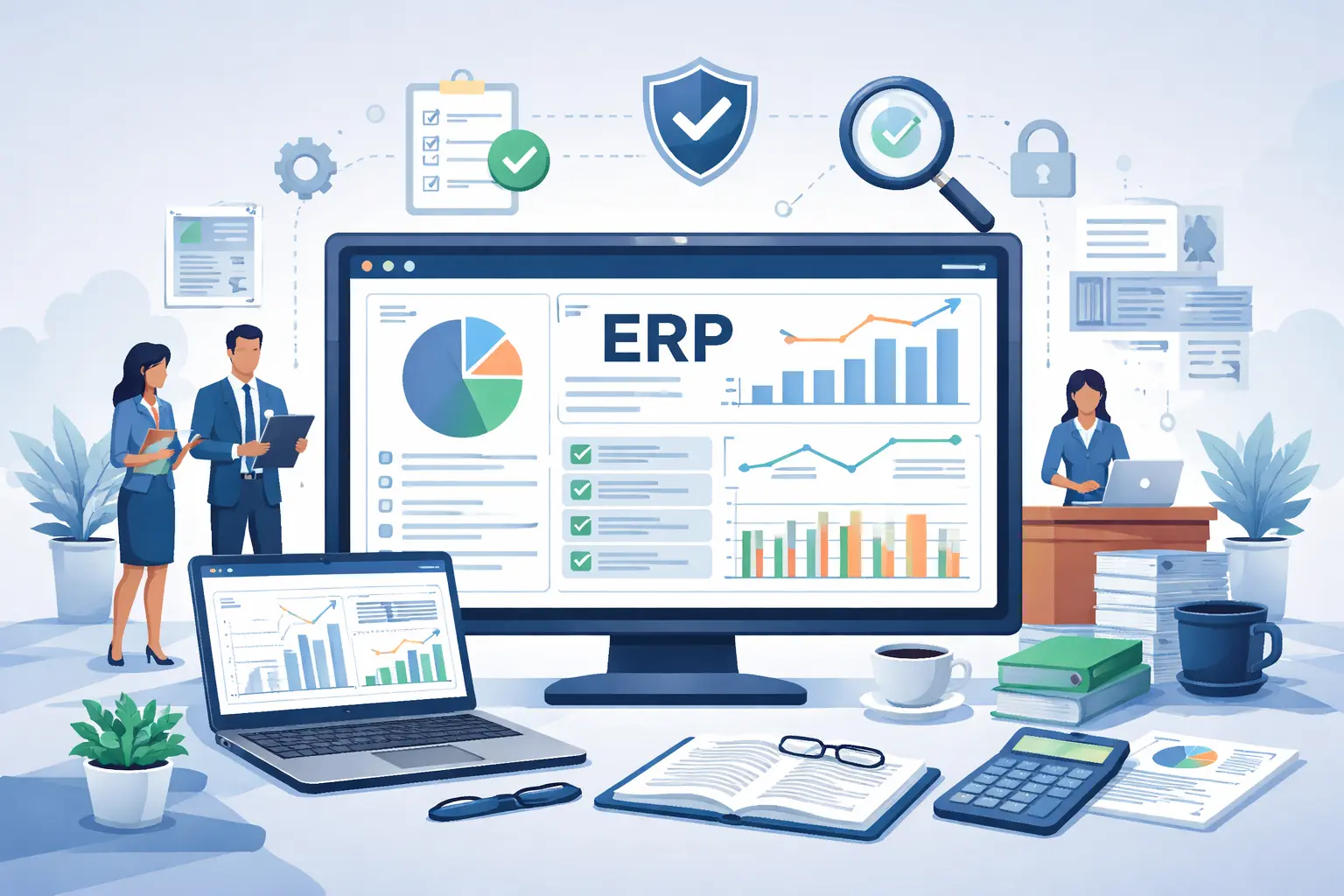
CategoriesERP (Enterprise Resource Planning) Security

ERP Security Best Practices for Sensitive Data

Enterprise Resource Planning systems are no longer just operational tools. They are the digital foundation of modern organizations. Financial accounting, payroll processing, procurement cycles, production planning, vendor contracts, customer transactions, and executive reporting all run through ERP platforms.

Because ERP systems centralize the most sensitive and business-critical data, they have become prime targets for cyberattacks. A successful breach is not limited to data theft — it can halt operations, manipulate financial records, disrupt supply chains, and damage brand credibility.

ERP security must therefore be treated as a strategic business priority rather than an IT afterthought. In this detailed guide, we explore best practices that organizations must implement to protect sensitive ERP data, and how structured platforms like ERPbyNet support secure enterprise environments.

Understanding What Makes ERP Data “Sensitive”

Illustration showing sensitive ERP data categories including financial records, payroll information, customer billing, vendor contracts, and inventory data connected through secure enterprise systems

Before implementing security controls, organizations must understand what they are protecting. Sensitive ERP data typically includes:

  • Financial ledgers, general ledger entries, revenue reports
  • Payroll records, tax data, employee personal information
  • Customer billing data and credit information
  • Vendor contracts and pricing structures
  • Inventory valuations and production formulas
  • Strategic planning documents and forecasts

A compromise of any of these areas can result in regulatory penalties, fraud, reputational loss, or operational paralysis.

ERP systems are especially vulnerable because they integrate multiple departments and connect with third-party tools such as CRM platforms, e-commerce portals, payment gateways, and supply chain systems. This interconnected structure increases the potential attack surface.

Read More : Why Should Project Scheduling Be Fully Integrated with ERP?

1. Establish Strong Role-Based Access Governance

Access control is the foundation of ERP security. Many data breaches occur not because of sophisticated hacking, but due to excessive permissions granted to internal users.

Every employee should only have access to the information necessary to perform their specific role. For example, a procurement officer does not require access to payroll data, and a warehouse supervisor does not need visibility into full financial ledgers.

A well-designed Role-Based Access Control framework ensures:

  • Clear segregation of duties
  • Prevention of unauthorized data manipulation
  • Reduced insider threat risks
  • Transparent audit trails

Access rights should not remain static. Regular reviews must be conducted to ensure roles align with changing responsibilities. When employees leave the organization, their access must be revoked immediately to eliminate dormant accounts that can be exploited.

ERPbyNet enables structured user role configuration, allowing organizations to define, monitor, and manage access with clarity and accountability.

2. Implement Multi-Factor Authentication Across All Critical Access Points

Passwords alone are no longer sufficient protection. Phishing attacks, credential leaks, and brute-force attacks frequently target ERP login portals.

Multi-Factor Authentication adds a second layer of verification, ensuring that even if credentials are compromised, unauthorized access is prevented. This is especially critical for:

  • Financial controllers
  • System administrators
  • Remote employees
  • Third-party vendors

By combining passwords with one-time verification codes, authentication apps, or biometric verification, businesses significantly reduce the likelihood of account takeovers.

3. Encrypt Data at Every Stage of Its Lifecycle

Encryption transforms readable data into encoded formats that can only be accessed using authorized keys. This is essential in two areas:

First, data at rest — meaning information stored within databases, backups, and archives — must be encrypted to prevent exposure if servers are compromised.

Second, data in transit — meaning information moving between users, applications, and external systems — must be protected using secure communication protocols.

Without encryption, intercepted data becomes immediately usable by attackers. With encryption, even intercepted data remains unreadable and unusable.

ERPbyNet incorporates secure encryption mechanisms to safeguard transactional and master data, ensuring protection whether data is stored internally or shared across integrated platforms.

4. Maintain a Structured Patch and Update Strategy

Cybercriminals frequently exploit known software vulnerabilities. When vendors release patches, they are often fixing security gaps that attackers are already attempting to exploit.

Delaying updates exposes organizations to preventable threats.

A disciplined patch management approach involves:

  • Tracking vendor security advisories
  • Testing updates in staging environments
  • Scheduling controlled deployments
  • Updating not only the ERP core system but also plugins and integrations

Security vulnerabilities often arise in third-party integrations rather than the core ERP system itself. Continuous maintenance is therefore essential.

5. Monitor System Activity in Real Time

Detection is as important as prevention. Even the strongest security systems can be challenged, so continuous monitoring becomes critical.

ERP systems should generate detailed logs of:

  • Login attempts
  • Permission changes
  • Financial adjustments
  • Configuration modifications
  • Suspicious transaction patterns

Advanced monitoring tools can analyze behavioral anomalies, such as unusual login times or abnormal transaction volumes.

When anomalies are detected early, organizations can isolate threats before widespread damage occurs.

ERPbyNet provides structured audit trails and visibility tools that enhance governance and support proactive security oversight.

6. Secure Interfaces and External Integrations

ERP systems rarely operate in isolation. They exchange data with numerous external applications. Every integration introduces a potential entry point for attackers.

Many organizations overlook older integrations or legacy data connections that remain active but unnecessary.

A comprehensive security strategy should involve:

  • Mapping all data flows
  • Identifying redundant interfaces
  • Eliminating outdated protocols
  • Securing APIs with authentication and encryption
  • Reviewing vendor security standards

Reducing unnecessary data flows lowers the overall attack surface and strengthens the ERP ecosystem.

7. Develop a Resilient Backup and Recovery Framework

Backups are often considered only after an incident occurs. However, ransomware attacks frequently target backup systems as well.

A resilient backup strategy must include:

  • Multiple backup versions retained over time
  • Isolated storage environments
  • Regular integrity checks
  • Routine restoration drills

It is not enough to create backups; organizations must verify that data can be successfully restored under real-world conditions.

ERPbyNet emphasizes business continuity planning to ensure organizations can recover rapidly without prolonged downtime.

8. Conduct Regular Security Audits and Penetration Testing

Security assessments help uncover vulnerabilities that internal teams may overlook.

Audits should evaluate:

  • Access control configurations
  • Data handling policies
  • Compliance alignment
  • Integration security
  • Infrastructure resilience

Penetration testing simulates real cyberattacks, helping organizations understand how their defenses perform under pressure.

These evaluations should not be one-time activities but part of a recurring governance cycle.

9. Strengthen Employee Awareness and Security Culture

Human error remains a leading cause of ERP security incidents. Employees may unintentionally expose credentials or fall victim to phishing schemes.

Regular security training should educate employees about:

  • Recognizing suspicious emails
  • Protecting login credentials
  • Reporting unusual system behavior
  • Understanding the importance of access restrictions

When employees understand that ERP security protects the entire organization’s stability, compliance, and reputation, they become active participants in defense.

10. Establish a Dedicated Incident Response Plan

Even well-protected systems can experience breaches. A clear and tested incident response plan ensures swift and coordinated action.

An ERP-focused incident response framework should define:

  • Roles and responsibilities
  • Communication protocols
  • Data isolation procedures
  • Regulatory reporting requirements
  • Recovery timelines

Conducting simulation exercises helps ensure that teams are prepared to act quickly and effectively.

11. Align ERP Security with Business Risk Management

Security investments should align with business priorities. Not all ERP modules carry equal risk.

For example, financial modules and payroll systems typically require stricter protection compared to less sensitive reporting dashboards.

Organizations should classify ERP data based on impact severity and allocate security resources accordingly. This ensures protection where it matters most.

ERPbyNet supports structured workflows that allow businesses to align operational governance with strategic risk management.

12. Ensure Regulatory Compliance and Audit Readiness

Many industries are subject to strict data protection regulations. ERP systems often store information governed by financial reporting laws and data protection regulations.

Maintaining detailed audit trails, secure storage practices, and documented access controls simplifies compliance and reduces regulatory exposure.

Compliance should not be reactive. It must be embedded into ERP configuration and governance processes from the beginning.

Read More : How ERP Brings Consistency to Multi-Site Financial Reporting

Building a Secure ERP Environment with ERPbyNet

ERP security is not a single feature. It is a continuous framework involving governance, technology, people, and proactive monitoring.

ERPbyNet supports organizations by providing:

  • Structured access control architecture
  • Transparent audit trails
  • Secure integration management
  • Data encryption mechanisms
  • Governance-ready workflows
  • Business continuity support

A secure ERP environment does more than protect data. It builds confidence among stakeholders, ensures operational continuity, and strengthens long-term growth potential.

Protect What Powers Your Enterprise — Secure, Scale, and Succeed with Confidence

Your ERP system holds the digital DNA of your enterprise — from financial intelligence and payroll data to customer records and operational workflows. Protecting this sensitive information is not optional; it is essential for survival and sustainable growth.

A strong ERP security strategy demands more than basic safeguards. It requires a layered, disciplined framework that integrates structured access control, robust encryption, continuous monitoring, proactive patch management, secure integrations, employee awareness, and a well-prepared incident response plan.

Security is not a one-time setup. It is an ongoing commitment that must evolve alongside emerging cyber threats, regulatory demands, and business expansion.

Now is the time to strengthen your ERP foundation. By investing in a structured security framework powered by ERPbyNet, you position your organization for resilient operations, regulatory confidence, and long-term digital success.

Protect your data. Strengthen your systems. Build your future with ERPbyNet.

Frequently Asked Questions (FAQs)

1. Why is ERP security more complex than regular software security?

ERP systems integrate multiple departments and store centralized business-critical data. A vulnerability in one module can affect the entire organization. Unlike standalone applications, ERP platforms require layered, enterprise-wide protection.

2. What is the biggest risk to ERP data?

The biggest risks typically include excessive user permissions, weak authentication controls, unpatched vulnerabilities, and insecure third-party integrations. Insider misuse can also pose significant threats.

3. How often should ERP access rights be reviewed?

Access rights should be reviewed at least quarterly, and immediately when employees change roles or leave the organization. Regular reviews ensure least-privilege principles remain enforced.

4. Are cloud ERP systems more secure than on-premises systems?

Cloud ERP systems often include strong infrastructure-level protections, but security still depends on proper configuration, access control, and governance. Misconfigurations in cloud environments can create significant vulnerabilities if not managed properly.

5. How do backups protect against ransomware?

Backups allow organizations to restore clean data versions if systems are encrypted during a ransomware attack. However, backups must be stored securely and tested regularly to ensure they are usable.

6. What role does employee training play in ERP security?

Employee awareness reduces phishing success rates and credential misuse. Since many breaches begin with human error, training significantly strengthens overall security posture.

7. How does ERPbyNet help ensure compliance readiness?

ERPbyNet supports structured audit trails, access governance, and secure data workflows, which help organizations maintain documentation and demonstrate compliance during regulatory audits.

8. What is the first step in improving ERP security?

The first step is conducting a comprehensive risk assessment. Identify critical data, evaluate existing controls, and determine where vulnerabilities exist. From there, implement structured access control, monitoring, and encryption measures.

 

CategoriesProject Execution & Site Management

Why Should Project Scheduling Be Fully Integrated with ERP?

In project-driven organizations, schedules are not just timelines—they are the backbone of execution. Every task, dependency, resource assignment, procurement decision, and financial commitment is tied directly to the project schedule. Yet in many companies, project scheduling still lives in isolated tools, spreadsheets, or standalone project management software, disconnected from the ERP system that controls finance, inventory, labor, and operations.

This disconnect creates blind spots that lead to delays, cost overruns, resource conflicts, and decision-making based on outdated information.

Fully integrating project scheduling with ERP is no longer optional. It is a structural requirement for predictable execution, financial control, and scalable growth.

This article explains why project scheduling must be embedded inside ERP, what breaks when it is not, and how modern ERP platforms like ERPbyNet enable organizations to move from planned timelines to controlled execution.

Understanding the Role of Project Scheduling in ERP

Project scheduling defines the structure and flow of a project. It establishes clarity around how work should progress and ensures that activities are organized in a logical and efficient manner.

Project Scheduling Defines:

  • What work needs to be done by breaking the project into tasks and activities
  • When each task must be completed by setting timelines and milestones
  • Who or what is required by assigning people, equipment, or materials
  • The sequence of execution by defining dependencies between tasks

A project schedule answers the fundamental question: How will this project move from start to finish?

What ERP Systems Control

While scheduling focuses on planning the work, ERP systems control the conditions that determine whether that plan can actually be executed.

ERP Systems Manage:

  • Financials and budgets, ensuring projects stay within approved cost limits
  • Inventory and procurement, controlling material availability and delivery timing
  • Labor availability and payroll, aligning skills, capacity, and cost
  • Production and service execution, governing how and when work is performed
  • Compliance and audit trails, enforcing approvals, governance, and traceability

ERP acts as the operational backbone that enforces rules, constraints, and accountability across the organization.

Why Integration Matters

  • When project scheduling exists outside ERP, it functions as a planning reference. Timelines may look accurate but are not validated against real budgets, resources, or operational capacity.

  • When project scheduling is embedded within ERP, it becomes executable. Tasks are validated against real-time data, progress updates financials automatically, and changes are controlled and auditable.

From Planning Tool to Execution System

Integrating project scheduling with ERP transforms schedules from static plans into live execution frameworks. It ensures that what is scheduled is achievable, what is executed is tracked, and what is delivered aligns with financial and operational reality.

Read More : Why Does ERP Break After Go-Live Instead of Before It?

What Goes Wrong When Scheduling Is Not Integrated with ERP

What Goes Wrong When Project Scheduling Is Not Integrated with ERP

1. Plans Are Created Without Real Resource Availability

Standalone scheduling tools often assume resources are available based on estimates rather than ERP-verified data. This leads to:

  • Over-allocation of labor
  • Conflicts between projects
  • Unrealistic timelines
  • Emergency rescheduling

ERP already knows who is available, what skills they have, and where they are assigned. A disconnected schedule ignores this reality.

2. Financial Impact Is Discovered Too Late

When schedules are separated from ERP financials:

  • Budget overruns surface after costs are incurred
  • Forecasts become unreliable
  • Project profitability is calculated retroactively

Integrated scheduling allows:

  • Real-time cost accumulation per task
  • Budget validation before work begins
  • Immediate visibility into margin erosion

3. Procurement and Inventory Are Always Reactive

In disconnected environments:

  • Materials are ordered too early or too late
  • Site work waits for parts
  • Excess inventory builds up

ERP-integrated schedules trigger:

  • Time-phased procurement
  • Inventory reservations aligned with task dates
  • Production and delivery sequencing based on execution reality

4. Status Reporting Becomes Manual and Inaccurate

Without ERP integration:

  • Project updates rely on manual inputs
  • Status meetings replace system truth
  • Leadership decisions are delayed

With integrated scheduling:

  • Task completion updates financials automatically
  • Progress reflects actual execution, not opinions
  • Dashboards are live, not retrospective

Why Full ERP Integration Changes Project Scheduling Fundamentally

1. Scheduling Becomes Execution-Driven, Not Just Planned

In an ERP-integrated model:

  • Schedules are constrained by real data
  • Task start dates depend on actual readiness
  • Dependencies are enforced system-wide

ERPbyNet enables schedules that are dynamically adjusted based on:

  • Resource conflicts
  • Material availability
  • Engineering changes
  • Site conditions

This shifts scheduling from theoretical planning to operational control.

2. Financial Control Is Embedded at the Task Level

When scheduling is native to ERP:

  • Each task carries cost, revenue, and margin impact
  • Labor and material costs are booked as work progresses
  • Forecasts update automatically

This eliminates the gap between project execution and financial reporting, allowing organizations to manage profitability in real time rather than after the fact.

3. Resource Optimization Happens Across All Projects

ERP systems have a global view of:

  • People
  • Machines
  • Equipment
  • Vehicles

When scheduling is integrated:

  • Resources are shared intelligently across projects
  • Bottlenecks are visible before they occur
  • Utilization improves without burnout

ERPbyNet’s integrated scheduling framework ensures that project commitments never exceed operational capacity.

4. Change Management Becomes Controlled and Auditable

Projects change. The problem is not change—it is unmanaged change.

Disconnected schedules allow:

  • Silent scope creep
  • Unapproved timeline shifts
  • Financial surprises

ERP-integrated scheduling enforces:

  • Change approvals
  • Impact analysis on cost and delivery
  • Full audit trails

Every adjustment is tracked, approved, and reflected across finance, operations, and reporting.

Read More : How ERP Brings Consistency to Multi-Site Financial Reporting

How ERP-Integrated Scheduling Supports the Full Project Lifecycle

From Planning to Execution

  • Initial schedules are created using ERP resource data
  • Budgets and timelines are aligned before approval
  • Baselines are locked with financial visibility

During Execution

  • Task completion updates costs automatically
  • Delays trigger downstream alerts
  • Procurement adjusts to real progress

At Project Closure

  • Final costs are already reconciled
  • Variance analysis is immediate
  • Lessons learned are data-driven

ERPbyNet supports this lifecycle without forcing teams to reconcile multiple systems or spreadsheets.

Industry Scenarios Where ERP-Integrated Scheduling Is Critical

Engineering and Construction

  • Complex dependencies between design, procurement, and site work
  • High cost of delays
  • Heavy compliance requirements

Manufacturing Projects

  • Production schedules tied to customer commitments
  • Material lead times impacting delivery
  • Capacity constraints across plants

Field Service and Installation Projects

  • Technician availability
  • Geographic constraints
  • Service-level commitments

In all these scenarios, scheduling without ERP integration creates risk that organizations can no longer afford.

ERPbyNet’s Approach to Integrated Project Scheduling

ERPbyNet treats scheduling as a core ERP function, not an add-on.

Key principles include:

  • Single source of truth for schedules, costs, and resources
  • Real-time synchronization across modules
  • Rule-driven execution aligned with business logic
  • Built-in governance and auditability

Rather than exporting schedules to ERP, ERPbyNet embeds scheduling directly into the operational workflow—ensuring that what is planned is what gets executed.

The Strategic Advantage of ERP-Integrated Scheduling

Organizations that integrate project scheduling fully into ERP gain:

  • Predictable delivery timelines
  • Stronger financial control
  • Higher resource utilization
  • Fewer execution surprises
  • Scalable project governance

Those that do not remain trapped in reactive firefighting, manual coordination, and delayed insights.

From Planned Timelines to Controlled Execution — Make Scheduling Work for You

Project scheduling can no longer exist as a disconnected planning activity in an environment defined by rising execution complexity, tighter cost control, and higher customer expectations. When schedules operate outside the ERP system, projects lose alignment, visibility, and control. When scheduling is embedded within ERP, projects stay on track, financially governed, and operationally aligned.

Fully integrating project scheduling with ERP converts timelines into firm commitments, plans into real execution, and data into confident decisions. With ERPbyNet, this integration becomes practical, scalable, and enforceable across the entire project lifecycle—transforming project management from manual coordination into a true competitive advantage.

Ready to move from planning to control? Discover how ERPbyNet helps organizations execute projects with clarity, confidence, and control. Visit Now to see integrated project scheduling in action.

Frequently Asked Questions (FAQs)

1. What does it mean to integrate project scheduling with ERP?

It means project schedules are created and managed directly within the ERP system, using real-time data from finance, resources, inventory, and operations. This ensures schedules are realistic, executable, and always aligned with actual business conditions.

2. Why is standalone project scheduling not enough?

Standalone tools focus on planning but lack real-time access to costs, resources, and operational constraints. This leads to unrealistic timelines, manual coordination, and delayed visibility into project risks and overruns.

3. How does ERP-integrated scheduling improve cost control?

When scheduling is part of ERP, every task is linked to budgets, labor, and materials. Costs update automatically as work progresses, allowing teams to identify overruns early and maintain tighter financial control.

4. Can integrated scheduling help reduce project delays?

Yes. ERP-integrated scheduling aligns timelines with actual resource availability and material readiness. When changes occur, their impact is visible immediately, enabling faster corrective action before delays escalate.

5. How does ERP-integrated scheduling improve resource utilization?

It provides a centralized view of all resources across projects, preventing overbooking and identifying unused capacity. This helps balance workloads and improve productivity without increasing operational strain.

6. How does ERP integration support change management?

Changes to schedules are tracked, approved, and automatically reflected across finance and operations. This prevents uncontrolled scope changes and ensures all impacts are reviewed before execution.

7. Is ERP-integrated scheduling useful for field or installation projects?

Yes. It ensures technician availability, materials, logistics, and billing stay aligned with the schedule, reducing site delays and improving service reliability.

8. How does integrated scheduling improve reporting?

Because scheduling and execution data live in the same system, reports are accurate and real time. Decision-makers gain clear visibility without relying on manual updates or reconciled spreadsheets.

9. What risks exist with disconnected scheduling and ERP systems?

Disconnected systems create data silos, delayed insights, and frequent rework. Over time, this leads to cost overruns, missed deadlines, and reduced scalability.

10. How does ERPbyNet support integrated project scheduling?

ERPbyNet embeds scheduling directly into ERP workflows, ensuring timelines, costs, and resources stay synchronized. This enables controlled execution, real-time visibility, and consistent project governance.

CategoriesERP (Enterprise Resource Planning)

How Can ERP Bridge the Gap Between Production and Installation?

In many project-driven and manufacturing businesses, production and installation operate like two different worlds. Production teams focus on efficiency, material availability, and output. Installation teams focus on site readiness, timelines, customer coordination, and execution accuracy.

The problem is not that these teams work poorly—it is that they often work in isolation, supported by fragmented systems, spreadsheets, and manual handovers. This disconnect leads to delays, rework, cost overruns, and customer dissatisfaction.

A modern ERP system can bridge this gap—but only if it is designed to connect engineering, production, logistics, and installation into one continuous execution flow.

This article explains how ERP bridges the gap between production and installation, why traditional systems fail, and what capabilities are required to create true end-to-end visibility.

The Production–Installation Disconnect: A Common Industry Problem

1. Production Completes, Installation Is Not Ready

In many organizations, production finishes on time, but installation cannot start because:

  • The site is not prepared
  • Materials arrive incomplete
  • Drawings or revisions are missing
  • Installation teams were not informed of production changes

Finished goods sit idle, tying up working capital.

2. Installation Starts, Production Is Still Catching Up

In other cases, installation teams reach the site only to discover:

  • Parts are missing or incorrect
  • Custom configurations were not reflected in production
  • Quality issues were identified too late

This results in rework, site delays, and strained customer relationships.

3. No Single Version of Truth

Production data lives in one system, installation updates in another, and project tracking in spreadsheets. No team has a complete, real-time view of:

  • What is produced
  • What is shipped
  • What is installed
  • What is pending or blocked

Read More :Why Does ERP Break After Go-Live Instead of Before It?

Why Traditional ERP Systems Fail to Connect Production and Installation

Many ERP systems were designed for either manufacturing or accounting, not execution across physical sites. Common limitations include:

  • Production ends at goods issue or dispatch
  • Installation is treated as an afterthought or service module
  • No linkage between work orders and site activities
  • Manual coordination via emails and spreadsheets
  • No real-time feedback from field teams

As a result, ERP becomes a planning tool rather than an execution backbone.

What It Really Means to Bridge Production and Installation

ERP connecting production, logistics, and on-site installation through a continuous execution flow

Bridging the gap between production and installation is not about generating more dashboards, reports, or status emails. It is about eliminating breaks in execution by creating a continuous digital thread that connects every stage of the order lifecycle—from the moment a customer confirms requirements to the final handover at the site.

In a truly connected ERP environment, each phase is not treated as a separate function but as a dependent step in one unified process:

  • Customer order and configuration become the single starting point, capturing technical, commercial, and delivery requirements accurately and consistently.

  • Engineering and BOM generation are directly driven by the approved order, ensuring designs, specifications, and material structures reflect what was actually sold—without manual interpretation.

  • Production planning and execution consume engineering data in real time, enabling accurate scheduling, material allocation, and progress tracking at every stage of manufacturing.

  • Packing, dispatch, and logistics are aligned with production completion and installation priorities, ensuring materials are shipped in the right sequence, to the right site, at the right time.

  • Site readiness and installation execution are planned based on real production and dispatch status, not assumptions, allowing installation teams to mobilize with confidence.

  • Commissioning, handover, and service close the loop by capturing final acceptance, quality confirmations, and asset data that seamlessly transition into ongoing service and support.

A well-designed ERP ensures that each stage is aware of what comes next and what has already happened. Updates flow automatically across teams, removing the need for manual follow-ups, duplicate data entry, or informal coordination. The result is not just better visibility—but predictable execution, fewer surprises, and complete alignment between factory and field.

Read More : How ERP Brings Consistency to Multi-Site Financial Reporting

How ERP Bridges Production and Installation Step by Step

1. Order-Driven Execution Instead of Department-Driven Execution

A modern ERP starts with a single customer order that drives all downstream activities.

  • The same order triggers engineering
  • Engineering output feeds production
  • Production output feeds installation
  • Installation progress feeds project and billing

There is no duplication, reinterpretation, or manual translation between teams.

ERPbyNet is designed around this order-centric execution model, ensuring that production and installation are not separate processes but connected phases of the same lifecycle.

2. Engineering and BOM Accuracy Flowing Into Installation

One of the biggest causes of installation issues is incorrect or incomplete engineering data.

A capable ERP ensures:

  • Engineering rules are enforced at the configuration stage
  • BOMs are generated automatically from approved designs
  • Any revision triggers controlled updates across production and installation

This prevents scenarios where:

  • Installation teams receive outdated drawings
  • Production builds to an old specification
  • Site teams discover mismatches only during execution

3. Production Visibility for Installation Planning

Installation teams cannot plan effectively without knowing the true production status.

ERP bridges this gap by providing:

  • Real-time production progress by order or project
  • Visibility into partially completed assemblies
  • Early alerts for delays or quality holds

This allows installation managers to:

  • Align site schedules with realistic production timelines
  • Avoid premature mobilization
  • Communicate accurate timelines to customers

ERPbyNet enables installation planning based on live production data, not assumptions or outdated reports.

4. Logistics and Dispatch as a Shared Responsibility

Often, production assumes dispatch is complete once goods leave the factory, while installation assumes materials will arrive exactly as needed.

An integrated ERP connects:

  • Packing lists to installation phases
  • Dispatch status to site readiness
  • Partial shipments to installation sequencing

This ensures:

  • The right materials arrive at the right time
  • Installation is phased according to delivery reality
  • Missing or damaged items are identified early

5. Installation Execution Integrated With ERP

Bridging the gap requires installation execution to be part of ERP—not an external system.

A modern ERP supports:

  • Site-wise task breakdowns
  • Technician assignment and scheduling
  • Daily progress updates from the field
  • Installation checklists and validations

Field teams update status directly, creating real-time feedback loops to:

  • Project management
  • Production planning
  • Finance and billing

ERPbyNet supports offline-enabled field updates, ensuring installation data is captured even in low-connectivity environments.

6. Real-Time Feedback From Installation to Production

The gap truly closes when installation feedback flows back into production and engineering.

ERP enables:

  • Recording of installation issues and root causes
  • Identification of recurring design or manufacturing problems
  • Continuous improvement based on real execution data

Instead of repeating the same mistakes across projects, organizations build a learning system.

Read More : How Connecting CPQ and ERP Boosts Your Sales Process

Financial and Project Control Benefits of Bridging the Gap

1. Accurate Project Costing

When production and installation are connected:

  • Material costs reflect actual usage
  • Labor costs reflect real site effort
  • Rework costs are visible, not hidden

This enables accurate margin analysis by project.

2. Milestone-Based Billing Linked to Execution

ERP can link billing milestones to:

  • Production completion
  • Dispatch
  • Installation progress
  • Commissioning sign-off

This improves cash flow and reduces billing disputes.

3. Audit-Ready Traceability

Integrated ERP ensures:

  • Full traceability from order to installation
  • Clear accountability for changes and approvals
  • Reliable audit trails across departments

Industry Scenarios Where This Matters Most

ERP-driven production-installation integration is critical for:

  • Industrial equipment manufacturers
  • EPC and project-based businesses
  • Modular construction
  • HVAC, electrical, and automation projects
  • Custom machinery and system integrators

In these industries, execution gaps directly impact profitability and reputation.

Why ERPbyNet Is Built for Production-to-Installation Continuity

Unlike generic ERP systems, ERPbyNet is designed around execution-heavy, project-driven environments.

Key strengths include:

  • Engineering-driven BOM and configuration control
  • Production tracking linked to project phases
  • Installation and site execution built into ERP
  • Real-time visibility across factory and field
  • Strong audit and validation structure

ERPbyNet does not treat installation as a disconnected service function—it treats it as a natural extension of production.

From Disconnected Execution to Total Control — Take the Next Step

The gap between production and installation is not caused by people or effort—it is caused by disconnected systems. When teams rely on fragmented data, even the strongest plans fail during execution, leading to delays, rework, and rising project risk.

A modern ERP closes this gap by creating a single source of truth, connecting factory and field in real time, aligning engineering, production, logistics, and installation, and turning planning into predictable, on-time execution.

Organizations that fix this execution gap move faster, deliver with confidence, and scale without chaos. ERPbyNet is purpose-built to make this shift—uniting production and installation into one continuous, controlled, and fully visible execution flow.

If your teams are still chasing updates and reacting to site issues, it’s time to take control. Transform execution into a competitive advantage. Reduce delays. Eliminate surprises. Deliver right the first time. Start your execution transformation with ERPbyNet today.

Frequently Asked Questions (FAQs)

1. Why is there a gap between production and installation in many organizations?

The gap usually exists because production and installation teams operate on separate systems and datasets. Production focuses on manufacturing efficiency, while installation depends on site readiness and execution accuracy. Without a connected ERP system, information is transferred manually, leading to delays, errors, and misalignment.

2. How does ERP help connect production and installation processes?

An ERP system connects production, logistics, and installation through a single data platform. It ensures that production status, material availability, dispatch details, and installation schedules are visible in real time, enabling both factory and site teams to work from the same source of truth.

3. What problems occur when production and installation are not integrated?

When these functions are disconnected, organizations face delayed installations, rework at site, idle inventory, inaccurate project timelines, and billing disputes. These issues increase operational costs and negatively impact customer satisfaction.

4. Can ERP provide real-time visibility across factory and site operations?

Yes. A modern ERP provides real-time visibility into production progress, inventory movement, dispatch status, and installation execution. This visibility allows teams to make informed decisions and respond quickly to changes or delays.

5. How does ERP improve installation planning?

ERP improves installation planning by aligning site schedules with actual production and logistics data. Installation teams can plan manpower, tools, and timelines based on confirmed availability rather than assumptions, reducing last-minute changes and site-level disruptions.

6. What role does ERP play in managing project-based manufacturing?

In project-based manufacturing, ERP links customer orders, engineering data, production work orders, and installation tasks into a single execution flow. This ensures better coordination, accurate project costing, and controlled delivery across all phases of the project lifecycle.

7. How does ERP reduce rework during installation?

ERP reduces rework by ensuring that engineering revisions, BOM changes, and configuration updates are reflected automatically in production and installation activities. Installation teams receive accurate and up-to-date information, minimizing on-site errors.

8. Is ERP useful for industries with complex installation requirements?

Yes. ERP is especially valuable for industries such as industrial equipment manufacturing, EPC projects, modular construction, HVAC, and automation systems, where installation accuracy and coordination are critical to project success.

9. How does ERP support billing and financial control during installation?

ERP links production and installation milestones to billing events. This enables milestone-based invoicing, accurate cost tracking, and better cash flow management while reducing billing disputes caused by unclear execution status.

10. What makes ERPbyNet suitable for bridging production and installation?

ERPbyNet is designed for execution-driven environments. It integrates engineering, production, logistics, and installation into a single ERP framework, offering real-time visibility, strong process control, and field execution tracking to ensure seamless coordination between factory and site operations.


CategoriesERP (Enterprise Resource Planning)

Why Does ERP Break After Go-Live Instead of Before It?

ERP implementations are meticulously planned, rigorously tested, and often declared successful the moment go-live is achieved. On paper, everything appears ready—processes are documented, users are trained, and test results show acceptable outcomes. Yet for many organizations, the real challenges begin only after the system is switched on. Reports no longer align with business expectations, users hesitate to trust the data, and operational efficiency declines instead of improving. What was meant to stabilize operations suddenly feels like a source of friction.

This experience leads to a familiar conclusion: the ERP worked before go-live and broke afterward. In reality, ERP systems rarely fail at the moment of launch. Go-live simply removes the protective layer of controlled testing and exposes the system to real users, real data, and real business pressure. The gap that emerges is not a technical failure, but a disconnect between theoretical readiness and day-to-day operational reality. This article examines why ERP systems struggle after go-live, what organizations often misunderstand about implementation success, and why the true value of ERP is created after launch—through governance, adoption, and continuous optimization rather than before it.

Go-Live Is the Moment ERP Encounters Reality for the First Time

Before go-live, ERP operates in an artificial environment. After go-live, it must support the full complexity of real business operations.

In testing environments, data is controlled, scenarios are known, and users follow instructions. Errors are corrected quickly and rarely carry downstream consequences. The system is protected from chaos.

Once the ERP goes live, that protection disappears. Users operate under deadlines. Data arrives incomplete or inconsistent. Transactions flow across departments, locations, and time periods. Small issues compound into visible failures.

Go-live is not the end of implementation—it is the first true test of whether ERP can survive daily business pressure. Platforms like ERPbyNet are designed around this reality, treating post-go-live as a validation phase rather than a victory lap.

ERP Testing Proves Technical Correctness, Not Operational Readiness

ERP testing confirms technical correctness but fails to reflect real-world operational readiness after go-live

Most ERP projects invest heavily in testing. Yet testing answers only one question: Does the system work as configured?

What testing does well:

  • Confirms transactions can be completed
  • Validates security roles
  • Ensures integrations technically function
  • Verifies configuration accuracy

What testing does not prove is whether the system works in practice.

Operational readiness depends on:

  • Speed under pressure
  • Usability during peak workloads
  • Clarity of reporting
  • Resilience when mistakes occur
  • How easily users can recover from errors

A system can pass every test case and still frustrate users in production. ERP doesn’t fail functionally after go-live—it fails when usability, performance, and context collide with reality.

Read More : How ERP Brings Consistency to Multi-Site Financial Reporting

Data Feels “Fine” Until the Business Starts Depending on It

Data problems are one of the most common reasons ERP credibility collapses after go-live.

Before launch, data is often reviewed in isolation. Opening balances are checked once. Sample reports are validated visually. Exceptions are ignored to meet deadlines.

After go-live, the ERP becomes the system of record. Data is no longer theoretical—it drives decisions, reconciliations, and accountability.

This is when problems surface:

  • Inventory quantities don’t match physical stock
  • Financial reports don’t reconcile across periods
  • Master data inconsistencies appear across modules
  • Users compare ERP numbers to legacy spreadsheets

Once trust in data erodes, users disengage quickly. ERPbyNet emphasizes that data reliability is not achieved at migration—it is established through continuous validation and governance after go-live.

Real User Behavior Is Never What the Design Assumes

ERP systems are designed for structured, disciplined execution. Human behavior is adaptive, inconsistent, and often driven by urgency.

During testing and training, users follow scripts. They have time to think, ask questions, and correct mistakes. In production, that safety net disappears.

Under real conditions:

  • Users skip steps to save time
  • Fields are filled incorrectly to bypass validation
  • Processes are bent to meet deadlines
  • Workarounds emerge almost immediately

ERP appears to “break” when users behave in ways the system was never tested for. The issue is not the software—it is the mismatch between idealized process design and real operational behavior.

Change Management Ends Too Early, Exactly When It Matters Most

Many organizations treat change management as a pre-go-live activity. Training is delivered, communication is sent, and support teams prepare for launch.

Then go-live happens—and change management stops.

This is a critical mistake. Real change does not occur in classrooms or simulations. It occurs when users face real consequences for errors, delays, and confusion.

After go-live, users need:

  • Reinforcement, not just training
  • Contextual guidance during real tasks
  • Feedback loops to report pain points
  • Support while habits are still forming

Without ongoing change management, frustration grows. Adoption slows. ERP feels unreliable even when it is technically stable. ERPbyNet treats change management as an operational capability, not an implementation milestone.

Performance Problems Only Reveal Themselves at Full Scale

ERP performance issues are rarely visible before go-live.

In testing environments:

  • Transaction volumes are low
  • Concurrent users are limited
  • Reporting is infrequent
  • Integrations are lightly stressed

In production, everything happens at once.

Month-end close, year-end reporting, peak transaction hours, and batch processing push the system beyond what was tested. Queries slow down. Screens lag. Reports time out.

Users interpret this as system failure. In reality, it is often the result of underestimated infrastructure needs, insufficient tuning, or lack of post-go-live monitoring.

ERPbyNet emphasizes continuous performance monitoring to ensure the system scales with the business, not against it.

Read More : Modular ERP System: Advantages and Disadvantages

Governance Weakens When the ERP Project Mindset Comes to an End

ERP governance weakening after go-live as project controls fade and data ownership becomes unclear

During ERP implementation, governance is usually strong and visible. Decisions follow approval workflows, changes are documented, and ownership is clearly defined across business and IT teams. This discipline exists because the system is treated as a high-risk project with executive attention.

After go-live, that project mindset often fades. The ERP is considered “done,” and governance gradually loosens. Master data changes are made informally, urgent customization requests bypass proper review, and departments begin optimizing for their own needs rather than enterprise-wide consistency. Over time, the system slowly drifts away from its original design intent.

This erosion of governance leads to fragmentation across the ERP environment, including:

  • Conflicting data definitions across departments
  • Inconsistent processes for the same business activities
  • Accumulating technical debt that becomes harder to reverse

What appears to be ERP failure is often governance failure. ERP systems require long-term stewardship, not just strong project controls during implementation.

ERP Structure Collides with the Reality of How Businesses Actually Operate

ERP systems are built to enforce standardization, control, and repeatability. Businesses, however, operate in environments that demand flexibility, judgment, and constant adaptation.

Before go-live, processes are documented in their ideal state. They assume clean handoffs, predictable inputs, and consistent execution. After go-live, reality takes over. Exceptions become common, local variations matter, and employees rely on experience rather than documentation to get work done.

When ERP logic does not reflect how work actually happens:

  • Users feel constrained by rigid workflows
  • Informal workarounds quickly multiply
  • Adoption weakens as users disengage

Instead of forcing artificial uniformity, ERPbyNet focuses on aligning ERP structure with operational reality, allowing systems to support the business rather than restrict it.

The Myth of “ERP Readiness” Sets Organizations Up for Disappointment

Many organizations believe ERP readiness is something that can be fully achieved before go-live. This belief creates unrealistic expectations and amplifies frustration when issues surface in production.

Common assumptions include:

  • If UAT passes, the system is ready
  • If training is completed, users will adopt the system
  • If configuration is correct, processes will naturally align

In reality, ERP readiness is not a binary state. It is progressive and context-dependent. Systems mature through real usage, feedback, and adjustment. ERP becomes reliable not through insulation before go-live, but through exposure after it.

Why ERP Appears to Break: A Compounding Chain Reaction

ERP problems rarely exist in isolation. They reinforce each other in a downward cycle that makes the system appear broken.

A small data inconsistency reduces user trust. Reduced trust pushes users back to spreadsheets. Parallel systems begin to form. Leadership questions the value of ERP. Investment in optimization slows. Adoption drops further.

This compounding chain reaction creates the illusion of system failure, when the real issue is gradual abandonment after go-live.

How Successful Organizations Prevent ERP Failure After Go-Live

Organizations that succeed with ERP approach go-live differently. They treat it as the starting point of ERP maturity, not the finish line.

Their focus shifts to:

  • Continuous process and system optimization
  • Ongoing data validation and integrity checks
  • Behavioral alignment through real-world usage monitoring
  • Performance tuning based on actual workloads
  • Reinforcing governance as an operational discipline

They actively monitor how ERP is used, listen to user feedback, and evolve the system intentionally. ERPbyNet supports this mindset by positioning ERP as a living operational platform—one that improves through alignment, not perfection at launch.

ERP Value Is Created After Go-Live, Not Before It

ERP systems do not deliver value at the moment of go-live. They deliver value through sustained use, growing trust, and continuous refinement.

Organizations that stop investing after launch struggle with adoption, data confidence, and long-term ROI. Organizations that plan for post–go-live maturity build resilient, scalable ERP environments.

The difference is not the software.
It is the strategy after launch.

Go-Live Is the Truth Test That Reveals the Real State of Your ERP System

Go-live does not break ERP systems—it reveals the truth. It exposes where defined processes fail to match real operations, where data reliability starts to weaken, where users struggle under real-world pressure, and where governance fades once implementation ends. ERP is not designed to succeed as a one-time deployment; it is a living system embedded within a human organization. Companies that recognize this treat go-live as the beginning of continuous improvement, while others mistake exposed gaps for software failure. In reality, ERP does not fail after go-live—expectations do.

When ERP feels unstable post-launch, the solution lies in realignment, not replacement. Strong post–go-live governance, reliable data controls, performance tuning, and ongoing user support are what transform ERP into a trusted operational foundation. ERPbyNet helps organizations stabilize ERP after go-live, restore confidence in data, and turn ERP into a system that grows with the business. Connect with ERPbyNet to convert post–go-live challenges into long-term ERP success.

FAQs

1. Why does ERP work during testing but fail after go-live?

Testing happens in controlled conditions with limited users and clean data. After go-live, real workloads, exceptions, and user behavior expose gaps that testing cannot fully simulate, making issues visible only in live operations.

2. Is ERP failure after go-live usually caused by the software?

No. Most post–go-live issues are caused by poor data quality, weak governance, limited training, or unrealistic expectations. The ERP software typically works as designed, but organizational readiness is lacking.

3. Why do data problems appear only after ERP goes live?

Before go-live, data is tested in isolation. After go-live, data is used across departments and reports, revealing inconsistencies, missing values, and reconciliation issues that were not visible earlier.

4. Why do users return to spreadsheets after ERP go-live?

Users turn to spreadsheets when ERP data feels unreliable, reports are hard to access, or workflows slow them down. Spreadsheets offer familiarity, even though they reduce control and consistency.

5. How does user behavior affect ERP stability after go-live?

Under real pressure, users may skip steps, enter incomplete data, or create workarounds. These actions disrupt standardized ERP processes and cause errors across downstream workflows.

6. Why is change management still needed after go-live?

Pre-go-live training is theoretical. Real change happens when users face live tasks and deadlines. Ongoing support and reinforcement are needed to ensure adoption and correct usage.

7. Why do ERP performance issues surface after go-live?

Performance problems often appear only under full operational load, such as month-end close or high transaction volumes. These issues usually require tuning, not system replacement.

8. How does weak governance cause ERP problems post go-live?

Without strong governance, data changes, customizations, and process deviations go unchecked. Over time, this leads to inconsistency and loss of trust in the ERP system.

9. Should ERP be fully stable at go-live?

No. Go-live marks the start of real usage, not the end of implementation. Stability improves through continuous monitoring, feedback, and optimization after launch.

10. How long does ERP take to stabilize after go-live?

Stabilization typically takes several months. The first 60–90 days are critical for resolving data issues, improving performance, and reinforcing correct user behavior.


CategoriesERP (Enterprise Resource Planning)

How Reliable Is ERP Data During Audits?

When organizations prepare for an audit, the focus often centers on financial statements, reconciliations, and supporting documents. Yet seasoned auditors look beyond the final figures. Their primary concern is not just what the numbers are, but how those numbers came to exist. Financial results are only as trustworthy as the systems and processes that produce them, which is why auditors examine the environment behind the data before relying on the data itself.

At the heart of this examination lies the ERP system. ERP platforms govern how transactions are recorded, who has the authority to create, approve, or modify entries, how errors are detected and corrected, and whether controls operate consistently without manual intervention. These system-level behaviors determine whether financial data can be trusted as a reliable audit source or whether it requires extensive validation and explanation.

This reality leads auditors to a fundamental question: How reliable is the data inside your ERP system during an audit? Reliability is never assumed. It is demonstrated over time through embedded controls, clear governance, and consistent system behavior. This article explores ERP data reliability from an auditor’s perspective, focusing on how systems either build audit confidence or create audit risk.

What “ERP Data Reliability” Really Means (Beyond Buzzwords)

Many organizations assume ERP data is reliable because:

  • The system is widely used
  • Reports look accurate
  • Numbers reconcile “most of the time”

Auditors do not accept these assumptions.

In audit terms, ERP data is reliable only when it satisfies five enforceable conditions.

1. Accuracy: Are Transactions Recorded Exactly as They Occurred?

What Accuracy Means in an ERP Audit

Accuracy is not just about correct totals. Auditors evaluate whether:

  • Transactions reflect real business events
  • Correct accounts are used
  • Values are calculated correctly
  • Posting logic is consistent

How Auditors Test Accuracy

Auditors:

  • Select transaction samples
  • Trace them to source documents
  • Recalculate values independently
  • Verify posting logic

Where Accuracy Breaks Down in ERPs

Common causes include:

  • Manual journal entries without validation
  • Incorrect account mapping
  • Custom logic that overrides standard calculations

ERPbyNet reduces accuracy risk by enforcing:

  • Structured posting rules
  • Automated validations
  • Standardized accounting logic

Errors are prevented before they enter the system.

2. Completeness: Is All Business Activity Captured Inside the ERP?

Why Completeness Is Critical

Incomplete data is one of the most serious audit risks because:

  • Missing transactions distort financial statements
  • Off-system data cannot be reliably controlled
  • Auditors lose confidence in ERP outputs

How Auditors Test Completeness

Auditors look for:

  • Gaps in transaction sequences
  • Unrecorded adjustments
  • Parallel records outside the ERP

Typical Completeness Failures

  • Excel-based accruals
  • Offline inventory tracking
  • Manual revenue recognition

ERPbyNet enforces process discipline, ensuring all transactions flow through the ERP — not around it.

3. Consistency: Does Data Align Across Modules, Departments, and Sites?

Why Consistency Matters in Audits

Auditors expect:

  • Subledgers to match the general ledger
  • Departmental reports to align
  • Multi-site data to follow identical rules

Inconsistency signals weak governance.

Where Consistency Breaks in ERP Systems

  • Different sites use different processes
  • Master data is not standardized
  • Local workarounds override system logic

ERPbyNet solves this by:

  • Centralizing master data governance
  • Enforcing standardized structures
  • Allowing local flexibility without breaking global rules

4. Traceability: Can Every Number Be Explained — Without Guesswork?

What Traceability Means to Auditors

Traceability means an auditor can:

  • Start with a financial statement number
  • Drill down to the transaction
  • Identify the user, time, and reason
  • Review supporting documents

Why Traceability Builds Trust

When traceability is strong:

  • Audits move faster
  • Fewer questions are raised
  • Less manual explanation is required

ERPbyNet provides:

  • End-to-end audit trails
  • Time-stamped changes
  • Before-and-after value history

Nothing disappears silently.

5. Control Integrity: Who Can Do What — and Why?

Why Controls Matter More Than Data Itself

Even accurate data becomes unreliable if:

  • Too many users have access
  • One person controls multiple steps
  • Changes are not approved

Auditors evaluate control design and enforcement, not just existence.

Key ERP Controls Auditors Test

  • Role-based access
  • Segregation of duties
  • Approval workflows
  • Change management

ERPbyNet embeds these controls directly into system behavior, not as optional practices.

Read More : How Connecting CPQ and ERP Boosts Your Sales Process

How Auditors Evaluate ERP Data Reliability Step by Step

Diagram showing how auditors evaluate ERP data reliability step by step, including ERP environment review, control design assessment, control effectiveness testing, and substantive data testing using ERPbyNet.

Audits follow a structured logic.

Step 1: Understanding the ERP Environment

Auditors examine:

  • ERP architecture
  • Module integration
  • Customization level

Highly fragmented or heavily customized systems increase audit risk.

ERPbyNet uses a controlled configuration approach, preserving transparency.

Step 2: Evaluating Control Design

Auditors assess whether:

  • Controls exist
  • Controls are appropriate
  • Controls are automated

Manual controls are considered weaker.

Step 3: Testing Control Effectiveness

Auditors test:

  • Whether controls actually work
  • Whether exceptions exist
  • Whether violations are logged

ERPbyNet provides clear control evidence.

Step 4: Substantive Data Testing

Auditors:

  • Extract ERP data

  • Perform analytics
  • Compare trends
  • Investigate anomalies

Clean ERP data reduces audit scope.

Read More : Importance of ERP Integrations with Expense Management Software

Why ERP Data Often Fails Audits (Even in “Good” Systems)

Manual Overrides and Shortcuts

Manual processes introduce:

  • Human error
  • Untracked changes
  • Inconsistent logic

ERPbyNet minimizes manual intervention through automation.

Poor Master Data Management

Without ownership and controls:

  • Duplicate records appear
  • Reports conflict
  • Audits expand

ERPbyNet enforces master data governance.

Over-Customization Without Documentation

Customization without governance leads to:

  • Black-box logic
  • Control bypass
  • Audit skepticism

ERPbyNet prioritizes clarity over complexity.

Weak Access Management

Excessive access is one of the most common audit findings.

ERPbyNet uses least-privilege access models by default.

Why Automation Builds Audit Confidence

Automated controls ensure that:

  • Controls are applied consistently
    Once a rule is configured in the ERP, it applies uniformly to every transaction, user, and period. There is no dependency on individual judgment, memory, or interpretation.

  • There is no selective enforcement
    Manual controls can be skipped under pressure or overridden for convenience. Automated controls cannot be selectively ignored without leaving evidence, which significantly reduces risk.

  • Clear and objective audit evidence is generated
    Automated processes create system logs, timestamps, and rule-based outcomes that auditors can independently verify. This removes reliance on verbal explanations or screenshots.

Because of this, auditors typically place higher reliance on automated controls, which often reduces the extent of manual testing required.

How ERPbyNet Uses Automation to Strengthen Audit Reliability

ERPbyNet embeds automation into critical control areas, including:

  • Validations
    The system enforces mandatory fields, value ranges, account mappings, and business rules at the point of data entry. Errors are prevented before they enter the ledger.

  • Approvals
    Transactions follow predefined approval workflows based on role, value, or risk level. Each approval is logged, time-stamped, and attributable to a specific user.

  • Reconciliations
    Automated reconciliations between subledgers, general ledger, and inter-entity accounts help identify discrepancies early, rather than during audit preparation.

By automating these controls, compliance becomes routine system behavior, not a periodic, manual effort driven by audit pressure.

Read More : Why an ERP Upgrade May Cost More Than an ERP Replacement

Audit Trails: Turning Audits from Investigations into Confirmations

Illustration showing ERP audit trails with who changed data, when it changed, what was modified, and why, demonstrating how ERPbyNet turns audits from investigations into confirmations.

One of the first things auditors look for when assessing ERP data reliability is the quality of audit trails.

What Auditors Expect from Audit Trails

A robust audit trail answers four fundamental questions for every transaction or change:

  • Who did it?
    The specific user responsible for creating, approving, or modifying data.

  • When did it happen?
    Exact date and time stamps, not just the accounting period.

  • What changed?
    Clear visibility into original values and updated values.

  • Why did it change?
    Context through references, workflow steps, or linked documents.

If any of these elements are missing, auditors must rely on explanations instead of evidence — which increases skepticism and audit effort.

How ERPbyNet Eliminates Ambiguity

ERPbyNet’s audit trail design ensures that:

  • Every transaction and modification is automatically logged
  • Historical values are preserved, not overwritten
  • Changes are traceable across modules and periods
  • Supporting documents are linked directly to records

This level of traceability allows auditors to reconstruct events independently, transforming audits from time-consuming investigations into straightforward confirmations.

Period Control and Historical Accuracy: Protecting Financial Integrity Over Time

Auditors are particularly sensitive to changes that affect previously reported results. Historical integrity is a cornerstone of audit trust.

Why Period Control Is a Major Audit Focus

Auditors closely scrutinize:

  • Backdated entries that alter prior results
  • Silent changes made after financial close
  • Uncontrolled restatements without documentation

Such issues suggest weak governance and raise concerns about financial reliability.

How ERPbyNet Enforces Period Discipline

ERPbyNet strengthens period control by:

  • Locking closed periods, preventing unauthorized postings
  • Allowing controlled reopenings only through defined authorization
  • Tracking all adjustments transparently, including reason codes and approval history

This ensures that historical data remains intact and defensible, while still allowing legitimate corrections under controlled conditions.

Multi-Site and Multi-Entity Audit Complexity: Why Scale Increases Risk

As organizations expand across locations and legal entities, audits become exponentially more complex.

Why Multi-Entity Environments Challenge Audits

With more entities come:

  • Higher reconciliation risk due to inter-company transactions
  • Greater inconsistency in processes and data standards
  • Increased audit effort to validate each entity separately

Without standardization, auditors must perform extensive additional testing to gain assurance.

How ERPbyNet Reduces Multi-Entity Audit Friction

ERPbyNet addresses this complexity by:

  • Standardizing inter-entity transaction logic
  • Enforcing uniform charts of accounts and reporting structures
  • Automating eliminations and reconciliations

This consistency allows auditors to rely on one control framework across entities, significantly reducing audit scope and effort.

Governance: The Human Layer of ERP Data Reliability

Even the most advanced ERP system cannot guarantee reliable data without strong governance. People, roles, and accountability play a decisive role.

What Sustains ERP Data Reliability Over Time

Reliable ERP environments are characterized by:

  • Clear ownership of data, processes, and controls
  • Enforced accountability, where responsibilities are well defined
  • Consistent system usage, without informal shortcuts

When governance is weak, users bypass controls, rely on external tools, and erode data trust.

How ERPbyNet Supports Governance Through System Design

ERPbyNet reinforces governance by:

  • Defining roles with specific permissions
  • Enforcing segregation of duties through access controls
  • Making accountability visible through logs and approvals

Governance becomes embedded in daily operations, not dependent on reminders or policies alone.

Continuous Audit Readiness vs. Last-Minute Audit Panic

Many organizations treat audits as annual emergencies rather than ongoing validations.

Symptoms of Unreliable ERP Environments

Organizations with weak ERP foundations often experience:

  • Audit firefighting close to deadlines
  • Defensive explanations for data inconsistencies
  • Rising audit fees and extended timelines

This reactive approach signals deeper systemic issues.

How ERPbyNet Enables Continuous Audit Readiness

ERPbyNet supports an always-ready state by ensuring:

  • Data is validated continuously
  • Controls operate consistently
  • Reports remain aligned throughout the year

Audits become routine confirmations instead of stressful investigations.

The Real Cost of Unreliable ERP Data

The consequences of unreliable ERP data extend far beyond the audit room.

Business Impact of Poor Data Reliability

Unreliable data leads to:

  • Extended audits and higher professional fees
  • Regulatory exposure and compliance risk
  • Loss of stakeholder confidence
  • Poor strategic decision-making based on questionable information

These costs compound over time.

ERPbyNet Reduces Risk at the Source

By addressing reliability at the system level — not through after-the-fact fixes — ERPbyNet helps organizations avoid these downstream consequences entirely.

The Future of Audits and ERP Data Reliability

Auditing is rapidly evolving.

Where Audits Are Headed

Modern audits are shifting toward:

  • Continuous monitoring rather than periodic reviews
  • Data-driven assurance using analytics
  • Real-time validation of controls and transactions

ERP systems must be designed for this reality.

ERPbyNet’s Forward-Looking Architecture

ERPbyNet is built to support:

  • Real-time data availability
  • Automated, evidence-based controls
  • Scalable governance frameworks

This positions organizations for future audit models, not just current requirements.

Build Audit Confidence with ERPbyNet

ERP data is reliable during audits only when accuracy, completeness, consistency, traceability, and internal controls are continuously enforced—not assumed. Auditors do not rely on explanations or best intentions; they rely on systems that produce verifiable evidence at every step. True reliability comes from ERP environments where controls operate automatically, data remains consistent across periods and entities, and every transaction can be traced clearly and confidently.

If your audits still depend on manual reconciliations, last-minute justifications, or data outside the system, it’s time to strengthen the foundation. ERPbyNet is designed to make audit reliability systemic, measurable, and sustainable by embedding governance, automation, and transparency directly into daily operations. Make audit-ready data your standard, not your scramble—build lasting audit trust with ERPbyNet.


CategoriesERP (Enterprise Resource Planning)

How ERP Brings Consistency to Multi-Site Financial Reporting

When organizations operate from a single location, financial reporting is relatively simple. One accounting team works within a unified chart of accounts, follows a single set of financial policies, and produces reports using a consistent structure. In such environments, financial data flows smoothly, reports are easy to interpret, and management decisions are made with confidence.

As businesses expand into multiple sites, branches, plants, or legal entities, financial reporting becomes significantly more complex. Each new location introduces variations in operational practices, local regulations, accounting interpretations, and sometimes even different systems. Over time, these differences create inconsistencies in how financial data is recorded and reported, reducing the reliability of consolidated information.

Despite this growing complexity, leadership expectations remain high. Executives still require comparable financial statements across all locations, accurate consolidated reports, faster close cycles, and clear visibility into performance. Without a structured system, finance teams often struggle to meet these expectations consistently, relying heavily on manual processes and spreadsheets that increase the risk of errors and delays.

This is where an ERP system becomes essential. A well-designed ERP does more than centralize data. It enforces standardized accounting rules, embeds controls into financial workflows, and aligns reporting structures across the organization. By creating a single, governed source of financial truth, ERP enables organizations to achieve consistent, reliable multi-site financial reporting. Solutions like ERPbyNet are purpose-built to support this consistency as organizations scale.

Understanding Multi-Site Financial Reporting in Practice

What Does “Multi-Site” Really Mean?

Multi-site does not simply mean multiple locations. It can include:

  • Multiple manufacturing plants 
  • Regional sales offices
  • Warehouses and distribution centers
  • Subsidiaries or legal entities
  • Joint ventures or acquired companies

Each site may differ in:

  • Business processes
  • Operational scale
  • Compliance requirements
  • Reporting needs

Yet, financial leadership requires all of this information to roll up into one coherent financial picture.

Why Financial Reporting Becomes Inconsistent Across Sites

Inconsistent financial reporting caused by fragmented systems and localized accounting across multiple sites

1. Localized Accounting Decisions

In the absence of a centralized system, sites often make local accounting decisions, such as:

  • Creating new expense categories
  • Using different depreciation methods
  • Recording similar transactions differently

While these decisions may make sense locally, they break consistency at the group level.

2. Fragmented Systems and Data Silos

Many growing organizations operate with:

  • Different accounting software at different sites
  • Legacy systems inherited through acquisitions
  • Standalone spreadsheets for consolidation

Each system becomes its own source of truth, forcing finance teams to reconcile data manually.

3. Inconsistent Chart of Accounts Structures

When each site uses a different chart of accounts:

  • Similar costs appear under different headings
  • Consolidation requires complex mapping
  • Management reports become harder to interpret

Over time, financial clarity deteriorates.

4. Manual Consolidation Processes

Without ERP, consolidation typically involves:

  • Exporting data from multiple systems
  • Manually adjusting figures
  • Tracking eliminations in spreadsheets

This process is time-consuming, error-prone, and difficult to audit.

5. Delayed Reporting and Reduced Confidence

As inconsistencies grow:

  • Month-end close cycles extend
  • Reports are revised repeatedly
  • Decision-makers lose confidence in the numbers

The problem is not effort—it is the absence of a consistent system.

What Consistency in Financial Reporting Truly Means

Consistency is often misunderstood as uniform formatting. In reality, it includes:

  • Consistent accounting rules across all sites
  • Standardized data definitions
  • Unified reporting hierarchies
  • Controlled financial workflows
  • Repeatable, auditable processes

An ERP system is designed to embed these principles into daily operations.

Read More : The Impact of Disconnected Finance Systems on Business Decisions

How ERP Creates Consistency Across Multi-Site Financial Reporting

1. Centralized Financial Data Architecture

At the heart of ERP is a single, centralized financial database.

Instead of each site maintaining separate financial records:

  • All transactions are captured in one system
  • Data follows the same structure and validation rules
  • Reporting draws from a unified source 

ERPbyNet is built on this centralized architecture, ensuring that every site contributes to a consistent financial dataset without duplication or fragmentation.

2. Standardized Chart of Accounts with Controlled Flexibility

ERP systems enable organizations to define a global chart of accounts that applies across all sites.

This ensures:

  • Revenue and expenses are classified uniformly
  • Financial reports remain comparable
  • Consolidation becomes straightforward

ERPbyNet allows controlled flexibility by:

  • Supporting site-specific segments where required
  • Maintaining centralized governance over account creation
  • Preventing uncontrolled deviations that undermine consistency

3. Embedded Financial Policies and Rules

One of ERP’s most powerful features is its ability to enforce financial policies automatically.

Examples include:

  • Approval thresholds
  • Posting restrictions
  • Period close controls
  • Validation rules

With ERPbyNet, financial discipline is built into workflows, ensuring that all sites follow the same rules—regardless of team size or location.

4. Consistent Inter-Site and Intercompany Accounting

Intercompany transactions are a major source of inconsistency in multi-site environments.

ERP systems automate:

  • Intercompany invoicing
  • Reciprocal journal entries
  • Elimination logic

ERPbyNet ensures that inter-site transactions are recorded symmetrically and eliminated accurately during consolidation, reducing reconciliation effort and improving transparency.

5. Real-Time, System-Driven Consolidation

Traditional consolidation is periodic and manual. ERP enables continuous consolidation.

Benefits include:

  • Immediate visibility into group performance
  • Faster close cycles
  • Reduced dependency on spreadsheets

With ERPbyNet, finance teams can drill down from consolidated figures to individual site transactions, ensuring traceability and confidence in reported numbers.

6. Uniform Multi-Currency Handling

In multi-site operations spanning regions:

  • Currency inconsistencies distort results
  • Manual conversions introduce errors

ERP systems centralize currency management by:

  • Defining standard exchange rate sources
  • Automating translation rules
  • Maintaining audit trails for currency adjustments

ERPbyNet ensures consistent currency treatment across all sites, making consolidated reporting reliable and compliant.

7. Role-Based Access and Financial Governance

Consistency also depends on governance.

ERP systems enforce:

  • Role-based access controls
  • Segregation of duties
  • Centralized oversight with local execution

ERPbyNet enables organizations to maintain financial control while allowing sites to operate independently within defined boundaries.

Read More : The Real Future of ERP: What Experts Say Actually Works

Why ERP-Driven Consistency Matters for the Business

When ERP brings consistency, organizations achieve:

  • Faster and more predictable month-end closes
  • Improved audit readiness and compliance
  • Reliable performance comparisons across sites
  • Better strategic decision-making
  • Reduced operational risk

Consistency transforms finance from a reactive function into a strategic enabler.

ERPbyNet’s Philosophy on Multi-Site Financial Reporting

ERPbyNet enabling consistent multi-site financial reporting through centralized systems and standardized controls

ERPbyNet is purpose-built for organizations managing financial complexity across multiple sites, locations, and legal entities. Its philosophy is grounded in a simple principle: consistent financial reporting is achieved through structured systems, not manual effort.

Rather than treating multi-site reporting as a consolidation exercise alone, ERPbyNet addresses the underlying drivers of inconsistency by aligning financial processes, controls, and reporting logic across the enterprise.

Modular, Site-Wise Deployment

ERPbyNet supports modular deployment across sites, allowing organizations to implement ERP in phases without disrupting ongoing operations. Each new site is onboarded using predefined financial standards, ensuring consistency from day one.

This approach enables:

  • Faster expansion and site onboarding
  • Controlled adoption of financial standards
  • Reduced implementation risk during growth

As the organization scales, financial consistency improves rather than deteriorates.

Centralized Financial Intelligence

All financial data in ERPbyNet flows into a centralized system, creating a single source of truth across locations. Transactions, policies, and reporting rules are applied uniformly, eliminating discrepancies caused by fragmented systems or local workarounds.

This centralization delivers:

  • Real-time visibility into site-level and consolidated performance
  • Accurate, auditable financial reporting
  • Reduced reliance on manual reconciliations

Scalable and Flexible Reporting Structures

ERPbyNet is designed to scale with the business. Its reporting structures support multiple organizational hierarchies, enabling roll-ups by site, region, business unit, or management view without rebuilding reports.

This ensures:

  • Consistent reporting as the organization grows
  • Adaptability to changing business and compliance requirements
  • Meaningful performance comparisons across sites

Governance-Driven Financial Control

ERPbyNet emphasizes long-term financial governance rather than short-term fixes. Embedded controls, approval workflows, and role-based access ensure that financial discipline is maintained consistently across all locations.

By systemizing governance, ERPbyNet reduces dependence on individual practices and enforces standardized financial behavior enterprise-wide.

Aligning Financial Behavior Across the Enterprise

ERPbyNet goes beyond consolidating numbers. It aligns how financial transactions are recorded, reviewed, and reported across all sites, ensuring that data reflects the same financial logic everywhere.

This alignment results in:

  • Reliable and comparable financial insights
  • Stronger decision-making confidence
  • A scalable foundation for multi-site growth

Read More : Best Practices for Automating Elevator Project Planning & Material Management

Best Practices for Achieving Consistent Financial Reporting with ERP

Achieving consistent financial reporting across multiple sites is not an automatic outcome of ERP implementation. It requires deliberate planning, governance, and disciplined execution. Organizations that extract maximum value from their ERP systems follow a set of proven best practices that align people, processes, and technology.

Below are the key practices that ensure ERP delivers long-term consistency in multi-site financial reporting.

1. Define Global Financial Standards Early

Consistency begins with clear, organization-wide financial standards. Before rolling out ERP across sites, leadership must establish common rules that govern how financial data is recorded, classified, and reported.

These standards should clearly define:

  • Revenue recognition principles
  • Cost classification rules
  • Capitalization and depreciation policies
  • Intercompany transaction handling
  • Period close and adjustment guidelines

Defining these standards early prevents sites from developing localized interpretations that later require correction. When ERP is configured around agreed-upon financial rules from the start, consistency becomes embedded in daily operations rather than enforced retrospectively.

ERPbyNet supports this approach by allowing financial policies to be built directly into system workflows, ensuring that standards are applied consistently across all locations.

2. Standardize the Chart of Accounts Before Expansion

One of the most common causes of inconsistent reporting is a fragmented chart of accounts. If sites are allowed to create accounts independently, consolidation becomes complex and unreliable.

Best practice is to:

  • Design a global chart of accounts that supports current and future reporting needs
  • Define clear account structures, segments, and naming conventions
  • Establish governance for account creation and modification

Standardizing the chart of accounts before expanding to new sites avoids costly rework later. It ensures that similar transactions are always recorded under the same accounts, enabling accurate rollups and meaningful comparisons.

ERPbyNet enables centralized control of the chart of accounts while allowing structured flexibility for site-specific requirements, ensuring consistency without sacrificing operational relevance.

3. Align Reporting Hierarchies with Business Strategy

Financial reporting should reflect how the business is managed, not just how it is legally structured. Inconsistent reporting often arises when ERP hierarchies are misaligned with organizational strategy.

Effective ERP reporting structures:

  • Mirror management reporting needs
  • Support multiple roll-up views (by site, region, product line, or business unit)
  • Remain flexible as the organization evolve

When reporting hierarchies are aligned with business strategy, leaders gain clear visibility into performance drivers across sites.

ERPbyNet supports configurable organizational hierarchies that allow finance teams to adapt reporting structures without rebuilding reports, maintaining consistency even as business models change.

4. Train Teams on Shared Financial Principles

Even the best ERP system cannot ensure consistency without user understanding and discipline. Finance and operational teams across all sites must be trained on shared financial principles and ERP usage standards.

Training should focus on:

  • Why standardized reporting matters
  • How transactions should be recorded in ERP
  • The impact of local deviations on group reporting
  • Proper use of ERP workflows and controls

Consistent training ensures that teams across locations interpret financial rules in the same way, reducing errors and rework.

ERPbyNet supports role-based training and access controls, ensuring that users interact with the system in ways that reinforce consistency rather than undermine it.

5. Eliminate Parallel Spreadsheet Reporting

One of the biggest threats to ERP-driven consistency is the continued use of parallel spreadsheets. When teams maintain external reports alongside ERP, discrepancies inevitably arise.

Best practice is to:

  • Use ERP reports as the primary source of financial truth
  • Limit spreadsheets to analysis, not core reporting
  • Gradually retire manual consolidation files

Eliminating parallel reporting ensures that all stakeholders rely on the same data, definitions, and calculations.

ERPbyNet provides comprehensive reporting and drill-down capabilities that reduce dependency on spreadsheets while preserving analytical flexibility.

6. Use Phased ERP Rollouts to Strengthen Consistency

For multi-site organizations, a phased ERP rollout is often more effective than a single large implementation. Phased deployment allows:

  • Standards to be tested and refined
  • Lessons learned to be applied to subsequent sites
  • Minimal disruption to ongoing operations

ERPbyNet is designed to support phased rollouts, enabling organizations to onboard new sites gradually while maintaining a consistent financial framework. Each new site adopts established standards, ensuring that consistency improves over time rather than deteriorates.

Long-Term Impact of Consistent Multi-Site Reporting

Over time, ERP-driven consistency enables organizations to:

  • Scale confidently into new markets
  • Integrate acquisitions faster
  • Identify performance gaps accurately
  • Build trust in financial data at all levels

Consistency becomes a competitive advantage.

Conclusion: ERP as the Foundation of Financial Consistency

In multi-site organizations, inconsistent financial reporting is not a temporary inconvenience but a structural risk that affects financial accuracy, compliance, and strategic decision-making. As operations expand across locations, systems, and teams, fragmented processes and manual consolidation become unsustainable. ERP systems address this challenge by embedding consistency directly into the organization’s financial framework through standardized data structures, unified processes, built-in controls, and system-driven reporting logic, ensuring that financial information remains reliable and comparable across every site.

With ERPbyNet, organizations gain a scalable financial foundation that grows with the business, supports confident and informed decisions, and delivers clear, consolidated visibility without complexity. Consistency is not achieved through added effort or tighter supervision alone—it is achieved through the right ERP system.

If your organization is struggling to maintain financial consistency across multiple sites, contact ERPbyNet today to learn how our platform can provide the structure, control, and clarity needed to move forward with confidence. Our team can guide you through a tailored approach that aligns with your unique operational and financial needs.

Frequently Asked Questions (FAQs)

1. Why does financial reporting become inconsistent in multi-site organizations?

Financial reporting becomes inconsistent when different sites use localized accounting practices, separate systems, or manual spreadsheets. Variations in charts of accounts, depreciation methods, and consolidation processes lead to discrepancies that make group-level reporting difficult and unreliable.

2. How does an ERP system improve consistency in multi-site financial reporting?

An ERP system centralizes financial data, standardizes accounting rules, and enforces consistent processes across all sites. It ensures that transactions are recorded using the same financial logic, making reports comparable, auditable, and reliable across the organization.

3. Can ERP support site-level flexibility while maintaining reporting consistency?

Yes. Modern ERP systems like ERPbyNet allow controlled flexibility at the site level while enforcing global financial standards. This ensures local operational needs are met without compromising enterprise-wide consistency in financial reporting.

4. What role does a standardized chart of accounts play in multi-site reporting?

A standardized chart of accounts ensures that similar transactions are classified consistently across sites. This simplifies consolidation, improves report clarity, and allows management to accurately compare financial performance between locations.

5. How does ERP reduce manual consolidation efforts?

ERP automates data collection, inter-site transactions, and consolidation processes. Instead of relying on spreadsheets, finance teams can generate consolidated reports directly from the system, reducing errors, reconciliation time, and audit risk.

6. Is ERP necessary if each site already has its own accounting system?

Yes. While individual systems may work locally, they create data silos at the group level. An ERP system provides a unified financial framework that connects all sites, enabling consistent reporting and enterprise-wide visibility.

7. How does ERP help with multi-currency financial reporting?

ERP systems manage exchange rates centrally and apply consistent currency translation rules. This ensures accurate consolidation and prevents discrepancies caused by manual currency conversions or inconsistent rate usage across sites.

8. What impact does ERP-driven consistency have on decision-making?

Consistent financial reporting improves confidence in data, allowing leadership to make faster and better-informed decisions. When numbers are reliable and comparable across sites, finance becomes a strategic partner rather than a reconciliation function.

9. How does ERPbyNet support multi-site financial consistency?

ERPbyNet is designed for organizations operating across multiple sites and entities. It aligns financial processes, controls, and reporting structures within a centralized system, enabling scalable, consistent, and governance-driven financial reporting.

10. Can ERP support future growth without increasing reporting complexity?

Yes. ERP systems like ERPbyNet are built to scale. As new sites are added, predefined financial standards and reporting structures ensure consistency improves with growth rather than becoming harder to manage.


Name
Verified by MonsterInsights