CategoriesERP (Enterprise Resource Planning) Project Execution & Site Management

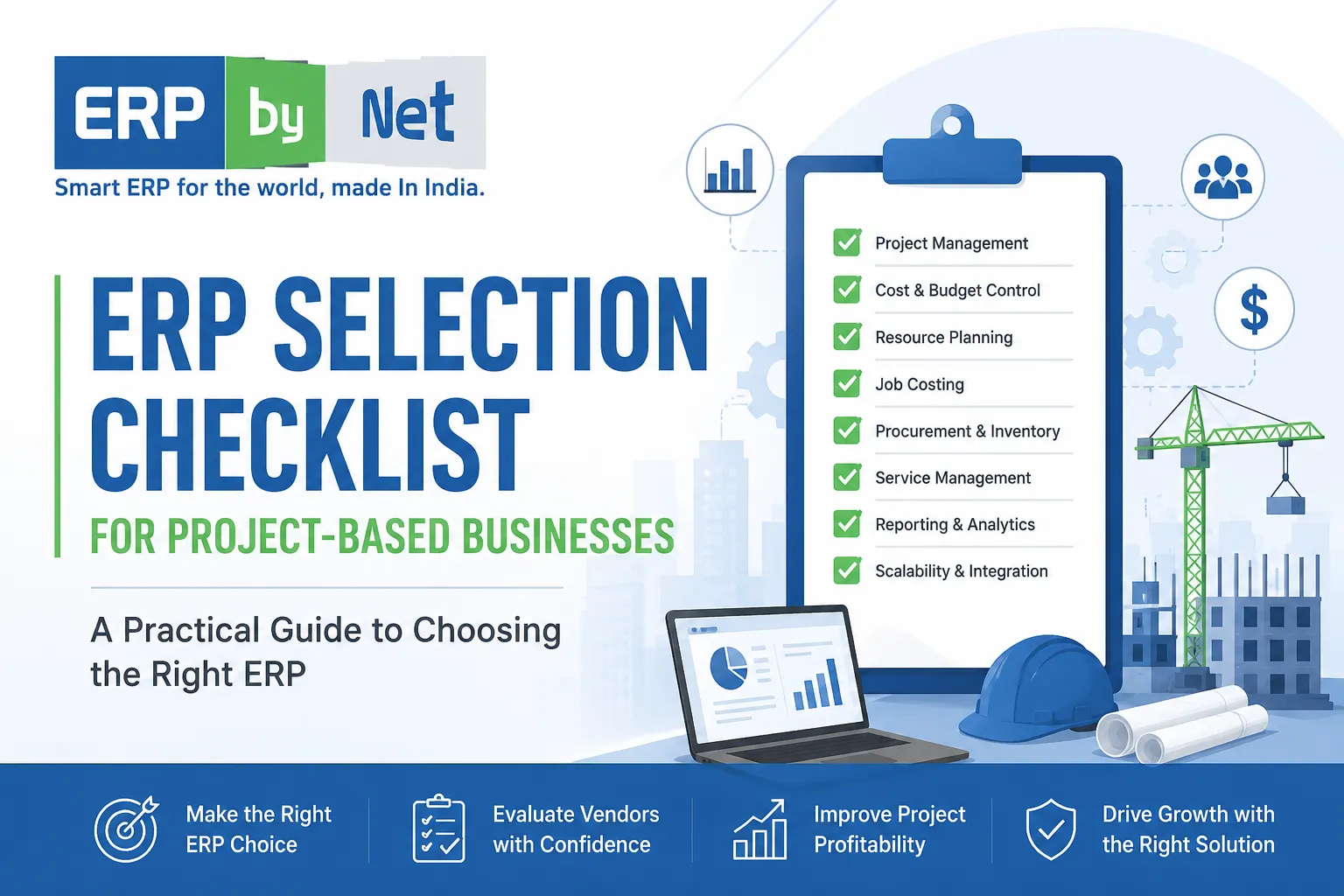
ERP Selection Checklist for Project-Based Businesses: A Practical Guide to Choosing the Right ERP

Managing projects successfully requires more than just meeting deadlines. Project-based businesses must control costs, allocate resources effectively, manage procurement, track profitability, and maintain visibility across multiple projects. As organizations grow, relying on spreadsheets and disconnected software tools often leads to inefficiencies, data silos, and reduced operational control.

This is where Enterprise Resource Planning (ERP) software becomes essential. However, selecting the right ERP system can be challenging. With countless vendors and features available, businesses often struggle to identify the solution that best fits their unique requirements.

This ERP selection checklist is designed specifically for project-based businesses to help decision-makers evaluate ERP solutions strategically and choose a platform that supports long-term growth and operational efficiency.

Why Project-Based Businesses Need a Specialized ERP Selection Strategy

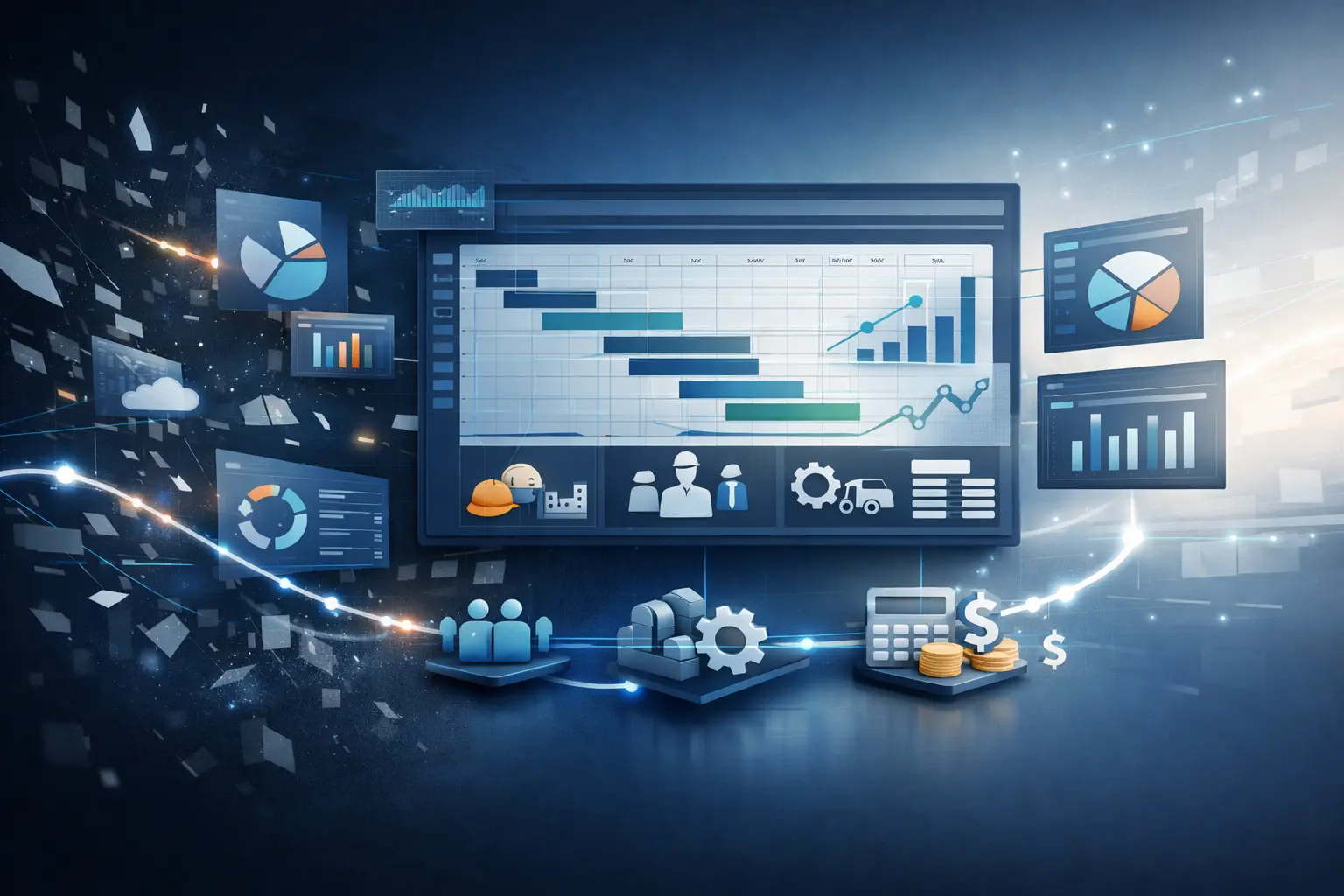
Project-based ERP software dashboard showing project management, resource planning, procurement, inventory management, billing, service management, cost control, and analytics for construction, engineering, manufacturing, and service businesses.

Project-based businesses operate differently from traditional manufacturing, retail, or distribution companies. Every project has its own budget, timeline, resource requirements, procurement needs, and profitability goals. As a result, selecting an ERP system requires a different approach than choosing software for a standard operational business.

Organizations involved in engineering, EPC contracting, construction, industrial services, elevator maintenance, and custom manufacturing must manage multiple moving parts simultaneously. Without the right ERP solution, tracking project performance, controlling costs, and maintaining operational visibility become increasingly difficult as the business grows.

Key Challenges Faced by Project-Based Businesses

Project-driven organizations typically need to manage:

  • Multiple projects at various stages of execution
  • Project budgeting and cost control
  • Resource scheduling and workforce utilization
  • Procurement linked to project requirements
  • Progress billing and milestone invoicing
  • Service and maintenance operations
  • Project profitability and performance reporting

Because of these complexities, businesses require an ERP system that provides real-time visibility across projects while integrating financials, procurement, inventory, and service management.

Risks of Choosing a Generic ERP System

Many organizations select ERP software based on general functionality without evaluating whether it supports project-centric workflows.

This often leads to:

  • Limited project visibility
  • Inaccurate job costing
  • Resource allocation conflicts
  • Delayed reporting
  • Manual data entry across departments
  • Difficulty scaling operations

A project-based ERP should provide end-to-end control over the entire project lifecycle, from planning and procurement to execution, billing, and post-project analysis.

How to Prepare Before Evaluating ERP Vendors

ERP selection should begin long before vendor demonstrations and pricing discussions. Proper preparation helps businesses identify the right solution while reducing implementation risks.

Define Your ERP Implementation Goals

Before comparing ERP systems, identify the business outcomes you want to achieve.

Consider questions such as:

  • What operational challenges are slowing growth?
  • Which manual processes create inefficiencies?
  • What information is difficult to access today?
  • Which departments require greater visibility?
  • What are the company’s long-term growth objectives?

Clearly defined goals create a framework for evaluating ERP solutions effectively.

Identify Stakeholders Across Departments

ERP software impacts nearly every department within a business. Involving stakeholders early helps ensure all requirements are captured.

Key stakeholders may include:

  • Business owners
  • Finance teams
  • Project managers
  • Procurement departments
  • Service managers
  • Operations leaders
  • IT administrators

Their input provides valuable insights into process bottlenecks and improvement opportunities.

Map Your Existing Business Processes

Document how your organization currently handles:

  • Project planning
  • Resource allocation
  • Procurement workflows
  • Inventory management
  • Financial processes
  • Service management

Understanding existing workflows helps identify gaps that the ERP system should address.

Read More : How to Choose the Right ERP for Project-Based Businesses

ERP Selection Checklist for Project-Based Businesses

ERP selection framework showing project management, budget control, resource planning, financial management, procurement, inventory, service management, and analytics for construction, engineering, manufacturing, and service companies.

Selecting the right ERP system requires a thorough evaluation of business processes, project requirements, financial controls, resource management capabilities, and future growth needs. Project-based organizations should assess every ERP solution against key operational areas to ensure it can support the complete project lifecycle while improving visibility, efficiency, and profitability.

Project Management and Project Control Features

Project management functionality is one of the most important factors when evaluating ERP software for project-based businesses. The ERP should provide comprehensive tools to plan, monitor, and control projects from initiation through completion.

Project Planning and Scheduling

Effective project planning lays the foundation for successful project execution. An ERP system should enable organizations to create detailed project schedules, define milestones, assign responsibilities, and monitor progress throughout the project lifecycle.

Key capabilities include:

  • Project schedule creation and management
  • Milestone and deliverable planning
  • Task assignment and responsibility tracking
  • Real-time project progress monitoring
  • Deadline tracking and automated alerts
  • Project status visibility across teams

Strong planning and scheduling functionality improves collaboration, accountability, and project delivery performance.

Project Budgeting and Cost Management

Maintaining control over project costs is essential for protecting profitability and ensuring projects remain financially viable.

An ERP system should support:

  • Budget creation and approval workflows
  • Project-wise budget allocation
  • Real-time expense monitoring
  • Budget versus actual cost analysis
  • Cost forecasting and variance tracking
  • Financial alerts for budget overruns

These capabilities help organizations monitor spending, reduce financial risks, and maintain control throughout project execution.

Project Profitability Tracking

Project profitability should be visible at every stage of execution. An ERP solution should provide accurate financial insights that help management evaluate project performance and business growth opportunities.

Essential profitability metrics include:

  • Project revenue tracking
  • Direct project costs
  • Indirect project expenses
  • Gross profit margin analysis
  • Profitability trends across projects
  • Customer and project-level profitability reports

Access to real-time profitability data supports better project selection, pricing decisions, and resource allocation.

Resource Planning and Workforce Management

Efficient resource utilization directly impacts project success, operational efficiency, and profitability. A project-based ERP should help organizations maximize workforce productivity while preventing resource shortages and scheduling conflicts.

Resource Scheduling and Allocation

The ERP should provide tools for managing workforce assignments and ensuring resources are allocated effectively across multiple projects.

Important capabilities include:

  • Employee assignment management
  • Skill-based resource allocation
  • Workforce scheduling
  • Resource availability tracking
  • Multi-project resource planning
  • Workload balancing

These features help organizations optimize workforce utilization while reducing project delays caused by resource constraints.

Capacity Planning and Utilization Tracking

Long-term resource planning is essential for supporting business growth and improving project delivery.

The ERP should help organizations:

  • Forecast future resource requirements
  • Identify capacity shortages
  • Monitor workforce utilization rates
  • Analyze productivity trends
  • Plan future staffing requirements
  • Improve resource forecasting accuracy

Effective capacity planning minimizes operational bottlenecks and supports better project execution.

Financial Management and Job Costing

Financial visibility is critical for managing project performance and maintaining profitability. A project-focused ERP should provide comprehensive financial management and cost tracking capabilities.

Job Costing and Cost Allocation

Accurate job costing enables businesses to understand the true cost of project execution and improve pricing strategies.

The ERP should track:

  • Labor expenses
  • Material costs
  • Equipment expenses
  • Contractor and subcontractor costs
  • Operational expenses
  • Indirect overhead allocation

Comprehensive cost tracking helps organizations improve profitability analysis and financial decision-making.

Billing and Revenue Management

Project-based businesses often require flexible billing structures to accommodate different customer agreements and project requirements.

The ERP should support:

  • Progress billing
  • Milestone invoicing
  • Contract billing
  • Time-and-material billing
  • Recurring billing arrangements
  • Revenue recognition management

Flexible billing processes improve cash flow management and customer satisfaction.

Financial Reporting and Performance Analysis

Business leaders require accurate financial information to evaluate project performance and organizational health.

The ERP should provide:

  • Project financial summaries
  • Cost analysis reports
  • Revenue performance reports
  • Budget tracking reports
  • Cash flow dashboards
  • Profitability analysis reports

Real-time financial insights enable faster and more informed business decisions.

Procurement and Inventory Management Capabilities

Project success often depends on having the right materials available at the right time. Procurement and inventory management functionality should provide visibility and control over purchasing and material usage.

Procurement Management

An ERP system should streamline procurement activities while improving supplier management and purchasing efficiency.

Key capabilities include:

  • Purchase requisition management
  • Purchase order processing
  • Vendor evaluation and selection
  • Approval workflow automation
  • Supplier performance monitoring
  • Procurement reporting and analytics

These features help reduce procurement delays and improve purchasing control.

Inventory Visibility and Material Tracking

Inventory management functionality should provide complete visibility into stock levels, material consumption, and inventory movement.

The ERP should support:

  • Real-time inventory visibility
  • Inventory valuation
  • Project-wise material tracking
  • Multi-location inventory management
  • Warehouse management
  • Stock replenishment planning

Effective inventory control reduces waste, prevents shortages, and improves project efficiency.

Service Management and Maintenance Operations

Many project-based organizations provide ongoing maintenance and after-sales services. The ERP should support service operations alongside project management activities.

Service Ticket Management

Efficient service management helps improve customer satisfaction and operational responsiveness.

The ERP should provide:

  • Service request creation
  • Technician assignment
  • Complaint management
  • Resolution tracking
  • Service scheduling
  • Performance monitoring

These capabilities improve service quality and response times.

AMC and Contract Management

For organizations offering maintenance services, contract management functionality is essential.

The ERP should manage:

  • Annual Maintenance Contracts (AMCs)
  • Preventive maintenance schedules
  • Contract renewals
  • Warranty tracking
  • SLA monitoring
  • Service history management

These features support consistent service delivery and customer retention.

Reporting, Dashboards, and Business Intelligence

Data-driven decision-making is essential for improving operational performance and supporting business growth.

Real-Time Business Dashboards

Modern ERP systems should provide interactive dashboards that offer immediate visibility into business performance.

Key dashboard metrics include:

  • Project status
  • Resource utilization
  • Budget consumption
  • Revenue performance
  • Service metrics
  • Procurement activities

Real-time dashboards enable management teams to identify issues and respond proactively.

Advanced Reporting and Analytics

Advanced reporting tools help organizations analyze performance trends and improve strategic planning.

The ERP should support:

  • Project profitability reports
  • Resource utilization reports
  • Procurement analytics
  • Financial performance reports
  • Service management reports
  • Executive management dashboards

Comprehensive reporting improves visibility and supports better decision-making.

ERP Integration and Scalability Requirements

An ERP investment should support both current operational needs and future business growth.

Third-Party Software Integrations

Seamless integrations improve data accuracy and eliminate manual processes.

Evaluate whether the ERP can integrate with:

  • CRM software
  • Accounting applications
  • Payroll systems
  • HR platforms
  • Business intelligence tools
  • Banking systems

Integrated systems create a unified business environment and improve operational efficiency.

Long-Term Scalability

As businesses grow, ERP requirements evolve. The selected ERP solution should be capable of supporting increasing operational complexity.

The ERP should accommodate:

  • Business expansion
  • Multiple branches and locations
  • Higher project volumes
  • Additional users
  • New departments
  • Evolving business processes

A scalable ERP platform helps protect technology investments while supporting long-term growth and operational excellence.

Read More: Why Multi-Purpose ERP Software Is Becoming Essential for Modern Businesses

Conclusion

Selecting an ERP system is one of the most important decisions a project-based business can make. The right ERP improves visibility, enhances collaboration, streamlines operations, and helps organizations manage projects more profitably.

By following a structured ERP selection checklist, businesses can avoid common mistakes, evaluate vendors effectively, and choose a solution that aligns with their operational requirements and growth objectives.

For organizations seeking a unified platform to manage projects, finances, resources, procurement, inventory, and service operations, ERPbyNet provides the capabilities needed to drive efficiency and support sustainable business growth.

Frequently Asked Questions

What is an ERP selection checklist?

An ERP selection checklist is a structured framework used to evaluate ERP software based on business requirements, functionality, scalability, support, and implementation considerations.

Why do project-based businesses need specialized ERP software?

Project-based businesses require features such as project management, job costing, resource planning, project profitability tracking, and service management that generic ERP systems may not provide effectively.

What features should a project-based ERP include?

Key features include project planning, budgeting, resource management, job costing, procurement, inventory management, billing, reporting, and service management.

How long does ERP implementation typically take?

Implementation timelines vary depending on business size, complexity, customization requirements, and user training needs. Most ERP projects take several months to complete.

How can ERPbyNet help project-based organizations improve project profitability?

ERPbyNet provides real-time visibility into project costs, budgets, resources, procurement, and financial performance, enabling businesses to make data-driven decisions and improve project profitability.
CategoriesProject Execution & Site Management

Why Should Project Scheduling Be Fully Integrated with ERP?

In project-driven organizations, schedules are not just timelines—they are the backbone of execution. Every task, dependency, resource assignment, procurement decision, and financial commitment is tied directly to the project schedule. Yet in many companies, project scheduling still lives in isolated tools, spreadsheets, or standalone project management software, disconnected from the ERP system that controls finance, inventory, labor, and operations.

This disconnect creates blind spots that lead to delays, cost overruns, resource conflicts, and decision-making based on outdated information.

Fully integrating project scheduling with ERP is no longer optional. It is a structural requirement for predictable execution, financial control, and scalable growth.

This article explains why project scheduling must be embedded inside ERP, what breaks when it is not, and how modern ERP platforms like ERPbyNet enable organizations to move from planned timelines to controlled execution.

Understanding the Role of Project Scheduling in ERP

Project scheduling defines the structure and flow of a project. It establishes clarity around how work should progress and ensures that activities are organized in a logical and efficient manner.

Project Scheduling Defines:

  • What work needs to be done by breaking the project into tasks and activities
  • When each task must be completed by setting timelines and milestones
  • Who or what is required by assigning people, equipment, or materials
  • The sequence of execution by defining dependencies between tasks

A project schedule answers the fundamental question: How will this project move from start to finish?

What ERP Systems Control

While scheduling focuses on planning the work, ERP systems control the conditions that determine whether that plan can actually be executed.

ERP Systems Manage:

  • Financials and budgets, ensuring projects stay within approved cost limits
  • Inventory and procurement, controlling material availability and delivery timing
  • Labor availability and payroll, aligning skills, capacity, and cost
  • Production and service execution, governing how and when work is performed
  • Compliance and audit trails, enforcing approvals, governance, and traceability

ERP acts as the operational backbone that enforces rules, constraints, and accountability across the organization.

Why Integration Matters

  • When project scheduling exists outside ERP, it functions as a planning reference. Timelines may look accurate but are not validated against real budgets, resources, or operational capacity.

  • When project scheduling is embedded within ERP, it becomes executable. Tasks are validated against real-time data, progress updates financials automatically, and changes are controlled and auditable.

From Planning Tool to Execution System

Integrating project scheduling with ERP transforms schedules from static plans into live execution frameworks. It ensures that what is scheduled is achievable, what is executed is tracked, and what is delivered aligns with financial and operational reality.

Read More : Why Does ERP Break After Go-Live Instead of Before It?

What Goes Wrong When Scheduling Is Not Integrated with ERP

What Goes Wrong When Project Scheduling Is Not Integrated with ERP

1. Plans Are Created Without Real Resource Availability

Standalone scheduling tools often assume resources are available based on estimates rather than ERP-verified data. This leads to:

  • Over-allocation of labor
  • Conflicts between projects
  • Unrealistic timelines
  • Emergency rescheduling

ERP already knows who is available, what skills they have, and where they are assigned. A disconnected schedule ignores this reality.

2. Financial Impact Is Discovered Too Late

When schedules are separated from ERP financials:

  • Budget overruns surface after costs are incurred
  • Forecasts become unreliable
  • Project profitability is calculated retroactively

Integrated scheduling allows:

  • Real-time cost accumulation per task
  • Budget validation before work begins
  • Immediate visibility into margin erosion

3. Procurement and Inventory Are Always Reactive

In disconnected environments:

  • Materials are ordered too early or too late
  • Site work waits for parts
  • Excess inventory builds up

ERP-integrated schedules trigger:

  • Time-phased procurement
  • Inventory reservations aligned with task dates
  • Production and delivery sequencing based on execution reality

4. Status Reporting Becomes Manual and Inaccurate

Without ERP integration:

  • Project updates rely on manual inputs
  • Status meetings replace system truth
  • Leadership decisions are delayed

With integrated scheduling:

  • Task completion updates financials automatically
  • Progress reflects actual execution, not opinions
  • Dashboards are live, not retrospective

Why Full ERP Integration Changes Project Scheduling Fundamentally

1. Scheduling Becomes Execution-Driven, Not Just Planned

In an ERP-integrated model:

  • Schedules are constrained by real data
  • Task start dates depend on actual readiness
  • Dependencies are enforced system-wide

ERPbyNet enables schedules that are dynamically adjusted based on:

  • Resource conflicts
  • Material availability
  • Engineering changes
  • Site conditions

This shifts scheduling from theoretical planning to operational control.

2. Financial Control Is Embedded at the Task Level

When scheduling is native to ERP:

  • Each task carries cost, revenue, and margin impact
  • Labor and material costs are booked as work progresses
  • Forecasts update automatically

This eliminates the gap between project execution and financial reporting, allowing organizations to manage profitability in real time rather than after the fact.

3. Resource Optimization Happens Across All Projects

ERP systems have a global view of:

  • People
  • Machines
  • Equipment
  • Vehicles

When scheduling is integrated:

  • Resources are shared intelligently across projects
  • Bottlenecks are visible before they occur
  • Utilization improves without burnout

ERPbyNet’s integrated scheduling framework ensures that project commitments never exceed operational capacity.

4. Change Management Becomes Controlled and Auditable

Projects change. The problem is not change—it is unmanaged change.

Disconnected schedules allow:

  • Silent scope creep
  • Unapproved timeline shifts
  • Financial surprises

ERP-integrated scheduling enforces:

  • Change approvals
  • Impact analysis on cost and delivery
  • Full audit trails

Every adjustment is tracked, approved, and reflected across finance, operations, and reporting.

Read More : How ERP Brings Consistency to Multi-Site Financial Reporting

How ERP-Integrated Scheduling Supports the Full Project Lifecycle

From Planning to Execution

  • Initial schedules are created using ERP resource data
  • Budgets and timelines are aligned before approval
  • Baselines are locked with financial visibility

During Execution

  • Task completion updates costs automatically
  • Delays trigger downstream alerts
  • Procurement adjusts to real progress

At Project Closure

  • Final costs are already reconciled
  • Variance analysis is immediate
  • Lessons learned are data-driven

ERPbyNet supports this lifecycle without forcing teams to reconcile multiple systems or spreadsheets.

Industry Scenarios Where ERP-Integrated Scheduling Is Critical

Engineering and Construction

  • Complex dependencies between design, procurement, and site work
  • High cost of delays
  • Heavy compliance requirements

Manufacturing Projects

  • Production schedules tied to customer commitments
  • Material lead times impacting delivery
  • Capacity constraints across plants

Field Service and Installation Projects

  • Technician availability
  • Geographic constraints
  • Service-level commitments

In all these scenarios, scheduling without ERP integration creates risk that organizations can no longer afford.

ERPbyNet’s Approach to Integrated Project Scheduling

ERPbyNet treats scheduling as a core ERP function, not an add-on.

Key principles include:

  • Single source of truth for schedules, costs, and resources
  • Real-time synchronization across modules
  • Rule-driven execution aligned with business logic
  • Built-in governance and auditability

Rather than exporting schedules to ERP, ERPbyNet embeds scheduling directly into the operational workflow—ensuring that what is planned is what gets executed.

The Strategic Advantage of ERP-Integrated Scheduling

Organizations that integrate project scheduling fully into ERP gain:

  • Predictable delivery timelines
  • Stronger financial control
  • Higher resource utilization
  • Fewer execution surprises
  • Scalable project governance

Those that do not remain trapped in reactive firefighting, manual coordination, and delayed insights.

From Planned Timelines to Controlled Execution — Make Scheduling Work for You

Project scheduling can no longer exist as a disconnected planning activity in an environment defined by rising execution complexity, tighter cost control, and higher customer expectations. When schedules operate outside the ERP system, projects lose alignment, visibility, and control. When scheduling is embedded within ERP, projects stay on track, financially governed, and operationally aligned.

Fully integrating project scheduling with ERP converts timelines into firm commitments, plans into real execution, and data into confident decisions. With ERPbyNet, this integration becomes practical, scalable, and enforceable across the entire project lifecycle—transforming project management from manual coordination into a true competitive advantage.

Ready to move from planning to control? Discover how ERPbyNet helps organizations execute projects with clarity, confidence, and control. Visit Now to see integrated project scheduling in action.

Frequently Asked Questions (FAQs)

1. What does it mean to integrate project scheduling with ERP?

It means project schedules are created and managed directly within the ERP system, using real-time data from finance, resources, inventory, and operations. This ensures schedules are realistic, executable, and always aligned with actual business conditions.

2. Why is standalone project scheduling not enough?

Standalone tools focus on planning but lack real-time access to costs, resources, and operational constraints. This leads to unrealistic timelines, manual coordination, and delayed visibility into project risks and overruns.

3. How does ERP-integrated scheduling improve cost control?

When scheduling is part of ERP, every task is linked to budgets, labor, and materials. Costs update automatically as work progresses, allowing teams to identify overruns early and maintain tighter financial control.

4. Can integrated scheduling help reduce project delays?

Yes. ERP-integrated scheduling aligns timelines with actual resource availability and material readiness. When changes occur, their impact is visible immediately, enabling faster corrective action before delays escalate.

5. How does ERP-integrated scheduling improve resource utilization?

It provides a centralized view of all resources across projects, preventing overbooking and identifying unused capacity. This helps balance workloads and improve productivity without increasing operational strain.

6. How does ERP integration support change management?

Changes to schedules are tracked, approved, and automatically reflected across finance and operations. This prevents uncontrolled scope changes and ensures all impacts are reviewed before execution.

7. Is ERP-integrated scheduling useful for field or installation projects?

Yes. It ensures technician availability, materials, logistics, and billing stay aligned with the schedule, reducing site delays and improving service reliability.

8. How does integrated scheduling improve reporting?

Because scheduling and execution data live in the same system, reports are accurate and real time. Decision-makers gain clear visibility without relying on manual updates or reconciled spreadsheets.

9. What risks exist with disconnected scheduling and ERP systems?

Disconnected systems create data silos, delayed insights, and frequent rework. Over time, this leads to cost overruns, missed deadlines, and reduced scalability.

10. How does ERPbyNet support integrated project scheduling?

ERPbyNet embeds scheduling directly into ERP workflows, ensuring timelines, costs, and resources stay synchronized. This enables controlled execution, real-time visibility, and consistent project governance.

CategoriesProject Execution & Site Management

Why Tablet-Based Site Surveys Are Transforming Elevator Modernization

In elevator modernization, speed and accuracy are not just desirable — they are essential. A single missed measurement or misplaced note can cause delays, inflate costs, and frustrate clients. Yet, many modernization teams still depend on outdated tools like clipboards, paper forms, and loose photo folders, slowing progress before installation even begins.

The truth is, paper-based surveys simply cannot keep pace with modern project demands. Data gets scattered, photos become disconnected from their relevant components, and manual transcription consumes valuable hours. This inefficiency creates a bottleneck that directly impacts project timelines.

Tablet-Based Site Surveys, powered by solutions like SmartSiteSurvey, solve this problem. With an all-in-one digital platform that integrates measurements, annotated photos, sketches, and offline capabilities, surveyors can capture complete, accurate data in the field and share it instantly with stakeholders. The result is a faster, smarter, and more reliable approach to elevator modernization.

The Problem with Legacy Survey Methods

The Problem with Legacy Survey Methods

Data Silos and Errors

Traditional surveys often store information across multiple tools — paper sheets, digital cameras, and separate email attachments. Each handoff introduces a higher risk of lost data, duplication, or errors.

Time-Consuming Transcription

Paper notes require manual entry into digital systems back at the office. Not only does this waste hours, but it also increases the chance of transcription mistakes that can lead to costly rework.

Limited Collaboration

Until paper notes are scanned or typed up, they remain inaccessible to project managers, engineers, and installation crews. This delay can result in critical miscommunications and late-stage design changes.

How Tablet-Based Site Surveys Change the Game

How Tablet-Based Site Surveys Change the Game

1. Portability Meets Power

A lightweight tablet replaces the need for clipboards, folders, and cameras. Tablet-Based Site Surveys keep every tool a surveyor needs in one place — perfect for tight elevator shafts, motor rooms, and high-rise rooftops.

2. Photo and Sketch Integration

With built-in cameras and annotation tools, surveyors can take high-resolution photos, draw directly on them, and link them to exact components. This clarity eliminates guesswork and ensures everyone is working from the same visual reference.

3. Offline Support for Remote Sites

Elevator modernization often happens in low-connectivity environments. SmartSiteSurvey allows work to continue without internet access, securely storing data until a connection is available for automatic syncing.

4. Robust Tools for Complex Retrofits

Older buildings present unique challenges such as irregular shaft dimensions or obsolete equipment. Tablet-Based Site Surveys provide real-time calculation tools, customizable checklists, and compliance references so no measurement is overlooked.

Read More : How to Manage Inventory, Technicians & Invoices in One ERP Dashboard

Real-World Impact in Elevator Modernization

Take a 1970s-era high-rise undergoing a full modernization. Using traditional methods might require:

  • Two separate site visits due to missing data

  • A week-long delay for manual transcription

  • Confusion between engineering and installation teams over unclear sketches

With SmartSiteSurvey’s Tablet-Based Site Surveys, the process changes dramatically:

  • Complete data capture — measurements, photos, and notes — in a single visit

  • Immediate digital reports shared with stakeholders

  • Reduced rework thanks to integrated, accurate records

Measurable ROI and Industry Trends

Adopting Tablet-Based Site Surveys delivers measurable results:

  • Up to 40% improvement in data accuracy compared to paper methods

  • 20–30% faster survey-to-installation timelines

  • Increased team confidence in pre-installation specifications

The elevator sector is following broader construction industry trends toward digital transformation. Companies that fail to modernize risk falling behind competitors who can deliver faster, more precise results.

Read More : Project Management ERP: The Secret to On-Time and On-Budget Delivery

Beyond Speed: The Strategic Advantage

Elevator modernization projects are often under strict timelines due to building occupancy requirements or compliance deadlines. Tablet-Based Site Surveys enable:

  • Faster project approvals

  • Fewer site revisits

  • Seamless communication between surveyors and planners

In a competitive marketplace, consistently delivering accurate, well-documented surveys ahead of schedule is more than operational efficiency — it’s a market differentiator.

Read More : Field Sales Automation ROI: What Sales Managers Are Actually Getting Today

 Tablet-Based Site Surveys in Elevator Modernization

In elevator modernization, every successful project starts with a precise, well-executed site survey. Relying on scattered paper notes, separate photo folders, and manual data entry is no longer just inefficient — it’s a competitive disadvantage. These outdated methods slow your workflow, increase the risk of errors, and delay project completion.

Tablet-Based Site Surveys with SmartSiteSurvey change the game. By combining measurements, annotated photos, sketches, and project notes into one portable platform, your team can capture complete, accurate data in real time. No more guesswork. No more searching for the right photo. No more duplicate site visits to fix missed details.

With offline functionality, SmartSiteSurvey works anywhere — from dimly lit machine rooms to remote elevator shafts. Its retrofit-ready tools ensure even the most complex modernization projects are documented with clarity and precision.

In an industry where speed, accuracy, and reliability are the keys to winning projects, adopting Tablet-Based Site Surveys gives you an immediate advantage. Deliver faster approvals, reduce costly rework, and impress clients with your efficiency.

Don’t let outdated processes limit your potential. Put SmartSiteSurvey in your team’s hands and transform every site survey into a powerful launchpad for modernization success — starting with your next project.

FAQs:

1. How do tablet-based surveys improve accuracy?

Tablet-based surveys improve accuracy by consolidating all project data — measurements, photos, notes, and sketches — into one unified digital workspace. This eliminates the risk of mismatched photos, unreadable handwriting, or lost paper forms. Features like built-in annotation tools allow surveyors to mark up images directly, reducing ambiguity and ensuring that every stakeholder sees the exact same information. The result is clearer communication, fewer mistakes, and more precise project execution.

2. Can SmartSiteSurvey work without an internet connection?

Yes. SmartSiteSurvey is designed for real-world conditions, which means it functions fully offline. Surveyors can continue taking measurements, capturing photos, and filling out forms even in remote areas, basements, or elevator shafts where connectivity is unreliable. Once the device reconnects to the internet, all data is automatically synced, so there’s no disruption to your workflow.

3. How does photo and sketch integration benefit the project?

By capturing images directly within the survey app and linking them to specific elevator components or measurements, teams gain visual clarity that text alone can’t provide. Annotated photos highlight key details such as wear patterns, structural modifications, or clearance issues. This visual record becomes a shared reference point for engineers, installers, and project managers, reducing follow-up calls and site revisits.

4. In what ways does it speed up modernization projects?

Tablet-based surveys cut out several manual steps in the traditional process. Instead of collecting data on paper, then typing it into a computer later, surveyors can submit fully digital reports from the field. This speeds up internal approvals, enables engineers to start designs sooner, and allows procurement teams to order parts without delay. In many cases, this streamlined approach can shorten the survey-to-installation timeline by 20–30%.

5. Is SmartSiteSurvey suitable for older buildings with irregular designs?

Absolutely. Elevator retrofitting in older buildings often involves dealing with non-standard dimensions, outdated layouts, and unique engineering challenges. SmartSiteSurvey includes customizable checklists, adjustable measurement templates, and the ability to capture unlimited photos. This flexibility ensures no detail is overlooked, even in buildings with decades-old infrastructure.

6. Can it integrate with existing project management software?

Yes. SmartSiteSurvey supports data export in formats compatible with popular project management and construction software. This means survey data can flow directly into your existing systems without manual re-entry, preserving data integrity and ensuring all teams — from field surveyors to office-based planners — are working from the same, up-to-date information.

CategoriesProject Execution & Site Management

From Planning to Execution: How AceSite Manager Optimizes Project Management

Tired of project delays, budget overruns, and constant miscommunication? Managing a project from start to finish can feel overwhelming. Unexpected roadblocks, scattered information, and inefficient workflows often turn a well-planned project into a stressful experience.

That’s where AceSite Manager steps in. This powerful project management software helps you stay in control by keeping all your tasks, resources, and deadlines in one place. No more switching between different tools or relying on outdated reports. With real-time tracking, automated workflows, and seamless collaboration, every stage of your project runs smoothly and efficiently.

Planning becomes effortless with structured timelines, task automation, and data-driven resource allocation. During execution, live progress monitoring ensures nothing falls through the cracks. Budget management tools prevent unnecessary expenses, while integrated communication features keep teams and stakeholders aligned at all times.

With AceSite Manager, projects stay on schedule, within budget, and free from chaos. Whether you’re managing construction, IT, or corporate projects, this software eliminates inefficiencies and boosts productivity. Say goodbye to project headaches and hello to a streamlined, stress-free workflow. It’s time to optimize your project management and deliver results with confidence.

The Daily Struggles of Project Management

Mark had a tough time managing his projects. Every day felt like a battle—missed deadlines, overspending, miscommunication, and last-minute changes. Keeping track of everything was exhausting.

  • Too much manual work – Assigning tasks, tracking progress, and managing resources took hours.
  • Poor communication – Teams worked separately, leading to confusion and mistakes.
  • Unexpected delays – Material shortages or approval delays caused major setbacks.
  • No real-time updates – Decisions were based on outdated information, leading to last-minute panic.

Mark needed a better way to manage projects—something that could bring clarity, control, and efficiency. That’s when he found AceSite Manager.

The first thing Mark noticed? Everything became easier to manage. Instead of using multiple tools, he now had one powerful platform to handle everything.

  • Clear project timelines – No more guessing deadlines. Everything was mapped out.
  • Smart resource management – He knew exactly where to allocate people and materials.
  • Automatic task assignments – No need to remind team members. The system did it for him.
  • Easy-to-read dashboards – A quick glance told him how his project was doing.
  • Better team collaboration – Everyone was on the same page with real-time updates.

With all project details in one place, Mark saved time, reduced mistakes, and planned more efficiently.

Before, moving from planning to execution was stressful. A single mistake could delay everything. But AceSite Manager made execution smooth and hassle-free.

  • Live progress tracking – Mark no longer had to visit the site daily. Everything updated in real-time.
  • Automatic alerts – If something was delayed, he got a notification immediately.
  • Budget tracking – Costs were monitored, stopping overspending before it happened.
  • Mobile access – His team could update tasks from anywhere.
  • Easy communication – No more long email chains. Teams got instant updates.

Now, instead of fixing problems at the last minute, Mark prevented them before they started.

Handling Unexpected Challenges with Ease
 

No project runs perfectly. There are always surprises—late deliveries, staff shortages, or approval delays.

Before using AceSite Manager, these issues caused panic and frustration. Now, Mark could adapt quickly and keep the project moving.

  • Rearranging tasks – If materials were late, he adjusted the schedule to keep work going.
  • Shifting workloads – If workers were unavailable, he reassigned tasks with a few clicks.
  • Fast decision-making – Real-time data helped him solve problems instantly.

Instead of reacting to problems, Mark was now in control of every situation.

Money had always been a big issue. Costs kept rising, and Mark often discovered budget problems too late. AceSite Manager fixed this by keeping finances under control.

  • Live expense tracking – Every cost was updated instantly.
  • Faster invoice management – Payments were made on time, avoiding late fees.
  • Spending alerts – If costs were rising too fast, Mark got a warning.
  • Clear financial reports – Stakeholders always knew where the budget stood.

With better budget tracking, Mark delivered projects on time and within budget, keeping both his clients and his company happy.

Before AceSite Manager, communication was a mess. Important emails got lost, instructions were unclear, and nobody knew who was responsible for what.

  • All documents in one place – No more confusion over project details.
  • Clear task assignments – Everyone knew their role and deadlines.
  • Instant messaging – Teams could quickly share updates without long emails.
  • Performance tracking – Mark could see which tasks were falling behind and fix them.

The result? Fewer mistakes, faster progress, and a team that worked together seamlessly.

Before becoming an AceSite Manager, Mark struggled with delays, cost overruns, and unhappy clients. Now, things were different.

  • Real-time tracking – No more surprises. Mark always knew the project status.
  • Automated workflows – No waiting for approvals or missing deadlines.
  • Clear client updates – Clients always knew what was happening.
  • Proactive problem-solving – Issues were fixed before they became serious.

With better control over planning, execution, and budgeting, Mark’s projects were now successful, on time, and stress-free.

  • Save time with automated workflows
  •  Eliminate costly errors with real-time tracking
  •  Improve collaboration with seamless communication tools
  • Keep your budget under control with live expense tracking

Take Control of Your Projects with AceSite Manager – Start Today!

Are you still juggling spreadsheets, sticky notes, and endless WhatsApp messages to manage your construction projects? It’s time to step into a smarter, more efficient way of working. With AceSite Manager, you’re not just digitizing your process—you’re transforming it from the ground up.

Whether you’re coordinating contractors, tracking site progress, or managing resources across multiple locations, AceSite Manager puts everything you need in one intuitive platform. From planning and execution to real-time monitoring and field updates, it bridges the gap between the office and the construction site—so you can make faster decisions, avoid costly delays, and deliver projects on time, every time.

Imagine having full visibility into every task, every budget line, and every team member’s activity, all from your mobile or desktop. That’s not the future—it’s what AceSite Manager offers right now.

Don’t let outdated systems hold your projects back. Book a free demo, explore how the platform works for your unique needs, and experience the AceSite advantage.

Get started today and redefine how you manage your construction projects.

CategoriesProject Execution & Site Management

From Data Entry to Decision Logic: How PDS Rule Engine Transforms ERP Systems

Transform your ERP system with the PDS Rule Engine, a powerful tool designed to streamline your business processes and enhance decision-making. The Product Definition Studio (PDS) centralizes and standardizes your product and business logic, simplifying the management of product data across various departments. With ERPbyNet, PDS integrates seamlessly into your ERP infrastructure, ensuring consistent application of business rules and product definitions throughout your organization.

PDS eliminates the need for manual intervention by automating complex calculations and decision-making processes. It enhances operational efficiency, improves data accuracy, and accelerates workflows, allowing your team to focus on what matters most. From defining product lines to managing attributes and enforcing business rules, PDS ensures everything runs smoothly and consistently.

Security is also a top priority, with sensitive data such as costing protected through encrypted DLL generation. This ensures your business logic and product definitions are safe from unauthorized access.

Experience the benefits of a more efficient, accurate, and scalable ERP system with ERPbyNet. By integrating PDS, you can enhance decision-making, reduce errors, and improve overall performance, giving your business the tools it needs to succeed in a competitive marketplace. Let PDS transform your business operations today!

What is PDS and Why Does it Matter?

The Product Definition Studio (PDS) is a versatile and powerful rule engine that allows businesses to define and automate their product and business logic in a centralized, reusable way. Think of it as the “brain” of your ERP system, where you can set the rules, formulas, and logic that govern every product, service, and business function.

PDS doesn’t just handle raw data; it transforms it into actionable insights. Whether you’re in manufacturing, sales, or any other industry, PDS ensures consistency in the application of business rules across the entire system. With this centralized rule engine, you can automate decision-making processes, reduce human errors, and maintain flexibility within your business operations.

How PDS Integrates with ERPbyNets System


At ERPbyNet, we believe in providing ERP solutions that are both scalable and flexible. PDS integrates seamlessly into ERP systems, creating a symbiotic relationship that enhances efficiency and optimizes workflows. PDS communicates with ERPbyNet via Dynamic Link Libraries (DLLs), ensuring that predefined rules and logic are embedded into the system without compromising on performance.

This integration provides several advantages:

  • Consistency: Ensures that product specifications and business logic are applied uniformly across different departments.
  • Flexibility: Allows you to modify logic and rules as needed without disrupting the entire ERP system.
  • Automation: Reduces the need for manual intervention, enabling faster decision-making.

Key Components of PDS and Their Role in ERP Systems


Understanding the key components of PDS is crucial to appreciating how it transforms ERP systems. Each element of PDS contributes significantly to the efficiency and effectiveness of the system:

1. Knowledgebase (CNW)

At the heart of PDS lies the Knowledgebase, a centralized platform that stores shared specifications for similar products. This ensures consistency and reduces errors, as all product definitions are stored in one place. With ERPbyNet, this knowledgebase ensures that product data is accessible and reusable, cutting down on duplicate efforts and minimizing data entry mistakes.

2. Product Lines

PDS allows businesses to define Product Lines—subsets of the knowledgebase that are assigned to specific products. Each product line has distinct attributes and requirements, and PDS ensures that product specifications are tailored to these needs. This feature is especially beneficial for businesses with multiple products or services, as it enables efficient tracking and management across the ERP system.

3. Attribute Categories

To simplify data organization, PDS uses Attribute Categories to classify product specifications. These categories help businesses organize their data into logical groups, making it easier to analyze and access information.

For example, in an ERP system, attributes may be grouped into:

  • External Applications: Specifications like speed, number of stops, etc.
  • Total Costs: Costs related to installation, export expenses, or other factors.

By categorizing data, ERPbyNet ensures businesses can quickly access relevant information and make informed decisions.

4. Attributes

Attributes are the core product specifications that drive decision-making and calculations in the ERP system. These can range from simple product characteristics to complex configurations, depending on the business needs. PDS ensures that these attributes are accurately defined and applied throughout the system, whether for calculating costs, determining availability, or generating product recommendations.

One of the standout features of PDS is its ability to define complex rules and calculations, akin to the functionality found in Excel. These rules are essential for automating decision-making and ensuring consistency in business operations.

For example, businesses can use decision tables to automatically select parameters based on variables such as capacity and operator type. With this automation, manual input is no longer necessary, and the system makes decisions based on predefined logic. This reduces human errors, enhances accuracy, and accelerates business processes, making your ERP system smarter and more efficient.

Once the PDS setup is complete, it is compiled into DLLs (Dynamic Link Libraries), which ensure smooth system integration while maintaining data security. These DLLs act as a bridge between PDS and ERP systems, enabling seamless communication and secure storage of business logic.

For businesses concerned with confidentiality—especially regarding sensitive data like costing—PDS DLLs provide an additional layer of security. The data within the DLLs is encrypted, ensuring that unauthorized users cannot access or manipulate sensitive business logic and product definitions.

Advantages of PDS in ERP Systems


The integration of PDS into ERP systems offers several key advantages, making it an indispensable tool for businesses aiming to optimize operations and improve decision-making:

  • Centralized Product Definitions: PDS allows businesses to create a centralized repository of product specifications, reducing redundancy and minimizing errors across the ERP system.
  • Simplified Complex Logic: With Excel-like functionality, PDS makes it easy to define and implement complex business rules without requiring extensive programming knowledge.
  • Confidentiality: By encrypting sensitive data, PDS ensures that costing and other proprietary information remain secure and protected.
  • Easy Maintenance: Unlike traditional ERP systems, PDS can be easily updated and maintained, ensuring that your system remains current without costly upgrades or specialized training.

    Take Action: Elevate Your ERP with the PDS Rule Engine Today!

    Don’t let outdated processes slow your business down. Upgrade your ERP system with the PDS Rule Engine and experience the difference that centralized business logic, automated workflows, and secure product configuration can make. Empower your team to work smarter, eliminate manual errors, and unlock new levels of efficiency and accuracy.

    Ready to transform your operations? Contact us now to schedule a personalized demo or speak with our experts about how the PDS Rule Engine can be tailored to your unique business needs. Take the first step toward a streamlined, future-ready ERP system—your path to greater productivity and competitive advantage starts here.

    Act now and see how the PDS Rule Engine can revolutionize your ERP experience. Reach out today and let’s build a smarter, more agile business together!

    Name

    1. What is the PDS Rule Engine, and how does it work with ERPbyNet?
    The PDS Rule Engine is a powerful tool that centralizes and automates product and business logic within your ERP system. It allows businesses to define rules and formulas that govern product specifications and processes. ERPbyNet integrates seamlessly with PDS, ensuring smooth interaction between the two, allowing for automated decision-making, accurate data entry, and efficient workflow management.

    2. How can PDS improve my ERP system?
    PDS enhances your ERPbyNet system by centralizing and automating business rules, simplifying complex calculations, and eliminating manual intervention. It helps businesses maintain consistency across departments, reduce errors, and accelerate decision-making, ultimately improving overall operational efficiency and ensuring accurate product definitions and cost management.

    3. Is PDS secure when integrated with ERPbyNet?
    Yes, PDS ensures data security by encrypting sensitive business logic and product specifications within DLL files. This additional layer of security prevents unauthorized access, particularly for confidential data such as cost calculations, ensuring that your business logic remains protected while maintaining operational integrity.

    4. Can I easily update or modify my ERP system with PDS integration?
    Absolutely! One of the key benefits of integrating PDS with your ERPbyNet system is the ease of maintenance. Changes to business rules or product definitions can be made without disrupting the entire system, and there’s no need for specialized software skills, making updates and modifications efficient and cost-effective.

    5. How does PDS help with decision-making in my ERP system?
    PDS automates decision-making by using predefined rules and logic, similar to how formulas work in Excel. This means that instead of relying on manual input, your ERPbyNet system will automatically select the best options based on factors like product specifications, capacity, or operator type, ensuring faster, more accurate decisions that improve your business’s overall efficiency.

Name
Verified by MonsterInsights