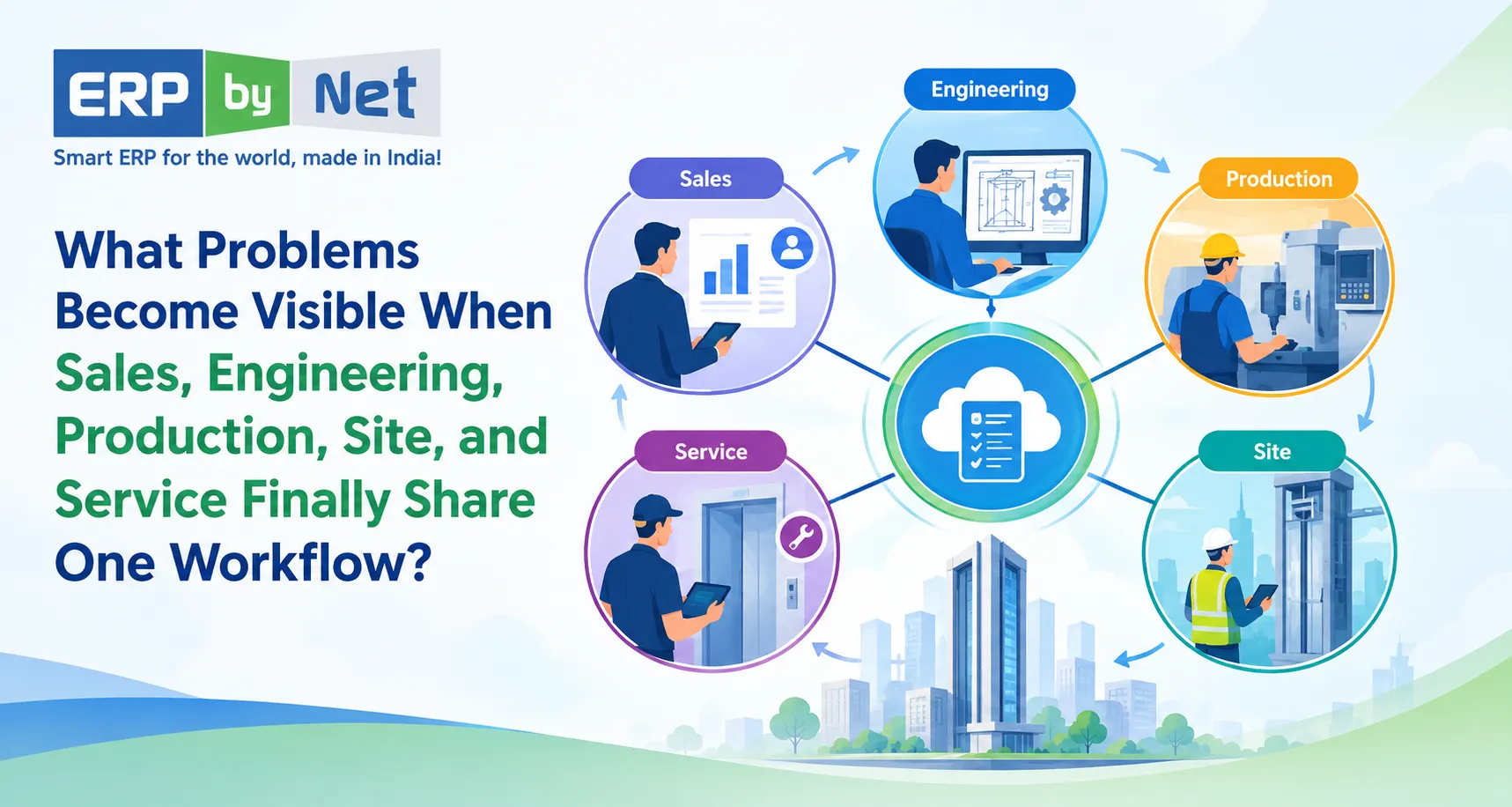
What Problems Become Visible When Sales, Engineering, Production, Site, and Service Finally Share One Workflow?
Key Takeaways
- Disconnected departments create hidden process gaps even when each team manages its work correctly.
- Engineering changes can affect materials, production, site work, and project costs.
- Physical stock does not always mean available stock when materials are allocated, reserved, or incomplete.
- Production completion does not always mean site readiness.
- Connected ERP helps trace problems back to where they started, not just where they became visible.
What You’ll Learn
- How connected workflows link sales, engineering, production, site, and service.
- Why engineering changes need to reach downstream teams quickly.
- How material planning and inventory visibility affect production readiness.
- Why site readiness and production completion must be tracked separately.
- How ERPbyNet connects the workflow from sales through finance and service.
Real Insights
- The department where a problem appears is not always where it started.
- A production delay may begin with an engineering change or material gap.
- A site delay may come from an earlier planning or readiness issue.
- A service complaint can reveal an earlier installation or configuration problem.
- Connected information helps management move from “Where is the problem?” to “Where did it begin?”
A project can look healthy in one department and already be heading toward trouble somewhere else.
Sales may see a confirmed order. Engineering may still be working through specifications. Production may be waiting for material. The site team may be waiting for readiness confirmation. Service may later receive a complaint without having the complete history of what was installed.
Each department may be doing its job.
Yet the project can still be delayed, costs can increase, and customers can become dissatisfied.
The problem is often not that individual departments are incapable of managing their work. The problem is that the information connecting those departments is fragmented.
When sales, engineering, production, site, and service finally work through one connected workflow, something important changes.
The business does not simply gain visibility.
It starts seeing where problems actually enter the process.
For engineering, manufacturing, elevator, installation, and other project-based businesses, this distinction matters because a decision made at the beginning of an order can affect material planning, production, installation, project cost, and service months later.
A connected ERP workflow helps bring those relationships into view.
Why Department-Level Visibility Is Not Enough

Imagine five teams managing the same project.
Sales knows what the customer ordered.
Engineering knows how it should be designed.
Production knows what needs to be manufactured.
Site knows what needs to be installed.
Service knows what needs to be maintained.
But if every team maintains its own information, the business can end up with five different versions of the same project.
A quotation may contain one specification.
A drawing may contain another.
A BOM may reflect a later revision.
Production may work from an older instruction.
The site team may not know which materials are expected.
Service may receive incomplete equipment information after handover.
This creates a dangerous situation:
Every department can have accurate information locally while the overall project information remains inconsistent.
That is where connected workflow becomes important.
ERPbyNet is designed around this type of operational environment, connecting sales, projects, manufacturing, inventory, service, technicians, and finance within an integrated ERP ecosystem.
What Changes When One Workflow Connects the Business?
A connected workflow creates a chain where information created at one stage becomes useful at the next.
Instead of managing isolated activities:
Sales → Engineering → Production → Site → Service
the business can create a connected operational flow:
Customer Requirement → Quote → Engineering → BOM/Material Planning → Production → Site Installation → Handover → Service
The important part is not the diagram itself.
The important part is the relationship between each stage.
A quotation can influence engineering.
Engineering can influence product configuration and material requirements.
Material planning can influence procurement and production readiness.
Production can influence site scheduling.
Site execution can influence project completion.
Installation data can become useful to service.
This is where hidden problems start becoming easier to identify.
1. Sales Commitments That Engineering Cannot Deliver as Planned
A sales team often has to respond quickly to customer expectations.
A quotation may be prepared based on:
- Customer requirements
- Product configuration
- Technical specifications
- Expected delivery date
- Commercial assumptions
- Project scope
But what happens after the order is confirmed?
If the information does not move cleanly into engineering, the engineering team may need to recreate or verify details manually.
That can introduce delays before production has even started.
The problem may not be in engineering
Suppose a customer changes:
- Capacity
- Dimensions
- Finishing
- Door configuration
- Control requirements
- Installation conditions
- Optional components
If those changes remain inside emails, spreadsheets, or conversations, engineering may not have a reliable view of the latest requirement.
The project can then move forward with uncertainty.
A connected workflow helps make the transition from commercial requirement to technical definition more structured.
ERPbyNet’s SalesPundit supports CRM, quotations, tender workflows, pricing, sales approvals, and sales operations for engineering and project-based businesses. Its Product Definition Studio is designed for complex product configuration and technical rules, helping connect product definition with downstream requirements.
What becomes visible?
Instead of discovering the issue after production begins, the business can identify:
Customer requirement → Technical validation → Configuration → Engineering readiness
The earlier the mismatch appears, the earlier the business can respond.
2. Engineering Changes That Do Not Reach Production in Time
Engineering changes are normal in project-based manufacturing.
The problem begins when the change reaches one department but not another.
Consider a simple sequence:
Drawing Revision → BOM Change → Material Change → Production Change
If only the drawing changes, production may continue using an older BOM.
If the BOM changes but procurement has already placed an order, the business may suddenly have material that is no longer required.
If production discovers the change late, the result may be:
- Rework
- Material wastage
- Production interruption
- Additional procurement
- Schedule changes
- Cost increases
A connected workflow exposes the dependency
Engineering is not an isolated activity.
A technical change can create a commercial, material, production, site, and financial impact.
This is particularly important for Engineer-to-Order and configurable products where one customer order can generate different technical requirements.
ERPbyNet supports product definition, technical configuration, costing logic, engineering requirements, and drawing generation, while its material planning and production capabilities connect those requirements with downstream operations.
The objective is not simply to store the latest drawing.
It is to help ensure that the right information reaches the next stage of execution.
3. Production Delays That Actually Start in Material Planning
A production team may appear to have a productivity problem.
Machines are available.
Workers are available.
The production schedule exists.
Yet production is waiting.
Why?
Because one critical component is missing.
This is where disconnected workflows create misleading conclusions.
The visible problem is:
Production is delayed.
The actual problem could have started much earlier:
Customer order → Engineering → BOM → Material demand → Inventory → Procurement → Production
“We have stock” does not always mean “production can start”
Inventory may exist physically, but it may already be:
- Allocated to another project
- Reserved for another order
- Located in another warehouse
- Awaiting inspection
- Incomplete as a required kit
- Insufficient for the current requirement
This distinction becomes critical when multiple projects are running simultaneously.
ERPbyNet’s AceMRP connects material planning, inventory, procurement, warehouse operations, and manufacturing coordination. Its existing content also emphasizes that physical stock does not necessarily mean material is available for a particular requirement.
What becomes visible?
Instead of simply asking:
“Why is production late?”
management can begin asking:
“Which material requirement caused the production constraint, and where did that requirement originate?”
That is a much more useful question.
4. Procurement That Reacts Instead of Planning
Disconnected systems often make procurement highly reactive.
A purchase team receives a request.
They check availability.
They contact vendors.
They follow up on delivery.
Production follows up again.
Then another department asks for an updated status.
The cycle repeats.
The real challenge is not simply purchasing.
It is knowing:
- What is required?
- For which project?
- In what quantity?
- By when?
- What is already available?
- What is committed?
- What is on order?
- What has a long lead time?
- What could become a production constraint?
ERPbyNet’s MRP capabilities are positioned around these connected planning requirements, including material demand, inventory, procurement, and production coordination.
The difference is timing
Good material planning is not only about knowing what to buy.
It is about knowing when the business needs it.
That changes procurement from:
“Something is missing. Purchase it.”
to:
“This requirement is expected to become a constraint. Plan it before it affects production.”
5. Production Completion Does Not Mean the Project Is Ready for Site
This is one of the most important problems in project-based businesses.
A factory may complete its production activities.
But the installation team may still be unable to proceed.
Why?
Because site execution depends on more than manufacturing completion.
It may depend on:
- Site readiness
- Material availability
- Installation sequence
- Civil work completion
- Customer readiness
- Required approvals
- Manpower availability
- Equipment movement
- Project schedule
For an elevator project, for example, manufacturing completion does not automatically mean the shaft is ready for installation.
The hidden gap
A disconnected business may report:
Production: 100% complete
while the project remains:
Site: Not ready
Both statements can be correct.
But management needs to understand the relationship between them.
ERPbyNet’s AceSiteManager is designed to connect project implementation, site activities, installation, commissioning, contract dates, supply chain information, and project updates.
What becomes visible?
The business can start distinguishing between:
Production readiness
and
Installation readiness
That difference can prevent teams from assuming that a completed manufacturing stage automatically means the project can move forward.
6. Site Delays That Are Actually Caused by Earlier Decisions
When an installation team reaches a site and cannot proceed, the problem may appear to belong to the site team.
But consider what may have happened earlier.
The quotation may have missed a requirement.
Engineering may have changed a configuration.
Procurement may have delivered material late.
Production may have completed only part of the requirement.
The customer may not have completed site preparation.
The site team may therefore become the final point where an earlier problem becomes visible.
This creates an important principle:
The department where a problem becomes visible is not always the department where the problem began.
A connected workflow makes those dependencies easier to trace.
7. Installation Data That Gets Lost Before Service Starts
The project does not end when installation is completed.
For many businesses, installation is the beginning of a long service relationship.
This is especially important for elevator and equipment businesses where the installed product may require:
- Preventive maintenance
- Breakdown service
- Inspections
- Spare parts
- Warranty support
- AMC management
- Technician visits
- Contract renewals
If service teams receive incomplete installation information, they may have to ask questions that should already have answers.
What was installed?
Which configuration?
Which components?
When was it commissioned?
What warranty applies?
What service contract is active?
What work has already been performed?
The project history should not disappear at handover
A connected workflow allows information created during sales, engineering, production, and installation to remain useful after the project moves into service.
ERPbyNet’s AceService supports preventive maintenance scheduling, callback ticket management, contract renewals, technician tracking, and service updates. MyAceService and SmartTechnician extend service operations into mobile workflows.
The goal is simple:
Installation information should become service information instead of becoming history that nobody can easily access.
8. Service Complaints That Reveal Earlier Process Gaps
A service complaint is usually treated as a service issue.
But sometimes the complaint is a symptom of an earlier operational problem.
For example:
Repeated service issue
→ Incorrect component selection
→ Engineering/configuration issue
→ Procurement or production substitution
→ Installation variation
→ Service problem
Without connected information, the service team may only see the final complaint.
With a connected workflow, the business has a better opportunity to investigate the history behind it.
From ticket handling to root-cause visibility
Service data can become more useful when it is connected to the equipment, project, installation history, and customer information.
That can help businesses move beyond:
“Close the ticket.”
toward:
“Why is this issue happening repeatedly?”
That distinction matters for both service quality and operating cost.
9. Project Cost Overruns That Appear Too Late
A project may start with a planned cost.
But costs can change throughout execution.
Consider what can affect project profitability:
- Additional material
- Engineering changes
- Rework
- Subcontracting
- Additional site visits
- Installation delays
- Logistics
- Overtime
- Service callbacks
- Unplanned expenses
If finance only sees the final numbers after the project is completed, management may learn about the margin problem too late.
Profitability needs operational context
A project cost figure becomes much more useful when it can be related to the activities that created it.
For example:
Material variance
→ Engineering change
Labour variance
→ Installation delay
Subcontracting cost
→ Site execution issue
Additional service cost
→ Repeated equipment problem
ERPbyNet connects operational processes with finance and project-related information, including budgeting, cost allocation, AP/AR, and financial reporting.
The objective is not simply to report that a project exceeded its budget.
It is to help management understand where the project started moving away from the original plan.
10. Management Follow-Ups That Reveal a Lack of System Visibility
One of the most overlooked symptoms of disconnected operations is the number of questions management has to ask manually.
“What’s the status?”
“Has engineering approved it?”
“Is the material available?”
“Why hasn’t production started?”
“Is the site ready?”
“Has the installation been completed?”
“Is the AMC active?”
“Why is this project over budget?”
If employees have to manually collect answers from different departments every time management asks a question, the business has an information-flow problem.
A connected workflow changes the conversation
Instead of spending time collecting information, management can focus more on exceptions:
- Which projects are behind schedule?
- Which material shortages can affect production?
- Which sites are not ready?
- Which projects are exceeding budget?
- Which service contracts require attention?
- Which orders have unresolved engineering changes?
ERPbyNet provides centralized reporting and user-defined reporting capabilities across its operational environment, supporting visibility across complex business processes.
What Does One Connected Workflow Actually Connect?
A useful ERP workflow is not simply a collection of software modules.
It is the relationship between business events.
The connected chain can look like this:
Sales
Customer requirement, quotation, pricing, approvals
↓
Engineering
Product configuration, technical rules, drawings, BOM
↓
Material Planning
Demand calculation, inventory availability, procurement requirements
↓
Production
Scheduling, work centers, manufacturing execution
↓
Site
Material movement, installation activities, project progress, commissioning
↓
Service
Maintenance, callbacks, technician visits, AMC and warranty
↓
Finance
Costs, budgets, receivables, payables, profitability
The value comes from the information moving between these stages.
ERPbyNet’s platform is positioned around connecting sales, projects, manufacturing, inventory, service, technicians, and finance for operationally complex businesses.
Read More: How Can ERPbyNet Help Management Move From Reactive Problem-Solving to Proactive Control?
How ERPbyNet Helps Turn These Gaps Into a Connected Workflow

ERPbyNet is built for businesses where operations do not stop at manufacturing or sales.
Its positioning specifically covers elevator companies, engineering businesses, manufacturing organizations, project-based companies, and service and maintenance operations.
Sales to Engineering
SalesPundit supports CRM, quotations, tender workflows, pricing, approvals, and sales operations.
For complex products, Product Definition Studio supports product configuration, technical rules, specifications, and costing logic.
This creates a stronger bridge between what was sold and what needs to be engineered.
Engineering to Material Planning
Engineering requirements can influence BOMs and material demand.
AceMRP provides material planning, inventory, procurement, warehouse, and manufacturing coordination.
This helps connect technical requirements with material decisions instead of treating them as separate activities.
Material Planning to Production
Production needs more than a schedule.
It needs the required material, appropriate planning, and visibility into what can become a constraint.
ERPbyNet connects MRP and production workflows to help create this operational relationship.
Production to Site
AceSiteManager supports project implementation, installation activities, scheduling, budgets, site operations, and project reporting.
This helps connect factory-side progress with what is happening at the installation site.
Site to Service
Once installation and commissioning are completed, the operational relationship can continue into service.
AceService, MyAceService, and SmartTechnician support service contracts, maintenance, callback tickets, technician activities, field updates, and service coordination.
Operations to Finance
The final objective is not just operational visibility.
The business also needs to understand the financial impact of those operations.
ERPbyNet’s finance capabilities support areas such as AP/AR, budgeting, cost allocation, GST reporting, assets, and financial operations.
The Real Value of Connecting the Workflow
A connected workflow does not mean that every problem disappears.
It means the business has a better way to see the relationship between problems.
A delayed project may be connected to a material shortage.
The material shortage may be connected to an engineering change.
The engineering change may have originated from a customer requirement.
The additional cost may later appear in project profitability.
A service complaint may eventually reveal an installation or product configuration issue.
These relationships are difficult to see when every department works from isolated information.
They become easier to investigate when the workflow is connected.
From “Where Is the Problem?” to “Where Did the Problem Begin?”
This is perhaps the biggest shift.
In a disconnected environment, management often asks:
“Which department is causing the delay?”
In a connected environment, a better question becomes:
“At which stage did the process start moving away from plan?”
That difference matters.
Because the department reporting the problem may simply be the department that encountered the consequence.
The original cause may have entered the workflow much earlier.
Why This Matters for Elevator and Engineering Businesses
For elevator companies and engineering organizations, the workflow is particularly interconnected.
A typical project can involve:
Customer Requirement
→ Site Survey
→ Quotation
→ Product Configuration
→ Engineering
→ BOM
→ MRP
→ Procurement
→ Production
→ Material Movement
→ Installation
→ Commissioning
→ AMC
→ Service
A change at the beginning can influence several downstream activities.
ERPbyNet specifically positions its elevator ERP capabilities around quotations, site surveys, manufacturing, installation, AMC, technician management, service requests, inventory, procurement, and finance.
That makes workflow connectivity particularly relevant where every project has its own configuration, schedule, material requirements, site conditions, and service history.
What a Connected ERP Workflow Should Help You Ask
Instead of simply asking whether every department is using ERP, ask whether information is actually moving between them.
Ask:
Can sales see what engineering has approved?
Can engineering changes influence material requirements?
Can production see material constraints before the schedule is affected?
Can procurement see what is required and when it is required?
Can site teams see what is expected to arrive and what must happen next?
Can management connect project progress with project cost?
Can service teams access the history created before handover?
Can the business trace a visible problem back to the stage where it started?
These questions reveal whether an ERP is functioning as a connected operating system or simply as a collection of departmental tools.
A Connected Workflow Is More Than “One Software”
The real objective is not to put every department on the same screen.
It is to make information useful beyond the department that created it.
A sales quotation should become useful to engineering.
Engineering should become useful to MRP.
MRP should become useful to procurement and production.
Production should become useful to project execution.
Site execution should become useful to service.
Service history should become useful to management and finance.
That is what creates continuity.
The workflow becomes one chain instead of a series of handoffs.
Read More: What Features Should an MRP System Have for Complex Elevator Manufacturing?
Turn Connected Information Into Better Decisions
When Sales, Engineering, Production, Site, and Service work from one connected workflow, problems become easier to trace before they turn into delays, rework, cost overruns, or customer issues. A production delay can reveal a material gap, a site delay can point to readiness issues, and a service complaint can uncover an earlier installation or configuration problem.
ERPbyNet connects these critical stages with Sales, Engineering, Material Planning, Production, Site, Service, and Finance working within one connected ERP environment.
The goal is simple: don’t just know where a problem appears—understand where it started.
With connected information flowing across every stage, your teams can respond earlier, coordinate better, and keep projects moving with greater control.
Connect your workflow. Expose hidden gaps. Keep your business moving.
Frequently Asked Questions
What is a connected ERP workflow?
A connected ERP workflow links business activities so information created in one process can support the next process. For project-based and engineering businesses, this can connect sales, engineering, material planning, procurement, production, site execution, service, and finance.
Why is connecting sales and engineering important?
Sales captures customer requirements and commercial commitments, while engineering translates those requirements into technical specifications. Connecting the two can reduce repeated data entry and help identify requirement or configuration gaps earlier.
How does ERP connect engineering with production?
Engineering information can influence product definitions, BOMs, material requirements, and production planning. A connected ERP environment helps these downstream processes work from related information instead of requiring teams to recreate it manually.
Can ERP help identify the cause of production delays?
ERP cannot automatically eliminate every production delay, but connected information can make contributing factors easier to identify. Material shortages, procurement delays, engineering changes, planning constraints, and other dependencies can be investigated as part of the same workflow.
Why is site management important in project-based ERP?
Production completion does not necessarily mean a project is ready for installation. Site readiness, material availability, schedules, manpower, customer dependencies, and installation activities all influence project execution. ERPbyNet’s AceSiteManager is designed to connect these site activities with project and supply-chain information.
How does ERP connect installation with service?
Installation creates important information about the equipment, project, configuration, commissioning, and handover. When that information remains connected to service operations, service teams can work with greater access to the history of the installed equipment.
Is ERPbyNet suitable for elevator companies?
ERPbyNet is specifically positioned for elevator manufacturers, installation companies, modernization contractors, and service providers, with capabilities covering quotations, site surveys, manufacturing, installation, AMC, service, technicians, inventory, procurement, and finance.
Is ERPbyNet suitable for engineering and project-based businesses?
Yes. ERPbyNet positions its platform for engineering companies, manufacturing businesses, project-based organizations, and service and maintenance businesses that require coordination across sales, engineering, projects, inventory, production, site execution, service, and finance.
What makes a connected ERP workflow different from separate software systems?
Separate systems can manage individual departmental activities, but information may still need to be transferred manually between them. A connected ERP workflow is designed around the relationships between those activities so information can continue through the business process instead of stopping at departmental boundaries.

COO & Founder Member, XECOM | ERP & Technology Expert
Ganesh Limaye is a technology and business leader with 30+ years of experience in ERP, service management, project-based operations, and business process automation. He specializes in helping elevator, engineering, and service-driven businesses improve operational visibility, productivity, customer service, and business growth.