CategoriesElevator Maintenance Management ERP (Enterprise Resource Planning)

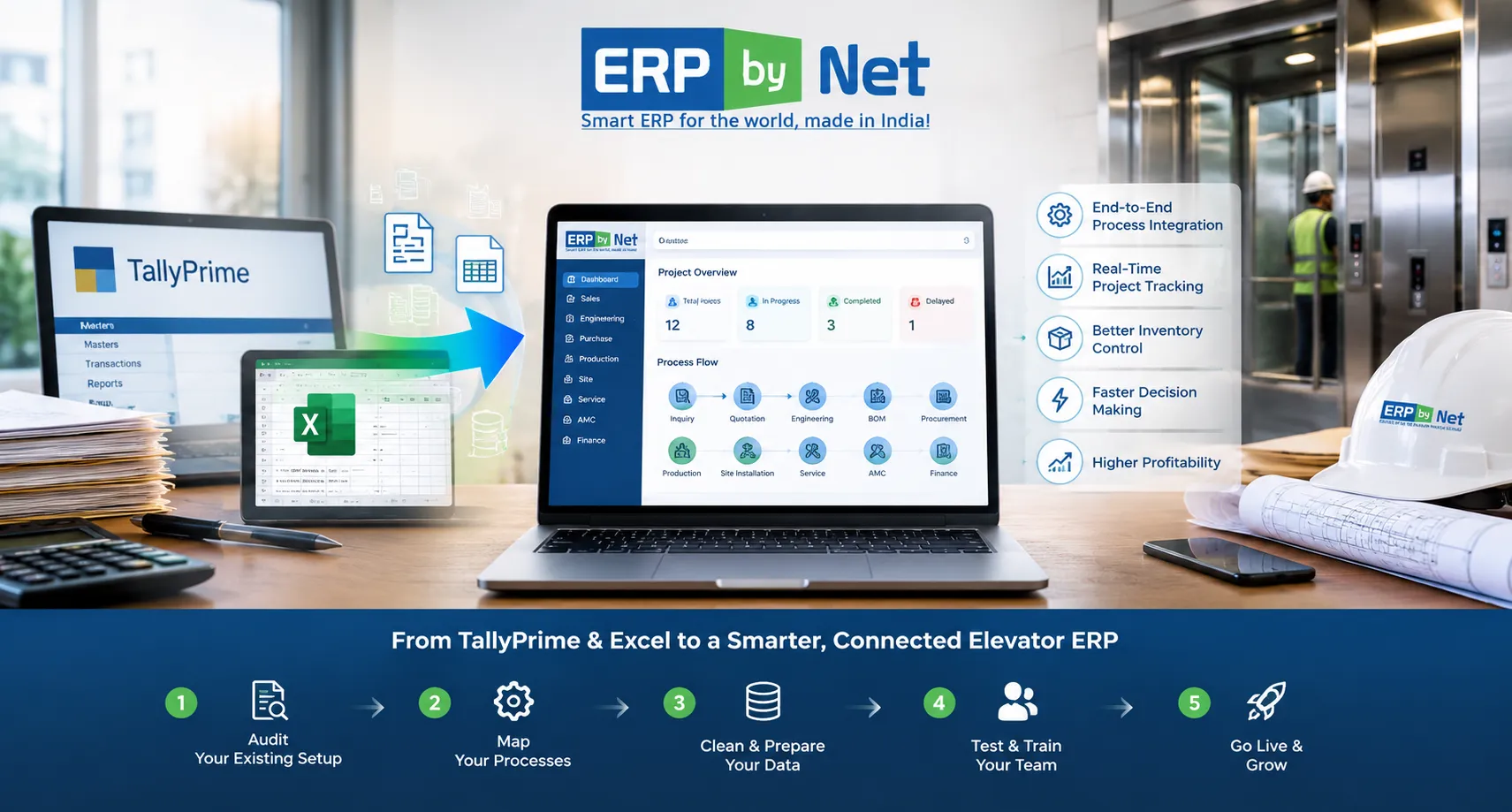
Migrating from TallyPrime & Excel to a Dedicated Elevator ERP: The 5-Stage Transition Roadmap

Key Takeaways

  • ERP migration is more than transferring data; it requires redesigning how information moves across the business.
  • Elevator businesses have interconnected data across sales, engineering, BOM, procurement, production, site, service, and finance.
  • Data cleansing is critical before moving TallyPrime and Excel records into a new ERP.
  • Pilot testing and user training reduce migration and adoption risks.
  • A controlled five-stage transition helps move from disconnected tools to connected elevator operations.

What You’ll Learn

  • How to audit TallyPrime and Excel data before migration.
  • How to map elevator-specific processes and dependencies before ERP configuration.
  • Why duplicate, outdated, and inconsistent data should be cleaned before migration.
  • How pilot testing, validation, and department-based training support a smoother transition.
  • How ERPbyNet connects sales, engineering, material planning, production, site, service, AMC, and finance.

Real Insights

  • Moving bad data into a new ERP does not fix the underlying problem.
  • Excel becomes risky when multiple teams maintain different versions of the same information.
  • ERP migration should follow business processes, not simply existing spreadsheets.
  • Go-live is not the finish line; adoption, accuracy, and workflow performance still need monitoring.
  • The real value of migration is connecting information across the complete elevator project lifecycle.

For many elevator companies, TallyPrime and Excel work well when the business is smaller and operational complexity is limited. TallyPrime can manage accounting and financial transactions, while Excel can handle quotations, BOMs, project trackers, procurement lists, installation schedules, service records, and management reports.

The challenge begins when the business grows.

More elevator projects mean more customized configurations, more components, more suppliers, more sites, more technicians, more service contracts, and more information moving between departments. At that point, the problem is no longer simply having too many spreadsheets. The bigger issue is that critical business information is distributed across systems that were never designed to operate as one connected workflow.

Sales may maintain one version of a quotation. Engineering may maintain another version of the BOM. Procurement may work from a separate material sheet. Production may have its own planning file, while the site team tracks installation progress somewhere else.

Finance may know the revenue. Operations may know the project status. Service may know the equipment history. But management may struggle to connect all of that information quickly enough to answer a basic question:

“What is really happening with this elevator project, and how profitable is it?”

This is where migrating from TallyPrime and Excel to a dedicated elevator ERP becomes a strategic business decision rather than simply a software replacement.

Why Are Elevator Companies Moving Beyond TallyPrime and Excel?

Elevator company migrating from TallyPrime and Excel to an integrated ERP for sales, engineering, production, site installation, service, AMC, and finance

TallyPrime remains useful for accounting and financial management, and Excel remains flexible for analysis and operational tracking. The issue is not that either tool is inherently unsuitable.

The issue is what happens when an elevator business tries to manage a complex project lifecycle by connecting them manually.

Business AreaTypical TallyPrime + Excel ApproachWhat a Connected Elevator ERP Can Provide
SalesQuotation details maintained in spreadsheets and accounting data separatelyInquiry, quotation, configuration, pricing and order information connected
EngineeringEngineering data and specifications maintained separatelyProduct rules, engineering data and BOM generation connected to the order
Material PlanningManual Excel calculations and purchase follow-upsDemand planning, MRP, planned orders and procurement workflows
ProductionSeparate production schedules and job trackersProduction planning linked to project and material requirements
Site InstallationSite status maintained through spreadsheets, calls or messagesSite readiness, scheduling, activity tracking and handover management
Service & AMCSeparate service registers and renewal remindersBreakdown service, preventive maintenance, AMC and equipment history
FinanceFinancial information separated from operational project dataOperational and financial information connected for project-level analysis

The objective of migration, therefore, should not be to simply transfer old records into a new application.

The objective should be to move from fragmented information management to a connected operating model.

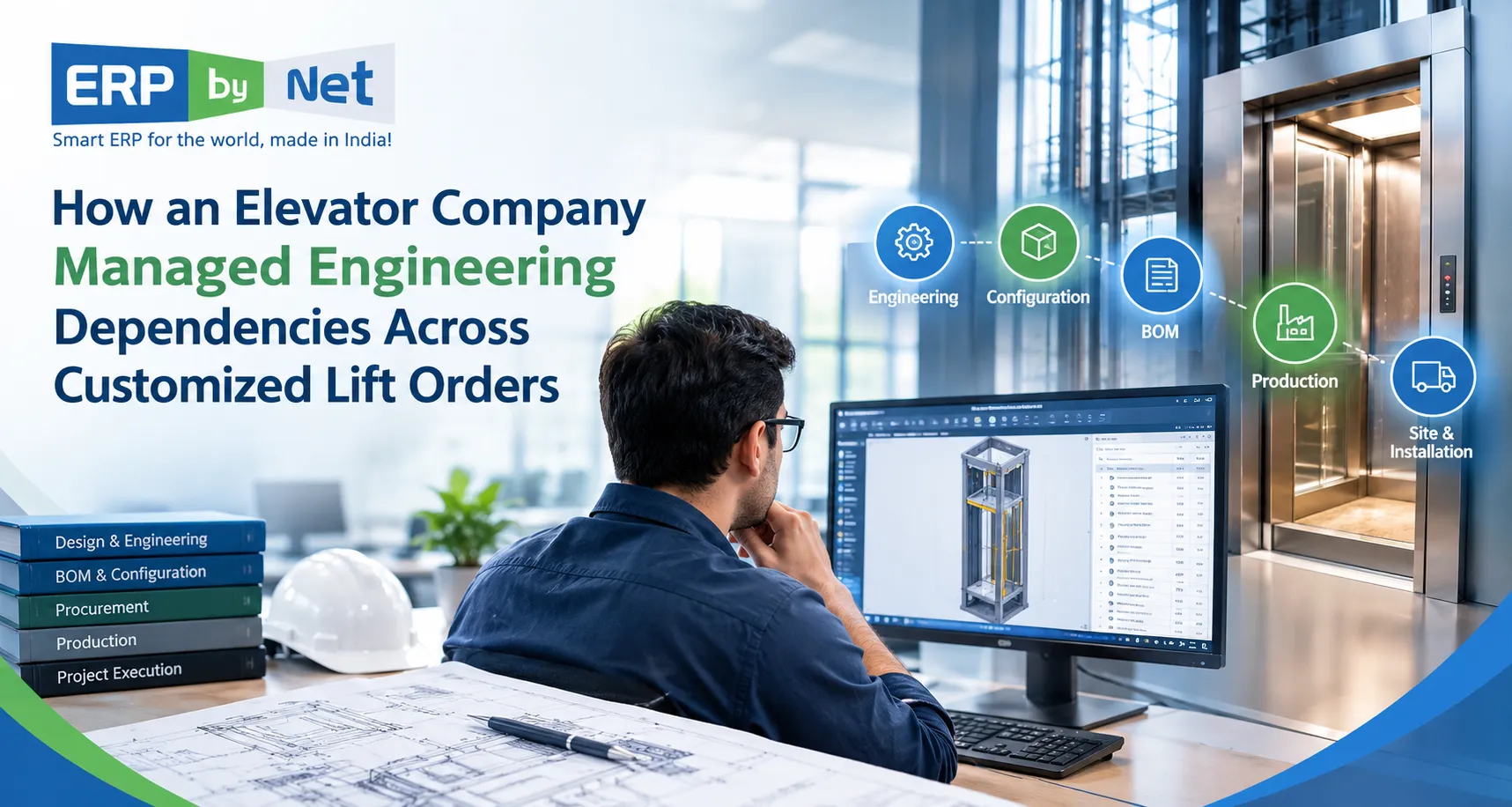
Read More: How an Elevator Company Managed Engineering Dependencies Across Customized Lift Orders

What Makes Elevator ERP Migration Different?

A standard ERP migration may involve customers, vendors, products, invoices, payments and inventory.

An elevator business has additional dependencies.

A single order can involve:

  • Customer and project information
  • Elevator configuration and specifications
  • Quotation and BOQ
  • Engineering decisions
  • Bill of Materials
  • Component availability
  • Purchase requirements
  • Production planning
  • Site readiness
  • Installation activities
  • Handover documentation
  • Breakdown service
  • Preventive maintenance
  • AMC renewal
  • Project profitability

These activities are not independent.

A change in elevator configuration can affect the engineering specification. The engineering change can affect the BOM. The BOM can change material demand. Material demand can affect procurement. Procurement can affect production. Production can affect site scheduling. Site delays can affect customer billing and project profitability.

That is why elevator ERP migration should be approached as a process transformation project, not simply a data-transfer exercise.

The 5-Stage Transition Roadmap

A controlled migration can be divided into five practical stages:

  1. Audit the current TallyPrime + Excel environment
  2. Map elevator-specific processes and data dependencies
  3. Clean, structure and prepare the data
  4. Test, train and execute a controlled transition
  5. Go live, stabilize and continuously improve

Each stage addresses a different migration risk. Skipping one may create problems that only become visible after the ERP goes live.

Stage 1: Audit Your Existing TallyPrime and Excel Environment

Before selecting migration fields or importing data, understand where your current information actually lives.

In many elevator businesses, information has accumulated over years across multiple spreadsheets and systems.

You may find:

  • Customer masters in TallyPrime
  • Quotation data in Excel
  • BOQs in separate project files
  • BOMs maintained by engineering teams
  • Supplier lists in procurement spreadsheets
  • Stock information in multiple files
  • Installation schedules maintained by project teams
  • Technician information in service spreadsheets
  • AMC information in separate registers
  • Project costing maintained manually

Start by creating a data and process inventory.

SourceInformation to IdentifyMigration Decision
TallyPrimeLedgers, customers, vendors, transactions, opening balancesMigrate, archive or retain for reference
Sales ExcelLeads, quotations, prices, BOQs, order statusClean and map to sales workflow
Engineering ExcelSpecifications, components, BOMs and revisionsConvert into structured engineering data
Purchase ExcelSuppliers, purchase requirements, open ordersMap to procurement workflow
Production ExcelJobs, schedules, material requirementsConnect to planning and manufacturing
Service ExcelEquipment, complaints, visits, AMCs and partsMap to service lifecycle

Do not migrate everything simply because it exists.

Old duplicate customers, inactive items, obsolete components and outdated spreadsheets can create unnecessary complexity in the new ERP.

Stage 2: Map Your Elevator-Specific Processes Before Configuring the ERP

This is where an elevator ERP migration differs significantly from a generic accounting-system migration.

Instead of asking only, “Which fields should we migrate?”, ask:

“How should information move through our business after migration?”

Map the complete operational lifecycle:

Inquiry → Quotation → BOQ → Engineering → BOM → Material Planning → Procurement → Production → Site Installation → Handover → Service → AMC → Finance

Then identify the dependencies between every stage.

Example: A Change in Elevator Specification

Imagine a customer changes the required load capacity after the quotation has already been prepared.

In a fragmented environment, someone may need to:

  • Update the quotation
  • Inform engineering
  • Modify the BOM
  • Check component availability
  • Review purchase requirements
  • Update production planning
  • Inform the site team
  • Recalculate project costing

If these updates happen manually, there is a significant risk that one department continues working with the previous information.

A connected elevator ERP should instead provide controlled workflows where relevant changes can flow into the appropriate downstream processes.

This is particularly important for elevator manufacturers and engineering companies handling ETO, MTO, customized configurations and project-specific requirements.

Stage 3: Clean and Structure the Data Before Migration

Data migration is not the right time to discover that three customer records represent the same company or that the same elevator component has been entered under five different item codes.

Clean the data before loading it.

Key Data-Cleansing Activities

  • Remove duplicate customer records
  • Standardize customer and vendor names
  • Review inactive suppliers
  • Identify duplicate item codes
  • Standardize units of measurement
  • Review obsolete components
  • Validate BOM structures
  • Check opening inventory
  • Reconcile financial balances
  • Review open purchase orders
  • Identify open project commitments
  • Validate active service contracts
  • Separate historical information from operational information

It is also important to decide what should actually be migrated.

Data CategoryRecommended Approach
Active CustomersMigrate after cleansing and validation
Active VendorsMigrate after standardization
Active ItemsMigrate with correct codes, units and categories
Current BOMsValidate and migrate as structured engineering data
Open OrdersMigrate based on business requirements
Current ProjectsPrioritize because they directly affect ongoing operations
Active AMCsMigrate with contract and equipment information
Old Historical DataEvaluate whether it needs migration or archival access

The principle is simple:

Do not transfer data merely because you can. Transfer the data the business needs to operate accurately.

Stage 4: Test, Train and Execute a Controlled Transition

One of the biggest mistakes companies can make is treating ERP go-live as a single-day software switch.

A better approach is controlled testing.

Run a Pilot Migration

Start with a representative dataset rather than immediately migrating the entire organization.

For example, select:

  • A sample of customers
  • Representative elevator models
  • Common components
  • Sample BOMs
  • Active projects
  • Open purchase requirements
  • Current service contracts

Then test whether the information behaves correctly inside the new system.

Validate More Than Data Counts

Matching the number of records is not enough.

If 5,000 customer records were migrated successfully, that does not automatically mean the migration is correct.

Validate the business meaning of the information.

Validation AreaWhat to Check
Customer DataNames, contacts, addresses, tax information and project relationships
Item DataCodes, descriptions, units, categories and status
BOMComponents, quantities, revisions and relationships
InventoryOpening quantities, locations and valuation
FinanceOpening balances, receivables, payables and reconciliations
ProjectsOrders, costs, milestones and outstanding activities
AMCContract dates, equipment details and pending service obligations

Train Users Around Their Actual Work

Training should not focus only on where buttons are located.

Sales users should learn how to create and manage quotations. Engineering teams should understand product configuration and BOM workflows. Purchase teams should know how requirements are generated and processed. Site teams should understand scheduling and activity updates. Service teams should be trained on complaints, preventive maintenance, parts and equipment history.

When training is connected to real business scenarios, user adoption becomes significantly easier.

Stage 5: Go Live, Stabilize and Improve

Going live is the beginning of the new operating process, not the end of the migration project.

The first few weeks should be treated as a stabilization period.

Monitor:

  • Data accuracy
  • User adoption
  • Pending transactions
  • Workflow bottlenecks
  • Purchase and inventory accuracy
  • Project status updates
  • Site execution delays
  • Service response tracking
  • AMC renewal processes
  • Management reporting

Establish clear ownership for issues discovered after go-live.

For example:

IssueOwnerResponse
Incorrect customer masterSales/AdminCorrect master and validate downstream impact
Incorrect BOMEngineeringReview revision and component structure
Material discrepancyStores/PurchaseReconcile stock and transaction history
Site status mismatchProject/Site TeamValidate activity and readiness information
Service information missingService TeamReview equipment and contract records

This prevents the ERP from becoming another system that employees work around.

Read More: What Is Really Behind Cost Overruns in Elevator Projects-and How Can ERP Help Control Them?

What Should an Elevator Company Expect After Migration?

Integrated elevator ERP connecting sales, engineering, material planning, production, site installation, service and AMC

The value of migration should not be measured by the number of spreadsheets eliminated.

The real value appears when departments can work from connected information.

1. Sales and Engineering Work From the Same Order Information

Sales does not have to repeatedly communicate every specification change to engineering through separate messages and files. Product configuration, quotation information and engineering requirements can be connected through the ERP workflow.

2. Engineering Can Influence Material Planning Earlier

When BOM and engineering information are connected to planning, material requirements can be identified before procurement becomes an emergency exercise.

3. Procurement Can Work From Actual Demand

Instead of maintaining independent purchase trackers, teams can work from structured requirements generated from orders, BOMs, stock levels and planning rules.

4. Project Teams Can Track Installation More Systematically

Elevator installation is not simply a delivery activity. Site readiness, material availability, activities, dependencies and handover all influence project completion.

A connected site-management layer can help teams track these activities rather than relying entirely on calls, spreadsheets and manual follow-ups.

5. Service Teams Can Connect Breakdown, Equipment and AMC Information

Once an elevator is handed over, the operational lifecycle continues.

Service teams need access to equipment history, complaints, preventive maintenance schedules, spare parts and AMC information. Connecting these processes helps move service management beyond isolated complaint records.

6. Management Can Evaluate Project Performance

When project information, material consumption, labour, subcontracting, logistics and billing information are connected, management can evaluate where margins are being gained or lost.

This is particularly valuable for project-based elevator businesses where a project that looks profitable at quotation stage can experience cost pressure during procurement, manufacturing or installation.

Where ERPbyNet Fits Into the Transition

The purpose of moving to an elevator ERP should not be to replace TallyPrime and Excel with another collection of disconnected modules.

The objective should be to create a connected operational flow designed around how elevator and engineering businesses actually work.

ERPbyNet is designed around this requirement, connecting business processes across sales, engineering, material planning, manufacturing, site execution, service and finance.

For example, the transition can connect:

  • SalesPundit for inquiry, quotation, CPQ, BOQ and order processes
  • Product Definition Studio for product rules and configuration logic
  • DrawGenie for drawing generation from quotation and engineering information
  • AceMRP for engineering, planning, procurement, manufacturing and material requirements
  • AceSiteManager for site planning, readiness and installation execution
  • AceService for service and AMC processes
  • SmartTechnician for technician mobility and field execution
  • AceFinance for financial processes and reporting

The important point is not the number of modules.

It is the connection between them.

Quotation information can influence engineering. Engineering can influence BOM. BOM can influence material planning. Material planning can influence procurement and production. Production can influence site execution. Site completion can lead into service and AMC.

That connected lifecycle is what makes an industry-focused ERP different from simply adding another accounting or spreadsheet replacement tool.

Should You Migrate Everything From TallyPrime and Excel?

No.

A successful ERP migration is not a historical data dumping exercise.

Before migration, divide information into three categories:

  • Operational data: Information required for current business activities
  • Reference data: Historical information that may be required for analysis or customer/service reference
  • Obsolete data: Duplicate, inactive or outdated information that does not need to enter the new operational system

This approach keeps the new ERP cleaner and makes adoption easier for users.

Common Mistakes to Avoid During Elevator ERP Migration

Mistake 1: Treating Migration as an IT-Only Project

Finance, sales, engineering, purchase, production, projects and service teams all understand different parts of the business. Their participation is essential.

Mistake 2: Migrating Dirty Data

Duplicate customers, inconsistent item codes and obsolete BOMs do not become better simply because they are imported into a new system.

Mistake 3: Ignoring Business Processes

Copying existing spreadsheets into ERP fields without redesigning the workflow can reproduce the same inefficiencies inside a new interface.

Mistake 4: Testing Only the Software

Test real business scenarios. Create a quotation, convert it into an order, generate requirements, process procurement, track production and follow the project through site execution.

Mistake 5: Going Live Without User Readiness

Even technically correct ERP systems can fail to deliver value if employees continue maintaining parallel Excel files because they do not trust or understand the new process.

Mistake 6: Measuring Success Only by Go-Live

The real test comes after implementation: Are manual follow-ups decreasing? Are project delays easier to identify? Can management understand project profitability? Can service teams access the information they need?

Elevator ERP Migration Checklist

Before switching from TallyPrime and Excel, use this checklist:

  • ☐ Identify every major TallyPrime and Excel data source
  • ☐ Assign business owners for each data category
  • ☐ Identify duplicate and obsolete records
  • ☐ Define the data that must be migrated
  • ☐ Map current processes to the future ERP workflow
  • ☐ Validate customer, vendor and item masters
  • ☐ Review BOMs and engineering information
  • ☐ Reconcile opening financial balances
  • ☐ Identify active projects and open transactions
  • ☐ Validate active AMC and service records
  • ☐ Create a migration mapping document
  • ☐ Run a pilot migration
  • ☐ Test real business scenarios
  • ☐ Train users by department
  • ☐ Define the go-live and cutover process
  • ☐ Keep an appropriate fallback/reference strategy
  • ☐ Monitor adoption after go-live
  • ☐ Measure operational improvements after implementation

When Is the Right Time to Move From TallyPrime + Excel to an Elevator ERP?

There is no single employee count or revenue threshold that determines when an elevator company needs ERP.

The stronger indicators are operational complexity.

You should seriously evaluate an elevator ERP when:

  • Multiple teams maintain separate versions of the same information
  • Quotation-to-engineering handoffs require repeated manual communication
  • BOM changes frequently create procurement or production issues
  • Project teams struggle to track material and site readiness
  • Management cannot quickly calculate project-wise profitability
  • Service teams maintain separate equipment and AMC records
  • Technicians depend heavily on phone calls and manual reporting
  • Inventory information is difficult to reconcile with project requirements
  • Excel trackers have become critical to daily operations
  • Management spends significant time collecting information before making decisions

The trigger is not necessarily “Excel has become too large.”

It is when the business has become too interconnected for disconnected tools to manage efficiently.

ERPbyNet
Move Beyond TallyPrime & Excel
Follow a structured 5-stage migration roadmap to move sales, projects, inventory, service, and finance into an elevator-focused ERP without losing control of your business data.
Elevator ERP • Migration Roadmap • 5 Stages
Make your move from spreadsheets to connected elevator operations with ERPbyNet.

Final Takeaway: The Goal Is Not Just to Leave Excel

Migrating from TallyPrime and Excel to a dedicated elevator ERP should not be viewed as replacing familiar software with a new application.

It is an opportunity to redesign how information moves through the business.

For an elevator company, that means connecting the journey from:

Inquiry → Quotation → Engineering → BOM → Procurement → Production → Site → Service → AMC → Finance.

The five-stage transition provides a practical way to approach that change:

  1. Audit what you have.
  2. Map how your elevator business actually operates.
  3. Clean and structure the data.
  4. Test and prepare users before transition.
  5. Go live with controlled stabilization and continuous improvement.

For elevator manufacturers, installation companies and engineering businesses, the biggest ERP benefit is not simply reducing spreadsheets. It is creating a connected operational foundation where engineering decisions, material requirements, production, project execution, service and financial performance can work together.

ERPbyNet helps elevator and project-based businesses move toward that connected model with industry-focused processes across sales, engineering, manufacturing, site execution, service, AMC and finance.

Ready to evaluate whether your current TallyPrime + Excel setup has reached its limit?

Explore ERPbyNet or contact to discuss how a dedicated elevator ERP can support your next stage of growth.

Frequently Asked Questions

1. Can an elevator company migrate from TallyPrime and Excel to an ERP?

Yes. The migration should be planned around both financial data and operational information. Customer, vendor, item, inventory, project, BOM, service and AMC data should be assessed individually to determine what should be migrated, transformed, archived or retained for reference.

2. Do we need to stop using TallyPrime immediately after selecting an elevator ERP?

Not necessarily. The transition strategy depends on the company’s financial, operational and compliance requirements. A controlled cutover or phased transition can reduce operational disruption while teams validate the new workflows and migrated data.

3. Should all Excel files be imported into the new ERP?

No. Before migration, identify which spreadsheets contain active business data, which contain historical reference information and which contain duplicate or obsolete records. Importing everything can make the new system harder to manage.

4. What data should an elevator company prioritize during ERP migration?

Priority data generally includes active customers, vendors, item masters, inventory, current projects, open orders, engineering information, BOMs, active service records and AMC contracts. Financial opening balances and other accounting information should also be carefully reconciled according to the implementation plan.

5. How long does it take to migrate from TallyPrime and Excel to an ERP?

The timeline depends on the number of users, business processes, data quality, integrations, historical data requirements and degree of customization. A structured assessment and pilot migration should be completed before committing to a final implementation timeline.

6. What happens to historical TallyPrime data?

Historical information does not always need to be loaded completely into the new operational ERP. Companies can determine which history is required for active reporting, customer reference, financial analysis and compliance, while other records may be retained through an appropriate archival or reference strategy.

7. Why is Excel still a problem if the company already has TallyPrime?

TallyPrime and Excel may each perform useful functions, but they can leave operational information distributed across separate workflows. An elevator ERP can connect sales, engineering, BOM, procurement, production, site execution, service and finance so teams work from a more consistent operational process.

8. What makes an elevator ERP different from a generic ERP?

An elevator-focused ERP can be designed around processes such as product configuration, engineering dependencies, BOM management, material planning, project/site execution, installation, breakdown service and AMC management. These workflows are particularly important for elevator manufacturers and project-based engineering businesses.

CategoriesElevator Maintenance Management ERP (Enterprise Resource Planning)

How an Elevator Company Managed Engineering Dependencies Across Customized Lift Orders

Key Takeaways

  • Customized lift orders create interconnected engineering dependencies across design, components, materials, and production.
  • Changes in one specification can affect multiple engineering decisions and component requirements.
  • Incomplete or outdated engineering data can lead to incorrect BOMs, material shortages, and rework.
  • Engineering approvals and revision control help teams work with the correct specifications.
  • Connected engineering and production workflows help manage customized orders with fewer disruptions.

What You’ll Learn

  • How customized lift specifications affect engineering dependencies.
  • Why design changes influence BOMs, materials, and production planning.
  • How engineering validation and revision control reduce errors.
  • Why engineering, procurement, and production need synchronized information.
  • How ERPbyNet connects engineering data with material planning and production.

Real Insights

  • A small specification change can trigger multiple downstream engineering updates.
  • Incorrect engineering data can create material and production problems.
  • Uncontrolled revisions can cause teams to work with outdated specifications.
  • Early validation helps identify conflicts before production begins.
  • Managing engineering dependencies helps protect project schedules, material accuracy, and production readiness.

Customized elevator manufacturing involves more than selecting a lift model and preparing it for production. Every order can bring different requirements for load capacity, cabin dimensions, floor configurations, door systems, control panels, finishes, and installation conditions. These specifications are interconnected, meaning a change in one engineering decision can affect several other activities.

For elevator manufacturers, the challenge is not simply designing a customized lift. It is ensuring that every department works with the correct technical information throughout the order lifecycle. Engineering must coordinate with sales, procurement, production, project management, and installation teams to ensure that the approved design can be manufactured and delivered according to the project requirements.

When these activities operate through disconnected spreadsheets, emails, and separate systems, even a small specification change can create additional engineering work, material mismatches, and production delays.

Engineering dependency management helps elevator companies identify relationships between technical requirements, design decisions, components, and downstream activities. With a structured process and connected ERP workflows, businesses can improve coordination, control revisions, and manage customized lift orders with greater operational consistency.

This article explores an illustrative elevator manufacturing scenario to explain how engineering dependencies can be managed and how ERPbyNet can support connected workflows across engineering, material planning, production, and project execution.

Why Engineering Dependencies Matter in Customized Lift Manufacturing

Unlike standardized products, customized elevators are designed around specific building requirements and customer expectations. An elevator manufacturer may receive orders for different building heights, shaft dimensions, load capacities, cabin finishes, and operating configurations.

Each requirement influences the engineering decisions that follow. For example, changing the cabin dimensions may affect the structural arrangement, component selection, and technical drawings. A change in the number of floors served may influence the equipment configuration and installation requirements.

These relationships create engineering dependencies.

An engineering dependency exists when one technical decision, component, drawing, or process relies on another being completed or validated first. If an upstream requirement changes, the engineering team must determine which related activities and deliverables need to be reviewed.

Common engineering dependencies in customized lift orders

  • Customer requirements and product configuration: Customer specifications determine the technical parameters of the lift.
  • Product configuration and component selection: Selected options must be compatible with the approved technical specifications.
  • Engineering design and BOM generation: The product structure must reflect the final approved configuration.
  • BOM and material planning: Component quantities and specifications influence purchasing and inventory requirements.
  • Engineering drawings and production instructions: Manufacturing teams need the correct technical documents and revisions.
  • Engineering approval and project execution: Production and installation schedules depend on approved technical information and project readiness.

When these dependencies are managed systematically, teams can identify the impact of changes before they create avoidable disruptions.

BUSINESS CHALLENGE

The Business Challenge: Managing Multiple Customized Orders at Once

Consider an illustrative elevator manufacturer handling several customized lift orders simultaneously. One project requires a passenger elevator with a specific cabin finish, another involves a higher load capacity, and a third requires adjustments to accommodate building shaft conditions.

Each order has its own engineering requirements, component specifications, production schedule, and installation timeline. Managing these interconnected activities becomes increasingly complex as the number of active orders grows.

At first, the engineering team may manage these requirements through individual drawings, spreadsheets, email approvals, and manually maintained BOM files. As the number of active orders increases, coordinating these records becomes more difficult.

What Happens When a Customer Changes the Requirements?

The problem becomes more complicated when customers request changes after engineering work has already started. A revised cabin dimension may require a drawing update. That drawing change may affect the BOM, which could influence material procurement and production planning.

If purchasing or production continues using an earlier revision, the company may encounter incorrect material orders, rework, or avoidable delays.

Where Disconnected Engineering Workflows Create Problems

When engineering information is spread across disconnected systems, even a small change can create challenges across multiple departments. The following table highlights common problems and their operational consequences.

Business Challenge Operational Consequence
Incomplete customer specifications Repeated clarification and design revisions
Uncontrolled engineering changes Conflicting drawings and outdated technical information
Incorrect BOM revisions Material mismatches and procurement errors
Delayed engineering approvals Production planning uncertainty
Poor coordination between departments Repeated follow-ups and manual data entry
Limited project-level coordination Difficulty aligning material availability with installation schedules

The Real Issue: Disconnected Information

These problems are not always caused by poor engineering decisions. In many cases, the underlying issue is the lack of a structured process for managing technical dependencies, controlling revisions, and sharing accurate information across departments. A connected workflow can help elevator manufacturers identify these challenges earlier and coordinate changes more effectively.

How Engineering Dependencies Develop Across a Customized Lift Order

To understand the importance of dependency management, it helps to follow a customized elevator order from customer requirements to installation.

1. Customer Requirements Determine the Engineering Scope

The process begins with capturing the customer’s technical and commercial requirements. These may include the number of floors, travel height, load capacity, cabin dimensions, door configuration, operating conditions, and aesthetic preferences.

The engineering team uses this information to assess the feasibility of the proposed configuration.

If a specification is incomplete or changes after the initial review, the team must identify which technical decisions need to be revisited. A clear record of approved requirements helps reduce confusion between sales and engineering.

Key information to establish:

  • Customer-approved technical specifications
  • Building and shaft dimensions
  • Product configuration requirements
  • Technical constraints and applicable approvals
  • Scope of supply and project-specific conditions

A structured requirement-capture process creates a reliable starting point for subsequent engineering activities.

2. Product Configuration Establishes Component Dependencies

Once the requirements are understood, engineering determines the appropriate product configuration.

A customized elevator may include several interdependent components. The selection of one component can influence the compatibility or specification of another. For example, a particular door arrangement may require corresponding adjustments to the cabin layout or related assemblies.

Without clear configuration rules, teams may need to repeatedly review component compatibility manually.

A structured product configuration process helps establish relationships between technical parameters and permissible component combinations. It can also support the generation of order-specific product information and engineering outputs.

The objective is to identify incompatible combinations and unresolved requirements before they move into downstream processes.

3. Engineering Drawings and BOM Must Reflect the Same Approved Design

After the product configuration is validated, engineering prepares the drawings, assembly details, and bill of materials required for the order.

The engineering BOM identifies the components and assemblies needed to build the configured product. Its accuracy depends on the approved design and the completeness of the underlying technical information.

If a design revision changes a component specification or assembly structure, the relevant engineering documents and BOM records must be reviewed.

For example, a change to a cabin arrangement may require an updated drawing and a revised component requirement. If the BOM is not aligned with the approved design, purchasing may order the wrong materials or production may prepare an incorrect assembly.

Maintaining a controlled relationship between configuration data, drawings, and BOM revisions helps reduce these risks.

4. Material Planning Depends on Engineering Accuracy

Engineering decisions directly influence material requirements.

Once the engineering BOM is approved, material planning teams can evaluate component quantities, stock availability, lead times, and purchasing requirements.

However, customized orders often involve components with different sourcing conditions. Some materials may already be available, while others may require procurement or specialized manufacturing.

When engineering changes occur after material planning has started, the team must assess the impact on existing requirements and commitments.

A structured process should help answer:

  • Which component specifications or quantities have changed?
  • Are the required materials already in stock?
  • Have purchase orders been placed for the earlier revision?
  • Are any materials reserved for another project?
  • Does the change affect the planned production date?

This connection between engineering and material planning is essential for avoiding unnecessary purchases and identifying potential shortages before production begins.

5. Production Must Receive the Correct Engineering Release

Manufacturing teams depend on approved technical information to prepare work orders, allocate materials, and execute production activities.

If production starts using an outdated drawing or BOM, the company may face rework, component incompatibility, or quality issues.

A controlled engineering release process establishes which technical information is approved for manufacturing. It should also define how revised documents are communicated to the teams responsible for executing the order.

Before production begins, teams should confirm that the relevant engineering deliverables are complete and that material requirements are aligned with the approved configuration.

6. Installation Requirements Must Remain Connected to Engineering

Engineering dependencies do not end when manufacturing is completed.

Elevator installation is influenced by site-specific conditions, including shaft dimensions, access arrangements, building readiness, and installation requirements.

If site measurements reveal a discrepancy between the approved design and actual conditions, engineering may need to review the issue before installation proceeds.

The company must then assess whether the change affects drawings, materials, project schedules, or installation activities.

Connecting engineering information with project execution helps teams identify these dependencies earlier and coordinate the appropriate corrective actions.

Read More : How an Elevator Company Managed Financial Gaps Between Project Completion and Customer Billing

How the Elevator Company Can Structure Engineering Dependency Management

Elevator engineer reviewing customized lift specifications, CAD drawings, BOM revisions, and engineering dependencies across production and installation.

In the illustrative scenario, the company can improve coordination by establishing a consistent workflow for capturing requirements, validating designs, controlling revisions, and communicating changes.

The objective is not to eliminate every engineering change. Customized manufacturing naturally involves revisions and customer-specific requirements. The objective is to make sure that changes are assessed, approved, and communicated before they disrupt downstream work.

Step 1: Centralize Order-Specific Engineering Information

The company establishes a consistent record for each customized lift order.

This record connects the approved customer specifications with product configuration details, engineering documents, BOM information, and relevant project requirements.

A centralized approach reduces dependence on scattered files and makes it easier for authorized teams to locate the information needed for their work.

Step 2: Define Configuration Rules and Technical Validation

Engineering teams establish the relationships between product parameters, compatible components, and technical constraints.

Where supported by the product configuration system, rules can validate selected options and help generate the appropriate product structure.

This approach helps identify configuration issues earlier instead of relying entirely on manual checks after the quotation or order has progressed.

Step 3: Establish Controlled Engineering Revisions

Every significant engineering change should be recorded and reviewed.

A structured revision process identifies the original specification, the proposed change, the reason for the change, and the engineering deliverables affected.

The team then determines whether the revision requires updated drawings, BOM changes, material replanning, or production rescheduling.

Step 4: Assess Downstream Impact Before Releasing Changes

Engineering changes should be evaluated beyond the design department.

The company can establish an impact-review process involving engineering, procurement, production, and project management whenever a change affects their responsibilities.

This helps identify potential consequences before the revised information is released for execution.

Step 5: Connect Engineering Approval With Execution Readiness

Once a revision is approved, the relevant teams need access to the correct information.

Procurement must understand updated material requirements. Production must receive the approved engineering data. Project teams must assess whether the change affects installation commitments.

This creates a more coordinated transition from engineering completion to manufacturing and project execution.

Engineering Dependency Management: Before and After a Structured Workflow

The following table illustrates how a structured approach can change the way an elevator company manages customized orders.

ActivityDisconnected workflowStructured dependency management
Requirement captureSpecifications scattered across filesCentralized order-specific requirements
Product configurationRepeated manual compatibility checksDefined configuration rules and validation
Engineering documentationMultiple drawing versions in circulationControlled revisions and approved documents
BOM managementManual updates across separate filesBOM updates aligned with approved engineering data
Material planningShortages discovered during executionMaterial impact assessed when requirements change
Production releaseTeams may rely on different revisionsApproved engineering information shared with execution teams
Project coordinationChanges communicated through follow-upsRelevant departments assess schedule and material impacts

The effectiveness of this approach depends on how well the company defines its processes, maintains accurate data, and configures its systems.

How ERPbyNet Supports Connected Engineering and Project Workflows

For elevator manufacturers, managing engineering dependencies requires coordination between product configuration, material planning, manufacturing, and project execution.

ERPbyNet is an integrated ERP platform developed by XECOM Information Technologies for elevator companies, engineering businesses, manufacturing organizations, and project-based industries. Its modules connect sales, engineering-related workflows, material planning, production, installation, service, and finance operations.

Rather than treating engineering as an isolated activity, businesses can use connected ERP workflows to help carry order information into downstream operational processes.

Product Definition Studio and SalesPundit: Connecting Requirements With Configuration

Customized elevator orders begin with customer requirements and technical specifications.

ERPbyNet’s SalesPundit supports sales workflows, including quotations, pricing, and order-related activities. Product Definition Studio supports complex product definition through technical rules, product specifications, and configuration logic.

These capabilities can support a more structured process for translating customer requirements into configured product information.

For elevator manufacturers, the commercial value lies in connecting sales commitments with the technical requirements needed to fulfill the order.

DrawGenie: Supporting Engineering Documentation

Engineering documentation must reflect the approved product configuration.

ERPbyNet’s DrawGenie supports automated drawing generation for complex engineering products based on configured specifications and product definitions.

When used within an appropriately configured workflow, this capability can help connect product definition with engineering documentation and reduce repetitive drawing preparation.

The specific drawings and validation steps supported depend on the product configuration and implementation.

AceMRP: Connecting Engineering-Derived Requirements With Material Planning

Once the engineering BOM and component requirements are established, the next challenge is determining whether materials will be available when needed.

AceMRP supports material requirements planning, inventory management, procurement, warehouse operations, and manufacturing coordination.

For customized elevator manufacturing, this connection can help teams evaluate material requirements alongside stock availability and purchasing activities.

When an engineering revision changes material demand, the relevant planning process must account for the updated requirements and any existing procurement commitments.

eProduction: Coordinating Manufacturing Activities

Production execution depends on accurate engineering information, material readiness, and coordinated manufacturing activities.

ERPbyNet’s eProduction supports production workflows, scheduling, work-center operations, and manufacturing process visibility.

Connecting manufacturing activities with planning information helps teams coordinate production around approved requirements and available resources.

AceSiteManager: Connecting Project Execution With Engineering and Supply Chain

After manufacturing, elevator orders move into installation and commissioning.

AceSiteManager supports project schedules, installation activities, budget tracking, and coordination with supply chain requirements. It also supports project-level adjustments as requirements evolve.

Installation & Project Management Software

For elevator companies, this connection helps align project execution with material availability, installation activities, and changing contract schedules.

Read More: What Is Really Behind Cost Overruns in Elevator Projects-and How Can ERP Help Control Them?

Key Business Benefits of Managing Engineering Dependencies

A structured engineering dependency process can support several operational improvements. Actual results depend on the company’s order complexity, existing processes, data quality, and ERP implementation.

1. Better Control Over Engineering Changes

When revisions are documented and assessed systematically, teams can identify which technical deliverables and downstream activities require attention.

This reduces the risk of different departments acting on conflicting information.

2. More Reliable Material Planning

Connecting engineering requirements with material planning helps businesses assess whether component demand matches the approved product configuration.

It also helps identify when a revision may affect existing stock, purchasing requirements, or production readiness.

3. Improved Coordination Between Departments

Sales, engineering, procurement, production, and project teams work with connected order information rather than repeatedly requesting updates from one another.

This can reduce manual coordination and help teams focus on resolving actual operational issues.

4. Better Production and Installation Planning

When engineering approvals and material requirements are considered alongside project schedules, teams can identify potential execution constraints earlier.

This supports more informed planning and helps reduce avoidable disruption caused by incomplete or outdated technical information.

5. Stronger Cost and Project Control

Engineering changes can influence material costs, procurement commitments, production effort, and installation schedules.

Connecting these activities with project and financial information helps management assess the commercial implications of changes and make more informed decisions.

ENGINEERING WORKFLOW CHECKLIST

Practical Checklist for Elevator Manufacturers

Are your engineering processes ready to handle customized lift orders without unnecessary delays, material mismatches, or revision errors? Use this checklist to assess how well your teams manage engineering dependencies.

✓ Review These 8 Critical Areas

Turn Engineering Challenges Into Better Control

If several of these areas require manual follow-ups or disconnected records, your engineering workflow may be exposed to avoidable operational risks. A connected ERP system can help align product configuration, engineering data, material planning, production, and project execution.

Explore ERPbyNet for Elevator Manufacturers →

Connect engineering, planning, production, and project execution with ERPbyNet.

Conclusion: Connect Engineering Decisions With Every Stage of the Lift Order

Managing customized elevator orders requires more than accurate technical drawings. It requires a structured way to understand how customer requirements, engineering decisions, component specifications, material planning, production, and installation depend on one another.

When these relationships are not managed systematically, a change in one area can create additional work across several departments. Uncontrolled revisions, mismatched BOMs, procurement uncertainty, and production delays can affect both operational efficiency and project profitability.

A structured dependency management process helps elevator manufacturers validate configurations, control engineering changes, coordinate material requirements, and communicate approved information across the business.

ERPbyNet helps elevator companies connect sales, product configuration, material planning, manufacturing, and project execution through an integrated ERP platform. With capabilities such as Product Definition Studio, DrawGenie, AceMRP, eProduction, and AceSiteManager, businesses can build a more coordinated workflow for managing customized lift orders.

For manufacturers handling complex product configurations and project-specific requirements, connecting engineering decisions with downstream execution is an important step toward improving operational control and managing customized orders more consistently.

Frequently Asked Questions

1. What are engineering dependencies in elevator manufacturing?

Engineering dependencies are relationships between technical requirements, product configurations, components, drawings, BOMs, and manufacturing activities. A change in one area may require updates or validation in other related areas.

2. Why are engineering dependencies important for customized lift orders?

Customized lift orders involve different technical specifications and component combinations. Managing dependencies helps ensure that changes to one requirement are assessed for their impact on drawings, materials, production, and installation.

3. How can elevator manufacturers manage engineering changes?

Manufacturers can establish controlled revision processes, document change requests, validate technical requirements, assess downstream impacts, and communicate approved updates to procurement, production, and project teams.

4. How does a BOM help manage customized elevator orders?

A bill of materials identifies the components and assemblies required for a configured product. An accurate, approved BOM helps connect engineering requirements with material planning, procurement, and production.

5. How can ERP software support engineering dependency management?

An integrated ERP system can connect product configuration, engineering-related information, material planning, manufacturing, and project execution. The specific level of dependency tracking and change control depends on the software’s capabilities and implementation.

6. How does ERPbyNet support customized elevator manufacturing?

ERPbyNet provides capabilities for sales management, product definition, drawing generation, material planning, manufacturing coordination, and project execution through modules such as SalesPundit, Product Definition Studio, DrawGenie, AceMRP, eProduction, and AceSiteManager.

7. Can engineering changes affect elevator production schedules?

Yes. A change to product specifications or component requirements may affect engineering approvals, material availability, manufacturing instructions, and production schedules. The actual impact depends on the nature and timing of the change.

8. How can elevator companies improve coordination between engineering and installation teams?

Companies can connect approved engineering information with material planning, project schedules, site surveys, and installation activities. This helps teams identify technical or site-related issues before they disrupt execution.

CategoriesERP (Enterprise Resource Planning) MRP Services for Smart Manufacturing & Production Planning | ERPbyNet

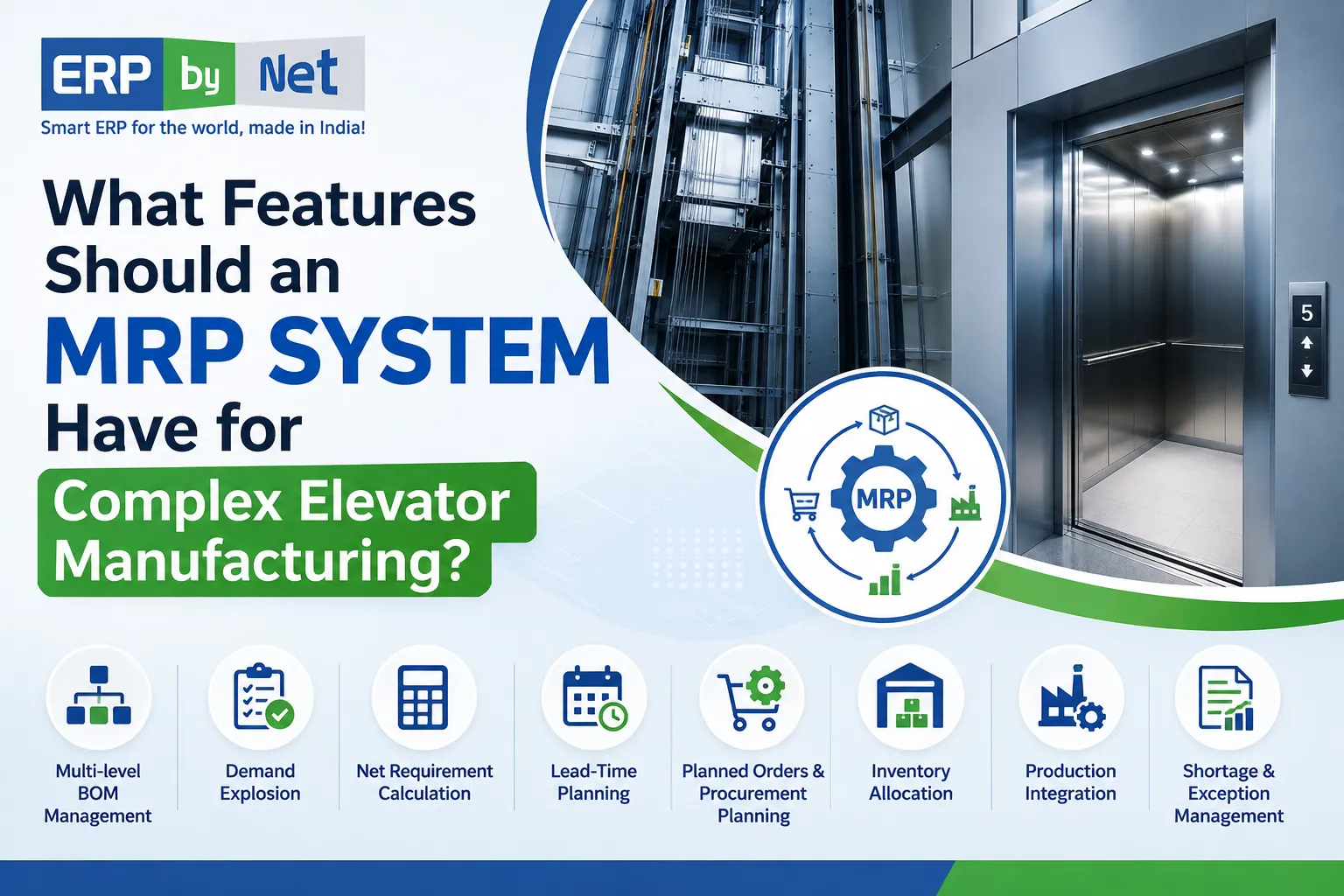
What Features Should an MRP System Have for Complex Elevator Manufacturing?

Key Takeaways

  • Complex elevator manufacturing needs more than basic MRP to manage customized products, projects, and materials.
  • Multi-level BOMs and demand explosion help calculate component and raw material requirements accurately.
  • Inventory, procurement, engineering, and production must work together for effective material planning.
  • Lead-time and project-based planning help ensure materials are available when production needs them.
  • A connected MRP system helps reduce shortages, overstocking, and reactive purchasing.

What You’ll Learn

  • Why basic MRP may not be enough for complex elevator manufacturing.
  • How multi-level BOMs and demand explosion simplify material planning.
  • How project-based planning and material allocation improve inventory decisions.
  • Why lead-time planning and shortage management are important for production.
  • How ERPbyNet’s AceMRP connects engineering, inventory, procurement, and production planning.

Real Insights

  • Physical stock does not always mean available stock because materials may already be allocated or reserved.
  • Engineering changes can change material requirements, making engineering-to-MRP integration important.
  • Knowing what material is needed is not enough; manufacturers also need to know when to procure it.
  • Exception-based planning helps teams focus on critical shortages instead of checking every material manually.
  • The right MRP system turns complex elevator orders into accurate, timely material plans.

Elevator manufacturing is rarely a simple make-and-ship process.

A single project can involve customer-specific configurations, engineering changes, multi-level BOMs, bought-out components, fabricated parts, raw materials, supplier lead times, warehouse allocation, and project-specific production requirements.

That complexity creates a fundamental challenge:

How do you make sure the right material is available, in the right quantity, at the right time—without overstocking or delaying production?

This is where a capable MRP system for elevator manufacturing becomes important.

A modern MRP system should do more than calculate material requirements. It should connect engineering, demand, BOMs, inventory, procurement, and production so manufacturers can make better material decisions before shortages become production problems.

Why Elevator Manufacturing Needs More Than Basic MRP

Traditional MRP can answer:

“What material do we need?”

But complex elevator manufacturing requires much more:

  • What is required for each elevator?
  • Which project requires it?
  • How much is already available?
  • How much is already allocated?
  • What is currently on order?
  • What needs to be manufactured internally?
  • What needs to be purchased?
  • When should procurement begin?
  • Which shortage could affect production?

For an elevator manufacturer, the planning chain often looks like:

Customer Requirement
↓
Product Configuration
↓
Engineering / BOM
↓
Material Demand
↓
MRP Calculation
↓
Procurement / Production
↓
Warehouse
↓
Project Execution

If these activities are disconnected, material planning can quickly become dependent on spreadsheets, manual calculations, and repeated communication between departments.

A suitable MRP system should bring these processes together.

Read More: Why AI Will Fail in Elevator Companies Without the Right ERP Foundation

12 Features an MRP System Should Have for Complex Elevator Manufacturing

1. Multi-Level BOM Management

An elevator is not a single-level product.

It can contain multiple assemblies, subassemblies, components, and raw materials.

For example:

Elevator
│
├── Cabin
│ ├── Cabin Frame
│ ├── Panels
│ └── Flooring
│
├── Door System
│ ├── Door Operator
│ ├── Door Panels
│ └── Sensors
│
├── Drive System
│ ├── Motor
│ ├── Controller
│ └── Related Components
│
└── Safety System
├── Safety Components
└── Associated Hardware

A capable MRP system should understand these relationships and automatically explode the BOM to calculate material requirements at different levels.

Why it matters

If an order contains 20 elevators, planners shouldn’t have to manually calculate every component required across those 20 units.

The system should be able to move from:

20 Elevators → Assemblies → Components → Raw Materials

This significantly reduces manual planning effort and the possibility of calculation errors.

2. Engineering-to-MRP Integration

Engineering-to-MRP integration connecting product configuration, BOM, MRP, procurement, and production to automatically update material requirements

Engineering changes can directly affect material requirements.

A change in:

  • Product configuration
  • Component specification
  • BOM
  • Quantity
  • Revision
  • Customer requirement

can potentially change what procurement and production need.

That’s why the MRP system should work closely with engineering data.

The ideal flow:

Engineering → BOM → MRP → Procurement → Production

Instead of engineering maintaining one version of product information while procurement works from another spreadsheet, the MRP system should use relevant approved product structures as the basis for material planning.

This creates a stronger connection between what is designed and what needs to be purchased or manufactured.

3. Demand Explosion

One of the most important capabilities of MRP is converting finished-product demand into detailed component requirements.

Suppose an elevator manufacturer receives an order for:

25 elevators

The system should determine the corresponding requirements for:

  • Subassemblies
  • Components
  • Bought-out items
  • Manufactured parts
  • Raw materials

This process is commonly referred to as BOM explosion or demand explosion.

Instead of asking the planning team to manually calculate requirements, the system performs the calculation based on the applicable product structure.

The result:

25 Elevator Orders
↓
BOM Explosion
↓
Component Requirements
↓
Net Requirements
↓
Procurement / Production Requirements

For high-volume or highly customized elevator manufacturing, this capability can become essential.

4. Project-Based Material Planning

Elevator manufacturing is often closely connected to individual customer orders and projects.

Two elevators may appear similar but have different:

  • Capacities
  • Finishes
  • Dimensions
  • Door configurations
  • Control requirements
  • Customer specifications
  • Site requirements

Therefore, material planning should not always operate only at a warehouse-wide level.

The system should help answer:

Which project needs this material?

rather than simply:

How much material is in stock?

Example

Suppose the warehouse shows:

500 units available

But:

  • 200 are allocated to Project A
  • 150 are reserved for Project B
  • 100 are required for current production

The truly available quantity may be only:

50 units

A project-aware MRP system can help planners make decisions using a more realistic view of material availability.

5. Net Requirement Calculation

A strong MRP system should not simply compare demand with physical stock.

It should consider the wider supply picture.

A typical calculation may involve:

Gross Requirement

− Available Inventory

− Relevant Incoming Supply

= Net Requirement

For example:

RequirementQuantity
Gross requirement1,000
Available inventory250
Incoming purchase orders300
Net requirement450

This helps prevent two common problems:

Over-purchasing

Buying material that is already available or incoming.

Under-purchasing

Failing to identify material that will be required later.

For complex manufacturing, accurate netting is one of the foundations of effective material planning.

6. Lead-Time-Based Planning

Knowing what is required isn’t enough.

You also need to know when to order it.

Consider a component with a supplier lead time of 45 days.

If production requires that component on:

15 November

the procurement process cannot reasonably begin in November.

The MRP system should work backward:

Required for Production
        ↓
Required Date
        ↓
Supplier Lead Time
        ↓
Planned Procurement Date

This becomes particularly important when elevator manufacturers depend on components with different supplier lead times.

A system that considers lead times can help procurement teams act earlier instead of reacting to shortages after they appear.

7. Planned Orders and Purchase Requirements

An MRP system should not stop with:

“Material shortage detected.”

That’s information.

The real value comes from turning that information into an actionable requirement.

A better process is:

This allows planners and procurement teams to move from shortage detection to planned action.

For materials that need to be manufactured internally, the system can support production requirements.

For externally sourced materials, it can support purchase requirements.

8. Material Allocation and Reservation

One of the biggest mistakes in material planning is assuming:

Physical stock = Available stock

That’s not always true.

Inventory may already be:

  • Reserved
  • Allocated
  • Committed
  • Required for another project
  • Assigned to production

For project-based elevator manufacturing, this distinction is extremely important.

Consider this:

Warehouse stock: 1,000 units

Allocated: 600 units

Available: 400 units

If an MRP system ignores allocation, it may incorrectly conclude that 1,000 units are available.

Accurate material allocation helps planners make procurement decisions based on usable supply, not just physical inventory.

9. Shortage and Exception Management

Planners shouldn’t have to manually review every material every day.

A good MRP system should help identify exceptions that need attention.

For example: <div style=”border-left:4px solid #333;padding:14px 18px;margin:20px 0;”>

<strong>Critical Material Shortage</strong><br><br>

Required: 500 units<br>
Available: 120 units<br>
Incoming: 100 units<br>
Net shortage: <strong>280 units</strong><br><br>

<strong>Action:</strong> Procurement intervention required. </div>

This kind of exception-focused planning allows teams to prioritize materials that could affect production or project schedules.

Instead of asking:

“Which of the thousands of materials should I check?”

the planner can focus on:

“Which exceptions require action today?”

10. Time-Phased Material Planning

Material requirements aren’t always needed today.

They may be required:

  • Next week
  • Next month
  • During a future production stage
  • At a specific project milestone

Therefore, an effective MRP system should consider time as well as quantity.

For example:

MaterialQuantityRequired
Component A500Week 2
Component B300Week 5
Component C150Week 8
Component D700Week 10

The total quantity isn’t enough information.

Procurement needs to know when each requirement becomes important.

Time-phased planning helps prevent:

Buying too early → Higher inventory

and

Buying too late → Production shortage

The objective is to synchronize material availability with actual requirements.

11. Make-to-Order Planning

Elevator manufacturing often involves customer-specific requirements.

This makes Make-to-Order (MTO) support an important consideration when evaluating an MRP system.

The planning chain should be capable of connecting:

Customer Order
↓
Product Configuration
↓
BOM
↓
Material Requirements
↓
Procurement / Manufacturing
↓
Production

This approach helps manufacturers plan around actual customer requirements rather than relying only on generic forecasts.

For companies handling multiple customized elevator orders, this can make material planning significantly more relevant to actual business demand.

12. Procurement, Inventory and Production Integration

Ultimately, an MRP system should not operate as an isolated planning tool.

Its real value comes from connecting the departments that act on the plan.

The connected manufacturing flow:

<div style=”text-align:center;padding:20px;margin:20px 0;border:1px solid #ddd;”>

<strong>ENGINEERING</strong><br>
↓<br>
<strong>BOM / BOQ</strong><br>
↓<br>
<strong>MRP</strong><br>
↓<br>
<strong>PROCUREMENT</strong><br>
↓<br>
<strong>WAREHOUSE</strong><br>
↓<br>
<strong>PRODUCTION</strong><br>
↓<br>
<strong>PROJECT EXECUTION</strong> </div>

When these processes are disconnected, material information can become fragmented.

When they work together, MRP can become a central planning layer connecting demand with supply.

Basic MRP vs. MRP for Complex Elevator Manufacturing

Not every system marketed as MRP software is necessarily suited to complex elevator manufacturing.

Basic MRPElevator-Focused MRP
Standard BOMMulti-level & project-specific BOM
Basic inventoryAvailable + allocated inventory
Generic demandCustomer/project-driven demand
Material calculationDemand/BOM explosion
Purchase suggestionsPlanned procurement
Basic lead timeMaterial-specific lead-time planning
Generic productionMake-to-order manufacturing
Static requirementsTime-phased requirements
Basic reportingShortage & exception management
Isolated MRPEngineering-to-procurement-to-production integration

The difference isn’t simply the number of features.

It’s whether the system can connect those features into one planning process.

Read More: How Leading Elevator Companies Deliver Better Service with the Same Workforce

How ERPbyNet’s AceMRP Fits Complex Elevator Manufacturing

ERPbyNet AceMRP for complex elevator manufacturing with BOM engineering, demand explosion, inventory planning, procurement, lead-time, manufacturing, and project-oriented planning

ERPbyNet’s AceMRP is designed around material requirements planning for manufacturing and project-driven environments.

The objective is to help manufacturers move from reactive material management toward structured planning.

Its capabilities can support areas such as:

BOM & Engineering

Use product structures and engineering requirements as the foundation for material planning.

Demand Explosion

Translate product/project requirements into detailed component-level demand.

Inventory Planning

Consider material availability while determining actual requirements.

Procurement Planning

Identify requirements and support planned purchasing before shortages disrupt execution.

Lead-Time Planning

Consider supplier lead times when determining procurement requirements.

Manufacturing Planning

Connect material requirements with manufacturing requirements.

Project-Oriented Planning

Support material planning around project and order requirements rather than treating all demand as generic inventory.

The broader objective is simple:

Know what material is required, how much is required, and when it needs to be available—before it becomes a production problem.

What Should Elevator Manufacturers Ask Before Choosing an MRP System?

Before investing in an MRP system, don’t limit your evaluation to:

“Does it have MRP?”

Ask more specific questions.

BOM & Engineering

  • Can it manage multi-level BOMs?
  • Can it handle product variants?
  • Can engineering changes flow into material planning?

Material Planning

  • Can it perform demand explosion?
  • Can it calculate net requirements?
  • Can it consider existing and incoming supply?
  • Can it support time-phased planning?

Procurement

  • Can it calculate purchase requirements?
  • Can it consider supplier lead times?
  • Can it identify upcoming shortages?

Inventory

  • Can it distinguish available, allocated and reserved stock?
  • Can material be associated with specific projects or orders?

Manufacturing

  • Can it support make-to-order requirements?
  • Can it connect material requirements with production planning?

Integration

  • Does MRP connect engineering, procurement, inventory and production?
  • Can planners work from one consistent source of material information?

These questions will reveal much more than a generic software feature checklist.

Read More: From Complaint to Closure: What Really Happens During Lift Maintenance

The Real Value of MRP in Elevator Manufacturing

The purpose of an MRP system isn’t simply to calculate numbers.

It’s to help manufacturers make better material decisions before problems reach production.

A strong system should connect:

Demand

→ Engineering

→ BOM

→ Material Requirements

→ Inventory

→ Procurement

→ Production

→ Project Execution

When that connection works properly, manufacturers can reduce reactive purchasing, improve material planning, control inventory more effectively, and identify potential shortages earlier.

ERPbyNet
Plan Complex Elevator Manufacturing with Smarter MRP
ERPbyNet helps elevator manufacturers connect BOMs, demand planning, procurement, inventory, and production to keep materials aligned with every project and manufacturing requirement.
MRP • BOM Management • Material Planning
Build a stronger material planning process with ERPbyNet.

Final Takeaway

For complex elevator manufacturing, an MRP system should be evaluated on more than basic material calculations.

The right system should understand the complexity of multi-level BOMs, customer-specific requirements, project demand, inventory allocation, supplier lead times, procurement, production and engineering changes.

The most important capabilities include:

  • Multi-level BOM management
  • Engineering-to-MRP integration
  • Demand explosion
  • Project-based planning
  • Net requirement calculation
  • Lead-time-based planning
  • Planned procurement
  • Material allocation
  • Shortage management
  • Time-phased planning
  • Make-to-order support
  • Procurement, inventory and production integration

Ultimately, the question isn’t:

“Does this software have MRP?”

The better question is:

“Can this MRP system turn a complex elevator order into an accurate, timely and actionable material plan?”

For elevator manufacturers, that’s the difference between simply managing materials and planning manufacturing intelligently.

Frequently Asked Questions About MRP for Elevator Manufacturing

What is an MRP system for elevator manufacturing?

An MRP system for elevator manufacturing helps calculate, plan, and manage the materials required to manufacture elevators based on demand, BOMs, inventory, production requirements, and procurement lead times. It helps manufacturers determine what material is needed, how much is needed, and when it is required.

Why is MRP important for elevator manufacturers?

Elevator manufacturing involves complex BOMs, customized configurations, multiple projects, bought-out components, manufactured parts, and varying supplier lead times. MRP helps connect these requirements so manufacturers can identify shortages, plan procurement, and coordinate material availability with production schedules.

What features should an MRP system have for elevator manufacturing?

Important features include multi-level BOM management, demand explosion, net requirement calculation, project-based planning, lead-time planning, planned orders, purchase requirements, material allocation, shortage management, time-phased planning, and integration with procurement and production.

Can MRP handle multi-level BOMs for elevators?

Yes. A capable MRP system should be able to manage multi-level BOMs and automatically calculate component and raw-material requirements from the finished elevator or assembly level down through lower-level components.

How does MRP help prevent material shortages?

MRP compares material demand with available inventory, allocated stock, incoming supply, and planned production or procurement. It can identify net shortages and help planners initiate procurement or manufacturing actions before the shortage affects production.

Can MRP consider supplier lead times?

Yes. Lead-time-based MRP planning helps determine when materials should be ordered based on their required production date and supplier lead time. This is particularly useful for elevator components with longer or variable procurement cycles.

Can MRP support project-based elevator manufacturing?

Yes. An MRP system designed for project-driven manufacturing can associate material requirements with specific customer orders, projects, or elevator configurations. This helps prevent material intended for one project from being incorrectly treated as universally available.

How does MRP connect engineering and procurement?

When engineering BOMs and product requirements are connected with MRP, changes in product structure can influence material requirements. The resulting requirements can then flow into procurement planning, helping purchasing teams work from current engineering and demand information.

How can ERPbyNet AceMRP help elevator manufacturers?

ERPbyNet’s AceMRP supports material requirements planning by connecting BOMs, demand, inventory, procurement, manufacturing, and project requirements. It is designed to help manufacturers move from reactive material purchasing toward structured, demand-driven planning.

Name
Verified by MonsterInsights