CategoriesERP (Enterprise Resource Planning)

A Complete Guide to Elevator Maintenance Software for OEMs and Service Firms

It’s Friday evening. Your team’s inbox is overflowing, technicians are cross-wired between sites, and a major client just called—again—because their service ticket got “lost in the shuffle.” Welcome to the unofficial ritual many OEMs and elevator service firms have dubbed the “Friday Fire Drill.”

If this chaos feels familiar, you’re not alone. Elevator businesses often grow faster than their operational systems can handle. Spreadsheets pile up, field teams play phone tag, and preventive maintenance becomes a guessing game. Even with the best intentions, manual tracking leads to missed inspections, unbilled jobs, and poor client experience.

That’s where Elevator Maintenance Software steps in. Purpose-built ERP platforms like those from ERPbyNet are designed to bring clarity, control, and peace of mind to OEMs and service companies alike. If you’re stuck in reactive mode, this guide will help you shift gears—toward smarter, streamlined elevator operations.

What Is Elevator Maintenance Software?

Elevator Maintenance Software is a specialized business application that helps Original Equipment Manufacturers (OEMs) and service firms manage all aspects of elevator operations—from asset tracking and preventive maintenance to field service dispatch and compliance documentation.

While traditional ERP tools like SAP or Oracle offer general resource planning features, dedicated Elevator Maintenance Software takes it a step further. Think of it as a digital toolbox: inside are your dashboards, service logs, technician schedules, customer data, and warranty details—all interconnected through one clean interface.

Concept Origins: The concept of ERP (Enterprise Resource Planning) originated in manufacturing in the 1960s but evolved rapidly with the advent of cloud computing. Elevator-specific systems emerged to address the growing complexity of field maintenance, safety regulations, and real-time equipment monitoring.

Why Elevator OEMs & Service Firms Struggle Without It

Why Elevator OEMs & Service Firms Struggle Without It

Let’s look at the usual suspects behind elevator maintenance inefficiencies:

1. Spreadsheet Fatigue

You can’t scale with Excel. Tracking thousands of lift units across cities or regions using sheets means inevitable data decay—missed updates, duplicate entries, or worse, no traceability.

2. Disjointed Field Service

Field techs often receive incomplete work orders, leading to poor first-time fix rates. Without a centralized system, they waste time calling HQ, hunting for manuals, or finding missing parts.

3. Customer Escalations

Clients expect service SLAs to be met. Without a way to track service contracts and response times, businesses lose credibility fast.

4. Zero Visibility on Costs

From consumables to labor hours, most firms can’t accurately calculate the true cost of a service call—let alone measure ROI per contract.

5. Non-Compliance Risks

Elevators are safety-critical assets. Without automated reminders and documentation workflows, one missed inspection can become a liability nightmare.

How Elevator Maintenance Software Solves Real-World Problems

How Elevator Maintenance Software Solves Real-World Problems

ERPByNet’s Elevator Maintenance Software is built with the field in mind. Here’s how it addresses key pain points:

Inventory Management Automation

Your parts should move as smoothly as your elevators. The software connects warehouses, service vans, and vendor supply chains so that every technician has what they need—when and where they need it.

Preventive Maintenance Scheduling

No more reactive firefighting. Set maintenance intervals per asset type, location, or client SLA. Auto-scheduling ensures you stay compliant while reducing unplanned breakdowns.

Service Order Workflows

From initiation to closure, work orders move through standardized stages with timestamps, technician notes, images, and even e-signatures. That’s accountability in action.

Real-Time Dashboards

Track uptime, job closures, technician performance, and revenue per client—all at a glance. Custom dashboards help managers act, not react.

Role-Based Permissions

Only authorized users access sensitive data—perfect for multi-location firms with layered hierarchies and outsourced staff.

Use Case Scenarios

Multi-City OEM Operations

A mid-sized OEM with service contracts in 12 cities struggled to coordinate preventive maintenance. ERPByNet’s platform helped them map every unit by GPS location, set unique maintenance intervals, and track compliance with local regulations.
Result: SLA breach rate dropped by 43% in 6 months.

Contract Technicians & Outsourcing

A growing service firm relied heavily on third-party technicians. Before ERPByNet, job tracking was chaotic. Now, job dispatches include digital manuals, prior service history, and route maps.
Result: First-time fix rates jumped from 61% to 89%.

Legacy Software Bottlenecks

One firm ran on outdated desktop systems. Data was siloed, backup was manual, and cross-departmental visibility was zero. ERPByNet’s cloud-native deployment created a single source of truth accessible anywhere.
Result: Admin work dropped by 30%, and audits became effortless.

Elevator Maintenance Software vs. Traditional Tools

Feature Excel/Manual Systems Generic ERP Elevator Maintenance Software
Asset Lifecycle Tracking No Limited Yes
Preventive Maintenance Alerts No Manual Automated
Mobile Field Access No Basic Field App Integrated
Compliance Management No Add-on Built-in
Real-Time Analytics No Generic Tailored for Elevator Ops


ERP Adoption Trends in Elevator Industry

According to a recent Statista report, the global ERP software market is expected to surpass $100 billion by 2026. Niche segments like field service ERP are growing rapidly, with 12% year-over-year growth driven by mobility and compliance needs.

A Gartner study also noted that over 68% of mid-sized service firms are now prioritizing industry-specific ERP over generic systems to gain competitive agility.

These aren’t just numbers—they’re signals. Businesses are done “making do” with clunky tools. Custom-fit Elevator Maintenance Software is no longer optional. It’s essential.

ERPByNet: Built for Field Realities

Unlike legacy ERP providers, ERPByNet designs its Elevator Maintenance Software from the ground up for service field dynamics. Whether you’re an OEM, contractor, or regional servicing firm, you get:

  • Modular deployment (start with what you need)
  • Cloud and mobile-native systems
  • Fast implementation with role-specific onboarding
  • Localized compliance and inspection templates
  • Open APIs for third-party hardware integration

Conclusion: A Lift Toward Smarter Operations

Managing elevator maintenance shouldn’t feel like a daily emergency. With the right ERP, your business can move from reactive chaos to predictable, profitable control.

Elevator Maintenance Software is the secret weapon OEMs and service firms need to scale sustainably. It ensures you stay compliant, optimize field operations, delight customers—and sleep better on Thursdays.

At ERPByNet, we empower businesses to run smarter with custom-fit ERP solutions that scale as you grow. Ready to simplify your operations? Let’s transform your workflow.

Name

FAQs

What is Elevator Maintenance Software exactly?

It’s specialized ERP software that manages preventive maintenance, field service dispatch, asset tracking, and compliance for elevator OEMs and service providers.

Who should use Elevator Maintenance Software?

OEMs, regional elevator maintenance firms, and even contractors managing high-rise building assets can benefit from it.

Is this different from regular ERP software?

Yes. While traditional ERP handles general business processes, elevator-specific software includes tailored features like inspection templates, unit history, and technician routing.

Can I use it for multi-location operations?

Absolutely. ERPByNet supports GPS tagging, regional SLAs, and localized compliance standards—ideal for distributed operations.

Does ERPByNet offer mobile access for technicians?

Yes. Field techs can receive jobs, upload photos, and close service tickets via the mobile app in real time.

How long does it take to implement?

Most small to mid-sized firms can go live within 4–6 weeks, depending on modules chosen and integration requirements.
CategoriesERP (Enterprise Resource Planning)

Top 10 ERP Implementation Mistakes and How to Avoid Them

You’ve got orders piling up, teams working double shifts, and customer feedback swinging between rave reviews and last-minute complaints. Business is booming—but by Friday, things start falling apart. Your finance head is drowning in spreadsheet overload, your operations manager is counting stock with sticky notes, and your CRM feels like it hasn’t been updated since 2015. This is what rapid growth looks like without a proper ERP solution. It’s the classic chaos companies face when they scale without a structured resource planning system—and it’s exactly why smart ERP implementation matters.

Scaling a business without a proper ERP system is like trying to play Tetris with bricks. Everything feels out of sync—data is duplicated, roles are unclear, and decisions are made on gut instead of numbers. What starts as minor workflow issues quickly becomes operational drag.

ERP tools exist to bring clarity to this mess. But here’s the twist: implementing an ERP system isn’t plug-and-play. Many businesses dive in without fully understanding the roadmap, only to discover too late that they’ve digitized their disorganization. That’s why ERPbyNet, your partner in business optimization, is here to guide you around the potholes most fall into.

What is ERP, Really?

ERP—or Enterprise Resource Planning—is more than a fancy name for software. It’s the nerve center of your business operations. ERP systems integrate all core functions: inventory management, accounting, human resources, customer orders, vendor relations, and compliance—all flowing through a centralized platform.

Instead of juggling ten different tools and systems, ERP platforms like ERPByNet unify them. Think of ERP as the “mission control” for your growing business. Dashboards, APIs, roles, and permissions come together to reduce friction and streamline workflows.

Whether you’re replacing spreadsheets or outgrowing standalone apps, implementing ERP isn’t just a software install—it’s a full-blown transformation. And like any transformation, it’s prone to missteps.

The Top 10 ERP implementation Mistakes (And How to Dodge Them)

The Top 10 ERP Implementation Mistakes and erp solution

1. Rushing the Planning Phase

Mistake:
Far too often, businesses leap into ERP deployment like it’s a quick software installation, skipping the groundwork needed to make it successful. They underestimate the strategic depth ERP implementation requires and focus on how fast they can get it done instead of how well.

Avoid It:
Think of ERP implementation like building a house—you wouldn’t start laying bricks before drawing the blueprint. Begin by aligning your ERP goals with your business strategy. What pain points should it solve? What teams will it affect? What metrics matter most?

  • Identify current inefficiencies (e.g., manual processes, siloed systems)
  • Document specific use cases per department
  • Establish clear ownership across departments
  • Build an internal ERP task force with stakeholders from each function

A thoughtful implementation roadmap with timelines, milestones, and contingencies can turn chaos into control.

2. Choosing the Wrong ERP Platform

Mistake:
Some businesses get swayed by flashy demos, big-name brands, or the cheapest license available—without checking whether the ERP system actually fits their operational DNA.

Avoid It:
ERP is not one-size-fits-all. The right platform should not only support your business model but grow with it. Ask:

  • Does this system support my industry (e.g., manufacturing vs. service-based)?
  • Are the accounting and inventory management modules robust enough?
  • Is the user interface intuitive for my team?
  • What integrations are available with tools I already use?

Don’t just look at top brands like SAP  or Zoho ERP. Evaluate functionality through real-world simulations, preferably with input from end users. And remember—popularity is not a proxy for relevance.

3. Underestimating the Cost of Customization

Mistake:
Many companies assume their ERP solution will work perfectly right out of the box. Spoiler alert: it rarely does. Then, midway through implementation, they discover it doesn’t reflect their approval workflows, pricing logic, or production processes.

Avoid It:
Customization isn’t inherently bad—but it should be anticipated, budgeted, and managed. Start by analyzing where your business processes differ from ERP defaults. Then, determine:

  • Which modules require configuration (e.g., payroll tax structures, multi-currency settings)
  • How much technical work is needed (e.g., coding vs. toggling options)
  • Whether integrations require APIs or third-party connectors

Work closely with your ERP vendor—like ERPByNet—to find a balance between functionality and sustainability. Over-customization increases complexity, which can hurt long-term agility.

4. Neglecting Change Management

Mistake:
ERP implementation is often treated as a software switch, not a people transformation. As a result, employees resist it, stick to old habits, or mistrust the new system.

Avoid It:
Change management isn’t a soft skill—it’s a critical success factor. Employees don’t just need training; they need understanding. You must answer: “What’s in it for them?”

Here’s how to build buy-in:

  • Involve team leads early in the process
  • Communicate benefits clearly (e.g., no more duplicate entries, easier reporting)
  • Appoint “ERP champions” within departments
  • Create hands-on training sessions and SOP documentation

When people feel ownership, they stop resisting and start leading.

5. Poor Data Migration

Mistake:
Copying outdated, inconsistent, or unstructured data into a new ERP is like pouring muddy water into a clean glass. It instantly devalues the system and causes immediate trust issues.

Avoid It:
ERP is only as good as the data that powers it. Before migration:

  • Audit your current databases
  • Eliminate duplicates, correct formatting issues, and validate accuracy
  • Standardize naming conventions and units of measurement
  • Migrate in phases or batches with test runs

Involve both technical staff and department heads. Business logic is just as important as IT rules here.

6. Lack of Executive Buy-In

Mistake:
When ERP is seen as an “IT project,” it lacks the strategic pull it needs. Without C-suite backing, the project can stall at the first sign of resistance or budget constraint.

Avoid It:
Your executive team should be visible champions of the ERP rollout. Their involvement helps:

  • Prioritize budgets and resources
  • Resolve interdepartmental conflicts
  • Reinforce the system’s importance

Hold regular steering meetings with leadership to align progress with business goals. When the CEO asks about dashboard reports, the rest of the company takes the tool seriously.

7. Scope Creep During Implementation

Mistake:
You start with a lean set of goals, but soon every department wants “just one more” feature. Suddenly, your three-month timeline becomes nine, and your budget doubles.

Avoid It:
Scope creep is sneaky. Guard against it with:

  • A detailed project scope document
  • A formal change request process
  • Regular check-ins with clearly defined deliverables

This doesn’t mean you ignore new ideas—but assess them based on ROI and feasibility. Stick to what drives 80% of business value first, then iterate.

8. Inadequate Testing Before Launch

Mistake:
Skipping robust testing to speed up go-live is like launching a spaceship without a systems check. Bugs, glitches, and misconfigured workflows can cause massive disruption.

Avoid It:
Testing should happen on multiple levels:

  • Unit Testing – Each module (e.g., inventory, HR) should function correctly
  • Integration Testing – Data should flow seamlessly across modules
  • User Acceptance Testing (UAT) – Real employees should run real tasks

Build testing into your implementation timeline. It’s not just a tech exercise—it’s insurance for your operations.

9. Ignoring Post-Go-Live Support

Mistake:
Many businesses see ERP launch day as the finish line. But post-launch, users will have questions, bugs will appear, and process gaps will surface.

Avoid It:
Support is not optional—it’s essential. Ensure:

  • You have access to real-time help (via ERPByNet or internal IT)
  • You offer follow-up training sessions
  • You review system performance monthly

Continuous support ensures user adoption stays high and productivity doesn’t take a hit.

10. Not Measuring Success

Mistake:
ERP implementations often lack tangible success metrics. If you can’t measure improvement, how do you know it’s working?

Avoid It:
Before you go live, define what success looks like. Consider KPIs like:

  • Order processing time reduced by X%
  • Inventory carrying cost lowered
  • Month-end closing time improved
  • Customer complaint resolution sped up

Track these metrics quarterly, and celebrate the wins. This reinforces ERP’s value and keeps momentum alive across the team.

Real-World Use Case: Inventory Chaos Resolved

Consider a multi-location retail brand juggling stock across five warehouses. Prior to ERPByNet’s implementation, they relied on spreadsheets, emails, and outdated sales reports. The result? Overstocking in some areas, stockouts in others, and a frustrated procurement team.

After implementing ERPByNet’s inventory management automation, real-time stock visibility was achieved across all locations. APIs connected their eCommerce platform, while dashboards highlighted low-stock alerts. ROI? A 20% reduction in holding costs and 35% faster order fulfillment in just six months.

The Cost of Getting It Wrong

ERP implementation mistakes don’t just cause headaches—they cost real money. According to Gartner, up to 75% of ERP projects fail to meet expectations due to misalignment, poor planning, or underinvestment in training.

Compare that to businesses that get it right: A Forrester study found ERP systems can deliver up to 400% ROI within three years through cost savings, improved accuracy, and faster workflows.

Conclusion: Make ERP Work for You, Not Against You

ERP is powerful—but only if implemented right. Avoiding these 10 pitfalls isn’t just about saving time and money. It’s about enabling your team to do their best work without the burden of broken systems and fragmented tools.

As trends like AI-driven forecasting, low-code ERP customization, and real-time compliance checks evolve, ERP is no longer a “big business” luxury—it’s a survival tool.

At ERPByNet, we empower businesses to run smarter with custom-fit ERP solutions that scale as you grow. Ready to simplify your operations? Let’s transform your workflow.

Still Have Questions About ERP and How It Fits Your Business? Let’s Clear Them Up.

What is ERP and how does it benefit small businesses?

ERP stands for Enterprise Resource Planning. It integrates your core processes—like finance, HR, inventory, and customer data—into one centralized system. It helps reduce errors, streamline workflows, and improve decision-making.

How long does an ERP implementation typically take?

Timelines vary depending on your business size and requirements. On average, a small to mid-sized business may take 3–6 months for full implementation, including training and testing.

Can ERP work for startups or is it just for big enterprises?

Modern ERP platforms like ERPByNet are built with scalability in mind. Startups benefit immensely by setting up processes early, reducing future chaos as they grow.

What if my team is not tech-savvy?

That’s okay! A good ERP platform is designed with usability in mind. ERPByNet provides training and post-implementation support to ensure your team adapts smoothly.

Is ERP expensive to maintain?

While there’s an upfront investment, ERP systems often reduce long-term costs by eliminating inefficiencies, reducing manual labor, and avoiding costly errors. Cloud ERP options also lower infrastructure expenses.

What happens after ERP is implemented?

Post-implementation, your system needs monitoring, occasional updates, and ongoing support. Most vendors, including ERPByNet, offer maintenance plans and continuous optimization services.

CategoriesERP (Enterprise Resource Planning)

How Much Does ERP Cost in 2025? Complete Pricing Guide for All Business Sizes

It always begins with good intentions. A Google Sheet here, a shared drive there, and a handful of free apps duct-taped together with ambition and caffeine. It works—until it doesn’t. One day, sales is closing deals on products that don’t exist in inventory. HR is chasing approvals through email threads. Finance? Still stuck in a monthly ritual of “Excel roulette,” praying the formulas don’t implode.

Welcome to the dark side of scaling: Spreadsheet Hangovers and Budget Freakouts.

Then it hits you. “We need ERP,” someone mutters between coffee sips and crisis control. You nod, half-curious, half-terrified. One search later, you’re drowning in jargon, sticker shock, and vague pricing pages that sound more like a riddle than a solution. How much does ERP cost—and is it even worth the leap?

This guide breaks it down with zero sugarcoating. Whether you’re a scrappy startup, a scaling disruptor, or a growing enterprise, you’ll get real ERP cost figures, smart budgeting tips, and clarity you can act on. At ERPByNet, we believe good decisions start with good information—and this is where it begins.

Why ERP Costs Vary So Widely

Why ERP Costs Vary So Widely

ERP pricing isn’t a fixed number because no two businesses are exactly alike. Just like you wouldn’t expect the same grocery bill for a single college student and a family of five, ERP costs flex based on needs.

Here’s what really influences ERP pricing:

  • Business Size & Structure
    More users, departments, and workflows = more complexity.

  • Deployment Type
    Cloud-based ERPs often work on a monthly subscription, while on-premise setups require a higher upfront investment in infrastructure and licenses.

  • Modules You Choose
    Want just inventory and accounting? You’ll pay less than if you add CRM, HRM, manufacturing, and analytics.

  • Customization Needs
    A plug-and-play setup costs less than a system customized to your specific workflows.

  • Training & Support
    Training your team and accessing long-term vendor support are vital—but they’re not always included upfront.

ERP Pricing by Business Size in 2025

Business Type Software Cost (Annual) Implementation Cost Total First-Year Cost
Small Business (1–50 Users) $2,500–$10,000 $5,000–$15,000 $7,500–$25,000
Mid-Market (50–250 Users) $10,000–$40,000 $20,000–$75,000 $30,000–$115,000
Enterprise (250+ Users) $50,000–$100,000+ $75,000–$200,000+ $125,000–$300,000+

These ranges include licensing, implementation, training, and basic support.

What’s Actually Included in ERP Pricing?

What’s Actually Included in ERP Pricing

ERP pricing is like a restaurant menu—you pay for what you order. Here’s a breakdown of typical cost components:

1. Software Licenses or Subscriptions

  • Cloud-Based ERP: Monthly or annual subscriptions, typically per user.

  • On-Premise ERP: One-time license fee + annual maintenance (~15–20%).

2. Implementation Services

  • Process mapping, data migration, initial setup, and user configuration.

  • May involve 3rd-party consultants if the system is highly customizable.

3. Training

  • Workshops, virtual sessions, manuals, and user guides.

  • Optional—but skipping this step often leads to underused systems.

4. Support & Maintenance

  • Tiered plans ranging from basic ticketing to 24/7 hotline access.

  • Often billed annually or included in subscription.

5. Custom Development & Integration

  • Tailoring ERP to existing tools (e.g., payment gateways, CRM, warehouse scanners).

  • Complex integrations add cost but boost ROI over time.

How Much Should You Budget for ERP?

Here’s a smart budgeting framework for ERP in 2025:

  • Software License/Subscription: 30–40%

  • Implementation & Setup: 30–50%

  • Training & Change Management: 10–15%

  • Support & Upgrades: 10–15%

So if your budget is $100,000, around $30K–$40K goes to licensing, $30K–$50K to setup, and the rest to training, support, and maintenance.

Pro Tip: Avoid underbudgeting training. A well-trained team uses more of the system’s capabilities—leading to faster ROI.

Cloud vs. On-Premise ERP: Which Costs More?

Feature Cloud ERP On-Premise ERP
Upfront Cost Low High
Monthly/Annual Cost Ongoing Subscription Low (post-setup)
Infrastructure Vendor-Managed You Maintain It
Scalability Very High Limited
Customization Flexibility Moderate High
Total Cost Over 5 Years $50K–$200K (avg) $100K–$300K (avg)

Cloud ERP may look cheaper upfront, but over 3–5 years, the cost difference narrows—especially if you need custom features or local server control.

Hidden ERP Costs Businesses Often Miss

Hidden Costs Businesses Often Miss

Let’s talk about the surprise charges no one warns you about:

  • Data Migration Headaches
    Cleaning, reformatting, and importing legacy data can cost thousands—especially if your records are a mess.

  • Custom Reports & Dashboards
    Pre-built dashboards are helpful, but most businesses need tailored metrics.

  • User Role Management & Permissions
    Setting up different access levels takes time and impacts usability/security.

  • Regulatory Compliance Updates
    Industries with changing rules (finance, pharma, logistics) may require regular system tweaks.

Is ERP Worth It? The ROI Angle

ERP implementation isn’t just a cost—it’s a strategic investment.

According to recent business software trend data:

  • Companies saw 20–30% reduction in operational costs within 2 years of ERP adoption.

  • Manual error rates in finance dropped by over 40%.

  • Businesses with ERP systems reported 30% faster reporting cycles and higher audit readiness.

An ERP system aligns your departments, centralizes data, automates reporting, and improves compliance—all of which directly impact your bottom line.

The Future of ERP Pricing: 2025 and Beyond

Here’s where ERP is heading:

  • AI-Driven Insights: Predictive analytics, demand forecasting, and smart workflows.

  • Low-Code Customization: Drag-and-drop features for non-tech users.

  • Modular Pricing Models: Pay only for what you use, making it more accessible to SMEs.

  • Built-In Compliance Monitoring: Especially for GDPR, tax laws, and sector-specific policies.

ERPByNet’s modern ERP solutions are built with all this in mind, helping you future-proof operations without breaking the bank.

Final Thoughts

ERP pricing doesn’t need to feel like a black box. In 2025, businesses of every size have access to powerful resource planning software—so long as they know what to look for, what to budget, and what to avoid.

At ERPByNet, we empower businesses to run smarter with custom-fit ERP solutions that scale as you grow. Ready to simplify your operations? Let’s transform your workflow.

FAQs

Still have questions about ERP and how it fits your business? Let’s clear them up.

How much should a small business expect to pay for ERP?

Between $7,500 and $25,000 in the first year, depending on the modules and user count.

What affects ERP implementation costs the most?

Customization, user training, and data migration are the top three cost drivers beyond the base license.

Are cloud ERPs cheaper than on-premise ones?

They have lower upfront costs but similar total cost of ownership over 5–7 years. Cloud wins on flexibility.

Can I implement ERP in phases to reduce cost?

Yes. Many businesses start with core modules (like accounting and inventory) and add others later.

Is open-source ERP free?

The software may be free, but setup, customization, and maintenance will still cost money.

How do I know if I’m overpaying?

Compare pricing across at least 3 vendors, check for bundled vs. hidden costs, and ensure you’re not buying unused modules.


CategoriesERP (Enterprise Resource Planning)

From Leads to Visits to Closures: How One ERP App Streamlines the Entire Sales Cycle

At first, sales management feels easy. A few leads here and there—some get noted in an Excel sheet, others scribbled in a diary. You send a quick follow-up email, assign a sales rep, and things move along. But then your pipeline grows. More leads, more visits, more deals to track. Suddenly, your once-simple process turns into chaos: overlapping meetings, missed follow-ups, quotes lost in inboxes, and invoices created from scratch every single time.

Sound familiar?

That promising lead from last week? Buried in a WhatsApp chat. The client meeting? Booked twice, thanks to a disconnected calendar. The quote? Delayed because no one knew who had the pricing file. This isn’t sales management—it’s survival mode. And it’s the reality for most growing businesses relying on scattered tools and disconnected workflows.

True sales management should feel empowering, not exhausting. It should give your team clarity, speed, and confidence at every stage of the sales cycle. That’s exactly what SalesPundit delivers. Built by ERPByNet, SalesPundit is a powerfulaaew ERP app designed to manage the entire sales journey—lead to visit to closure—inside one seamless platform. No more hopping between apps. Just smart, centralized, efficient sales management. Let’s explore how it works.

Why Traditional Sales Tools Fail at Effective Sales Management (And Why It Gets Worse as You Scale)

Most small-to-mid-sized businesses cobble together their sales management process using a scattered mix of tools:

  • A CRM like HubSpot for capturing leads
  • Google Calendar or Excel for scheduling sales visits
  • Email threads for price approvals
  • Word or Excel to create quotes
  • Invoicing software like Tally or Zoho Books
  • Slack or WhatsApp for internal coordination

At first glance, this setup seems to get the job done. But as your lead volume grows and your sales team expands, cracks begin to show—and those cracks cost you deals.

This disconnected approach fails at core sales management tasks. There’s no continuity between steps, making it easy for context to disappear and follow-ups to fall apart. It lacks scalability—when operations stretch across locations or teams, managing sales becomes a coordination nightmare. And with data scattered across multiple platforms, measuring sales performance becomes guesswork, not strategy.

Worst of all? It’s inefficient. Your team ends up spending more time updating tools than actually closing deals.

In short, if you don’t have unified, ERP-driven sales management, your funnel isn’t just inefficient—it’s leaking potential revenue.

SalesPundit: The ERP-Based Answer to Sales Workflow Chaos

SalesPundit, developed by ERPByNet, is designed to remove the silos and bring every stage of your sales process into one platform. It isn’t a bolt-on CRM. It’s a tightly integrated sales module built within a full-fledged ERP framework, so you never have to exit one tool and enter another.

SalesPundit handles:

  • Lead generation and import
  • Automated lead assignment
  • Sales visit scheduling with geo-tagging
  • Quote generation and approvals
  • Follow-up tracking
  • Order booking and invoice creation
  • Real-time reporting and team performance analytics

Let’s walk through what a day in the life of a SalesPundit user might look like.

Step-by-Step: How SalesPundit Handles the Entire Sales Lifecycle

Step-by-Step: How SalesPundit Handles the Entire Sales management

1. Lead Capture and Source Attribution

All incoming leads—whether from web forms, referrals, phone calls, or campaigns—are automatically captured into SalesPundit. No manual entry needed. Each lead is tagged by source, region, and product interest. This makes it easy to evaluate your marketing efforts later.

  • Leads can be manually entered or synced from third-party sources via API
  • Auto-assignment rules allocate leads to salespeople based on zone, vertical, or workload
  • Built-in lead scoring helps prioritize high-value prospects

Example: A real estate firm using SalesPundit segmented leads by city and interest level, boosting conversion by 22% within 3 months.

2. Sales Visit Planning and Execution

Scheduling visits manually often leads to overlaps, missed appointments, or forgotten leads. SalesPundit brings order by:

  • Allowing sales reps to schedule visits within the app
  • Sending automatic reminders
  • Geo-tagging visits to verify attendance
  • Syncing with Google Maps for route optimization

Sales managers get live visibility into who’s where, what meetings are happening, and what next steps need to be initiated.

3. Quote Creation and Approval Process

Generating quotations doesn’t have to involve 5 different people and 10 different files.

SalesPundit includes a built-in quotation module that:

  • Auto-pulls product info, pricing, and customer details
  • Allows sales reps to apply discounts (based on permissions)
  • Sends professional PDFs directly to clients
  • Tracks if the quote has been viewed, accepted, or modified

Approvals (if required) happen inside the app—no need to send files via email.

4. Automated Follow-Up Reminders and History Logs

Following up is a sales ritual, but most businesses treat it like an afterthought. SalesPundit makes follow-ups deliberate and trackable:

  • Sales reps can log interactions (calls, meetings, notes)
  • Automated alerts are triggered when follow-ups are due
  • The full interaction history is available in one timeline per lead

This prevents embarrassment like multiple reps calling the same client—or worse, no one calling at all.

5. Seamless Conversion and Invoice Generation

Once the customer gives the green light, the quote converts directly into an order and invoice—no re-entry, no friction.

  • Invoices can be auto-generated with applicable tax structures
  • Integrated with the accounting module for ledger updates
  • Tracks due payments and reminders for collections

You save time, reduce errors, and accelerate cash flow—all within the same platform.

6. Sales Performance Tracking and Analytics

Sales managers no longer have to request manual updates or chase team members for numbers.

SalesPundit offers:

  • Daily and weekly dashboards
  • Salesperson-wise performance charts
  • Conversion rate insights
  • Product-wise sales trends
  • Forecasting and territory performance heatmaps

Everything is live, accurate, and visual.

SalesPundit vs the Patchwork Approach: A Snapshot

SalesPundit vs the Patchwork Approach_ A Snapshot - visual selection

Sales Function Traditional Tools SalesPundit ERP App
Lead Capture Web forms + Manual entry Auto-import + Source tagging
Visit Scheduling Google Calendar or Excel Geo-tagged, In-app planner
Quotation Generation Word/Excel + Email Auto-generated, Professional
Follow-Up Reminders Personal calendars In-app alerts and history
Invoice Creation Manual, Separate software Click-to-generate from quote
Reporting Manual compilation Real-time dashboards

The Bigger Picture: Why It Matters

With SalesPundit, you’re not just adopting a sales tool. You’re instilling a culture of visibility, ownership, and accountability in your team. It ensures that no lead gets neglected, no deal falls through the cracks, and no one has to say, “Let me check and get back to you.”

It helps:

  • Managers focus on strategy instead of coordination
  • Salespeople focus on relationships instead of paperwork
  • Businesses build systems that scale instead of just surviving

In a competitive market, speed and reliability are your edge. SalesPundit gives you both.

The ERPByNet Difference

The ERPByNet Difference

At ERPByNet, we believe that great software should feel like an extension of your business—not an overhead. That’s why SalesPundit is built to be lean, scalable, and customizable.

Whether you’re a fast-growing startup or an established SME, we align the tool with your workflow—not the other way around. From automation rules to field configurations and approval chains, SalesPundit adapts to your process with zero code dependency.

And because it sits on a full ERP backbone, it connects seamlessly with your inventory, HR, accounts, and logistics—creating true organizational harmony.

Conclusion

Sales doesn’t have to be a juggling act of tools, tasks, and guesswork. With SalesPundit, you go from chaos to clarity. It brings the full sales cycle—leads, visits, quotes, follow-ups, and invoices—under one roof, giving your team the structure, visibility, and tools they need to perform at their best.

At ERPByNet, we empower growing businesses to replace scattered tools with unified, intelligent systems. SalesPundit isn’t just another app—it’s your entire sales department, centralized. Ready to simplify your sales workflow? Let’s make it happen.

Name

FAQs

Still have questions about how SalesPundit can transform your sales process? Let’s break it down.

What makes SalesPundit different from a regular CRM?

Unlike standalone CRMs, SalesPundit integrates deeply with other business functions like invoicing, inventory, and HR. It’s part of an ERP system, not a separate app.

Can my field sales team use it on the go?

Yes. SalesPundit is mobile-ready, supports visit logging, geo-tagging, and lets salespeople update statuses from anywhere.

How is it priced?

We offer flexible pricing based on user count and modules needed. Contact our team for a tailored quote.

What industries is it best suited for?

SalesPundit is great for B2B businesses, distributors, real estate, consumer goods, services, and more. It’s customizable for niche workflows.

Can we migrate from our existing CRM?

Absolutely. Our team supports data migration, cleanup, and mapping to ensure a smooth transition.

What if I don’t need all the features?

SalesPundit is modular. You can activate only the features you need—start with lead tracking and scale into invoicing or reporting later.


CategoriesERP (Enterprise Resource Planning) Marketing

How ERP-Based Accounting Supports ESG and Sustainability Reporting

In today’s business climate, companies aren’t just judged by profits—they’re held accountable for their impact. Investors ask about carbon footprints. Customers want to know where materials come from. Regulators expect detailed reports on environmental, social, and governance (ESG) metrics. But here’s the catch: traditional accounting software wasn’t built for this new reality.

Finance teams often find themselves caught between rising ESG expectations and outdated tools. Calculating carbon emissions across departments? Matching invoices with supplier certifications? Manually entering utility usage data across factories? These tasks, once rare, are now regular—and they’re overwhelming teams still operating in spreadsheet-based environments.

The reality is this: data silos are the enemy of sustainability. When energy data is tracked in one tool, procurement in another, and accounting in yet another, ESG visibility becomes a costly guessing game. Worse, it leads to “greenwashing risk”—inaccurate or unverifiable claims about your sustainability efforts.

This is where ERP-based accounting steps in as more than just a financial backbone. By embedding ESG tracking directly into operational workflows, modern accounting software gives organizations the visibility, consistency, and integrity they need to report—and act—responsibly.

At ERPByNet, we help future-forward companies go beyond basic compliance, creating transparency and traceability through integrated ERP systems built for sustainability-conscious leadership.

Why ESG and Sustainability Reporting Can’t Be an Afterthought

Why ESG and Sustainability Reporting Can’t Be an Afterthought

The Accountability Shift

Sustainability is no longer a soft metric. It’s now a material business factor—as important as cash flow or customer retention. A company’s ESG performance can influence everything from access to funding to eligibility for government contracts.

The EU’s Corporate Sustainability Reporting Directive (CSRD) will require tens of thousands of companies to disclose energy usage, social policies, and governance structures. In the U.S., the SEC has proposed climate disclosure rules that demand granular tracking of carbon-related financial risks. And globally, frameworks like GRI (Global Reporting Initiative) and SASB (Sustainability Accounting Standards Board) are becoming part of routine audit scopes.

This isn’t just about regulators either. Customers want responsible sourcing. Gen Z employees demand ethical employers. Institutional investors filter portfolios by ESG scores. If your business can’t produce reliable sustainability reports—backed by real data—it gets left behind.

And yet, you can’t improve what you don’t measure.

Accounting Software as the Backbone of ESG Data

Think of your accounting system like a telescope—it helps you see the stars of profitability. But ESG reporting requires a microscope, examining the fine-grained details of how your business consumes energy, manages waste, or interacts with communities.

That’s why ESG accounting goes far beyond journal entries and trial balances. It must include:

  • Energy consumption per site

  • Material sourcing per vendor

  • Water usage across production lines

  • Employee welfare metrics

  • Governance workflows and board diversity tracking

Legacy systems simply weren’t built to collect, relate, and report on that complexity. However, modern ERP-based accounting software does exactly that—by turning every operational input into a data point that feeds your ESG engine.

From Cost Centers to Carbon Centers

From Cost Centers to Carbon Centers for accounting software
 

Track More Than Just Expenses

Traditionally, a cost center might tell you how much a department spent. But it won’t tell you how those expenses affect the planet or your compliance standing. That’s not enough anymore.

Let’s say your packaging line spends $5,000 on cardboard. That’s simple enough in standard accounting terms. But a sustainability-conscious CFO also wants to know:

  • Is that cardboard recyclable?

  • Is it sourced locally or flown in?

  • What’s the emission impact of that supply chain?

  • Is the vendor certified in sustainable forestry?

With ERP accounting systems, these questions are no longer outside the scope of finance. By linking purchasing data to sustainability flags, certifications, and material attributes, accounting becomes the source of truth for both financial and ESG narratives.

Transform Finance from Passive to Proactive

Finance teams are no longer passive record-keepers—they’re strategic gatekeepers. They influence vendor choices, evaluate carbon-linked cost centers, and approve investments based on sustainability ROI.

ERPByNet’s platform allows you to tag vendors by their ESG ratings, flag materials with environmental risk scores, and even set up alerts for activities that exceed emissions thresholds or non-compliance with company policies. This transforms your accounting function from a backend office into a driver of ethical and environmental impact.

Data Granularity That Drives Real Decisions

Without integrated tools, ESG reporting feels like detective work—searching folders, pinging vendors, reconciling statements, and calculating average values that are at best rough estimates. That’s dangerous in today’s regulatory environment.

A robust ERP system collects transactional data as it happens and enriches it with context—such as energy consumed, carbon emitted, waste produced, or sustainability compliance achieved.

This gives you:

  • Monthly dashboards for energy intensity

  • Departmental emissions breakdowns

  • Real-time alerts for consumption anomalies

  • Precise audit trails for carbon-related costs

With ERP, every financial movement can have a sustainability signature—making it easier for businesses to reduce waste, avoid greenwashing, and implement targeted improvement programs.

Real-World Example: Sustainable Manufacturing in Practice

Real-World Example_ Sustainable Manufacturing in Practice
 

Let’s revisit the example of a mid-sized textile manufacturer with five factories and a growing investor base.

Before ERP implementation:

  • Energy bills were split by location, with no tie to production volume

  • ESG reporting was done annually through consultant-driven audits

  • Vendors were tracked manually for certifications in spreadsheets

  • Emissions were estimated, not measured

After ERPByNet implementation:

  • Smart meters sync live energy data into the ERP

  • Each production batch is linked to its actual resource use

  • Vendor profiles automatically update with ISO and GRI indicators

  • Emissions per product are calculated based on verified inputs

In short: compliance reporting went from guesswork to precision. Investor confidence improved. Cost leakages were discovered and fixed. And the finance team had a story to tell—not just about money, but about responsibility.

What ESG-Ready ERP Looks Like

Here’s what a sustainability-focused ERP accounting system enables:

  1. Transparent Cost Centers
    Each department’s costs are mapped to carbon impact, enabling targeted reduction strategies.

  2. Automated ESG Compliance
    Reports align with frameworks like GRI, CDP, and TCFD—auto-filled from live operational data.

  3. Live Dashboards for Stakeholders
    Executives, investors, and partners can view real-time metrics that matter.

  4. Vendor Risk Management
    Supplier assessments include sustainability scores and embedded risk factors.

  5. Integrated IoT and Energy Meters
    Resource consumption data flows into your ERP in real time—no extra spreadsheets needed.

  6. Versioned ESG Reports
    Keep historical snapshots for year-over-year comparison and compliance audits.

ERP vs Traditional Accounting for ESG Reporting

Feature Traditional Accounting Tools ERP Accounting Software
Expense Tracking Basic Granular, Resource-Linked
Scope 1–3 Emissions Reporting Manual Inputs Automated, Real-Time
ESG Compliance Integration External Add-ons Built-In Frameworks
Sustainability Data Dashboards Not Available Native Visualization Tools
Vendor Sustainability Tracking Separate Tools Unified in Vendor Modules
Audit Trails for ESG Metrics Limited Digital and Timestamped

Final Thoughts: Accounting as a Catalyst for ESG Leadership

As ESG evolves into a boardroom metric, finance software is being redefined. Accounting isn’t just about recording; it’s about revealing—your risks, your impact, and your future-readiness.

With ERPByNet, companies of all sizes can move beyond spreadsheets and isolated tools. Our ERP systems transform your accounting data into ESG intelligence—so you’re not just ticking boxes, but setting benchmarks.

Ready to integrate ESG into your core financial system? Let ERPByNet be your partner in building a future-ready, transparent, and ethically-driven business.

Still have questions about ESG and ERP-based accounting? Let’s clear them up.

What is ESG reporting and how can an ERP help?

ESG reporting is the structured disclosure of environmental, social, and governance metrics. An ERP helps by automatically collecting, tagging, and organizing relevant data—whether it’s emissions, sourcing, or workforce stats—right within your accounting and operations system. It makes compliance faster, easier, and more trustworthy.

How can accounting software support ESG goals?

Modern ERP-based accounting software connects every financial transaction to operational realities—energy use, vendor impact, waste generation, etc.—enabling ESG insights straight from your books.

What types of businesses benefit from ESG-focused ERP?

Any business that uses energy, manages logistics, hires teams, or engages vendors benefits. Especially relevant sectors include manufacturing, construction, logistics, e-commerce, and mid-sized enterprises with supply chain complexity.

Is ERP software too much for small businesses?

No. ERPByNet builds scalable ERP systems designed for growing businesses. You don’t need an enterprise budget to start making smart, traceable ESG decisions today.

Can we plug in our smart meters or IoT tools?

Yes. Our ERP supports integrations with energy meters, tracking devices, and third-party sustainability apps, ensuring real-time ESG data collection.

How long until we’re up and running?

Most ERPByNet clients begin tracking and reporting ESG data within 4 to 6 weeks, thanks to our phased implementation strategy and modular toolkits.


CategoriesERP (Enterprise Resource Planning)

Cloud-Based ERP vs. On-Premise ERP: What’s Right for Your Business

Your business is growing—but your systems aren’t keeping up. One moment you’re chasing customer orders, the next you’re buried in mismatched spreadsheets, double entries, and late-night file hunts. Sound familiar? It’s the classic case of operational sprawl, where disconnected tools slow down momentum and every department speaks a different tech language.

Most startups and scaling businesses hit this wall. HR runs on one platform, finance on another, and inventory is tracked in someone’s aging Excel sheet. Friday fire drills become routine, and your growth engine starts to sputter.

Enter ERP — the solution that promises unity, real-time insights, and control. But not all ERP systems are the same. Should you go with a flexible, cost-effective cloud ERP or invest in the control-heavy reliability of an on-premise ERP system?

In this blog, we cut through the noise and give you a clear, side-by-side comparison of both. From accessibility to cost, scalability to security, we explore what works best for your business in 2025. At ERPByNet, we don’t just sell software — we help you build smarter systems that grow with you. Let’s find the ERP fit that transforms your chaos into clarity.


What is ERP — and Why Does It Matter in 2025?

ERP implementation stages across departments

ERP stands for Enterprise Resource Planning, a business software system that brings your processes, data, and teams under one digital roof. It connects your departments — from inventory to payroll to sales — through shared databases, automation, and real-time reporting.

Historically, ERP was a bulky, expensive setup reserved for enterprise giants. Systems like SAP and Oracle defined the early era. But with today’s cloud platforms like NetSuite, Zoho, and ERPByNet’s AceMRP, ERP is now accessible, modular, and scalable for startups and growing businesses.

In a fast-moving digital economy, relying on disconnected software can leave you in the dark. ERP brings operational visibility, ensures process consistency, and helps you stay compliant — all while reducing manual errors and missed opportunities.

What is On-Premise ERP?

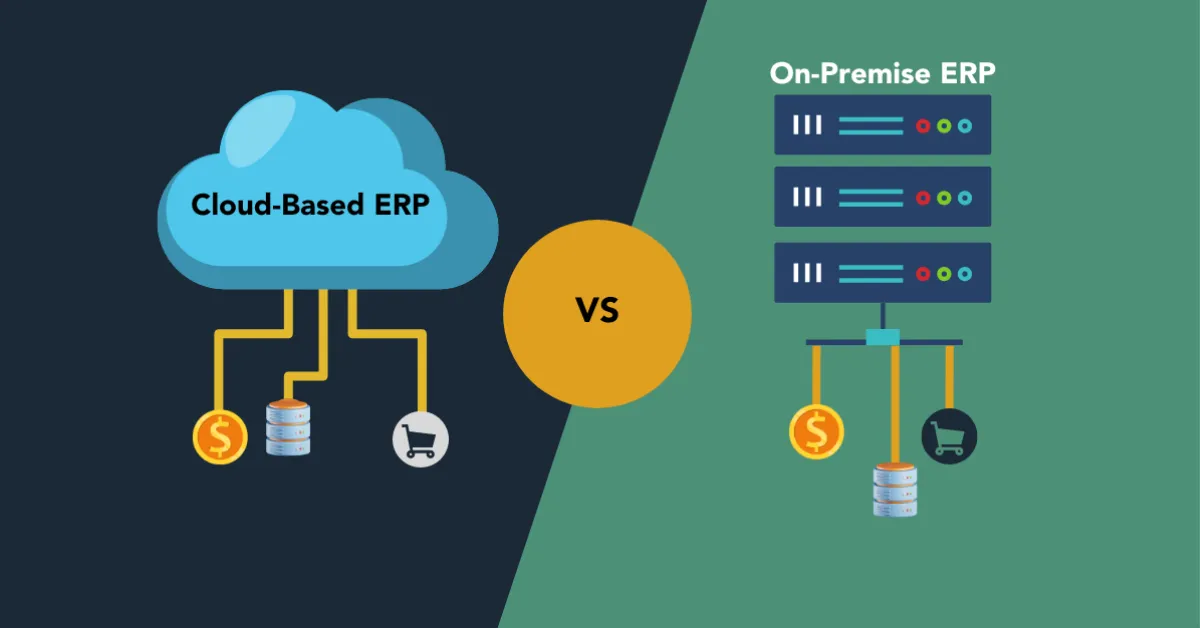
On-Premise ERP refers to enterprise resource planning software that is physically installed on your company’s servers and managed by your internal IT team. Instead of relying on a vendor’s infrastructure or internet-based access, your data, software, and customizations reside on your own premises.

This model was the industry standard before the rise of cloud computing. Large enterprises often chose on-premise ERP systems for their high degree of customization, direct control over security, and ability to meet complex regulatory requirements.

For example, a manufacturing company with sensitive trade data might prefer on-premise ERP to maintain full control over its systems, particularly if they already have the infrastructure and IT staff to support it.

What is Cloud-Based ERP?

Cloud-based ERP, on the other hand, is hosted on the vendor’s servers and accessed via the internet. There is no need to purchase physical hardware or worry about manual software updates. You simply log in from a browser or app, and the ERP system is ready to go — whether you’re in the office or on the move.

This model is particularly attractive for small to midsize businesses that need fast deployment, minimal maintenance, and scalable costs. Your software is updated regularly by the vendor, your data is backed up automatically, and you get access from any device, anywhere in the world.

Cloud ERP helps eliminate silos, simplify compliance, and allow remote teams to work with confidence — all while reducing the overhead of traditional IT management.

Side-by-Side Comparison: Cloud ERP vs. On-Premise ERP

Feature-level comparison of cloud and on-premise ERP systems

Feature Cloud-Based ERP On-Premise ERP
Deployment Hosted by vendor Installed on company servers
Access Anywhere via internet Local network or VPN
Cost Subscription-based Upfront license + maintenance costs
Scalability High — add features as you grow Limited without additional investment
Maintenance Vendor-managed Handled by in-house IT
Customization Moderate, via APIs Deep, often tailored to specific workflows
Security Vendor-managed with certifications Internal responsibility
Implementation Time Typically faster Can take longer depending on infrastructure

When Cloud-Based ERP Makes the Most Sense

You’re Scaling and Need Agility

Cloud ERP platforms allow businesses to expand without infrastructure roadblocks. Whether you open new locations or add new product lines, cloud ERP adapts quickly — no need for new servers or staff.

You Have a Lean IT Team

If your current IT support is limited or outsourced, managing your own ERP installation can be a burden. Cloud ERP eliminates the need for in-house upgrades, data backups, or patching.

You Want Predictable Monthly Costs

With cloud ERP, there’s no large upfront capital outlay. Most pricing models are based on a monthly or annual subscription, helping businesses forecast expenses and preserve cash flow.

You Need Remote and Real-Time Access

From field reps to warehouse staff to remote finance teams, cloud ERP ensures everyone accesses the same data, live. Whether you’re checking dashboards during a business trip or approving purchase orders from home, the system is always on and always current.

When On-Premise ERP Might Be Better

You’re in a Highly Regulated Industry

Some sectors — like defense, finance, and healthcare — require complete control over data storage and access. On-premise ERP systems allow companies to meet strict compliance regulations by managing everything internally.

You Already Have the IT Infrastructure

If you have a robust in-house tech team, servers, and cybersecurity measures in place, maintaining an on-premise ERP can be more economical over the long term.

You Need Heavy Customization

Businesses with highly specialized processes — such as unique manufacturing methods or legacy systems — often prefer on-premise ERP due to its deep customization options.

ERP Adoption Trends in 2025

According to industry research by Software Advice and Gartner, over 60% of growing businesses are choosing cloud ERP due to its ease of use, speed of deployment, and lower upfront costs.

This shift is also driven by broader business needs: remote teams, real-time analytics, mobile accessibility, and the rise of low-code automation. Cloud ERP systems now offer APIs, integration with CRM and HR tools, and AI-powered dashboards for better decision-making.

How ERPByNet Fits In

 ERP System Ownership Hierarchy Chart

At ERPByNet, we build ERP solutions tailored to your business size, industry, and workflow. Whether you need the flexibility of the cloud or the control of on-premise systems, our consultants help design and implement a system that grows with you.

Our AceMRP product includes powerful modules like inventory tracking, accounting, HR automation, and role-based permissions — all accessible through a user-friendly interface that keeps your team productive and in sync.

Conclusion: Choosing the Right ERP is a Strategic Move

Choosing between cloud-based ERP and on-premise ERP isn’t just about technology — it’s about aligning your system with your business vision, budget, and operational needs. In 2025, most startups and SMEs are leaning into cloud ERP for its scalability, lower costs, and real-time capabilities.

At ERPByNet, we believe in ERP that’s designed around your goals — not the other way around. Whether you’re replacing disconnected tools or upgrading an outdated legacy system, we’re here to simplify your operations and support your growth.

Ready to choose clarity over complexity? Let ERPByNet build the ERP solution that fits your future.

Still have questions about ERP and how it fits your business? Let’s clear them up.

What is the main difference between cloud and on-premise ERP?

Cloud ERP is hosted online and managed by the vendor, while on-premise ERP is installed on your company’s servers and managed internally.

Is cloud ERP secure enough for sensitive data?

Yes. Most cloud ERP vendors implement enterprise-grade security protocols, encryption, and regular compliance audits. It’s often more secure than locally managed systems.

Can I switch from on-premise to cloud ERP later?

Yes. Many businesses start on-premise and migrate to the cloud as they grow or restructure. ERPByNet supports both paths and can guide you through migration when you’re ready.

Is on-premise ERP more expensive?

On-premise ERP involves high initial investment in licenses, hardware, and IT personnel. Over time, it may cost less than long-term cloud subscriptions — but only if you already have the infrastructure.

Which industries still prefer on-premise ERP?

Sectors like defense, finance, and healthcare often require strict data control and compliance, which makes on-premise ERP a better fit in some cases.

How fast can ERPByNet deploy a cloud ERP solution?

With our streamlined implementation process, cloud ERP can be deployed in weeks — customized to your workflows and team structure.


CategoriesERP (Enterprise Resource Planning) Marketing

The ROI of Real-Time Task Tracking in Mobile ERP Solutions

Struggling with delayed updates, missed deadlines, or endless check-ins? You’re not alone. For growing businesses, managing tasks across departments or remote teams often turns into a game of broken telephone. That’s where real-time task tracking in mobile ERP solutions becomes a game-changer. This blog breaks down the measurable ROI of implementing real-time tracking—from faster task closures and reduced errors to better resource utilization and smarter decisions. With examples from field service, warehouse ops, and finance workflows, we illustrate exactly how live updates can boost performance, accountability, and profitability. We also compare manual task tracking methods (think spreadsheets and sticky notes) with the speed and precision of mobile ERP platforms like ERPByNet’s SiteApp. If your team is constantly waiting for updates, reacting to problems too late, or burning hours on coordination instead of execution, this post shows why real-time ERP isn’t just an upgrade—it’s a strategic investment. You’ll see how mobile-enabled tracking can help streamline your operations, cut costs, and free your teams to focus on what matters most: growing your business. Whether you manage 10 people or 100, real-time task visibility pays off fast—and this article proves it. Ready to rethink how your team works? Start here.

What is Real-Time Task Tracking in a Mobile ERP?

What-is-Real-Time-Task-Tracking-in-a-Mobile-ERP

At its core, real-time task tracking is about visibility and responsiveness. It refers to the ability to:

  • Assign tasks instantly to relevant users
  • Receive immediate status updates (in-progress, delayed, completed)
  • Trigger workflows based on live field inputs
  • Generate reports and notifications on task performance

Mobile ERP platforms extend these capabilities to smartphones and tablets—allowing your employees to update progress, upload documents, or complete checklists from the warehouse floor, job site, or customer location.

ERPByNet’s mobile ERP app supports this functionality with dashboards, approval layers, notifications, GPS tagging, and instant sync with the core system.

Data Doesn’t Lie: Real-Time Tracking Improves Closure Rates

According to a TechValidate survey, companies that implement real-time task tracking through mobile ERP platforms report:

  • 46% faster task closure
  • 34% drop in delays related to miscommunication
  • 31% improvement in compliance and documentation accuracy

Let’s break it down further with two real-world scenarios.

Use Case 1: Field Service & Maintenance

Use Case 1_ Field Service & Maintenance

Before Real-Time ERP
A field technician is assigned three service calls. They receive job details via email in the morning. During the day, task updates are phoned in to a supervisor or written down for later entry. Errors pile up—wrong addresses, missing service parts, or poor time tracking.

After Mobile ERP Implementation
Each task arrives via the mobile ERP app with GPS location, service checklist, and parts needed. The technician checks in upon arrival, updates the task with photos, and closes it digitally on-site. All updates reflect instantly in HQ dashboards.

Impact:

  • Job completion rate rose by 39%
  • Customer complaints dropped by 23%
  • Billing cycle accelerated by 48%

Use Case 2: Warehouse Dispatch and Stock Movement

Before Real-Time ERP
Warehouse operators rely on printed pick-lists. Managers track progress manually or via whiteboards. Misplaced items and double entries cause confusion.

After Mobile ERP Implementation
As soon as a sales order is created, tasks are dispatched to the mobile app. Pickers scan QR codes as they move through the warehouse. Supervisors view a live dashboard of task progress and reallocate work instantly during peak times.

Impact:

  • Inventory discrepancies reduced by 63%
  • Dispatch time improved by 41%
  • Labor utilization rate increased by 28%

The ROI Equation: What’s in It for Your Business?

Real-time task tracking creates ROI through multiple levers:

1. Time Savings

Less time spent chasing status updates means more time for execution. With mobile ERP solutions, approvals, reports, and feedback loops are reduced from days to minutes.

ROI Stat: Businesses saved an average of 9.3 hours per week per team by eliminating manual task status communication, according to a Forrester study on workflow automation.

2. Resource Optimization

Tasks are reassigned dynamically based on real-time workload and availability. Underutilized staff are better deployed, while delays are mitigated early.

ROI Stat: Companies report 21–27% increase in resource efficiency within 3 months of adopting real-time task modules.

3. Better Decision-Making

When managers have real-time insights into bottlenecks, overdue tasks, or performance gaps, decisions improve. Instead of being reactive, they can forecast delays and reroute work.

4. Reduced Costs from Errors and Delays

Every missed handoff or lost task has a price—whether in overtime, rework, or customer churn. Real-time visibility cuts this cost significantly.

ROI Stat: ERP users with mobile task tracking saw a 32% decrease in error-related rework costs within 6 months.

Comparison: Manual Tracking vs. Mobile ERP Task Tracking

Comparison_ Manual Tracking vs. Mobile ERP Task Tracking -

Aspect Manual Tracking (Paper/Excel) Mobile ERP Task Tracking
Update Frequency Delayed Instant
Data Accuracy Low (Manual Entry) High (Live Sync & Logs)
Accountability Ambiguous Role-based & Audited
Decision-Making Hindsight-based Real-time data insights
Task Reassignment Manual, Delayed One-click Reallocation
Cost of Delay/Error High Reduced by up to 30%

Feature Deep Dive: ERPByNet’s Mobile Task Module

Here’s how ERPByNet’s mobile task tracking feature set delivers impact:

  • Live Notifications: Users receive push updates on new tasks, changes, or escalations.
  • Custom Roles: Define who can view, edit, or assign tasks.
  • GPS Integration: Validate field activity with location-based logging.
  • Photo Uploads: Add evidence or proof-of-work with a tap.
  • Real-Time Reporting: Management dashboards update instantly with completion rates and overdue tasks.
  • Offline Sync: Even in low-connectivity areas, data syncs once back online.

These features allow businesses to track everything from site visits to inspection reports to expense claim approvals—all from the palm of their hands.

Long-Term Strategic Benefits

Implementing mobile ERP with real-time task tracking also contributes to:

  • Higher customer satisfaction: Thanks to faster resolution and more predictable service.
  • Better compliance: Digital audit trails and time-stamped activity logs.
  • Scalable operations: As teams grow, workflows stay organized without increasing admin workload.

In other words, task tracking isn’t just tactical—it’s strategic.

Conclusion: Real-Time Isn’t Optional Anymore

In a world where remote teams, customer expectations, and compliance pressures are all rising, real-time task tracking is no longer a “nice to have.” It’s a return-on-investment engine—saving time, cutting costs, and improving output across the board.

Whether you’re managing ten technicians or fifty warehouse pickers, the visibility and control offered by mobile ERP solutions deliver real-world impact.

ERPByNet’s mobile ERP platform is built to give growing businesses the tools they need to move faster, stay accountable, and scale without chaos. Ready to track smarter, not harder?

Let’s get you real-time ready. Explore ERPByNet’s mobile ERP capabilities here

Still have questions about mobile task tracking in ERP? Let’s clear them up.

How does mobile ERP differ from traditional ERP?

Traditional ERP is desktop-bound. Mobile ERP brings the power of ERP to your phone or tablet—ideal for field teams, remote managers, and fast-moving businesses.

Is real-time task tracking useful for small teams?

Absolutely. Even teams of 5–10 can save hours each week by cutting back on status meetings and manual check-ins.

What devices does ERPByNet’s mobile ERP support?

Our platform is available on both Android and iOS and works across smartphones and tablets.

Can I assign tasks by role or department?

Yes. ERPByNet allows role-based task assignment, so tasks are routed automatically to the right team members.

Does mobile ERP work offline?

Yes. Tasks can be completed and saved offline. They sync automatically when your device reconnects to the internet.

How long does implementation take?

Most businesses can go live within 2–4 weeks, depending on the number of workflows and integrations needed.

CategoriesERP (Enterprise Resource Planning)

How Custom ERP Software Can Boost Efficiency and Reduce Costs

You started with what you had. WhatsApp for quick updates. Google Sheets for tracking inventory. Trello for assigning tasks. And for a while, it worked. Until it didn’t.

One day you’re scrolling through a WhatsApp thread trying to find the final version of a quotation, the next you’re realizing your spreadsheet has been edited by three people—two of whom didn’t even know they were editing the wrong tab. Trello boards begin to resemble a battlefield of cards, overdue checklists, and silent team members.

It’s not that these tools are bad. They’re just not built for what you’re really trying to do—run an efficient, process-driven, and accountable business. And the real cost? It shows up in missed deadlines, double-booked resources, frustrated employees, and money slipping through cracks you didn’t know existed.

If this sounds like your reality, it’s time to reimagine your workflow. Not with another off-the-shelf app, but with custom ERP software designed to centralize your operations, eliminate chaos, and cut costs where it matters.

Welcome to SiteApp by ERPByNet — a purpose-built workflow management solution made for businesses that outgrew basic tools.

Why Patchwork Tools Are Failing Your Business

Why Patchwork Tools Are Failing Your Business
 

WhatsApp: The Chatroom That Ate Your Workflow

WhatsApp is fast and familiar. But it was never built for task management, documentation, or structured communication.

  • No task ownership or audit trail

  • Critical messages buried under good mornings and forwarded memes

  • No way to convert discussions into actions or reports

In short, it’s like trying to run customer support with walkie-talkies — fast but untrackable.

Google Sheets: Powerful but Prone to Human Error

Spreadsheets have always been the startup favorite. But what starts as a “quick tracker” quickly spirals into version control nightmares.

  • Manual updates lead to data mismatches

  • Complex formulas increase dependency on the spreadsheet creator

  • No role-based permissions or user accountability

They’re useful — until one miscalculation in a column leads to major stock discrepancies or payroll blunders.

Trello & Similar Tools: Great for Projects, Weak on Operations

Trello is a great visual tool — when the project is clear, the team is small, and the timeline is short. But for repeatable, day-to-day operations?

  • No dynamic workflows

  • Lacks real-time integration with HR, inventory, or finance

  • Does not support structured roles, escalations, or automation

You end up using a dozen plugins or workarounds to do what a proper ERP can handle out of the box.

The Real-World Impact of Inefficiency

Let’s look at how this fragmented approach hits your bottom line:

  • Time Wasted: Employees spend hours searching for files, confirming status updates, or redoing tasks lost in chat threads.

  • Operational Blind Spots: Management lacks visibility into what’s pending, who’s responsible, or how each department is performing.

  • Revenue Leakage: Invoicing delays, unrecorded expenses, and unsynced inventory create direct financial loss.

  • Employee Burnout: Constant firefighting without structured workflows leads to low morale and high turnover.

According to a Forrester study, inefficient workflows cost businesses up to 30 percent of their annual revenue in rework, delays, and communication gaps.

Introducing SiteApp: Built for Accountability, Clarity, and Control

SiteApp isn’t just another productivity tool. It’s a custom ERP platform designed by ERPByNet specifically to manage complex workflows, daily operations, and team coordination.

Whether you’re in manufacturing, construction, services, or retail — SiteApp creates a digital operating system tailored to how your business actually runs.

What Makes SiteApp Different?

What Makes SiteApp Different_
 

1. Centralized Workflow Management

No more bouncing between apps. SiteApp connects task assignments, project tracking, expense logs, and client interactions in one place.

  • Assign, track, and escalate tasks across departments

  • Real-time dashboards show you what’s stuck and who’s responsible

  • Structured workflows reduce manual dependencies
    2. Purpose-Built for Multi-Location Teams

Unlike chat apps or general tools, SiteApp handles field operations, approvals, and location-wise status reporting with ease.

  • Role-based access control ensures only the right eyes see the right data

  • Geo-tagging and time-stamping for field staff activities

  • Site-wise progress tracking and automatic notifications

3. Smart Alerts and Escalations

No more “missed messages” or “I didn’t know it was pending.” SiteApp offers automated alerts, SLA timers, and escalation workflows that ensure nothing slips through.

  • Automated reminders for due tasks

  • Escalations to senior management if issues are not resolved

  • Activity log to audit who did what, when

4. Cost Efficiency via Automation

Every manual task that can be automated is a cost saved. SiteApp streamlines routine processes like:

  • Daily reporting

  • Stock requests and issue logs

  • Leave approvals and attendance sync

This reduces administrative overhead and improves employee productivity.

5. Full Visibility with Custom Dashboards

Decision-making requires clarity. SiteApp offers:

  • Real-time dashboards for managers and department heads

  • Drill-down views by project, site, task, or team

  • Exportable reports for audits and reviews

Use Case Snapshot: From Chaos to Clarity in 30 Days

Client: A growing interior design firm managing 12 active sites.

Before SiteApp:

  • WhatsApp groups for each site

  • Excel sheets emailed every Friday

  • 2 staff managing task assignments manually

After SiteApp:

  • Daily task logs entered by site supervisors

  • Central dashboard shows task completion % by site

  • Auto-escalation of pending tasks to project manager

Result:

  • Reporting time reduced by 70%

  • Task completion improved from 61% to 91% in the first month

  • Over ₹1.2L saved per month in operational inefficiencies

Why Custom ERP Is the Future of Business Efficiency

Why Custom ERP Is the Future of Business Efficiency
 

Generic software is like buying clothes off the rack. It might fit okay — but it was never tailored for you.

Custom ERP solutions like SiteApp are different. They reflect your structure, your language, and your priorities. And unlike bloated enterprise software, they grow as you grow — without unnecessary complexity or cost.

  • Built-in workflows for your domain

  • Scalable across locations and departments

  • Hosted securely and updated regularly

As per Gartner’s 2024 report, businesses using purpose-built ERP systems saw a 37% higher process efficiency rate than those relying on general productivity tools.

Final Thoughts

Free tools come at a hidden cost. The more your business grows, the harder it gets to keep everything together using WhatsApp, Sheets, and boards. It’s like building a house with duct tape — fine at first, but one storm and the roof comes off.

If your operations are feeling scattered, it’s time to invest in tools that centralize, clarify, and automate — not complicate.

SiteApp by ERPByNet offers the perfect middle ground between simplicity and power. It’s where smart businesses go to scale without the growing pains.

Want to see how SiteApp fits your team? Explore SiteApp now and let’s rebuild the way your business works — one smart workflow at a time.

FAQs: Still Wondering if SiteApp Is Right for You?

What kind of businesses can use SiteApp?

SiteApp is ideal for SMEs across industries — manufacturing, interior design, construction, and services — especially those with field operations or multiple teams.

Can I integrate SiteApp with my existing tools?

Yes. SiteApp supports API integrations with CRMs, HRMS, accounting tools, and more. We also help with custom integrations during implementation.

Is SiteApp available on mobile?

Absolutely. SiteApp is mobile-optimized so that field teams can update tasks, check schedules, and log activity from any location.

How long does it take to implement SiteApp?

Most businesses go live in under 2–4 weeks. Our onboarding team ensures your setup reflects your real workflows from day one.

Is training provided?

Yes. We offer hands-on training, video walkthroughs, and support to ensure your team adopts SiteApp with ease.

What’s the pricing model?

SiteApp is modular and subscription-based. You pay based on features and team size. No bloated packages or surprise costs.

Name
Verified by MonsterInsights