CategoriesERP (Enterprise Resource Planning)

The Benefits of Automating Your AMC Contracts and Why You Need to Switch Now

If you’ve ever managed an Annual Maintenance Contract (AMC) with nothing but a spreadsheet, a phone, and a silent prayer, you know the drill. Renewal dates sneak up on you like uninvited guests. Invoices get buried in email threads. And just when you think you’re on top of it, a client calls to say, “Hey, wasn’t my AMC supposed to be renewed last week?”

It’s the business equivalent of Friday fire drills—chaotic, repetitive, and entirely avoidable. Operations managers, especially in growing SMEs, spend hours chasing AMC details: expiry dates, payment statuses, service history. That’s valuable time that could be spent actually growing the business.

The truth? AMC contract management doesn’t have to be a headache. With the right automation, you can turn renewal chaos into a predictable, revenue-generating machine. That’s where ERPbyNet comes in—bridging the gap between manual tracking and effortless AMC control.

What is AMC Contract Management (And Why It Matters More Than You Think)?

In simple terms, AMC contract management is the process of overseeing, renewing, and tracking annual maintenance agreements with your customers. Whether you service elevators, HVAC systems, medical devices, or IT infrastructure, these contracts are your lifeline for recurring revenue.

Traditionally, AMC management meant:

  • Manually updating spreadsheets.
  • Setting calendar reminders (that may or may not get snoozed forever).
  • Sending renewal proposals one client at a time.
  • Chasing approvals, then chasing payments.

This worked when you had 10 contracts. But once you’re dealing with hundreds across multiple clients, manual methods become a liability—leading to missed renewals, cash flow dips, and damaged client trust.

The Problem with Manual AMC Management

The Problem with Manual AMC Management

  1. Missed Renewals = Missed Revenue
    If your renewal reminder relies on someone “remembering” to send an email, you’re gambling with your income stream.
  2. Approval Delays
    Manual proposals often sit in inboxes, waiting for management to review—slowing everything down.
  3. Data Silos
    Service history in one folder, invoices in another, client communication somewhere else—it’s a mess.
  4. Poor Client Experience
    When a customer has to remind you about their contract, it’s a bad look.

Read More : How to Manage Inventory, Technicians & Invoices in One ERP Dashboard

How Automation Changes the Game

Automating AMC contract management transforms the entire process from reactive to proactive. Here’s what happens when ERPbyNet takes over:

1. Renewal Reminders That Never Forget

The system sends automatic alerts well before AMC expiry—weeks in advance—so you’re never blindsided.

2. Pre-filled Proposals in Seconds

ERPbyNet pulls in updated service dates, contract terms, and rates, generating ready-to-send proposals instantly.

3. Digital Approval Workflows

Managers can review and approve proposals from anywhere, with just a click—no more endless email loops.

4. Instant Invoice Integration

Once approved, invoices are generated automatically and linked to your billing module.

Real-World Example: Before and After Automation

Real-World Example: Before and After Automation

Before ERPbyNet:
Rajesh runs a mid-sized HVAC servicing company. Every quarter, his team scrambles to check which contracts are up for renewal. Someone inevitably misses one or two. Clients slip away, frustrated by delays.

After ERPbyNet:
The system flags all contracts due for renewal in the next 60 days, auto-generates proposals, and notifies both sales and service teams. Rajesh’s company now has a 98% renewal rate, plus happier clients who feel taken care of.

Read More : Project Management ERP: The Secret to On-Time and On-Budget Delivery

Key Benefits of AMC Contract Management Automation

Key Benefits of AMC Contract Management Automation

1. Revenue Stability

Automation ensures you never miss a renewal, protecting your recurring income stream.

2. Time Savings

What used to take hours (or days) now takes minutes. Your team can focus on value-adding work, not admin.

3. Better Client Relationships

Timely renewals and smooth communication make clients feel valued and secure.

4. Improved Accuracy

With centralized data, there’s no risk of sending outdated terms or incorrect prices.

5. Scalable Operations

Whether you have 50 or 5,000 AMCs, the process remains just as smooth.

Read More : How ERP Helps Small Elevator Businesses Operate Like Big Players?

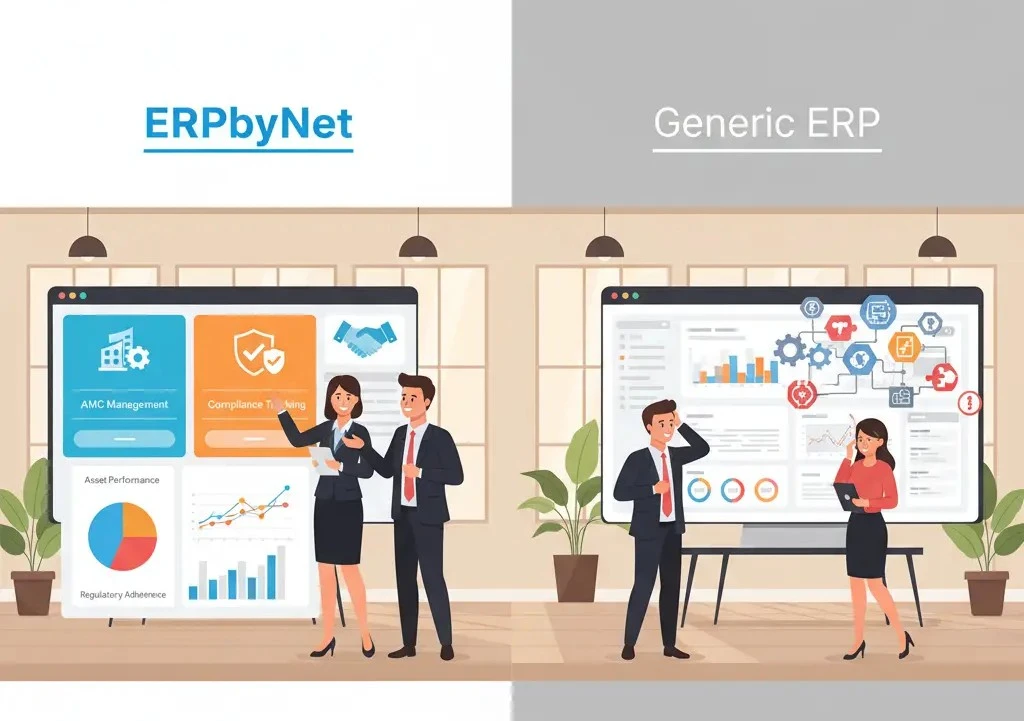
AMC Automation vs. Manual Tracking: A Quick Comparison

Feature Manual Tracking Automated with ERPbyNet
Renewal Reminders Dependent on human memory Automated, scheduled alerts
Proposal Preparation Manual entry Pre-filled in seconds
Approval Process Email chains One-click digital workflow
Invoicing Separate process Auto-linked post-approval
Data Access Scattered files Centralized dashboard
Scalability Hard to manage >100 contracts Effortless at any scale

Why Switch Now? The Cost of Waiting

Every missed renewal is money left on the table—and a risk to your client relationship. According to Gartner, businesses that automate recurring contract processes see up to 25% higher customer retention.

Add to that the opportunity cost—hours wasted chasing paperwork instead of chasing growth—and it’s clear that waiting costs more than switching.

Trends Shaping the Future of AMC Contract Management

  • AI-powered predictions: Forecast renewal likelihood and suggest upsells.
  • Mobile-first approvals: Managers approve proposals on the go.
  • Integrated compliance tracking: Auto-generate compliance certificates alongside contracts.
  • Low-code customization: Tailor workflows without heavy coding.

ERPbyNet is already integrating these capabilities, keeping you ahead of the curve.

Read More : How Much Does ERP Cost in 2025? Complete Pricing Guide for All Business Sizes

 From Firefighting to Forecasting

Managing AMCs manually is like bailing water from a leaky boat—you’re constantly working, yet losing ground. Missed renewals, scattered data, and delayed invoicing create a cycle of firefighting instead of forward planning. Automation with ERPbyNet changes that story. It patches the leaks, centralizes your processes, and ensures a steady, predictable flow of renewals and revenue.

With smart reminders, instant proposal generation, and seamless billing integration, you move from reactive chaos to proactive control. No more last-minute scrambles—just clear visibility, timely actions, and happier clients.

At ERPbyNet, we design ERP solutions that don’t just fit your business—they grow with it. Whether you’re managing fifty contracts or five thousand, our AMC contract management tools keep you ahead, organized, and profitable. It’s time to stop fighting fires and start forecasting your next big win. Ready to make the switch? Let’s transform your workflow.

Still have questions about AMC contract management? Let’s clear them up.

1. What is AMC contract management software?

AMC contract management software is a specialized digital solution designed to handle the entire lifecycle of your Annual Maintenance Contracts. It automates key tasks such as tracking contract start and expiry dates, sending timely renewal reminders, generating proposals, and creating invoices. By centralizing all your contract data in one place, it eliminates the need for scattered spreadsheets or manual follow-ups, ensuring nothing slips through the cracks.

2. Who needs AMC contract automation?

Any business that relies on recurring maintenance agreements can benefit from AMC automation. This includes industries like HVAC servicing, elevator maintenance, IT infrastructure support, security systems, and manufacturing equipment servicing. If your business depends on renewals for steady revenue, automation ensures you never miss a date, maintain better client relationships, and save valuable administrative time.

3. Can ERPbyNet integrate with my existing systems?

Absolutely. ERPbyNet is built for compatibility and can integrate seamlessly with your existing tools through secure APIs. Whether you use accounting software like QuickBooks, a CRM system like Salesforce, or an inventory management platform, ERPbyNet connects them so your data flows effortlessly across departments—reducing double entry and boosting accuracy.

4. Will automation replace my staff?

Not at all. The goal of automation is to make your team more productive, not redundant. By removing repetitive administrative work—like manually tracking renewal dates or preparing invoices—your staff can focus on more strategic, high-value activities such as client service, sales, and business growth initiatives.

5. How fast can I get started?

With ERPbyNet, getting started is quick and straightforward. Depending on the complexity of your current processes and systems, implementation can take as little as a few weeks. We guide you through setup, configuration, and training to ensure your team is comfortable and confident using the system from day one.

6. Is AMC automation expensive?

Think of AMC automation as an investment rather than a cost. While there is an initial setup and subscription fee, the return is almost immediate. Businesses recover their investment through time saved, fewer missed renewals, reduced errors, and increased customer retention. In most cases, the boost in recurring revenue more than covers the cost within months.

CategoriesERP (Enterprise Resource Planning)

How to Manage Inventory, Technicians & Invoices in One ERP Dashboard

If you’ve ever been in the thick of running a growing business, you know how quickly simple operations can turn into full-blown Friday fire drills. One moment, you’re juggling customer calls; the next, you’re knee-deep in “Excel hell,” trying to match stock counts with yesterday’s sales, only to realize your technician schedule is two steps out of sync with your invoicing. By Monday, your team is already in silo confusion mode — and you’re wondering how this became normal.

It’s not that you don’t have tools. You have plenty — a scheduling app for your service team, accounting software for invoices, spreadsheets for inventory. But when these systems don’t talk to each other, you’re constantly switching tabs, double-entering data, and playing detective when things go wrong. Operations turn reactive, not proactive.

This is where a unified ERP dashboard changes the game. ERPbyNet brings your inventory, technician management, and invoicing under one roof — giving you a single source of truth to keep operations running like a well-rehearsed orchestra. Let’s break down the real-world problems you face, how an ERP platform addresses them, and why the end benefits go beyond just “efficiency.”

CAPE Framework: From Pain Points to Lasting Business Gains

CAPE Framework: From Pain Points to Lasting Business Gains

C – Customer Problems / Pain Areas

1. The Inventory Guessing Game

Without centralized tracking, stock levels become a mystery. Your team finds out about shortages only when an order is delayed or a job can’t be completed on-site. Manual updates in spreadsheets create lag time, and with multi-location storage, the chances of miscounts skyrocket.

2. Technician Scheduling Chaos

Coordinating technicians often means juggling text messages, phone calls, and last-minute reschedules. If a technician finishes early, you have no quick way to reassign them. If a job runs over, it’s a ripple effect across the day. This reactive approach often leads to customer frustration and wasted labor hours.

3. Invoicing Delays & Errors

When invoicing happens after the job — and relies on manual inputs from different departments — mistakes are inevitable. Lost paperwork, mismatched client details, or forgotten add-on charges chip away at your margins. Worse, delayed invoices slow down cash flow, which hits small businesses the hardest.

4. The “Multiple Systems” Tax

Using separate tools for each function creates data silos. Your technician app doesn’t pull live inventory data, your invoicing tool doesn’t track service time, and your accounting software doesn’t know when a job was completed. The cost? Lost time, duplicated work, and a lack of real-time insight for decision-making.

A – Advantages You Offer

Unified Dashboard for Everything

An ERP dashboard consolidates your inventory, technician schedules, and invoicing into one view. You don’t need to log in to three systems or chase down status updates. Every department works from the same live data set.

Real-Time Inventory Tracking

Instead of waiting for end-of-day counts, your ERP updates stock levels instantly as items are used in the field or sold. Technicians know if the required parts are in stock before they leave, preventing wasted trips.

Smart Technician Management

With ERPbyNet’s scheduling module, you can assign jobs, track progress, and make live changes. If a technician finishes early, the system flags availability so you can maximize productivity without guesswork.

Instant, Accurate Invoicing

As soon as a job is marked complete, the ERP auto-generates an invoice with all the relevant details — service time, parts used, discounts applied. This not only reduces errors but also improves cash flow by shortening the billing cycle.

P – Proof or Performance

Case Example – Service Company Efficiency Jump

A mid-sized appliance repair business switched from separate tools to ERPbyNet’s integrated dashboard. Within the first quarter:

  • Inventory-related delays dropped by 45% due to live stock updates. 
  • Technician idle time decreased by 30%, thanks to real-time reassignment. 
  • Invoicing speed improved from an average of 3 days post-service to same-day billing.

Adoption Trend Evidence

Industry research shows that businesses using integrated ERP systems see operational cost reductions of 10–25% within the first year. These savings come not just from efficiency but from fewer errors, less wasted labor, and better resource utilization.

Industry Comparisons

Function Old Way ERP-Driven Way
Inventory Updates Manual, end-of-day Automatic, real-time
Technician Scheduling Phone calls/texts Live dashboard assignment
Invoicing Delayed, error-prone Instant, accurate
Data Sharing Siloed, duplicated Centralized, synchronized

E – End Benefits / Emotional Trigger

When your inventory, technicians, and invoicing are all managed from one ERP dashboard, the benefits go beyond numbers. It’s about regaining control. You stop firefighting and start leading.

Your team works in sync — no more “Did you update the spreadsheet?” moments. Customers notice the difference too: faster service, fewer delays, accurate billing. That trust builds loyalty, and loyalty fuels growth.

For you, it’s the peace of mind that every moving part of your business is connected. You can make decisions with confidence because your data is live, accurate, and accessible — all from one screen. ERPbyNet delivers not just tools, but the clarity and control to run your business without the chaos.

Read More : Mobile ERP for Field Sales Teams: Work Anywhere, Close Everywhere

Beyond CAPE – Taking ERP Efficiency Further

1. The Central Nervous System of Your Business

Think of your ERP dashboard as the central nervous system — every signal, from stock changes to technician status updates, travels through it instantly. This means fewer “misfires” and more coordinated action.

2. From Reactive to Predictive

ERP doesn’t just help you respond to problems faster — it helps you avoid them altogether. Low stock alerts, technician workload forecasts, and invoice aging reports let you act before issues snowball.

3. Scalability Without the Growing Pains

When you add new services, expand your team, or open a new location, your ERP dashboard scales with you. There’s no scramble to patch together more tools or retrain your staff on different systems.

Read More : Field Sales Automation ROI: What Sales Managers Are Actually Getting Today

How It Works – The Flow in Real Life

How It Works – The Flow in Real Life

Step 1: Inventory Integration

Your warehouse stock is synced with your sales and service data. When a technician is assigned a job, the system checks and reserves required parts automatically.

Step 2: Technician Assignment & Tracking

Schedulers can drag-and-drop assignments, view each technician’s live location, and receive status updates in real time.

Step 3: Instant Invoicing

Once a job is marked complete, the ERP generates an invoice, applies any discounts, and pushes it directly to the customer’s preferred payment method.

Result: The entire job cycle — from part allocation to payment — happens in one continuous digital workflow, with no manual data transfers.

Industry Use Cases

Field Service Companies

Plumbing, electrical, HVAC — where technician time and parts availability directly affect customer satisfaction.

Retail & E-commerce

Synchronizing stock across physical stores and online platforms while ensuring accurate, fast billing.

Manufacturing

Coordinating raw materials, production schedules, and shipment invoicing in one view.

Features That Matter Most

Feature Why It Matters
Real-Time Inventory Prevents shortages & excess stock
Mobile Technician App Field teams stay updated without phone calls
Automated Invoicing Speeds up cash flow
Role-Based Access Ensures data security for different departments
API Integration Connects with your existing CRM or accounting software

Performance Metrics You Can Track

A well-implemented ERP dashboard lets you measure:

  • Job completion time (per technician, per location)
  • Inventory turnover rate
  • Invoice processing time
  • Customer satisfaction scores
  • First-time fix rate (critical for service-based businesses)

When you track these metrics in one place, decision-making becomes a data-driven process rather than guesswork.

Read More : How ERP Helps Small Elevator Businesses Operate Like Big Players?

Conclusion

Managing inventory, technician schedules, and invoicing separately is like trying to play a symphony with each musician reading a different sheet of music. A unified ERP dashboard puts everyone on the same page, in the same rhythm.

With ERPbyNet, you get a platform designed to centralize, simplify, and supercharge your operations — so you can focus on growth instead of putting out daily fires. Ready to see how it works? Let’s transform your workflow.

FAQs

Still have questions about ERP and how it fits your business? Let’s clear them up.

1. Can ERP really replace all my current tools?

Yes. A well-designed ERP can centralize functions like inventory tracking, scheduling, and invoicing, so you no longer need separate software for each.

2. Will it be hard for my team to learn?

Most modern ERP platforms are built with intuitive interfaces. With proper onboarding, your team can be up and running in weeks, not months.

3. Is ERP only for large enterprises?

No. Small and mid-sized businesses benefit significantly from ERP, often seeing faster ROI because they can implement changes quickly.

4. How does ERP improve cash flow?

By generating accurate invoices instantly and reducing billing delays, ERP speeds up payment cycles and strengthens cash flow.

5. What if my business has multiple locations?

An ERP can manage inventory and scheduling across multiple sites, giving you visibility into all operations from one dashboard.

6. How soon will I see results after implementation?

Many businesses notice efficiency gains within the first quarter, especially in reduced delays, improved scheduling, and faster invoicing.

CategoriesERP (Enterprise Resource Planning)

Project Management ERP: The Secret to On-Time and On-Budget Delivery

It begins quietly, almost innocently. One day your project plan looks flawless, every milestone neatly aligned, every task marching to the right rhythm. Then the cracks appear. A shipment gets stuck halfway across the country. A subcontractor sends an apologetic message asking for “just one more week.” The budget spreadsheet you proudly updated last Friday is already two versions behind. Suddenly, your well-orchestrated plan feels more like a runaway train, and you’re left scrambling to keep it on the tracks.

If you’ve ever tried managing a project without a connected, integrated system, you know this storm all too well. You’ve spent hours juggling mismatched spreadsheets, each claiming to be the “final version.” You’ve dug through endless email threads searching for the latest status update. You’ve discovered—often too late—that three different teams are working from three entirely different sets of data. Finance waves a red flag about budget overruns only after the money has already been spent. And while the project struggles to find its footing, your weekends vanish into urgent calls, site visits, and frantic attempts to stitch fragmented information into a coherent plan.

But here’s the truth: delivering projects on time and within budget isn’t about pushing your team harder or asking for more late nights. It’s about working smarter. It’s about creating one unified source of truth where schedules, budgets, procurement, and site updates flow together seamlessly. This is exactly what ERPbyNet’s Project Management ERP delivers. It transforms disconnected efforts into a single synchronized engine—keeping every stakeholder informed, every milestone visible, and every rupee accounted for. With the right system, the chaos disappears, deadlines are met, budgets stay intact, and your team can finally focus on building success instead of putting out fires.

The Hidden Costs of Managing Projects the Old Way

When projects run on disconnected tools, you don’t just lose time—you lose visibility. The site team knows the installation is running behind, but procurement doesn’t. Finance sees an invoice that blows the budget, but operations have already signed off on the extra work. Every department is solving its own piece of the puzzle, but no one is seeing the full picture.

Spreadsheets, while familiar, become a breeding ground for confusion. Multiple versions float through inboxes, formulas break without warning, and updates lag behind reality. By the time you realise the schedule has slipped or the budget is stretched, your window for easy fixes is gone. These are the hidden costs—delays that pile up, budgets that creep, and opportunities that vanish.

How Project Management ERP Puts You Back in Control

How Project Management ERP Puts You Back in Control

A Project Management ERP isn’t just digital paperwork—it’s the command center of your project. It aligns planning, scheduling, budgeting, procurement, and field execution into one real-time, always-accurate view. And ERPbyNet takes this even further.

Smarter Scheduling

With forward and backward planning, you can set schedules based on a target completion date or work from the project start date. Every dependency is tracked, and any shift in one task ripples across the plan automatically—so there are no nasty surprises two weeks before handover.

Budget Tracking in Real Time

Instead of learning about overruns after the fact, you see them forming in real time. ERPbyNet flags deviations instantly, giving you the chance to adjust orders, negotiate terms, or reallocate resources before costs spiral.

Instant Field Updates

With SiteApp, your site team can log progress, upload photos, attach videos, and enter measurements directly from the field—even offline. Once connected, data syncs immediately, ensuring head office knows exactly where things stand without waiting for weekly reports.

Managing the Unexpected

Unplanned purchases are part of real-world projects. ERPbyNet captures these on the spot, links them to the project, and adjusts the budget accordingly. Nothing falls through the cracks, and you maintain control even when plans shift.

A Clean Project Handover

Instead of chasing documents at the last minute, all files—drawings, test results, approvals—are stored centrally and tied to the project record. Handovers stop being frantic and start being seamless.

Bringing It to Life: From Chaos to Clarity

Imagine a construction company working on multiple sites in different cities. Before ERPbyNet, updates from the field took days to reach headquarters. Procurement often learned about material shortages only after crews had stopped work. Schedules drifted quietly until the client started asking tough questions.

After implementing ERPbyNet’s Project Management ERP, the picture changed completely. Progress updates from the field appeared in real time, budgets were tracked to the rupee, and schedules were adjusted automatically when dependencies shifted. Materials were ordered just in time, and delays were spotted early enough to solve without panic. The team moved from reactive firefighting to proactive management—and projects began closing on time, within budget, and with far less stress.

The Measurable Payoff

Industry data shows that companies using integrated project management systems see a 25–30% improvement in on-time delivery and up to 20% cost savings in the first year alone. But beyond the numbers, the real payoff is the shift in culture—from managing crises to managing outcomes.

Teams stop working in silos. Communication becomes easier. Decision-making moves from gut instinct to solid data. And perhaps most importantly, clients start trusting your timelines again.

ERP vs. Traditional Tools

Feature Project Management ERP Spreadsheets & Disconnected Tools
Real-time updates Yes No
Centralized data Yes No
Automated alerts Yes Limited
Offline field access Yes No
Integrated budgeting Yes Manual
Role-based permissions Yes No

What’s Next for Project Management ERP

The future of project management isn’t just digital—it’s intelligent. ERP systems are starting to predict problems before they happen with AI-powered scheduling. They’re becoming easier to tailor with low-code customization. And they’re automating compliance tasks so you’re always audit-ready without extra effort.

ERPbyNet is building these capabilities into its platform so that your projects aren’t just tracked—they’re guided to success. This isn’t just about keeping up with change; it’s about staying ahead of it.

Conclusion

Projects fail when visibility fails. Missed deadlines and blown budgets aren’t the result of bad teams—they’re the result of bad information. ERPbyNet’s Project Management ERP brings every moving part of your project into a single, live system that turns confusion into clarity. The result? Predictable delivery, controlled costs, and fewer sleepless nights.

At ERPbyNet, we empower businesses to run smarter with ERP solutions that grow with you. If you’re ready to stop chasing updates and start hitting every milestone, now is the time to make the switch. Let’s Connect Today.

FAQs

What is a Project Management ERP?

A Project Management ERP is far more than just project scheduling software—it’s the central nervous system of your projects. It connects every aspect of project execution: scheduling, budgeting, procurement, resource allocation, and real-time field updates. Instead of juggling multiple disconnected tools, all your critical project data lives in a single platform. This means when a change happens—whether it’s a shift in the timeline, a cost adjustment, or a delivery delay—it’s reflected everywhere instantly. With ERPbyNet, managers, site teams, and finance work from the same, up-to-date version of the truth, reducing miscommunication and ensuring your projects finish on time and within budget.

Is Project Management ERP only for big companies?

Not at all. In fact, small and mid-sized businesses often gain the biggest advantage from implementing a Project Management ERP. Larger companies may have more resources to absorb delays or budget overruns, but SMEs usually operate with tighter margins and smaller teams—meaning mistakes and inefficiencies cost them disproportionately more. ERPByNet gives SMEs the same level of control and visibility as the biggest players in their industry, helping them compete on reliability, efficiency, and professionalism without needing a huge operations department.

How long does ERPByNet take to implement?

Implementation time depends on the complexity of your operations, the number of projects and locations you manage, and how prepared your existing data is. For most SMEs, ERPByNet can be fully implemented in as little as 8–12 weeks. This includes configuration, training your team, and ensuring smooth data migration from your old systems. The process is structured so you start seeing benefits quickly, even before the full rollout is complete. Our team works closely with you to avoid business disruption, ensuring a smooth transition with minimal downtime.

Can it work with my current tools?

Yes. ERPByNet is built with integration in mind. Whether you’re already using accounting systems, CRM platforms, HR software, or specialized industry tools, ERPByNet can connect with them via APIs or standard data exchange formats. This means you don’t have to throw away your existing investments—you simply make them work together seamlessly. By creating a unified ecosystem, you eliminate data silos and ensure that every department is operating on real-time, synchronized information.

Does it support multi-site projects?

Absolutely. Managing projects across multiple locations often leads to communication gaps, duplicated efforts, and inconsistent reporting. ERPByNet’s Project Management ERP gives you real-time visibility into progress, budgets, and issues across all sites—whether they’re in different cities or different countries. Site teams can update status directly from the field, even offline, and the system syncs when they reconnect. This keeps headquarters fully informed and allows you to make strategic decisions instantly rather than waiting for end-of-week reports.

How does it improve profitability?

Profitability isn’t just about winning projects—it’s about executing them efficiently. ERPByNet helps you avoid cost overruns by monitoring budgets in real time and sending alerts when spending approaches thresholds. It reduces idle time by improving scheduling and resource allocation. It prevents waste by aligning procurement with actual project needs. Most importantly, it eliminates the blind spots that lead to expensive last-minute fixes. Over time, this consistent control not only protects your margins but also strengthens your reputation, making it easier to win more—and better—projects.

CategoriesMRP Services for Smart Manufacturing & Production Planning | ERPbyNet

The Evolution of MRP Systems: From Legacy Tools to Cloud-Based Platforms

Running a small or medium-sized business often feels like trying to juggle too many balls while someone keeps throwing in more. At first, it’s manageable — a few spreadsheets, some manual processes, and a small, tightly knit team. But as your company grows, the gaps in your systems start to show.

Suddenly, inventory is misplaced because the spreadsheet wasn’t updated in time. Payroll is delayed because HR and accounting are working on different data. Procurement orders clash with warehouse realities. You spend more time putting out fires than planning for growth. This operational chaos isn’t a sign of poor management — it’s a natural result of outdated tools that simply can’t keep up.

Years ago, Material Requirements Planning (MRP) was considered revolutionary. It automated the complex process of planning materials for production, freeing businesses from total reliance on manual calculations. But while MRP was powerful for its time, it was also narrow in focus. It didn’t know about your customers, your finances, your HR team, or your long-term growth strategy.

Today, we operate in a world that demands speed, flexibility, and integration across every department. That’s why MRP has evolved into Enterprise Resource Planning (ERP). And that’s where ERPbyNet comes in — providing modern, cloud-based ERP solutions like AceMRP that connect every part of your business, from inventory and HR to finance and sales.

The Origins: MRP in the 1960s

In the 1960s, manufacturing faced a common challenge: matching supply with demand. Manufacturers had to ensure raw materials were available when needed, but without overstocking. Overstock tied up cash and storage space; understock meant production delays and unhappy customers.

Material Requirements Planning was invented to solve this. At its core, MRP took three critical inputs:

  1. Bills of Materials (BOM) — The exact list of raw materials and components needed to build a product.

  2. Master Production Schedule (MPS) — The timetable of when each product would be made.

  3. Inventory Data — How much stock was currently on hand.

By combining these, MRP could tell manufacturers exactly when to order materials. It reduced guesswork, improved cash flow, and gave managers more confidence in production planning. However, early MRP systems ran on massive mainframes and were only accessible to large corporations. They were powerful but not flexible, and they only solved one piece of the puzzle.

The Evolution to MRP II in the 1980s

By the 1980s, businesses wanted more than just materials planning. They needed to plan labor schedules, machine usage, and costs. Manufacturing Resource Planning (MRP II) expanded the scope to include:

  • Capacity Planning: Matching production schedules to the actual capacity of machines and labor.

  • Workforce Scheduling: Ensuring the right number of workers were available for each production run.

  • Cost Tracking: Adding a layer of financial visibility to manufacturing decisions.

MRP II allowed businesses to plan more realistically and avoid assuming they had infinite resources. It was a big step forward — but still very much centered on manufacturing, with little connection to other critical areas like sales, finance, or HR.

The Birth of ERP in the 1990s

In the 1990s, business leaders realized something important: even the best manufacturing plan would fail if the rest of the company wasn’t aligned. Sales needed to know what could be produced and when. Finance needed to understand the cost implications of production decisions. HR needed to plan staffing based on production schedules.

This led to the rise of Enterprise Resource Planning (ERP) — systems designed to integrate every core function of a business into one platform. ERP included:

  • Finance and Accounting: Full general ledger, accounts payable and receivable, budgeting, and reporting.

  • Human Resources: Payroll, recruitment, compliance, and employee data management.

  • Customer Relationship Management (CRM): Sales tracking, lead management, and customer service.

  • Procurement: Supplier management and automated purchasing.

  • Inventory and Warehouse Management: Real-time stock levels, warehouse tracking, and distribution control.

The integration meant that if sales confirmed a new order, production schedules and procurement would adjust automatically. Finance would see the projected cash flow impact. HR could schedule extra shifts if needed. ERP provided a “single source of truth” — something legacy MRP systems could never achieve.

Read More : Production Planning Simplified: Why MRP software Is the Core of Smart Factories

The Cloud ERP Revolution

The Cloud ERP Revolution

Originally, ERP systems were massive, expensive, and complex. They were installed on company-owned servers and required large IT teams to maintain. This made ERP inaccessible for most SMEs.

The shift to cloud computing in the 2000s changed everything. Cloud-based ERP platforms brought:

  • Accessibility from Anywhere: All you need is an internet connection.

  • Lower Upfront Costs: Subscription-based pricing instead of huge hardware investments.

  • Scalability: Start with what you need, add modules as your business grows.

  • Automatic Updates: Always running the latest version with improved features.

Today, solutions like AceMRP from ERPbyNet bring enterprise-grade ERP capabilities to SMEs without the high cost or complexity.

Why Legacy Systems Hold Businesses Back

Even today, many businesses still rely on spreadsheets, disconnected software, or outdated on-premises MRP. This creates several challenges:

1. Inventory Chaos

Without real-time tracking, stock levels become inaccurate. Multiple warehouses or sales channels make this worse. Overstock wastes money, understock delays production, and both damage customer trust.

2. Payroll and HR Delays

When HR and finance operate on different systems, payroll processing becomes slow and error-prone. Compliance issues arise, and staff morale suffers.

3. Data Silos

Departments have their own “truth,” leading to mismatched numbers and poor decision-making. Finance may think the business is profitable while operations see growing losses.

Read More : Cloud-Based ERP vs. On-Premise ERP: What’s Right for Your Business

How Cloud ERP Solves These Problems

How Cloud ERP Solves These Problems

Unified Inventory and Procurement

In many businesses, inventory management is a constant source of frustration because information is scattered across different systems or updated only after the fact. This often results in costly errors — such as running out of essential materials in the middle of production or overstocking slow-moving items that tie up working capital.

With a cloud ERP platform like AceMRP from ERPbyNet, inventory data is shared across all your locations and updated in real time. This means your warehouse in one city and your retail outlet in another are always looking at the same, accurate stock levels. The system can automatically trigger purchase orders the moment inventory falls below a defined threshold, ensuring you never face unexpected shortages. At the same time, it prevents unnecessary overstocking by aligning procurement with actual demand patterns and supplier lead times. This level of precision leads to leaner, more efficient operations and healthier cash flow.

Integrated Accounting and HR

Finance and HR are two of the most data-sensitive functions in any business, yet they are often the most disconnected when using legacy tools. Accounting teams frequently spend hours re-entering operational data into finance systems, while HR managers struggle with manual payroll processing and fragmented compliance tracking. These inefficiencies not only waste valuable time but also increase the risk of costly errors.

ERPbyNet’s cloud ERP solutions integrate finance modules directly with operational data, eliminating the need for duplicate data entry. Every sale, purchase, or expense is automatically recorded in your accounting system, allowing finance teams to generate accurate, up-to-the-minute reports. HR automation takes care of payroll processing, leave tracking, and compliance management in a fraction of the time it would take manually. This integration ensures that your financial records are always correct, payroll is never delayed, and compliance requirements are consistently met.

Centralized Dashboards and APIs

Decision-making suffers when leaders have to pull data from multiple systems and reconcile it manually. By the time a complete picture emerges, the situation may have already changed. This reactive approach is a major drawback of traditional systems.

With ERPbyNet’s cloud ERP, all your critical business information is presented in centralized dashboards that update in real time. Whether you need to check sales performance, track inventory levels, monitor production schedules, or review financial KPIs, it’s all available at a glance. These dashboards give you a live pulse on your business, enabling faster and more confident decision-making.

Additionally, built-in APIs make it easy to connect the ERP with third-party tools such as logistics providers, e-commerce platforms, or CRM systems. This means your ERP becomes the central hub of your business ecosystem, ensuring that every tool you use works together seamlessly without manual intervention.

Read More :The Difference Between ERP and MRP Explained (For First-Time Buyers)

ERPbyNet in Action: Real-World Examples

Karthik’s Manufacturing Firm
Karthik’s mid-sized manufacturing business ran on spreadsheets. Order delays, high inventory costs, and inaccurate forecasts were common. Implementing AceMRP from ERPbyNet reduced inventory holding costs by 30% and improved order fulfillment by 20%.

Priya’s Textile Startup
Payroll delays and HR-finance misalignment slowed Priya’s operations. After switching to ERPbyNet’s ERP implementation service, payroll ran on time, HR compliance improved, and production schedules were met without last-minute crises.

ROI and Market Trends

  • Gartner reports that over 70% of SMEs now choose cloud ERP over traditional MRP.

  • Businesses moving from on-premises MRP to cloud ERP often see ROI improvements of 200% within 2–3 years.

  • Solutions like Zoho ERP, ERPNext, and SAP S/4HANA highlight the shift, but SMEs often choose tailored options like AceMRP for better fit and affordability.

The Future of ERP

ERP is no longer just a system of record — it’s becoming a system of intelligence. Trends include:

  • AI-Driven Forecasting for predicting demand and preventing shortages.

  • Low-Code Automation so non-technical teams can customize workflows.

  • IoT Integration connecting production equipment directly to ERP.

  • Compliance-Ready Modules automating regulatory reporting.

Read More : Top 10 ERP Implementation Mistakes and How to Avoid Them

Why Choose ERPbyNet

Why Choose ERPbyNet

Specialized in SME Needs

Many ERP systems are designed with large corporations in mind, making them too complex, expensive, or resource-heavy for small and medium-sized enterprises. ERPbyNet takes a different approach. Our solutions are designed specifically for SMEs, meaning every feature, every workflow, and every integration is scaled to match your operational needs and your budget. Whether you’re a growing startup or an established mid-sized company, our ERP tools are practical, affordable, and built to deliver measurable value without unnecessary complexity.

End-to-End Implementation

Choosing the right ERP platform is just the first step — getting it implemented effectively is where the real transformation happens. ERPbyNet offers a complete, guided journey from the initial needs assessment to system configuration, data migration, user training, and post-launch support. We work closely with your team to understand your processes and challenges so the ERP setup aligns perfectly with your business goals. This ensures your investment delivers maximum return from day one.

Flexible and Scalable

Your business is not static — and your ERP system shouldn’t be either. With ERPbyNet, you can start with the modules you need most, such as inventory management or accounting, and then expand into additional areas like HR automation, procurement, or analytics as your business grows. This flexibility allows you to adopt ERP in phases, controlling costs while ensuring the system evolves in step with your company’s expansion and changing requirements.

Conclusion

The evolution from traditional MRP systems to modern ERP platforms mirrors the increasing complexity of today’s business landscape. What worked in the past — isolated systems, manual tracking, and reactive planning — no longer provides the speed, accuracy, and visibility needed to compete. Businesses that continue to rely on outdated systems risk inefficiency, poor decision-making, and slower growth.

AceMRP from ERPbyNet offers the solution: a cloud-based ERP platform that integrates all your core business processes, delivers real-time insights, and scales with your growth. By replacing fragmented tools with a centralized, intelligent system, you gain control, clarity, and the agility to respond quickly to market changes. In a fast-moving business world, this isn’t just an upgrade — it’s a competitive advantage.

FAQs

What is the difference between MRP and ERP?
MRP is focused on planning materials and scheduling production to meet demand efficiently. ERP, on the other hand, integrates all core business functions — including finance, HR, sales, inventory, and procurement — into one centralized platform for complete operational visibility.

Is cloud ERP secure?
Yes. Cloud ERP systems use strong encryption, secure logins, and role-based permissions to safeguard sensitive business data. These measures ensure only authorized users have access while maintaining compliance with industry security standards.

Can SMEs afford cloud ERP?
Absolutely. Cloud ERP uses subscription-based pricing and phased implementation, allowing SMEs to start small and expand as needed. This approach helps achieve quick ROI through efficiency gains and reduced operational costs.

How long does ERP implementation take?
Most SMEs can expect implementation to take between 8–16 weeks. This period covers business needs assessment, system configuration, data migration, user training, and a smooth go-live process.

What if I’m moving from spreadsheets or legacy MRP?
ERPbyNet manages the entire transition, from migrating your existing data to configuring workflows and training your team. This ensures you move to the new system with minimal disruption to daily operations.

How does ERP support business growth?
ERP systems are designed to scale with your business. You can add new modules, integrate additional tools, and expand functionality as you grow — all without interrupting current processes.


CategoriesProduction Planning & Smart MRP

Understanding the Role of Bill of Materials (BOM) in Elevator Manufacturing with ERP

In the world of elevator manufacturing, precision is not a luxury — it’s a survival tool. You’re not just bolting metal to metal; you’re assembling a complex system that has to glide smoothly, safely, and silently, hundreds of feet above the ground. Every nut, wire, and circuit must be exactly where it belongs — because lives ride on your craftsmanship.

But behind the impressive engineering and polished finishes lies something far less glamorous: a jungle of parts, specs, revisions, and orders. And when that chaos isn’t properly managed, deadlines slip, costs spiral, and reputations wobble.

This is where ERPbyNet steps in — not as a software vendor, but as a strategic partner helping manufacturers make sense of complexity. In this blog, we’ll unravel the critical role the Bill of Materials (BOM) plays in elevator production and show how a smart ERP system turns confusion into control.

What Is a Bill of Materials in Manufacturing?

A Bill of Materials (BOM) is more than a part list — it’s the instruction manual for bringing your product to life. In elevator manufacturing, it maps out every component, down to the tiniest bolt, detailing how each part fits into the final assembly.

Think of it like a symphony sheet: without it, your musicians (procurement, production, engineering) can’t stay in harmony. The BOM defines:

  • Component specifications
  • Assembly sequences
  • Required quantities
  • Supplier references
  • Regulatory notes

But when managed manually or across disconnected tools, this orchestration falls apart.

Why Elevator Manufacturing BOMs Are Uniquely Complex

Why Elevator Manufacturing BOMs Are Uniquely Complex

Elevator systems aren’t mass-produced items — they’re tailored machines designed to fit unique spaces, comply with localized building codes, and satisfy architectural visions. This makes BOMs in this industry deeply layered and perpetually changing.

1. Tailored Configurations

No two elevators are alike. A luxury hotel requires a vastly different cabin design, speed, and control system than a hospital or a freight lift. Each variation means a different BOM.

2. Deep Assembly Trees

Elevators involve multi-tier subassemblies: motors, safety gears, controllers, suspension systems, door mechanisms. Each layer needs its own BOM, interconnected with the main one.

3. Continuous Engineering Revisions

Whether from safety updates, material changes, or design tweaks, BOMs must evolve in real-time. Delays in syncing those updates can lead to production mishaps or failed inspections.

This is why static spreadsheets or standalone software simply can’t keep up. ERP solutions built for manufacturing — especially for intricate systems like elevators — bring order to this complexity.

How ERP Transforms BOM Management

Dynamic BOM Versioning

ERP software allows for live updates to BOMs across engineering, purchasing, and production. Each change is logged, timestamped, and accessible by every relevant department, preventing discrepancies and confusion.

Real-Time Inventory Synchronization

No more guesswork. If your BOM specifies 30 sensors, the ERP checks available stock, triggers replenishment if needed, and adjusts production schedules accordingly. Everything works in sync.

Automated Procurement Workflows

As BOMs are finalized or modified, ERP systems automatically generate RFQs or POs for materials. Your procurement team stops chasing emails and starts managing strategy.

Built-In Cost Estimation

ERP platforms calculate rolling costs as BOMs evolve — from raw materials to labor time — giving you visibility into margins before the first drill turns.

Integration with Engineering Systems

ERPbyNet’s platform connects to CAD and design software, allowing seamless import of updated specs. The moment your design team adjusts a part, the BOM and all dependent workflows update accordingly.

Real-World Scenario: Turning a Liability Into Leverage

A mid-tier elevator manufacturer recently faced a costly setback. Their team received a last-minute update to the panel design of a series of elevators destined for a luxury apartment complex. But the BOM in their system hadn’t been updated. As a result, procurement ordered the wrong material batch, and installation crews had to delay onsite work.

After implementing an ERPbyNet solution, the manufacturer’s entire product development cycle became interconnected. Design changes now trigger BOM revisions automatically, procurement gets notified in real-time, and the shop floor always works from the latest specs. Within four months, their project overruns dropped by 60%, and client satisfaction scores climbed.

Common BOM Management Problems — and How ERP Solves Them

Common BOM Management Problems — and How ERP Solves Them

Problem ERP Solution
Manual tracking leads to outdated versions Centralized, real-time BOM synchronization
Missed updates from engineering Auto-notifications across all stakeholders
Procurement orders wrong parts ERP triggers based on accurate material data
Unclear cost projections Built-in costing and margin calculations
Regulatory documentation is scattered Full digital traceability and part records

Inside a BOM-Driven ERP Workflow

Let’s look at how a modern ERP system structures a typical elevator BOM process:

  1. Sales Finalization – Client selects model and custom options 
  2. Engineering Input – CAD and design specs imported 
  3. BOM Generation – Auto-populated based on specs 
  4. Inventory Check – Available stock cross-referenced 
  5. Procurement Activation – Orders triggered for shortfall items 
  6. Production Planning – Schedule aligned with material arrivals 
  7. Costing and Forecasting – Updated with each BOM iteration 
  8. Compliance Readiness – Documents generated per jurisdiction 

It’s more than efficiency — it’s operational intelligence.

BOM Visibility: Before vs After ERP Implementation

Feature Before ERP After ERPByNet Integration
BOM Management Manual, fragmented Centralized, real-time
Communication Between Teams Email-dependent, delayed Automated alerts and updates
Change Impact Analysis Manual and often missed Auto-propagated across modules
Production Delays Frequent and unpredictable Sharply reduced
Inventory Misalignments High wastage and shortages Optimized ordering & stock

The Business Value of ERP-Based BOM Systems

For manufacturers of complex products like elevators, BOM management is not an admin task — it’s a performance lever. With the right ERP system, your team gains:

  • Greater agility to respond to customer changes 
  • Higher accuracy in material usage and costing 
  • Stronger compliance with global safety standards 
  • Reduced project cycle times and rework 

And most importantly, a single source of truth from the design table to the installation site.

The Future of BOM in ERP Systems

BOMs are evolving from static documents into interactive, AI-supported components of smart factories. Manufacturers are now integrating:

  • Low-code customization to adapt BOM templates 
  • Predictive alerts on parts delays 
  • Digital twins that simulate changes in real-time 

Elevator manufacturing, like many other sectors, is on the brink of this intelligent transformation — and it starts with getting your BOM strategy right.

 Bring Structure to Complexity

Precision starts long before the first part is machined — it starts with information. If your team is still juggling BOMs across spreadsheets, emails, and siloed systems, it’s not just slowing you down — it’s costing you opportunities. Modern elevator manufacturing demands clarity, traceability, and adaptability at every step of the process.

At ERPbyNet, we empower manufacturers to build with confidence. Our tailored ERP solutions are built to manage complex, layered BOMs and synchronize your operations — from engineering and procurement to inventory and compliance.

Ready to eliminate delays, reduce errors, and streamline production? Let’s transform your BOM management and scale your workflow — intelligently. Reach out today and start building smarter.

FAQs

What exactly is a Bill of Materials (BOM)?

A BOM is a detailed list of all parts, materials, and assemblies needed to build a product, including quantity and order of assembly.

Why are BOMs critical in elevator manufacturing?

Elevators are customized and safety-critical systems with deep assembly layers. A precise BOM ensures accurate sourcing, assembly, and compliance.

Can I use spreadsheets for BOM management?

You can, but it’s risky. Spreadsheets lack real-time updates, version control, and integration with other workflows — leading to errors and delays.

How does ERP make BOM management easier?

ERP automates updates, connects departments, manages inventory in real time, and ensures all teams work from the latest version of the BOM.

Is ERP only for large manufacturers?

Not at all. Modern ERP systems, like ERPbyNet, are designed to scale — making them ideal for small to medium-sized manufacturers.

How fast can ERP-based BOM systems be implemented?

Depending on the complexity, core BOM features can often be deployed within 8–12 weeks, especially with a focused implementation plan.

CategoriesERP (Enterprise Resource Planning)

How ERP Helps Small Elevator Businesses Operate Like Big Players?

It starts with a frantic Friday call: a technician missed a maintenance job, the invoice wasn’t sent, and now the client is threatening to leave. Sound familiar? For many small elevator companies, these “Friday fire drills” are the norm. You’re juggling installations, repairs, compliance paperwork, and a growing pile of spreadsheets that make less sense by the week.

Growth is exciting until it’s chaos. Suddenly, the technician schedule clashes with billing cycles, your inventory list lives in someone’s head, and audits feel like climbing Everest in flip-flops. Every founder hits that wall where manual systems just can’t keep up. That’s when the dream of scaling like the “big players” starts to feel like just that—a dream.

But here’s the truth: you don’t need to be a multimillion-dollar firm to operate like one. With the right ERP (Enterprise Resource Planning) platform, small elevator businesses can centralize operations, streamline workflows, and scale with precision. ERPbyNet has helped many businesses just like yours make the leap. Let’s break down how it works.

What is ERP, Really? (And Why It Matters to Elevator Companies)

What is ERP, Really? (And Why It Matters to Elevator Companies)

ERP stands for Enterprise Resource Planning. Think of it as your digital control room—a unified platform that ties together everything from inventory and payroll to maintenance schedules and compliance reports.

Originally developed for manufacturers in the 1990s (shoutout to SAP and Oracle), ERP systems have evolved. Today, cloud-based ERP tools are tailored for small businesses, offering modular flexibility and lower costs. Whether you install elevators, handle service contracts, or manage inspections, ERP gives you a bird’s-eye view of your business.

Key Components for Elevator SMEs:

  • Inventory Management: Real-time tracking of parts and hardware
  • Accounting Modules: Invoicing, payroll, and financial dashboards
  • Work Order Scheduling: Dispatch technicians efficiently
  • HR Automation: Manage employee roles, certifications, and availability
  • Compliance Dashboards: Stay ahead of safety and regulatory filings

ERP is more than software. It’s like switching from a toolbox to an entire workshop.

Real-World Scenarios: When ERP Saves the Day

Multi-Location Mayhem

Imagine a 15-person elevator business with jobs across three cities. Without ERP, your techs are calling the office to confirm addresses, parts are double-ordered, and billing delays become the norm. ERP centralizes job data, routes assignments, and tracks inventory across locations.

Time is Money (and You’re Wasting It)

Manual scheduling or using outdated tools like Excel leads to overlaps and missed appointments. With ERP, automated calendars and technician availability dashboards mean no more embarrassing double-bookings.

Compliance Chaos

Missed inspection deadlines or incomplete documentation can lead to fines. ERP sends alerts, stores digital records, and simplifies compliance reporting. It’s your digital safety net.

Financial Fog

Are you making money on maintenance contracts? ERP offers profit margin reports by job type, client, and region. No more flying blind.

ROI & Industry Trends: Why Now is the Time

  • Gartner reports a 20% annual growth rate in cloud ERP adoption among SMEs.
  • Companies using ERP see an average of 30% faster order fulfillment and 15% cost savings in operations .
  • ERP isn’t just a luxury—it’s a smart investment. Implementation pays for itself through reduced errors, faster billing, and better decision-making.

ERP vs Traditional Tools

Feature Excel & Legacy Tools ERP Platforms
Real-Time Data No Yes
Technician Scheduling Manual & Clunky Automated
Inventory Visibility Limited Multi-location view
Compliance Tracking Risk of Errors Alerts & Logs
Financial Dashboards Fragmented Centralized

ERPbyNet: Your Partner in Growth

ERPByNet_ Your Partner in Growth -

ERPbyNet offers custom ERP solutions for small to mid-sized elevator companies. We don’t just sell software; we work with you to digitize workflows, clean up processes, and train your team.

  • Need inventory management automation? Done.
  • Want to optimize technician dispatch? Easy.
  • Worrying about compliance readiness? We’ve got your back.

With user-friendly dashboards, mobile access, and robust support, we help you run like a lean, modern enterprise—no matter your size.

Final Thoughts: Big Player Power, Startup Grit

ERP is no longer just for the Fortune 500. It’s the key for small elevator businesses to work smarter, scale faster, and serve clients better.

With AI-driven features, low-code automation, and mobile-first access, ERPbyNet is ready to future-proof your business.

At ERPbyNet, we empower businesses to run smarter with custom-fit ERP solutions that scale as you grow. Ready to simplify your operations? Let’s transform your workflow.

FAQs

What is ERP and why do small elevator companies need it?

ERP, or Enterprise Resource Planning, is a software system designed to unify and streamline core business operations such as scheduling, inventory management, billing, and compliance. For small elevator companies, this kind of centralization is crucial. Without it, operations are often managed across disjointed spreadsheets, phone calls, and manual tracking—which leads to scheduling mix-ups, missed maintenance deadlines, and billing delays. An ERP system eliminates that chaos by bringing all departments onto a single platform, ensuring smoother coordination, better service delivery, and a clearer picture of business performance. It helps small elevator businesses function with the precision and reliability of much larger enterprises.

Is ERP expensive for small businesses?

Not anymore. While ERP systems were once associated with high upfront costs and complex infrastructure, modern cloud-based ERP platforms are designed to be affordable and scalable. Small businesses can choose only the features they need and expand over time as their operations grow. This modular approach keeps costs predictable and manageable, making ERP a strategic investment rather than a financial burden. For elevator companies, this means gaining enterprise-level tools without sacrificing financial flexibility.

How long does ERP implementation take?

The time it takes to implement an ERP system depends on the size and needs of your business, but for most small elevator companies, it’s faster than you might expect. At ERPbyNet, our implementation process is tailored to get businesses fully operational within a matter of weeks. We provide guidance at every step, ensuring a smooth transition without disrupting your daily operations. The goal is to get you up and running quickly—so you can start seeing benefits like better scheduling, cleaner financials, and easier compliance right away.

What if my team isn’t tech-savvy?

Ease of use is a major priority for ERPbyNet. We understand that not every small business has a dedicated IT team or tech experts, which is why our ERP interface is designed to be intuitive and user-friendly. If your staff can use basic apps or smartphones, they’ll be able to navigate our dashboards and tools with ease. Plus, we provide thorough onboarding, training sessions, and ongoing support to ensure your team feels confident and capable using the system from day one.

Can ERP integrate with other tools?

Yes, modern ERP systems are built to integrate seamlessly with other software your business might already be using. Whether it’s CRM platforms, payroll systems, accounting tools, or customer support apps, ERPbyNet supports integrations through APIs and connectors. This allows you to maintain your existing workflow while centralizing data and operations—so everything works together without the need for constant switching between programs.

What makes ERPbyNet different?

ERPbyNet takes a personalized approach to ERP implementation. Unlike one-size-fits-all systems, we tailor the ERP to match your exact business processes, challenges, and goals. We specialize in working with small and mid-sized companies, particularly in service-based industries like elevator maintenance and installation. Our team doesn’t just provide software—we partner with you to ensure your system is built to fit, scales as you grow, and delivers measurable results from the start. It’s this hands-on, consultative approach that sets us apart.


CategoriesERP (Enterprise Resource Planning)

Cloud ERP in 2025: The Backbone of Elevator Service Operations

Scaling an elevator service business often starts with good instincts, hard work, and a handful of reliable tools—usually a patchwork of spreadsheets, WhatsApp chats, and a service log scribbled on a whiteboard. At first, it works. The technician knows the equipment. The office knows the contracts. Customers are forgiving when you’re small.

But then growth happens.

New buildings, new clients, new technicians. Suddenly, that patchwork doesn’t hold. Jobs slip through the cracks. Spare parts are always in the wrong warehouse. Service teams are either idle or double-booked. Invoicing lags behind completed work, and no one has a clear view of what’s really going on.

If any of this sounds familiar, you’re not alone—and you’re not out of options. In 2025, forward-thinking elevator service companies are solving these exact challenges with cloud ERP platforms—and ERPbyNet is helping them do it faster, smarter, and with less stress.

From Spreadsheet Fatigue to Full Operational Visibility

Ask any operations manager or founder in the elevator industry what keeps them up at night, and the answer will usually fall into one of three buckets: missed service windows, incomplete maintenance records, or billing confusion. These aren’t just inefficiencies—they’re liabilities.

Cloud-based ERP systems like those delivered by ERPbyNet replace those fragile workarounds with a centralized digital backbone that manages everything from inventory control to AMC tracking, technician dispatch, financial reporting, and client communications.

Where legacy tools might focus on one area—accounting or scheduling—ERPbyNet provides the full picture. Real-time dashboards, smart alerts, connected workflows, and role-based access ensure that everyone, from the field to the finance team, is aligned and informed.

Why Cloud ERP Is No Longer Optional in 2025

Why Cloud ERP Is No Longer Optional in 2025

The elevator services market has grown more competitive and regulated in recent years. Safety standards, response times, and maintenance accountability are under more scrutiny than ever before. Add in increasing pressure to manage multiple locations, multiple teams, and tighter SLAs, and you have a recipe for digital transformation.

Here’s where ERPbyNet’s cloud ERP solutions shine. These platforms are:

  • Location-independent: Accessible from any device, anywhere 
  • Scalable: Suitable for a 5-person team or a national workforce 
  • Integrated: All functions—service, inventory, HR, finance—work together 
  • Secure: Built on cloud infrastructure with role-based permissions 
  • Customizable: Adaptable to how your elevator company actually operates 

In short, it’s the difference between chasing problems and preventing them.

How ERPbyNet Resolves Operational Friction in Elevator Service Businesses

How ERPbyNet Resolves Operational Friction in Elevator Service Businesses

1. Unifying Inventory Across All Locations

Challenge:
Elevator service teams often struggle with fragmented inventory systems. Parts go missing. Technicians arrive on-site without what they need. Inventory sits idle in one branch while another is understocked.

Solution with ERPbyNet:
ERPbyNet’s centralized inventory management module gives real-time visibility across all warehouses, service vans, and stockrooms. Every item is tracked with precision—by type, location, and usage history. Automated reordering ensures stock levels remain optimal, and mobile access lets field teams verify part availability instantly. This not only reduces job delays but also cuts inventory-related costs and frustration.

2. Empowering Field Technicians with Mobile Access

Challenge:
Technicians are often dispatched with limited information—sometimes just a job ticket and a building address. Without service history, equipment details, or digital checklists, they rely on memory or repeated phone calls to the office.

Solution with ERPbyNet:
With ERPbyNet’s technician dashboard, field teams receive complete job details on their smartphones or tablets: customer information, service history, equipment specifications, and step-by-step workflows. Updates made on-site sync in real-time with the back office. This results in fewer errors, quicker resolutions, and empowered technicians who spend more time servicing and less time guessing.

3. Eliminating Revenue Loss from Missed AMCs

Challenge:
Manual tracking of Annual Maintenance Contracts (AMCs) leads to expired agreements, missed renewals, and overlooked services—causing financial leakage and client dissatisfaction.

Solution with ERPbyNet:
ERPbyNet automates the entire AMC lifecycle. Contracts are digitally stored, renewal reminders are triggered automatically, and service tasks are tied directly to AMC terms. Billing is linked to performance and contract clauses, ensuring every entitled service is delivered—and charged. This strengthens recurring revenue streams and boosts customer retention without manual oversight.

4. Speeding Up Billing Through Workflow Automation

Challenge:
Jobs are completed in the field, but billing often lags for days—or even weeks—due to paperwork delays, incomplete service records, or disconnected finance processes.

Solution with ERPbyNet:
As soon as a job is marked complete in ERPbyNet, the invoicing engine initiates billing instantly. Integration with accounting modules ensures seamless ledger updates, tax application, and client communication. This dramatically shortens your billing cycle, improves cash flow, and keeps revenue moving without waiting for backend approvals or manual data entry.

5. Keeping Compliance Effortless and Audits Stress-Free

Challenge:
Regulatory inspections, safety audits, and maintenance documentation often require weeks of preparation when records are scattered across emails, clipboards, or separate software.

Solution with ERPbyNet:
ERPbyNet consolidates all compliance documentation in one secure, accessible location. Whether it’s service certificates, technician logs, or safety checklists, everything is digitally archived, timestamped, and organized for rapid retrieval. You’re always ready for inspections—no scrambling, no missing files, and no last-minute panic.

Visualizing the Difference: ERP vs Traditional Tools

Functionality Spreadsheets / Isolated Tools ERPbyNet Cloud ERP
Inventory Tracking Manual, siloed Real-time, centralized
Technician Scheduling Static and reactive Smart routing, mobile updates
AMC Management Excel-based, error-prone Automated lifecycle tracking
Billing & Invoicing Delayed and disconnected Triggered from job completion
Compliance Readiness Paper-based chaos Timestamped digital records
Multi-location Management No true visibility Location-specific dashboards

What ERPbyNet Brings to the Table (Beyond Software)

ERPbyNet isn’t just a vendor. We’re a strategic partner for elevator businesses looking to streamline operations and scale responsibly.

With ERPbyNet, you’re getting:

  • A cloud-first ERP with mobile-first experiences 
  • Modular features tailored to elevator workflows 
  • Expert onboarding and training for your teams 
  • Integrations with tools you already use (e.g., Tally, Zoho) 
  • A future-proof system that evolves with you 

And you’re not starting from scratch. ERPbyNet has already helped businesses like yours reduce job delays, cut inventory waste, and increase AMC revenue—all without adding staff.

The Bigger Picture: Trends Driving ERP Adoption in 2025

This isn’t just about efficiency anymore. It’s about remaining competitive in an industry that’s embracing:

  • AI-powered maintenance predictions 
  • Low-code workflow customizations 
  • API-driven integrations across departments 
  • Mobile-first field management 

According to Gartner, over 70% of mid-sized service businesses will run cloud ERP systems by the end of 2025—a clear indicator that the shift is well underway.

Conclusion: The System Behind Every Smooth Operation

Behind every elevator that runs safely and on time is a team that’s coordinated, informed, and empowered. That level of performance doesn’t happen by accident—it happens through intelligent systems like ERPbyNet.

In a world where service expectations are rising and downtime is non-negotiable, cloud ERP isn’t a tech upgrade—it’s business armor.

At ERPbyNet, we empower businesses to run smarter with custom-fit ERP solutions that scale as you grow. Ready to simplify your operations? Let’s transform your workflow.

Still have questions about ERP and how it fits your business? Let’s clear them up.

What does ERPbyNet’s platform actually do?

ERPbyNet is designed to bring all your elevator service operations under one digital roof. From technician dispatch and job scheduling to inventory tracking, AMC management, billing, and reporting—everything lives in a single, intelligent system. You no longer need to jump between spreadsheets, apps, and emails to stay in control. With ERPbyNet, your team operates from a unified interface that works from the office, the field, or even your phone. It’s operational clarity—delivered in real time.

We’re not a big company—do we still need ERP?

Absolutely. ERP is no longer just for large corporations with deep pockets. ERPbyNet is purpose-built for small to mid-sized elevator companies that are growing fast and need better structure without adding complexity. Whether you manage a team of five or fifty, the system adapts to your workflow, scales as you grow, and removes the chaos that comes with manual coordination. In fact, smaller companies often see the fastest wins—from fewer errors to faster billing and better visibility.

How long does it take to get started?

Getting started with ERPbyNet is a straightforward process. Most of our clients go live within a few weeks. Our team handles the heavy lifting—from data migration and configuration to user training and process mapping. We work closely with your operations and admin teams to ensure every module is tailored to your business, not the other way around. You don’t need to pause your business to upgrade your system. We make the transition smooth, fast, and future-ready.

Will ERPbyNet work on our existing hardware?

Yes, and that’s the beauty of it. ERPbyNet is fully cloud-based, which means it works seamlessly across your existing devices—whether that’s desktops in your office, tablets in the field, or smartphones in your technicians’ hands. There’s no need for expensive on-site servers, no IT headaches, and no proprietary hardware. As long as your team has internet access, they have full access to the platform—anytime, anywhere.

Can it handle AMC renewals and scheduling?

This is actually one of ERPbyNet’s strongest capabilities. The system automates the entire lifecycle of your Annual Maintenance Contracts (AMCs), from scheduling preventive services to triggering alerts for renewals and contract expirations. It also links contracts directly to billing and task execution—so your team never misses a commitment, and your clients stay covered without interruption. AMC management becomes a strategic advantage instead of a manual chore.

What if we already use something like Zoho or QuickBooks?

No problem at all. ERPbyNet is designed to integrate with commonly used tools like Zoho CRM, QuickBooks, and other business platforms. Whether you want to keep using certain tools or gradually replace them, ERPbyNet provides the flexibility to connect and centralize your data. Our team can help you streamline overlapping features and eliminate redundant workflows, so you finally have everything in one place—without sacrificing the tools you already rely on.


CategoriesERP (Enterprise Resource Planning)

A Complete Guide to Elevator Maintenance Software for OEMs and Service Firms

It’s Friday evening. Your team’s inbox is overflowing, technicians are cross-wired between sites, and a major client just called—again—because their service ticket got “lost in the shuffle.” Welcome to the unofficial ritual many OEMs and elevator service firms have dubbed the “Friday Fire Drill.”

If this chaos feels familiar, you’re not alone. Elevator businesses often grow faster than their operational systems can handle. Spreadsheets pile up, field teams play phone tag, and preventive maintenance becomes a guessing game. Even with the best intentions, manual tracking leads to missed inspections, unbilled jobs, and poor client experience.

That’s where Elevator Maintenance Software steps in. Purpose-built ERP platforms like those from ERPbyNet are designed to bring clarity, control, and peace of mind to OEMs and service companies alike. If you’re stuck in reactive mode, this guide will help you shift gears—toward smarter, streamlined elevator operations.

What Is Elevator Maintenance Software?

Elevator Maintenance Software is a specialized business application that helps Original Equipment Manufacturers (OEMs) and service firms manage all aspects of elevator operations—from asset tracking and preventive maintenance to field service dispatch and compliance documentation.

While traditional ERP tools like SAP or Oracle offer general resource planning features, dedicated Elevator Maintenance Software takes it a step further. Think of it as a digital toolbox: inside are your dashboards, service logs, technician schedules, customer data, and warranty details—all interconnected through one clean interface.

Concept Origins: The concept of ERP (Enterprise Resource Planning) originated in manufacturing in the 1960s but evolved rapidly with the advent of cloud computing. Elevator-specific systems emerged to address the growing complexity of field maintenance, safety regulations, and real-time equipment monitoring.

Why Elevator OEMs & Service Firms Struggle Without It

Why Elevator OEMs & Service Firms Struggle Without It

Let’s look at the usual suspects behind elevator maintenance inefficiencies:

1. Spreadsheet Fatigue

You can’t scale with Excel. Tracking thousands of lift units across cities or regions using sheets means inevitable data decay—missed updates, duplicate entries, or worse, no traceability.

2. Disjointed Field Service

Field techs often receive incomplete work orders, leading to poor first-time fix rates. Without a centralized system, they waste time calling HQ, hunting for manuals, or finding missing parts.

3. Customer Escalations

Clients expect service SLAs to be met. Without a way to track service contracts and response times, businesses lose credibility fast.

4. Zero Visibility on Costs

From consumables to labor hours, most firms can’t accurately calculate the true cost of a service call—let alone measure ROI per contract.

5. Non-Compliance Risks

Elevators are safety-critical assets. Without automated reminders and documentation workflows, one missed inspection can become a liability nightmare.

How Elevator Maintenance Software Solves Real-World Problems

How Elevator Maintenance Software Solves Real-World Problems

ERPByNet’s Elevator Maintenance Software is built with the field in mind. Here’s how it addresses key pain points:

Inventory Management Automation

Your parts should move as smoothly as your elevators. The software connects warehouses, service vans, and vendor supply chains so that every technician has what they need—when and where they need it.

Preventive Maintenance Scheduling

No more reactive firefighting. Set maintenance intervals per asset type, location, or client SLA. Auto-scheduling ensures you stay compliant while reducing unplanned breakdowns.

Service Order Workflows

From initiation to closure, work orders move through standardized stages with timestamps, technician notes, images, and even e-signatures. That’s accountability in action.

Real-Time Dashboards

Track uptime, job closures, technician performance, and revenue per client—all at a glance. Custom dashboards help managers act, not react.

Role-Based Permissions

Only authorized users access sensitive data—perfect for multi-location firms with layered hierarchies and outsourced staff.

Use Case Scenarios

Multi-City OEM Operations

A mid-sized OEM with service contracts in 12 cities struggled to coordinate preventive maintenance. ERPByNet’s platform helped them map every unit by GPS location, set unique maintenance intervals, and track compliance with local regulations.
Result: SLA breach rate dropped by 43% in 6 months.

Contract Technicians & Outsourcing

A growing service firm relied heavily on third-party technicians. Before ERPByNet, job tracking was chaotic. Now, job dispatches include digital manuals, prior service history, and route maps.
Result: First-time fix rates jumped from 61% to 89%.

Legacy Software Bottlenecks

One firm ran on outdated desktop systems. Data was siloed, backup was manual, and cross-departmental visibility was zero. ERPByNet’s cloud-native deployment created a single source of truth accessible anywhere.
Result: Admin work dropped by 30%, and audits became effortless.

Elevator Maintenance Software vs. Traditional Tools

Feature Excel/Manual Systems Generic ERP Elevator Maintenance Software
Asset Lifecycle Tracking No Limited Yes
Preventive Maintenance Alerts No Manual Automated
Mobile Field Access No Basic Field App Integrated
Compliance Management No Add-on Built-in
Real-Time Analytics No Generic Tailored for Elevator Ops


ERP Adoption Trends in Elevator Industry

According to a recent Statista report, the global ERP software market is expected to surpass $100 billion by 2026. Niche segments like field service ERP are growing rapidly, with 12% year-over-year growth driven by mobility and compliance needs.

A Gartner study also noted that over 68% of mid-sized service firms are now prioritizing industry-specific ERP over generic systems to gain competitive agility.

These aren’t just numbers—they’re signals. Businesses are done “making do” with clunky tools. Custom-fit Elevator Maintenance Software is no longer optional. It’s essential.

ERPByNet: Built for Field Realities

Unlike legacy ERP providers, ERPByNet designs its Elevator Maintenance Software from the ground up for service field dynamics. Whether you’re an OEM, contractor, or regional servicing firm, you get:

  • Modular deployment (start with what you need)
  • Cloud and mobile-native systems
  • Fast implementation with role-specific onboarding
  • Localized compliance and inspection templates
  • Open APIs for third-party hardware integration

Conclusion: A Lift Toward Smarter Operations

Managing elevator maintenance shouldn’t feel like a daily emergency. With the right ERP, your business can move from reactive chaos to predictable, profitable control.

Elevator Maintenance Software is the secret weapon OEMs and service firms need to scale sustainably. It ensures you stay compliant, optimize field operations, delight customers—and sleep better on Thursdays.

At ERPByNet, we empower businesses to run smarter with custom-fit ERP solutions that scale as you grow. Ready to simplify your operations? Let’s transform your workflow.

Name

FAQs

What is Elevator Maintenance Software exactly?

It’s specialized ERP software that manages preventive maintenance, field service dispatch, asset tracking, and compliance for elevator OEMs and service providers.

Who should use Elevator Maintenance Software?

OEMs, regional elevator maintenance firms, and even contractors managing high-rise building assets can benefit from it.

Is this different from regular ERP software?

Yes. While traditional ERP handles general business processes, elevator-specific software includes tailored features like inspection templates, unit history, and technician routing.

Can I use it for multi-location operations?

Absolutely. ERPByNet supports GPS tagging, regional SLAs, and localized compliance standards—ideal for distributed operations.

Does ERPByNet offer mobile access for technicians?

Yes. Field techs can receive jobs, upload photos, and close service tickets via the mobile app in real time.

How long does it take to implement?

Most small to mid-sized firms can go live within 4–6 weeks, depending on modules chosen and integration requirements.

Name
Verified by MonsterInsights