CategoriesERP (Enterprise Resource Planning)

How ERP Helps Small Elevator Businesses Operate Like Big Players?

It starts with a frantic Friday call: a technician missed a maintenance job, the invoice wasn’t sent, and now the client is threatening to leave. Sound familiar? For many small elevator companies, these “Friday fire drills” are the norm. You’re juggling installations, repairs, compliance paperwork, and a growing pile of spreadsheets that make less sense by the week.

Growth is exciting until it’s chaos. Suddenly, the technician schedule clashes with billing cycles, your inventory list lives in someone’s head, and audits feel like climbing Everest in flip-flops. Every founder hits that wall where manual systems just can’t keep up. That’s when the dream of scaling like the “big players” starts to feel like just that—a dream.

But here’s the truth: you don’t need to be a multimillion-dollar firm to operate like one. With the right ERP (Enterprise Resource Planning) platform, small elevator businesses can centralize operations, streamline workflows, and scale with precision. ERPbyNet has helped many businesses just like yours make the leap. Let’s break down how it works.

What is ERP, Really? (And Why It Matters to Elevator Companies)

What is ERP, Really? (And Why It Matters to Elevator Companies)

ERP stands for Enterprise Resource Planning. Think of it as your digital control room—a unified platform that ties together everything from inventory and payroll to maintenance schedules and compliance reports.

Originally developed for manufacturers in the 1990s (shoutout to SAP and Oracle), ERP systems have evolved. Today, cloud-based ERP tools are tailored for small businesses, offering modular flexibility and lower costs. Whether you install elevators, handle service contracts, or manage inspections, ERP gives you a bird’s-eye view of your business.

Key Components for Elevator SMEs:

  • Inventory Management: Real-time tracking of parts and hardware
  • Accounting Modules: Invoicing, payroll, and financial dashboards
  • Work Order Scheduling: Dispatch technicians efficiently
  • HR Automation: Manage employee roles, certifications, and availability
  • Compliance Dashboards: Stay ahead of safety and regulatory filings

ERP is more than software. It’s like switching from a toolbox to an entire workshop.

Real-World Scenarios: When ERP Saves the Day

Multi-Location Mayhem

Imagine a 15-person elevator business with jobs across three cities. Without ERP, your techs are calling the office to confirm addresses, parts are double-ordered, and billing delays become the norm. ERP centralizes job data, routes assignments, and tracks inventory across locations.

Time is Money (and You’re Wasting It)

Manual scheduling or using outdated tools like Excel leads to overlaps and missed appointments. With ERP, automated calendars and technician availability dashboards mean no more embarrassing double-bookings.

Compliance Chaos

Missed inspection deadlines or incomplete documentation can lead to fines. ERP sends alerts, stores digital records, and simplifies compliance reporting. It’s your digital safety net.

Financial Fog

Are you making money on maintenance contracts? ERP offers profit margin reports by job type, client, and region. No more flying blind.

ROI & Industry Trends: Why Now is the Time

  • Gartner reports a 20% annual growth rate in cloud ERP adoption among SMEs.
  • Companies using ERP see an average of 30% faster order fulfillment and 15% cost savings in operations .
  • ERP isn’t just a luxury—it’s a smart investment. Implementation pays for itself through reduced errors, faster billing, and better decision-making.

ERP vs Traditional Tools

Feature Excel & Legacy Tools ERP Platforms
Real-Time Data No Yes
Technician Scheduling Manual & Clunky Automated
Inventory Visibility Limited Multi-location view
Compliance Tracking Risk of Errors Alerts & Logs
Financial Dashboards Fragmented Centralized

ERPbyNet: Your Partner in Growth

ERPByNet_ Your Partner in Growth -

ERPbyNet offers custom ERP solutions for small to mid-sized elevator companies. We don’t just sell software; we work with you to digitize workflows, clean up processes, and train your team.

  • Need inventory management automation? Done.
  • Want to optimize technician dispatch? Easy.
  • Worrying about compliance readiness? We’ve got your back.

With user-friendly dashboards, mobile access, and robust support, we help you run like a lean, modern enterprise—no matter your size.

Final Thoughts: Big Player Power, Startup Grit

ERP is no longer just for the Fortune 500. It’s the key for small elevator businesses to work smarter, scale faster, and serve clients better.

With AI-driven features, low-code automation, and mobile-first access, ERPbyNet is ready to future-proof your business.

At ERPbyNet, we empower businesses to run smarter with custom-fit ERP solutions that scale as you grow. Ready to simplify your operations? Let’s transform your workflow.

FAQs

What is ERP and why do small elevator companies need it?

ERP, or Enterprise Resource Planning, is a software system designed to unify and streamline core business operations such as scheduling, inventory management, billing, and compliance. For small elevator companies, this kind of centralization is crucial. Without it, operations are often managed across disjointed spreadsheets, phone calls, and manual tracking—which leads to scheduling mix-ups, missed maintenance deadlines, and billing delays. An ERP system eliminates that chaos by bringing all departments onto a single platform, ensuring smoother coordination, better service delivery, and a clearer picture of business performance. It helps small elevator businesses function with the precision and reliability of much larger enterprises.

Is ERP expensive for small businesses?

Not anymore. While ERP systems were once associated with high upfront costs and complex infrastructure, modern cloud-based ERP platforms are designed to be affordable and scalable. Small businesses can choose only the features they need and expand over time as their operations grow. This modular approach keeps costs predictable and manageable, making ERP a strategic investment rather than a financial burden. For elevator companies, this means gaining enterprise-level tools without sacrificing financial flexibility.

How long does ERP implementation take?

The time it takes to implement an ERP system depends on the size and needs of your business, but for most small elevator companies, it’s faster than you might expect. At ERPbyNet, our implementation process is tailored to get businesses fully operational within a matter of weeks. We provide guidance at every step, ensuring a smooth transition without disrupting your daily operations. The goal is to get you up and running quickly—so you can start seeing benefits like better scheduling, cleaner financials, and easier compliance right away.

What if my team isn’t tech-savvy?

Ease of use is a major priority for ERPbyNet. We understand that not every small business has a dedicated IT team or tech experts, which is why our ERP interface is designed to be intuitive and user-friendly. If your staff can use basic apps or smartphones, they’ll be able to navigate our dashboards and tools with ease. Plus, we provide thorough onboarding, training sessions, and ongoing support to ensure your team feels confident and capable using the system from day one.

Can ERP integrate with other tools?

Yes, modern ERP systems are built to integrate seamlessly with other software your business might already be using. Whether it’s CRM platforms, payroll systems, accounting tools, or customer support apps, ERPbyNet supports integrations through APIs and connectors. This allows you to maintain your existing workflow while centralizing data and operations—so everything works together without the need for constant switching between programs.

What makes ERPbyNet different?

ERPbyNet takes a personalized approach to ERP implementation. Unlike one-size-fits-all systems, we tailor the ERP to match your exact business processes, challenges, and goals. We specialize in working with small and mid-sized companies, particularly in service-based industries like elevator maintenance and installation. Our team doesn’t just provide software—we partner with you to ensure your system is built to fit, scales as you grow, and delivers measurable results from the start. It’s this hands-on, consultative approach that sets us apart.
 

CategoriesERP (Enterprise Resource Planning)

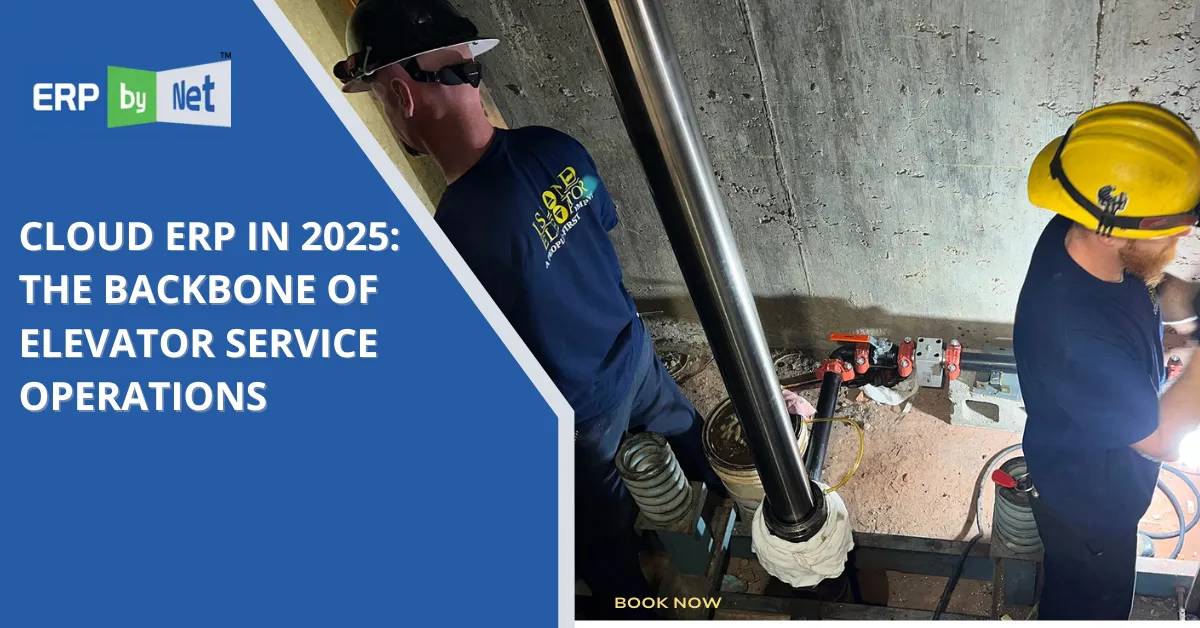
Cloud ERP in 2025: The Backbone of Elevator Service Operations

Scaling an elevator service business often starts with good instincts, hard work, and a handful of reliable tools—usually a patchwork of spreadsheets, WhatsApp chats, and a service log scribbled on a whiteboard. At first, it works. The technician knows the equipment. The office knows the contracts. Customers are forgiving when you’re small.

But then growth happens.

New buildings, new clients, new technicians. Suddenly, that patchwork doesn’t hold. Jobs slip through the cracks. Spare parts are always in the wrong warehouse. Service teams are either idle or double-booked. Invoicing lags behind completed work, and no one has a clear view of what’s really going on.

If any of this sounds familiar, you’re not alone—and you’re not out of options. In 2025, forward-thinking elevator service companies are solving these exact challenges with cloud ERP platforms—and ERPbyNet is helping them do it faster, smarter, and with less stress.

From Spreadsheet Fatigue to Full Operational Visibility

Ask any operations manager or founder in the elevator industry what keeps them up at night, and the answer will usually fall into one of three buckets: missed service windows, incomplete maintenance records, or billing confusion. These aren’t just inefficiencies—they’re liabilities.

Cloud-based ERP systems like those delivered by ERPbyNet replace those fragile workarounds with a centralized digital backbone that manages everything from inventory control to AMC tracking, technician dispatch, financial reporting, and client communications.

Where legacy tools might focus on one area—accounting or scheduling—ERPbyNet provides the full picture. Real-time dashboards, smart alerts, connected workflows, and role-based access ensure that everyone, from the field to the finance team, is aligned and informed.

Why Cloud ERP Is No Longer Optional in 2025

Why Cloud ERP Is No Longer Optional in 2025

The elevator services market has grown more competitive and regulated in recent years. Safety standards, response times, and maintenance accountability are under more scrutiny than ever before. Add in increasing pressure to manage multiple locations, multiple teams, and tighter SLAs, and you have a recipe for digital transformation.

Here’s where ERPbyNet’s cloud ERP solutions shine. These platforms are:

  • Location-independent: Accessible from any device, anywhere 
  • Scalable: Suitable for a 5-person team or a national workforce 
  • Integrated: All functions—service, inventory, HR, finance—work together 
  • Secure: Built on cloud infrastructure with role-based permissions 
  • Customizable: Adaptable to how your elevator company actually operates 

In short, it’s the difference between chasing problems and preventing them.

How ERPbyNet Resolves Operational Friction in Elevator Service Businesses

How ERPbyNet Resolves Operational Friction in Elevator Service Businesses

1. Unifying Inventory Across All Locations

Challenge:
Elevator service teams often struggle with fragmented inventory systems. Parts go missing. Technicians arrive on-site without what they need. Inventory sits idle in one branch while another is understocked.

Solution with ERPbyNet:
ERPbyNet’s centralized inventory management module gives real-time visibility across all warehouses, service vans, and stockrooms. Every item is tracked with precision—by type, location, and usage history. Automated reordering ensures stock levels remain optimal, and mobile access lets field teams verify part availability instantly. This not only reduces job delays but also cuts inventory-related costs and frustration.

2. Empowering Field Technicians with Mobile Access

Challenge:
Technicians are often dispatched with limited information—sometimes just a job ticket and a building address. Without service history, equipment details, or digital checklists, they rely on memory or repeated phone calls to the office.

Solution with ERPbyNet:
With ERPbyNet’s technician dashboard, field teams receive complete job details on their smartphones or tablets: customer information, service history, equipment specifications, and step-by-step workflows. Updates made on-site sync in real-time with the back office. This results in fewer errors, quicker resolutions, and empowered technicians who spend more time servicing and less time guessing.

3. Eliminating Revenue Loss from Missed AMCs

Challenge:
Manual tracking of Annual Maintenance Contracts (AMCs) leads to expired agreements, missed renewals, and overlooked services—causing financial leakage and client dissatisfaction.

Solution with ERPbyNet:
ERPbyNet automates the entire AMC lifecycle. Contracts are digitally stored, renewal reminders are triggered automatically, and service tasks are tied directly to AMC terms. Billing is linked to performance and contract clauses, ensuring every entitled service is delivered—and charged. This strengthens recurring revenue streams and boosts customer retention without manual oversight.

4. Speeding Up Billing Through Workflow Automation

Challenge:
Jobs are completed in the field, but billing often lags for days—or even weeks—due to paperwork delays, incomplete service records, or disconnected finance processes.

Solution with ERPbyNet:
As soon as a job is marked complete in ERPbyNet, the invoicing engine initiates billing instantly. Integration with accounting modules ensures seamless ledger updates, tax application, and client communication. This dramatically shortens your billing cycle, improves cash flow, and keeps revenue moving without waiting for backend approvals or manual data entry.

5. Keeping Compliance Effortless and Audits Stress-Free

Challenge:
Regulatory inspections, safety audits, and maintenance documentation often require weeks of preparation when records are scattered across emails, clipboards, or separate software.

Solution with ERPbyNet:
ERPbyNet consolidates all compliance documentation in one secure, accessible location. Whether it’s service certificates, technician logs, or safety checklists, everything is digitally archived, timestamped, and organized for rapid retrieval. You’re always ready for inspections—no scrambling, no missing files, and no last-minute panic.

Visualizing the Difference: ERP vs Traditional Tools

Functionality Spreadsheets / Isolated Tools ERPbyNet Cloud ERP
Inventory Tracking Manual, siloed Real-time, centralized
Technician Scheduling Static and reactive Smart routing, mobile updates
AMC Management Excel-based, error-prone Automated lifecycle tracking
Billing & Invoicing Delayed and disconnected Triggered from job completion
Compliance Readiness Paper-based chaos Timestamped digital records
Multi-location Management No true visibility Location-specific dashboards

What ERPbyNet Brings to the Table (Beyond Software)

ERPbyNet isn’t just a vendor. We’re a strategic partner for elevator businesses looking to streamline operations and scale responsibly.

With ERPbyNet, you’re getting:

  • A cloud-first ERP with mobile-first experiences 
  • Modular features tailored to elevator workflows 
  • Expert onboarding and training for your teams 
  • Integrations with tools you already use (e.g., Tally, Zoho) 
  • A future-proof system that evolves with you 

And you’re not starting from scratch. ERPbyNet has already helped businesses like yours reduce job delays, cut inventory waste, and increase AMC revenue—all without adding staff.

The Bigger Picture: Trends Driving ERP Adoption in 2025

This isn’t just about efficiency anymore. It’s about remaining competitive in an industry that’s embracing:

  • AI-powered maintenance predictions 
  • Low-code workflow customizations 
  • API-driven integrations across departments 
  • Mobile-first field management 

According to Gartner, over 70% of mid-sized service businesses will run cloud ERP systems by the end of 2025—a clear indicator that the shift is well underway.

Conclusion: The System Behind Every Smooth Operation

Behind every elevator that runs safely and on time is a team that’s coordinated, informed, and empowered. That level of performance doesn’t happen by accident—it happens through intelligent systems like ERPbyNet.

In a world where service expectations are rising and downtime is non-negotiable, cloud ERP isn’t a tech upgrade—it’s business armor.

At ERPbyNet, we empower businesses to run smarter with custom-fit ERP solutions that scale as you grow. Ready to simplify your operations? Let’s transform your workflow.

Still have questions about ERP and how it fits your business? Let’s clear them up.

What does ERPbyNet’s platform actually do?

ERPbyNet is designed to bring all your elevator service operations under one digital roof. From technician dispatch and job scheduling to inventory tracking, AMC management, billing, and reporting—everything lives in a single, intelligent system. You no longer need to jump between spreadsheets, apps, and emails to stay in control. With ERPbyNet, your team operates from a unified interface that works from the office, the field, or even your phone. It’s operational clarity—delivered in real time.

We’re not a big company—do we still need ERP?

Absolutely. ERP is no longer just for large corporations with deep pockets. ERPbyNet is purpose-built for small to mid-sized elevator companies that are growing fast and need better structure without adding complexity. Whether you manage a team of five or fifty, the system adapts to your workflow, scales as you grow, and removes the chaos that comes with manual coordination. In fact, smaller companies often see the fastest wins—from fewer errors to faster billing and better visibility.

How long does it take to get started?

Getting started with ERPbyNet is a straightforward process. Most of our clients go live within a few weeks. Our team handles the heavy lifting—from data migration and configuration to user training and process mapping. We work closely with your operations and admin teams to ensure every module is tailored to your business, not the other way around. You don’t need to pause your business to upgrade your system. We make the transition smooth, fast, and future-ready.

Will ERPbyNet work on our existing hardware?

Yes, and that’s the beauty of it. ERPbyNet is fully cloud-based, which means it works seamlessly across your existing devices—whether that’s desktops in your office, tablets in the field, or smartphones in your technicians’ hands. There’s no need for expensive on-site servers, no IT headaches, and no proprietary hardware. As long as your team has internet access, they have full access to the platform—anytime, anywhere.

Can it handle AMC renewals and scheduling?

This is actually one of ERPbyNet’s strongest capabilities. The system automates the entire lifecycle of your Annual Maintenance Contracts (AMCs), from scheduling preventive services to triggering alerts for renewals and contract expirations. It also links contracts directly to billing and task execution—so your team never misses a commitment, and your clients stay covered without interruption. AMC management becomes a strategic advantage instead of a manual chore.

What if we already use something like Zoho or QuickBooks?

No problem at all. ERPbyNet is designed to integrate with commonly used tools like Zoho CRM, QuickBooks, and other business platforms. Whether you want to keep using certain tools or gradually replace them, ERPbyNet provides the flexibility to connect and centralize your data. Our team can help you streamline overlapping features and eliminate redundant workflows, so you finally have everything in one place—without sacrificing the tools you already rely on.


CategoriesERP (Enterprise Resource Planning) Marketing

The ROI of Real-Time Task Tracking in Mobile ERP Solutions

Struggling with delayed updates, missed deadlines, or endless check-ins? You’re not alone. For growing businesses, managing tasks across departments or remote teams often turns into a game of broken telephone. That’s where real-time task tracking in mobile ERP solutions becomes a game-changer. This blog breaks down the measurable ROI of implementing real-time tracking—from faster task closures and reduced errors to better resource utilization and smarter decisions. With examples from field service, warehouse ops, and finance workflows, we illustrate exactly how live updates can boost performance, accountability, and profitability. We also compare manual task tracking methods (think spreadsheets and sticky notes) with the speed and precision of mobile ERP platforms like ERPByNet’s SiteApp. If your team is constantly waiting for updates, reacting to problems too late, or burning hours on coordination instead of execution, this post shows why real-time ERP isn’t just an upgrade—it’s a strategic investment. You’ll see how mobile-enabled tracking can help streamline your operations, cut costs, and free your teams to focus on what matters most: growing your business. Whether you manage 10 people or 100, real-time task visibility pays off fast—and this article proves it. Ready to rethink how your team works? Start here.

What is Real-Time Task Tracking in a Mobile ERP?

What-is-Real-Time-Task-Tracking-in-a-Mobile-ERP

At its core, real-time task tracking is about visibility and responsiveness. It refers to the ability to:

  • Assign tasks instantly to relevant users
  • Receive immediate status updates (in-progress, delayed, completed)
  • Trigger workflows based on live field inputs
  • Generate reports and notifications on task performance

Mobile ERP platforms extend these capabilities to smartphones and tablets—allowing your employees to update progress, upload documents, or complete checklists from the warehouse floor, job site, or customer location.

ERPByNet’s mobile ERP app supports this functionality with dashboards, approval layers, notifications, GPS tagging, and instant sync with the core system.

Data Doesn’t Lie: Real-Time Tracking Improves Closure Rates

According to a TechValidate survey, companies that implement real-time task tracking through mobile ERP platforms report:

  • 46% faster task closure
  • 34% drop in delays related to miscommunication
  • 31% improvement in compliance and documentation accuracy

Let’s break it down further with two real-world scenarios.

Use Case 1: Field Service & Maintenance

Use Case 1_ Field Service & Maintenance

Before Real-Time ERP
A field technician is assigned three service calls. They receive job details via email in the morning. During the day, task updates are phoned in to a supervisor or written down for later entry. Errors pile up—wrong addresses, missing service parts, or poor time tracking.

After Mobile ERP Implementation
Each task arrives via the mobile ERP app with GPS location, service checklist, and parts needed. The technician checks in upon arrival, updates the task with photos, and closes it digitally on-site. All updates reflect instantly in HQ dashboards.

Impact:

  • Job completion rate rose by 39%
  • Customer complaints dropped by 23%
  • Billing cycle accelerated by 48%

Use Case 2: Warehouse Dispatch and Stock Movement

Before Real-Time ERP
Warehouse operators rely on printed pick-lists. Managers track progress manually or via whiteboards. Misplaced items and double entries cause confusion.

After Mobile ERP Implementation
As soon as a sales order is created, tasks are dispatched to the mobile app. Pickers scan QR codes as they move through the warehouse. Supervisors view a live dashboard of task progress and reallocate work instantly during peak times.

Impact:

  • Inventory discrepancies reduced by 63%
  • Dispatch time improved by 41%
  • Labor utilization rate increased by 28%

The ROI Equation: What’s in It for Your Business?

Real-time task tracking creates ROI through multiple levers:

1. Time Savings

Less time spent chasing status updates means more time for execution. With mobile ERP solutions, approvals, reports, and feedback loops are reduced from days to minutes.

ROI Stat: Businesses saved an average of 9.3 hours per week per team by eliminating manual task status communication, according to a Forrester study on workflow automation.

2. Resource Optimization

Tasks are reassigned dynamically based on real-time workload and availability. Underutilized staff are better deployed, while delays are mitigated early.

ROI Stat: Companies report 21–27% increase in resource efficiency within 3 months of adopting real-time task modules.

3. Better Decision-Making

When managers have real-time insights into bottlenecks, overdue tasks, or performance gaps, decisions improve. Instead of being reactive, they can forecast delays and reroute work.

4. Reduced Costs from Errors and Delays

Every missed handoff or lost task has a price—whether in overtime, rework, or customer churn. Real-time visibility cuts this cost significantly.

ROI Stat: ERP users with mobile task tracking saw a 32% decrease in error-related rework costs within 6 months.

Comparison: Manual Tracking vs. Mobile ERP Task Tracking

Comparison_ Manual Tracking vs. Mobile ERP Task Tracking -

Aspect Manual Tracking (Paper/Excel) Mobile ERP Task Tracking
Update Frequency Delayed Instant
Data Accuracy Low (Manual Entry) High (Live Sync & Logs)
Accountability Ambiguous Role-based & Audited
Decision-Making Hindsight-based Real-time data insights
Task Reassignment Manual, Delayed One-click Reallocation
Cost of Delay/Error High Reduced by up to 30%

Feature Deep Dive: ERPByNet’s Mobile Task Module

Here’s how ERPByNet’s mobile task tracking feature set delivers impact:

  • Live Notifications: Users receive push updates on new tasks, changes, or escalations.
  • Custom Roles: Define who can view, edit, or assign tasks.
  • GPS Integration: Validate field activity with location-based logging.
  • Photo Uploads: Add evidence or proof-of-work with a tap.
  • Real-Time Reporting: Management dashboards update instantly with completion rates and overdue tasks.
  • Offline Sync: Even in low-connectivity areas, data syncs once back online.

These features allow businesses to track everything from site visits to inspection reports to expense claim approvals—all from the palm of their hands.

Long-Term Strategic Benefits

Implementing mobile ERP with real-time task tracking also contributes to:

  • Higher customer satisfaction: Thanks to faster resolution and more predictable service.
  • Better compliance: Digital audit trails and time-stamped activity logs.
  • Scalable operations: As teams grow, workflows stay organized without increasing admin workload.

In other words, task tracking isn’t just tactical—it’s strategic.

Conclusion: Real-Time Isn’t Optional Anymore

In a world where remote teams, customer expectations, and compliance pressures are all rising, real-time task tracking is no longer a “nice to have.” It’s a return-on-investment engine—saving time, cutting costs, and improving output across the board.

Whether you’re managing ten technicians or fifty warehouse pickers, the visibility and control offered by mobile ERP solutions deliver real-world impact.

ERPByNet’s mobile ERP platform is built to give growing businesses the tools they need to move faster, stay accountable, and scale without chaos. Ready to track smarter, not harder?

Let’s get you real-time ready. Explore ERPByNet’s mobile ERP capabilities here

Still have questions about mobile task tracking in ERP? Let’s clear them up.

How does mobile ERP differ from traditional ERP?

Traditional ERP is desktop-bound. Mobile ERP brings the power of ERP to your phone or tablet—ideal for field teams, remote managers, and fast-moving businesses.

Is real-time task tracking useful for small teams?

Absolutely. Even teams of 5–10 can save hours each week by cutting back on status meetings and manual check-ins.

What devices does ERPByNet’s mobile ERP support?

Our platform is available on both Android and iOS and works across smartphones and tablets.

Can I assign tasks by role or department?

Yes. ERPByNet allows role-based task assignment, so tasks are routed automatically to the right team members.

Does mobile ERP work offline?

Yes. Tasks can be completed and saved offline. They sync automatically when your device reconnects to the internet.

How long does implementation take?

Most businesses can go live within 2–4 weeks, depending on the number of workflows and integrations needed.

CategoriesERP (Enterprise Resource Planning)

How Custom ERP Software Can Boost Efficiency and Reduce Costs

You started with what you had. WhatsApp for quick updates. Google Sheets for tracking inventory. Trello for assigning tasks. And for a while, it worked. Until it didn’t.

One day you’re scrolling through a WhatsApp thread trying to find the final version of a quotation, the next you’re realizing your spreadsheet has been edited by three people—two of whom didn’t even know they were editing the wrong tab. Trello boards begin to resemble a battlefield of cards, overdue checklists, and silent team members.

It’s not that these tools are bad. They’re just not built for what you’re really trying to do—run an efficient, process-driven, and accountable business. And the real cost? It shows up in missed deadlines, double-booked resources, frustrated employees, and money slipping through cracks you didn’t know existed.

If this sounds like your reality, it’s time to reimagine your workflow. Not with another off-the-shelf app, but with custom ERP software designed to centralize your operations, eliminate chaos, and cut costs where it matters.

Welcome to SiteApp by ERPByNet — a purpose-built workflow management solution made for businesses that outgrew basic tools.

Why Patchwork Tools Are Failing Your Business

Why Patchwork Tools Are Failing Your Business
 

WhatsApp: The Chatroom That Ate Your Workflow

WhatsApp is fast and familiar. But it was never built for task management, documentation, or structured communication.

  • No task ownership or audit trail

  • Critical messages buried under good mornings and forwarded memes

  • No way to convert discussions into actions or reports

In short, it’s like trying to run customer support with walkie-talkies — fast but untrackable.

Google Sheets: Powerful but Prone to Human Error

Spreadsheets have always been the startup favorite. But what starts as a “quick tracker” quickly spirals into version control nightmares.

  • Manual updates lead to data mismatches

  • Complex formulas increase dependency on the spreadsheet creator

  • No role-based permissions or user accountability

They’re useful — until one miscalculation in a column leads to major stock discrepancies or payroll blunders.

Trello & Similar Tools: Great for Projects, Weak on Operations

Trello is a great visual tool — when the project is clear, the team is small, and the timeline is short. But for repeatable, day-to-day operations?

  • No dynamic workflows

  • Lacks real-time integration with HR, inventory, or finance

  • Does not support structured roles, escalations, or automation

You end up using a dozen plugins or workarounds to do what a proper ERP can handle out of the box.

The Real-World Impact of Inefficiency

Let’s look at how this fragmented approach hits your bottom line:

  • Time Wasted: Employees spend hours searching for files, confirming status updates, or redoing tasks lost in chat threads.

  • Operational Blind Spots: Management lacks visibility into what’s pending, who’s responsible, or how each department is performing.

  • Revenue Leakage: Invoicing delays, unrecorded expenses, and unsynced inventory create direct financial loss.

  • Employee Burnout: Constant firefighting without structured workflows leads to low morale and high turnover.

According to a Forrester study, inefficient workflows cost businesses up to 30 percent of their annual revenue in rework, delays, and communication gaps.

Introducing SiteApp: Built for Accountability, Clarity, and Control

SiteApp isn’t just another productivity tool. It’s a custom ERP platform designed by ERPByNet specifically to manage complex workflows, daily operations, and team coordination.

Whether you’re in manufacturing, construction, services, or retail — SiteApp creates a digital operating system tailored to how your business actually runs.

What Makes SiteApp Different?

What Makes SiteApp Different_
 

1. Centralized Workflow Management

No more bouncing between apps. SiteApp connects task assignments, project tracking, expense logs, and client interactions in one place.

  • Assign, track, and escalate tasks across departments

  • Real-time dashboards show you what’s stuck and who’s responsible

  • Structured workflows reduce manual dependencies
    2. Purpose-Built for Multi-Location Teams

Unlike chat apps or general tools, SiteApp handles field operations, approvals, and location-wise status reporting with ease.

  • Role-based access control ensures only the right eyes see the right data

  • Geo-tagging and time-stamping for field staff activities

  • Site-wise progress tracking and automatic notifications

3. Smart Alerts and Escalations

No more “missed messages” or “I didn’t know it was pending.” SiteApp offers automated alerts, SLA timers, and escalation workflows that ensure nothing slips through.

  • Automated reminders for due tasks

  • Escalations to senior management if issues are not resolved

  • Activity log to audit who did what, when

4. Cost Efficiency via Automation

Every manual task that can be automated is a cost saved. SiteApp streamlines routine processes like:

  • Daily reporting

  • Stock requests and issue logs

  • Leave approvals and attendance sync

This reduces administrative overhead and improves employee productivity.

5. Full Visibility with Custom Dashboards

Decision-making requires clarity. SiteApp offers:

  • Real-time dashboards for managers and department heads

  • Drill-down views by project, site, task, or team

  • Exportable reports for audits and reviews

Use Case Snapshot: From Chaos to Clarity in 30 Days

Client: A growing interior design firm managing 12 active sites.

Before SiteApp:

  • WhatsApp groups for each site

  • Excel sheets emailed every Friday

  • 2 staff managing task assignments manually

After SiteApp:

  • Daily task logs entered by site supervisors

  • Central dashboard shows task completion % by site

  • Auto-escalation of pending tasks to project manager

Result:

  • Reporting time reduced by 70%

  • Task completion improved from 61% to 91% in the first month

  • Over ₹1.2L saved per month in operational inefficiencies

Why Custom ERP Is the Future of Business Efficiency

Why Custom ERP Is the Future of Business Efficiency
 

Generic software is like buying clothes off the rack. It might fit okay — but it was never tailored for you.

Custom ERP solutions like SiteApp are different. They reflect your structure, your language, and your priorities. And unlike bloated enterprise software, they grow as you grow — without unnecessary complexity or cost.

  • Built-in workflows for your domain

  • Scalable across locations and departments

  • Hosted securely and updated regularly

As per Gartner’s 2024 report, businesses using purpose-built ERP systems saw a 37% higher process efficiency rate than those relying on general productivity tools.

Final Thoughts

Free tools come at a hidden cost. The more your business grows, the harder it gets to keep everything together using WhatsApp, Sheets, and boards. It’s like building a house with duct tape — fine at first, but one storm and the roof comes off.

If your operations are feeling scattered, it’s time to invest in tools that centralize, clarify, and automate — not complicate.

SiteApp by ERPByNet offers the perfect middle ground between simplicity and power. It’s where smart businesses go to scale without the growing pains.

Want to see how SiteApp fits your team? Explore SiteApp now and let’s rebuild the way your business works — one smart workflow at a time.

FAQs: Still Wondering if SiteApp Is Right for You?

What kind of businesses can use SiteApp?

SiteApp is ideal for SMEs across industries — manufacturing, interior design, construction, and services — especially those with field operations or multiple teams.

Can I integrate SiteApp with my existing tools?

Yes. SiteApp supports API integrations with CRMs, HRMS, accounting tools, and more. We also help with custom integrations during implementation.

Is SiteApp available on mobile?

Absolutely. SiteApp is mobile-optimized so that field teams can update tasks, check schedules, and log activity from any location.

How long does it take to implement SiteApp?

Most businesses go live in under 2–4 weeks. Our onboarding team ensures your setup reflects your real workflows from day one.

Is training provided?

Yes. We offer hands-on training, video walkthroughs, and support to ensure your team adopts SiteApp with ease.

What’s the pricing model?

SiteApp is modular and subscription-based. You pay based on features and team size. No bloated packages or surprise costs.

CategoriesFinance & Compliance

All-in-One Financial Management Software to Control Every Business Module

The Power of Financial Integration

The Power of Financial Integration

A fully integrated financial system eliminates inefficiencies by ensuring that every transaction, no matter where it originates, is automatically recorded and reflected across all relevant modules. Let’s explore how this transforms financial management.

1. Real-Time Access to Financial Data

In a traditional setup, finance teams often work with delayed and fragmented data. Monthly financial reports take days to compile because teams must gather information from different sources.

With AceFinance, financial data updates in real-time. The moment a sale is made, it is recorded and reflected in revenue, tax calculations, and cash flow reports. Expense approvals automatically adjust budgets. Payroll transactions update in accounting records without manual intervention.

Real-time data access leads to faster decision-making. Business owners can check financial reports anytime, knowing they reflect the most recent transactions.

2. Smarter Cash Flow Management

One of the biggest financial risks for businesses is cash flow mismanagement. Without proper tracking, businesses may face liquidity issues, delayed supplier payments, or unnecessary borrowing.

AceFinance provides a clear, up-to-date picture of cash inflows and outflows. Finance teams can track:

  • Outstanding invoices and expected payment dates
  • Recurring expenses and upcoming payroll
  • Available cash reserves and projected revenue

With better visibility, businesses can plan ahead, avoid financial crunches, and ensure steady operations without unnecessary borrowing.

3. Seamless Procurement and Vendor Management

Procurement is directly linked to business expenses, yet in many companies, vendor payments and purchase orders are managed separately from core financial records. This often leads to:

  • Delayed approvals and payments
  • Errors in invoice reconciliation
  • Poor visibility into procurement costs

AceFinance integrates procurement with the financial system, ensuring that purchase orders, vendor payments, and expenses flow seamlessly into accounting records. This eliminates duplicate data entry and reduces the chances of missed or delayed payments.

4. Effortless Payroll and Employee Expense Management

Payroll processing can be time-consuming, especially when salary calculations, reimbursements, and deductions must be manually updated in accounting records.

AceFinance automates payroll processing, ensuring that:

  • Salaries are calculated accurately, including deductions and bonuses
  • Tax deductions and compliance reports are automatically generated
  • Employee expenses are linked to financial records without manual intervention

This reduces administrative workload and ensures that payroll is always processed on time without errors.

5. Instant Financial Reporting for Smarter Decision-Making

One of the most time-consuming tasks for finance teams is preparing financial reports. Traditional reporting methods require compiling data from different systems, leading to delays and inconsistencies.

AceFinance automates financial reporting, allowing businesses to generate:

  • Profit and loss statements
  • Balance sheets
  • Tax compliance reports
  • Cash flow forecasts

These reports are always accurate and up to date, giving finance teams and business owners real-time insights for better decision-making.

6. Simplified Tax Compliance

Tax compliance is a major concern for businesses, and errors in tax calculations can lead to penalties and legal issues. Many businesses still rely on manual tax computations, increasing the risk of miscalculations.

AceFinance automatically applies tax rules, ensuring that:

  • Every transaction is categorized correctly for tax reporting
  • Tax returns are generated with minimal effort
  • Compliance reports are ready whenever needed

This simplifies tax management, reduces compliance risks, and eliminates last-minute tax filing stress.

7. Stronger Financial Security and User Access Control

Financial data security is a top priority for businesses, yet many still rely on systems with limited access control and security features. This exposes them to risks like unauthorized transactions and data breaches.

AceFinance provides:

  • Role-based access controls to restrict data access to authorized personnel
  • Secure encryption to protect financial records
  • Audit logs to track every transaction for accountability

With these security measures, businesses can trust that their financial data is protected at all times.

The Competitive Advantage of AceFinance

The Competitive Advantage of AceFinance A business that automates and integrates its financial processes has a significant competitive edge. By using AceFinance, companies benefit from:

  • Faster financial decision-making with real-time data access
  • Reduced administrative workload through automation
  • Eliminated errors and inefficiencies in financial management
  • Stronger cash flow and financial planning
  • Improved compliance and reporting accuracy

Instead of struggling with disconnected financial systems, businesses gain a fully integrated solution that simplifies operations and maximizes efficiency.

Why Businesses Choose AceFinance

Why Businesses Choose AceFinance Unlike traditional accounting software, AceFinance is designed for businesses that need more than just bookkeeping. It provides:
  • A centralized platform that integrates finance with all business operations
  • Automated workflows to reduce human errors and save time
  • Real-time reporting for better financial decision-making
  • Scalability to support businesses as they grow

With AceFinance, financial management becomes simpler, faster, and more efficient, allowing businesses to focus on what truly matters—growth and success.

Take Action: Gain Total Control Over Your Finances Today

Managing business finances across multiple systems can be frustrating, time-consuming, and costly. But it doesn’t have to be that way. With AceFinance, you get a single, powerful platform that integrates all financial operations—eliminating inefficiencies, automating workflows, and providing real-time insights for smarter decision-making.

Now is the time to move beyond outdated, disconnected financial tools. Whether you want better cash flow management, simplified tax compliance, automated payroll processing, or seamless vendor payments, AceFinance gives you the control you need.

Don’t let financial complexity slow down your business. Take charge of your finances today with AceFinance.

👉 Get Started NowLearn More Here

Are you constantly juggling multiple finance tools to track expenses, process payroll, manage vendor payments, and generate reports? Does switching between spreadsheets, accounting software, and tax calculators slow you down? What if you could bring everything together under one powerful platform?

With AceFinance, financial management software becomes seamless. No more scattered data, delayed reports, or manual reconciliations. The moment a transaction happens—whether it’s a sale, an expense, or a payroll deduction—it’s instantly updated across all relevant modules. Real-time insights ensure you always know where your money is, making cash flow management effortless.

Imagine approving invoices, tracking expenses, and ensuring tax compliance—all from a single, unified dashboard. No more end-of-month chaos or financial guesswork. Every number is accurate, every report is ready when you need it, and every financial decision is based on real-time data.

A Single Platform for Complete Financial Control

AceFinance is designed to unify financial management across all business modules, eliminating the need for multiple tools. Instead of manually transferring data from one system to another, businesses get a real-time, automated, and accurate financial view.

Everything—sales, expenses, vendor payments, payroll, tax compliance, and reporting—is integrated into a single system. This means businesses can track every financial activity without switching between different platforms.

With real-time insights, automated calculations, and easy collaboration, finance teams can focus on strategic decision-making rather than data entry and troubleshooting errors.

The Power of Financial Integration

The Power of Financial Integration

A fully integrated financial system eliminates inefficiencies by ensuring that every transaction, no matter where it originates, is automatically recorded and reflected across all relevant modules. Let’s explore how this transforms financial management.

1. Real-Time Access to Financial Data

In a traditional setup, finance teams often work with delayed and fragmented data. Monthly financial reports take days to compile because teams must gather information from different sources.

With AceFinance, financial data updates in real-time. The moment a sale is made, it is recorded and reflected in revenue, tax calculations, and cash flow reports. Expense approvals automatically adjust budgets. Payroll transactions update in accounting records without manual intervention.

Real-time data access leads to faster decision-making. Business owners can check financial reports anytime, knowing they reflect the most recent transactions.

2. Smarter Cash Flow Management

One of the biggest financial risks for businesses is cash flow mismanagement. Without proper tracking, businesses may face liquidity issues, delayed supplier payments, or unnecessary borrowing.

AceFinance provides a clear, up-to-date picture of cash inflows and outflows. Finance teams can track:

  • Outstanding invoices and expected payment dates
  • Recurring expenses and upcoming payroll
  • Available cash reserves and projected revenue

With better visibility, businesses can plan ahead, avoid financial crunches, and ensure steady operations without unnecessary borrowing.

3. Seamless Procurement and Vendor Management

Procurement is directly linked to business expenses, yet in many companies, vendor payments and purchase orders are managed separately from core financial records. This often leads to:

  • Delayed approvals and payments
  • Errors in invoice reconciliation
  • Poor visibility into procurement costs

AceFinance integrates procurement with the financial system, ensuring that purchase orders, vendor payments, and expenses flow seamlessly into accounting records. This eliminates duplicate data entry and reduces the chances of missed or delayed payments.

4. Effortless Payroll and Employee Expense Management

Payroll processing can be time-consuming, especially when salary calculations, reimbursements, and deductions must be manually updated in accounting records.

AceFinance automates payroll processing, ensuring that:

  • Salaries are calculated accurately, including deductions and bonuses
  • Tax deductions and compliance reports are automatically generated
  • Employee expenses are linked to financial records without manual intervention

This reduces administrative workload and ensures that payroll is always processed on time without errors.

5. Instant Financial Reporting for Smarter Decision-Making

One of the most time-consuming tasks for finance teams is preparing financial reports. Traditional reporting methods require compiling data from different systems, leading to delays and inconsistencies.

AceFinance automates financial reporting, allowing businesses to generate:

  • Profit and loss statements
  • Balance sheets
  • Tax compliance reports
  • Cash flow forecasts

These reports are always accurate and up to date, giving finance teams and business owners real-time insights for better decision-making.

6. Simplified Tax Compliance

Tax compliance is a major concern for businesses, and errors in tax calculations can lead to penalties and legal issues. Many businesses still rely on manual tax computations, increasing the risk of miscalculations.

AceFinance automatically applies tax rules, ensuring that:

  • Every transaction is categorized correctly for tax reporting
  • Tax returns are generated with minimal effort
  • Compliance reports are ready whenever needed

This simplifies tax management, reduces compliance risks, and eliminates last-minute tax filing stress.

7. Stronger Financial Security and User Access Control

Financial data security is a top priority for businesses, yet many still rely on systems with limited access control and security features. This exposes them to risks like unauthorized transactions and data breaches.

AceFinance provides:

  • Role-based access controls to restrict data access to authorized personnel
  • Secure encryption to protect financial records
  • Audit logs to track every transaction for accountability

With these security measures, businesses can trust that their financial data is protected at all times.

The Competitive Advantage of AceFinance

The Competitive Advantage of AceFinance A business that automates and integrates its financial processes has a significant competitive edge. By using AceFinance, companies benefit from:

  • Faster financial decision-making with real-time data access
  • Reduced administrative workload through automation
  • Eliminated errors and inefficiencies in financial management
  • Stronger cash flow and financial planning
  • Improved compliance and reporting accuracy

Instead of struggling with disconnected financial systems, businesses gain a fully integrated solution that simplifies operations and maximizes efficiency.

Why Businesses Choose AceFinance

Why Businesses Choose AceFinance Unlike traditional accounting software, AceFinance is designed for businesses that need more than just bookkeeping. It provides:

  • A centralized platform that integrates finance with all business operations
  • Automated workflows to reduce human errors and save time
  • Real-time reporting for better financial decision-making
  • Scalability to support businesses as they grow

With AceFinance, financial management becomes simpler, faster, and more efficient, allowing businesses to focus on what truly matters—growth and success.

Take Action: Gain Total Control Over Your Finances Today

Managing business finances across multiple systems can be frustrating, time-consuming, and costly. But it doesn’t have to be that way. With AceFinance, you get a single, powerful platform that integrates all financial operations—eliminating inefficiencies, automating workflows, and providing real-time insights for smarter decision-making.

Now is the time to move beyond outdated, disconnected financial tools. Whether you want better cash flow management, simplified tax compliance, automated payroll processing, or seamless vendor payments, AceFinance gives you the control you need.

Don’t let financial complexity slow down your business. Take charge of your finances today with AceFinance.

👉 Get Started NowLearn More Here

CategoriesMarketing

ERPbyNet vs. Traditional Systems: Why Our Clients Never Look Back

It starts innocently—just a spreadsheet here, a tool there. Before you know it, your growing business is being held together with digital duct tape. Sound familiar?

You’re not alone. Many teams hit that inevitable breaking point: files scattered across inboxes, invoices missing in action, HR onboarding trapped in a tangle of forms, and Friday afternoons hijacked by frantic number-crunching marathons. And let’s not even talk about the late-night “Where’s the updated inventory sheet?” messages.

Here’s the kicker: it’s rarely about your team’s effort—it’s the system. Or rather, the lack of one. Traditional tools that once “got the job done” suddenly start working against you when growth kicks in. This is the moment when decision-makers face a fork in the road: keep patching holes or upgrade to something built for scale.

At ERPByNet, we’ve seen what happens when businesses choose to evolve instead of endure. And trust us—once they experience what a real ERP can do, they never look back.

Traditional systems often start as point solutions. You might have an Excel sheet for payroll, a standalone accounting app like Tally, email for approvals, and perhaps even paper files for vendor contracts. They work fine in isolation—but rarely talk to each other. The result? Duplication of work, conflicting numbers, and delayed decision-making.

The biggest myth about traditional systems is that they’re “simpler.” In reality, the simplicity is an illusion. While they may feel familiar, they create complexity in the form of manual data transfers, error-prone reporting, and countless workarounds.

ERPbyNet: Designed for Modern Business Realities

ERPByNet isn’t just software—it’s a framework that brings clarity, structure, and speed to how your business operates. Unlike fragmented tools, ERPByNet is a fully integrated platform built to centralize data, streamline operations, and improve visibility across departments.

Where traditional systems struggle with growth, ERPByNet thrives. It supports core business functions like inventory management, finance,  sales, procurement, and service through one shared system. That means less time fixing issues and more time building your business.

A Side-by-Side Comparison

Traditional Systems AND ERPByNet

Feature Traditional Systems ERPByNet
Data Entry Manual and repetitive Single-entry across modules
Visibility Fragmented Real-time, centralized dashboards
Reporting Static, spreadsheet-based Dynamic, customizable reports
Compliance Manually tracked Built-in statutory support
Integration Siloed tools Unified system with APIs
Scaling Difficult and error-prone Seamless module expansion
Access On-premise or local files Cloud and mobile ready

Real-World Scenarios: What Clients Experienced Before and After ERPByNet

Scenario 1: The Inventory Spiral

A growing distributor was managing inventory via spreadsheets across three warehouses. Every Monday, their team would manually reconcile quantities. Mistakes were common. Orders were delayed. Customer trust declined. After implementing ERPByNet’s inventory module, inventory tracking became real-time and location-aware. Order fulfillment accuracy jumped by 95%.

Scenario 2: The Payroll Puzzle

An engineering firm using separate payroll and time-tracking apps faced delays every month. Data had to be manually exported and verified. Errors were routine, and employees frequently complained. ERPByNet’s HR module automated timesheet approvals and payroll processing, reducing errors and saving the HR team dozens of hours each cycle.

Scenario 3: The Audit Anxiety

A project services company dreaded audit season. Retrieving accurate financials involved merging files from multiple sources. ERPByNet’s finance module with built-in compliance reporting made it possible to generate clean, audit-ready financials in minutes. No more sleepless nights or last-minute scrambles.

Why Businesses Are Making the Switch

REASON FOR SWITCH TO ERPBYNET

Traditional systems might feel comfortable, but in a world driven by speed, data, and agility, they become a drag. ERPByNet clients often cite the following reasons for switching:

  • Elimination of duplicate work
  • Improved interdepartmental communication
  • Faster and more accurate reporting
  • Easier compliance with regulations
  • Scalable growth without hiring more back-office staff
  • Higher customer satisfaction from better service coordination

Beyond the practical benefits, there’s a deeper reason: confidence. When leaders have full visibility into their operations, they make decisions faster, smarter, and with greater conviction.

The Human Side of Transformation

Technology adoption isn’t just about features. It’s about people. Our clients consistently report that ERPByNet brings their teams closer—removing silos, reducing confusion, and building trust.

Employees no longer waste hours on repetitive tasks. Managers no longer argue over conflicting data. Business owners no longer feel out of the loop. That shift changes how companies work. And just as importantly, it changes how they feel about work.

What the Numbers Say

A recent Forrester study found that businesses implementing ERP systems saw:

  • 25-35% reduction in operational costs within the first year
  • 20% faster order-to-cash cycles
  • 30% improvement in inventory turnover
  • Up to 50% reduction in data entry errors

As ERPByNet clients will tell you, those numbers translate to real outcomes: healthier margins, happier teams, and more time to focus on what matters.


Final Thoughts

The business landscape is moving fast—and clinging to outdated systems is like trying to run a marathon in flip-flops. Traditional tools may have brought you this far, but they won’t take you further.

ERPByNet offers the structure, scalability, and intelligence needed to meet modern challenges head-on. With integrated modules, real-time visibility, and automation that actually works, our clients don’t just upgrade their software—they transform their business.

At ERPByNet, we empower businesses to run smarter with custom-fit ERP solutions that scale as you grow. Ready to simplify your operations? Let’s transform your workflow.

Take Control of Your Business—Starting Today

You’ve worked too hard to let outdated systems hold your business back. Whether you’re buried under spreadsheets, struggling to keep departments aligned, or simply ready for a smarter way to scale—ERPByNet is here to help.

With powerful automation, intuitive dashboards, and modules built specifically for growing businesses, our ERP solution gives you the clarity and control you’ve been missing. It’s not just about software. It’s about empowering your team, freeing up time, and unlocking your next stage of growth.

Let’s build your smarter, streamlined business—together.
Get started with ERPByNet and see how easy managing your operations can be.

← Back

Thank you for your response. ✨

FAQs

What is the biggest difference between ERPByNet and traditional systems?

Traditional systems are fragmented and manual. ERPByNet centralizes everything—inventory, finance, HR, and more—into one cohesive platform that automates and accelerates business processes.

Can ERPByNet integrate with tools we already use?

Yes. ERPByNet offers flexible APIs and import tools to integrate with common platforms like Tally, Excel, and even older legacy systems.

Is ERP only for large enterprises?

Not anymore. ERPByNet is designed specifically for SMEs and mid-sized firms, offering modular features that grow with your business.

How long does it take to implement ERPByNet?

It depends on the scope, but most implementations take 4 to 12 weeks. Our team handles setup, training, and support every step of the way.

What kind of support does ERPByNet offer?

From onboarding and user training to ongoing tech support and compliance updates, we provide comprehensive support to ensure success.

Will it be difficult for my team to learn?

ERPByNet is built with user experience in mind. Most users feel comfortable within days, and our onboarding process makes sure no one is left behind.


Name
Verified by MonsterInsights