CategoriesERP (Enterprise Resource Planning)

ERP Vendor Portals: Features, Benefits, and Best Practices

Every growing business knows the frustration of supplier chaos. Emails buried in inboxes, contracts floating across different folders, and vendors asking for updates that your team can’t find quickly. It feels like you’re running in circles, stuck in what some founders call “spreadsheet purgatory.”

Imagine it’s Friday afternoon. Your purchasing manager is chasing three suppliers for order confirmations while finance is scrambling to close the books. The warehouse is calling about a stock-out, and somewhere in between, another vendor is asking for payment status. This is what happens when communication relies on disconnected tools and outdated processes.

But there’s a smarter way forward. An ERP Vendor Portal centralizes supplier collaboration, improves visibility, and gives your business the kind of control that spreadsheets and ad-hoc emails can’t. At ERPbyNet, we’ve seen firsthand how companies transform supplier management when they put structure around their vendor relationships. This article explores exactly what an ERP Vendor Portal is, the features to look for, the benefits it delivers, and the best practices to make it a success.

What Is an ERP Vendor Portal?

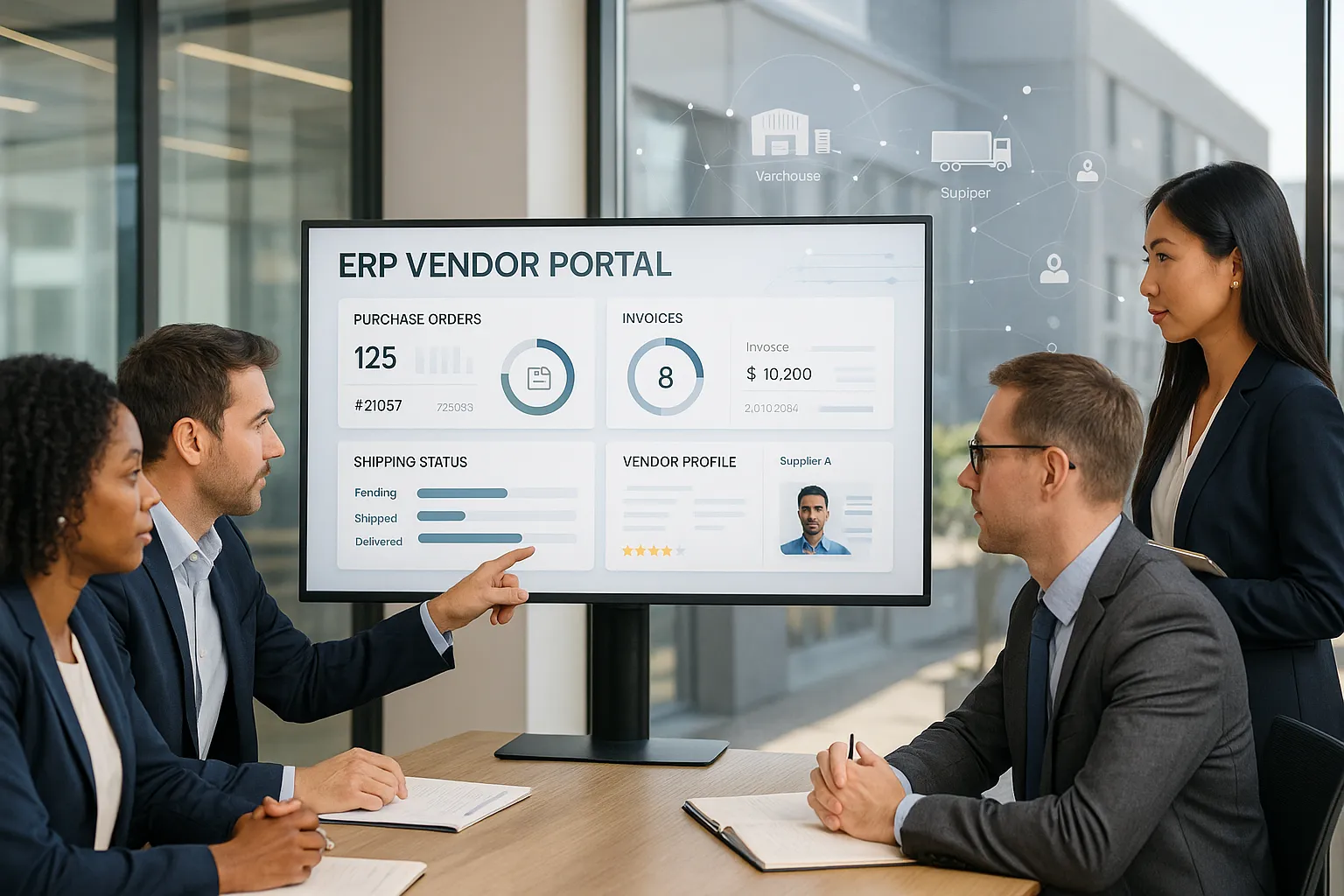
An ERP Vendor Portal is a digital gateway where businesses and their suppliers interact in real time. Think of it as a secure online office where purchase orders, invoices, shipping details, and compliance documents live. Instead of scattered email chains and phone calls, vendors log in, view their transactions, and update information directly in the system.

The concept grew out of the early days of ERP tools, when companies like SAP and Oracle pioneered integrated business software. Over time, businesses realized that it wasn’t enough to just manage internal data. Suppliers are an extension of the enterprise, and connecting them directly into the system was the next logical step. Today, ERP vendor portals are a core component of resource planning software, whether offered by giants like NetSuite or modern platforms such as ERPbyNet.

Core Features of an ERP Vendor Portal

Core Features of an ERP Vendor Portal

Centralized Dashboards

Vendors and managers access one shared interface, displaying purchase orders, invoices, delivery timelines, and status updates. Dashboards reduce the “where is that file?” problem and give every user clear visibility.

Document Management

Modern portals support secure uploads, version control, and e-signatures. Whether it’s tax certificates, compliance forms, or contracts, everything is stored with proper roles and permissions.

Order and Invoice Tracking

Vendors can confirm orders, submit invoices, and check payment status without repeatedly contacting your finance team. Automated updates keep everyone aligned.

Communication Tools

Rather than bouncing between email and chat, portals often integrate direct messaging, automated notifications, or even APIs that sync with existing ERP platforms.

Role-Based Access Control

Suppliers see only the data relevant to them. Internal teams manage permissions to ensure security and compliance across all vendor interactions.

Integration with ERP Modules

Since the vendor portal is part of the larger ERP system, it ties into accounting modules, inventory management, and HR automation where vendor records intersect. This integration reduces friction and keeps business software unified.

Read More : The Evolution of MRP Systems: From Legacy Tools to Cloud-Based Platforms

Benefits of ERP Vendor Portals

Benefits of ERP Vendor Portals

Eliminate Manual Data Entry

Re-entering supplier details across multiple spreadsheets isn’t just boring—it’s risky. One typo in a vendor’s bank details or delivery schedule can cost thousands. With an ERP Vendor Portal, all vendor information lives in one secure system and updates flow automatically across departments.
Key advantages:

  • Fewer errors from duplicate entries

  • Faster purchase order processing

  • Real-time synchronization with finance and inventory modules

  • Less admin overhead for procurement teams

Strengthen Supplier Relationships

A vendor portal isn’t just a piece of software—it’s a trust-building tool. Suppliers value transparency, and when they can see their order history, invoices, and payment status without chasing your team, the partnership deepens. Disputes shrink because expectations are clear.
How it helps:

  • Vendors check statuses 24/7 without waiting on emails

  • Shared visibility builds accountability on both sides

  • Faster dispute resolution keeps projects on track

  • Stronger vendor loyalty leads to better pricing and service

Save Time and Cut Costs

Time is money, and vendor portals save plenty of both. By streamlining procurement workflows, your staff spend less time chasing signatures and more time optimizing operations. Gartner reports double-digit efficiency gains for companies adopting ERP-linked portals.
Cost/time savings examples:

  • Reduced invoice processing time (from days to hours)

  • Lower administrative costs by automating document handling

  • Shorter procurement cycles, speeding up product launches

  • Clear audit trails that save time during financial reviews

Ensure Compliance and Reduce Risk

Vendor compliance is often a ticking time bomb—one missing certificate can derail a contract. A portal keeps everything centralized and up to date, complete with reminders for renewals and automated audit trails.
Risk management features:

  • Automated alerts for expiring certifications

  • Secure storage of tax forms and contracts

  • Role-based access to protect sensitive vendor data

  • Instant audit-ready records, reducing penalties and delays

Scale With Confidence

Growth is exciting, but managing vendors at scale is overwhelming without the right tools. What works for 10 suppliers falls apart when you reach 100. ERP Vendor Portals are designed to grow alongside your business, handling complexity without adding unnecessary overhead.
Scalability benefits:

  • Onboard new suppliers quickly with standardized workflows

  • Manage multi-location vendors without communication gaps

  • Support global supplier networks with currency and tax flexibility

  • Handle higher transaction volumes without additional staff

Read More : Understanding the Role of Bill of Materials (BOM) in Elevator Manufacturing with ERP

Common Business Pain Points Solved

  • Inventory Shortages: Multi-location businesses often suffer stock-outs because suppliers don’t update delivery delays quickly. Portals provide real-time updates that prevent surprises.

  • Payment Confusion: Finance teams spend days reconciling invoices. Vendor portals allow suppliers to check payment status directly, eliminating “when will I get paid?” calls.

  • Data Silos: Procurement, finance, and operations all need the same vendor information. Portals eliminate silos by creating one shared source of truth.

  • Compliance Failures: Missing documents can cause costly penalties. Automated alerts in the portal ensure vendors keep certifications and documents up to date.

Best Practices for Successful ERP Vendor Portal Adoption

1. Start with Vendor Education

A portal is only as strong as the people using it. Provide clear training, easy-to-follow onboarding guides, and open channels for vendor feedback.

2. Customize Access Levels

Not every supplier needs the same visibility. Tailor dashboards, roles, and permissions to different vendor categories to keep data secure and relevant.

3. Integrate Across ERP Modules

Ensure that the vendor portal connects seamlessly to your accounting, inventory, and HR systems. This avoids duplicate work and gives you true automation.

4. Prioritize User Experience

If the portal feels clunky, vendors won’t use it. Choose intuitive interfaces with simple navigation, clean dashboards, and mobile-friendly access.

5. Automate Notifications and Workflows

Set up alerts for expiring documents, delayed shipments, or pending payments. Automation reduces human error and ensures smoother supplier collaboration.

6. Measure ROI and Adoption Rates

Track key metrics: vendor participation, time saved in procurement, invoice accuracy, and reduction in disputes. These benchmarks demonstrate the tangible value of the portal.

Read More : Top 10 ERP Implementation Mistakes and How to Avoid Them

Real-World Scenario

Consider a mid-sized retail company with 50 suppliers across three countries. Before adopting an ERP vendor portal, purchase orders were sent via email, invoices were processed manually, and compliance documents were tracked on shared drives. Errors were frequent, and the finance team spent 20 hours each week chasing paperwork.

After implementing an ERPbyNet vendor portal, suppliers onboarded within days, invoices synced automatically to accounting modules, and procurement staff cut administrative time by 60 percent. Vendors appreciated the transparency, leading to stronger partnerships and faster deliveries. The company grew its supplier base by 30 percent without adding extra back-office staff.

Looking Ahead: The Future of ERP Vendor Portals

ERP vendor portals are evolving beyond simple transaction hubs. Artificial intelligence is beginning to predict supplier risks, while low-code tools make it easier to tailor workflows without heavy IT involvement. Compliance readiness, once an afterthought, is now built into the design. As ERP systems move toward greater automation, vendor portals will become not just a convenience but a necessity for competitive businesses.

Ready to Take Control of Supplier Chaos?

Supplier management doesn’t have to feel like a juggling act of spreadsheets, emails, and last-minute fire drills. With an ERP Vendor Portal, you gain clarity, transparency, and efficiency—all in one place. From reducing costly errors to building stronger vendor partnerships, the impact extends across every corner of your business.

At ERPbyNet, we specialize in turning supplier management from a constant headache into a streamlined, growth-ready system. Our ERP solutions are designed to scale with your business, giving you the tools to stay compliant, cut costs, and keep suppliers aligned.

Don’t let outdated processes slow you down. It’s time to simplify, centralize, and take control.
Start your journey with ERPbyNet today—and transform the way you work.

FAQs

What is an ERP Vendor Portal?

It’s a secure online platform where businesses and their suppliers collaborate on orders, invoices, documents, and compliance requirements within the ERP system.

How does an ERP Vendor Portal differ from a supplier portal?

The terms are often used interchangeably, but an ERP Vendor Portal is integrated directly into ERP software, connecting procurement with accounting, inventory, and other business modules.

Do small businesses really need a vendor portal?

Yes, even smaller businesses benefit. A portal reduces manual admin, builds stronger supplier relationships, and prepares your operations to scale without adding back-office staff.

What are the most important features to look for?

Dashboards, document management, order tracking, role-based access, and integration with core ERP modules are the essentials. Automation and notifications are also highly valuable.

How long does it take to implement a vendor portal?

Implementation time depends on business size and complexity. Some companies can onboard vendors within weeks, while larger rollouts may take a few months.

What’s the ROI of adopting an ERP Vendor Portal?

Businesses typically see faster order processing, fewer errors, reduced admin hours, and stronger vendor relationships. Over time, the portal pays for itself by cutting costs and improving scalability.
 

Categoriesmrp services

The Evolution of MRP Systems: From Legacy Tools to Cloud-Based Platforms

Running a small or medium-sized business often feels like trying to juggle too many balls while someone keeps throwing in more. At first, it’s manageable — a few spreadsheets, some manual processes, and a small, tightly knit team. But as your company grows, the gaps in your systems start to show.

Suddenly, inventory is misplaced because the spreadsheet wasn’t updated in time. Payroll is delayed because HR and accounting are working on different data. Procurement orders clash with warehouse realities. You spend more time putting out fires than planning for growth. This operational chaos isn’t a sign of poor management — it’s a natural result of outdated tools that simply can’t keep up.

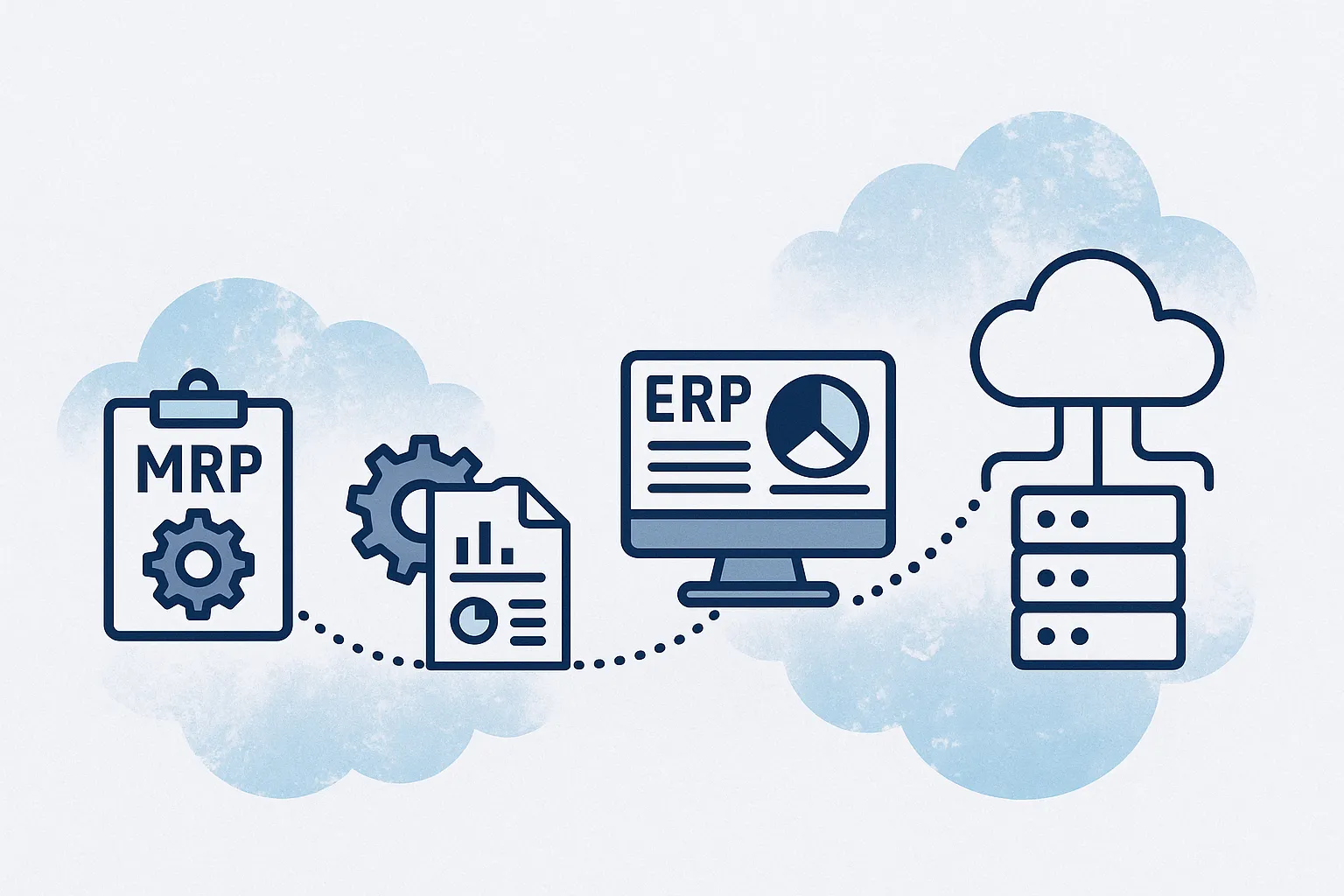
Years ago, Material Requirements Planning (MRP) was considered revolutionary. It automated the complex process of planning materials for production, freeing businesses from total reliance on manual calculations. But while MRP was powerful for its time, it was also narrow in focus. It didn’t know about your customers, your finances, your HR team, or your long-term growth strategy.

Today, we operate in a world that demands speed, flexibility, and integration across every department. That’s why MRP has evolved into Enterprise Resource Planning (ERP). And that’s where ERPbyNet comes in — providing modern, cloud-based ERP solutions like AceMRP that connect every part of your business, from inventory and HR to finance and sales.

The Origins: MRP in the 1960s

In the 1960s, manufacturing faced a common challenge: matching supply with demand. Manufacturers had to ensure raw materials were available when needed, but without overstocking. Overstock tied up cash and storage space; understock meant production delays and unhappy customers.

Material Requirements Planning was invented to solve this. At its core, MRP took three critical inputs:

  1. Bills of Materials (BOM) — The exact list of raw materials and components needed to build a product.

  2. Master Production Schedule (MPS) — The timetable of when each product would be made.

  3. Inventory Data — How much stock was currently on hand.

By combining these, MRP could tell manufacturers exactly when to order materials. It reduced guesswork, improved cash flow, and gave managers more confidence in production planning. However, early MRP systems ran on massive mainframes and were only accessible to large corporations. They were powerful but not flexible, and they only solved one piece of the puzzle.

The Evolution to MRP II in the 1980s

By the 1980s, businesses wanted more than just materials planning. They needed to plan labor schedules, machine usage, and costs. Manufacturing Resource Planning (MRP II) expanded the scope to include:

  • Capacity Planning: Matching production schedules to the actual capacity of machines and labor.

  • Workforce Scheduling: Ensuring the right number of workers were available for each production run.

  • Cost Tracking: Adding a layer of financial visibility to manufacturing decisions.

MRP II allowed businesses to plan more realistically and avoid assuming they had infinite resources. It was a big step forward — but still very much centered on manufacturing, with little connection to other critical areas like sales, finance, or HR.

The Birth of ERP in the 1990s

In the 1990s, business leaders realized something important: even the best manufacturing plan would fail if the rest of the company wasn’t aligned. Sales needed to know what could be produced and when. Finance needed to understand the cost implications of production decisions. HR needed to plan staffing based on production schedules.

This led to the rise of Enterprise Resource Planning (ERP) — systems designed to integrate every core function of a business into one platform. ERP included:

  • Finance and Accounting: Full general ledger, accounts payable and receivable, budgeting, and reporting.

  • Human Resources: Payroll, recruitment, compliance, and employee data management.

  • Customer Relationship Management (CRM): Sales tracking, lead management, and customer service.

  • Procurement: Supplier management and automated purchasing.

  • Inventory and Warehouse Management: Real-time stock levels, warehouse tracking, and distribution control.

The integration meant that if sales confirmed a new order, production schedules and procurement would adjust automatically. Finance would see the projected cash flow impact. HR could schedule extra shifts if needed. ERP provided a “single source of truth” — something legacy MRP systems could never achieve.

Read More : Production Planning Simplified: Why MRP software Is the Core of Smart Factories

The Cloud ERP Revolution

The Cloud ERP Revolution

Originally, ERP systems were massive, expensive, and complex. They were installed on company-owned servers and required large IT teams to maintain. This made ERP inaccessible for most SMEs.

The shift to cloud computing in the 2000s changed everything. Cloud-based ERP platforms brought:

  • Accessibility from Anywhere: All you need is an internet connection.

  • Lower Upfront Costs: Subscription-based pricing instead of huge hardware investments.

  • Scalability: Start with what you need, add modules as your business grows.

  • Automatic Updates: Always running the latest version with improved features.

Today, solutions like AceMRP from ERPbyNet bring enterprise-grade ERP capabilities to SMEs without the high cost or complexity.

Why Legacy Systems Hold Businesses Back

Even today, many businesses still rely on spreadsheets, disconnected software, or outdated on-premises MRP. This creates several challenges:

1. Inventory Chaos

Without real-time tracking, stock levels become inaccurate. Multiple warehouses or sales channels make this worse. Overstock wastes money, understock delays production, and both damage customer trust.

2. Payroll and HR Delays

When HR and finance operate on different systems, payroll processing becomes slow and error-prone. Compliance issues arise, and staff morale suffers.

3. Data Silos

Departments have their own “truth,” leading to mismatched numbers and poor decision-making. Finance may think the business is profitable while operations see growing losses.

Read More : Cloud-Based ERP vs. On-Premise ERP: What’s Right for Your Business

How Cloud ERP Solves These Problems

How Cloud ERP Solves These Problems

Unified Inventory and Procurement

In many businesses, inventory management is a constant source of frustration because information is scattered across different systems or updated only after the fact. This often results in costly errors — such as running out of essential materials in the middle of production or overstocking slow-moving items that tie up working capital.

With a cloud ERP platform like AceMRP from ERPbyNet, inventory data is shared across all your locations and updated in real time. This means your warehouse in one city and your retail outlet in another are always looking at the same, accurate stock levels. The system can automatically trigger purchase orders the moment inventory falls below a defined threshold, ensuring you never face unexpected shortages. At the same time, it prevents unnecessary overstocking by aligning procurement with actual demand patterns and supplier lead times. This level of precision leads to leaner, more efficient operations and healthier cash flow.

Integrated Accounting and HR

Finance and HR are two of the most data-sensitive functions in any business, yet they are often the most disconnected when using legacy tools. Accounting teams frequently spend hours re-entering operational data into finance systems, while HR managers struggle with manual payroll processing and fragmented compliance tracking. These inefficiencies not only waste valuable time but also increase the risk of costly errors.

ERPbyNet’s cloud ERP solutions integrate finance modules directly with operational data, eliminating the need for duplicate data entry. Every sale, purchase, or expense is automatically recorded in your accounting system, allowing finance teams to generate accurate, up-to-the-minute reports. HR automation takes care of payroll processing, leave tracking, and compliance management in a fraction of the time it would take manually. This integration ensures that your financial records are always correct, payroll is never delayed, and compliance requirements are consistently met.

Centralized Dashboards and APIs

Decision-making suffers when leaders have to pull data from multiple systems and reconcile it manually. By the time a complete picture emerges, the situation may have already changed. This reactive approach is a major drawback of traditional systems.

With ERPbyNet’s cloud ERP, all your critical business information is presented in centralized dashboards that update in real time. Whether you need to check sales performance, track inventory levels, monitor production schedules, or review financial KPIs, it’s all available at a glance. These dashboards give you a live pulse on your business, enabling faster and more confident decision-making.

Additionally, built-in APIs make it easy to connect the ERP with third-party tools such as logistics providers, e-commerce platforms, or CRM systems. This means your ERP becomes the central hub of your business ecosystem, ensuring that every tool you use works together seamlessly without manual intervention.

Read More :The Difference Between ERP and MRP Explained (For First-Time Buyers)

ERPbyNet in Action: Real-World Examples

Karthik’s Manufacturing Firm
Karthik’s mid-sized manufacturing business ran on spreadsheets. Order delays, high inventory costs, and inaccurate forecasts were common. Implementing AceMRP from ERPbyNet reduced inventory holding costs by 30% and improved order fulfillment by 20%.

Priya’s Textile Startup
Payroll delays and HR-finance misalignment slowed Priya’s operations. After switching to ERPbyNet’s ERP implementation service, payroll ran on time, HR compliance improved, and production schedules were met without last-minute crises.

ROI and Market Trends

  • Gartner reports that over 70% of SMEs now choose cloud ERP over traditional MRP.

  • Businesses moving from on-premises MRP to cloud ERP often see ROI improvements of 200% within 2–3 years.

  • Solutions like Zoho ERP, ERPNext, and SAP S/4HANA highlight the shift, but SMEs often choose tailored options like AceMRP for better fit and affordability.

The Future of ERP

ERP is no longer just a system of record — it’s becoming a system of intelligence. Trends include:

  • AI-Driven Forecasting for predicting demand and preventing shortages.

  • Low-Code Automation so non-technical teams can customize workflows.

  • IoT Integration connecting production equipment directly to ERP.

  • Compliance-Ready Modules automating regulatory reporting.

Read More : Top 10 ERP Implementation Mistakes and How to Avoid Them

Why Choose ERPbyNet

Why Choose ERPbyNet

Specialized in SME Needs

Many ERP systems are designed with large corporations in mind, making them too complex, expensive, or resource-heavy for small and medium-sized enterprises. ERPbyNet takes a different approach. Our solutions are designed specifically for SMEs, meaning every feature, every workflow, and every integration is scaled to match your operational needs and your budget. Whether you’re a growing startup or an established mid-sized company, our ERP tools are practical, affordable, and built to deliver measurable value without unnecessary complexity.

End-to-End Implementation

Choosing the right ERP platform is just the first step — getting it implemented effectively is where the real transformation happens. ERPbyNet offers a complete, guided journey from the initial needs assessment to system configuration, data migration, user training, and post-launch support. We work closely with your team to understand your processes and challenges so the ERP setup aligns perfectly with your business goals. This ensures your investment delivers maximum return from day one.

Flexible and Scalable

Your business is not static — and your ERP system shouldn’t be either. With ERPbyNet, you can start with the modules you need most, such as inventory management or accounting, and then expand into additional areas like HR automation, procurement, or analytics as your business grows. This flexibility allows you to adopt ERP in phases, controlling costs while ensuring the system evolves in step with your company’s expansion and changing requirements.

Conclusion

The evolution from traditional MRP systems to modern ERP platforms mirrors the increasing complexity of today’s business landscape. What worked in the past — isolated systems, manual tracking, and reactive planning — no longer provides the speed, accuracy, and visibility needed to compete. Businesses that continue to rely on outdated systems risk inefficiency, poor decision-making, and slower growth.

AceMRP from ERPbyNet offers the solution: a cloud-based ERP platform that integrates all your core business processes, delivers real-time insights, and scales with your growth. By replacing fragmented tools with a centralized, intelligent system, you gain control, clarity, and the agility to respond quickly to market changes. In a fast-moving business world, this isn’t just an upgrade — it’s a competitive advantage.

FAQs

What is the difference between MRP and ERP?
MRP is focused on planning materials and scheduling production to meet demand efficiently. ERP, on the other hand, integrates all core business functions — including finance, HR, sales, inventory, and procurement — into one centralized platform for complete operational visibility.

Is cloud ERP secure?
Yes. Cloud ERP systems use strong encryption, secure logins, and role-based permissions to safeguard sensitive business data. These measures ensure only authorized users have access while maintaining compliance with industry security standards.

Can SMEs afford cloud ERP?
Absolutely. Cloud ERP uses subscription-based pricing and phased implementation, allowing SMEs to start small and expand as needed. This approach helps achieve quick ROI through efficiency gains and reduced operational costs.

How long does ERP implementation take?
Most SMEs can expect implementation to take between 8–16 weeks. This period covers business needs assessment, system configuration, data migration, user training, and a smooth go-live process.

What if I’m moving from spreadsheets or legacy MRP?
ERPbyNet manages the entire transition, from migrating your existing data to configuring workflows and training your team. This ensures you move to the new system with minimal disruption to daily operations.

How does ERP support business growth?
ERP systems are designed to scale with your business. You can add new modules, integrate additional tools, and expand functionality as you grow — all without interrupting current processes.


Name
Verified by MonsterInsights
