Key Takeaways
- Elevator-specific workflows matter more than feature counts when selecting enterprise software.
- Integration across engineering, inventory, projects, service, and finance reduces disconnected information and manual work.
- Material planning and procurement capabilities help prevent shortages, excess stock, and installation delays.
- AMC management, technician mobility, and service history are essential for ongoing elevator maintenance.
- Total cost, implementation capability, security, and support should be evaluated alongside software functionality.
What You’ll Learn
- How to evaluate seven critical criteria for selecting elevator enterprise software.
- How to assess engineering changes, BOMs, material availability, and project workflows.
- How to compare service management, AMC tracking, and technician mobility.
- How to use a weighted vendor scorecard and practical demonstration checklist.
- How ERPbyNet connects elevator business operations through solutions such as SalesPundit, AceMRP, AceService, SmartTechnician, and AceFinance.
Real Insights
- A long feature list does not guarantee that software fits your actual workflows.
- A single component shortage can delay an entire elevator installation.
- Service efficiency alone cannot reveal AMC profitability without labour, travel, and spare-parts costs.
- Customization, integration, migration, and training can substantially affect the total cost of ownership.
- The best software choice is the one that demonstrates your critical workflows and supports your business goals.
Selecting enterprise software is a major decision for an elevator company. The right system can help connect quotations, engineering, material planning, installation projects, maintenance contracts, technician operations, and finance. The wrong choice can introduce new complications, including disconnected information, duplicate data entry, expensive customization, and implementation delays.
The challenge is that many ERP platforms offer similar features on paper. Customer management, inventory, accounting, reporting, and purchasing are common capabilities. What matters is whether the software can support the specific workflows of an elevator business and connect the departments responsible for completing them.
For example, an elevator project may be delayed because a critical component is unavailable, even though the installation team has already scheduled its work. A service department may complete a maintenance visit without updating the relevant equipment history. Finance may struggle to calculate project profitability because labour, materials, subcontractor expenses, and billing information are maintained separately.
These are the kinds of operational challenges businesses should investigate before selecting enterprise software.
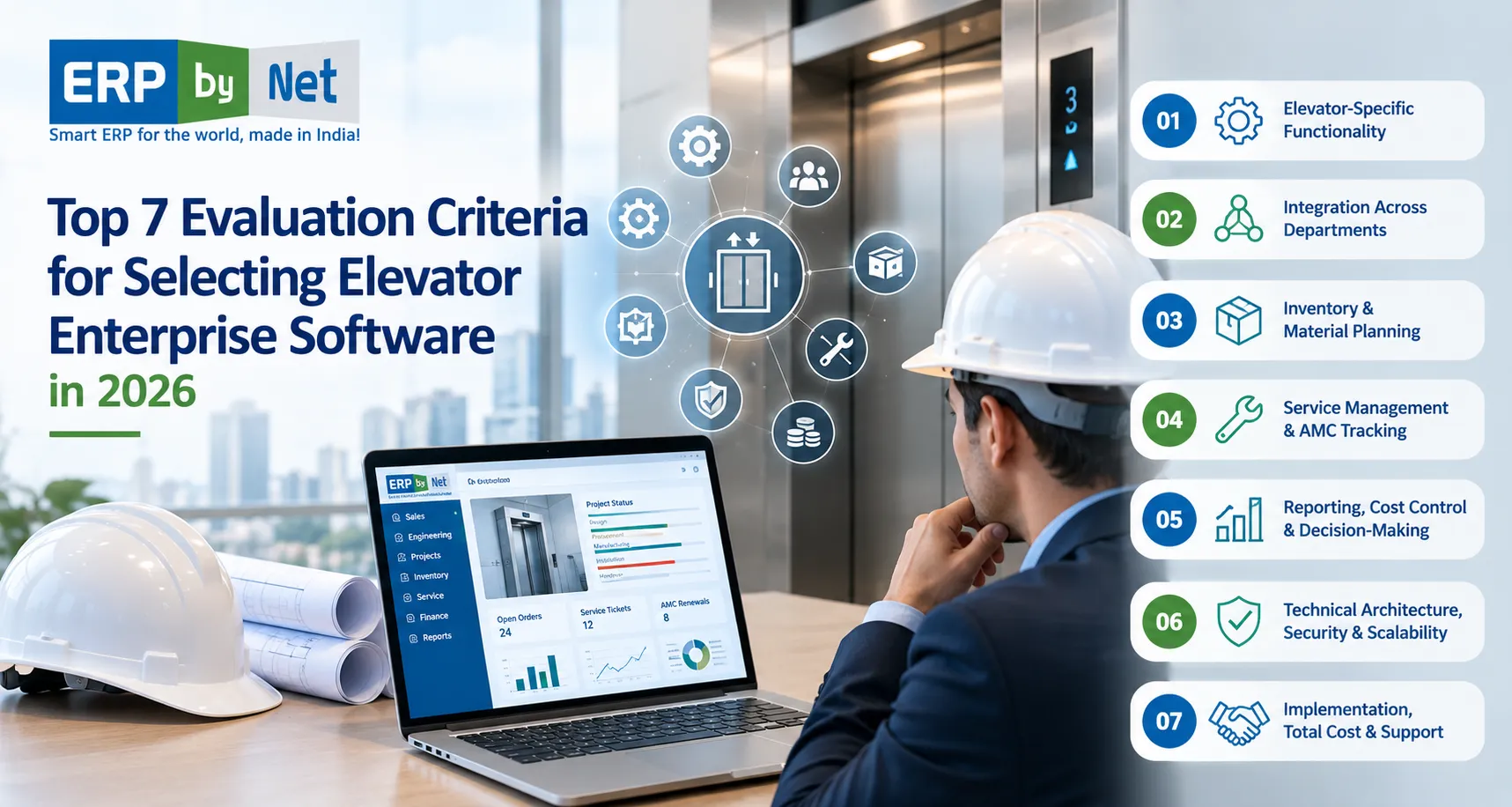
In this guide, we examine the top seven evaluation criteria for selecting elevator enterprise software in 2026, along with practical vendor evaluation questions, a weighted scorecard, implementation considerations, and a checklist to help you make an informed decision.
Why Elevator Companies Need Specialized ERP Evaluation Criteria

Elevator companies operate across several interconnected business functions. Depending on the business model, these may include manufacturing, product configuration, engineering, installation, modernization, maintenance, and customer support.
Each function generates information that other departments need to complete their work.
Consider a typical elevator project. The sales team receives a customer inquiry and prepares a quotation. Engineering confirms the specifications and prepares the required technical information and bill of materials (BOM). Procurement checks material availability, production plans its activities, and the installation team coordinates delivery and site readiness.
After installation and handover, the same equipment may require preventive maintenance, breakdown support, warranty tracking, spare-parts management, and annual maintenance contract (AMC) renewals.
When these processes operate through disconnected applications, spreadsheets, and manual communication, employees may need to enter the same information multiple times or contact other departments to confirm the latest status.
Enterprise software should help reduce these information gaps by supporting the workflows that matter to the business.
What Should Elevator Enterprise Software Manage?
| Business function | Key requirements to evaluate |
|---|---|
| Sales and quotations | Customer inquiries, technical requirements, pricing, approvals, and order conversion |
| Engineering | Product configuration, technical specifications, BOMs, drawings, and revisions |
| Inventory and procurement | Stock availability, material requirements, purchase orders, supplier lead times, and allocation |
| Manufacturing | Production planning, material readiness, scheduling, and order tracking |
| Installation projects | Site readiness, project milestones, work progress, expenses, and handover |
| Service and maintenance | Equipment history, preventive maintenance, complaints, warranties, and AMCs |
| Finance and accounting | Project costs, billing, receivables, payables, and financial reporting |
| Management | Operational dashboards, performance indicators, exceptions, and decision-making information |
Not every company needs the same combination of capabilities. An elevator maintenance contractor may prioritize service management and technician scheduling, while a manufacturer may require deeper engineering and material planning functionality.
The evaluation process should begin by identifying the business’s current requirements, operational challenges, and expected growth.
1. Evaluate Elevator-Specific Functionality and Workflow Coverage
The first criterion is whether the software supports the actual workflows of your elevator business.
A generic ERP may offer customer records, purchasing, inventory, and accounting. However, these features alone do not establish that the system can manage customized elevator configurations, project-specific material requirements, installation milestones, equipment-level service history, or maintenance contracts.
Instead of evaluating features individually, examine how the software handles a complete business process.
Start by Identifying Your Business Requirements
Before comparing vendors, identify which activities your company performs.
Elevator manufacturing: The system may need to support product configuration, engineering specifications, BOMs, procurement, production planning, and delivery coordination.
Installation and modernization: Evaluate quotation management, site surveys, material requirements, project scheduling, installation progress, and handover documentation.
Maintenance and service: Focus on equipment records, service requests, preventive maintenance, technician assignments, contract coverage, warranty history, and renewal management.
Integrated elevator operations: If your company manages manufacturing, installation, and maintenance, evaluate how these processes share information and support financial reporting.
The software should be assessed against your actual operating model rather than an idealized list of features.
Test a Complete Elevator Project Workflow
Imagine that your company receives an order for a customized elevator in a commercial building. After the order is approved, the customer requests a specification change that affects a component and its delivery schedule.
During the vendor demonstration, ask the team to show how the system handles this change.
- Can the team retrieve the original quotation and approved specifications?
- Can the revised requirements be recorded and approved?
- Can the relevant engineering records and BOM be updated?
- Can the change’s impact on material requirements and existing purchase orders be evaluated?
- Can production and installation teams identify the latest approved information?
- Can the business review any resulting cost or schedule changes?
This scenario helps determine whether the software supports connected processes or simply stores information in separate modules.
Questions to Ask ERP Vendors
- Which elevator-specific workflows does the proposed solution support?
- Which capabilities are available as standard functionality?
- Which requirements need configuration, customization, or third-party applications?
- How are engineering changes and approvals managed?
- Can users trace an order through its relevant operational stages?
- Which activities still require manual data entry or spreadsheets?
What to look for: A vendor should demonstrate your priority workflows, explain any limitations, and identify the work required to meet your requirements. Do not treat a feature list as proof that the complete process will work as expected.
Read More: Elevator ERP vs. Standalone Service Software: 7 Differences That Matter as You Grow
2. Check Integration Across Engineering, Inventory, Projects, Service, and Finance
The second criterion is how effectively the software connects departments that depend on the same business information.
In elevator operations, a decision made in one department can affect several others. An engineering revision may change material requirements. A procurement delay may affect installation. An installation delay may affect billing milestones. A service visit may generate labour and spare-parts costs that need to be recorded correctly.
When these activities are disconnected, employees spend time reconciling records instead of addressing operational issues.
Evaluate How Information Moves Between Departments
Consider an elevator installation project.
Sales creates an order, engineering confirms the specifications, procurement purchases the required materials, and the project team coordinates delivery and installation.
During execution, management needs to know which materials are available, which are allocated to other projects, which remain on purchase orders, and which shortages could affect the installation schedule.
After handover, the service team needs access to relevant equipment information and maintenance records. Depending on the business requirements and system configuration, service transactions may also need to connect with inventory and finance.
The objective is not necessarily to display every function on a single screen. It is to ensure that authorized users can access consistent information and that the required transactions move between departments correctly.
Evaluate Three Types of Integration
Functional integration: Can departments access relevant shared information without repeatedly creating the same records?
For example, can the service team identify the elevator and contract associated with a complaint while the warehouse team checks the availability of the required replacement part?
Transaction integration: Can an activity in one process trigger or update the appropriate records in another?
For example, can approved material demand inform purchasing decisions, or can a recorded goods receipt update inventory according to the configured workflow?
Financial integration: Can relevant operational transactions feed into financial processes with appropriate controls?
For example, can project purchases, service expenses, and billing information be associated with the correct records for financial review?
Questions to Ask
- Which modules share data natively?
- Which integrations require additional development or third-party connectors?
- How frequently is information synchronized?
- How are failed transactions identified and corrected?
- Which system is the authoritative source for each important record?
- Can users trace transactions across departments?
- How are duplicate records and conflicting updates handled?
Request a diagram showing the proposed software architecture and its connections to existing accounting systems, customer applications, mobile tools, and other business software.
Do not assume that two products are fully integrated simply because the same vendor provides them. Ask for a demonstration of the specific information flows your business needs.
What to look for: Teams should be able to follow important records across departments, identify the source of information, and understand how changes affect subsequent activities.
3. Assess Inventory, Procurement, and Material Planning Capabilities

The third criterion is how well the software supports material availability and purchasing decisions.
For an elevator manufacturer or installation contractor, a shortage of one essential component can delay a larger project. At the same time, excessive purchasing can increase working-capital requirements and storage costs.
A suitable system should therefore support more than basic stock counting. It should help the business evaluate material demand, inventory commitments, incoming supply, supplier lead times, and project requirements.
Check Whether the System Understands Material Demand
During evaluation, determine whether the software can distinguish between:
- Physical stock recorded in the warehouse.
- Stock already reserved or allocated to existing orders.
- Materials expected from open purchase orders.
- Components required for approved projects or production orders.
- Items with supplier lead times that affect purchasing dates.
- Materials affected by revised specifications or quantities.
These distinctions are important because the quantity physically available in a warehouse may not represent the quantity available for a new project.
For example, suppose a warehouse has 20 units of a component. Twelve units are allocated to existing elevator projects, while another four are expected from a supplier.
The purchasing team must consider existing commitments, incoming supply, and required delivery dates before deciding whether additional stock is needed. The exact calculation depends on the company’s planning rules and the timing of its demand.
Evaluate the Material Planning Workflow
Ask the vendor to demonstrate how a project or production order generates material requirements and how the system evaluates available stock and incoming supply.
Then introduce a realistic exception: a critical component has a long supplier lead time, and engineering revises the required quantity.
Can the team identify the changed requirement, evaluate its effect on procurement, and determine whether the planned project schedule remains achievable?
Also consider whether the system supports your purchasing and production model, including make-to-order manufacturing, project-specific procurement, replenishment of common components, or a combination of these approaches.
Questions to Ask
- Can material requirements be linked to specific projects or orders?
- Does the system support the BOM structures used by our business?
- Can planning account for stock, reservations, open purchase orders, and lead times?
- How are shortages and purchasing exceptions identified?
- How are engineering revisions reflected in material planning?
- Does the warehouse workflow support the required receiving, issuing, and stock-tracking controls?
- Can material transactions be traced to the appropriate order or project?
Barcode scanning can improve transaction accuracy, but it does not replace sound inventory processes. Confirm what is scanned, when stock balances update, how incorrect scans are handled, and whether the workflow matches your warehouse requirements.
ERPbyNet’s AceMRP is positioned around material requirements planning, inventory, procurement, warehouse operations, and manufacturing coordination. These are relevant areas to evaluate when assessing material planning requirements for an elevator business.
What to look for: The system should help planners understand demand, identify potential shortages, and make purchasing decisions using relevant stock, commitment, and timing information.
4. Examine Service Management, AMC Tracking, and Technician Mobility
The fourth criterion is how effectively the software supports service obligations after an elevator is installed.
For maintenance contractors, service operations may represent the core business. For manufacturers and installation companies, service becomes an important ongoing responsibility after equipment handover.
The evaluation should cover equipment records, maintenance scheduling, complaint handling, technician assignment, service documentation, warranty conditions, contract renewals, and service-related costs.
Evaluate the Complete Service Lifecycle
Ask the vendor to demonstrate a complaint from registration to closure.
The process should allow the team to identify the relevant elevator, customer, location, contract, and service history. Depending on the proposed solution, it may also involve ticket prioritization, technician assignment, visit documentation, parts usage, approval, and billing.
Do not evaluate only the initial complaint screen. Follow the record through the steps needed to complete the work.
Check Preventive Maintenance and AMC Management
For companies managing annual maintenance contracts, the system should support the contract information and maintenance processes required by the business.
Evaluate whether it can record contract coverage, renewal dates, billing terms, scheduled maintenance, and service history. Check how the system distinguishes covered maintenance from chargeable repairs or work outside the agreed contract.
Renewal reminders are useful, but effective contract management also depends on accurate records, clearly assigned follow-up responsibilities, and timely access to relevant information.
Evaluate Mobile Technician Workflows
Where technicians use mobile applications, test the application under realistic working conditions.
Check whether technicians can:
- View assigned jobs and relevant equipment information.
- Record completed work and update job status.
- Complete required service checklists.
- Capture photographs and supporting records where needed.
- Record spare-parts usage and other job details.
- Communicate job progress to supervisors.
- Work effectively under limited connectivity, if offline operation is required.
Do not assume that every mobile application supports offline operation or offers identical features. Confirm the capabilities of the proposed product and configuration.
Questions to Ask
- Can service history be retrieved by elevator or site?
- Can preventive maintenance be scheduled?
- How are contract coverage and chargeable work distinguished?
- Can technicians access and update information in the field?
- How are overdue jobs and missed visits identified?
- Can labour and material costs be associated with service records?
- How are warranty history and contract renewals managed?
ERPbyNet describes AceService for service management and SmartTechnician for mobile technician operations. Evaluate the specific functions required by your service team, including the connections between field activities, service records, inventory, and finance.
What to look for: Service managers should be able to monitor planned and reactive work, technicians should be able to record meaningful job information, and office teams should have access to the resulting records.
5. Evaluate Reporting, Cost Control, and Decision-Making
The fifth criterion is whether the software helps management make decisions using consistent and relevant information.
A dashboard may look impressive while offering limited operational value. The important question is whether its metrics are clearly defined, based on reliable data, and useful for decisions your business needs to make.
For elevator companies, these decisions may involve project profitability, material shortages, installation progress, outstanding service work, AMC renewals, receivables, and procurement commitments.
Focus on Business Decisions Rather Than Dashboard Quantity
Start by identifying the decisions your management team makes regularly.
For example:
- Which installation projects are at risk of missing their target dates?
- Which projects have costs exceeding their budgets?
- Which materials could delay upcoming installations?
- Which maintenance visits are overdue?
- Which contracts need renewal follow-up?
- Which customer balances require attention?
- Which service contracts generate significant repeat-visit or parts costs?
Ask vendors to demonstrate how the proposed system would answer these questions.
Verify KPI Definitions
A metric is only useful when the business understands what it measures.
For example, project cost may include material purchases but exclude labour, subcontractors, travel, or certain overheads. A profitability report may therefore be misleading if its cost definition does not match the company’s requirements.
Similarly, an overdue-service report depends on accurate schedules, job statuses, and clearly defined rules for determining when a task becomes overdue.
Before accepting a dashboard, ask:
- Which records and transactions feed each metric?
- How frequently is the information updated?
- What filters and exclusions apply?
- Can users trace the metric to its underlying records?
- Who can change the metric’s definition?
- Can the result be reconciled with relevant operational or financial records?
Evaluate Role-Based Reporting
Different departments require different information.
A service manager may need overdue maintenance, technician workloads, unresolved complaints, and repeat visits. Finance may need receivables, payables, billing status, and project costs. Senior management may need a consolidated view of performance and risk.
Evaluate whether the system can present appropriate information to different roles while maintaining consistent definitions and access controls.
What to look for: Managers should be able to move from a summary indicator to the underlying records, understand why a problem exists, and identify the next action without repeatedly combining data from separate spreadsheets.
6. Verify Technical Architecture, Security, and Scalability
The sixth criterion is whether the software can operate within your technical environment and remain suitable as your business evolves.
A system may meet today’s requirements but become difficult to maintain if integrations are fragile, access controls are inadequate, data cannot be exported appropriately, or routine changes require extensive redevelopment.
Technical evaluation should involve IT, operations, and business stakeholders.
Confirm Deployment and Infrastructure Requirements
Determine whether the proposed system is cloud-hosted, on-premises, or available through another deployment arrangement. Evaluate the options actually offered for the product and configuration being considered.
Ask about infrastructure responsibilities, browser and device requirements, connectivity dependencies, updates, backup arrangements, recovery procedures, and the costs of maintaining the environment.
A cloud deployment does not automatically mean every workflow will operate without connectivity. Mobile applications and site operations may have different technical dependencies.
Review Security and Access Controls
Ask the vendor to explain:
- How user identities and permissions are managed.
- Whether access can be restricted by role and responsibility.
- How sensitive data is protected in transit and at rest.
- What audit records are available for important changes and transactions.
- How backups are managed and restoration is tested.
- How security incidents are handled and communicated.
- Which security responsibilities belong to the provider and which remain with your organization.
Request relevant documentation and written answers rather than relying solely on verbal assurances.
Test Integration and Data Portability
If your business already uses accounting software, customer portals, document systems, or specialist applications, determine how these will coexist with the new ERP.
Ask about available APIs, supported interfaces, synchronization frequency, error handling, and integration maintenance costs.
Also establish how your business can retrieve its data if it changes software providers. Confirm export formats, included records, associated documents, contractual restrictions, and applicable exit costs.
Assess Future Growth
Scalability involves more than supporting additional users. Your company may add branches, service territories, product variants, warehouses, transaction volumes, or business entities.
Ask how the proposed configuration would handle these changes. Request evidence relevant to your expected usage rather than accepting an unqualified claim that the system is scalable.
What to look for: The vendor should provide a clear technical architecture, explain security and integration responsibilities, demonstrate the required access controls, and document how the system can accommodate foreseeable changes.
7. Compare Implementation Capability, Total Cost of Ownership, and Vendor Support
The seventh criterion is whether the provider can implement and support the solution within an acceptable commercial and operational framework.
Even functionally suitable software can disappoint if the implementation scope is unclear, business users are unprepared, data migration is underestimated, or essential integrations are left unresolved.
Evaluate the implementation plan and the vendor’s delivery capability alongside the software itself.
Understand the Total Cost of Ownership
Do not compare vendors solely by their initial licence or subscription prices.
A more complete cost assessment may include:
| Cost category | What to evaluate |
|---|---|
| Software | Licence, subscription, module, or usage charges |
| Implementation | Discovery, process mapping, configuration, and deployment |
| Customization | Development and testing of requirements outside standard functionality |
| Integration | Connecting existing applications and external services |
| Data migration | Cleansing, mapping, importing, and validating records |
| Training | Preparing users, administrators, and process owners |
| Infrastructure | Hosting, devices, connectivity, and other required resources |
| Ongoing support | Support plans, maintenance, updates, and service arrangements |
| Internal effort | Employee time for workshops, testing, training, and change management |
| Future changes | Additional modules, users, integrations, and enhancements |
| Exit and transition | Data extraction, transition assistance, and applicable contractual fees |
The relevant categories depend on the deployment and commercial model. Request a written cost breakdown over an agreed period, such as three to five years, and document the assumptions behind each estimate.
Evaluate the Implementation Scope
Ask the provider to identify which processes are included, what is excluded, what the customer must supply, and which dependencies could affect delivery.
Data migration may depend on the quality of existing customer, equipment, inventory, contract, and financial records. Integrations may depend on access to third-party systems. Reporting may require agreement on definitions before development begins.
These dependencies should be discussed before contract approval.
Assess Vendor and Support Capability
Ask for information about the implementation team’s experience with comparable workflows and its approach to requirements gathering, configuration, testing, training, and post-launch support.
Request customer references where appropriate. Ask about the implementation scope, similarities to your business, major challenges, and how issues were handled.
Review the support agreement for response commitments, escalation procedures, support hours, responsibilities, and exclusions. Distinguish between an advertised response time and a guaranteed resolution time.
Questions to Ask Before Signing
- What exactly is included in the implementation?
- Which requirements need customization or third-party software?
- What data must the customer prepare?
- What testing and acceptance criteria will be used?
- Who is responsible for training and change management?
- What support is included after go-live?
- How are defects, enhancements, and new requirements handled?
- What are the contract’s renewal, termination, and data-export terms?
ERPbyNet provides ERP solutions for elevator, engineering, manufacturing, and project-based businesses. Review its official website and request a proposal that confirms the required modules, integrations, implementation responsibilities, costs, and support arrangements.
What to look for: The proposal should clearly distinguish standard functionality, configuration, customization, integrations, delivery responsibilities, ongoing costs, and contractual commitments.
How to Score Elevator Enterprise Software Vendors
After defining your requirements, use a weighted scorecard to compare shortlisted systems. This reduces the risk of choosing a product based on presentation quality, brand recognition, or the preferences of one department.
The following weights are a suggested starting point for an elevator company evaluating an integrated ERP. They are not an industry benchmark. Adjust them according to your business model and priorities.
| Evaluation criterion | Suggested weight |
|---|---|
| Elevator-specific functionality | 20% |
| Integration across departments | 15% |
| Inventory and material planning | 15% |
| Service and AMC management | 15% |
| Reporting and cost control | 10% |
| Technical architecture and security | 10% |
| Implementation and vendor support | 15% |
| Total | 100% |
Score each criterion from 1 to 5:
- 1 — Does not meet requirements: The capability is missing or unsuitable.
- 2 — Major gaps: Significant limitations or workarounds remain.
- 3 — Meets baseline: The requirement is met, but some concerns remain.
- 4 — Strong fit: The capability is demonstrated and supported by relevant evidence.
- 5 — Excellent fit: The capability is convincingly demonstrated against the company’s requirements.
Use this formula to calculate the weighted score:
Weighted score = (Criterion rating ÷ 5) × Criterion weight
For example, a rating of 4 out of 5 on a criterion weighted at 20% contributes 16 points to the overall result.
Repeat the calculation for every criterion and add the contributions. When the weights total 100%, the final score is expressed on a 100-point scale.
A high overall score should not override a critical failure. A system that scores well overall but cannot meet a mandatory security requirement or essential business workflow should not automatically win.
Record supporting evidence alongside each score, including demonstration notes, documents, unresolved questions, and assumptions requiring confirmation.
Vendor Demonstration Checklist for Elevator ERP
A software demonstration should resemble your business rather than simply follow a standard vendor presentation.
Give every shortlisted provider the same core scenarios and evaluation questions. This makes the results easier to compare.
Use the following checklist during demonstrations:
- Create or review a quotation for a configured elevator.
- Demonstrate the approved specification and engineering records.
- Revise a BOM and show the impact on material requirements.
- Identify available stock, allocated materials, and potential shortages.
- Show how procurement and production receive relevant updates.
- Track an installation project, site activities, and completion status.
- Register a service complaint and retrieve the equipment history.
- Schedule maintenance and review AMC or warranty information.
- Record a technician visit and required parts usage.
- Show how relevant operational transactions reach finance.
- Open a management report and trace a KPI to its source records.
- Explain access controls, integration failures, backups, and data export.
Not every vendor needs to demonstrate every scenario in the same session. A service-focused contractor may prioritize maintenance and field operations, while a manufacturer may devote more time to engineering, material planning, and production.
However, essential requirements should be tested before selection rather than deferred until after the contract is signed.
What If a Vendor Cannot Demonstrate a Requirement?
A missing demonstration does not necessarily prove that the software cannot meet the requirement. The capability might depend on configuration, customization, an integration, or a separate module.
Ask the vendor to classify the proposed approach clearly:
- Available as standard functionality.
- Available through configuration.
- Requires customization or development.
- Requires a third-party product.
- Not currently supported.
- Requires further technical validation.
Then evaluate the cost, complexity, maintenance implications, and delivery risk associated with that approach.
Read More: What Will Predictive Maintenance Actually Look Like for Elevator Companies in 2026?
Common Mistakes to Avoid When Selecting Elevator ERP
Even a structured evaluation process can fail if the team overlooks implementation and adoption issues.
Choosing the Software With the Longest Feature List
More features do not automatically mean a better fit. A platform with extensive functionality may still be unsuitable if it cannot support your critical workflows without costly modifications.
Prioritize demonstrated requirements over the number of features in a brochure.
Evaluating Departments Separately
Individual module demonstrations can make each function appear effective while hiding gaps between them.
Test the handoffs that matter: quotation to engineering, engineering to material planning, material planning to procurement, installation to handover, and service activity to finance.
Ignoring Existing Data Quality
Customer records, equipment identifiers, inventory balances, contracts, and financial data may contain duplicates or inconsistencies.
A migration plan should identify which records will be transferred, who will cleanse them, how accuracy will be validated, and how exceptions will be handled.
Underestimating Customization
Customization may solve a current problem but introduce additional development, testing, documentation, and maintenance responsibilities.
Before approving it, ask whether standard functionality or configuration could meet the requirement. Where customization is necessary, document ownership, testing, upgrade implications, and support responsibilities.
Focusing Only on the Purchase Price
A lower initial quote may exclude integrations, training, migration, or ongoing support.
Compare equivalent scopes and calculate the expected cost over a common period.
Excluding Employees From the Evaluation
The people who prepare quotations, manage stores, coordinate installations, schedule maintenance, and process accounts understand where workarounds occur.
Include representatives from these teams in requirements gathering, demonstrations, testing, and acceptance decisions.
Assuming Implementation Ends at Go-Live
Go-live marks the beginning of live operational use, not the end of the improvement process.
Users may need additional training, data issues may emerge, and workflows may require refinement. Agree on post-launch support, responsibility for defects, training arrangements, and a process for prioritizing enhancements.
A Step-by-Step Process for Selecting Elevator Enterprise Software
A clear selection process helps the business make a considered decision without allowing demonstrations or internal preferences to determine the outcome.
Step 1: Document Current Operational Problems
Identify delays, duplicate data entry, manual reports, stock issues, service gaps, and other problems the new system must address.
Prioritize the problems that have the greatest effect on cost, customer service, project execution, and employee workload.
Step 2: Define and Prioritize Requirements
Separate mandatory requirements from desirable features. Assign an owner to each requirement and document how it will be validated.
Include requirements from sales, engineering, procurement, inventory, installation, service, finance, and IT where relevant.
Step 3: Shortlist Suitable Vendors
Review industry fit, product scope, technical compatibility, implementation capability, and commercial suitability.
Remove vendors that cannot meet essential requirements before investing substantial time in demonstrations.
Step 4: Run Scenario-Based Demonstrations
Use consistent business examples and record the evidence, gaps, dependencies, and questions raised by each demonstration.
Ask vendors to demonstrate both normal transactions and exceptions, such as specification changes, material shortages, overdue service visits, and failed integrations.
Step 5: Compare Costs and Risks
Review total cost of ownership, migration effort, customization, integrations, security, vendor support, and contractual terms.
Document the assumptions behind each estimate and identify unresolved risks before making the final decision.
Step 6: Validate the Preferred Solution
Resolve critical gaps, check references, agree on scope, and document acceptance criteria before signing.
Confirm which capabilities will be delivered, which require additional work, and how completion will be verified.
Step 7: Prepare for Implementation
Confirm data ownership, responsibilities, testing, training, deployment, support, and post-launch review arrangements.
A well-prepared implementation plan helps reduce disruption and makes it easier to measure whether the new system is delivering the intended business value.
How ERPbyNet Fits Into the Evaluation
ERPbyNet provides ERP solutions for elevator companies, engineering businesses, manufacturing organizations, and project-based operations. Its published product ecosystem covers sales, engineering-related workflows, material planning, production, installation, service, technician operations, and finance.
For a company evaluating elevator enterprise software, the important question is how the proposed combination of modules maps to its actual requirements.
Relevant products to investigate include:
- SalesPundit: Evaluate its suitability for inquiry management, quotations, pricing, sales workflows, and the transition from customer requirements to orders.
- AceMRP: Assess its fit for material requirements planning, inventory, procurement, warehouse operations, and manufacturing coordination.
- AceService: Evaluate maintenance contracts, preventive maintenance, callback tickets, service requests, and warranty-related workflows.
- SmartTechnician: Assess the mobile workflows required for technician assignments, job updates, field reporting, and coordination.
- AceSiteManager and SiteApp: Review their suitability for installation scheduling, activity tracking, site execution, and project monitoring.
- AceFinance: Examine the financial processes required for accounting, payables, receivables, budgets, and related reporting.
These products serve different purposes, and not every company needs all of them. The appropriate selection depends on the business processes being implemented and the capabilities confirmed for the proposed configuration.
Visit the ERPbyNet Elevator ERP Software page to review its elevator-focused positioning and published functionality.
As with any shortlisted provider, evaluate ERPbyNet using the same requirements, demonstration scenarios, cost comparisons, and evidence standards applied to other vendors. This ensures the decision is based on operational suitability rather than marketing claims.
“`htmlChoose Elevator ERP That Grows With Your Business
Evaluate more than features. Look for software that connects quotations, engineering, production, inventory, installations, service, AMCs, and finance to support your elevator business as it grows. Explore how ERPbyNet brings these operations together.
Conclusion: Choose Elevator Enterprise Software That Fits Your Business
Selecting elevator enterprise software in 2026 should be a structured business decision, not a contest between feature lists or product demonstrations.
The seven evaluation criteria provide a practical framework: elevator-specific functionality, integration across departments, material planning, service management, reporting, technical suitability, and implementation capability. Together, they help determine whether a proposed system can support your company’s workflows and future requirements.
Before committing, identify your most important operational problems, define how success will be measured, and ask shortlisted vendors to demonstrate the processes that matter most. Compare the evidence, costs, dependencies, and risks using a consistent scorecard. Make critical gaps visible before they become expensive implementation problems.
Explore ERPbyNet to review its elevator ERP capabilities, or contact the team to discuss your requirements and arrange a product discussion.
Frequently Asked Questions
What should elevator companies look for when selecting enterprise software?
Elevator companies should evaluate industry-specific workflows, engineering and BOM management where applicable, material planning, installation project tracking, service and AMC management, technician mobility, financial integration, reporting, security, implementation capability, and total cost of ownership. The relative importance of each criterion depends on whether the company manufactures elevators, installs them, maintains them, or performs several of these activities.
Is elevator-specific ERP better than generic ERP software?
Not automatically. An elevator-focused solution may align more closely with industry workflows, but the actual fit must be demonstrated. A generic ERP may be suitable if it meets the company’s requirements through standard functionality and manageable configuration. Compare both options against the same mandatory requirements, operational scenarios, integration needs, and long-term costs.
How much does elevator enterprise software cost in 2026?
There is no single price that applies to every elevator company. Costs depend on the selected modules, number and type of users, deployment model, customization, integration, data migration, training, support, and contract terms. Request a detailed proposal and compare total cost of ownership over the same period using equivalent scope and assumptions.
How long does elevator ERP implementation take?
Implementation time depends on business complexity, module selection, data quality, customization, integrations, testing, and user readiness. Request a project plan identifying phases, dependencies, customer responsibilities, milestones, acceptance criteria, and assumptions. Ask the vendor to explain which factors could affect the proposed schedule.
Can elevator ERP connect service operations with inventory and finance?
It can when the selected software and implementation support the required workflows. Test whether service records can connect to equipment, contract details, parts usage, stock transactions, and relevant financial processes. Confirm the precise integrations and transaction flows rather than assuming all modules automatically share every type of information.
Should we replace our existing service software when implementing ERP?
Not necessarily. Retaining and integrating a suitable service application may be appropriate if it meets your operational needs and exchanges information reliably with the proposed ERP. Consolidation may make sense when disconnected applications create significant duplication or workflow gaps. Compare integration costs, functionality, data ownership, reporting, and migration risk before deciding.
How should we evaluate ERP vendor demonstrations?
Give every shortlisted vendor the same priority scenarios and ask it to demonstrate each process from beginning to end. Include normal transactions, changes, exceptions, approvals, reporting, and relevant integrations. Record whether each requirement is met through standard functionality, configuration, customization, or a third-party application. Request follow-up evidence for unresolved critical requirements.
What security checks should be completed before selecting ERP software?
Review access controls, identity management, data protection, audit records, backup and recovery, incident handling, integration security, and data portability. Ask for relevant documentation and clarify which responsibilities belong to the provider and which remain with your organization. The checks should reflect your data sensitivity, operating environment, and applicable legal or contractual obligations.
What is the most important factor when comparing two ERP vendors?
The most important factor is whether the proposed solution meets your critical business requirements with acceptable implementation risk and total cost. A weighted scorecard helps organize the comparison, but mandatory requirements must remain non-negotiable. A strong overall score should not compensate for a failure to meet an essential business workflow, security requirement, or integration need.
How can we reduce the risk of choosing the wrong ERP?
Define requirements before vendor demonstrations, involve representatives from affected departments, use realistic scenarios, verify important claims, review total costs, check references, and document implementation responsibilities. Before signing, resolve critical gaps and agree on deliverables, acceptance criteria, support arrangements, and data ownership. These steps cannot eliminate every risk, but they help expose assumptions and limitations early.

COO & Founder Member, XECOM | ERP & Technology Expert
Ganesh Limaye is a technology and business leader with 30+ years of experience in ERP, service management, project-based operations, and business process automation. He specializes in helping elevator, engineering, and service-driven businesses improve operational visibility, productivity, customer service, and business growth.