CategoriesSales Automation

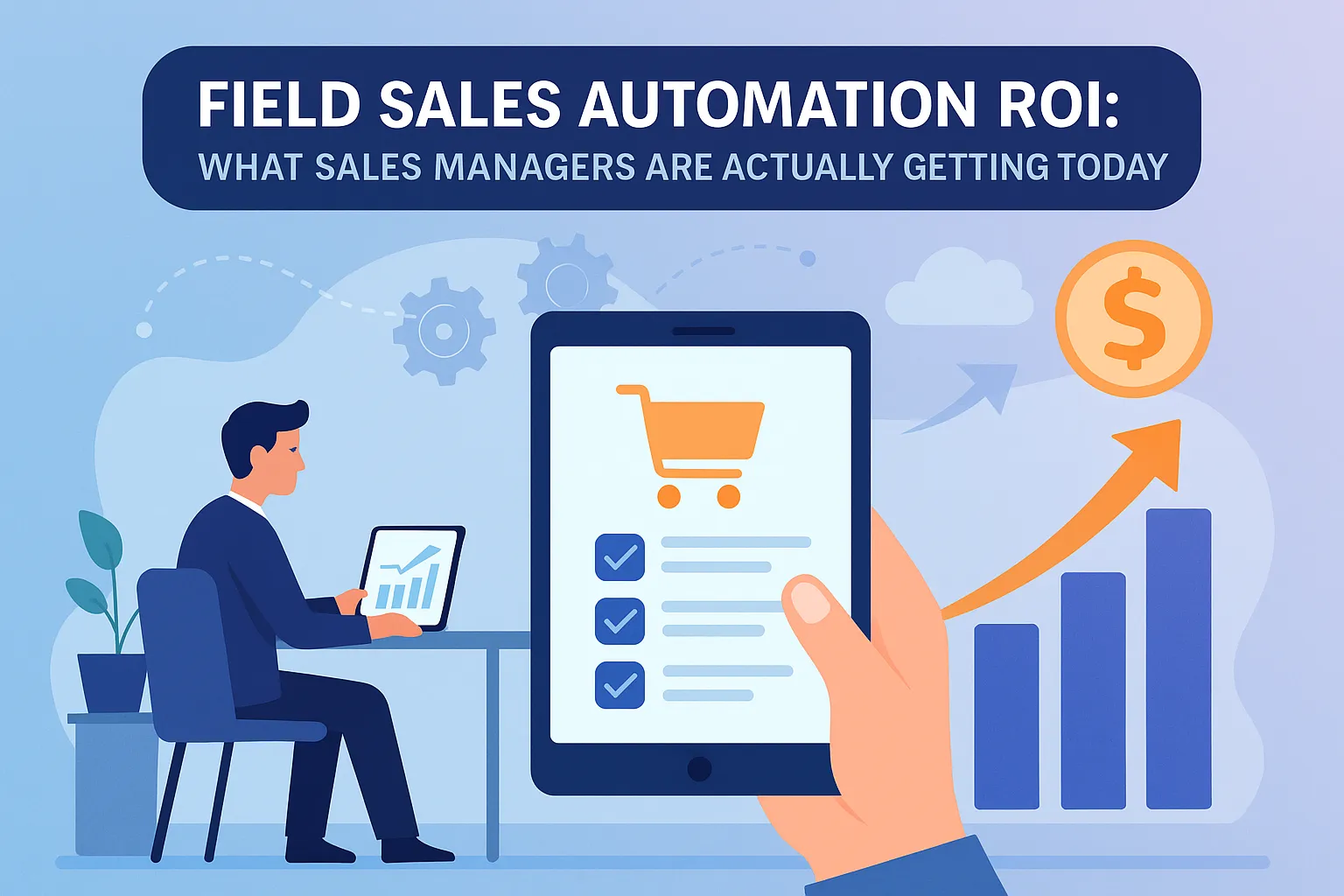
Field Sales Automation ROI: What Sales Managers Are Actually Getting Today

Field sales often feels like running through a fog without a map. It starts with chaos—Saturday fire drills, last-minute route planning, the infamous Excel hell of scattered notes and color-coded sheets. Sales managers juggle team check-ins, route disputes, and a CRM that’s always a few days out of date. It’s not just frustrating—it’s revenue slipping through the cracks.

For startups and growth-stage businesses, this chaos scales quickly. Manual updates, late lead responses, and disconnected tools lead to lost deals. Meanwhile, managers are left wondering who visited what, when, and why the pipeline looks great on paper but empty at quarter’s end. Reps spend more time logging their day than selling during it.

Enter field sales automation—not as a buzzword, but as a reality check and relief. ERPbyNet combines the power of SalesPundit, its integrated sales automation platform, with deep ERP functionality to bring clarity, structure, and visibility to even the messiest sales ops. In this article, we dig deep into the real-world ROI that sales managers are seeing—and why automation has become a necessity, not a luxury.

Why Field Sales Automation Has Become a Business Essential

Time is the New Revenue

Sales reps are hired to sell, but far too often, they’re stuck in logistics. Daily hours vanish into route planning, logging visits, writing manual reports, and pinging back-and-forth for client approvals. With SalesPundit’s mobile-first platform, reps can auto-schedule visits, log check-ins with geo-tags, and generate quotes—all from a smartphone. That reduces the time spent on admin and boosts the time spent building pipeline.

Businesses using SalesPundit typically reclaim 1–2 productive hours per rep, per day. Multiplied across a sales force, this adds up to hundreds of hours each month—directly converting to more deals closed.

From Gut Feel to Data Confidence

Before automation, sales managers relied on partial CRM entries and gut instincts. SalesPundit replaces guesswork with smart dashboards that reflect real-time KPIs—visit logs, lead status, quotation approvals, and follow-up delays. Geo-tagged visits, time stamps, and automated workflows offer both visibility and accountability.

Now, managers can see not just what their team is doing, but how efficiently they’re doing it—and coach accordingly.

Lead Prioritization That Closes More Deals

SalesPundit includes lead capture and scoring tools that automatically assign leads based on region, product interest, or sales rep load. Follow-up reminders and integrated call logs ensure leads don’t fall through the cracks. Reps stay focused on the hottest opportunities, and sales managers report 15–25% increases in conversion rates within the first quarter of use.

Read More : How ERP Helps Small Elevator Businesses Operate Like Big Players?

Real-World Scenarios That Prove the ROI

Real-World Scenarios That Prove the ROI

1. Multi-City Territory Chaos → Smart Dispatch

A sales team covering five cities was facing delays in meeting coordination, inconsistent client records, and duplicated efforts. After implementing SalesPundit with route optimization and geo-fenced check-ins, reps began receiving automated visit schedules, smart lead routing, and instant visibility into nearby prospects.

Result: travel time dropped by 30%, and monthly visits rose by 40%. Managers finally had consistent reporting and better resource allocation.

2. Manual Quote Management → CPQ Automation

Before automation, reps spent hours creating quotes, getting them approved, and emailing PDFs to clients. SalesPundit’s built-in CPQ (Configure-Price-Quote) engine allows reps to instantly generate quotations based on pricing rules, approval workflows, and template designs. They can even attach supporting documents or billing plans.

Result: quote turnaround time dropped from two days to under an hour, and win rates rose due to speed and accuracy.

3. Activity Logging Bottleneck → Mobile Check-ins

Salespeople were expected to submit reports manually at week’s end, leading to forgotten details and poor data quality. With SalesPundit’s live visit logging and voice notes, every meeting was time-stamped, geo-tagged, and synced to ERP and CRM modules instantly.

Result: CRM data accuracy improved by 35%, empowering better forecasting and territory planning.

Breaking Down the ROI Metrics That Matter

Time Efficiency

  • Mobile ERP app slashes time spent on planning, logging, and reporting.
  • Integrated daily visit plans eliminate repetitive scheduling.
  • Managers report up to 25% higher field productivity.

Sales Uplift

  • Faster quote creation via CPQ tool.
  • Instant access to lead history and conversion scores.
  • Better follow-ups with automated reminders and task tracking.

Cost Reduction

  • Smart route planning lowers fuel and lodging costs.
  • Centralized CRM reduces need for multiple disjointed systems.
  • Geo-fencing and location-based scheduling save unnecessary trips.

Visibility & Forecasting

  • Managers get real-time dashboards across deals, visits, leads, and team performance.
  • Approval chains and missed follow-ups are logged transparently.
  • Easy access to historical data improves strategic planning.

Read More : From Leads to Visits to Closures: How One ERP App Streamlines the Entire Sales Cycle

ERP vs. Isolated Sales Tools: Why Full Integration Wins

Capability Standalone Field Tool ERP-Integrated SalesPundit
Lead Capture Manual entry or import Automated from website, calls, campaigns
Visit Logging App-based check-in Geo-tagged check-ins synced with ERP
Quoting Manual or third-party CPQ Integrated CPQ with approval workflows
Reporting Static or emailed Live dashboards, mobile analytics
Invoicing Separate tool Built-in order-to-invoice conversion
Inventory Check Not available Linked to live inventory and dispatch system

SalesPundit is not just a sales tracker. It’s a full ERP-native platform that ties together pricing, inventory, HR roles, finance, and client communication into a single system. There are no data gaps—just continuous operational flow from lead to revenue.

How SalesPundit from ERPbyNet Delivers Tangible ROI

How SalesPundit from ERPbyNet Delivers Tangible ROI

What sets SalesPundit apart is its deep integration across the business landscape. Here’s how it turns into ROI:

  • Auto-lead allocation by location, industry, or region
  • Live territory monitoring for performance and coverage
  • Approval-based quote workflow, removing decision delays
  • Invoice generation tied to confirmed orders
  • Tender and billing documents generated from quote templates
  • Quotation variation tracking, especially for construction or project-based clients
  • Role-based access, ensuring managers, reps, and finance teams see only what they need

Reps no longer struggle with five apps and two spreadsheets. Everything they need—from visit to invoice—is right inside one mobile platform, fully connected to the ERP that runs the rest of the business.

Read More : The ROI of Real-Time Task Tracking in Mobile ERP Solutions

Sales Automation Trends to Watch

  • AI-based lead scoring and predictive visit suggestions
  • Mobile-first quote generation, even on patchy networks
  • Voice-to-text visit logging
  • Offline sync for remote areas
  • Low-code automation, letting managers customize workflows without developers
  • Built-in compliance, audit logs, and geo-tagged timestamps for accountability

Sales automation is no longer about flashy dashboards. It’s about intelligent systems that adapt to how your team sells—on the road, on the phone, and under pressure.

Conclusion

Field sales automation has moved from “nice to have” to mission-critical. SalesPundit by ERPbyNet doesn’t just digitize your field operations—it transforms them. Managers regain visibility. Reps reclaim time. And clients get faster, smarter service.

With fully integrated dashboards, CPQ workflows, smart visit scheduling, and ERP-level connectivity, SalesPundit is redefining how sales teams grow—and scale.

At ERPbyNet, we empower businesses to run smarter with custom-fit ERP solutions that scale as you grow. Ready to simplify your operations? Let’s transform your workflow.

FAQs

How quickly can we expect ROI from field sales automation?

Most businesses begin seeing measurable ROI within 60 to 90 days of implementing field sales automation. This includes time saved from reduced manual entry, faster quotation generation, and streamlined follow-ups. Reps become more productive, deal cycles shrink, and customer response times improve—contributing to noticeable revenue gains in the first quarter.

Does this work for small teams or only large ones?

SalesPundit is designed to scale with your business. Small sales teams benefit from having structure, visibility, and process automation without the overhead of large systems. For larger teams, SalesPundit provides territory control, approval workflows, and centralized performance data to manage distributed reps effectively. It’s flexible enough to grow as you grow.

How is this different from a regular CRM?

Unlike standalone CRMs that operate in silos, SalesPundit is a native part of your ERP system. It connects leads, quotes, visit logs, and order bookings directly to inventory, accounting, and HR modules. That means no duplicate data entry, no third-party syncing issues, and complete visibility from first contact to final invoice—all within one integrated platform.

Do we need extra tools to generate quotes or invoices?

No, SalesPundit includes a robust CPQ (Configure, Price, Quote) engine, billing plan templates, and quotation variation support right out of the box. Approved quotes can be instantly converted into invoices, linked to inventory and payment terms—all through the same system. There’s no need for separate quoting tools, spreadsheets, or manual reconciliation.

Will this work offline?

Absolutely. SalesPundit’s mobile features support offline functionality for field reps working in low- or no-connectivity zones. Reps can log visits, take notes, record geo-tagged check-ins, and schedule next steps while offline. Once they reconnect to the network, all the data syncs automatically with the ERP system—ensuring nothing is lost.

What industries is SalesPundit ideal for?

SalesPundit is especially effective for industries that rely on field-based sales, distributed client visits, or project-based engagements. This includes manufacturing, construction, industrial services, distribution, and engineering. Businesses with multiple teams, regional territories, or complex quotation cycles gain the most from its automation and ERP integration.

 

CategoriesProduction Planning & Smart MRP

Understanding the Role of Bill of Materials (BOM) in Elevator Manufacturing with ERP

In the world of elevator manufacturing, precision is not a luxury — it’s a survival tool. You’re not just bolting metal to metal; you’re assembling a complex system that has to glide smoothly, safely, and silently, hundreds of feet above the ground. Every nut, wire, and circuit must be exactly where it belongs — because lives ride on your craftsmanship.

But behind the impressive engineering and polished finishes lies something far less glamorous: a jungle of parts, specs, revisions, and orders. And when that chaos isn’t properly managed, deadlines slip, costs spiral, and reputations wobble.

This is where ERPbyNet steps in — not as a software vendor, but as a strategic partner helping manufacturers make sense of complexity. In this blog, we’ll unravel the critical role the Bill of Materials (BOM) plays in elevator production and show how a smart ERP system turns confusion into control.

What Is a Bill of Materials in Manufacturing?

A Bill of Materials (BOM) is more than a part list — it’s the instruction manual for bringing your product to life. In elevator manufacturing, it maps out every component, down to the tiniest bolt, detailing how each part fits into the final assembly.

Think of it like a symphony sheet: without it, your musicians (procurement, production, engineering) can’t stay in harmony. The BOM defines:

  • Component specifications
  • Assembly sequences
  • Required quantities
  • Supplier references
  • Regulatory notes

But when managed manually or across disconnected tools, this orchestration falls apart.

Why Elevator Manufacturing BOMs Are Uniquely Complex

Why Elevator Manufacturing BOMs Are Uniquely Complex

Elevator systems aren’t mass-produced items — they’re tailored machines designed to fit unique spaces, comply with localized building codes, and satisfy architectural visions. This makes BOMs in this industry deeply layered and perpetually changing.

1. Tailored Configurations

No two elevators are alike. A luxury hotel requires a vastly different cabin design, speed, and control system than a hospital or a freight lift. Each variation means a different BOM.

2. Deep Assembly Trees

Elevators involve multi-tier subassemblies: motors, safety gears, controllers, suspension systems, door mechanisms. Each layer needs its own BOM, interconnected with the main one.

3. Continuous Engineering Revisions

Whether from safety updates, material changes, or design tweaks, BOMs must evolve in real-time. Delays in syncing those updates can lead to production mishaps or failed inspections.

This is why static spreadsheets or standalone software simply can’t keep up. ERP solutions built for manufacturing — especially for intricate systems like elevators — bring order to this complexity.

How ERP Transforms BOM Management

Dynamic BOM Versioning

ERP software allows for live updates to BOMs across engineering, purchasing, and production. Each change is logged, timestamped, and accessible by every relevant department, preventing discrepancies and confusion.

Real-Time Inventory Synchronization

No more guesswork. If your BOM specifies 30 sensors, the ERP checks available stock, triggers replenishment if needed, and adjusts production schedules accordingly. Everything works in sync.

Automated Procurement Workflows

As BOMs are finalized or modified, ERP systems automatically generate RFQs or POs for materials. Your procurement team stops chasing emails and starts managing strategy.

Built-In Cost Estimation

ERP platforms calculate rolling costs as BOMs evolve — from raw materials to labor time — giving you visibility into margins before the first drill turns.

Integration with Engineering Systems

ERPbyNet’s platform connects to CAD and design software, allowing seamless import of updated specs. The moment your design team adjusts a part, the BOM and all dependent workflows update accordingly.

Real-World Scenario: Turning a Liability Into Leverage

A mid-tier elevator manufacturer recently faced a costly setback. Their team received a last-minute update to the panel design of a series of elevators destined for a luxury apartment complex. But the BOM in their system hadn’t been updated. As a result, procurement ordered the wrong material batch, and installation crews had to delay onsite work.

After implementing an ERPbyNet solution, the manufacturer’s entire product development cycle became interconnected. Design changes now trigger BOM revisions automatically, procurement gets notified in real-time, and the shop floor always works from the latest specs. Within four months, their project overruns dropped by 60%, and client satisfaction scores climbed.

Common BOM Management Problems — and How ERP Solves Them

Common BOM Management Problems — and How ERP Solves Them

Problem ERP Solution
Manual tracking leads to outdated versions Centralized, real-time BOM synchronization
Missed updates from engineering Auto-notifications across all stakeholders
Procurement orders wrong parts ERP triggers based on accurate material data
Unclear cost projections Built-in costing and margin calculations
Regulatory documentation is scattered Full digital traceability and part records

Inside a BOM-Driven ERP Workflow

Let’s look at how a modern ERP system structures a typical elevator BOM process:

  1. Sales Finalization – Client selects model and custom options 
  2. Engineering Input – CAD and design specs imported 
  3. BOM Generation – Auto-populated based on specs 
  4. Inventory Check – Available stock cross-referenced 
  5. Procurement Activation – Orders triggered for shortfall items 
  6. Production Planning – Schedule aligned with material arrivals 
  7. Costing and Forecasting – Updated with each BOM iteration 
  8. Compliance Readiness – Documents generated per jurisdiction 

It’s more than efficiency — it’s operational intelligence.

BOM Visibility: Before vs After ERP Implementation

Feature Before ERP After ERPByNet Integration
BOM Management Manual, fragmented Centralized, real-time
Communication Between Teams Email-dependent, delayed Automated alerts and updates
Change Impact Analysis Manual and often missed Auto-propagated across modules
Production Delays Frequent and unpredictable Sharply reduced
Inventory Misalignments High wastage and shortages Optimized ordering & stock

The Business Value of ERP-Based BOM Systems

For manufacturers of complex products like elevators, BOM management is not an admin task — it’s a performance lever. With the right ERP system, your team gains:

  • Greater agility to respond to customer changes 
  • Higher accuracy in material usage and costing 
  • Stronger compliance with global safety standards 
  • Reduced project cycle times and rework 

And most importantly, a single source of truth from the design table to the installation site.

The Future of BOM in ERP Systems

BOMs are evolving from static documents into interactive, AI-supported components of smart factories. Manufacturers are now integrating:

  • Low-code customization to adapt BOM templates 
  • Predictive alerts on parts delays 
  • Digital twins that simulate changes in real-time 

Elevator manufacturing, like many other sectors, is on the brink of this intelligent transformation — and it starts with getting your BOM strategy right.

 Bring Structure to Complexity

Precision starts long before the first part is machined — it starts with information. If your team is still juggling BOMs across spreadsheets, emails, and siloed systems, it’s not just slowing you down — it’s costing you opportunities. Modern elevator manufacturing demands clarity, traceability, and adaptability at every step of the process.

At ERPbyNet, we empower manufacturers to build with confidence. Our tailored ERP solutions are built to manage complex, layered BOMs and synchronize your operations — from engineering and procurement to inventory and compliance.

Ready to eliminate delays, reduce errors, and streamline production? Let’s transform your BOM management and scale your workflow — intelligently. Reach out today and start building smarter.

FAQs

What exactly is a Bill of Materials (BOM)?

A BOM is a detailed list of all parts, materials, and assemblies needed to build a product, including quantity and order of assembly.

Why are BOMs critical in elevator manufacturing?

Elevators are customized and safety-critical systems with deep assembly layers. A precise BOM ensures accurate sourcing, assembly, and compliance.

Can I use spreadsheets for BOM management?

You can, but it’s risky. Spreadsheets lack real-time updates, version control, and integration with other workflows — leading to errors and delays.

How does ERP make BOM management easier?

ERP automates updates, connects departments, manages inventory in real time, and ensures all teams work from the latest version of the BOM.

Is ERP only for large manufacturers?

Not at all. Modern ERP systems, like ERPbyNet, are designed to scale — making them ideal for small to medium-sized manufacturers.

How fast can ERP-based BOM systems be implemented?

Depending on the complexity, core BOM features can often be deployed within 8–12 weeks, especially with a focused implementation plan.

CategoriesERP (Enterprise Resource Planning)

How ERP Helps Small Elevator Businesses Operate Like Big Players?

It starts with a frantic Friday call: a technician missed a maintenance job, the invoice wasn’t sent, and now the client is threatening to leave. Sound familiar? For many small elevator companies, these “Friday fire drills” are the norm. You’re juggling installations, repairs, compliance paperwork, and a growing pile of spreadsheets that make less sense by the week.

Growth is exciting until it’s chaos. Suddenly, the technician schedule clashes with billing cycles, your inventory list lives in someone’s head, and audits feel like climbing Everest in flip-flops. Every founder hits that wall where manual systems just can’t keep up. That’s when the dream of scaling like the “big players” starts to feel like just that—a dream.

But here’s the truth: you don’t need to be a multimillion-dollar firm to operate like one. With the right ERP (Enterprise Resource Planning) platform, small elevator businesses can centralize operations, streamline workflows, and scale with precision. ERPbyNet has helped many businesses just like yours make the leap. Let’s break down how it works.

What is ERP, Really? (And Why It Matters to Elevator Companies)

What is ERP, Really? (And Why It Matters to Elevator Companies)

ERP stands for Enterprise Resource Planning. Think of it as your digital control room—a unified platform that ties together everything from inventory and payroll to maintenance schedules and compliance reports.

Originally developed for manufacturers in the 1990s (shoutout to SAP and Oracle), ERP systems have evolved. Today, cloud-based ERP tools are tailored for small businesses, offering modular flexibility and lower costs. Whether you install elevators, handle service contracts, or manage inspections, ERP gives you a bird’s-eye view of your business.

Key Components for Elevator SMEs:

  • Inventory Management: Real-time tracking of parts and hardware
  • Accounting Modules: Invoicing, payroll, and financial dashboards
  • Work Order Scheduling: Dispatch technicians efficiently
  • HR Automation: Manage employee roles, certifications, and availability
  • Compliance Dashboards: Stay ahead of safety and regulatory filings

ERP is more than software. It’s like switching from a toolbox to an entire workshop.

Real-World Scenarios: When ERP Saves the Day

Multi-Location Mayhem

Imagine a 15-person elevator business with jobs across three cities. Without ERP, your techs are calling the office to confirm addresses, parts are double-ordered, and billing delays become the norm. ERP centralizes job data, routes assignments, and tracks inventory across locations.

Time is Money (and You’re Wasting It)

Manual scheduling or using outdated tools like Excel leads to overlaps and missed appointments. With ERP, automated calendars and technician availability dashboards mean no more embarrassing double-bookings.

Compliance Chaos

Missed inspection deadlines or incomplete documentation can lead to fines. ERP sends alerts, stores digital records, and simplifies compliance reporting. It’s your digital safety net.

Financial Fog

Are you making money on maintenance contracts? ERP offers profit margin reports by job type, client, and region. No more flying blind.

ROI & Industry Trends: Why Now is the Time

  • Gartner reports a 20% annual growth rate in cloud ERP adoption among SMEs.
  • Companies using ERP see an average of 30% faster order fulfillment and 15% cost savings in operations .
  • ERP isn’t just a luxury—it’s a smart investment. Implementation pays for itself through reduced errors, faster billing, and better decision-making.

ERP vs Traditional Tools

Feature Excel & Legacy Tools ERP Platforms
Real-Time Data No Yes
Technician Scheduling Manual & Clunky Automated
Inventory Visibility Limited Multi-location view
Compliance Tracking Risk of Errors Alerts & Logs
Financial Dashboards Fragmented Centralized

ERPbyNet: Your Partner in Growth

ERPByNet_ Your Partner in Growth -

ERPbyNet offers custom ERP solutions for small to mid-sized elevator companies. We don’t just sell software; we work with you to digitize workflows, clean up processes, and train your team.

  • Need inventory management automation? Done.
  • Want to optimize technician dispatch? Easy.
  • Worrying about compliance readiness? We’ve got your back.

With user-friendly dashboards, mobile access, and robust support, we help you run like a lean, modern enterprise—no matter your size.

Final Thoughts: Big Player Power, Startup Grit

ERP is no longer just for the Fortune 500. It’s the key for small elevator businesses to work smarter, scale faster, and serve clients better.

With AI-driven features, low-code automation, and mobile-first access, ERPbyNet is ready to future-proof your business.

At ERPbyNet, we empower businesses to run smarter with custom-fit ERP solutions that scale as you grow. Ready to simplify your operations? Let’s transform your workflow.

FAQs

What is ERP and why do small elevator companies need it?

ERP, or Enterprise Resource Planning, is a software system designed to unify and streamline core business operations such as scheduling, inventory management, billing, and compliance. For small elevator companies, this kind of centralization is crucial. Without it, operations are often managed across disjointed spreadsheets, phone calls, and manual tracking—which leads to scheduling mix-ups, missed maintenance deadlines, and billing delays. An ERP system eliminates that chaos by bringing all departments onto a single platform, ensuring smoother coordination, better service delivery, and a clearer picture of business performance. It helps small elevator businesses function with the precision and reliability of much larger enterprises.

Is ERP expensive for small businesses?

Not anymore. While ERP systems were once associated with high upfront costs and complex infrastructure, modern cloud-based ERP platforms are designed to be affordable and scalable. Small businesses can choose only the features they need and expand over time as their operations grow. This modular approach keeps costs predictable and manageable, making ERP a strategic investment rather than a financial burden. For elevator companies, this means gaining enterprise-level tools without sacrificing financial flexibility.

How long does ERP implementation take?

The time it takes to implement an ERP system depends on the size and needs of your business, but for most small elevator companies, it’s faster than you might expect. At ERPbyNet, our implementation process is tailored to get businesses fully operational within a matter of weeks. We provide guidance at every step, ensuring a smooth transition without disrupting your daily operations. The goal is to get you up and running quickly—so you can start seeing benefits like better scheduling, cleaner financials, and easier compliance right away.

What if my team isn’t tech-savvy?

Ease of use is a major priority for ERPbyNet. We understand that not every small business has a dedicated IT team or tech experts, which is why our ERP interface is designed to be intuitive and user-friendly. If your staff can use basic apps or smartphones, they’ll be able to navigate our dashboards and tools with ease. Plus, we provide thorough onboarding, training sessions, and ongoing support to ensure your team feels confident and capable using the system from day one.

Can ERP integrate with other tools?

Yes, modern ERP systems are built to integrate seamlessly with other software your business might already be using. Whether it’s CRM platforms, payroll systems, accounting tools, or customer support apps, ERPbyNet supports integrations through APIs and connectors. This allows you to maintain your existing workflow while centralizing data and operations—so everything works together without the need for constant switching between programs.

What makes ERPbyNet different?

ERPbyNet takes a personalized approach to ERP implementation. Unlike one-size-fits-all systems, we tailor the ERP to match your exact business processes, challenges, and goals. We specialize in working with small and mid-sized companies, particularly in service-based industries like elevator maintenance and installation. Our team doesn’t just provide software—we partner with you to ensure your system is built to fit, scales as you grow, and delivers measurable results from the start. It’s this hands-on, consultative approach that sets us apart.


CategoriesERP (Enterprise Resource Planning)

Cloud ERP in 2025: The Backbone of Elevator Service Operations

Scaling an elevator service business often starts with good instincts, hard work, and a handful of reliable tools—usually a patchwork of spreadsheets, WhatsApp chats, and a service log scribbled on a whiteboard. At first, it works. The technician knows the equipment. The office knows the contracts. Customers are forgiving when you’re small.

But then growth happens.

New buildings, new clients, new technicians. Suddenly, that patchwork doesn’t hold. Jobs slip through the cracks. Spare parts are always in the wrong warehouse. Service teams are either idle or double-booked. Invoicing lags behind completed work, and no one has a clear view of what’s really going on.

If any of this sounds familiar, you’re not alone—and you’re not out of options. In 2025, forward-thinking elevator service companies are solving these exact challenges with cloud ERP platforms—and ERPbyNet is helping them do it faster, smarter, and with less stress.

From Spreadsheet Fatigue to Full Operational Visibility

Ask any operations manager or founder in the elevator industry what keeps them up at night, and the answer will usually fall into one of three buckets: missed service windows, incomplete maintenance records, or billing confusion. These aren’t just inefficiencies—they’re liabilities.

Cloud-based ERP systems like those delivered by ERPbyNet replace those fragile workarounds with a centralized digital backbone that manages everything from inventory control to AMC tracking, technician dispatch, financial reporting, and client communications.

Where legacy tools might focus on one area—accounting or scheduling—ERPbyNet provides the full picture. Real-time dashboards, smart alerts, connected workflows, and role-based access ensure that everyone, from the field to the finance team, is aligned and informed.

Why Cloud ERP Is No Longer Optional in 2025

Why Cloud ERP Is No Longer Optional in 2025

The elevator services market has grown more competitive and regulated in recent years. Safety standards, response times, and maintenance accountability are under more scrutiny than ever before. Add in increasing pressure to manage multiple locations, multiple teams, and tighter SLAs, and you have a recipe for digital transformation.

Here’s where ERPbyNet’s cloud ERP solutions shine. These platforms are:

  • Location-independent: Accessible from any device, anywhere 
  • Scalable: Suitable for a 5-person team or a national workforce 
  • Integrated: All functions—service, inventory, HR, finance—work together 
  • Secure: Built on cloud infrastructure with role-based permissions 
  • Customizable: Adaptable to how your elevator company actually operates 

In short, it’s the difference between chasing problems and preventing them.

How ERPbyNet Resolves Operational Friction in Elevator Service Businesses

How ERPbyNet Resolves Operational Friction in Elevator Service Businesses

1. Unifying Inventory Across All Locations

Challenge:
Elevator service teams often struggle with fragmented inventory systems. Parts go missing. Technicians arrive on-site without what they need. Inventory sits idle in one branch while another is understocked.

Solution with ERPbyNet:
ERPbyNet’s centralized inventory management module gives real-time visibility across all warehouses, service vans, and stockrooms. Every item is tracked with precision—by type, location, and usage history. Automated reordering ensures stock levels remain optimal, and mobile access lets field teams verify part availability instantly. This not only reduces job delays but also cuts inventory-related costs and frustration.

2. Empowering Field Technicians with Mobile Access

Challenge:
Technicians are often dispatched with limited information—sometimes just a job ticket and a building address. Without service history, equipment details, or digital checklists, they rely on memory or repeated phone calls to the office.

Solution with ERPbyNet:
With ERPbyNet’s technician dashboard, field teams receive complete job details on their smartphones or tablets: customer information, service history, equipment specifications, and step-by-step workflows. Updates made on-site sync in real-time with the back office. This results in fewer errors, quicker resolutions, and empowered technicians who spend more time servicing and less time guessing.

3. Eliminating Revenue Loss from Missed AMCs

Challenge:
Manual tracking of Annual Maintenance Contracts (AMCs) leads to expired agreements, missed renewals, and overlooked services—causing financial leakage and client dissatisfaction.

Solution with ERPbyNet:
ERPbyNet automates the entire AMC lifecycle. Contracts are digitally stored, renewal reminders are triggered automatically, and service tasks are tied directly to AMC terms. Billing is linked to performance and contract clauses, ensuring every entitled service is delivered—and charged. This strengthens recurring revenue streams and boosts customer retention without manual oversight.

4. Speeding Up Billing Through Workflow Automation

Challenge:
Jobs are completed in the field, but billing often lags for days—or even weeks—due to paperwork delays, incomplete service records, or disconnected finance processes.

Solution with ERPbyNet:
As soon as a job is marked complete in ERPbyNet, the invoicing engine initiates billing instantly. Integration with accounting modules ensures seamless ledger updates, tax application, and client communication. This dramatically shortens your billing cycle, improves cash flow, and keeps revenue moving without waiting for backend approvals or manual data entry.

5. Keeping Compliance Effortless and Audits Stress-Free

Challenge:
Regulatory inspections, safety audits, and maintenance documentation often require weeks of preparation when records are scattered across emails, clipboards, or separate software.

Solution with ERPbyNet:
ERPbyNet consolidates all compliance documentation in one secure, accessible location. Whether it’s service certificates, technician logs, or safety checklists, everything is digitally archived, timestamped, and organized for rapid retrieval. You’re always ready for inspections—no scrambling, no missing files, and no last-minute panic.

Visualizing the Difference: ERP vs Traditional Tools

Functionality Spreadsheets / Isolated Tools ERPbyNet Cloud ERP
Inventory Tracking Manual, siloed Real-time, centralized
Technician Scheduling Static and reactive Smart routing, mobile updates
AMC Management Excel-based, error-prone Automated lifecycle tracking
Billing & Invoicing Delayed and disconnected Triggered from job completion
Compliance Readiness Paper-based chaos Timestamped digital records
Multi-location Management No true visibility Location-specific dashboards

What ERPbyNet Brings to the Table (Beyond Software)

ERPbyNet isn’t just a vendor. We’re a strategic partner for elevator businesses looking to streamline operations and scale responsibly.

With ERPbyNet, you’re getting:

  • A cloud-first ERP with mobile-first experiences 
  • Modular features tailored to elevator workflows 
  • Expert onboarding and training for your teams 
  • Integrations with tools you already use (e.g., Tally, Zoho) 
  • A future-proof system that evolves with you 

And you’re not starting from scratch. ERPbyNet has already helped businesses like yours reduce job delays, cut inventory waste, and increase AMC revenue—all without adding staff.

The Bigger Picture: Trends Driving ERP Adoption in 2025

This isn’t just about efficiency anymore. It’s about remaining competitive in an industry that’s embracing:

  • AI-powered maintenance predictions 
  • Low-code workflow customizations 
  • API-driven integrations across departments 
  • Mobile-first field management 

According to Gartner, over 70% of mid-sized service businesses will run cloud ERP systems by the end of 2025—a clear indicator that the shift is well underway.

Conclusion: The System Behind Every Smooth Operation

Behind every elevator that runs safely and on time is a team that’s coordinated, informed, and empowered. That level of performance doesn’t happen by accident—it happens through intelligent systems like ERPbyNet.

In a world where service expectations are rising and downtime is non-negotiable, cloud ERP isn’t a tech upgrade—it’s business armor.

At ERPbyNet, we empower businesses to run smarter with custom-fit ERP solutions that scale as you grow. Ready to simplify your operations? Let’s transform your workflow.

Still have questions about ERP and how it fits your business? Let’s clear them up.

What does ERPbyNet’s platform actually do?

ERPbyNet is designed to bring all your elevator service operations under one digital roof. From technician dispatch and job scheduling to inventory tracking, AMC management, billing, and reporting—everything lives in a single, intelligent system. You no longer need to jump between spreadsheets, apps, and emails to stay in control. With ERPbyNet, your team operates from a unified interface that works from the office, the field, or even your phone. It’s operational clarity—delivered in real time.

We’re not a big company—do we still need ERP?

Absolutely. ERP is no longer just for large corporations with deep pockets. ERPbyNet is purpose-built for small to mid-sized elevator companies that are growing fast and need better structure without adding complexity. Whether you manage a team of five or fifty, the system adapts to your workflow, scales as you grow, and removes the chaos that comes with manual coordination. In fact, smaller companies often see the fastest wins—from fewer errors to faster billing and better visibility.

How long does it take to get started?

Getting started with ERPbyNet is a straightforward process. Most of our clients go live within a few weeks. Our team handles the heavy lifting—from data migration and configuration to user training and process mapping. We work closely with your operations and admin teams to ensure every module is tailored to your business, not the other way around. You don’t need to pause your business to upgrade your system. We make the transition smooth, fast, and future-ready.

Will ERPbyNet work on our existing hardware?

Yes, and that’s the beauty of it. ERPbyNet is fully cloud-based, which means it works seamlessly across your existing devices—whether that’s desktops in your office, tablets in the field, or smartphones in your technicians’ hands. There’s no need for expensive on-site servers, no IT headaches, and no proprietary hardware. As long as your team has internet access, they have full access to the platform—anytime, anywhere.

Can it handle AMC renewals and scheduling?

This is actually one of ERPbyNet’s strongest capabilities. The system automates the entire lifecycle of your Annual Maintenance Contracts (AMCs), from scheduling preventive services to triggering alerts for renewals and contract expirations. It also links contracts directly to billing and task execution—so your team never misses a commitment, and your clients stay covered without interruption. AMC management becomes a strategic advantage instead of a manual chore.

What if we already use something like Zoho or QuickBooks?

No problem at all. ERPbyNet is designed to integrate with commonly used tools like Zoho CRM, QuickBooks, and other business platforms. Whether you want to keep using certain tools or gradually replace them, ERPbyNet provides the flexibility to connect and centralize your data. Our team can help you streamline overlapping features and eliminate redundant workflows, so you finally have everything in one place—without sacrificing the tools you already rely on.


CategoriesERP (Enterprise Resource Planning)

A Complete Guide to Elevator Maintenance Software for OEMs and Service Firms

It’s Friday evening. Your team’s inbox is overflowing, technicians are cross-wired between sites, and a major client just called—again—because their service ticket got “lost in the shuffle.” Welcome to the unofficial ritual many OEMs and elevator service firms have dubbed the “Friday Fire Drill.”

If this chaos feels familiar, you’re not alone. Elevator businesses often grow faster than their operational systems can handle. Spreadsheets pile up, field teams play phone tag, and preventive maintenance becomes a guessing game. Even with the best intentions, manual tracking leads to missed inspections, unbilled jobs, and poor client experience.

That’s where Elevator Maintenance Software steps in. Purpose-built ERP platforms like those from ERPbyNet are designed to bring clarity, control, and peace of mind to OEMs and service companies alike. If you’re stuck in reactive mode, this guide will help you shift gears—toward smarter, streamlined elevator operations.

What Is Elevator Maintenance Software?

Elevator Maintenance Software is a specialized business application that helps Original Equipment Manufacturers (OEMs) and service firms manage all aspects of elevator operations—from asset tracking and preventive maintenance to field service dispatch and compliance documentation.

While traditional ERP tools like SAP or Oracle offer general resource planning features, dedicated Elevator Maintenance Software takes it a step further. Think of it as a digital toolbox: inside are your dashboards, service logs, technician schedules, customer data, and warranty details—all interconnected through one clean interface.

Concept Origins: The concept of ERP (Enterprise Resource Planning) originated in manufacturing in the 1960s but evolved rapidly with the advent of cloud computing. Elevator-specific systems emerged to address the growing complexity of field maintenance, safety regulations, and real-time equipment monitoring.

Why Elevator OEMs & Service Firms Struggle Without It

Why Elevator OEMs & Service Firms Struggle Without It

Let’s look at the usual suspects behind elevator maintenance inefficiencies:

1. Spreadsheet Fatigue

You can’t scale with Excel. Tracking thousands of lift units across cities or regions using sheets means inevitable data decay—missed updates, duplicate entries, or worse, no traceability.

2. Disjointed Field Service

Field techs often receive incomplete work orders, leading to poor first-time fix rates. Without a centralized system, they waste time calling HQ, hunting for manuals, or finding missing parts.

3. Customer Escalations

Clients expect service SLAs to be met. Without a way to track service contracts and response times, businesses lose credibility fast.

4. Zero Visibility on Costs

From consumables to labor hours, most firms can’t accurately calculate the true cost of a service call—let alone measure ROI per contract.

5. Non-Compliance Risks

Elevators are safety-critical assets. Without automated reminders and documentation workflows, one missed inspection can become a liability nightmare.

How Elevator Maintenance Software Solves Real-World Problems

How Elevator Maintenance Software Solves Real-World Problems

ERPByNet’s Elevator Maintenance Software is built with the field in mind. Here’s how it addresses key pain points:

Inventory Management Automation

Your parts should move as smoothly as your elevators. The software connects warehouses, service vans, and vendor supply chains so that every technician has what they need—when and where they need it.

Preventive Maintenance Scheduling

No more reactive firefighting. Set maintenance intervals per asset type, location, or client SLA. Auto-scheduling ensures you stay compliant while reducing unplanned breakdowns.

Service Order Workflows

From initiation to closure, work orders move through standardized stages with timestamps, technician notes, images, and even e-signatures. That’s accountability in action.

Real-Time Dashboards

Track uptime, job closures, technician performance, and revenue per client—all at a glance. Custom dashboards help managers act, not react.

Role-Based Permissions

Only authorized users access sensitive data—perfect for multi-location firms with layered hierarchies and outsourced staff.

Use Case Scenarios

Multi-City OEM Operations

A mid-sized OEM with service contracts in 12 cities struggled to coordinate preventive maintenance. ERPByNet’s platform helped them map every unit by GPS location, set unique maintenance intervals, and track compliance with local regulations.
Result: SLA breach rate dropped by 43% in 6 months.

Contract Technicians & Outsourcing

A growing service firm relied heavily on third-party technicians. Before ERPByNet, job tracking was chaotic. Now, job dispatches include digital manuals, prior service history, and route maps.
Result: First-time fix rates jumped from 61% to 89%.

Legacy Software Bottlenecks

One firm ran on outdated desktop systems. Data was siloed, backup was manual, and cross-departmental visibility was zero. ERPByNet’s cloud-native deployment created a single source of truth accessible anywhere.
Result: Admin work dropped by 30%, and audits became effortless.

Elevator Maintenance Software vs. Traditional Tools

Feature Excel/Manual Systems Generic ERP Elevator Maintenance Software
Asset Lifecycle Tracking No Limited Yes
Preventive Maintenance Alerts No Manual Automated
Mobile Field Access No Basic Field App Integrated
Compliance Management No Add-on Built-in
Real-Time Analytics No Generic Tailored for Elevator Ops


ERP Adoption Trends in Elevator Industry

According to a recent Statista report, the global ERP software market is expected to surpass $100 billion by 2026. Niche segments like field service ERP are growing rapidly, with 12% year-over-year growth driven by mobility and compliance needs.

A Gartner study also noted that over 68% of mid-sized service firms are now prioritizing industry-specific ERP over generic systems to gain competitive agility.

These aren’t just numbers—they’re signals. Businesses are done “making do” with clunky tools. Custom-fit Elevator Maintenance Software is no longer optional. It’s essential.

ERPByNet: Built for Field Realities

Unlike legacy ERP providers, ERPByNet designs its Elevator Maintenance Software from the ground up for service field dynamics. Whether you’re an OEM, contractor, or regional servicing firm, you get:

  • Modular deployment (start with what you need)
  • Cloud and mobile-native systems
  • Fast implementation with role-specific onboarding
  • Localized compliance and inspection templates
  • Open APIs for third-party hardware integration

Conclusion: A Lift Toward Smarter Operations

Managing elevator maintenance shouldn’t feel like a daily emergency. With the right ERP, your business can move from reactive chaos to predictable, profitable control.

Elevator Maintenance Software is the secret weapon OEMs and service firms need to scale sustainably. It ensures you stay compliant, optimize field operations, delight customers—and sleep better on Thursdays.

At ERPByNet, we empower businesses to run smarter with custom-fit ERP solutions that scale as you grow. Ready to simplify your operations? Let’s transform your workflow.

Name

FAQs

What is Elevator Maintenance Software exactly?

It’s specialized ERP software that manages preventive maintenance, field service dispatch, asset tracking, and compliance for elevator OEMs and service providers.

Who should use Elevator Maintenance Software?

OEMs, regional elevator maintenance firms, and even contractors managing high-rise building assets can benefit from it.

Is this different from regular ERP software?

Yes. While traditional ERP handles general business processes, elevator-specific software includes tailored features like inspection templates, unit history, and technician routing.

Can I use it for multi-location operations?

Absolutely. ERPByNet supports GPS tagging, regional SLAs, and localized compliance standards—ideal for distributed operations.

Does ERPByNet offer mobile access for technicians?

Yes. Field techs can receive jobs, upload photos, and close service tickets via the mobile app in real time.

How long does it take to implement?

Most small to mid-sized firms can go live within 4–6 weeks, depending on modules chosen and integration requirements.

CategoriesERP (Enterprise Resource Planning)

Top 10 ERP Implementation Mistakes and How to Avoid Them

You’ve got orders piling up, teams working double shifts, and customer feedback swinging between rave reviews and last-minute complaints. Business is booming—but by Friday, things start falling apart. Your finance head is drowning in spreadsheet overload, your operations manager is counting stock with sticky notes, and your CRM feels like it hasn’t been updated since 2015. This is what rapid growth looks like without a proper ERP solution. It’s the classic chaos companies face when they scale without a structured resource planning system—and it’s exactly why smart ERP implementation matters.

Scaling a business without a proper ERP system is like trying to play Tetris with bricks. Everything feels out of sync—data is duplicated, roles are unclear, and decisions are made on gut instead of numbers. What starts as minor workflow issues quickly becomes operational drag.

ERP tools exist to bring clarity to this mess. But here’s the twist: implementing an ERP system isn’t plug-and-play. Many businesses dive in without fully understanding the roadmap, only to discover too late that they’ve digitized their disorganization. That’s why ERPbyNet, your partner in business optimization, is here to guide you around the potholes most fall into.

What is ERP, Really?

ERP—or Enterprise Resource Planning—is more than a fancy name for software. It’s the nerve center of your business operations. ERP systems integrate all core functions: inventory management, accounting, human resources, customer orders, vendor relations, and compliance—all flowing through a centralized platform.

Instead of juggling ten different tools and systems, ERP platforms like ERPByNet unify them. Think of ERP as the “mission control” for your growing business. Dashboards, APIs, roles, and permissions come together to reduce friction and streamline workflows.

Whether you’re replacing spreadsheets or outgrowing standalone apps, implementing ERP isn’t just a software install—it’s a full-blown transformation. And like any transformation, it’s prone to missteps.

The Top 10 ERP implementation Mistakes (And How to Dodge Them)

The Top 10 ERP Implementation Mistakes and erp solution

1. Rushing the Planning Phase

Mistake:
Far too often, businesses leap into ERP deployment like it’s a quick software installation, skipping the groundwork needed to make it successful. They underestimate the strategic depth ERP implementation requires and focus on how fast they can get it done instead of how well.

Avoid It:
Think of ERP implementation like building a house—you wouldn’t start laying bricks before drawing the blueprint. Begin by aligning your ERP goals with your business strategy. What pain points should it solve? What teams will it affect? What metrics matter most?

  • Identify current inefficiencies (e.g., manual processes, siloed systems)
  • Document specific use cases per department
  • Establish clear ownership across departments
  • Build an internal ERP task force with stakeholders from each function

A thoughtful implementation roadmap with timelines, milestones, and contingencies can turn chaos into control.

2. Choosing the Wrong ERP Platform

Mistake:
Some businesses get swayed by flashy demos, big-name brands, or the cheapest license available—without checking whether the ERP system actually fits their operational DNA.

Avoid It:
ERP is not one-size-fits-all. The right platform should not only support your business model but grow with it. Ask:

  • Does this system support my industry (e.g., manufacturing vs. service-based)?
  • Are the accounting and inventory management modules robust enough?
  • Is the user interface intuitive for my team?
  • What integrations are available with tools I already use?

Don’t just look at top brands like SAP  or Zoho ERP. Evaluate functionality through real-world simulations, preferably with input from end users. And remember—popularity is not a proxy for relevance.

3. Underestimating the Cost of Customization

Mistake:
Many companies assume their ERP solution will work perfectly right out of the box. Spoiler alert: it rarely does. Then, midway through implementation, they discover it doesn’t reflect their approval workflows, pricing logic, or production processes.

Avoid It:
Customization isn’t inherently bad—but it should be anticipated, budgeted, and managed. Start by analyzing where your business processes differ from ERP defaults. Then, determine:

  • Which modules require configuration (e.g., payroll tax structures, multi-currency settings)
  • How much technical work is needed (e.g., coding vs. toggling options)
  • Whether integrations require APIs or third-party connectors

Work closely with your ERP vendor—like ERPByNet—to find a balance between functionality and sustainability. Over-customization increases complexity, which can hurt long-term agility.

4. Neglecting Change Management

Mistake:
ERP implementation is often treated as a software switch, not a people transformation. As a result, employees resist it, stick to old habits, or mistrust the new system.

Avoid It:
Change management isn’t a soft skill—it’s a critical success factor. Employees don’t just need training; they need understanding. You must answer: “What’s in it for them?”

Here’s how to build buy-in:

  • Involve team leads early in the process
  • Communicate benefits clearly (e.g., no more duplicate entries, easier reporting)
  • Appoint “ERP champions” within departments
  • Create hands-on training sessions and SOP documentation

When people feel ownership, they stop resisting and start leading.

5. Poor Data Migration

Mistake:
Copying outdated, inconsistent, or unstructured data into a new ERP is like pouring muddy water into a clean glass. It instantly devalues the system and causes immediate trust issues.

Avoid It:
ERP is only as good as the data that powers it. Before migration:

  • Audit your current databases
  • Eliminate duplicates, correct formatting issues, and validate accuracy
  • Standardize naming conventions and units of measurement
  • Migrate in phases or batches with test runs

Involve both technical staff and department heads. Business logic is just as important as IT rules here.

6. Lack of Executive Buy-In

Mistake:
When ERP is seen as an “IT project,” it lacks the strategic pull it needs. Without C-suite backing, the project can stall at the first sign of resistance or budget constraint.

Avoid It:
Your executive team should be visible champions of the ERP rollout. Their involvement helps:

  • Prioritize budgets and resources
  • Resolve interdepartmental conflicts
  • Reinforce the system’s importance

Hold regular steering meetings with leadership to align progress with business goals. When the CEO asks about dashboard reports, the rest of the company takes the tool seriously.

7. Scope Creep During Implementation

Mistake:
You start with a lean set of goals, but soon every department wants “just one more” feature. Suddenly, your three-month timeline becomes nine, and your budget doubles.

Avoid It:
Scope creep is sneaky. Guard against it with:

  • A detailed project scope document
  • A formal change request process
  • Regular check-ins with clearly defined deliverables

This doesn’t mean you ignore new ideas—but assess them based on ROI and feasibility. Stick to what drives 80% of business value first, then iterate.

8. Inadequate Testing Before Launch

Mistake:
Skipping robust testing to speed up go-live is like launching a spaceship without a systems check. Bugs, glitches, and misconfigured workflows can cause massive disruption.

Avoid It:
Testing should happen on multiple levels:

  • Unit Testing – Each module (e.g., inventory, HR) should function correctly
  • Integration Testing – Data should flow seamlessly across modules
  • User Acceptance Testing (UAT) – Real employees should run real tasks

Build testing into your implementation timeline. It’s not just a tech exercise—it’s insurance for your operations.

9. Ignoring Post-Go-Live Support

Mistake:
Many businesses see ERP launch day as the finish line. But post-launch, users will have questions, bugs will appear, and process gaps will surface.

Avoid It:
Support is not optional—it’s essential. Ensure:

  • You have access to real-time help (via ERPByNet or internal IT)
  • You offer follow-up training sessions
  • You review system performance monthly

Continuous support ensures user adoption stays high and productivity doesn’t take a hit.

10. Not Measuring Success

Mistake:
ERP implementations often lack tangible success metrics. If you can’t measure improvement, how do you know it’s working?

Avoid It:
Before you go live, define what success looks like. Consider KPIs like:

  • Order processing time reduced by X%
  • Inventory carrying cost lowered
  • Month-end closing time improved
  • Customer complaint resolution sped up

Track these metrics quarterly, and celebrate the wins. This reinforces ERP’s value and keeps momentum alive across the team.

Real-World Use Case: Inventory Chaos Resolved

Consider a multi-location retail brand juggling stock across five warehouses. Prior to ERPByNet’s implementation, they relied on spreadsheets, emails, and outdated sales reports. The result? Overstocking in some areas, stockouts in others, and a frustrated procurement team.

After implementing ERPByNet’s inventory management automation, real-time stock visibility was achieved across all locations. APIs connected their eCommerce platform, while dashboards highlighted low-stock alerts. ROI? A 20% reduction in holding costs and 35% faster order fulfillment in just six months.

The Cost of Getting It Wrong

ERP implementation mistakes don’t just cause headaches—they cost real money. According to Gartner, up to 75% of ERP projects fail to meet expectations due to misalignment, poor planning, or underinvestment in training.

Compare that to businesses that get it right: A Forrester study found ERP systems can deliver up to 400% ROI within three years through cost savings, improved accuracy, and faster workflows.

Conclusion: Make ERP Work for You, Not Against You

ERP is powerful—but only if implemented right. Avoiding these 10 pitfalls isn’t just about saving time and money. It’s about enabling your team to do their best work without the burden of broken systems and fragmented tools.

As trends like AI-driven forecasting, low-code ERP customization, and real-time compliance checks evolve, ERP is no longer a “big business” luxury—it’s a survival tool.

At ERPByNet, we empower businesses to run smarter with custom-fit ERP solutions that scale as you grow. Ready to simplify your operations? Let’s transform your workflow.

Still Have Questions About ERP and How It Fits Your Business? Let’s Clear Them Up.

What is ERP and how does it benefit small businesses?

ERP stands for Enterprise Resource Planning. It integrates your core processes—like finance, HR, inventory, and customer data—into one centralized system. It helps reduce errors, streamline workflows, and improve decision-making.

How long does an ERP implementation typically take?

Timelines vary depending on your business size and requirements. On average, a small to mid-sized business may take 3–6 months for full implementation, including training and testing.

Can ERP work for startups or is it just for big enterprises?

Modern ERP platforms like ERPByNet are built with scalability in mind. Startups benefit immensely by setting up processes early, reducing future chaos as they grow.

What if my team is not tech-savvy?

That’s okay! A good ERP platform is designed with usability in mind. ERPByNet provides training and post-implementation support to ensure your team adapts smoothly.

Is ERP expensive to maintain?

While there’s an upfront investment, ERP systems often reduce long-term costs by eliminating inefficiencies, reducing manual labor, and avoiding costly errors. Cloud ERP options also lower infrastructure expenses.

What happens after ERP is implemented?

Post-implementation, your system needs monitoring, occasional updates, and ongoing support. Most vendors, including ERPByNet, offer maintenance plans and continuous optimization services.

CategoriesERP (Enterprise Resource Planning)

How Much Does ERP Cost in 2025? Complete Pricing Guide for All Business Sizes

It always begins with good intentions. A Google Sheet here, a shared drive there, and a handful of free apps duct-taped together with ambition and caffeine. It works—until it doesn’t. One day, sales is closing deals on products that don’t exist in inventory. HR is chasing approvals through email threads. Finance? Still stuck in a monthly ritual of “Excel roulette,” praying the formulas don’t implode.

Welcome to the dark side of scaling: Spreadsheet Hangovers and Budget Freakouts.

Then it hits you. “We need ERP,” someone mutters between coffee sips and crisis control. You nod, half-curious, half-terrified. One search later, you’re drowning in jargon, sticker shock, and vague pricing pages that sound more like a riddle than a solution. How much does ERP cost—and is it even worth the leap?

This guide breaks it down with zero sugarcoating. Whether you’re a scrappy startup, a scaling disruptor, or a growing enterprise, you’ll get real ERP cost figures, smart budgeting tips, and clarity you can act on. At ERPByNet, we believe good decisions start with good information—and this is where it begins.

Why ERP Costs Vary So Widely

Why ERP Costs Vary So Widely

ERP pricing isn’t a fixed number because no two businesses are exactly alike. Just like you wouldn’t expect the same grocery bill for a single college student and a family of five, ERP costs flex based on needs.

Here’s what really influences ERP pricing:

  • Business Size & Structure
    More users, departments, and workflows = more complexity.

  • Deployment Type
    Cloud-based ERPs often work on a monthly subscription, while on-premise setups require a higher upfront investment in infrastructure and licenses.

  • Modules You Choose
    Want just inventory and accounting? You’ll pay less than if you add CRM, HRM, manufacturing, and analytics.

  • Customization Needs
    A plug-and-play setup costs less than a system customized to your specific workflows.

  • Training & Support
    Training your team and accessing long-term vendor support are vital—but they’re not always included upfront.

ERP Pricing by Business Size in 2025

Business Type Software Cost (Annual) Implementation Cost Total First-Year Cost
Small Business (1–50 Users) $2,500–$10,000 $5,000–$15,000 $7,500–$25,000
Mid-Market (50–250 Users) $10,000–$40,000 $20,000–$75,000 $30,000–$115,000
Enterprise (250+ Users) $50,000–$100,000+ $75,000–$200,000+ $125,000–$300,000+

These ranges include licensing, implementation, training, and basic support.

What’s Actually Included in ERP Pricing?

What’s Actually Included in ERP Pricing

ERP pricing is like a restaurant menu—you pay for what you order. Here’s a breakdown of typical cost components:

1. Software Licenses or Subscriptions

  • Cloud-Based ERP: Monthly or annual subscriptions, typically per user.

  • On-Premise ERP: One-time license fee + annual maintenance (~15–20%).

2. Implementation Services

  • Process mapping, data migration, initial setup, and user configuration.

  • May involve 3rd-party consultants if the system is highly customizable.

3. Training

  • Workshops, virtual sessions, manuals, and user guides.

  • Optional—but skipping this step often leads to underused systems.

4. Support & Maintenance

  • Tiered plans ranging from basic ticketing to 24/7 hotline access.

  • Often billed annually or included in subscription.

5. Custom Development & Integration

  • Tailoring ERP to existing tools (e.g., payment gateways, CRM, warehouse scanners).

  • Complex integrations add cost but boost ROI over time.

How Much Should You Budget for ERP?

Here’s a smart budgeting framework for ERP in 2025:

  • Software License/Subscription: 30–40%

  • Implementation & Setup: 30–50%

  • Training & Change Management: 10–15%

  • Support & Upgrades: 10–15%

So if your budget is $100,000, around $30K–$40K goes to licensing, $30K–$50K to setup, and the rest to training, support, and maintenance.

Pro Tip: Avoid underbudgeting training. A well-trained team uses more of the system’s capabilities—leading to faster ROI.

Cloud vs. On-Premise ERP: Which Costs More?

Feature Cloud ERP On-Premise ERP
Upfront Cost Low High
Monthly/Annual Cost Ongoing Subscription Low (post-setup)
Infrastructure Vendor-Managed You Maintain It
Scalability Very High Limited
Customization Flexibility Moderate High
Total Cost Over 5 Years $50K–$200K (avg) $100K–$300K (avg)

Cloud ERP may look cheaper upfront, but over 3–5 years, the cost difference narrows—especially if you need custom features or local server control.

Hidden ERP Costs Businesses Often Miss

Hidden Costs Businesses Often Miss

Let’s talk about the surprise charges no one warns you about:

  • Data Migration Headaches
    Cleaning, reformatting, and importing legacy data can cost thousands—especially if your records are a mess.

  • Custom Reports & Dashboards
    Pre-built dashboards are helpful, but most businesses need tailored metrics.

  • User Role Management & Permissions
    Setting up different access levels takes time and impacts usability/security.

  • Regulatory Compliance Updates
    Industries with changing rules (finance, pharma, logistics) may require regular system tweaks.

Is ERP Worth It? The ROI Angle

ERP implementation isn’t just a cost—it’s a strategic investment.

According to recent business software trend data:

  • Companies saw 20–30% reduction in operational costs within 2 years of ERP adoption.

  • Manual error rates in finance dropped by over 40%.

  • Businesses with ERP systems reported 30% faster reporting cycles and higher audit readiness.

An ERP system aligns your departments, centralizes data, automates reporting, and improves compliance—all of which directly impact your bottom line.

The Future of ERP Pricing: 2025 and Beyond

Here’s where ERP is heading:

  • AI-Driven Insights: Predictive analytics, demand forecasting, and smart workflows.

  • Low-Code Customization: Drag-and-drop features for non-tech users.

  • Modular Pricing Models: Pay only for what you use, making it more accessible to SMEs.

  • Built-In Compliance Monitoring: Especially for GDPR, tax laws, and sector-specific policies.

ERPByNet’s modern ERP solutions are built with all this in mind, helping you future-proof operations without breaking the bank.

Final Thoughts

ERP pricing doesn’t need to feel like a black box. In 2025, businesses of every size have access to powerful resource planning software—so long as they know what to look for, what to budget, and what to avoid.

At ERPByNet, we empower businesses to run smarter with custom-fit ERP solutions that scale as you grow. Ready to simplify your operations? Let’s transform your workflow.

FAQs

Still have questions about ERP and how it fits your business? Let’s clear them up.

How much should a small business expect to pay for ERP?

Between $7,500 and $25,000 in the first year, depending on the modules and user count.

What affects ERP implementation costs the most?

Customization, user training, and data migration are the top three cost drivers beyond the base license.

Are cloud ERPs cheaper than on-premise ones?

They have lower upfront costs but similar total cost of ownership over 5–7 years. Cloud wins on flexibility.

Can I implement ERP in phases to reduce cost?

Yes. Many businesses start with core modules (like accounting and inventory) and add others later.

Is open-source ERP free?

The software may be free, but setup, customization, and maintenance will still cost money.

How do I know if I’m overpaying?

Compare pricing across at least 3 vendors, check for bundled vs. hidden costs, and ensure you’re not buying unused modules.


CategoriesERP (Enterprise Resource Planning)

From Leads to Visits to Closures: How One ERP App Streamlines the Entire Sales Cycle

At first, sales management feels easy. A few leads here and there—some get noted in an Excel sheet, others scribbled in a diary. You send a quick follow-up email, assign a sales rep, and things move along. But then your pipeline grows. More leads, more visits, more deals to track. Suddenly, your once-simple process turns into chaos: overlapping meetings, missed follow-ups, quotes lost in inboxes, and invoices created from scratch every single time.

Sound familiar?

That promising lead from last week? Buried in a WhatsApp chat. The client meeting? Booked twice, thanks to a disconnected calendar. The quote? Delayed because no one knew who had the pricing file. This isn’t sales management—it’s survival mode. And it’s the reality for most growing businesses relying on scattered tools and disconnected workflows.

True sales management should feel empowering, not exhausting. It should give your team clarity, speed, and confidence at every stage of the sales cycle. That’s exactly what SalesPundit delivers. Built by ERPByNet, SalesPundit is a powerfulaaew ERP app designed to manage the entire sales journey—lead to visit to closure—inside one seamless platform. No more hopping between apps. Just smart, centralized, efficient sales management. Let’s explore how it works.

Why Traditional Sales Tools Fail at Effective Sales Management (And Why It Gets Worse as You Scale)

Most small-to-mid-sized businesses cobble together their sales management process using a scattered mix of tools:

  • A CRM like HubSpot for capturing leads
  • Google Calendar or Excel for scheduling sales visits
  • Email threads for price approvals
  • Word or Excel to create quotes
  • Invoicing software like Tally or Zoho Books
  • Slack or WhatsApp for internal coordination

At first glance, this setup seems to get the job done. But as your lead volume grows and your sales team expands, cracks begin to show—and those cracks cost you deals.

This disconnected approach fails at core sales management tasks. There’s no continuity between steps, making it easy for context to disappear and follow-ups to fall apart. It lacks scalability—when operations stretch across locations or teams, managing sales becomes a coordination nightmare. And with data scattered across multiple platforms, measuring sales performance becomes guesswork, not strategy.

Worst of all? It’s inefficient. Your team ends up spending more time updating tools than actually closing deals.

In short, if you don’t have unified, ERP-driven sales management, your funnel isn’t just inefficient—it’s leaking potential revenue.

SalesPundit: The ERP-Based Answer to Sales Workflow Chaos

SalesPundit, developed by ERPByNet, is designed to remove the silos and bring every stage of your sales process into one platform. It isn’t a bolt-on CRM. It’s a tightly integrated sales module built within a full-fledged ERP framework, so you never have to exit one tool and enter another.

SalesPundit handles:

  • Lead generation and import
  • Automated lead assignment
  • Sales visit scheduling with geo-tagging
  • Quote generation and approvals
  • Follow-up tracking
  • Order booking and invoice creation
  • Real-time reporting and team performance analytics

Let’s walk through what a day in the life of a SalesPundit user might look like.

Step-by-Step: How SalesPundit Handles the Entire Sales Lifecycle

Step-by-Step: How SalesPundit Handles the Entire Sales management

1. Lead Capture and Source Attribution

All incoming leads—whether from web forms, referrals, phone calls, or campaigns—are automatically captured into SalesPundit. No manual entry needed. Each lead is tagged by source, region, and product interest. This makes it easy to evaluate your marketing efforts later.

  • Leads can be manually entered or synced from third-party sources via API
  • Auto-assignment rules allocate leads to salespeople based on zone, vertical, or workload
  • Built-in lead scoring helps prioritize high-value prospects

Example: A real estate firm using SalesPundit segmented leads by city and interest level, boosting conversion by 22% within 3 months.

2. Sales Visit Planning and Execution

Scheduling visits manually often leads to overlaps, missed appointments, or forgotten leads. SalesPundit brings order by:

  • Allowing sales reps to schedule visits within the app
  • Sending automatic reminders
  • Geo-tagging visits to verify attendance
  • Syncing with Google Maps for route optimization

Sales managers get live visibility into who’s where, what meetings are happening, and what next steps need to be initiated.

3. Quote Creation and Approval Process

Generating quotations doesn’t have to involve 5 different people and 10 different files.

SalesPundit includes a built-in quotation module that:

  • Auto-pulls product info, pricing, and customer details
  • Allows sales reps to apply discounts (based on permissions)
  • Sends professional PDFs directly to clients
  • Tracks if the quote has been viewed, accepted, or modified

Approvals (if required) happen inside the app—no need to send files via email.

4. Automated Follow-Up Reminders and History Logs

Following up is a sales ritual, but most businesses treat it like an afterthought. SalesPundit makes follow-ups deliberate and trackable:

  • Sales reps can log interactions (calls, meetings, notes)
  • Automated alerts are triggered when follow-ups are due
  • The full interaction history is available in one timeline per lead

This prevents embarrassment like multiple reps calling the same client—or worse, no one calling at all.

5. Seamless Conversion and Invoice Generation

Once the customer gives the green light, the quote converts directly into an order and invoice—no re-entry, no friction.

  • Invoices can be auto-generated with applicable tax structures
  • Integrated with the accounting module for ledger updates
  • Tracks due payments and reminders for collections

You save time, reduce errors, and accelerate cash flow—all within the same platform.

6. Sales Performance Tracking and Analytics

Sales managers no longer have to request manual updates or chase team members for numbers.

SalesPundit offers:

  • Daily and weekly dashboards
  • Salesperson-wise performance charts
  • Conversion rate insights
  • Product-wise sales trends
  • Forecasting and territory performance heatmaps

Everything is live, accurate, and visual.

SalesPundit vs the Patchwork Approach: A Snapshot

SalesPundit vs the Patchwork Approach_ A Snapshot - visual selection

Sales Function Traditional Tools SalesPundit ERP App
Lead Capture Web forms + Manual entry Auto-import + Source tagging
Visit Scheduling Google Calendar or Excel Geo-tagged, In-app planner
Quotation Generation Word/Excel + Email Auto-generated, Professional
Follow-Up Reminders Personal calendars In-app alerts and history
Invoice Creation Manual, Separate software Click-to-generate from quote
Reporting Manual compilation Real-time dashboards

The Bigger Picture: Why It Matters

With SalesPundit, you’re not just adopting a sales tool. You’re instilling a culture of visibility, ownership, and accountability in your team. It ensures that no lead gets neglected, no deal falls through the cracks, and no one has to say, “Let me check and get back to you.”

It helps:

  • Managers focus on strategy instead of coordination
  • Salespeople focus on relationships instead of paperwork
  • Businesses build systems that scale instead of just surviving

In a competitive market, speed and reliability are your edge. SalesPundit gives you both.

The ERPByNet Difference

The ERPByNet Difference

At ERPByNet, we believe that great software should feel like an extension of your business—not an overhead. That’s why SalesPundit is built to be lean, scalable, and customizable.

Whether you’re a fast-growing startup or an established SME, we align the tool with your workflow—not the other way around. From automation rules to field configurations and approval chains, SalesPundit adapts to your process with zero code dependency.

And because it sits on a full ERP backbone, it connects seamlessly with your inventory, HR, accounts, and logistics—creating true organizational harmony.

Conclusion

Sales doesn’t have to be a juggling act of tools, tasks, and guesswork. With SalesPundit, you go from chaos to clarity. It brings the full sales cycle—leads, visits, quotes, follow-ups, and invoices—under one roof, giving your team the structure, visibility, and tools they need to perform at their best.

At ERPByNet, we empower growing businesses to replace scattered tools with unified, intelligent systems. SalesPundit isn’t just another app—it’s your entire sales department, centralized. Ready to simplify your sales workflow? Let’s make it happen.

Name

FAQs

Still have questions about how SalesPundit can transform your sales process? Let’s break it down.

What makes SalesPundit different from a regular CRM?

Unlike standalone CRMs, SalesPundit integrates deeply with other business functions like invoicing, inventory, and HR. It’s part of an ERP system, not a separate app.

Can my field sales team use it on the go?

Yes. SalesPundit is mobile-ready, supports visit logging, geo-tagging, and lets salespeople update statuses from anywhere.

How is it priced?

We offer flexible pricing based on user count and modules needed. Contact our team for a tailored quote.

What industries is it best suited for?

SalesPundit is great for B2B businesses, distributors, real estate, consumer goods, services, and more. It’s customizable for niche workflows.

Can we migrate from our existing CRM?

Absolutely. Our team supports data migration, cleanup, and mapping to ensure a smooth transition.

What if I don’t need all the features?

SalesPundit is modular. You can activate only the features you need—start with lead tracking and scale into invoicing or reporting later.


Name
Verified by MonsterInsights