
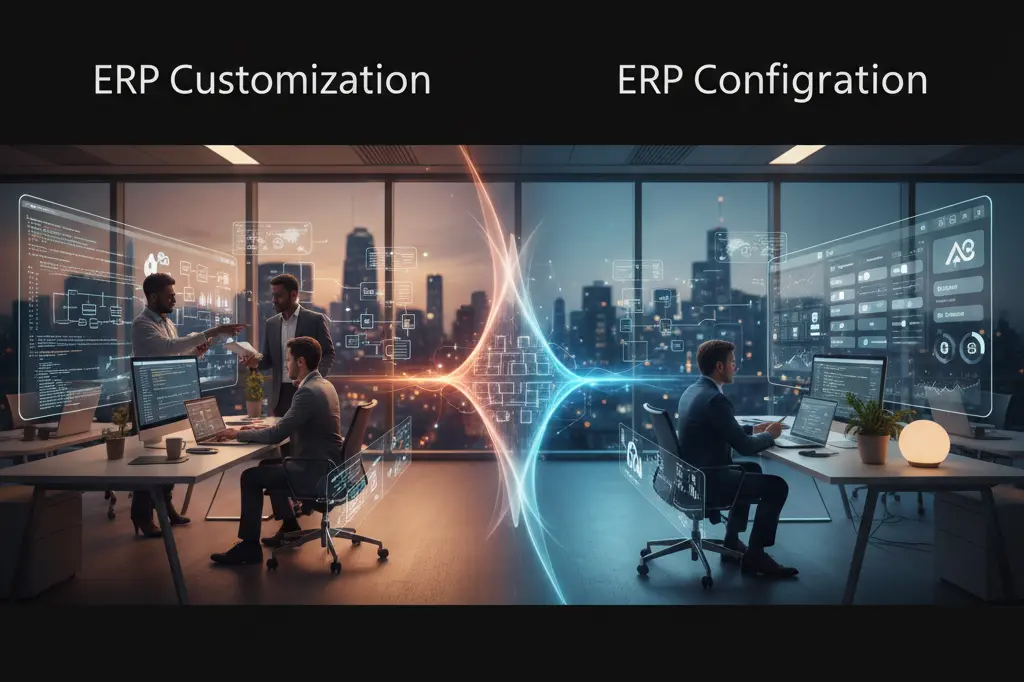
ERP Customization vs ERP Configuration: What’s Better for Your Business?
In today’s competitive digital landscape, Enterprise Resource Planning (ERP) systems have become the operational core for businesses across industries — from manufacturing and retail to logistics and service management. These systems integrate diverse processes into a unified platform, improving visibility, productivity, and decision-making. However, during implementation, organizations often encounter a crucial question: should they customize the ERP to match specific workflows, or configure it using built-in settings to align with business goals?
The debate around ERP Customization vs ERP Configuration goes beyond technology — it’s about choosing the right strategy for scalability, cost-efficiency, and long-term success. Each approach offers unique benefits and challenges that can significantly influence system performance and return on investment. In this article, ERPbyNet explores both options in depth, guiding you to determine which path best supports your organization’s operational and strategic objectives.
Understanding ERP Customization and Configuration

Before exploring their pros and cons, it’s essential to understand the clear distinction between customization and configuration — two terms often used interchangeably but meaningfully different in the ERP landscape.
What is ERP Configuration?
ERP configuration refers to setting up the system’s built-in parameters and features to match your business processes — without altering the software’s core code. It’s about using what’s already available and adjusting it to suit your needs.
For instance, configuring an ERP might involve:
- Defining user roles and permissions
- Setting up tax rules, currencies, or units of measure
- Establishing workflow approvals
- Adjusting reporting templates
- Defining business rules for inventory or accounting
Configuration is done through the ERP’s interface, not through programming. It is quick, safe, and supported by ERP vendors.
What is ERP Customization?
ERP customization, on the other hand, involves modifying the system’s source code, adding new functionalities, or changing existing ones. It’s about building on top of the existing ERP architecture to fulfill unique business requirements.
Examples include:
- Creating new modules or dashboards
- Integrating external applications via custom APIs
- Developing tailored approval hierarchies beyond default options
- Designing industry-specific workflows
While customization allows maximum flexibility, it also introduces challenges — such as higher cost, longer implementation time, and complexities during upgrades.
Read More : How ERP Simplifies Multi-Location Warehouse Management for Indian Businesses
The Core Difference Between Configuration and Customization
| Aspect | ERP Configuration | ERP Customization |
| Definition | Adjusting system settings and parameters | Modifying source code or adding new functionality |
| Complexity | Low to medium | High |
| Cost | Lower | Higher |
| Implementation Time | Quick | Longer |
| Vendor Support | Fully supported | May void warranty/support if overdone |
| Upgrade Compatibility | Seamless | May cause version conflicts |
| Flexibility | Limited to built-in options | Unlimited (depends on development scope) |
| Risk | Minimal | Moderate to high |
| Maintenance Effort | Low | High |
| Ideal For | Standardized processes | Unique or complex business needs |
Why the Distinction Matters
Choosing between configuration and customization is not merely a technical choice — it’s a strategic business decision. It determines your ERP system’s scalability, upgrade path, cost of ownership, and adaptability to future changes.
A company that over-customizes too early risks creating a rigid, hard-to-upgrade system. Meanwhile, a business that avoids customization completely might limit its competitive advantage if its processes are genuinely unique.
Thus, the goal should be strategic alignment — adopting the right balance between configuration and customization that matches your company’s growth trajectory.
Read More : How ERP Systems Support Supply Chain Management
When to Choose ERP Configuration
Configuration is typically the best starting point for most businesses, especially during the early stages of ERP implementation. It allows companies to align operations with industry best practices rather than reinventing processes unnecessarily.
1. You Have Standardized Business Processes
If your workflows align closely with the ERP’s out-of-the-box modules, configuration is sufficient. For example, many manufacturing and trading companies can easily use standard inventory, sales, and finance modules with minimal changes.
2. You Want Faster Implementation
Configuration reduces go-live timelines because no code modifications are required. Businesses can deploy the system quickly and begin operations faster.
3. You Need Low Maintenance and Easy Upgrades
Configured systems are easier to maintain and automatically compatible with new ERP releases. This ensures business continuity without version conflicts.
4. You Prefer Cost Efficiency
Since configuration relies on built-in settings, it significantly cuts down on development costs, testing, and training time.
5. You Follow Industry Standards
Industries with well-defined regulations or ISO-compliant processes often prefer configuration to maintain standardization and audit readiness.
When to Choose ERP Customization
Customization becomes essential when your business processes are unique, or when off-the-shelf ERP capabilities cannot handle your requirements effectively.
1. You Have Unique Business Workflows
Companies in specialized industries — like elevator service management, project-based engineering, or pharmaceutical manufacturing — often have unique workflows that standard ERP modules cannot support without code changes.
2. You Require Competitive Differentiation
Customization can help businesses embed proprietary processes or automation that competitors cannot easily replicate. This becomes a long-term differentiator.
3. Integration Needs Are Complex
If your ERP needs to connect with third-party platforms (CRM, IoT devices, AI-based analytics tools, or government portals), custom API development might be required.
4. You Seek Advanced Automation and Intelligence
For instance, ERPbyNet clients often request AI-driven predictive maintenance dashboards, dynamic pricing, or automated compliance management — features that demand deep customization.
5. You Aim for Scalability
Growing organizations sometimes customize ERP to support new product lines, business units, or regional operations that weren’t part of the original deployment scope.
Pros and Cons of ERP Configuration
Advantages of ERP Configuration
- Quick and Cost-Effective Implementation
Configuration uses pre-built ERP functionalities and user interfaces to align the system with your business processes. Since it doesn’t involve modifying source code, it drastically reduces the time and cost required for deployment. Businesses can go live faster and start realizing ROI within weeks rather than months. - Fully Vendor-Supported
Configurations are standard practices approved and supported by ERP vendors like ERPbyNet. This ensures that your system remains under warranty, eligible for regular updates, patches, and security enhancements without any compatibility risks. - Lower Maintenance Cost
Because configuration doesn’t involve custom code, the system is easier to maintain and troubleshoot. Routine tasks like bug fixes, updates, or process changes can be managed internally without relying heavily on technical teams or developers, reducing ongoing costs. - Seamless Software Upgrades
ERP systems evolve frequently, and upgrades can bring new features or compliance changes. Configured systems transition smoothly to newer versions since no deep code-level modifications exist. This allows organizations to stay current with minimal disruption. - Encourages Process Standardization
Configuration aligns your operations with proven, industry-standard best practices embedded within the ERP. This encourages uniformity across departments, improves reporting accuracy, and enhances regulatory compliance — especially beneficial for multi-location enterprises.
Disadvantages of ERP Configuration
- Limited Flexibility for Niche Processes
Since configuration relies on pre-defined system capabilities, it might not accommodate highly specialized or unique workflows. Businesses with unconventional requirements could find themselves constrained by the system’s default functionality. - May Require Process Adaptation to Fit System Design
To align with the ERP’s structure, organizations might need to modify their existing workflows. While this often promotes best practices, it can create initial resistance among teams accustomed to legacy processes. - Can Restrict Innovation if Used Rigidly
A purely configuration-based approach can sometimes discourage innovation. When organizations avoid customization altogether, they risk missing opportunities for automation, AI integration, or competitive differentiation that could enhance performance.
Pros and Cons of ERP Customization
Advantages of ERP Customization
- Tailored to Unique Business Processes
Customization allows businesses to modify or expand the ERP system to mirror their exact operational workflows. Whether it’s a custom approval hierarchy, industry-specific compliance feature, or AI-driven dashboard, customization ensures the ERP adapts to you — not the other way around. - Enhances User Experience and Operational Efficiency
A system designed around your team’s real-world workflows increases user satisfaction and adoption rates. Custom dashboards, forms, and role-based views can simplify daily operations, reduce errors, and eliminate redundant steps. - Allows Deep Integration with Other Enterprise Systems
Many organizations rely on a network of applications — CRM, HRMS, IoT sensors, e-commerce platforms, and analytics tools. Customization enables seamless integration between ERP and these systems, ensuring smooth data flow and unified visibility across operations. - Provides Long-Term Competitive Advantage
Businesses that use customization strategically can embed proprietary processes or automation capabilities that competitors cannot easily replicate. These custom features become a long-term differentiator, improving agility, service quality, and scalability.
Disadvantages of ERP Customization
- Expensive to Develop and Maintain
Customization involves programming, testing, and long-term technical upkeep. Development requires skilled ERP professionals, which increases the upfront investment and recurring support costs compared to configuration. - Can Delay Implementation Timelines
Every customized feature must be designed, developed, tested, and validated. This can extend project timelines and sometimes lead to scope creep if requirements aren’t well-defined from the start. - May Cause Upgrade and Compatibility Issues
When ERP vendors release new versions, custom modules can create compatibility challenges. Even minor updates might require code adjustments to keep everything functioning properly. Without proper version control, upgrades can become costly or time-consuming. - Requires Skilled Technical Support
Customized systems demand ongoing support from technical experts familiar with the specific codebase. This dependency can increase maintenance risks if internal resources are unavailable or external consultants are required frequently.
Read More : Why ERP Is Essential for Managing Annual Equipment Surveys Efficiently
Balancing Both Approaches — The Hybrid Strategy
For most enterprises, the smartest approach is a balance between configuration and selective customization.
ERPbyNet’s implementation philosophy emphasizes configuring the system to its fullest potential first and customizing only where it genuinely adds value.
A balanced ERP ensures:
- Quicker deployment with minimal risk
- Controlled development cost
- Scalability for future business needs
- Maintainable system architecture
By following a “configure first, customize later” strategy, companies can enjoy both standardization and flexibility.
Case Example: Balancing Customization and Configuration with ERPbyNet
Let’s consider a mid-size manufacturing company implementing ERPbyNet.
Phase 1 — Configuration:
The company configures modules for accounting, procurement, and inventory management. It defines user roles, workflow approvals, and tax rules through ERPbyNet’s in-built settings.
Phase 2 — Customization:
As the business expands, it develops a custom dashboard for predictive maintenance using IoT integration and adds a vendor portal for real-time collaboration.
Result:
By prioritizing configuration and adding customization only where needed, the company achieved:
- A faster go-live within six months
- Seamless upgrade to the next ERPbyNet version
- 20% lower maintenance cost
- Improved team collaboration and visibility
This balanced model reflects ERPbyNet’s commitment to delivering scalability, simplicity, and innovation without unnecessary code complexity.
The Role of AI in ERP Customization and Configuration
Artificial Intelligence (AI) is transforming how ERP systems are customized and configured. Modern ERP solutions like ERPbyNet leverage AI to simplify decision-making and automation.
AI-Assisted Configuration
AI can analyze business data and suggest optimal configuration settings — such as workflow approval hierarchies, resource allocation, and demand forecasting. This reduces human error and accelerates setup.
AI-Driven Customization
AI tools now automate aspects of customization, such as creating predictive dashboards or chatbots for user support. These smart features reduce the traditional cost and time overhead of custom coding.
Predictive Maintenance and Process Optimization
AI modules in ERPbyNet analyze patterns to predict equipment failure or identify process bottlenecks — blending configuration intelligence with customized analytics.
Adaptive ERP Systems
Next-gen ERP systems adapt automatically to business changes using machine learning. This convergence of configuration and intelligent customization defines the future of ERP.
Key Factors to Consider Before Deciding
Before finalizing whether to configure or customize your ERP, consider the following critical factors:
- Business Process Complexity: Are your operations standardized or unique?
- Budget Constraints: Can your business absorb higher development and maintenance costs?
- Timeline Expectations: Do you have the bandwidth for extended development cycles?
- Upgrade Frequency: How often does your ERP vendor release new versions?
- Long-Term Scalability: Will your chosen path support future expansion?
- Vendor Ecosystem: Does your ERP vendor (like ERPbyNet) provide flexible customization tools and API support?
- User Readiness: Are your teams capable of adopting new processes or will they require custom interfaces?
Decision Framework: How to Choose the Right Approach
| Decision Criteria | If YES, Choose Configuration | If YES, Choose Customization |
| Processes follow industry standards | ✓ | |
| Need for unique workflow | ✓ | |
| Limited budget | ✓ | |
| Complex integrations required | ✓ | |
| Rapid go-live needed | ✓ | |
| Desire for proprietary system | ✓ | |
| Minimal maintenance required | ✓ | |
| Long-term differentiation | ✓ |
This table can guide leadership teams during ERP planning workshops to align decisions with both operational and strategic goals.
Common Mistakes to Avoid
- Over-Customizing Too Early
Many companies rush into customization before fully exploring what the system can already do. This leads to unnecessary complexity. - Ignoring Upgrade Compatibility
Heavy customization can break compatibility during software upgrades. Always ensure custom modules follow best coding practices and vendor guidelines. - Lack of Documentation
Customizations without proper documentation create long-term maintenance issues when teams change. - Neglecting Change Management
Even configuration changes require training and communication. Ignoring this can reduce user adoption. - Not Consulting the Vendor Early
Vendors like ERPbyNet offer strategic consulting to help clients identify the most cost-effective balance. Skipping vendor input can lead to overspending.
Best Practices Recommended by ERPbyNet

- Start with Process Mapping
Document your workflows thoroughly to identify what can be standardized and what requires customization. - Prioritize Configuration First
Explore all built-in capabilities before requesting code modifications. - Adopt Modular Customization
Develop separate plug-in modules instead of changing the core ERP. This makes maintenance easier. - Ensure Upgrade Safety
Follow vendor coding standards to keep your custom modules compatible with future versions. - Test Rigorously
Every customization should undergo extensive testing for functionality, performance, and integration. - Plan for Continuous Improvement
Regularly review configurations and customizations to ensure they still align with evolving business goals.
Future Trends in ERP Adaptability
The boundary between configuration and customization is blurring due to cloud, AI, and low-code technologies. Modern ERPs like ERPbyNet are evolving toward adaptive systems that offer the best of both worlds.
Low-Code Customization
Drag-and-drop tools allow users to create dashboards and workflows without deep coding — bridging the gap between configuration and customization.
Continuous Configuration Intelligence
AI continuously learns from data to reconfigure workflows dynamically, optimizing performance and efficiency.
Cloud-Native Extensibility
Cloud ERPs allow external micro-services integration, making customization easier without touching the core codebase.
Embedded Analytics and Automation
ERPbyNet’s AI-driven analytics modules let businesses automate routine processes and decisions through intelligent configuration options.
Conclusion: Build Your Future-Ready ERP with ERPbyNet
The debate on ERP Customization vs ERP Configuration isn’t about choosing sides — it’s about choosing growth. The smartest businesses know that the right ERP doesn’t just fit your processes; it accelerates them.
ERP configuration delivers faster implementation, cost-efficiency, and simplicity. ERP customization gives you flexibility, innovation, and scalability. The real success lies in combining both — configuring intelligently and customizing strategically.
At ERPbyNet, we help you do exactly that. Our AI-powered, modular ERP platform is built to adapt — configure what works out of the box, customize where it matters most, and grow without limits.
Don’t let rigid systems slow your transformation. Empower your business with ERPbyNet — the smarter, scalable ERP designed for your next stage of growth.
Start your journey today. Request a personalized demo with our ERP experts.
Frequently Asked Questions (FAQs)
1. What is the main difference between ERP customization and ERP configuration?
ERP customization involves modifying the ERP’s source code or creating new features to meet unique business needs. ERP configuration, on the other hand, means setting up system parameters — such as workflows, roles, and business rules — without altering the underlying code. Configuration is faster, safer, and easier to maintain, while customization provides deeper flexibility.
2. Is ERP customization always necessary for successful implementation?
Not necessarily. Many businesses achieve complete functionality through configuration alone, especially when using a flexible ERP like ERPbyNet, which supports extensive setup options. Customization is recommended only when standard features cannot address critical or unique workflows that define your competitive edge.
3. Can heavy customization impact ERP upgrades?
Yes. Over-customization can make future upgrades complex and time-consuming, as changes to the source code may conflict with new software releases. ERPbyNet minimizes this risk through modular customization — allowing you to extend functionality without affecting the core system, ensuring smooth upgrade compatibility.
4. Which is more cost-effective — configuration or customization?
Configuration is generally more cost-effective because it relies on existing system capabilities and requires minimal technical intervention.
Customization, while more expensive upfront, can deliver long-term ROI if it supports unique processes that drive efficiency, automation, or business growth.
5. How does ERPbyNet balance customization and configuration for clients?
ERPbyNet follows a “configure-first, customize-smartly” approach. Our consultants analyze your business processes to maximize standard configurations and apply customization only where it adds measurable value — such as advanced automation, AI analytics, or industry-specific modules. This ensures faster implementation, easier upgrades, and sustainable scalability.
