The Hidden Cost of Using Multiple Business Tools Instead of One ERP
Modern businesses rely heavily on software to manage daily operations, improve productivity, and support growth. Over time, however, many companies unknowingly create a complex digital ecosystem by adopting different tools for finance, inventory, sales, HR, customer management, procurement, and reporting. At first, these separate applications may seem affordable, convenient, and easy to implement. Each department chooses software that solves its immediate challenges without considering long-term operational impact.
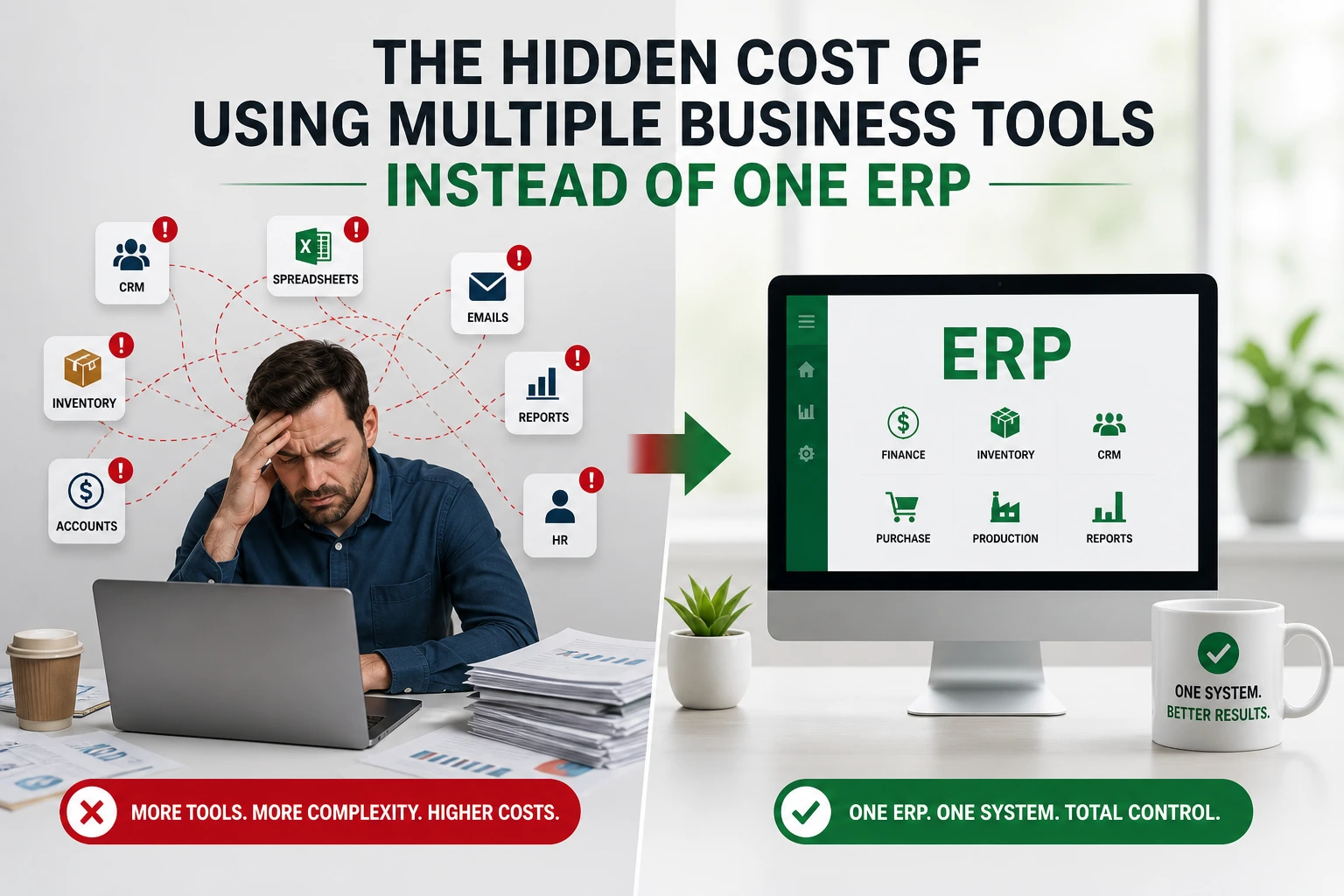
As businesses grow, this disconnected approach begins creating hidden operational inefficiencies. Employees constantly switch between applications, manually transfer data, and spend valuable time coordinating across departments. Reporting becomes slow, information gets duplicated, and leadership teams struggle to gain real-time visibility into operations. What initially appeared to be a flexible software strategy slowly turns into operational chaos.
In addition to productivity loss, businesses also face rising subscription costs, integration expenses, inconsistent workflows, and decision-making delays. The more fragmented the systems become, the harder it becomes to scale operations efficiently.
What looks affordable and manageable initially often becomes expensive and inefficient as businesses grow. This is why many organizations are now replacing disconnected business systems with integrated ERP software solutions like ERPbyNet.
Why Businesses End Up Using Too Many Software Tools

The Rise of Department-Wise Software Adoption
Most businesses do not intentionally create fragmented systems. It usually starts with departments independently selecting software that addresses their immediate operational requirements.
The finance department may use accounting software, while the sales team adopts a separate CRM platform. Inventory management may operate on another system, HR teams use dedicated HR software, and service departments continue relying on spreadsheets or manual tracking methods.
Over time, each department becomes dependent on its preferred tools. While these systems may work individually, they often fail to communicate effectively with one another.
This creates disconnected business systems where critical operational data becomes scattered across multiple platforms.
Short-Term Convenience vs Long-Term Complexity
One major reason for software tool sprawl is the simplicity of modern SaaS adoption. Businesses can quickly subscribe to cloud-based tools with minimal upfront investment.
These solutions often appear attractive because they:
- Solve immediate operational problems
- Require limited implementation time
- Offer low monthly subscription pricing
- Provide department-specific functionality
- Reduce short-term IT involvement
However, businesses rarely evaluate how these tools will integrate into long-term operational workflows.
As the organization expands, managing multiple systems becomes increasingly complicated.
How Tool Sprawl Happens Gradually
Software fragmentation rarely happens overnight.
A company may initially adopt one accounting platform. Later, it adds CRM software for sales, warehouse software for inventory, another application for procurement, and separate tools for customer support and reporting.
Eventually, businesses end up managing a large software stack with disconnected workflows, inconsistent data, and operational inefficiencies.
Without centralized business operations, every new tool adds another layer of complexity.
Read More : The Impact of Disconnected Finance Systems on Business Decisions
The Hidden Operational Costs of Multiple Business Tools
Employees Spend Time Switching Between Systems
One of the biggest hidden costs of using multiple business tools is reduced employee productivity.
Employees constantly move between applications to complete a single workflow. For example, a sales executive may need to check the CRM system for customer information, switch to inventory software for stock availability, and then contact finance for payment status.
This constant context switching creates:
- Productivity loss
- Increased manual coordination
- Delayed workflows
- Employee frustration
- Reduced operational efficiency
Even small delays accumulate into major operational inefficiencies over time.
Duplicate Data Entry Creates Errors
Disconnected systems often require employees to enter the same information multiple times.
Customer records may be entered separately into CRM, invoicing, inventory, and service management systems.
This duplicate data entry increases the risk of:
- Human errors
- Inventory mismatches
- Incorrect customer information
- Invoice inconsistencies
- Data duplication
When different systems contain conflicting information, operational confusion becomes unavoidable.
Lack of Real-Time Visibility Across Departments
Businesses using multiple software tools often struggle with operational visibility.
Since departments operate independently, management teams cannot access a unified view of business performance.
This leads to:
- Delayed decision-making
- Communication gaps
- Management blind spots
- Poor operational coordination
- Slow response to business issues
Without centralized visibility, leadership teams often make decisions based on outdated or incomplete data.
Reporting Becomes Slow and Inaccurate
Generating reports across disconnected systems is time-consuming and inefficient.
Many businesses still rely on manual Excel reporting to combine data from different applications.
This process creates several challenges:
- Time-consuming data consolidation
- Inconsistent reporting formats
- Different departments showing different numbers
- Increased reporting delays
- Limited data accuracy
When reporting is delayed or unreliable, business planning becomes significantly harder.
Operational Workflows Become Disconnected
Disconnected systems often break operational workflows between departments.
For example:
- Sales teams may confirm orders without accurate inventory visibility
- Procurement teams may experience delays due to missing approvals
- Service teams may lack access to customer history
- Finance departments may struggle to reconcile operational data
These workflow gaps reduce operational efficiency and increase internal coordination problems.
The Financial Cost Businesses Often Ignore
Multiple Subscription Fees Add Up Quickly
Many businesses underestimate how expensive multiple SaaS tools become over time.
While individual subscriptions may appear affordable initially, costs increase significantly as businesses scale.
Businesses often pay for:
- Per-user licenses
- Premium feature upgrades
- Additional storage
- Multiple vendor subscriptions
- Annual renewals
Software tool sprawl can quickly create uncontrollable recurring operational expenses.
Integration and Middleware Expenses
Disconnected business systems often require third-party integrations to share information.
Businesses may invest heavily in:
- API integrations
- Middleware software
- Custom connectors
- Data synchronization tools
- Integration maintenance
These hidden costs increase long-term IT dependency while still failing to provide seamless operational connectivity.
Higher IT and Support Dependency
Managing multiple business tools requires more technical support and administrative effort.
Businesses must coordinate with multiple software vendors, manage separate support teams, and train employees on different systems.
This increases:
- Technical troubleshooting complexity
- Employee training requirements
- Vendor management challenges
- System maintenance workload
- IT operational overhead
The larger the software ecosystem becomes, the harder it becomes to manage efficiently.
Productivity Loss Is a Real Business Cost
Operational inefficiency directly impacts profitability.
When employees spend hours manually updating systems, correcting errors, searching for information, or waiting for approvals, businesses lose valuable productive time.
This productivity loss affects:
- Employee efficiency
- Operational speed
- Customer responsiveness
- Order processing
- Revenue generation
The financial impact of inefficiency is often much larger than software subscription costs themselves.
Hidden Cost of Software Customization
Businesses using disconnected systems frequently create workarounds to compensate for missing integrations.
These workarounds may include:
- Manual processes
- Custom spreadsheets
- Internal scripts
- Department-specific adjustments
- Tool-specific customizations
Over time, these temporary fixes create technical debt and operational complexity.
How Multiple Tools Impact Customer Experience
Delayed Response Times
Customer experience suffers when teams cannot quickly access information.
Employees often spend time searching across different systems to locate:
- Customer history
- Order details
- Payment status
- Inventory availability
- Service records
This slows response times and affects customer satisfaction.
Inconsistent Customer Communication
Disconnected systems prevent departments from accessing consistent customer information.
As a result:
- Sales teams may provide inaccurate updates
- Service teams may lack complete customer context
- Finance teams may not have current order information
- Customers may receive conflicting communication
Poor coordination damages customer trust and business credibility.
Billing and Service Errors Damage Trust
When systems fail to communicate properly, operational mistakes become more common.
Businesses may experience:
- Incorrect invoicing
- Delivery confusion
- Missed service schedules
- Duplicate billing
- Order fulfillment delays
Even minor operational errors can negatively impact customer relationships.
The Management and Leadership Challenge
Business Leaders Lose Operational Visibility
Leadership teams require accurate operational visibility to make strategic decisions.
However, disconnected software environments make it difficult to access centralized business insights.
Without unified dashboards, management teams face:
- Fragmented analytics
- Incomplete reporting
- Delayed operational updates
- Limited business visibility
- Reduced forecasting accuracy
This weakens overall business control.
Strategic Decision-Making Becomes Difficult
Reliable decision-making depends on accurate and timely data.
When departments operate on disconnected systems, leadership teams often struggle with:
- Data inconsistency
- Delayed reporting
- Forecasting inaccuracies
- Limited operational transparency
- Slow business analysis
Strategic planning becomes far more difficult when information is fragmented.
Scaling Operations Becomes More Complicated
As businesses grow, operational complexity increases.
Instead of simplifying operations, many businesses continue adding more tools to solve emerging challenges.
This creates:
- Additional operational chaos
- More disconnected workflows
- Increased coordination issues
- Higher software dependency
- Growth bottlenecks
Without integrated systems, scaling becomes increasingly inefficient.
The Hidden Cost of ERP Delays
Why Businesses Wait Too Long to Adopt ERP
Many businesses delay ERP implementation because they believe their current systems are “good enough.”
Common concerns include:
- Fear of implementation costs
- Resistance to operational change
- Concerns about migration complexity
- Employee adaptation challenges
- Short-term budget limitations
While these concerns are understandable, delaying ERP adoption often creates much larger long-term operational costs.
The Cost of Delayed ERP Adoption
The longer businesses rely on disconnected systems, the more operational inefficiencies accumulate.
Over time:
- Data becomes harder to consolidate
- Migration complexity increases
- Operational chaos grows
- Manual processes become deeply embedded
- Reporting becomes increasingly difficult
Businesses that postpone ERP adoption often face higher implementation complexity later.
Why an Integrated ERP System Solves These Problems
Centralized Business Operations
An integrated ERP system provides a single source of truth across the organization.
Instead of managing disconnected systems, businesses can centralize:
- Finance
- Inventory
- Procurement
- CRM
- HR
- Service management
- Reporting
This creates unified workflows and better operational coordination.
Real-Time Department Connectivity
ERP systems connect departments through a shared operational platform.
This enables real-time collaboration between:
- Sales teams
- Inventory departments
- Procurement operations
- Finance teams
- Customer service departments
- Production management
With connected workflows, businesses can operate more efficiently and respond faster to operational changes.
Better Automation and Workflow Efficiency
ERP software improves business process automation by reducing manual work.
Automated workflows help businesses:
- Reduce repetitive tasks
- Improve approval processes
- Enable real-time reporting
- Minimize data duplication
- Increase operational speed
Automation improves productivity while reducing human error.
Improved Business Visibility and Decision-Making
Integrated ERP systems provide real-time dashboards and centralized reporting.
This helps leadership teams:
- Monitor operations live
- Access accurate business insights
- Improve forecasting
- Make faster decisions
- Identify operational bottlenecks
Better visibility leads to more informed business management.
Reduced Long-Term Operational Costs
Although ERP implementation requires investment, it often reduces long-term operational costs significantly.
ERP systems help businesses lower:
- Software subscription dependency
- Manual operational work
- Duplicate processes
- Reporting inefficiencies
- Integration costs
ERP also supports better scalability as businesses expand.
Key Signs Your Business Needs an ERP System
As businesses grow, operational complexity increases. If your organization is facing multiple workflow challenges, disconnected systems, or reporting inefficiencies, it may be the right time to move toward an integrated ERP solution.
Here are some common signs that your business may have outgrown disconnected software tools and manual processes:
| Warning Sign | Business Impact |
| Teams constantly switching between multiple software tools | Reduced productivity and workflow delays |
| Heavy dependency on Excel spreadsheets | Increased manual work and higher risk of errors |
| Frequent reporting delays | Slow decision-making and limited business visibility |
| Inventory mismatches across systems | Stock inaccuracies and operational confusion |
| Duplicate customer records | Inconsistent customer information and poor coordination |
| Lack of operational visibility | Difficulty monitoring real-time business performance |
| Departments working in silos | Poor communication and disconnected workflows |
| Rising software subscription costs | Increasing operational expenses over time |
| Manual approval bottlenecks | Delayed operational processes and reduced efficiency |
| Inconsistent business data | Reporting inaccuracies and management confusion |
| Difficulty scaling operations | Operational chaos as the business grows |
| Delayed customer response times | Reduced customer satisfaction and slower service delivery |
If your business is experiencing several of these challenges, implementing an integrated ERP system like ERPbyNet can help centralize operations, automate workflows, and improve overall business efficiency.
Read More : Why Multi-Purpose ERP Software Is Becoming Essential for Modern Businesses
How ERPbyNet Helps Businesses Replace Operational Chaos

Managing business operations through multiple disconnected software tools often creates workflow confusion, reporting delays, duplicate data entry, and poor coordination between departments. ERPbyNet helps businesses eliminate this operational chaos by replacing scattered systems with one centralized ERP platform designed for complete business management.
Instead of using separate applications for inventory, CRM, finance, procurement, HR, production, and service management, ERPbyNet connects all business functions into one integrated system. This unified approach improves operational visibility, streamlines workflows, reduces manual work, and enables faster decision-making across the organization.
One Unified ERP Platform for Complete Business Control
ERPbyNet centralizes core business operations into a single platform, helping organizations improve efficiency, coordination, and scalability.
| Business Function | How ERPbyNet Helps |
| Inventory Management | Real-time stock tracking, warehouse visibility, and inventory accuracy |
| CRM & Customer Management | Centralized customer data, lead tracking, and sales management |
| Procurement Management | Automated purchase workflows and vendor coordination |
| Finance & Accounting | Billing, invoicing, expense tracking, and financial reporting |
| Production Management | Production planning, material tracking, and workflow monitoring |
| Service Management | Service scheduling, complaint tracking, and maintenance management |
| HRMS | Payroll, attendance, employee records, and leave management |
| Reporting & Dashboards | Live reports, operational insights, and real-time analytics |
| Workflow Automation | Automated approvals, reduced manual work, and faster processes |
By integrating all departments into one ERP ecosystem, ERPbyNet removes operational silos and creates smoother business workflows.
Key Benefits of ERPbyNet
ERPbyNet helps businesses move from disconnected operations to a more streamlined and scalable operational environment.
Centralized Business Operations
Manage inventory, finance, procurement, CRM, production, HR, and service operations from one unified ERP platform.
Better Department Coordination
Enable seamless communication and real-time data sharing between teams for faster operational workflows.
Real-Time Operational Visibility
Access live dashboards, operational reports, financial insights, and workflow tracking from one centralized system.
Reduced Manual Work
Minimize repetitive data entry, spreadsheet dependency, and manual reporting through workflow automation.
Faster Reporting & Better Decision-Making
Generate accurate reports instantly and make faster business decisions using centralized real-time data.
Improved Workflow Automation
Automate approvals, procurement cycles, operational processes, and routine tasks to improve efficiency.
Better Scalability Support
ERPbyNet grows with your business, helping organizations scale operations without increasing software complexity.
Reduced Operational Inefficiencies
Eliminate disconnected workflows, duplicate records, reporting delays, and communication gaps across departments.
ERPbyNet is built for growing businesses that need centralized control, operational visibility, and long-term business scalability.
Industries That Benefit From ERPbyNet
ERPbyNet supports businesses across industries that require workflow automation, operational visibility, and centralized management.
- Manufacturing — Improve production planning, inventory control, and manufacturing workflows.
- Distribution & Supply Chain — Manage warehousing, logistics, procurement, and order tracking efficiently.
- Engineering & Industrial Operations — Streamline complex workflows, project coordination, and material management.
- Service Businesses — Simplify customer management, service scheduling, and operational tracking.
- Trading Businesses — Improve inventory visibility, sales coordination, and financial management.
- Supply Chain Management — Enhance coordination across procurement, warehousing, logistics, and distribution.
ERPbyNet helps businesses streamline operations, reduce software fragmentation, improve productivity, and support long-term business growth.
ERP vs Multiple Software Tools
| Area | Multiple Tools | ERPbyNet ERP |
| Data Management | Scattered | Centralized |
| Reporting | Manual | Automated |
| Visibility | Limited | Real-time |
| Coordination | Complex | Unified |
| Scaling | Difficult | Easier |
| Costs | Increasing subscriptions | Controlled long-term |
| Workflow Automation | Limited | Integrated |
| Customer Experience | Inconsistent | Streamlined |
Best Practices Before Switching to ERP
Audit Existing Software Stack
Businesses should first evaluate all currently used applications and identify overlapping functionality.
This helps uncover unnecessary software costs and operational inefficiencies.
Identify Operational Bottlenecks
Understanding workflow gaps and inefficiencies helps businesses prioritize ERP implementation requirements.
Focus areas may include:
- Reporting delays
- Inventory inaccuracies
- Approval bottlenecks
- Data duplication
- Communication gaps
Standardize Core Workflows
Before implementing ERP, businesses should standardize operational processes wherever possible.
Clear workflows improve ERP adoption and reduce implementation complexity.
Prioritize Scalable ERP Architecture
Businesses should choose ERP solutions capable of supporting future operational growth.
A scalable ERP system prevents the need for additional disconnected tools later.
Choose ERP Based on Business Processes, Not Just Features
The best ERP solution is one that aligns with actual operational workflows.
Businesses should prioritize:
- Process compatibility
- Industry relevance
- Operational flexibility
- Reporting capabilities
- Long-term scalability
Tired of Managing Too Many Business Tools? Switch to One Smart ERP System
Managing business operations through multiple disconnected software tools may seem manageable at first, but as businesses grow, it often creates operational confusion and inefficiencies. Teams spend valuable time switching between applications, manually updating records, coordinating across departments, and preparing reports from scattered systems. This not only slows productivity but also increases the risk of reporting errors, workflow delays, and inconsistent business data.
Many businesses struggle with limited operational visibility because finance, inventory, CRM, procurement, HR, and service operations work separately. As software stacks grow, operational costs, subscription expenses, and internal coordination challenges also increase. Instead of improving efficiency, disconnected systems often create bottlenecks that make scaling operations more difficult and expensive over time.
ERPbyNet helps businesses replace software chaos with one integrated ERP platform that centralizes operations, automates workflows, and improves real-time visibility across departments. By connecting critical business functions into a single system, ERPbyNet helps organizations reduce manual work, improve decision-making, streamline workflows, and support long-term business growth. Whether you operate in manufacturing, distribution, engineering, or service industries, ERPbyNet provides a smarter and more scalable way to manage business operations. Ready to simplify operations and improve efficiency? Request a free ERP consultation, schedule a live demo, or explore how ERPbyNet can transform your business operations today.
Frequently Asked Questions (FAQs)
What are the hidden costs of using multiple business software tools?
Using multiple disconnected business tools often creates hidden costs such as duplicate data entry, productivity loss, reporting delays, integration expenses, employee inefficiency, and rising software subscription fees. Over time, these operational inefficiencies can significantly impact business growth and profitability.
Why do disconnected systems reduce business efficiency?
Disconnected systems prevent departments from sharing real-time information efficiently. This creates communication gaps, manual coordination, delayed workflows, inconsistent reporting, and operational confusion, ultimately reducing overall business efficiency.
How does ERP software improve operational visibility?
ERP software centralizes business data into one integrated platform. This allows businesses to access real-time dashboards, automated reports, and unified operational insights across finance, inventory, sales, procurement, CRM, and other departments.
Is ERP more cost-effective than using multiple SaaS tools?
In many cases, yes. While ERP implementation may require an upfront investment, it often reduces long-term operational costs by eliminating multiple software subscriptions, reducing manual work, minimizing integration expenses, and improving workflow efficiency.
How does ERPbyNet help businesses centralize operations?
ERPbyNet integrates critical business functions such as inventory management, CRM, finance, procurement, production, HRMS, and service management into one unified ERP platform. This helps businesses improve coordination, visibility, and operational control.