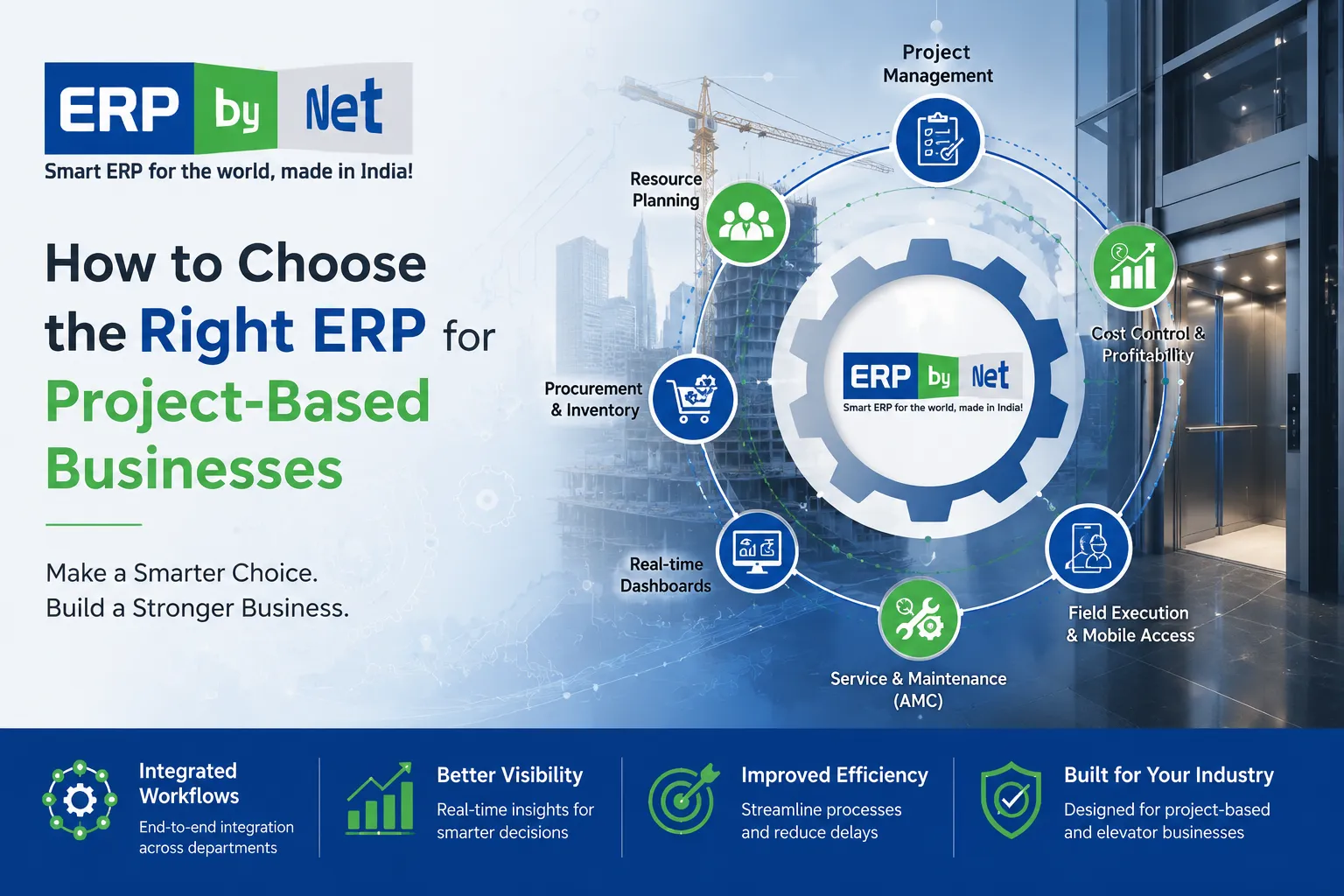
How to Choose the Right ERP for Project-Based Businesses
Key Takeaways
- Project-based businesses require specialized ERP capabilities to manage projects, costs, resources, procurement, and profitability effectively.
- Choosing the wrong ERP can create operational bottlenecks and limit future business growth.
- Project visibility, cost control, and resource planning are critical factors when evaluating ERP solutions.
- Industry-specific ERP systems provide better alignment with project workflows than generic business software.
- The right ERP supports scalability and profitability by connecting every project-related process on a single platform.
What You’ll Learn
- How to identify the key ERP requirements for project-based businesses.
- Why project costing and budget tracking are essential ERP selection criteria.
- How ERP improves procurement, inventory, and resource management across projects.
- Common mistakes businesses make when selecting an ERP system.
- How ERPbyNet helps engineering, EPC, contract manufacturing, and elevator companies manage projects more efficiently.
Real Insights
- Many project-based companies outgrow generic accounting software as project complexity and operational demands increase.
- Cost overruns often occur because project data is scattered across multiple systems and spreadsheets.
- Real-time project visibility enables faster decision-making and improves project profitability.
- Successful ERP implementations focus on business processes rather than software features alone.
- The best ERP investment is one that grows with your business, supporting both current operations and future expansion.
For project-based businesses, growth often brings operational complexity. What starts as a manageable workflow involving a few projects can quickly become difficult to control as the number of customers, project sites, employees, suppliers, and service commitments increases.
Many organizations initially manage operations using spreadsheets, emails, accounting software, and standalone project management tools. While these systems may work during the early stages of business growth, they often create information silos that make it difficult to maintain visibility across departments.
As projects become larger and more complex, management teams face challenges such as delayed project execution, poor resource allocation, inventory shortages, inaccurate project costing, and limited visibility into profitability. These challenges not only affect operational efficiency but also directly impact customer satisfaction and business growth.
This is where Enterprise Resource Planning (ERP) software becomes essential.
An ERP for Project-Based Businesses serves as the operational backbone of a business by connecting sales, project management, procurement, inventory, finance, customer service, and reporting into a single platform. However, selecting the right ERP requires careful evaluation. Not every ERP system is designed to handle the unique demands of project-driven organizations.
This guide explains the key factors businesses should evaluate before investing in an ERP solution and how to identify a system that can support long-term growth.
Why Project-Based Businesses Have Different ERP Requirements
Not all ERP systems are designed to support the way project-based businesses operate. One of the biggest mistakes organizations make during ERP evaluation is assuming that a solution built for manufacturing, retail, or distribution will automatically meet the needs of a project-driven business.
The reality is that project-based organizations operate in a far more dynamic and complex environment. Unlike businesses that follow repetitive processes and standardized workflows, every project comes with its own scope, timeline, budget, resource requirements, customer expectations, and profitability targets. Managing these moving parts effectively requires a completely different approach to planning, execution, and performance tracking.
Industries such as elevator installation, engineering, EPC contracting, infrastructure development, industrial services, and construction rely heavily on project execution for revenue and profitability. Success depends on having complete visibility and control over every stage of the project lifecycle—from the initial inquiry and quotation to procurement, execution, billing, and post-project service.
A project-based business must continuously coordinate multiple business functions, including:
- Sales and quotation management
- Project planning and scheduling
- Resource allocation and workforce management
- Procurement and vendor coordination
- Inventory and material tracking
- Site execution and progress monitoring
- Project costing and financial control
- Customer communication and service management
When these processes operate through separate systems or manual workflows, businesses often struggle with project delays, cost overruns, resource conflicts, and limited visibility into project performance.
This is why project-based businesses need an ERP that goes beyond traditional transaction management. The right ERP should act as a centralized platform that connects projects, resources, inventory, procurement, finance, and service operations. It should provide real-time insights into project progress, costs, profitability, and resource utilization, enabling teams to make faster and more informed decisions.
Ultimately, a project-focused ERP is not just about managing business processes—it’s about gaining the control, visibility, and operational efficiency needed to deliver projects successfully and scale the business with confidence.
The Hidden Cost of Disconnected Systems

Many businesses do not realize the true cost of disconnected systems until operational inefficiencies begin affecting project timelines, profitability, and customer satisfaction. In the early stages of growth, separate tools and spreadsheets may appear manageable. However, as project volumes increase, these disconnected processes often become one of the biggest barriers to efficiency and scalability.
In many organizations, customer information is stored in a CRM, financial data resides in accounting software, project schedules are managed through spreadsheets, inventory is tracked separately, and service records are maintained in another system. While each department may perform its role effectively, the lack of integration creates information silos that make collaboration and decision-making increasingly difficult.
For example, a sales team may secure a new project and commit to a delivery timeline without complete visibility into material availability or resource capacity. Procurement teams may only discover shortages after the project begins, resulting in delayed purchases, project disruptions, increased costs, and missed deadlines. These challenges are not caused by poor planning—they are often the direct result of fragmented information spread across multiple systems.
As businesses grow, disconnected systems commonly lead to:
- Duplicate data entry and manual work
- Communication gaps between departments
- Delayed reporting and slower decision-making
- Inventory shortages and procurement bottlenecks
- Resource allocation conflicts
- Limited visibility into project costs and profitability
- Increased operational risk and project delays
Perhaps the greatest challenge is the lack of real-time visibility. When critical business information is spread across multiple applications, management teams spend valuable time collecting and verifying data instead of making strategic decisions. By the time reports are compiled, the information may already be outdated.
An integrated ERP eliminates these silos by creating a single source of truth across the organization. Sales, projects, inventory, procurement, finance, and service teams can work from the same real-time data, ensuring better coordination, faster decision-making, and greater operational control.
For project-based businesses, this level of integration is no longer a competitive advantage—it’s a necessity. Organizations that continue relying on disconnected systems often struggle to scale efficiently, while those with an integrated ERP are better positioned to improve project execution, control costs, and drive sustainable growth.
Read More:The Hidden Cost of Using Multiple Business Tools Instead of One ERP
Before ERP vs After ERP: What Business Transformation Really Looks Like
When evaluating ERP software, many organizations focus on features, dashboards, and technical capabilities. While these factors are important, the real value of an ERP system lies in how it transforms business operations. The goal is not simply to replace spreadsheets or automate tasks—it is to create a more connected, efficient, and scalable organization.
In many project-based businesses, teams work across multiple systems to manage projects, inventory, procurement, finance, and service operations. As project volumes increase, this fragmented approach often leads to delays, communication gaps, and limited visibility into business performance.
The difference between operating with and without an integrated ERP can be significant.
| Before ERP | After ERP |
|---|---|
| Project information is spread across multiple systems | All departments work from a single platform |
| Teams rely on manual updates and spreadsheets | Real-time information is available instantly |
| Reporting takes hours or days to compile | Reports and dashboards are available on demand |
| Resource planning is reactive | Resource allocation becomes proactive |
| Inventory and projects operate separately | Inventory, procurement, and projects are connected |
| Cost tracking is often delayed | Project profitability can be monitored in real time |
| Decision-making depends on manual reports | Leaders gain immediate operational insights |
Without an ERP, management teams often spend valuable time gathering information from different departments before making decisions. With an integrated ERP, information flows automatically between teams, enabling faster responses, better planning, and stronger operational control.
Perhaps the most important transformation is the shift from reactive management to proactive decision-making. Instead of identifying problems after they occur, businesses gain the visibility needed to prevent issues before they impact project timelines, profitability, or customer satisfaction.
Focus on Business Workflows, Not Just Features
One of the most common mistakes businesses make during ERP evaluation is focusing entirely on software features. During demonstrations, vendors often highlight dashboards, reports, analytics, and automation capabilities. While these features may look impressive, they do not necessarily determine whether the ERP will support your day-to-day operations.
The most important question to ask is:
Does this ERP support the way our business actually works?
For project-based organizations, workflows are at the center of every operation. Projects involve multiple departments working together, and information must move seamlessly from one stage to the next.
A typical project lifecycle may look like this:
Lead Generation → Site Survey → Quotation → Project Planning → Procurement → Inventory Allocation → Installation → Billing → Handover → Service & AMC Management
When these processes are managed through separate systems, businesses often experience:
- Communication gaps between departments
- Duplicate data entry
- Delayed approvals
- Limited project visibility
- Cost tracking challenges
- Slower customer response times
A well-designed ERP connects the entire workflow into a single process. This ensures that sales teams, project managers, procurement teams, finance departments, and service teams are all working with the same information.
When evaluating ERP solutions, ask vendors to demonstrate complete business workflows such as:
- Lead-to-project conversion
- Project planning and execution
- Procurement and purchasing processes
- Inventory allocation
- Resource management
- Project billing and invoicing
- Service and maintenance management
An ERP that supports your complete business process will deliver significantly more value than one that simply offers a long list of features.
Real-Time Project Cost Tracking Should Be Non-Negotiable
For project-based businesses, profitability is determined by how effectively costs are controlled throughout project execution. Unfortunately, many organizations only gain visibility into project expenses after the work has been completed.
By that stage, there is little opportunity to recover lost margins.
A project-focused ERP should provide real-time visibility into project performance, allowing management teams to monitor costs as they occur rather than after the fact.
Key areas that should be tracked include:
- Labor costs
- Material consumption
- Vendor invoices
- Subcontractor expenses
- Transportation and logistics costs
- Equipment utilization
- Budget versus actual spending
Consider a project that was estimated to generate a healthy profit margin. During execution:
- Material prices increase unexpectedly
- Additional labor is required
- Procurement delays create overtime costs
- Site conditions increase project expenses
Without real-time cost tracking, these issues may only become visible during project closure. By then, profitability has already been affected.
With an ERP, management teams can identify cost variances early and take corrective action such as:
- Adjusting procurement strategies
- Reallocating resources
- Revising project schedules
- Improving budget controls
The result is stronger financial control, improved forecasting accuracy, and fewer surprises at project completion.
Resource Planning Is a Competitive Advantage
Many project delays occur despite having skilled employees and sufficient manpower. The issue is often not a shortage of resources but a lack of visibility into how those resources are allocated.
As businesses grow, managing engineers, technicians, supervisors, project managers, and service teams becomes increasingly complex. Without proper planning, organizations frequently face scheduling conflicts, resource shortages, and uneven workloads.
A project-based ERP provides complete visibility into workforce availability and utilization.
Management teams should be able to answer questions such as:
- Which employees are available next week?
- Which projects require additional resources?
- Are specific teams overloaded?
- Where are resource bottlenecks occurring?
- What workforce requirements are expected in the coming months?
With this visibility, organizations can plan proactively rather than reactively.
Benefits of effective resource planning include:
- Improved workforce productivity
- Reduced project delays
- Better workload distribution
- Increased employee utilization
- Higher customer satisfaction
- Greater scalability
Organizations that manage resources effectively can often complete more projects without significantly increasing headcount, creating a clear competitive advantage.
Inventory and Procurement Must Be Connected to Projects
For project-based businesses, materials often represent one of the largest project costs. Yet inventory and procurement are frequently managed separately from project execution, creating challenges that directly impact schedules and profitability.
A common scenario involves a project being approved and scheduled before material availability has been verified. Installation teams are ready to begin work, only to discover that critical components are unavailable.
This often leads to:
- Emergency purchase orders
- Supplier delays
- Project rescheduling
- Increased procurement costs
- Missed customer commitments
An integrated ERP eliminates these challenges by connecting project planning, inventory management, and procurement activities within a single system.
This provides visibility into:
| Project & Procurement Visibility |
|---|
| Material requirements by project |
| Current inventory availability |
| Purchase requisitions and approvals |
| Supplier performance |
| Expected delivery schedules |
| Material consumption tracking |
Instead of reacting to shortages after they occur, businesses can plan inventory and procurement based on actual project demand.
The benefits include:
- Reduced project delays
- Improved inventory accuracy
- Better procurement planning
- Lower inventory carrying costs
- Increased project profitability
For industries such as elevator installation, engineering, EPC contracting, and construction, this level of integration is essential for maintaining project schedules, controlling costs, and ensuring successful project delivery.
Read More:Why Production Planning Software Is becoming a Strategic Priority for Manufacturers
Mobile Access Is Essential for Modern Project Execution
Modern project execution no longer happens from a single office location. Project managers, engineers, technicians, supervisors, and service teams spend a significant amount of time at customer sites, warehouses, manufacturing facilities, and project locations. In such environments, relying solely on office-based systems can create communication delays, reduce visibility, and slow decision-making.
This is why mobile accessibility has become a critical ERP requirement rather than an optional feature. A modern ERP should enable field teams to access and update information in real time, regardless of their location.
With mobile-enabled ERP software, field personnel can:
- Update project progress instantly
- Record site activities and work completed
- Mark attendance and workforce availability
- Upload photographs, documents, and inspection reports
- Report material consumption from the site
- Access project drawings and customer information
- Generate service reports
- Capture customer approvals digitally
The biggest advantage of mobile ERP is real-time visibility. Instead of waiting for daily reports or weekly review meetings, management teams can monitor project activities as they happen. This improves accountability, reduces paperwork, and enables faster decision-making.
For businesses managing multiple projects across different locations, mobile accessibility helps improve operational efficiency, project control, and customer responsiveness.
Industry-Specific ERP vs Generic ERP: Which One Delivers Better Results?
One of the most important decisions during ERP selection is choosing between a generic ERP platform and an industry-specific solution. While generic ERP systems often promise flexibility and broad functionality, they may not always align with the unique workflows of project-based businesses.
The difference becomes clear when comparing both approaches.
| Generic ERP | Industry-Specific ERP |
|---|---|
| Designed for multiple industries | Designed around industry workflows |
| Requires significant customization | Minimal customization required |
| Longer implementation timelines | Faster deployment |
| Higher implementation costs | Lower total cost of ownership |
| Complex upgrades due to customizations | Easier maintenance and upgrades |
| Greater reliance on consultants | Faster user adoption |
| Generic reporting and workflows | Industry-focused processes and reports |
For example, an elevator company manages much more than inventory and accounting. It must coordinate site surveys, quotations, project planning, procurement, installation activities, modernization projects, breakdown services, annual maintenance contracts (AMC), technician scheduling, and spare parts management.
A generic ERP often requires extensive customization to support these processes. In contrast, an industry-specific ERP is built around these workflows from the start, allowing businesses to achieve faster implementation, improved operational efficiency, and quicker ROI.
When evaluating ERP solutions, business leaders should ask not only what the software can do today but also how much effort, time, and investment will be required to make it fit their business tomorrow.
Read More:ERP Myths That Are Secretly Stopping Businesses from Scaling
7 Red Flags to Watch During an ERP Demonstration

ERP demonstrations are often designed to impress prospective buyers. However, attractive dashboards and polished presentations do not necessarily indicate that the software is the right fit for your business.
Recognizing potential warning signs early can help prevent costly implementation mistakes and reduce project risk.
1. The Demo Focuses More on Dashboards Than Workflows
Dashboards provide visibility, but they are not the business process itself. If most of the demonstration revolves around charts, reports, and analytics without showing how projects actually move through the system, the vendor may be prioritizing presentation over functionality.
Ask the vendor to demonstrate a complete project lifecycle—from inquiry to project completion.
2. Real Business Processes Are Not Demonstrated
An ERP should support end-to-end business operations, not isolated activities.
Request demonstrations of:
- Lead and quotation management
- Project planning and execution
- Procurement workflows
- Inventory allocation
- Billing and invoicing
- Service and maintenance management
If these workflows cannot be demonstrated clearly, the software may not align with your operational requirements.
3. Excessive Customization Is Suggested
Customization should address unique business needs, not basic operational requirements.
Be cautious when vendors frequently respond with:
- “We can customize that.”
- “We can build that later.”
- “That will require additional development.”
These responses may indicate that essential functionality is not available within the standard product.
4. Project Cost Tracking Is Limited
For project-based businesses, profitability depends on accurate cost visibility.
The ERP should clearly demonstrate:
- Budget tracking
- Actual cost monitoring
- Project profitability reporting
- Cost variance analysis
Without these capabilities, controlling project margins becomes difficult.
5. Inventory and Projects Operate Independently
Projects and materials should be tightly connected. If inventory management functions separately from project execution, businesses may continue experiencing procurement delays, stock shortages, and scheduling issues even after implementation.
6. Mobile Functionality Is Weak
Field teams are a critical part of project execution. Limited mobile access can create communication gaps, delayed reporting, and reduced visibility into site activities.
Ensure the ERP supports real-time updates from project locations and service teams.
7. Implementation Expectations Are Unclear
A reliable ERP partner should provide a well-defined implementation roadmap.
Key areas that should be clearly explained include:
- Project phases and milestones
- Expected implementation timeline
- Data migration strategy
- User training plans
- Post-implementation support
Successful ERP implementation depends as much on planning and execution as it does on the software itself. If a vendor cannot clearly explain how the implementation will be managed, it may indicate future project risks.
Before making a final decision, evaluate not only the software but also the vendor’s understanding of your industry, business processes, and long-term growth objectives.
Common ERP Selection Mistakes Businesses Should Avoid
Selecting an ERP is a major business decision, yet many implementation challenges can be traced back to mistakes made during the evaluation stage rather than the implementation itself. Choosing the wrong ERP can lead to operational disruptions, higher costs, poor user adoption, and limited return on investment. Understanding these common mistakes can help businesses make a more informed decision and improve the chances of a successful ERP implementation.
1. Choosing an ERP Based Solely on Price
Budget is an important consideration, but selecting an ERP based purely on cost can be a costly mistake. A lower-priced solution that fails to support critical business processes often results in additional customization, operational inefficiencies, and future system replacements.
Instead of asking, “Which ERP costs less?”, businesses should ask:
- Which ERP delivers the best long-term value?
- Which solution aligns with our business processes?
- Which system can support future growth?
The true cost of an ERP extends beyond licensing fees and includes implementation, training, maintenance, scalability, and operational efficiency.
2. Focusing Only on Current Business Needs
Many organizations evaluate ERP software based only on today’s challenges without considering future growth.
However, ERP is a long-term investment that should support the business for years to come. As organizations grow, their requirements evolve, and the ERP must be capable of scaling alongside them.
Consider whether the ERP can support:
| Current Needs | Future Requirements |
|---|---|
| Existing users | Additional employees and departments |
| Single location operations | Multi-location management |
| Current project volume | Increased project complexity and workload |
| Basic reporting | Advanced analytics and dashboards |
| Existing services | New business lines and offerings |
Choosing an ERP with scalability in mind helps avoid costly migrations and upgrades in the future.
3. Ignoring User Adoption and Ease of Use
Even the most powerful ERP system will fail to deliver results if employees find it difficult to use.
ERP success depends heavily on user adoption. If teams continue relying on spreadsheets or manual processes because the system feels complicated, the organization will struggle to realize the full value of its investment.
Before making a decision, evaluate:
- User interface and ease of navigation
- Learning curve for employees
- Mobile accessibility
- Training requirements
- Employee acceptance and engagement
An ERP should simplify work, not create additional complexity.
4. Underestimating Implementation Requirements
Many businesses assume ERP implementation is simply a software installation. In reality, it is a business transformation project that requires careful planning and coordination.
A successful implementation typically involves:
- Business process evaluation
- Data migration and validation
- System configuration
- User training
- Change management
- Testing and go-live support
Organizations that underestimate these requirements often experience delays, budget overruns, and user resistance. Understanding the implementation effort upfront helps set realistic expectations and improves project success.
5. Selecting Software Before Defining Business Processes
One of the most common ERP selection mistakes is evaluating software before fully understanding internal workflows and operational challenges.
Before engaging with ERP vendors, businesses should clearly document:
- Existing business processes
- Operational bottlenecks
- Project management challenges
- Reporting requirements
- Future business goals
This preparation enables organizations to evaluate ERP solutions based on actual business needs rather than marketing presentations or feature lists.
Ultimately, the best ERP is not necessarily the one with the most features—it’s the one that aligns most closely with your business processes, growth plans, and operational objectives.
Questions Every Business Should Ask ERP Vendors
Choosing an ERP partner requires more than reviewing product brochures and watching demonstrations. The quality of the questions asked during the evaluation process often determines the quality of the final decision.
Rather than focusing exclusively on features, organizations should evaluate how well the ERP supports their business model, project workflows, and long-term objectives.
Business & Industry Fit
Understanding the vendor’s industry experience is essential, especially for project-based businesses.
Ask questions such as:
- Which industries do you primarily serve?
- Do you have experience with project-based businesses?
- Can you provide examples of similar implementations?
- What industry-specific workflows are available out of the box?
A vendor that understands your industry can often deliver faster implementation and better business outcomes.
Project Management & Profitability
Project visibility and profitability are critical for project-driven organizations.
Ask:
- How are projects planned, scheduled, and tracked?
- Can project profitability be monitored in real time?
- How does the ERP track project budgets and actual costs?
- Can project performance be analyzed at different stages?
These capabilities help businesses maintain control over project execution and profitability.
Inventory & Procurement Management
Inventory and procurement should be closely connected to project activities.
Key questions include:
- How are material requirements linked to projects?
- Can inventory be reserved for specific projects?
- How are purchase requisitions and approvals managed?
- Does the ERP provide supplier performance tracking?
Strong integration between projects, inventory, and procurement can significantly improve efficiency and reduce delays.
Resource Planning & Workforce Management
For project-based organizations, workforce planning is essential.
Ask vendors:
- How are employees assigned to projects?
- Can resource utilization be monitored in real time?
- Are workload balancing and forecasting tools available?
- Can future resource requirements be planned?
These capabilities help improve productivity and ensure optimal resource utilization.
Mobile Accessibility & Field Operations
Modern projects often involve teams working across multiple locations.
Important questions include:
- What ERP functions are available through mobile devices?
- Can field teams update project information in real time?
- Does the mobile application support offline access?
- Can technicians upload documents, photos, and service reports from the field?
Mobile accessibility is increasingly essential for improving project visibility and operational responsiveness.
Implementation, Training & Support
The ERP software is only one part of the equation. The vendor’s implementation and support capabilities are equally important.
Ask:
- What does the implementation process involve?
- What is the expected deployment timeline?
- What training programs are included?
- How is data migration handled?
- What ongoing support services are available after go-live?
Clear answers to these questions provide valuable insight into the vendor’s ability to support a successful implementation.
The more thoroughly businesses evaluate ERP vendors, the greater the likelihood of selecting a solution that supports operational efficiency, project profitability, and long-term business growth.
Read More: How ERP Can Help Navigate the Manufacturing Materials Shortage
Why ERP Selection Is a Long-Term Strategic Investment
Many businesses begin their ERP search by comparing software features, pricing, and implementation costs. While these factors are important, ERP selection should be viewed as a long-term business decision rather than simply a software purchase. The right ERP becomes the operational foundation of the organization, influencing how projects are managed, resources are allocated, inventory is controlled, financial performance is monitored, and customer commitments are delivered.
As project-based businesses grow, operational complexity naturally increases. More projects, larger teams, additional suppliers, expanding service offerings, and higher customer expectations create challenges that manual processes and disconnected systems often struggle to support. An ERP that meets today’s requirements may become a limitation tomorrow if it cannot scale alongside business growth.
For this reason, organizations should evaluate ERP solutions based on their ability to support future objectives such as:
- Business expansion and increased project volume
- Workforce growth and resource management
- Multi-location operations
- Enhanced customer service
- Advanced reporting and business analytics
Another important consideration is process standardization. As companies grow, different departments often develop their own ways of working, resulting in communication gaps, inconsistent processes, duplicate data, and operational inefficiencies. A well-implemented ERP creates a unified framework that connects teams through standardized workflows, shared information, and common business objectives. This consistency becomes increasingly valuable as the organization scales.
Perhaps the greatest advantage of an ERP system is the visibility it provides. Instead of relying on spreadsheets, manually compiled reports, or fragmented information from multiple systems, decision-makers gain real-time insights into project performance, inventory availability, resource utilization, procurement activities, and financial health. This enables faster and more informed decision-making while helping businesses remain agile in a competitive environment.
Ultimately, ERP is not just an investment in technology—it’s an investment in operational efficiency, scalability, and long-term growth. Organizations that take a strategic approach to ERP selection are better positioned to improve performance, maintain control as they expand, and build a strong foundation for sustainable success.
How ERPbyNet Supports Project-Based Businesses
For project-based organizations, success depends on maintaining control over projects, resources, inventory, procurement activities, service operations, and profitability.
Managing these functions through disconnected systems often creates operational inefficiencies that limit growth and reduce visibility.
ERPbyNet has been designed specifically to address these challenges by providing a unified platform for managing the complete project lifecycle.
Rather than treating projects, inventory, procurement, finance, and service operations as separate activities, ERPbyNet connects them into a single system that enables departments to work together more effectively.
Businesses can manage:
- Customer inquiries and sales opportunities
- Site surveys and quotations
- Project planning and execution
- Procurement and vendor management
- Inventory and material tracking
- Resource allocation
- Installation activities
- Financial management
- Annual maintenance contracts
- Breakdown service operations
- Management reporting and analytics
This integrated approach provides greater visibility across the organization while reducing manual work and improving operational efficiency.
For industries such as elevator manufacturing, elevator installation, modernization projects, engineering services, and project-based contracting businesses, having access to real-time operational data can significantly improve decision-making and project control.
Instead of relying on multiple systems and spreadsheets, teams can work from a centralized platform that provides accurate information throughout the project lifecycle.
The result is improved coordination, better cost control, stronger project visibility, and greater confidence in business decisions.
Final Thoughts
Choosing the right ERP can have a significant impact on how efficiently your business manages projects, controls costs, utilizes resources, and scales for future growth. The right solution should do more than automate processes—it should provide complete visibility across your operations, improve decision-making, and help you deliver projects more profitably and consistently.
If you’re evaluating ERP solutions for your project-based business, it’s important to choose a platform that aligns with your workflows, industry requirements, and long-term business goals.
Ready to explore how ERP can transform your operations? Schedule a free consultation with the ERPbyNet team to discuss your business challenges, evaluate your current processes, and discover how a project-focused ERP solution can help improve project visibility, operational efficiency, and profitability.
Frequently Asked Questions (FAQs)
What is ERP software for project-based businesses?
ERP software for project-based businesses is a centralized system that helps organizations manage projects, resources, inventory, procurement, finance, and customer relationships from a single platform. It provides better visibility and control over project execution while improving collaboration across departments.
Why do project-based businesses need an ERP system?
As project volumes grow, managing operations through spreadsheets and disconnected software becomes inefficient. An ERP system streamlines processes, improves project tracking, enhances resource utilization, and helps businesses maintain control over costs, timelines, and profitability.
How is a project-based ERP different from a traditional ERP?
A project-based ERP is specifically designed to manage projects, budgets, resources, and project profitability. Unlike traditional ERP systems that focus on repetitive operations, it supports project planning, execution, cost tracking, and project lifecycle management.
What features should I look for in a project-based ERP?
Key features include project management, resource planning, inventory management, procurement, project cost tracking, profitability analysis, reporting dashboards, mobile accessibility, and integration between departments. Industry-specific functionality is also important.
Can ERP help improve project profitability?
Yes. ERP software provides real-time visibility into project costs, labor expenses, material usage, and budgets. This helps businesses identify cost overruns early, improve financial control, and increase overall project profitability.
How does ERP improve project visibility?
ERP provides a centralized view of project progress, milestones, budgets, resources, and financial performance. Managers can access real-time information and make faster, more informed decisions throughout the project lifecycle.
Can ERP manage multiple projects simultaneously?
Yes. Modern ERP systems are designed to handle multiple projects at the same time. Businesses can monitor project schedules, resource allocation, costs, and profitability across all active projects from a single platform.
Why is inventory integration important in project-based ERP?
Inventory integration ensures materials are available when required for project execution. It helps prevent stock shortages, reduces procurement delays, improves material tracking, and supports better project planning and cost control.
Should I choose a generic ERP or an industry-specific ERP?
An industry-specific ERP is often the better choice because it is built around the unique workflows and challenges of your business. It typically requires less customization, offers faster implementation, and delivers greater operational value.
Why is ERPbyNet a good choice for project-based businesses?
ERPbyNet helps businesses manage the complete project lifecycle, from lead management and quotations to project execution, inventory control, AMC management, and service operations. Its integrated approach improves visibility, efficiency, and profitability while supporting long-term business growth.