CategoriesERP (Enterprise Resource Planning)

ERP for Elevator Service Companies: Managing Contracts, Technicians & SLAs

Elevator service companies live at the intersection of urgency and precision. Clients expect quick responses, flawless maintenance, and transparent service records—yet behind the scenes, many providers are still juggling outdated spreadsheets, scattered files, and disconnected tools. What starts as a manageable system for a small team quickly turns into operational chaos once the business begins to scale.

Annual Maintenance Contracts (AMCs) slip through unnoticed, technicians lose hours due to poor scheduling, and Service Level Agreements (SLAs) are breached simply because managers lack real-time visibility. The result? Lost revenue, frustrated clients, and overworked staff who spend more time chasing data than delivering value.

The problem isn’t skill or dedication—it’s the lack of a centralized system to hold everything together. This is where Enterprise Resource Planning (ERP) comes in. At ERPByNet, we’ve seen firsthand how a well-designed ERP platform transforms elevator service companies by streamlining contract management, empowering technicians, and ensuring SLA compliance with precision.

The Unique Challenges of Elevator Service Companies

The Unique Challenges of Elevator Service Companies

1. AMC Contract Management: The Silent Profit Killer

Annual Maintenance Contracts (AMCs) are the backbone of an elevator service business. They ensure steady revenue and long-term client relationships. But here’s the catch: every contract has unique terms, renewal dates, pricing, and compliance obligations. Managing these manually is like trying to track hundreds of Netflix subscriptions with sticky notes.

Without a structured system:

  • Renewals get missed, leading to revenue leakage.
  • Service teams accidentally provide free service on expired contracts.
  • Disputes arise because terms and conditions aren’t accessible to technicians in the field.

In short: poor contract visibility equals lost money.

2. Technician Scheduling: The Domino Effect

Elevator downtime isn’t just an inconvenience—it’s a safety hazard and a PR nightmare for your client. Tenants stuck in lobbies quickly turn into angry calls to building management, which turn into urgent escalations to you.

But assigning technicians is harder than it sounds:

  • Who’s available?
  • Who has the right part in stock?
  • Who’s closest to the client site?

Without ERP, most companies use phone calls, WhatsApp groups, or whiteboards to allocate work. The result? Overlap, idle time, and wasted fuel costs. A poorly managed schedule creates a domino effect where one delayed job snowballs into five missed ones.

3. SLA Compliance: The Client’s Stopwatch

Service Level Agreements (SLAs) are the contracts within the contract. A client might sign an AMC, but what they really care about is this: “When my elevator breaks down, how fast will you fix it?”

SLAs typically specify:

  • Response time (e.g., within 2 hours)
  • Resolution time (e.g., within 24 hours)
  • Uptime guarantee (e.g., 99.5% availability)

Failing an SLA means penalties, strained client trust, and sometimes contract termination. When service tickets are logged manually, it’s almost impossible to ensure compliance at scale.

Read More : Why ERP Projects Go Over Budget [And How To Prevent It]

ERP: The Control Room of Elevator Services

Think of ERP as the elevator control system of your business. Just as a control panel ensures the elevator goes to the right floor at the right time, ERP ensures your contracts, technicians, and SLAs move in sync.

Centralized Contract Management

With ERP:

  • Digital Contract Vault: Every AMC is digitized and searchable.
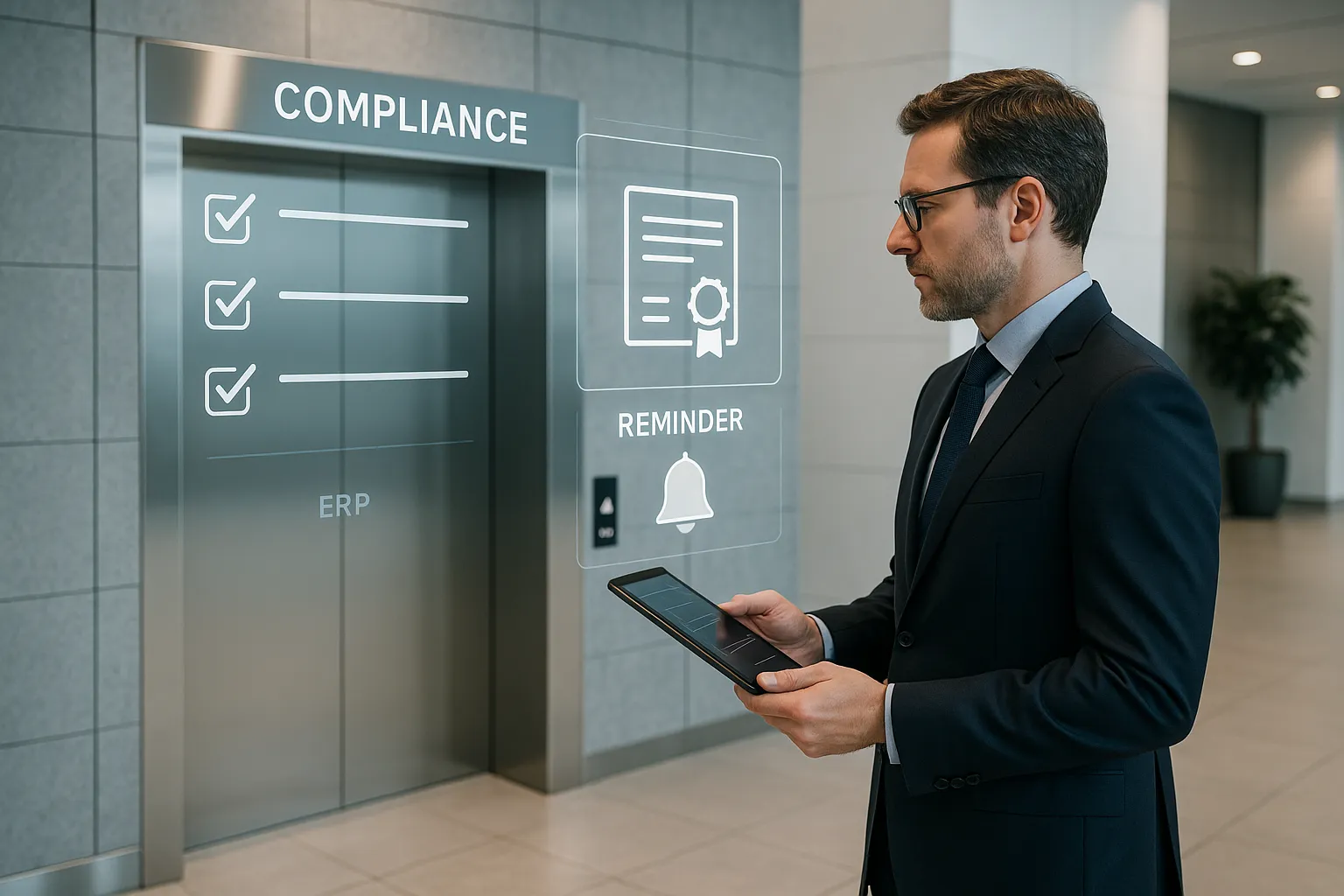
  • Renewal Reminders: Automated alerts notify your sales or ops team months in advance.
  • Linked Payments: Invoices, receipts, and payment milestones are tied directly to the contract.
  • Compliance Tracking: Warranty clauses, parts coverage, and SLA terms are visible to both managers and technicians.

This eliminates the silent profit leaks of missed renewals and unmanaged contracts.

Smart Technician Scheduling

ERP turns scheduling into a science:

  • Real-Time GPS Tracking: Assign the nearest available technician, reducing travel time.
  • Skill-Match Allocation: A technician certified in high-rise elevators isn’t sent to a basic 4-floor lift repair.
  • Shift Management: HR automation ensures no technician is overbooked or underutilized.
  • Mobile Apps: Field staff update job status, used parts, and client signatures directly into the ERP system.

The result: faster response times, happier technicians, and even happier clients.

SLA Monitoring in Real-Time

ERP doesn’t just track SLAs—it enforces them:

  • Timers Start Automatically: The moment a ticket is raised, the SLA clock begins.
  • Escalation Alerts: Managers get notified when deadlines are at risk.
  • Dashboard Reports: SLA compliance rates can be tracked by technician, region, or client.
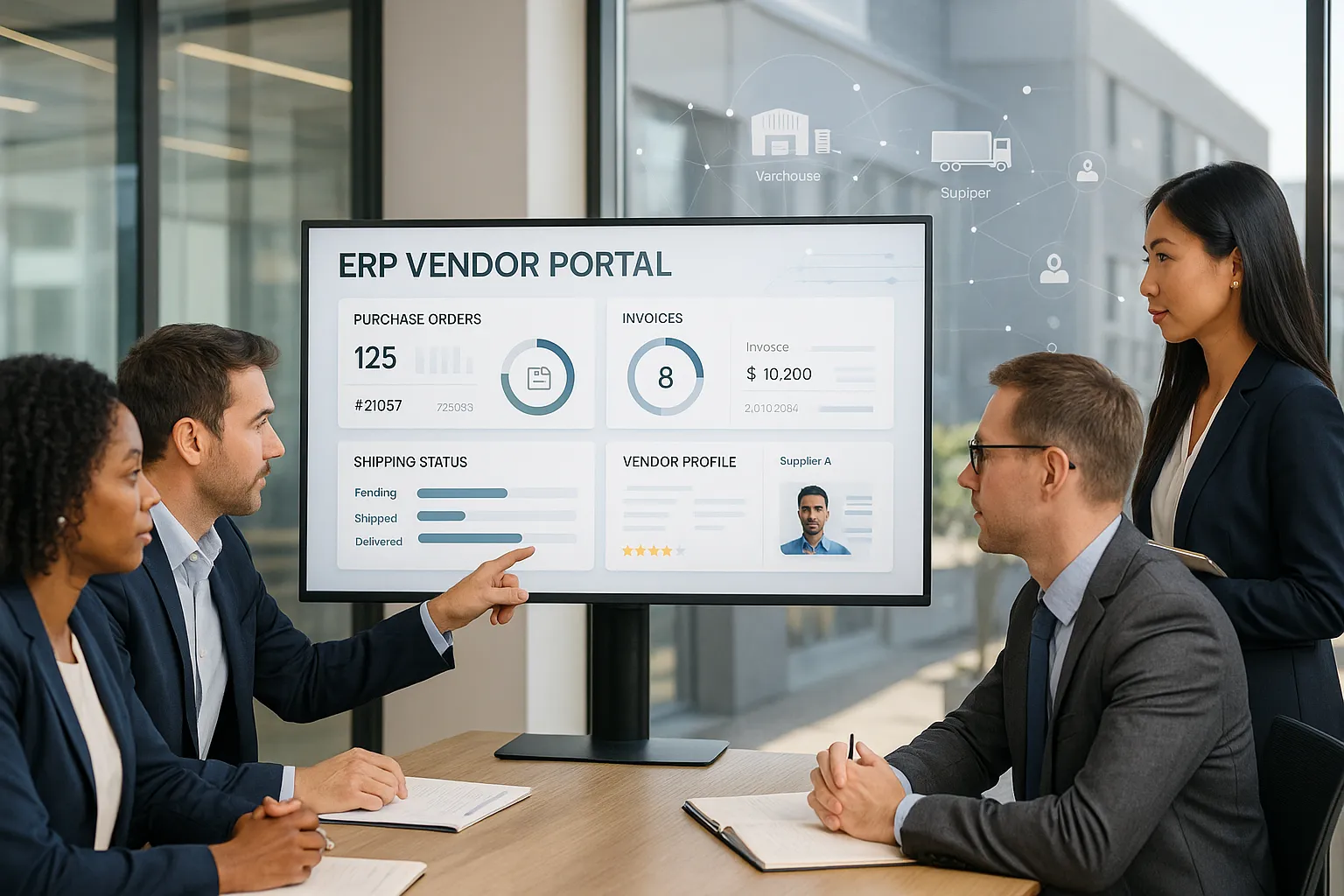
  • Client Transparency: Some ERP platforms even provide customer portals where clients see ticket status in real time.

Instead of firefighting, managers get proactive control.

Read More : ERP for Elevator Company: Solving the Service Headache Every Firm Faces

Real-World Impact: A Case Study

Consider a mid-sized elevator service provider handling 600+ AMC contracts across three cities. Before ERP, they:

  • Lost nearly 20% of contracts annually due to missed renewals.
  • Averaged 4+ hours response time because technician assignments were manual.
  • Paid over $150,000 in SLA penalties in one year alone.

After implementing ERPByNet’s custom ERP solutions:

  • AMC Renewal Rates jumped by 35% thanks to automated reminders.
  • Response Times fell to 1.5 hours with GPS-based assignments.
  • SLA Compliance hit 92%, saving over $200,000 in penalties annually.

The system didn’t just improve efficiency—it restored client confidence and unlocked scalability.

Read More : The Benefits of Automating Your AMC Contracts and Why You Need to Switch Now

ERP Market Insights

According to Statista, the global ERP market will exceed $123 billion by 2030, fueled by industries moving away from fragmented tools toward integrated platforms【Statista】.

Meanwhile, Gartner predicts that by 2026, over 60% of service-based companies will deploy ERP systems enhanced by AI and analytics【Gartner】. For elevator service companies, this shift isn’t optional—it’s survival.

ERP vs Traditional Tools: The Brutal Truth

Feature Spreadsheets & Standalone Tools ERP Platforms (ERPByNet)
AMC Contract Tracking Manual, error-prone Automated, centralized
Renewal Management Easily overlooked Reminder alerts & auto-renew options
Technician Allocation Phone calls, guesswork GPS, skill-based, optimized
SLA Monitoring Manual logs, after-the-fact Real-time dashboards, alerts
Reporting Delayed, fragmented Instant, unified
Scalability Breaks after ~100 contracts Designed for growth

How Data Flows in an ERP for Elevator Service Companies

How Data Flows in an ERP for Elevator Service Companies

Picture this: a tenant in a high-rise calls your helpline because the elevator is stuck. In a traditional setup, panic sets in—phone calls fly, files are searched, technicians are tracked down manually. But with ERP, the process is as smooth as the elevator ride itself.

Here’s how the flow works, step by step:

Step 1: The client request lands in the system
Instead of sticky notes or email chaos, every service request is logged directly into the ERP. No double entries, no lost messages—just a clean digital record.

Step 2: The ticket instantly connects to the AMC contract
The system automatically pulls in contract details: coverage type, warranty clauses, and SLA terms. This ensures your team knows whether the service is billable, covered, or due for renewal.

Step 3: SLA timer starts ticking
The ERP doesn’t wait for a human reminder—it knows your promises. A built-in timer begins counting down the response and resolution time.

Step 4: The nearest skilled technician gets the job
No more guesswork. Using GPS tracking and skill-based matching, the system assigns the technician who is closest and best qualified to handle the issue. Efficiency meets expertise.

Step 5: Technician updates everything on the go
Through a mobile app, the technician logs arrival time, work progress, parts used, and even captures the client’s digital signature. Managers see updates in real time—no paperwork bottlenecks.

Step 6: SLA compliance is monitored live
As the technician works, the system continues to track SLA performance. If a deadline is at risk, managers receive instant alerts so they can intervene before it becomes a breach.

Step 7: The invoice is generated automatically
Once the job is closed, the ERP prepares an invoice linked directly to the AMC terms—removing delays, errors, and awkward client disputes.

Step 8: Management dashboards light up with insights
At the end of the cycle, managers can see the big picture: service times, technician performance, contract profitability, and SLA compliance—all in one dashboard.

 This seamless flow ensures no job slips through the cracks. From the moment the client calls to the moment the invoice is paid, ERP acts like the brain of your service company—coordinating, tracking, and optimizing every step.

Beyond the Basics: What Else ERP Unlocks

  • Inventory Management Automation: Keep spare parts stocked, avoid downtime from unavailable components.
  • Integrated Accounting Modules: Syncs directly with service jobs, eliminating billing delays.
  • HR Automation: Manage payroll, shifts, and training certifications.
  • IoT & API Integration: Connect ERP with smart elevators for predictive maintenance.

Conclusion: Elevating Service with ERP

Running an elevator service company without ERP is like managing a high-rise without a control system—chaos is inevitable. With ERPByNet, companies gain the ability to track contracts, schedule technicians intelligently, and deliver SLA promises without sleepless nights.

The future of ERP is even brighter, with AI-driven scheduling, predictive maintenance, and low-code automation already redefining service industries. Those who adopt today will be the trusted leaders tomorrow.

At ERPByNet, we empower businesses to run smarter with ERP solutions that scale as you grow. Ready to simplify your operations? Let’s transform your workflow.

FAQs

1. What is ERP for elevator service companies?

It’s specialized business software that centralizes AMC contracts, technician scheduling, and SLA monitoring—replacing spreadsheets and isolated tools.

2. How does ERP help with AMC renewals?

It tracks expiry dates, sends automatic reminders, and links payments directly to contracts, ensuring zero missed renewals.

3. Can ERP track technician productivity?

Yes. GPS and mobile apps let managers track routes, service completion, and even spare parts used—giving complete visibility.

4. How does ERP improve SLA compliance?

By starting timers automatically, sending alerts, and generating reports, ERP ensures deadlines are consistently met.

5. Is ERP suitable for small service firms?

Absolutely. Cloud-based ERP scales to your size—you pay only for features you need.

6. Does ERP integrate with IoT elevators?

Yes. Modern ERP platforms connect with IoT-enabled systems, making predictive maintenance possible.

CategoriesERP (Enterprise Resource Planning)

ERP for Engineering Companies: Managing Design, Cost, and Resources

ERP for Engineering turns fragmentation into flow. Engineering organizations don’t stumble from lack of ingenuity; they leak value through version confusion, spreadsheet sprawl, and tool silos that scramble design, cost, and capacity signals. The fix isn’t another add-on—it’s a shared backbone that centralizes inventory management, project costing, accounting, quality, and the shop floor in one place. With controlled revisions, role-based permissions, real-time dashboards, and open APIs, data moves once and stays trustworthy, so leaders see risk early, planners schedule with confidence, and finance protects margins before they slip.

That clarity makes growth repeatable: multi-level BOMs aligned with CAD, capacity plans grounded in reality, and projects tied to live costs and revenue. At ERPByNet, we empower businesses to run smarter with custom-fit ERP solutions that scale as you grow. Ready to simplify your operations? Let’s transform your workflow. The sections ahead show how to connect design, cost, and resources into one operating rhythm.

Why ERP exists (and why engineers should care)

Before “ERP,” there was MRP—Material Requirements Planning from the 1960s that translated demand into parts and schedules. The 1980s added capacity planning (MRP II). By the 1990s, Enterprise Resource Planning stretched past the plant into finance, HR, sales, and supply chain—the whole business. Today, ERP sits at the heart of your business software stack, where dashboards, APIs, roles, and permissions centralize data and decisions. In engineering companies, that means one source of truth from CAD to cash.

You’ll hear names like SAP, Oracle, NetSuite, and Zoho ERP. They differ in scope and complexity, but the goal is the same: streamline, optimize, and centralize operations so you reduce friction between good engineering and profitable delivery.

The engineering reality: five pains ERP fixes

The engineering reality: five pains ERP fixes

1) Design changes ricochet through costs and deadlines

The pain: A late ECO tweaks a sub-assembly. Procurement buys the wrong rev; production builds the old one; finance books rework; engineering gets the blame.
How ERP helps: Multi-level BOMs with robust revision control tie each ECO to cost roll-ups and effective dates. Purchasing only sees approved revs; WIP updates when a change is released; margin impact appears in the project P&L before anyone picks up a tool.

2) Multi-location inventory creates hidden shortages

The pain: You have stock on paper but not at the right site. Expedites eat margins; customers see delay, not complexity.
How ERP helps: Real-time availability by location, lot/serial tracking, and reorder points per site. Transfer orders are planned, not panicked. For project-based work (ETO/MTO), soft-allocate critical parts to projects so engineering changes don’t starve other builds.

3) Project costing is fuzzy until it’s too late

The pain: You quote 22% gross margin and close at 9%. Hours leak, subcontractor invoices surprise you, and procurement buys alternates not reflected in the quote.
How ERP helps: Project accounting captures labor, materials, and overhead to the right WBS in real time. Cost-to-complete forecasts update with timesheets and purchase receipts. Use earned value (EV, CPI/SPI) to course-correct mid-build, not post-mortem.

4) Compliance and traceability drain attention

The pain: You’re juggling ISO 9001, aerospace/medical documentation, and customer audits. Paper trails and file shares aren’t audit-ready.
How ERP helps: Quality modules attach non-conformances to lots/serials, capture inspections at receiving and in-process, and auto-generate certificates and travelers. Roles and permissions limit who can release a rev. Audit logs are built-in.

5) People scheduling and capacity are guesswork

The pain: Your best planner is a superhero with a whiteboard and three calendars. Overtime spikes, weekends vanish, and somehow jobs still collide on the same machine.
How ERP helps: Finite capacity planning schedules by work center and skill. HR automation and time capture feed actual vs. planned hours, so you can balance workloads, cross-train intelligently, and quote lead times you’ll hit.

Read More : ERP for Elevator Company: Solving the Service Headache Every Firm Faces

How ERP connects CAD to cash (the data model that matters)

  1. Design & PLM: CAD/PLM publish controlled BOMs and revisions into ERP via APIs.
  2. Engineering & Methods: Routings, work instructions, and inspection plans attach to rev-controlled items.
  3. Quote to Order: Estimating pulls accurate BOMs and routings; margin modeling includes purchase price variance and subcontracting.
  4. Procurement & Inventory: Approved vendor lists and lead times drive MRP; dock-to-stock inspection closes the loop.
  5. Production: Execution scans serials/lots; dashboards show throughput and bottlenecks.
  6. Finance: Project and job costs hit the right GL; revenue recognition aligns with milestones or shipments.
  7. Service/Field: As-built data becomes as-maintained; warranties and spares link back to the original design.

ERP vs. traditional tools (why spreadsheets eventually lose)

Capability Spreadsheets & Point Apps Modern ERP
Revision control File names & human memory Item/BOM revs with effectivity & audit trail
Project margin visibility After-the-fact Real-time with labor, materials, overhead
Capacity planning Whiteboards & gut feel Finite scheduling with constraints
Multi-site inventory Separate systems One ledger; transfers & allocations
Compliance Paper trails Embedded NC/CAPA, document control, e-sign
Forecasting Manual MRP, demand planning, simulations
Security Shared folders Role-based permissions and approvals

Read More : How ERP Travel Tracking Improves Productivity and Cuts Costs

Choosing the right ERP for engineering: a practical comparison

Vendor (example) Best-fit snapshot Strength highlights Typical complexity
SAP S/4HANA Large/global engineering & discrete manufacturing Deep industry content, strong compliance, powerful analytics Higher—suited to complex, multi-national footprints
Oracle NetSuite Fast-growing multi-site SMEs Unified suite (finance, supply chain, projects), fast deployment Medium—broad functionality with partner ecosystem
Microsoft Dynamics 365 Mid-market to enterprise Familiar UX, extensibility with Power Platform Medium to higher—varies by module mix
Zoho ERP (Zoho suite) Smaller teams & startups Cost-effective, integrated CRM/finance, quick wins Lower—lighter depth but fast time-to-value

Tip: For CAD/PLM-heavy environments, assess native connectors and partner solutions for SolidWorks, Inventor, Creo, or Altium. Look for API depth, webhook support, and prebuilt adapters to minimize custom glue code.

What ROI looks like (with numbers you can defend)

When ERP replaces fragmented tools—especially in product-centric industries—payback is measurable. A Forrester Total Economic Impact study (commissioned) on a manufacturing-focused cloud suite reported 114% ROI, 30% productivity lift in warehouse/operations roles, and a 70% reduction in revenue leakage from stronger financial integrity and insights. Infor+1dam.infor.com

Cloud ERP also reduces lifecycle costs by shifting maintenance and upgrades to the vendor. As Gartner notes, cloud ERP typically operates on a single code line with the provider responsible for keeping customers current—meaning fewer disruptive patch projects and more predictable access to new capabilities. Gartner

Implementation playbook for engineering companies

Implementation playbook for engineering companies

Phase 0: Business case & scope you can stick to

  • Pick the outcomes: “Cut ECO cycle time by 40%,” “Reduce expediting by 60%,” “Hit 95% OTD.”
  • Map your golden threads: Choose one or two product families, one site, and a representative project type (ETO/MTO).
  • Stage the rollout: Finance + Inventory + Projects first; advanced planning and quality next.

Phase 1: Design the data model

  • Items & BOMs: Normalize naming, units, alternates, and revisioning.
  • Routings: Standardize work centers and labor categories so schedules and costs are meaningful.
  • Chart of accounts & project structure: Align WBS to how you recognize revenue and manage cost-to-complete.

Phase 2: Integrations that matter

  • CAD/PLM → ERP: Decide what’s master where. Typically, PLM masters engineering BOMs; ERP masters purchasing and production BOMs.
  • Time capture & HR: Make it painless. Mobile or terminal entry against operations/WBS reduces variance headaches.
  • Supplier collaboration: Use vendor portals or EDI for confirmations, ASNs, and quality feedback.

Phase 3: Change management (the real project)

  • Super-users by function: Engineering, planning, purchasing, finance, quality.
  • Simulation weeks: Run MRP and schedules on sandbox data; fix master data before go-live.
  • Cutover rehearsal: Dry-run receiving, job travelers, and first article inspection so Day-1 isn’t a trust fall.

Read More : How to Manage Inventory, Technicians & Invoices in One ERP Dashboard

Deep-dive use cases for engineering-led firms

A. Multi-site, multi-revision BOM control

Scenario: A product line has three customer variants and two engineering revs in play.
Solution: Use effectivity dates and revision status to keep purchasing and production synchronized. Variant management avoids duplicating whole BOMs; only deltas change.

B. Subcontracting and special processes

Scenario: Heat-treat and coating happen outside. Paperwork lags parts.
Solution: Subcontract operations exist in the routing; POs tie to specific job steps; serials follow the part; quality checks resume on receipt.

C. Project cash flow & milestone billing

Scenario: 9-month ETO contract with retainage.
Solution: Project accounting with milestone billing, retainage tracking, and earned value. Procurement and time entries feed cost-to-complete forecasts automatically.

D. Engineering services + product mix

Scenario: Half your revenue is NRE or field retrofits.
Solution: Use service and projects modules so time and materials hit the right contract; spares link to installed base and warranty rules.

What to measure (and how soon)

Track these six KPIs from month one:

  1. On-time delivery (customer-level)
  2. Engineering change cycle time (request → release)
  3. Inventory turns and days on hand by class
  4. Expedite count and premium freight spend
  5. Quote accuracy vs. actual margin
  6. Schedule adherence at critical work centers

Expect a noisy first month. By quarter two, data quality stabilizes; by quarter three, planning improvements show up in inventory and expedite metrics; by year one, margin variance narrows.

Comparing ERP features engineers actually use

Feature Why it matters What “good” looks like
Multi-level BOM with effectivity Prevents old-rev builds Date/serial effectivity + ECO links + where-used
APS / finite scheduling Promises you can keep Constraint-aware with what-if simulation
Project accounting Margin visibility WBS-level cost, revenue, EAC, earned value
Quality & traceability Compliance without chaos NC/CAPA tied to serials/lots + doc control
Native CAD/PLM connectors Fewer manual steps Bi-directional updates + change workflows
Analytics & dashboards Decisions on time Role-tailored KPIs; drill-downs to transactions
Open APIs Extend, don’t contort REST services; events/webhooks; secure roles

Read More : How ERP Helps Small Elevator Businesses Operate Like Big Players?

Adoption trends shaping your plan

  • Cloud first for resilience: Staying current is a business advantage. Cloud ERP providers keep customers on the latest release while managing infrastructure and patches—reducing upgrade risk and operational drag. Gartner
  • Value over vanity: Anchor the program to operational KPIs and margin. Independent TEI analysis shows triple-digit ROI is achievable when execution discipline and data quality are in place. Infordam.infor.com

Common pitfalls (and how to dodge them)

  1. Scope sprawl: If everything is priority-1, nothing is. Time-box releases.
  2. Underestimating master data: Bad items and vendors equal bad plans and bad buys.
  3. DIY everything: Configuration is smart; heavy custom code becomes technical debt.
  4. No executive drumbeat: Weekly steering isn’t micromanagement; it’s signal over noise.
  5. Skipping training: On-screen work instructions and in-app help beat PDFs no one opens.

Stop the Fire Drills—Start Your ERP Momentum

Ready to trade Excel chaos for calm execution? Book a 30-minute discovery with ERPByNet and bring your biggest blocker—ECO churn, multi-site inventory, or slipping project margins. We’ll walk a single live job end-to-end, tracing CAD → BOM → purchasing → shop floor → invoice to surface the leaks that quietly drain time and margin. In one focused session, you’ll see where data breaks, where approvals stall, and where costs wander off the quote—so action is obvious and momentum starts now.

You’ll leave with a crisp, 90-day roadmap that names owners, dates, and success metrics, plus a pilot plan that stands up the essentials (items/BOMs, inventory, projects) to prove the win on real work. From there, we scale into planning, quality, and analytics with confidence. We help engineering leaders achieve predictable delivery and margin control through cloud-first ERP that connects design to the shop floor. Talk to our experts today—make engineering boring, in the best possible way.

FAQs

Still have questions about ERP and how it fits your business? Let’s clear them up.

1) Do I need PLM and ERP, or can ERP handle design control?

If you have frequent ECOs and regulated documentation, PLM is the right home for design history and approvals, while ERP owns purchasing, production BOMs, and costs. The two should sync through APIs so released revisions flow cleanly into planning and purchasing.

2) How long does an ERP rollout take for a 150-person engineering firm?

A focused first phase (finance, items/BOMs, purchasing, inventory, projects) commonly lands in 4–6 months with clean data and limited customizations. Advanced planning and quality typically follow in phase two. Timelines shrink when you standardize master data early.

3) What does “cloud ERP” practically change for my team?

Upgrades stop being mini-projects. The provider keeps your environment current on a single code line, so you get new features without weekend cutovers. Security patches and performance tuning are centralized, and remote access is straightforward. Gartner

4) We make engineered-to-order products. Can ERP handle one-off designs?

Yes. Use project structures (WBS), configurable BOMs/routings, and effectivity dates. Tie quotes to real routings and standard operations so estimates match how you actually build. Subcontract steps (like coating or heat-treat) should be explicit in routings.

5) What ROI should we expect—and when?

Early wins show up as fewer expedites, better inventory turns, and cleaner margin visibility. Forrester’s TEI shows strong ROI within 12–24 months for a representative manufacturing suite when governance and change control are in place. Infordam.infor.com

6) How do we reduce the risk of “ERP becoming a monster project”?

Lock scope to outcomes, choose a pilot value stream, and appoint empowered super-users. Run conference-room pilots with real data, rehearse cutover, and keep weekly steering to remove roadblocks. Favor configuration over code, and insist on measurable KPIs.


CategoriesERP (Enterprise Resource Planning)

Why ERP Projects Go Over Budget [And How To Prevent It]

In project-based industries, every day feels like a juggling act. One client needs a revised timeline, another project is waiting for approvals, invoices pile up, and your team is stretched across multiple sites. Spreadsheets and disconnected tools may work for a while, but when you’re managing five, ten, or twenty projects at once, the cracks start to show. Suddenly, hours are unbilled, deadlines slip, and costs spiral out of control.

Most firms think ERP is just for manufacturers or retail. But for industries where revenue is tied to projects—construction, IT services, consulting, creative agencies—ERP is the hidden lever that keeps budgets intact. Without a centralized system, project managers spend more time firefighting than planning, and financial blind spots turn profitable contracts into painful losses.

The truth is, many ERP implementations in project-driven businesses do go over budget. But not because ERP is a bad fit—because companies fail to align ERP with the unique demands of project-based work. ERPbyNet specializes in helping firms avoid these pitfalls, ensuring ERP is a tool for growth, not another source of cost overruns.

Why Project-Based Businesses Struggle With ERP Costs

Why Project-Based Businesses Struggle With ERP Costs

1. Complex Project Accounting

Unlike retail or manufacturing, project-based industries deal with fluctuating costs, changing scopes, and milestone-based billing. Traditional accounting software wasn’t built for this. When ERP isn’t configured to handle project accounting—time tracking, billable hours, subcontractor costs—hidden workarounds inflate consulting fees and slow down adoption.

2. Scope Creep Hits Twice as Hard

In industries where client requests often evolve, scope creep doesn’t just affect projects—it infects the ERP rollout too. For example, a construction firm may start with cost tracking but later request job-site resource scheduling, compliance modules, and mobile dashboards. Each “small addition” drives budgets higher.

3. Disconnected Field & Office Teams

For construction, engineering, or IT service firms, half the team is often in the field. Without ERP mobile modules, project updates lag behind reality. That delay leads to rework, double data entry, and costly mistakes. Businesses underestimate how much integration with mobile tools, APIs, and role-based permissions adds to implementation.

4. Underestimating Resource Allocation

In consulting and creative agencies, “resource planning” isn’t just a buzzword—it’s the difference between profit and loss. If ERP doesn’t adequately model staff availability, skills, and billable rates, companies scramble to adjust after go-live, paying extra for customizations they hadn’t budgeted for.

Read More : ERP for Elevator Company: Solving the Service Headache Every Firm Faces

Root Causes: Why ERP Budgets Spiral in Project-Based Work

Lack of Industry-Specific Fit

Generic ERP systems often fail to address project lifecycles. Without job costing, project milestones, or contract-based billing built in, companies pay for endless customizations.

Poor Data Migration Planning

In project industries, data isn’t just numbers—it’s contracts, drawings, Gantt charts, timesheets, and compliance records. Migrating these into ERP without planning is like dumping puzzle pieces on the floor and hoping they form a picture.

Incomplete Stakeholder Buy-In

Operations want better scheduling, finance wants accurate WIP reports, and project managers want visibility. Without early alignment, departments push for late-stage changes, driving costs up.

Unrealistic Implementation Timelines

Project-driven firms are deadline-sensitive, so leadership often pushes for “fast ERP rollout.” But skipping proper planning or testing means expensive rework later.

Read More : From Paper Records to Digital Accuracy: Managing Staff with ERPbyNet

A Real-World Example: Construction Firm on the Brink

A mid-sized construction company partnered with ERPbyNet after its first ERP attempt went sideways. The initial vendor promised a six-month rollout. But by month eight, costs had doubled. Why?

  • Project accounting was treated like standard accounting—missing milestone billing and change-order tracking.

  • Data from site supervisors was inconsistent and required expensive cleanup.

  • Managers requested mobile dashboards halfway through implementation.

ERPbyNet stepped in, realigned the project scope around core outcomes (job costing, real-time project visibility, automated invoicing), and built in mobile-first modules. Within a year, the firm reduced project overruns by 22% and improved cash flow visibility across all sites.

The ERPbyNet Advantage for Project-Based Firms

At ERPbyNet, we understand that projects are your products. That’s why our solutions emphasize:

  • Project accounting: Track costs, milestones, and profitability per project.

  • Resource allocation tools: Match people to projects by availability and skill set.

  • Mobile-enabled dashboards: Ensure field teams and office teams work from the same data.

  • Role-based permissions: Give project managers, finance teams, and executives the insights they need—without data overload.

Our approach minimizes budget overruns by aligning ERP with the realities of project-driven industries from day one.

Why Treat ERP as a Business Transformation, Not a Software Install

ERP isn’t another app you “switch on.” For project-based firms, it’s the backbone of profitability. When treated as a business transformation—with disciplined scope, clean project data, and stakeholder alignment—ERP becomes the difference between missed deadlines and competitive advantage.

In the second half of this article, we’ll explore practical strategies to keep ERP projects on budget in project-based industries, including:

  • How to scope ERP for project accounting and resource planning

  • Why clean project data is your secret budget weapon

  • The role of training in adoption across field and office teams

  • How ERPbyNet’s structured model keeps SMEs and project-driven firms on track

How to Prevent ERP Projects from Going Over Budget in Project-Based Industries

How to Prevent ERP Projects from Going Over Budget in Project-Based Industries


Step 1: Define Project-Centric Scope From the Start

Scope creep is deadly in ERP projects, but in project-based industries it’s twice as dangerous. Why? Because projects themselves evolve—clients add requirements, timelines shift, or contracts change midstream. If your ERP scope is too broad, the implementation gets dragged along with every project adjustment.

The smarter path is to define core ERP outcomes that directly support project profitability, for example:

  • Automating job costing and milestone-based billing.

  • Delivering real-time resource utilization reports.

  • Integrating field data (timesheets, expenses) with finance.

Every other feature request should go into a Phase 2 bucket. This ensures you deliver the ERP’s most critical value first—profit visibility and cost control—without letting budgets spiral.

Step 2: Prioritize Clean Project Data

In project-driven firms, “data” isn’t just numbers. It includes:

  • Contracts and change orders.

  • Time sheets and labor hours.

  • Material usage logs.

  • Project schedules and milestone completions.

Migrating this data into ERP without discipline creates hidden costs. For example, if a construction firm brings in duplicate vendor codes or outdated project codes, reports become unreliable and require expensive fixes.

Best practices before migration:

  • Run a data audit at least 60 days prior.

  • Clean contracts, unify project naming conventions, and eliminate duplicates.

  • Standardize billing codes, resource roles, and project templates.

This upfront work reduces rework and consulting fees once the ERP is live.

Step 3: Invest in Training Across Field and Office Teams

ERP is only as strong as its adoption. In project industries, adoption is tricky because teams are split between field sites and offices. If ERP is only used by finance, while site supervisors stick to spreadsheets, the whole system loses value.

Successful rollouts budget for:

  • Field-friendly training: Quick mobile tutorials for supervisors on timesheets, job costing, and expense logging.

  • Role-based dashboards: Finance sees WIP reports, project managers see cost-to-completion, executives see profitability trends.

  • Ongoing coaching: Dedicated support in the first 90 days ensures habits stick.

Firms that prioritize adoption see faster ROI and avoid the expensive “workaround culture” that kills ERP success.

Step 4: Build ERP Champions Inside Your Projects

Consultants are valuable, but relying on them forever is expensive. Project-based firms should identify internal champions—people who become the “go-to” experts for ERP within the company.

Champions can:

  • Train project managers on entering costs and milestones correctly.

  • Troubleshoot small field-office sync issues.

  • Translate business needs into ERP configuration tweaks.

ERPbyNet emphasizes this approach so that knowledge stays inside your organization, reducing long-term dependency and cost.

Step 5: Choose an ERP Partner That Understands Project Industries

Generic ERP vendors may promise “fast deployment,” but project-based firms often need features like milestone billing, subcontractor tracking, or multi-project profitability views. If your ERP partner doesn’t understand these needs, you’ll end up paying for endless customizations.

Questions to ask a vendor:

  • Can the system track project profitability per contract?

  • Does it handle resource allocation across overlapping projects?

  • Does it offer mobile modules for field data entry?

  • Do they provide structured milestones for cost transparency?

ERPbyNet is built with these realities in mind—delivering ERP tuned for the unique challenges of project industries, without bloated costs.

Read More : How ERP Travel Tracking Improves Productivity and Cuts Costs

Comparison: ERP vs Traditional Project Tools

Feature Spreadsheets/Basic Tools ERP for Project Industries
Job costing & WIP tracking Manual, error-prone Automated & real-time
Multi-project visibility Separate files per project Centralized dashboards
Resource allocation Guesswork, static sheets Optimized scheduling
Client billing & invoicing Manual, delayed Linked to milestones
Field-office collaboration Email & phone calls Mobile + integrated ERP
Compliance readiness High effort Built-in documentation

This highlights why clinging to spreadsheets or basic project tools is often costlier than adopting ERP.

The ROI of ERP in Project-Based Industries

When implemented correctly, ERP delivers measurable gains:

  • 20–25% reduction in project overruns through real-time cost tracking.

  • 30% faster invoicing cycles due to milestone-linked billing.

  • 15–20% increase in billable utilization by optimizing resource allocation.

  • Stronger cash flow visibility, preventing delayed payments from clients.

A consulting firm ERPbyNet supported cut unbilled hours by 18% in the first six months simply by enforcing time tracking through ERP. The result? Higher profitability and happier clients.

Read More : The Benefits of Automating Your AMC Contracts and Why You Need to Switch Now

ERP Trends That Help Project Industries Stay Lean

ERP technology is evolving, giving project-driven businesses more ways to stay on budget:

  • AI forecasting: Predict project delays or overruns before they happen.

  • Low-code workflows: Customize approval chains without expensive coding.

  • Cloud-first deployment: Reduce IT infrastructure costs.

  • Prebuilt APIs: Connect ERP with project management tools (MS Project, Primavera, Trello) quickly.

ERPbyNet incorporates these trends, ensuring project firms access enterprise-grade capabilities without enterprise-sized budgets.

Conclusion: Control Projects, Control Costs

In project-based industries, where profit hinges on tight budgets and precise timelines, ERP isn’t a luxury—it’s a necessity. Overruns aren’t caused by ERP itself, but by poor planning, weak adoption, and generic vendors. With the right strategy, ERP becomes a safeguard against chaos, not another source of it.

At ERPbyNet, we empower project-based businesses—construction firms, consultancies, IT service providers, and agencies—to keep ERP projects on time, on scope, and on budget. Ready to simplify your projects and scale profitably? Let’s transform your workflow.

FAQs

Still have questions about ERP in project-based industries? Let’s clear them up.

1. Why do ERP costs spiral more in project-based industries?

Because project lifecycles are complex—billing, milestones, resources, and compliance all add layers that generic ERP systems fail to anticipate.

2. Can ERP track profitability per project?

Yes. Modern ERP platforms like ERPbyNet track cost-to-completion, billable hours, and revenue milestones, giving real-time project P&Ls.

3. How does ERP improve collaboration between field and office teams?

With mobile dashboards, field supervisors can log hours, materials, and updates instantly, syncing with finance and project management in real time.

4. Isn’t ERP too expensive for mid-sized project firms?

Not anymore. Cloud-based ERP solutions are modular, meaning you only pay for the project modules you need, with no massive upfront infrastructure costs.

5. How long does ERP take to implement in a project-driven business?

Typically 6–9 months for SMEs, depending on modules. The key is phasing—start with project accounting and resource management before adding extras.

6. How does ERPbyNet ensure projects don’t go over budget?

By aligning ERP scope to project realities, focusing on clean data, training, and building internal ERP champions—ensuring sustainable adoption without runaway costs.

CategoriesERP (Enterprise Resource Planning)

ERP for Elevator Company: Solving the Service Headache Every Firm Faces

Elevator companies are the silent heroes of modern buildings, ensuring seamless movement in high-rises and residential complexes alike. Yet behind the smooth operation of elevators lies a labyrinth of service calls, maintenance schedules, spare parts, and customer complaints. Many elevator firms find themselves drowning in spreadsheets, chasing down technicians, and juggling AMCs (Annual Maintenance Contracts) manually. For small to medium-sized elevator companies, these challenges often turn into recurring headaches that sap time, money, and energy.

Picture this: it’s a Friday afternoon, and your service team is scrambling to meet multiple emergency calls. The AMC renewals are overdue, spare parts are missing, and the customer on the 15th floor is frustrated because no one responded on time. This “Friday fire drill” scenario is all too common, yet preventable with the right tools.

This is where ERPByNet comes in. By offering a specialized ERP for elevator companies, it streamlines every aspect of operations—from service scheduling to spare parts tracking and financial oversight. In this blog, we’ll explore the pain points elevator companies face, how ERP can solve them, and why ERPByNet stands out as the go-to solution for modern elevator businesses.

Understanding the Core Challenges of Elevator Companies

Understanding the Core Challenges of Elevator Companies

Manual Processes Lead to Operational Chaos

Many elevator service firms still rely on spreadsheets or fragmented software to manage day-to-day operations. This approach often results in:

  • Data silos: Information stored in separate spreadsheets, emails, or offline files leads to confusion and delays.

  • Service delays: Assigning technicians manually increases response time and lowers customer satisfaction.

  • Inventory headaches: Without a unified view, spare parts are often misplaced, overstocked, or understocked.

Customer Complaints and Retention Risks

When service is delayed or inefficient, customer frustration rises. A minor technical fault can escalate into a reputational issue if not resolved promptly. Elevator companies often struggle to:

  • Track complaint resolution times

  • Manage recurring service contracts

  • Provide transparent updates to clients

These challenges directly affect customer retention, recurring revenue, and the overall growth trajectory of the company.

Financial Blind Spots

Operating without centralized data often creates blind spots in revenue, AMC renewals, billing, and payroll. Mismanaged finances and delayed invoices can impact cash flow, making it difficult for elevator companies to invest in growth or hire additional technicians.

Read More : How ERP Travel Tracking Improves Productivity and Cuts Costs

How ERP Transforms Elevator Company Operations

How ERP Transforms Elevator Company Operations

 Centralized Service Management

With ERPByNet, elevator companies gain a single platform that consolidates all service operations. Technicians can be assigned jobs automatically based on location, availability, and expertise. Customers receive real-time updates, reducing frustration and building trust.

Use Case: An elevator company with multiple service teams across the city can monitor all ongoing calls, schedule preventive maintenance, and respond to emergencies without switching between different tools or spreadsheets.

Inventory Management and Spare Parts Tracking

ERPByNet offers a comprehensive inventory management module, ensuring spare parts are always available when needed. Features include:

  • Automatic stock alerts

  • Real-time visibility of spare parts across multiple locations

  • Integration with service orders to reduce downtime

This eliminates overstocking, reduces waste, and ensures service teams are never delayed due to missing parts.

Financial Oversight and Billing Automation

ERP for elevator companies also handles billing, invoicing, and AMC renewals seamlessly. Finance managers can track payments, generate reports, and forecast cash flow—all within the same platform. Automated billing ensures no revenue is lost, and financial audits become far less cumbersome.

Field Staff Efficiency and Tracking

Field technicians are the backbone of elevator service operations. ERPByNet enables:

  • Real-time GPS tracking of staff

  • Mobile access to service orders

  • Efficient assignment of jobs based on skill and location

By optimizing workforce management, elevator companies reduce service delays and improve team productivity.

Read More : How to Manage Inventory, Technicians & Invoices in One ERP Dashboard

ERPByNet vs Traditional Tools

Feature ERPByNet Traditional Spreadsheets/Manual Tools
Service Scheduling Automated & Real-time Manual, prone to errors
Spare Parts Tracking Centralized inventory Disconnected lists, errors common
AMC Management Automated alerts & renewals Missed deadlines, lost revenue
Financial Oversight Integrated billing & reports Manual calculations, delayed invoices
Field Staff Management GPS & mobile access Manual assignment, delayed response

The difference is clear: ERPByNet replaces fragmented processes with a unified platform designed for elevator service operations.

Adoption Trends and ROI

ERP adoption is rising among small and medium enterprises, with many reporting:

  • 30–40% reduction in service delays

  • 25–35% improvement in spare parts utilization

  • 20–30% increase in customer satisfaction ratings

By investing in ERP for elevator companies, firms not only streamline operations but also position themselves for scalable growth.

According to Gartner, ERP platforms are increasingly integrating AI-driven predictive maintenance, low-code automation, and enhanced dashboards to empower businesses with real-time insights. Source: Gartner ERP Market Trends

Read More : Project Management ERP: The Secret to On-Time and On-Budget Delivery

Real-World Example

Consider an elevator company servicing over 500 buildings across multiple cities. Before ERPByNet, they struggled with delayed AMC renewals, misplaced parts, and inconsistent billing. After implementation:

  • Service response time dropped by 40%

  • Customer complaints decreased by 50%

  • AMC renewals increased by 30%

This is a tangible demonstration of how ERPByNet transforms elevator operations, allowing companies to focus on growth rather than firefighting daily challenges.

Future Trends in ERP for Elevator Company

  • AI Integration: Predictive maintenance reduces emergency repairs.

  • Low-Code Automation: Rapid customization to fit specific business needs.

  • Compliance Readiness: Automated tracking for safety and regulatory standards.

  • Enhanced Analytics: Data-driven insights for strategic decision-making.

By staying ahead of these trends, elevator companies can remain competitive and deliver superior customer experiences.

Conclusion

Elevator companies face complex service challenges—from managing AMCs and complaints to tracking spare parts and financials. ERPByNet’s ERP for elevator companies consolidates these processes into a single, easy-to-use platform, empowering businesses to operate efficiently, reduce friction, and scale confidently.

At ERPByNet, we empower businesses to run smarter with custom-fit ERP solutions that scale as you grow. Ready to simplify your operations? Let’s transform your workflow.

FAQs

Still have questions about ERP and how it fits your business? Let’s clear them up.

What is ERP and why do elevator companies need it?

ERP (Enterprise Resource Planning) centralizes all business operations, making it easier to manage service, inventory, finance, and staff. Elevator companies benefit from faster service response, accurate billing, and organized maintenance tracking.

How is ERP different from traditional software like Excel?

While spreadsheets are manual and error-prone, ERP platforms automate scheduling, inventory tracking, and reporting, reducing errors and saving time.

Is ERP suitable for small or medium elevator companies?

Absolutely. ERPByNet’s solutions are scalable, making them ideal for SMEs, startups, and growing elevator service providers.

How can ERP help manage AMCs?

ERP automates AMC tracking, sends renewal alerts, and generates invoices, ensuring no contracts are missed and revenue is protected.

What ROI can elevator companies expect after ERP implementation?

Companies typically see a 30–40% reduction in service delays, a 25–35% improvement in inventory efficiency, and a 20–30% boost in customer satisfaction.

Why choose ERPByNet over other ERP platforms like SAP or Oracle?

ERPByNet specializes in elevator service operations, offering industry-specific modules, affordable deployment, and personalized support for SMEs that large ERPs often overlook.


CategoriesERP (Enterprise Resource Planning)

From Paper Records to Digital Accuracy: Managing Staff with ERPbyNet

Every growing business knows the story too well. A manager spends Friday evenings buried in paper attendance registers, calculating overtime with a calculator, and chasing supervisors for missing timesheets. Payroll teams live in “Excel hell,” cross-checking formulas that never quite add up. Employees, on the other hand, feel frustrated when salaries are delayed or overtime hours are disputed.

This cycle drains time, money, and morale. For startups and SMEs, where every resource counts, the chaos of manual staff tracking can quickly snowball into bigger operational roadblocks. Missed deadlines, payroll errors, and project overruns become part of a routine that eats into profits.

But business does not need to be this way. With the right ERP solution, companies can move away from error-prone records and disjointed spreadsheets to a system that is centralized, transparent, and automated. That is exactly where ERPbyNet steps in—helping businesses achieve digital accuracy in staff management.

Why Paper Records Hold Businesses Back

Relying on paper registers and spreadsheets may feel manageable at first, but the cracks appear quickly as the workforce grows.

  • Inaccurate Data: Manual entries are prone to mistakes, whether intentional or accidental.

  • Payroll Disputes: Delays and disputes over overtime or leave lead to mistrust among staff.

  • Time Theft: Buddy punching or inflated reporting silently increases costs.

  • Slow Approvals: Manual verification and approvals delay payroll cycles.

  • No Visibility: Managers cannot get real-time insights into staff productivity or deployment.

In short, paper records create blind spots that make scaling a challenge. Businesses are left managing staff reactively instead of strategically.

Read More : How to Manage Inventory, Technicians & Invoices in One ERP Dashboard

How ERPbyNet Brings Digital Accuracy

How ERPbyNet Brings Digital Accuracy

ERPbyNet replaces the uncertainty of paper records with a reliable, ERP-powered staff tracking system built specifically for SMEs and fast-growing enterprises. By unifying timesheets, payroll, and workforce data into a single platform, businesses gain unmatched clarity and control over their operations. Here is how ERPbyNet delivers accuracy in every step:

1. Real-Time Time Tracking

With ERPbyNet, outdated paper logs are replaced by modern clock-in methods—mobile devices, biometric scanners, or GPS-based check-ins. Every working hour is recorded automatically, leaving no room for guesswork or inflated reporting. This ensures businesses pay only for actual work done, while employees enjoy the convenience of quick and reliable logging.

2. Automated Payroll Processing

Payroll is often one of the most error-prone areas when handled manually. ERPbyNet connects timesheet data directly to payroll, automatically calculating overtime, deductions, and allowances. This not only guarantees accuracy but also speeds up salary processing, ensuring staff are paid correctly and on time—every time.

3. Transparent Oversight with Dashboards

Managers no longer need to chase down updates or rely on verbal reports. ERPbyNet provides live dashboards showing exactly who is working, where they are deployed, and how their time is being used. This visibility helps leaders make smarter, data-backed decisions about staffing and workload distribution.

4. Accurate Project Costing

In project-based industries, labor costs are a major variable. ERPbyNet links staff hours directly to specific projects, giving managers real-time insights into costs against budgets. This allows for more precise forecasting, better allocation of resources, and reduced waste—keeping projects profitable and on track.

5. Simplified Compliance and Reporting

Labor regulations demand accurate records of attendance, breaks, and overtime. ERPbyNet generates detailed reports instantly, ensuring businesses can demonstrate compliance with ease. Instead of scrambling to prepare records for audits or inspections, companies have everything ready at the click of a button.

6. Building Staff Trust and Accountability

Transparency is powerful. When employees see their hours tracked clearly and fairly, disputes decrease and confidence increases. ERPbyNet fosters accountability on both sides—managers know productivity levels at a glance, and staff can trust that their contributions are recognized and rewarded accurately.

Read More :  Field Sales Automation ROI: What Sales Managers Are Actually Getting Today

Business Benefits of Moving to ERPbyNet

Shifting from paper-based systems to ERPbyNet is not simply a matter of digitizing records. It transforms how businesses operate, creating measurable improvements across efficiency, costs, employee satisfaction, and scalability. Here is a closer look at the key advantages:

1. Efficiency Through Automation

Manual reconciliation of timesheets consumes significant HR and payroll resources. With ERPbyNet, this entire process is automated. Attendance, working hours, overtime, and leave are recorded in real time and integrated directly with payroll. This reduces repetitive tasks, eliminates back-and-forth verifications, and allows teams to focus on strategic HR initiatives instead of data entry.

2. Significant Cost Savings

One of the hidden costs of manual logs is “time theft,” where inflated or inaccurate timesheets increase payroll expenses. ERPbyNet prevents these errors by capturing accurate data through mobile check-ins, GPS tracking, or biometric systems. Businesses immediately see cost reductions by paying only for actual hours worked.

3. Higher Employee Morale and Trust

When salaries are delayed or overtime is miscalculated, employee confidence takes a hit. ERPbyNet ensures on-time and error-free payroll processing. Transparent timesheet management builds trust—employees know their efforts are tracked fairly, and managers can resolve disputes quickly. This leads to stronger workforce morale and better staff retention.

4. Seamless Scalability for Growing Teams

What works for a 50-person team often collapses under the pressure of 500 or more. ERPbyNet is designed to scale with business growth, handling large and distributed teams without losing accuracy or speed. Whether a company is adding new projects, expanding into new regions, or managing multiple sites, ERPbyNet adapts effortlessly.

5. Data-Driven Workforce Insights

ERPbyNet does more than track time—it provides actionable insights. Managers can view patterns of productivity, track overtime trends, and forecast resource requirements. These analytics empower decision-making, helping businesses optimize staff allocation, reduce idle time, and improve overall project efficiency.

Read More : How ERP Helps Small Elevator Businesses Operate Like Big Players?

Real-World Scenarios

Construction Industry

A construction company running multiple sites faced long delays consolidating daily logbooks. After adopting ERPbyNet, workers began clocking in through mobile check-ins. Payroll cycles became faster, and labor costs were tracked accurately against each project.

Field Service Firms

A facility management provider struggled with client disputes over billed hours. ERPbyNet’s GPS-enabled check-ins provided transparent timesheets, ensuring invoices were backed by real data. Billing accuracy improved, strengthening client trust.

Healthcare Providers

A home healthcare company managing rotating shifts of caregivers faced compliance risks. With ERPbyNet, shift hours were logged automatically, ensuring staff received fair pay and compliance audits were passed without hassle.

Best Practices for Implementing ERPbyNet Staff Tracking

Best Practices for Implementing ERPbyNet Staff Tracking

Introducing ERPbyNet into daily operations is not just about deploying software—it’s about shaping habits, setting clear policies, and using technology to create accountability. To get the most out of the system, businesses should follow these best practices:

1. Go Mobile First

Encourage staff to use ERPbyNet’s mobile app or biometric check-ins as their primary way of logging hours. Mobile and GPS-based tracking ensures accuracy even when employees are on-site, in transit, or at client locations. This eliminates the gaps and inconsistencies that often appear in paper-based records.

2. Train Early and Consistently

Successful adoption starts with orientation. Introduce ERPbyNet during onboarding sessions and offer refresher training for supervisors and staff. When employees understand how the system benefits both them and the company—such as reducing payroll disputes—they’re more likely to use it correctly.

3. Integrate with Payroll for Seamless Processing

One of ERPbyNet’s strongest advantages is its ability to connect timesheets directly to payroll. Ensure this integration is set up from the start. Automated salary calculations, including overtime, deductions, and allowances, not only save HR time but also build trust with employees who expect timely payments.

4. Establish Clear Policies

Technology works best when guided by well-defined rules. Create transparent policies for overtime approvals, leave requests, and shift scheduling. When these are embedded into ERPbyNet, managers can enforce policies consistently, reducing confusion and improving fairness.

5. Leverage Dashboards and Analytics

ERPbyNet isn’t just a record-keeping tool—it’s a decision-making engine. Make full use of its dashboards to monitor attendance trends, overtime patterns, and resource utilization. These insights help managers anticipate staffing needs, balance workloads, and avoid unnecessary costs.

Read More : Cloud ERP in 2025: The Backbone of Elevator Service Operations

The Future of staff tracking

Moving from paper records to ERP systems is just the first step in a much larger transformation. The real future of workforce management lies in combining ERP platforms with advanced technologies that are reshaping how businesses operate.

Artificial Intelligence (AI) will play a key role in scheduling and workload distribution. Instead of managers manually assigning shifts, AI-driven tools will recommend optimized schedules based on employee availability, historical performance, and project demands. Predictive analytics will go a step further by helping businesses forecast staffing needs—whether that’s preparing for seasonal demand spikes or identifying departments that may face skill shortages.

Workflow automation will also become central to staff management. Routine approvals for leave, overtime, or shift swaps will be handled automatically within ERP systems, reducing bottlenecks and freeing managers to focus on strategy. For employees, this means faster responses and fewer frustrations with everyday tasks.

Businesses that embrace ERP today, like ERPbyNet’s staff tracking solution, are not just solving current inefficiencies—they are future-proofing their operations. By laying the digital foundation now, they prepare themselves for a future where workforce management is smarter, faster, and fully data-driven.

Conclusion

Paper records belong in filing cabinets, not in the heart of a modern business. ERPbyNet empowers organizations to replace guesswork with accuracy, delays with real-time tracking, and disputes with transparency. For businesses that depend on their workforce, ERPbyNet offers a solution that is simple, reliable, and scalable.

At ERPbyNet, we help businesses move from paper records to digital accuracy—making staff management easier, payroll more precise, and growth more achievable. Ready to make the shift? Let’s transform the way you manage your workforce.

FAQs

What is ERP staff tracking?

ERP staff tracking refers to using enterprise resource planning software to monitor employee attendance, working hours, and productivity in real time. Instead of relying on paper timesheets or manual logs, businesses gain a reliable, automated system that reduces errors and provides transparency.

Can small businesses benefit from ERPbyNet?

Absolutely. ERPbyNet is designed to be flexible and scalable, which means it works just as well for a 10-person startup as it does for a large enterprise. Small businesses gain structure, accuracy, and efficiency without being burdened by complex systems.

How does ERPbyNet improve payroll accuracy?

ERPbyNet links timesheets directly with payroll, so every hour worked—along with overtime, leave, or deductions—is calculated automatically. This eliminates the risk of human error, prevents disputes, and ensures staff are paid fairly and on time.

Does ERPbyNet support remote or field staff?

Yes. ERPbyNet is built for modern, mobile workforces. With GPS-enabled mobile check-ins and biometric options, businesses can track employees who work across sites, travel frequently, or operate remotely with complete accuracy.

How quickly can ERPbyNet be implemented?

Implementation is faster than most businesses expect. While timelines depend on company size and requirements, ERPbyNet is designed for quick deployment—helping businesses start seeing measurable benefits within weeks, not months.

Is training required to use ERPbyNet?

Minimal training is required. The platform is intuitive and user-friendly, meaning staff and managers can adapt quickly. A short orientation is usually enough to get teams comfortable with the system.

CategoriesERP (Enterprise Resource Planning)

How ERP Travel Tracking Improves Productivity and Cuts Costs

In today’s business world, organizations with field staff face a constant balancing act—ensuring employees are productive while keeping travel costs under control. Whether it’s sales representatives visiting clients, technicians attending service calls, or delivery teams on the move, travel is one of the largest and hardest-to-monitor expenses.

Unfortunately, many businesses still rely on manual methods like spreadsheets, paper receipts, and disconnected systems to manage travel and expenses. This approach not only wastes time but also leads to errors, fraud, and delayed reimbursements.

An ERP system with travel tracking capabilities offers a smarter alternative. By integrating travel management into the core ERP, businesses can streamline processes, empower employees, and gain real-time control over expenses. Let’s explore how ERP travel tracking transforms field operations into a productivity and cost-efficiency engine.

The Challenges of Manual Travel & Expense Tracking

The Challenges of Manual Travel & Expense Tracking

Managing travel and expenses manually may seem manageable at first, but as teams grow, the problems become clear:

  • Time-consuming for employees: Staff must keep receipts, record mileage, and compile reports—taking focus away from their core work.
  • Slow approval cycles: Managers often review claims only after weeks, creating frustration and delayed reimbursements.
  • Lack of transparency: Finance teams struggle to understand where travel budgets are going or whether policies are being followed.
  • Risk of errors and fraud: Inflated mileage claims, duplicate entries, or missing receipts are common.
  • Limited insight for decision-making: Without accurate data, managers cannot optimize routes, allocate resources effectively, or track travel ROI.

These issues result in higher costs, inefficient use of staff time, and an overall lack of accountability.

Read More : How to Manage Inventory, Technicians & Invoices in One ERP Dashboard

How ERP Travel Tracking Works

How ERP Travel Tracking Works

An ERP system integrates all travel and expense functions into one platform, ensuring real-time visibility and automation. Key features include:

  • Mobile-first logging: Employees record travel details directly through mobile apps, including mileage, time, and receipts.
  • GPS-enabled tracking: Routes and locations are automatically captured, validating employee travel without manual entry.
  • Automated expense categorization: Expenses are sorted into categories (fuel, meals, lodging) with policy checks applied instantly.
  • Seamless approval workflows: Claims are routed to managers automatically. If within policy limits, they can even be approved instantly.
  • Direct integration with finance: Approved expenses flow into the accounting system, ensuring accurate budget updates and faster reimbursements.
  • Centralized reporting dashboards: Managers and finance teams gain complete visibility into travel costs, trends, and compliance metrics.

By digitizing and automating every step, ERP eliminates the inefficiencies of manual travel management.

Read More : Project Management ERP: The Secret to On-Time and On-Budget Delivery

Driving Productivity Across the Field Workforce

Driving Productivity Across the Field Workforce

Travel tracking in ERP isn’t just about controlling costs—it directly boosts productivity for both employees and managers.

For field staff:

  • They no longer waste time compiling expense reports at the end of the week.
  • Receipts are captured instantly with a mobile camera, reducing the risk of lost records.
  • Reimbursement cycles are faster, leading to greater satisfaction and motivation.

For managers:

  • Real-time dashboards show where employees are and how much time is being spent on travel versus client work.
  • GPS validation eliminates constant back-and-forth updates, saving time on monitoring.
  • Optimized scheduling ensures staff are assigned to routes or clients in a logical order, reducing idle time and maximizing daily productivity.

This streamlined process frees up hours every week—time that can be spent on revenue-generating work rather than administrative tasks.

How ERP Travel Tracking Cuts Costs

Cost control is one of the biggest advantages of ERP-based travel management. Here’s how it delivers measurable savings:

  • Fraud prevention: GPS data confirms mileage, preventing inflated claims. Duplicate or suspicious entries are flagged instantly.
  • Enforced compliance: Policies around travel allowances, lodging categories, and daily limits are embedded into the system, ensuring employees cannot overspend.
  • Reduced administrative overhead: With automation, finance teams no longer spend hours checking receipts and manually posting expenses.
  • Route optimization: Data reveals the most efficient travel patterns, helping businesses cut down on unnecessary trips and fuel costs.
  • Budget control: Every expense is linked to a project, department, or cost center, allowing real-time budget tracking and better forecasting.

These improvements not only save money but also ensure that spending directly supports business goals.

Read More ; Field Sales Automation ROI: What Sales Managers Are Actually Getting Today

A Real-World Scenario

Consider a field service company with 50 technicians.

Before ERP: Each technician maintains a logbook of trips, submits receipts at the end of the week, and waits nearly two weeks for reimbursement. Managers spend hours verifying the data, while finance teams face constant delays and mismatched expense entries. Travel costs spiral out of control due to lack of oversight.

After ERP: Every technician uses a mobile app that automatically logs their travel with GPS, scans receipts on the go, and submits expenses instantly. Managers see trips in real time, approve claims within hours, and optimize schedules based on travel data. Finance teams get accurate, categorized expenses automatically entered into the ERP. Reimbursements happen within days, costs are reduced by 15–20%, and employees are happier.

This scenario shows how ERP transforms travel tracking from a pain point into a competitive advantage.

Best Practices for Implementation

To fully realize the benefits of ERP travel tracking, businesses should follow a structured approach:

  • Start small: Roll out the system to one team or region before expanding.
  • Define clear policies: Ensure travel allowances, categories, and approval thresholds are set within the ERP.
  • Train staff effectively: Educate employees on using mobile apps and highlight the benefits for faster adoption.
  • Monitor key metrics: Track indicators like average reimbursement time, total travel cost per employee, and compliance rate.
  • Scale strategically: Once proven, extend the solution across departments, customizing policies where necessary.

A thoughtful rollout ensures smooth adoption and faster ROI.

Conclusion

ERP-enabled travel tracking transforms one of the most complex aspects of workforce management into a streamlined, efficient, and transparent process. By combining mobile tools, GPS tracking, automated workflows, and real-time reporting, businesses gain control over expenses while empowering employees with faster, simpler processes.

The result is a win-win: employees save time and get reimbursed quickly, managers make better decisions with real-time insights, and organizations cut unnecessary costs while improving productivity.

For any business with a mobile workforce, ERP travel tracking isn’t just an upgrade—it’s a necessity for sustainable growth and operational efficiency. Contact Us Now for Free Demo.

FAQs on ERP Travel Tracking

What is ERP travel tracking?

ERP travel tracking is the integration of travel and expense management into an ERP system. It automates logging, approval, and reimbursement processes using mobile apps, GPS tracking, and real-time reporting, helping businesses gain full visibility and control over travel expenses.

How does ERP travel tracking improve employee productivity?

By eliminating manual reporting, employees don’t waste time collecting receipts, filling spreadsheets, or waiting weeks for reimbursements. Mobile apps and GPS validation simplify the process, allowing staff to focus on their core work instead of administrative tasks.

Can ERP travel tracking help reduce fraud and errors?

Yes. ERP systems use GPS validation, duplicate detection, and automated policy checks to prevent inflated mileage claims, missing receipts, and unauthorized expenses. This significantly reduces fraud and ensures compliance with company policies.

What kind of cost savings can businesses expect?

Companies typically reduce travel costs by 15–20% through fraud prevention, better route optimization, reduced administrative overhead, and real-time budget monitoring. Savings vary depending on company size and travel volume.

Is ERP travel tracking suitable for small businesses or only large enterprises?

ERP travel tracking benefits businesses of all sizes. For small businesses, it streamlines expense management and prevents overspending. For large enterprises, it provides scalable controls, compliance enforcement, and advanced reporting across multiple teams or regions.


CategoriesERP (Enterprise Resource Planning)

The Benefits of Automating Your AMC Contracts and Why You Need to Switch Now

If you’ve ever managed an Annual Maintenance Contract (AMC) with nothing but a spreadsheet, a phone, and a silent prayer, you know the drill. Renewal dates sneak up on you like uninvited guests. Invoices get buried in email threads. And just when you think you’re on top of it, a client calls to say, “Hey, wasn’t my AMC supposed to be renewed last week?”

It’s the business equivalent of Friday fire drills—chaotic, repetitive, and entirely avoidable. Operations managers, especially in growing SMEs, spend hours chasing AMC details: expiry dates, payment statuses, service history. That’s valuable time that could be spent actually growing the business.

The truth? AMC contract management doesn’t have to be a headache. With the right automation, you can turn renewal chaos into a predictable, revenue-generating machine. That’s where ERPbyNet comes in—bridging the gap between manual tracking and effortless AMC control.

What is AMC Contract Management (And Why It Matters More Than You Think)?

In simple terms, AMC contract management is the process of overseeing, renewing, and tracking annual maintenance agreements with your customers. Whether you service elevators, HVAC systems, medical devices, or IT infrastructure, these contracts are your lifeline for recurring revenue.

Traditionally, AMC management meant:

  • Manually updating spreadsheets.
  • Setting calendar reminders (that may or may not get snoozed forever).
  • Sending renewal proposals one client at a time.
  • Chasing approvals, then chasing payments.

This worked when you had 10 contracts. But once you’re dealing with hundreds across multiple clients, manual methods become a liability—leading to missed renewals, cash flow dips, and damaged client trust.

The Problem with Manual AMC Management

The Problem with Manual AMC Management

  1. Missed Renewals = Missed Revenue
    If your renewal reminder relies on someone “remembering” to send an email, you’re gambling with your income stream.
  2. Approval Delays
    Manual proposals often sit in inboxes, waiting for management to review—slowing everything down.
  3. Data Silos
    Service history in one folder, invoices in another, client communication somewhere else—it’s a mess.
  4. Poor Client Experience
    When a customer has to remind you about their contract, it’s a bad look.

Read More : How to Manage Inventory, Technicians & Invoices in One ERP Dashboard

How Automation Changes the Game

Automating AMC contract management transforms the entire process from reactive to proactive. Here’s what happens when ERPbyNet takes over:

1. Renewal Reminders That Never Forget

The system sends automatic alerts well before AMC expiry—weeks in advance—so you’re never blindsided.

2. Pre-filled Proposals in Seconds

ERPbyNet pulls in updated service dates, contract terms, and rates, generating ready-to-send proposals instantly.

3. Digital Approval Workflows

Managers can review and approve proposals from anywhere, with just a click—no more endless email loops.

4. Instant Invoice Integration

Once approved, invoices are generated automatically and linked to your billing module.

Real-World Example: Before and After Automation

Real-World Example: Before and After Automation

Before ERPbyNet:
Rajesh runs a mid-sized HVAC servicing company. Every quarter, his team scrambles to check which contracts are up for renewal. Someone inevitably misses one or two. Clients slip away, frustrated by delays.

After ERPbyNet:
The system flags all contracts due for renewal in the next 60 days, auto-generates proposals, and notifies both sales and service teams. Rajesh’s company now has a 98% renewal rate, plus happier clients who feel taken care of.

Read More : Project Management ERP: The Secret to On-Time and On-Budget Delivery

Key Benefits of AMC Contract Management Automation

Key Benefits of AMC Contract Management Automation

1. Revenue Stability

Automation ensures you never miss a renewal, protecting your recurring income stream.

2. Time Savings

What used to take hours (or days) now takes minutes. Your team can focus on value-adding work, not admin.

3. Better Client Relationships

Timely renewals and smooth communication make clients feel valued and secure.

4. Improved Accuracy

With centralized data, there’s no risk of sending outdated terms or incorrect prices.

5. Scalable Operations

Whether you have 50 or 5,000 AMCs, the process remains just as smooth.

Read More : How ERP Helps Small Elevator Businesses Operate Like Big Players?

AMC Automation vs. Manual Tracking: A Quick Comparison

Feature Manual Tracking Automated with ERPbyNet
Renewal Reminders Dependent on human memory Automated, scheduled alerts
Proposal Preparation Manual entry Pre-filled in seconds
Approval Process Email chains One-click digital workflow
Invoicing Separate process Auto-linked post-approval
Data Access Scattered files Centralized dashboard
Scalability Hard to manage >100 contracts Effortless at any scale

Why Switch Now? The Cost of Waiting

Every missed renewal is money left on the table—and a risk to your client relationship. According to Gartner, businesses that automate recurring contract processes see up to 25% higher customer retention.

Add to that the opportunity cost—hours wasted chasing paperwork instead of chasing growth—and it’s clear that waiting costs more than switching.

Trends Shaping the Future of AMC Contract Management

  • AI-powered predictions: Forecast renewal likelihood and suggest upsells.
  • Mobile-first approvals: Managers approve proposals on the go.
  • Integrated compliance tracking: Auto-generate compliance certificates alongside contracts.
  • Low-code customization: Tailor workflows without heavy coding.

ERPbyNet is already integrating these capabilities, keeping you ahead of the curve.

Read More : How Much Does ERP Cost in 2025? Complete Pricing Guide for All Business Sizes

 From Firefighting to Forecasting

Managing AMCs manually is like bailing water from a leaky boat—you’re constantly working, yet losing ground. Missed renewals, scattered data, and delayed invoicing create a cycle of firefighting instead of forward planning. Automation with ERPbyNet changes that story. It patches the leaks, centralizes your processes, and ensures a steady, predictable flow of renewals and revenue.

With smart reminders, instant proposal generation, and seamless billing integration, you move from reactive chaos to proactive control. No more last-minute scrambles—just clear visibility, timely actions, and happier clients.

At ERPbyNet, we design ERP solutions that don’t just fit your business—they grow with it. Whether you’re managing fifty contracts or five thousand, our AMC contract management tools keep you ahead, organized, and profitable. It’s time to stop fighting fires and start forecasting your next big win. Ready to make the switch? Let’s transform your workflow.

Still have questions about AMC contract management? Let’s clear them up.

1. What is AMC contract management software?

AMC contract management software is a specialized digital solution designed to handle the entire lifecycle of your Annual Maintenance Contracts. It automates key tasks such as tracking contract start and expiry dates, sending timely renewal reminders, generating proposals, and creating invoices. By centralizing all your contract data in one place, it eliminates the need for scattered spreadsheets or manual follow-ups, ensuring nothing slips through the cracks.

2. Who needs AMC contract automation?

Any business that relies on recurring maintenance agreements can benefit from AMC automation. This includes industries like HVAC servicing, elevator maintenance, IT infrastructure support, security systems, and manufacturing equipment servicing. If your business depends on renewals for steady revenue, automation ensures you never miss a date, maintain better client relationships, and save valuable administrative time.

3. Can ERPbyNet integrate with my existing systems?

Absolutely. ERPbyNet is built for compatibility and can integrate seamlessly with your existing tools through secure APIs. Whether you use accounting software like QuickBooks, a CRM system like Salesforce, or an inventory management platform, ERPbyNet connects them so your data flows effortlessly across departments—reducing double entry and boosting accuracy.

4. Will automation replace my staff?

Not at all. The goal of automation is to make your team more productive, not redundant. By removing repetitive administrative work—like manually tracking renewal dates or preparing invoices—your staff can focus on more strategic, high-value activities such as client service, sales, and business growth initiatives.

5. How fast can I get started?

With ERPbyNet, getting started is quick and straightforward. Depending on the complexity of your current processes and systems, implementation can take as little as a few weeks. We guide you through setup, configuration, and training to ensure your team is comfortable and confident using the system from day one.

6. Is AMC automation expensive?

Think of AMC automation as an investment rather than a cost. While there is an initial setup and subscription fee, the return is almost immediate. Businesses recover their investment through time saved, fewer missed renewals, reduced errors, and increased customer retention. In most cases, the boost in recurring revenue more than covers the cost within months.

CategoriesProject Execution & Site Management

Why Tablet-Based Site Surveys Are Transforming Elevator Modernization

In elevator modernization, speed and accuracy are not just desirable — they are essential. A single missed measurement or misplaced note can cause delays, inflate costs, and frustrate clients. Yet, many modernization teams still depend on outdated tools like clipboards, paper forms, and loose photo folders, slowing progress before installation even begins.

The truth is, paper-based surveys simply cannot keep pace with modern project demands. Data gets scattered, photos become disconnected from their relevant components, and manual transcription consumes valuable hours. This inefficiency creates a bottleneck that directly impacts project timelines.

Tablet-Based Site Surveys, powered by solutions like SmartSiteSurvey, solve this problem. With an all-in-one digital platform that integrates measurements, annotated photos, sketches, and offline capabilities, surveyors can capture complete, accurate data in the field and share it instantly with stakeholders. The result is a faster, smarter, and more reliable approach to elevator modernization.

The Problem with Legacy Survey Methods

The Problem with Legacy Survey Methods

Data Silos and Errors

Traditional surveys often store information across multiple tools — paper sheets, digital cameras, and separate email attachments. Each handoff introduces a higher risk of lost data, duplication, or errors.

Time-Consuming Transcription

Paper notes require manual entry into digital systems back at the office. Not only does this waste hours, but it also increases the chance of transcription mistakes that can lead to costly rework.

Limited Collaboration

Until paper notes are scanned or typed up, they remain inaccessible to project managers, engineers, and installation crews. This delay can result in critical miscommunications and late-stage design changes.

How Tablet-Based Site Surveys Change the Game

How Tablet-Based Site Surveys Change the Game

1. Portability Meets Power

A lightweight tablet replaces the need for clipboards, folders, and cameras. Tablet-Based Site Surveys keep every tool a surveyor needs in one place — perfect for tight elevator shafts, motor rooms, and high-rise rooftops.

2. Photo and Sketch Integration

With built-in cameras and annotation tools, surveyors can take high-resolution photos, draw directly on them, and link them to exact components. This clarity eliminates guesswork and ensures everyone is working from the same visual reference.

3. Offline Support for Remote Sites

Elevator modernization often happens in low-connectivity environments. SmartSiteSurvey allows work to continue without internet access, securely storing data until a connection is available for automatic syncing.

4. Robust Tools for Complex Retrofits

Older buildings present unique challenges such as irregular shaft dimensions or obsolete equipment. Tablet-Based Site Surveys provide real-time calculation tools, customizable checklists, and compliance references so no measurement is overlooked.

Read More : How to Manage Inventory, Technicians & Invoices in One ERP Dashboard

Real-World Impact in Elevator Modernization

Take a 1970s-era high-rise undergoing a full modernization. Using traditional methods might require:

  • Two separate site visits due to missing data

  • A week-long delay for manual transcription

  • Confusion between engineering and installation teams over unclear sketches

With SmartSiteSurvey’s Tablet-Based Site Surveys, the process changes dramatically:

  • Complete data capture — measurements, photos, and notes — in a single visit

  • Immediate digital reports shared with stakeholders

  • Reduced rework thanks to integrated, accurate records

Measurable ROI and Industry Trends

Adopting Tablet-Based Site Surveys delivers measurable results:

  • Up to 40% improvement in data accuracy compared to paper methods

  • 20–30% faster survey-to-installation timelines

  • Increased team confidence in pre-installation specifications

The elevator sector is following broader construction industry trends toward digital transformation. Companies that fail to modernize risk falling behind competitors who can deliver faster, more precise results.

Read More : Project Management ERP: The Secret to On-Time and On-Budget Delivery

Beyond Speed: The Strategic Advantage

Elevator modernization projects are often under strict timelines due to building occupancy requirements or compliance deadlines. Tablet-Based Site Surveys enable:

  • Faster project approvals

  • Fewer site revisits

  • Seamless communication between surveyors and planners

In a competitive marketplace, consistently delivering accurate, well-documented surveys ahead of schedule is more than operational efficiency — it’s a market differentiator.

Read More : Field Sales Automation ROI: What Sales Managers Are Actually Getting Today

 Tablet-Based Site Surveys in Elevator Modernization

In elevator modernization, every successful project starts with a precise, well-executed site survey. Relying on scattered paper notes, separate photo folders, and manual data entry is no longer just inefficient — it’s a competitive disadvantage. These outdated methods slow your workflow, increase the risk of errors, and delay project completion.

Tablet-Based Site Surveys with SmartSiteSurvey change the game. By combining measurements, annotated photos, sketches, and project notes into one portable platform, your team can capture complete, accurate data in real time. No more guesswork. No more searching for the right photo. No more duplicate site visits to fix missed details.

With offline functionality, SmartSiteSurvey works anywhere — from dimly lit machine rooms to remote elevator shafts. Its retrofit-ready tools ensure even the most complex modernization projects are documented with clarity and precision.

In an industry where speed, accuracy, and reliability are the keys to winning projects, adopting Tablet-Based Site Surveys gives you an immediate advantage. Deliver faster approvals, reduce costly rework, and impress clients with your efficiency.

Don’t let outdated processes limit your potential. Put SmartSiteSurvey in your team’s hands and transform every site survey into a powerful launchpad for modernization success — starting with your next project.

FAQs:

1. How do tablet-based surveys improve accuracy?

Tablet-based surveys improve accuracy by consolidating all project data — measurements, photos, notes, and sketches — into one unified digital workspace. This eliminates the risk of mismatched photos, unreadable handwriting, or lost paper forms. Features like built-in annotation tools allow surveyors to mark up images directly, reducing ambiguity and ensuring that every stakeholder sees the exact same information. The result is clearer communication, fewer mistakes, and more precise project execution.

2. Can SmartSiteSurvey work without an internet connection?

Yes. SmartSiteSurvey is designed for real-world conditions, which means it functions fully offline. Surveyors can continue taking measurements, capturing photos, and filling out forms even in remote areas, basements, or elevator shafts where connectivity is unreliable. Once the device reconnects to the internet, all data is automatically synced, so there’s no disruption to your workflow.

3. How does photo and sketch integration benefit the project?

By capturing images directly within the survey app and linking them to specific elevator components or measurements, teams gain visual clarity that text alone can’t provide. Annotated photos highlight key details such as wear patterns, structural modifications, or clearance issues. This visual record becomes a shared reference point for engineers, installers, and project managers, reducing follow-up calls and site revisits.

4. In what ways does it speed up modernization projects?

Tablet-based surveys cut out several manual steps in the traditional process. Instead of collecting data on paper, then typing it into a computer later, surveyors can submit fully digital reports from the field. This speeds up internal approvals, enables engineers to start designs sooner, and allows procurement teams to order parts without delay. In many cases, this streamlined approach can shorten the survey-to-installation timeline by 20–30%.

5. Is SmartSiteSurvey suitable for older buildings with irregular designs?

Absolutely. Elevator retrofitting in older buildings often involves dealing with non-standard dimensions, outdated layouts, and unique engineering challenges. SmartSiteSurvey includes customizable checklists, adjustable measurement templates, and the ability to capture unlimited photos. This flexibility ensures no detail is overlooked, even in buildings with decades-old infrastructure.

6. Can it integrate with existing project management software?

Yes. SmartSiteSurvey supports data export in formats compatible with popular project management and construction software. This means survey data can flow directly into your existing systems without manual re-entry, preserving data integrity and ensuring all teams — from field surveyors to office-based planners — are working from the same, up-to-date information.

Name
Verified by MonsterInsights